ModalAI Forum
    • Categories
    • Recent
    • Tags
    • Popular
    • Users
    • Groups
    • Register
    • Login
    1. Home
    2. Popular
    Log in to post
    • All Time
    • Day
    • Week
    • Month
    • All Topics
    • New Topics
    • Watched Topics
    • Unreplied Topics
    • All categories
    • KrisK

      VOXL UVC Server not connecting

      Ask your questions right here!
      • • • Kris
      19
      0
      Votes
      19
      Posts
      2001
      Views

      local adL

      WOW what a great thread, so on time for me Thanks Kris

    • Mohammad Saeid AnwarM

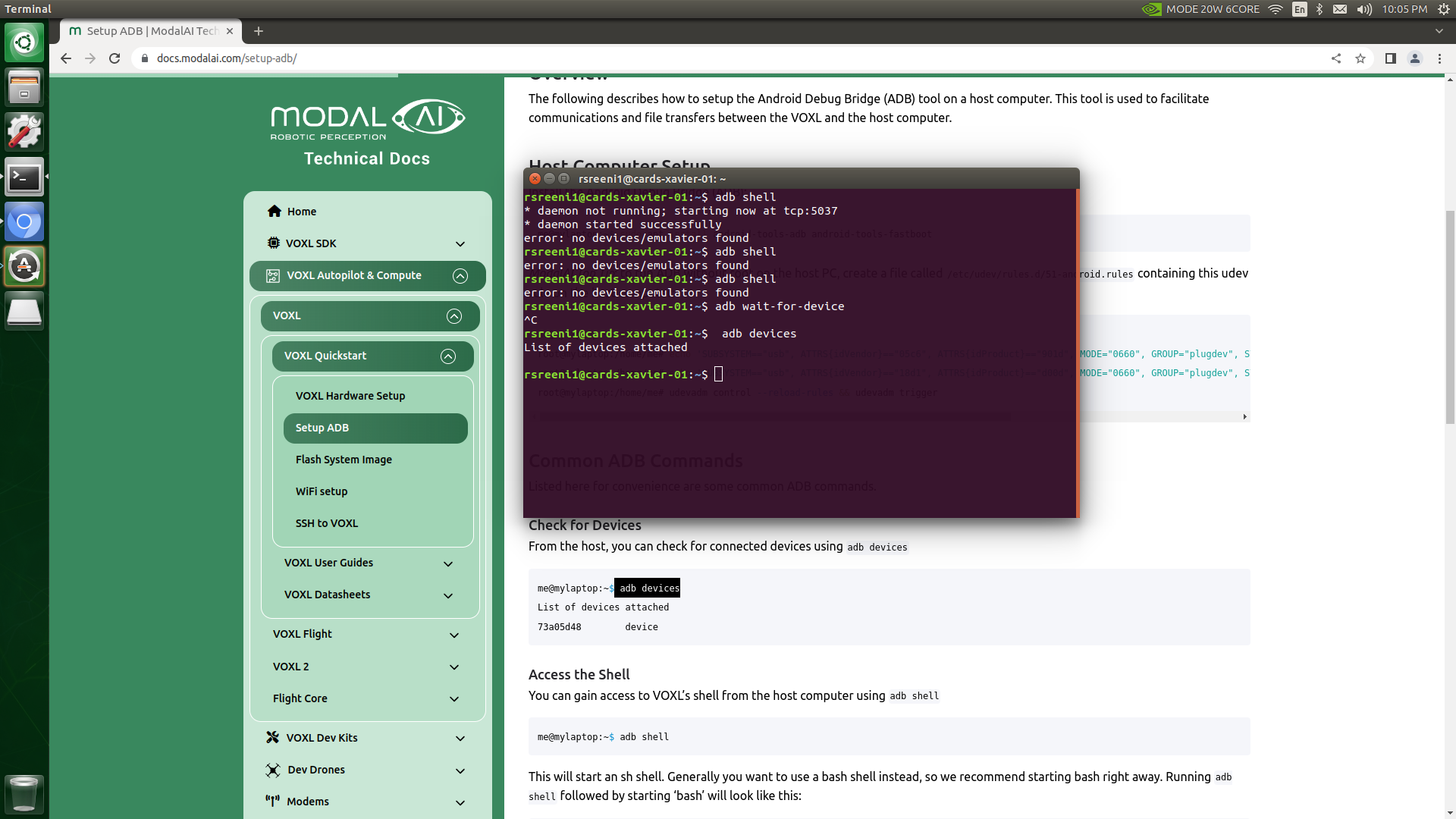
      Unable to connect to host PC using adb shell & SSH

      Ask your questions right here!
      • • • Mohammad Saeid Anwar
      19
      0
      Votes
      19
      Posts
      1837
      Views

      Mohammad Saeid AnwarM

      No. I don't have any other voxl.
      Yes, it's properly installed. I had previously worked with the same ADB installation. Suddenly, it stopped responding. I also tried with two other machines with proper ADB installations. It showed the same problem (no device found).

    • Ansel MisfeldtA

      Setup problems on new boards (Sensors and QGC connection problems)

      Flight Core v2
      • • • Ansel Misfeldt
      19
      0
      Votes
      19
      Posts
      3081
      Views

      modaltbM

      @Ansel-Misfeldt

      FW update feature is working in QGC daily build starting today, no change needed on flight core v2.

      23df224f-21ae-4469-b90e-bb255be91ab0-image.png

    • S

      ERROR: No ESC(s) detected, exiting.

      Ask your questions right here!
      • • • suvasis
      19
      0
      Votes
      19
      Posts
      1935
      Views

      Alex KushleyevA

      hi @suvasis

      #test voxl-esc tools cd /home/root/voxl-esc/tools ./voxl-esc-scan.py #perform ESC testing / calibration #...

      this was just a place holder for any testing you want to do with the voxl-esc tools.

      #when done, restore original libpx4.so cd /usr/lib/rfsa/adsp rm libpx4.so cp libpx4.so.bak libpx4.so systemctl enable voxl-px4 reboot

      This part restores the PX4 functionality, because in order to use voxl-esc tools on VOXL2, the instructions told you to disable PX4 while using voxl-esc tools. Soon we will not require disabling PX4 to use voxl-esc tools, but currently you have to do it.

      Please note that we just made some updated to the voxl-esc tools and directory structure has slightly changed. Also, you no longer have to download the binary tools package and add it to the voxl-esc/tools directory. Please see an example params file here : https://gitlab.com/voxl-public/voxl-sdk/utilities/voxl-esc/-/blob/dev/voxl-esc-params/old/esc_params_modalai_4_in_1_revb.xml
    • S

      QGC sensors - compass remains red

      Ask your questions right here!
      • • • suvasis
      19
      0
      Votes
      19
      Posts
      2014
      Views

      Abdullah01A

      @Eric-Katzfey said in QGC sensors - compass remains red:

      t isn't being specified correctly. It's kind of hard to tell in the picture but, at a minimum, the board is rotated 180 degrees. So it's the IMU rotation that needs to be set.

      yes, the board is rotated 180 degrees. So, how do I set the rotation of the IMU to 180 degrees? is it in the same config file?

      I rotate it 180 degrees as shown below

      AAAA.png

    • T

      Unable to switch from Spektrum to Graupner HoTT -- No radios found in QGC

      Ask your questions right here!
      • • • tpavlic
      19
      0
      Votes
      19
      Posts
      2942
      Views

      J

      @Moderator Hello - sorry if this isn't needed, but I put some settings/configs from one of the drones a couple messages up. If you could recommend other settings to look at to help get telemetry flowing between FCv2 and VOXL, it would be much appreciated. I'm happy to provide other settings/configs, just let me know what is helpful.

      Thanks,

      Jay

    • Qin YangQ

      Issues about ssh RB5

      Qualcomm Flight RB5 5G Drone
      • • • Qin Yang
      19
      0
      Votes
      19
      Posts
      1945
      Views

      Qin YangQ

      @Alex-Kushleyev Thank you very much for the solution, I fix it and it works. : )

    • Morten NissovM

      Maximum I2C Clock Frequency

      Ask your questions right here!
      • • • Morten Nissov
      19
      1
      Votes
      19
      Posts
      3302
      Views

      Alex KushleyevA

      @Morten-Nissov , great! You are welcome. Make sure to change that 1us scheduling interval to a more reasonable value 🙂

    • Jetson NanoJ

      PX4 Firmware flashing - Flight Core V2

      Flight Core v2
      • • • Jetson Nano
      19
      0
      Votes
      19
      Posts
      2100
      Views

      tomT

      @Jetson-Nano Unfortunately not given the state of the board

    • Gary HolmgrenG

      Stereo cameras not working with 14.5cm extension cable

      Ask your questions right here!
      • • • Gary Holmgren
      19
      0
      Votes
      19
      Posts
      2386
      Views

      Alex KushleyevA

      @robertociuch , I tested the dual stereo configuration with M0036 14.5cm extensions on each stereo. Stereo pairs plugged into J6 and J8, just like Camera Configuration 11 shows (link), I unplugged all other cameras. Seems to be working fine. I am attaching the voxl-camera-server.conf file with just stereo set up. Also, i am using SDK 1.3.2, however it should be working with older SDKs. If you find that installing the longer flex is an issue, it is possible that the flex itself is problematic. You can test the stereo pairs individually to find if there is a particular cable that is bad.

      Also, please double check that the following sensormodules (camera drivers) are present in the correct location:

      voxl2:/$ ls /usr/lib/camera/*combo* /usr/lib/camera/com.qti.sensormodule.ov7251_combo_0.bin /usr/lib/camera/com.qti.sensormodule.ov7251_combo_4.bin /usr/lib/camera/com.qti.sensormodule.ov7251_combo_1.bin /usr/lib/camera/com.qti.sensormodule.ov7251_combo_5.bin { "version": 0.1, "fsync_en": false, "fsync_gpio": 109, "cameras": [{ "type": "ov7251", "name": "stereo_front", "enabled": true, "camera_id": 0, "camera_id_second": 1, "independent_exposure": false, "fps": 30, "en_rotate": true, "en_rotate_second": true, "en_preview": true, "preview_width": 640, "preview_height": 480, "en_raw_preview": true, "ae_mode": "lme_msv", "ae_desired_msv": 60, "exposure_min_us": 20, "exposure_max_us": 33000, "gain_min": 54, "gain_max": 8000, "exposure_soft_min_us": 5000, "ae_filter_alpha": 0.600000023841858, "ae_ignore_fraction": 0.20000000298023224, "ae_slope": 0.05000000074505806, "ae_exposure_period": 1, "ae_gain_period": 1 }, { "type": "ov7251", "name": "stereo_rear", "enabled": true, "camera_id": 3, "camera_id_second": 2, "independent_exposure": false, "fps": 30, "en_rotate": false, "en_rotate_second": false, "en_preview": true, "preview_width": 640, "preview_height": 480, "en_raw_preview": true, "ae_mode": "lme_msv", "ae_desired_msv": 60, "exposure_min_us": 20, "exposure_max_us": 33000, "gain_min": 54, "gain_max": 8000, "exposure_soft_min_us": 5000, "ae_filter_alpha": 0.600000023841858, "ae_ignore_fraction": 0.20000000298023224, "ae_slope": 0.05000000074505806, "ae_exposure_period": 1, "ae_gain_period": 1 }] }
    • dleeD

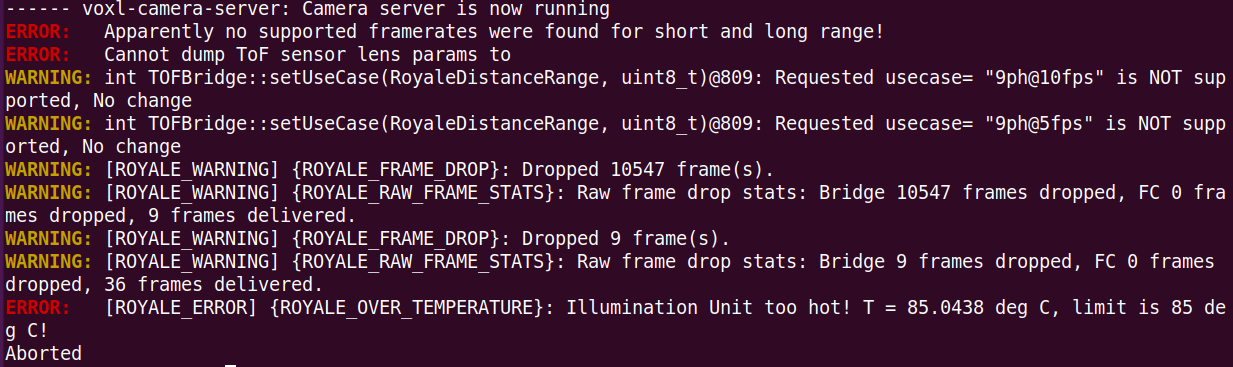
      ToF v2 keeps crashing because of high temperature

      Image Sensors
      • • • dlee
      19
      1
      Votes
      19
      Posts
      3168
      Views

      M

      @Alex-Kushleyev Thanks! This is helpful. Definitely easier to overheat these than the last gen so good to have the specs on it.

    • rdjarvisR

      UAV climbs out of control in POSITION mode (All QVIO sensors successfully calibrated)

      PX4 Autonomy Developer Kit
      • • • rdjarvis
      19
      0
      Votes
      19
      Posts
      3497
      Views

      ModeratorM

      @Stefan-Amundarain what do the flight logs tell you?

    • P

      Onboard Image Processing using ROS + OpenCV (+ possibly some ML library in the future)

      ROS
      • • • Prabhav Gupta
      19
      0
      Votes
      19
      Posts
      3606
      Views

      Alex KushleyevA

      @Prabhav-Gupta , you are welcome!

    • J

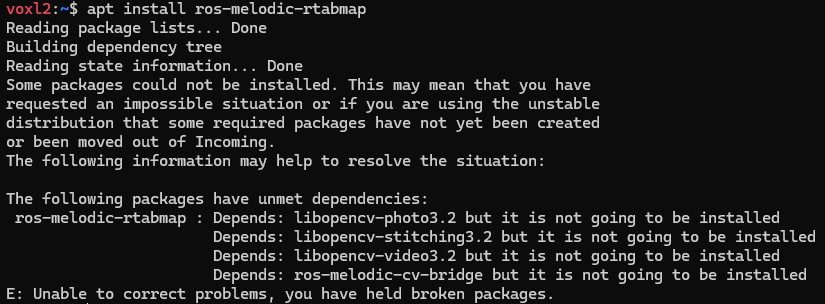
      Install libopencv on Starling 2

      VOXL 2
      • starlingv2 ros opencv docker • • Judoor 0
      19
      0
      Votes
      19
      Posts
      2801
      Views

      P

      @Alex-Kushleyev,

      Cool, Thanks a lot!

    • Jetson NanoJ

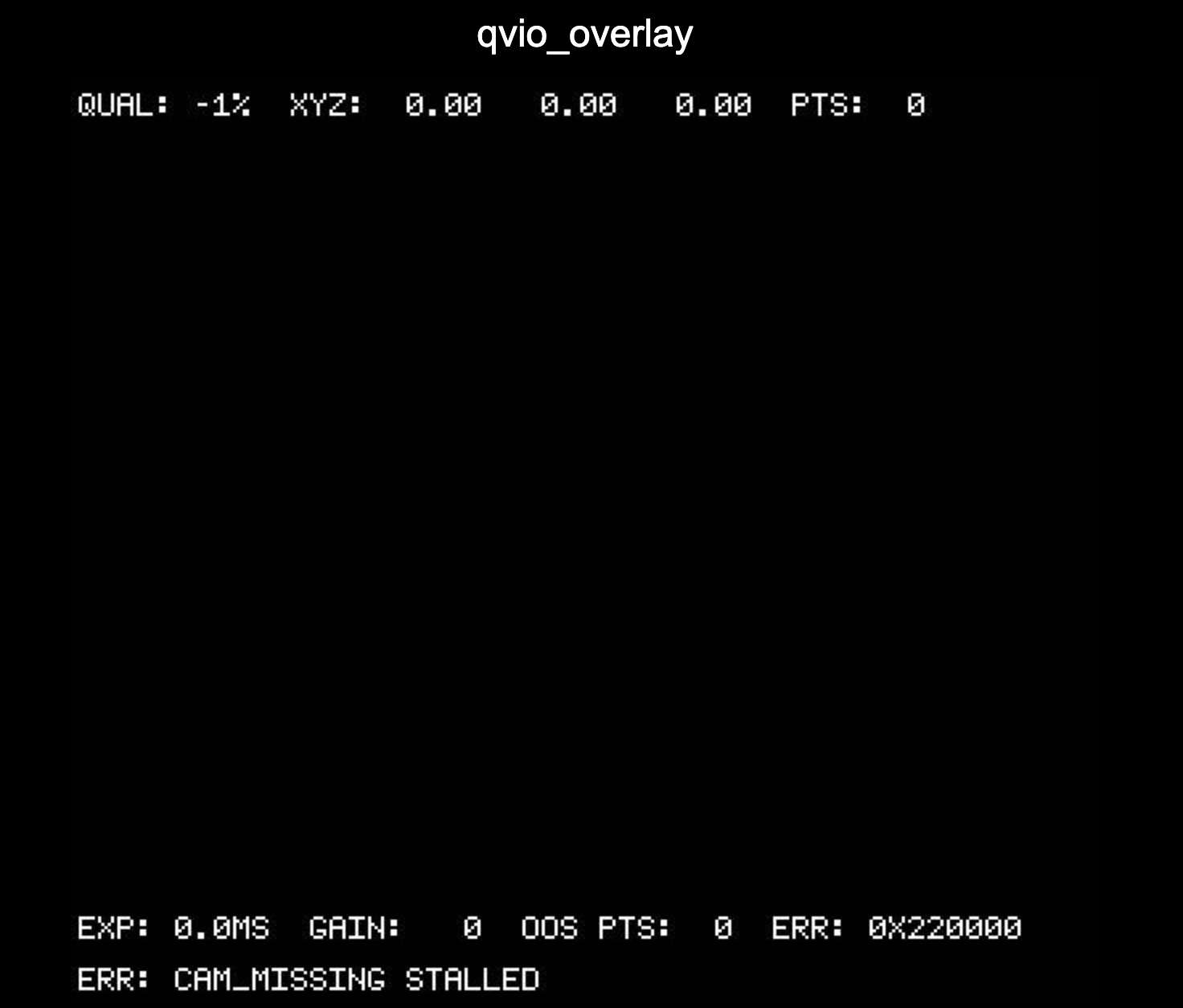
      CAM_MISSING_STALLED

      GPS-denied Navigation (VIO)
      • • • Jetson Nano
      19
      0
      Votes
      19
      Posts
      2282
      Views

      Jetson NanoJ

      @Alex-Kushleyev I tested the ToF with another VOXL2 board I have. Modified the camera config as only for ToF. On ground tests, the camera server seems to work fine. On terminal system logger publishes similar type of CAM_INFO, CAM_ERR dmesg -w messages as earlier.

      We used the same interposer as used in earlier VOXL2 compute.

    • Hung PhamH

      Pinout Description of Image Sensor 4k High-resolution for VOXL (MSU-M0024)

      Support Request Format for Best Results
      • • • Hung Pham
      19
      0
      Votes
      19
      Posts
      2002
      Views

      Hung PhamH

      @Vinny
      As per the parameters you provided, this sensor cannot operate at temperatures below 0 degrees Celsius.

      Thank you!

    • Kiazoa JoaoK

      VOXL Flight image will not flash

      VOXL SDK
      • • • Kiazoa Joao
      19
      0
      Votes
      19
      Posts
      1881
      Views

      Kiazoa JoaoK

      @tom Thank you. I'll look it up.

    • J

      OV64B Configuration

      Ask your questions right here!
      • • • jcai
      19
      0
      Votes
      19
      Posts
      2333
      Views

      Alex KushleyevA

      Yes, Hadron is working when plugged into J6 of VOXL2 Mini with default kernel.

      You just need to have the following sensormodule files in /usr/lib/camera/:

      com.qti.sensormodule.boson_0.bin com.qti.sensormodule.ov64b40_1.bin

      And instead of gpio6, you need to use gpio30 to enable the CCI mux, so that communication with the EO camera is enabled:

      voxl-gpio -m 30 out voxl-gpio -w 30 1

      I will update the Hadron documentation..

      Alex

    • J

      "Adopted" drone, help setting up

      Ask your questions right here!
      • • • jbhines929
      19
      0
      Votes
      19
      Posts
      1451
      Views

      tomT

      @jbhines929 No problem, thanks for the patience!

    • M

      Getting voxl-streamer running

      Ask your questions right here!
      • • • MattO
      18
      0
      Votes
      18
      Posts
      2628
      Views

      Dean FortierD

      @Eric-Katzfey Thanks for the explanation, I was not starting the voxl-camera-server before.

      When I started the voxl-camera-server, I had my camera configuration include the tracking camera which stopped the voxl-camera-server from starting correctly.

      Once I changed my camera configuration with voxl-configure-cameras to "hires only" I was able to start the camera server and then start the voxl-streamer as well.