ModalAI Forum
    • Categories
    • Recent
    • Tags
    • Popular
    • Users
    • Groups
    • Register
    • Login
    1. ModalAI Support Forum
    2. Popular
    Log in to post
    • All Time
    • Day
    • Week
    • Month
    • All Topics
    • New Topics
    • Watched Topics
    • Unreplied Topics

    • All categories
    • Samer JaradatS

      Sentinel PX4 ( NO GPs Lock and firmware problem )

      Watching Ignoring Scheduled Pinned Locked Moved Sentinel
      21
      4
      0 Votes
      21 Posts
      6k Views
      Samer JaradatS
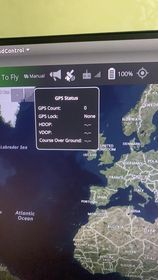
      @Eric-Katzfey this is our GPS status right now INFO [muorb] SLPI: qshell gotten: gps status INFO [muorb] SLPI: Main GPS INFO [muorb] SLPI: protocol: UBX INFO [muorb] SLPI: status: NOT OK, port: 6, baudrate: 0 INFO [muorb] SLPI: sat info: disabled INFO [muorb] SLPI: rate reading: 0 B/s INFO [muorb] SLPI: Ok executing command: gps status INFO [muorb] SLPI: Sending qshell retval with timestamp 855143719, current timestamp 855143720 INFO [qshell] qshell return value timestamp: 855143719, local time: 855147735 pxh>
    • H

      Failsafe Landing bug in PX4 1.14?

      Watching Ignoring Scheduled Pinned Locked Moved Ask your questions right here!
      21
      0 Votes
      21 Posts
      6k Views
      Eric KatzfeyE
      @swickliff No, it hasn't. Supposedly all of this is fixed in latest mainline but we haven't tested it. But we do have a mainline build available to try: http://voxl-packages.modalai.com/dists/qrb5165/dev/binary-arm64/voxl-mainline-px4_1.16.0-1.0.0-202502271326_arm64.deb
    • M

      SDK V1.0.1 Beta

      Watching Ignoring Scheduled Pinned Locked Moved VOXL 2
      21
      0 Votes
      21 Posts
      6k Views
      M
      @modaltb Support is hard! I am not sure I could do it.
    • W

      Update fw and params causing NO ESC detected

      Watching Ignoring Scheduled Pinned Locked Moved ESCs
      21
      0 Votes
      21 Posts
      5k Views
      Alex KushleyevA
      @Will , this is great to hear! Thank you for your patience as we are resolving this issue. It does sound like you are ready for flight testing. Meanwhile we will continue testing of the fix and will release an official firmware update to resolve the issue soon (probably this week). However, you don't need to wait for it, the test firmware you already have should be sufficient. If you run into any other ESC-related issues, please let us know! Alex
    • E

      DSP Tasks Failing Unless mini-dm is Run

      Watching Ignoring Scheduled Pinned Locked Moved Support Request Format for Best Results
      21
      1
      0 Votes
      21 Posts
      8k Views
      Eric KatzfeyE
      @ejohnson01 Can you try bringing this commit into your build and see if it resolves the issue: https://github.com/modalai/px4-firmware/commit/f945d29064b4ab26617a3fb15fc770f5dcb993e9
    • KrisK

      Streaming Stereo Camera

      Watching Ignoring Scheduled Pinned Locked Moved Ask your questions right here!
      21
      0 Votes
      21 Posts
      5k Views
      ModeratorM
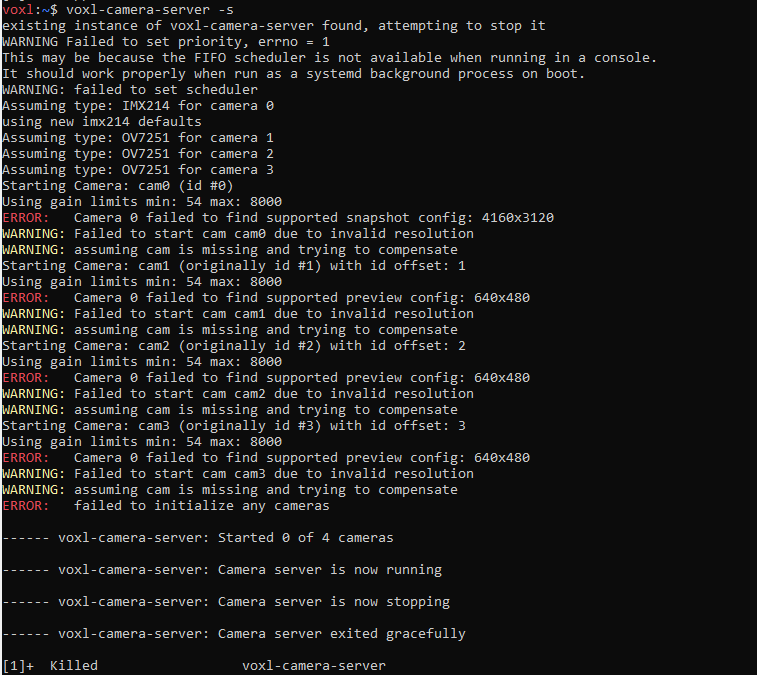
      Typically hires is the only pipe with encoding enabled by default, but in this case tracking is being used. Can you make sure encoding is enabled for the tracking camera in voxl-camera-server.conf ? Or, can you just see if hires_enc is working in QGC first? That's what we ship by default on a fresh install hires_enc to QGC should by enabled by default.
    • R

      4K Hires Camera crashes camera server

      Watching Ignoring Scheduled Pinned Locked Moved Ask your questions right here!
      21
      2
      0 Votes
      21 Posts
      5k Views
      Alex KushleyevA
      @riteshsharma you are welcome. If the current approach initializes and works fine (is able to allocate all the buffers), the performance should be stable. I am a bit surprised so many buffers are needed for the encoder, there is probably some other settings in our software to change that... However since it is actually working with 11 buffers, maybe there is no need for me to test / fix that. If you do encounter any other issues, let me know..
    • R

      Configuring battery monitor with FPV ESC

      Watching Ignoring Scheduled Pinned Locked Moved Ask your questions right here!
      21
      0 Votes
      21 Posts
      5k Views
      R
      @Alex-Kushleyev Thanks for the help, as I was calibrating the ESCs I did notice those messages, which confused me as to why we weren't able to get that information in PX4. On Monday it suddenly just started working despite my changing nothing. Gotta love when things fix themselves
    • C

      VOXL2 Sentinel no wifi after new SDK

      Watching Ignoring Scheduled Pinned Locked Moved Ask your questions right here!
      21
      0 Votes
      21 Posts
      4k Views
      Alex KushleyevA
      @craigphoenix , I think the SDK install is failing somewhere in the middle (but goes unnoticed) and the ESC update and wifi issue is a result of that. We have not see this behavior before, so it is best to send the board back for inspection. Thanks! Alex
    • Rawdha RR

      Gstreamer error: Streaming video to QGC over LTE

      Watching Ignoring Scheduled Pinned Locked Moved Ask your questions right here!
      21
      3
      0 Votes
      21 Posts
      6k Views
      Rawdha RR
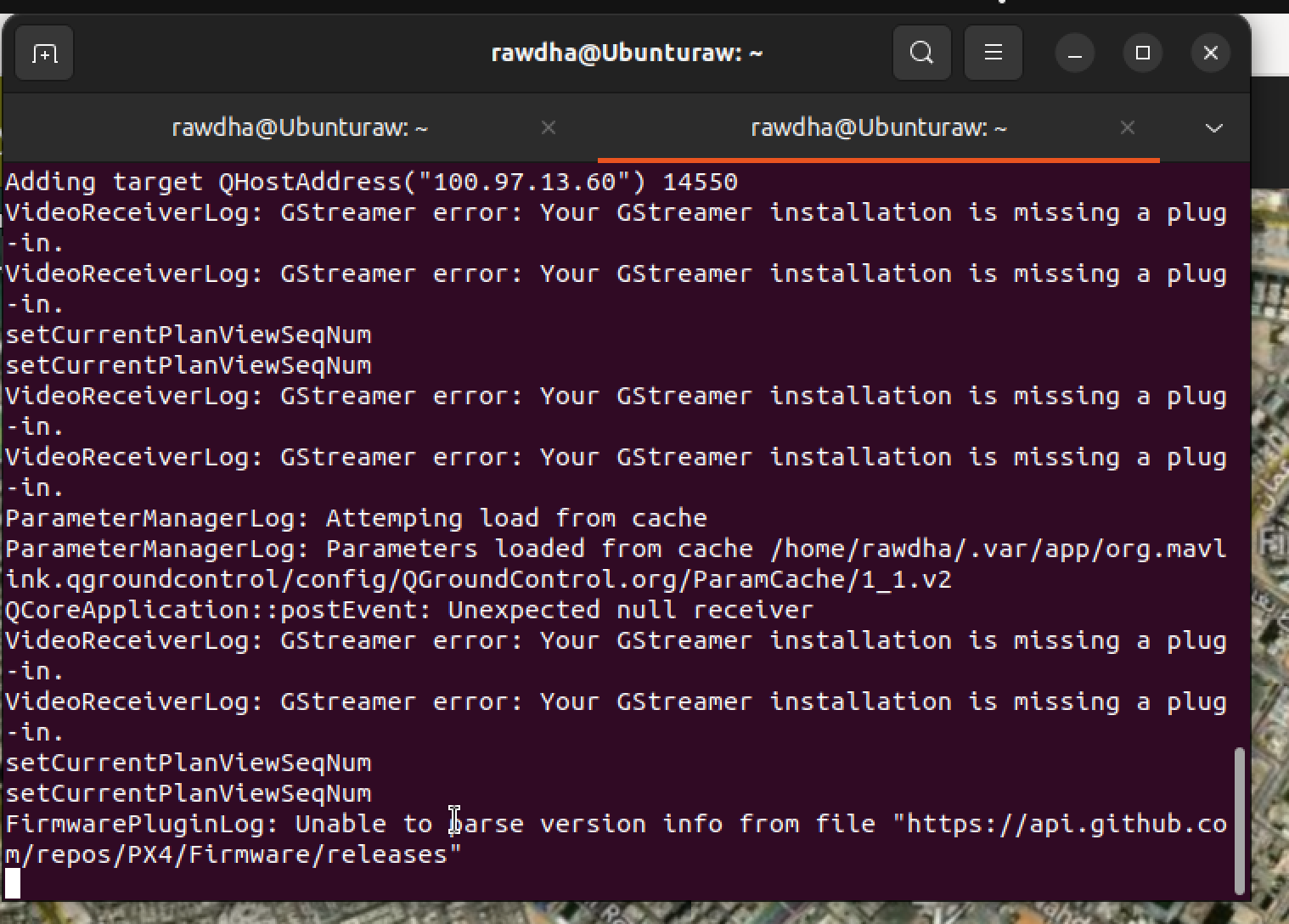
      @tom P.S. I am currently working with the Drone Sentinel VOXL 2 and the drone is connected via LTE but without Wi-Fi, because there is no wifi dongle.
    • B

      GPS not working for Starling 2 Max

      Watching Ignoring Scheduled Pinned Locked Moved Support Request Format for Best Results gps starling max
      21
      0 Votes
      21 Posts
      6k Views
      ROBERT JUDDR
      @Bernhard @James-Strawson @Zachary-Lowell-0 @Alex-Kushleyev @nuallaino I have a brand new Starling 2 Max (received 3 days ago), and I'm having the same problem described by nuallaino and Bernhard (no GPS even when outside for a long time). My system info and results of px4-listener are pasted below. I did unplug the Lepton 8-pin JST SH connector as suggested by James Strawson, but that had no effect. Everything else seems to work fine (haven't tried 5G comm yet), but I'm hesitant to fly without GPS functioning properly, so at this point I'm stuck. Any suggestions would be most welcome. Thanks for your help ! system-image: 1.8.02-M0054-14.1a-perf kernel: #1 SMP PREEMPT Mon Nov 11 22:47:44 UTC 2024 4.19.125 hw platform: M0054 mach.var: 1.0.1 voxl-suite: 1.4.1 current IP: wlan0: 10.0.0.19 voxl2:~$ px4-listener sensor_gps TOPIC: sensor_gps sensor_gps timestamp: 841732144 (0.020669 seconds ago) timestamp_sample: 0 time_utc_usec: 0 device_id: 11272245 (Type: 0xAC, SERIAL:6 (0x00)) lat: 0 lon: 0 alt: -17000 alt_ellipsoid: 0 s_variance_m_s: 999.00006 c_variance_rad: 3.14159 eph: 4294967.50000 epv: 3796926.25000 hdop: 99.99000 vdop: 99.99000 noise_per_ms: 64 jamming_indicator: 15 vel_m_s: 0.00000 vel_n_m_s: 0.00000 vel_e_m_s: 0.00000 vel_d_m_s: 0.00000 cog_rad: 0.00000 timestamp_time_relative: 0 heading: nan heading_offset: 0.00000 heading_accuracy: 0.00000 rtcm_injection_rate: 0.00000 automatic_gain_control: 0 fix_type: 0 jamming_state: 0 spoofing_state: 1 vel_ned_valid: False satellites_used: 0 selected_rtcm_instance: 0 voxl2:~$ px4-listener sensor_mag TOPIC: sensor_mag sensor_mag timestamp: 861420482 (0.006257 seconds ago) timestamp_sample: 861420007 (475 us before timestamp) device_id: 527625 (Type: 0x08, I2C:1 (0x0D)) x: -0.04417 y: -0.32142 z: 0.42167 temperature: nan error_count: 0 voxl2:~$
    • B

      streamer default h265

      Watching Ignoring Scheduled Pinned Locked Moved VOXL SDK
      21
      0 Votes
      21 Posts
      5k Views
      B
      @Alex-Kushleyev Thanks for letting me know! I'll have to give it a try
    • V

      PWM Servo IO Board

      Watching Ignoring Scheduled Pinned Locked Moved Ask your questions right here!
      21
      1
      0 Votes
      21 Posts
      5k Views
      Alex KushleyevA
      @valvarez , the usage for the test tool is as follows: voxl2:/$ qrb5165io-uart-test -h Description: runs hardware loopback test on specified bus Usage: qrb5165io-uart-test -d <device ID> (eg 3 for /dev/ttyHS3) So you should run your test as: voxl2:/$ qrb5165io-uart-test -d 2 [INFO]: success!
    • A

      VOXL-2 Drone M0054-2 Boot Issue After C26 Camera Update

      Watching Ignoring Scheduled Pinned Locked Moved Starling & Starling 2 voxl2 starling2
      21
      0 Votes
      21 Posts
      4k Views
      tomT
      @antenna-eng What hardware do you have connected to the VOXL 2 board? Cameras etc.
    • K

      Ardupilot : connection with Mission Planner

      Watching Ignoring Scheduled Pinned Locked Moved VOXL 2
      21
      0 Votes
      21 Posts
      8k Views
      Eric KatzfeyE
      @Kessie Excellent, glad to hear you got it working! And thanks for adding the details on what you had to do to the posting!
    • h3roboticsH

      Unable to configure LTE modem

      Watching Ignoring Scheduled Pinned Locked Moved Cellular Modems
      21
      0 Votes
      21 Posts
      5k Views
      h3roboticsH
      @Alex-Kushleyev That was it! I first tried with a lower baud rate of 250K on PX4 and I started getting the battery info. Then as you recommended, I uploaded new parameters to the ESC. I used: python3 voxl-esc-upload-params.py --params-file ../voxl-esc-params/D0014_starling_1504_3000kv_ms_props/D0014_starling_1504_3000kv_ms_props.xml because I will be using it on a drone of similar size and performance. Then with 2M baud rate in PX4, I was able to make it work! Thank you.
    • Alex MayA

      Lumenier RID & M10Q GPS Module compatibility

      Watching Ignoring Scheduled Pinned Locked Moved VOXL 2 Mini
      21
      0 Votes
      21 Posts
      4k Views
      P
      @Eric-Katzfey I did the systemctl stop and started service again. I guess rebooting the board earlier did not have the same effect. The compass calibration in Q is working now (no more "no mag found" error) which I guess it means the mag is working now and our gps is working too. here is the output of voxl-p4 -d by the way: INFO [qshell] Send cmd: 'lis3mdl start -R 10 -X -b 1' INFO [muorb] [uORB] Marking DeviceNode(qshell_req) as advertised in process_remote_topic INFO [muorb] [qshell] qshell gotten: lis3mdl start -R 10 -X -b 1 INFO [muorb] [qshell] arg0 = 'lis3mdl' INFO [muorb] [qshell] arg1 = 'start' INFO [muorb] [qshell] arg2 = '-R' INFO [muorb] [qshell] arg3 = '10' INFO [muorb] [qshell] arg4 = '-X' INFO [muorb] [qshell] arg5 = '-b' INFO [muorb] [qshell] arg6 = '1' INFO [muorb] [drivers__device] *** I2C Device ID 0x51e09 335369 INFO [muorb] [drivers__device] Set up I2C bus mutex for bus 1 INFO [muorb] lis3mdl #0 on I2C bus 1 INFO [muorb] (external) INFO [muorb] address 0x1E INFO [muorb] rotation 10 INFO [muorb] INFO [muorb] [qshell] Ok executing command: lis3mdl start -R 10 -X -b 1
    • G

      Starling 2 not following navigation path

      Watching Ignoring Scheduled Pinned Locked Moved Ask your questions right here!
      21
      1
      0 Votes
      21 Posts
      2k Views
      Cliff WongC
      @greg_s That would explain a lot what's happening. If you start fresh and connect to the drone with voxl-portal and goto the VIO tab/menu option, you should be able to pick up the drone and perform a bench test. Considering Figure 8 is not working, you will need to inspect the front and downward camera, tighten/remount any loose parts and possibly check camera focus & calibration. Worse case if the forward camera is good and not changed from factory, you can edit /etc/modalai/vio_cam.conf on the drone and disabled the faulty camera (disabled the down camera). You'll have degraded precision (mainly bad vio in fast yaw motions), but should be able to perform a figure 8 and should get you running until you repair that bottom sensor.
    • S

      Implementing PX4 avoidance in mission mode using the voxl and QGC

      Watching Ignoring Scheduled Pinned Locked Moved Ask your questions right here!
      20
      0 Votes
      20 Posts
      4k Views
      J DataJ
      @modalab Hello, can you help me to resolve this problem?
    • B

      voxl communications completely locking up

      Watching Ignoring Scheduled Pinned Locked Moved VOXL
      20
      0 Votes
      20 Posts
      4k Views
      Eric KatzfeyE
      The kernel build is posted at https://gitlab.com/voxl-public/system-image-build/voxl-build