Skip to content

VOXL SDK

128 Topics 582 Posts

General questions regarding the VOXL SDK that do not fit into other categories

  • PX4 timesync via for Voxl2

    3
    0 Votes
    3 Posts
    1k Views
    J
    @Moderator Thanks for the response. Follow up question, are the voxl-side timesync requests only used for updating gps timestamps? After reading the code you linked and running mavlink-server in timesync debug mode I think that the only thing not working is the voxl timesync requests. It looks like when I start sending hil_gps or odometry mavlink messages to the autopilot pipe, one of the autopilot's responses to the voxl timesync requests is dropped or comes in after a new value for last_voxl_time_sent is generated. Then the timesync handler can't recover because it's getting responses that are 1 step behind moving forward (see below). Since it looks like it continues to get reasonable values for now-ts1 for the autopilot requests, I don't think this is an issue depending on what voxl-side timesync is being used for. Not sure why I'm getting the RTT too high warning in my PX4 log though output from mavlink server timesync debug mode at the point when I started sending odom/gps mavlink messages to the autopilot: sending our own ts request at 408744677609 ap ms ahead of voxl: -0.2ms timesync: now-ts1 = 0.6ms sending our own ts request at 408845331615 ap ms ahead of voxl: -0.3ms timesync: now-ts1 = 0.9ms sending our own ts request at 408945169337 timesync: now-ts1 = 0.2ms sending our own ts request at 409044439310 timesync: now-ts1 = 0.3ms sending our own ts request at **409145346227** timesync: now-ts1 = 0.5ms sending our own ts request at **409244599326** unknown timesync request ts1 = **409145346227** tc1 = 409263819000 last_voxl_time_sent = 409244599326 timesync: now-ts1 = 0.3ms sending our own ts request at 409345147918 unknown timesync request ts1 = **409244599326** tc1 = 409406867000 last_voxl_time_sent = 409345147918 timesync: now-ts1 = 0.2ms sending our own ts request at 409445248290 unknown timesync request ts1 = 409345147918 tc1 = 409506047000 last_voxl_time_sent = 409445248290 timesync: now-ts1 = 0.2ms sending our own ts request at 409545084726 unknown timesync request ts1 = 409445248290 tc1 = 409608198000 last_voxl_time_sent = 409545084726 timesync: now-ts1 = 0.4ms sending our own ts request at 409645091472 unknown timesync request ts1 = 409545084726 tc1 = 409717154000 last_voxl_time_sent = 409645091472
  • voxl-logger record data from all the cameras

    3
    0 Votes
    3 Posts
    751 Views
    bogaB
    @Eric-Katzfey That works, thanks!
  • voxl-mavlink-server primary and seconday links cause slow loading

    1
    0 Votes
    1 Posts
    412 Views
    No one has replied
  • Record video with from two OV9782 cameras in stereo

    7
    0 Votes
    7 Posts
    1k Views
    R
    Thank you - I was able to make it work for one camera with the following changes. etc/modalai/voxl-camera-server.conf changed "camera_id_second": to -1 to get just one camera, changed "en_preview": to false, Added:"en_small_video": true, "small_video_width": 1280, "small_video_height": 800, restart voxl-camera-server service etc/modalai/voxl-streamer.conf "input-pipe": "stereo_small_encoded" etc/modalai/voxl-mavcam-manager.conf "video_record_pipe_name": "stereo_small_encoded",
  • Where are config files on gitlab?

    3
    0 Votes
    3 Posts
    720 Views
    ?
    @wilkinsaf Yeah you're absolutely right! Happy to help you out if you have any more questions about that process. -Thomas
  • RPM control

    23
    0 Votes
    23 Posts
    6k Views
    Alex KushleyevA
    Also, if you are using very old SDK on VOXL2, the uart bridge may not be working 100% properly. When in doubt, the best thing to do is to connect to the ESC using a serial to usb adapter going directly to a Linux PC (and run voxl-esc tools on the PC). do you have that available?
  • Voxl Mavcam Geotagging Support

    2
    0 Votes
    2 Posts
    554 Views
    ModeratorM
    @AndriiHlyvko On VOXL 2, the snapshot pipe from voxl-camera-server will use the latest gps data and update the exif data of the jpg image with the latitude and longitude voxl-camera-server receives GPS data here voxl-mavlink-server publishes GPS data here You can use the voxl-inspect-gps tool to verify the GPS data is being published correctly
  • Installing libpcl-dev

    3
    0 Votes
    3 Posts
    762 Views
    Alex KushleyevA
    @Rowan-Dempster, i looked through the changelog of our project (https://gitlab.com/voxl-public/voxl-sdk/third-party/voxl-eigen3/) and it does not look that there are any changes done to eigen3 itself, i think it is just a package we inherited from VOXL1, which did not use apt. If you are willing to try it, remove voxl-eigen3 package (which may temporarily break something - note which packages require it). We could potentially update whatever gets broken to be happy with either voxl-eigen3 or eigen3 installed using apt.
  • imu_apps Publish Frequency

    6
    0 Votes
    6 Posts
    2k Views
    Alex KushleyevA
    @jenyeom , i am not sure, can you please try setting cpu mode to performance: voxl-set-cpu-mode perf This will prevent cpu from sleeping excessively in low power mode. Perhaps the dt is so low that the cpu oversleeps and does not handle all the imu messages.
  • Mavlink camera Manager (0.9) functionality in SDK 1.0.0

    7
    0 Votes
    7 Posts
    2k Views
    Jeremy FrederickJ
    @Eric-Katzfey This is working great, been playing around with it for the last week or so. The next thing I'll be working on will be the order in which the cameras streams are displayed to QGC. It seems right now on boot the initial stream that comes up in randomized over the various camera being fed into QGC.
  • Building a Custom Flight Controller

    calibrate px4 px4-firmware camera
    4
    0 Votes
    4 Posts
    2k Views
    Eric KatzfeyE
    @tyorb It would be a massive undertaking and we would only be able to provide very minimal support. I'd definitely recommend against it.
  • Rotating the Stereo Cameras 180 degrees

    2
    0 Votes
    2 Posts
    897 Views
    Alex KushleyevA
    @Jeffrey-Mao I am assuming you are asking about VOXL2 with ov7251 stereo in combo mode (using a single 4-lane camera port) Please check in /usr/lib/camera, you should see two com.qti.sensormodule.ov7251_combo* files. you should remove them and replace them with ones from /usr/share/modalai/chi-cdk/ov7251-combo-flip, making sure you copy the files with the same camera slot index (the number at the end before .bin). Then simply restart voxl-camera-server and the cameras should be rotated 180 (this happens by reversing the direction the images are read from the camera itself, not rotated in software)
  • YoloV8 on VOXL2

    1
    0 Votes
    1 Posts
    886 Views
    No one has replied
  • Custom YOLO model on VOXL1

    6
    2
    0 Votes
    6 Posts
    2k Views
    ?
    @michi Yeah, I'd be curious to know what your results are like using a custom YOLOv5 model. If things are still slow, the issue might be in your quantization process. However if it speeds up, it may just be that the model architecture is too big. I have it on my to-do list at some point in the next few weeks to add YOLOv8 to our list of default models so when/if I do that I'll keep you posted with the results of that as well. Keep me posted on how I can be of assistance! Thomas Patton
  • New SDK performance mode

    7
    0 Votes
    7 Posts
    2k Views
    Jeffrey MaoJ
    Thanks it works like a charm now for the help
  • Controlling servo/gripper from VOXL2

    1
    0 Votes
    1 Posts
    709 Views
    No one has replied
  • 0 Votes
    2 Posts
    1k Views
    ?
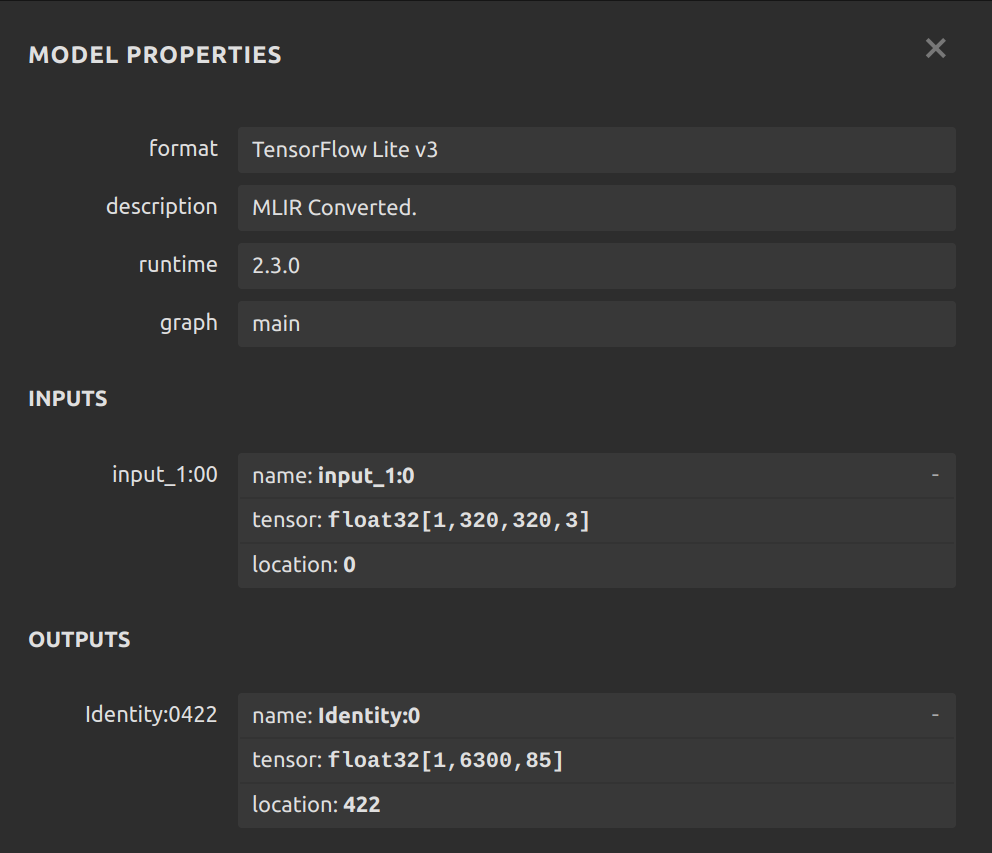
    @Manu-Bhardwaj Hey Manu, happy to help you with this and any other questions you may have. Can I start by asking what version of the VOXL SDK you're using? /etc/modalai/voxl-tflite-server.conf is a file that is written upon flashing the SDK and so I'm surprised to hear the file isn't being found. If by some chance it got deleted, you might benefit from re-flashing the SDK. Also in your email I saw you had some other questions about VOXL TFlite Server, maybe you'd like to post those here or create a new forum topic? Looking forward to helping you on this! Thomas Patton
  • m500 VOXL Flight sdk update to v1.1.x

    26
    0 Votes
    26 Posts
    9k Views
    ModeratorM
    @Darshit-Desai Can you try the v1.13 PX4 for the Flight Core? https://docs.modalai.com/flight-core-v2-firmware/
  • Writing a Custom UART Driver

    7
    0 Votes
    7 Posts
    2k Views
    LucaVertiqL
    @Eric-Katzfey Thanks to you we now have our motors running right off the SLPI processor with PX4 as a UART 'bus'. Everything seems to work great. The main issue was figuring out what qshell commands to send to start it up properly.
  • 0 Votes
    3 Posts
    1k Views
    Darshit DesaiD
    @Moderator I think none of the previous yolo versions allow tracker usage without having explicit access to the model itself, and based on what I read on the modal ai documentation there is no way to do that.