Skip to content
  • Starling 2 Max C28 vs C29

    Starling & Starling 2
    9
    0 Votes
    9 Posts
    2k Views
    Timothy ZinwotaT
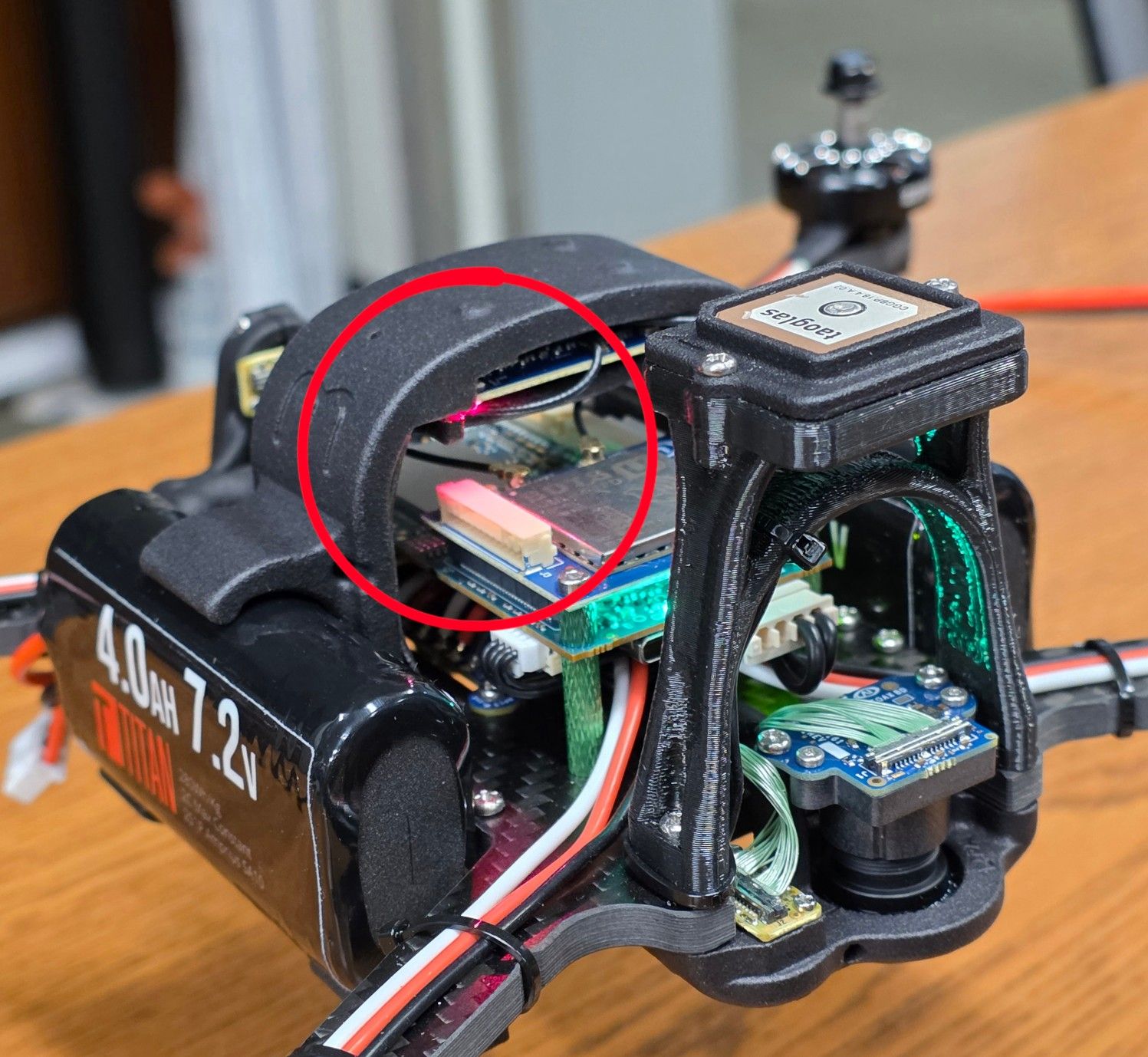
    @Alex-Kushleyev said in Starling 2 Max C28 vs C29: @jbiscan21 , yes you can add the TOF sensor to Starling 2 Max, but you will also need a new front plastic mount that will hold the hires and tracking cameras as well as the new TOF sensor. You can order the mount (which will be a drop in replacement for the original camera mount) with the TOF sensor. If you do want to proceed with the TOF sensor + plastics order, we will need to double check that all the necessary screws are included. You would need to send an email for a custom order to start this off and mention this thread and that we need to include mounting hardware. https://www.modalai.com/pages/contact-us (related post : https://forum.modalai.com/topic/5157/c29-configuration) See more detailed pictures. [image: 1778622521915-06f55cf3-051e-4cf8-8029-dc558eddf484-image.png] [image: 1778622565955-d6b9c715-eb34-4012-8785-f8c317d4e743-image.png] [image: 1778622615250-74789adc-815b-4c67-9663-aae23dc96106-image.png] Alex @Alex-Kushleyev We are trying to purchase the TOF sensor for our Starling 2 max c28 configuration. The sales department asked to make a post on the forum for technical information which I did here Can you confirm if we can also reference this post to make the purchase for our drone with the required parts included? We'd like to place an order as soon as possible. Thank you, Timothy Zinwota University of Nevada, Las Vegas.
  • Starling 2 replacement piece

    Starling & Starling 2
    2
    2
    0 Votes
    2 Posts
    1k Views
    Alex KushleyevA
    @ey , we are working on making a replacement plastic kit available. It looks like you may have gotten a response from our team already, but moving forward we should have some kits available soon. Alex
  • Unbrick VOXL2 instruction help

    VOXL 2
    2
    2
    0 Votes
    2 Posts
    797 Views
    Z
    @Engineer123 You can download all the necessary flat build files from our page: [modalai.filecloudonline.com](link url). Go into flat builds folder and download the m0054(154-1) flat build file With regards to actually flashing the flat build, and using modal-qdl repo: Make sure to put the flat build file properly in a correct folder as mentioned by the doc (./qdl/qfil_app/modalai). Make sure the file is unzipped (it should be m0054(154-1)/ all the files, NOT m0054(154-1)/m0054(154-1)/....) Some users have seen a higher qdl success rate when they ran install_dependencies.sh and run.sh with sudo commands. So sudo might work better Confirm that the voxl is in edl mode
  • Additional UDP Port Setting

    Ask your questions right here!
    9
    0 Votes
    9 Posts
    4k Views
    Eric KatzfeyE
    @voxltester As I tried to explain before, don't wait for voxl-mavlink-server to connect to your application. You need to have it initiate the connection to voxl-mavlink-server.
  • dsp is not running

    VOXL SDK
    11
    0 Votes
    11 Posts
    5k Views
    R
    @Eric-Katzfey thanks. before I did sdk reflash I found out the px4 params were somehow corrupted. I have tried to reproduce these values without success. what made it work is taking a similar drawn read the params usign px4-param show -a and writing the to the corrupted one.
  • Failing to boot

    Ask your questions right here!
    2
    0 Votes
    2 Posts
    2k Views
    Alex KushleyevA
    @John-Keller , please try https://docs.modalai.com/voxl2-unbricking/
  • Broken off Capacitor???

    VOXL 2
    2
    1
    0 Votes
    2 Posts
    889 Views
    VinnyV
    Hi @isagmz That is indeed a cap. It is a 4.7uF 25V 0603 in support of the 5V input rail when sourced by J5. [image: 1782190949170-0a20b27c-498c-4971-be16-f9c02719c08f-image.png] We have so much margin on the 5V power rail, I would not worry about one cap missing. My best advice is to clean up that area to make sure there is no FOD or ripped up pads that can cause a short on that 5V rail from the broken cap, and just keep developing. Let us know if you have any other issues. Thanks!
  • Modal starling2 downward camera

    Starling & Starling 2
    2
    0 Votes
    2 Posts
    1k Views
    Alex KushleyevA
    @Arunabh-Sharma , I believe the extrinsics file is correct. Here is an extrinsics file for Starling 2 (which can support up to 3 tracking cameras, depending on configuration). https://gitlab.com/voxl-public/voxl-sdk/utilities/voxl-mpa-tools/-/blob/master/misc_files/usr/share/modalai/extrinsic_configs/D0014_Starling_2.conf tracking_down is the camera we want and the extrinsics are: "parent": "imu_apps", "child": "tracking_down", "T_child_wrt_parent": [-0.08825, -0.0045, 0.0269], "RPY_parent_to_child": [0, 0, 180] [image: 1782188708958-54bec293-dddc-48e7-903b-47dda8c48787-image.png] I have labeled the camera X and Y axes on the down-facing rear camera and the rotation matches up with 180 degree yaw with respect to the drone's body axes (X=forward, Y=right, Z= down) Please note something that may add to the confusion. The front facing tracking camera is technically upside down (using our standard convention that i labeled for the down-facing camera), however we rotate the image 180 degrees in the camera itself during image read-out, so that the image looks right side up without any software work. This 180 degree rotation is selected in voxl-camera-server.conf with a rotation parameter, which instructs voxl-camera-server to set a special register in the camera to reverse the image readout. This is why you will see tracking_front and hires cameras having the same rotation extrinsics, while the tracking_front camera is physically upside down. Some more info about our extrinsics and conventions : https://docs.modalai.com/configure-extrinsics/ Alex
  • Donwloads site contains incorrect files

    VOXL 2
    2
    0 Votes
    2 Posts
    762 Views
    Z
    @andrek Thanks for catching it! We just updated flat builds and now it contains m0054-2!
  • M0054-2 Unbricking Image

    VOXL 2
    3
    0 Votes
    3 Posts
    778 Views
    Z
    @WesleyHavocAI Thanks for catching it! We just updated flat builds and now it contains m0054-2!
  • 0 Votes
    1 Posts
    724 Views
    No one has replied
  • 0 Votes
    1 Posts
    693 Views
    No one has replied
  • 0 Votes
    5 Posts
    2k Views
    ModeratorM
    The Doodle Labs pinout could be inferred from this cable mcbl-00085
  • Burnt board components

    FPV Drones
    4
    1
    0 Votes
    4 Posts
    2k Views
    R
    @Alex-Kushleyev Thank you. We will do, but for future reference: @Alex-Kushleyev said in Burnt board components: what type of vehicle was the ESC a part of? Singer Vision FPV 3.5" @Alex-Kushleyev said in Burnt board components: what was the behavior of the motor that was not functioning properly? Not operating a full power with intermittent operation @Alex-Kushleyev said in Burnt board components: did the whole ESC stop working or only one channel, which was originally struggling? Only one channel @Alex-Kushleyev said in Burnt board components: did you notice the burned component when the ESC arrived or did it burn after arrival? We didn't noticed or inspected it. @Alex-Kushleyev said in Burnt board components: was the black paint already on the ESC when you received it? We didn't notice or checked
  • Near-zero feature extraction (single camera)

    VOXL 2 Mini
    3
    0 Votes
    3 Posts
    1k Views
    zauberflote1Z
    Regarding the feature track tab, I recommend upgrading to the latest available SDK, features should show on voxl-portal. The correct overlay is under VIO indeed
  • VIO position estimation is off

    VOXL Dev Drones
    1
    0 Votes
    1 Posts
    811 Views
    No one has replied
  • Issues with controller and drone

    Starling & Starling 2
    22
    0 Votes
    22 Posts
    2k Views
    Eric KatzfeyE
    @daniellee This log shows a normal flight happening in altitude hold mode. RC inputs are coming in and motors are spinning. Was there some issue with the flight this log was captured from?
  • Starling 2 Max configurations orders

    Ask your questions right here!
    1
    0 Votes
    1 Posts
    284 Views
    No one has replied
  • Skip threadlocker

    Stinger Vision FPV
    1
    0 Votes
    1 Posts
    486 Views
    No one has replied
  • 0 Votes
    19 Posts
    3k Views
    Eric KatzfeyE
    @Jetson-Nano Can you rebuild to add UAVCAN? The code is here: https://github.com/modalai/px4-firmware/tree/v1.14.0-2.0.133-dev