ModalAI Forum
    • Categories
    • Recent
    • Tags
    • Popular
    • Users
    • Groups
    • Register
    • Login
    1. Home
    2. Sarika Sharma
    S
    • Profile
    • Following 0
    • Followers 0
    • Topics 3
    • Posts 13
    • Best 0
    • Controversial 0
    • Groups 0

    Sarika Sharma

    @Sarika Sharma

    0
    Reputation
    2
    Profile views
    13
    Posts
    0
    Followers
    0
    Following
    Joined Last Online

    Sarika Sharma Unfollow Follow

    Latest posts made by Sarika Sharma

    • RE: PMD ToF not detected on VOXL2

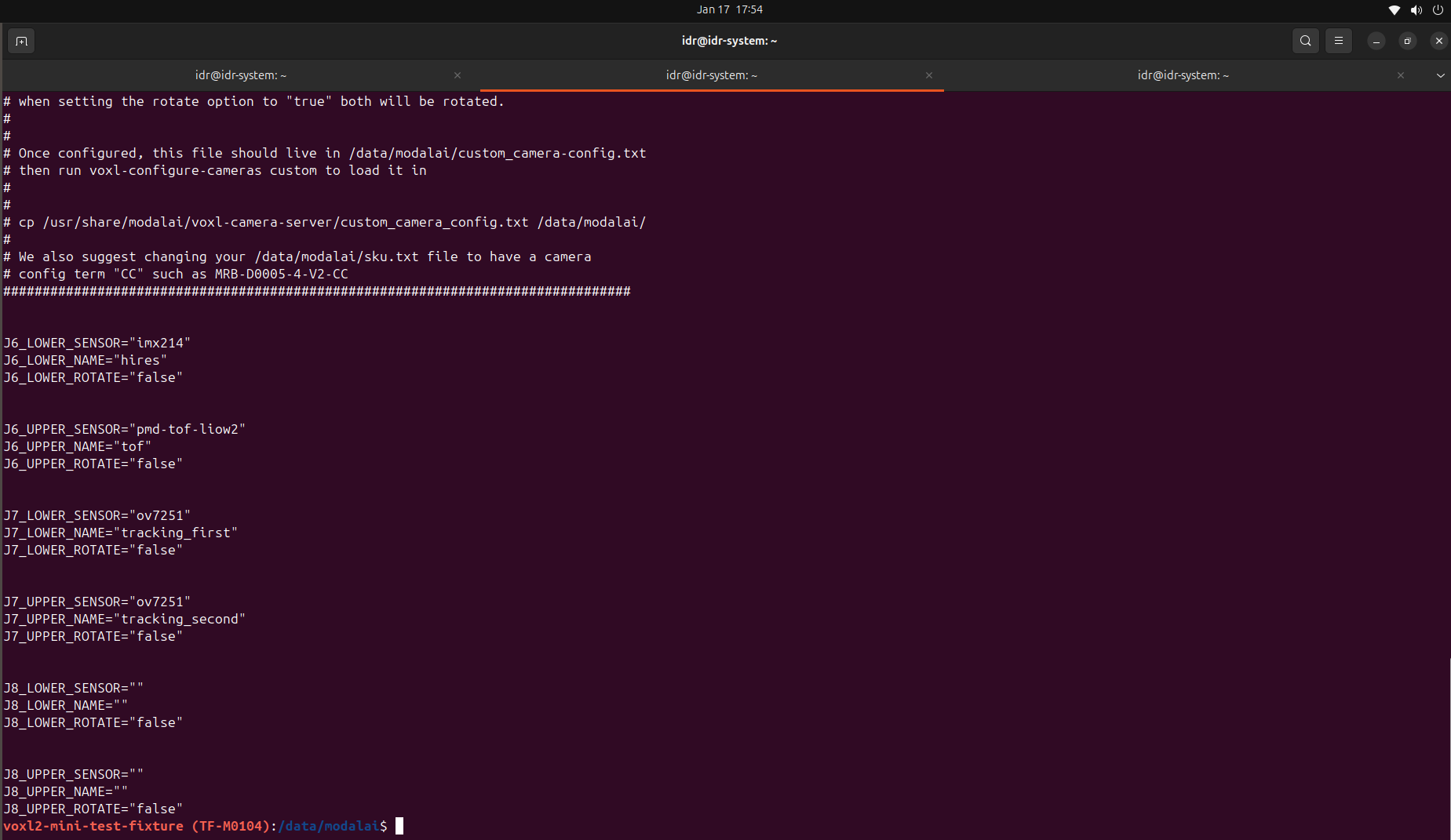
      @Sarika-Sharma Now TOF is detected. I have choosed pmd-tof instead of pmd-tof-liow2.
      But please give solution for the following problem.
      When I used J7 according to the following configuration
      Hardware Setup
      M0104 Connector Interposer Sensor HW ID
      J7 M0135 JL Tracking (M0014 ) 2
      J7 M0135 JU Hires (M0025-2 ) 3
      OR
      J7 M0135 JL Hires (M0025-2 ) 2
      J7 M0135 JU Tracking (M0014 ) 3

      ONLY , The camera which is connected to JL is working either tracking or hires.
      Cameras connected to JU is not working.
      When i run voxl-camera-server it gives this
      WARNING: cam tracking (id 1) does not seem to be alive

      ------ voxl-camera-server: Started 1 of 2 cameras

      ------ voxl-camera-server: Camera server is now running
      OR
      When i run voxl-camera-server it gives this
      WARNING: cam hires (id 1) does not seem to be alive

      ------ voxl-camera-server: Started 1 of 2 cameras

      ------ voxl-camera-server: Camera server is now running![alt text](ba913d5d-8f28-44d8-8ee4-8a906e5f680c-WhatsApp Image 2025-12-26 at 5.31.01 PM.jpeg )/home/idr/Downloads/WhatsApp Image 2025-12-26 at 5.31.01 PM.jpeg

      posted in Ask your questions right here!
      S
      Sarika Sharma
    • RE: Compatible ToF sensor setup with VOXL2 Mini

      @Alex-Kushleyev @Luca-Zanatta I am also facing the same issue, can you please tell how to solve resolution problem.
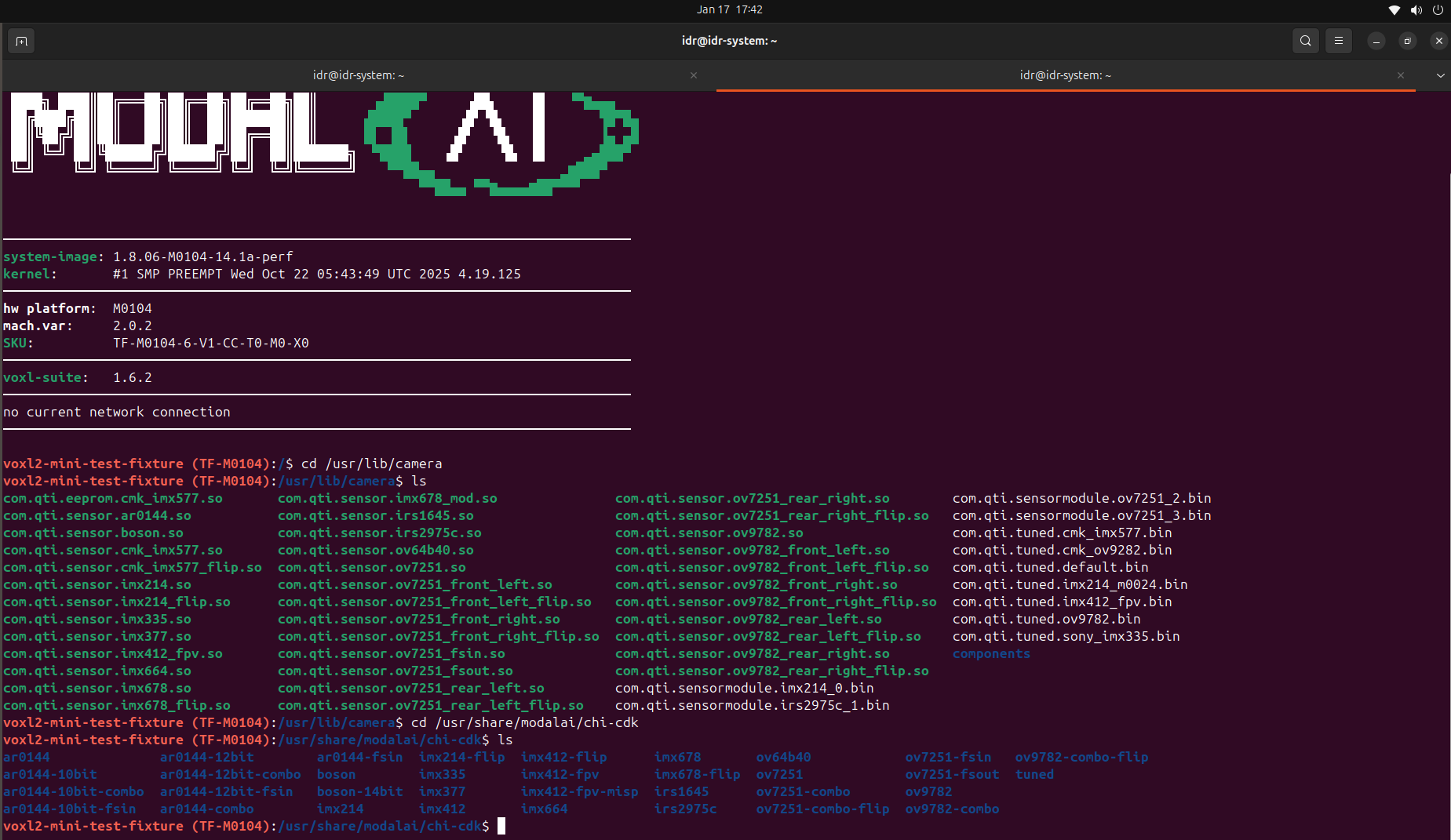
      I have tried to manually add preview width and preview height in vim /etc/modalai/voxl-camera-server.conf But when i run voxl-camera-server it still gives previous resolution 240*1557 and hence pmd-tof is not detected.

      posted in VOXL Accessories
      S
      Sarika Sharma
    • RE: Unable to connect multiple VOXL2 mini drones to QGroundControl using different UDP ports

      @Sarika-Sharma Kindly resolve this issue also https://forum.modalai.com/topic/4952/pmd-tof-not-detected-on-voxl2?_=1766730439331.

      posted in Ask your questions right here!
      S
      Sarika Sharma
    • RE: Unable to connect multiple VOXL2 mini drones to QGroundControl using different UDP ports

      @Eric-Katzfey Thank you.

      posted in Ask your questions right here!
      S
      Sarika Sharma
    • PMD ToF not detected on VOXL2

      Hello ModalAI Team,

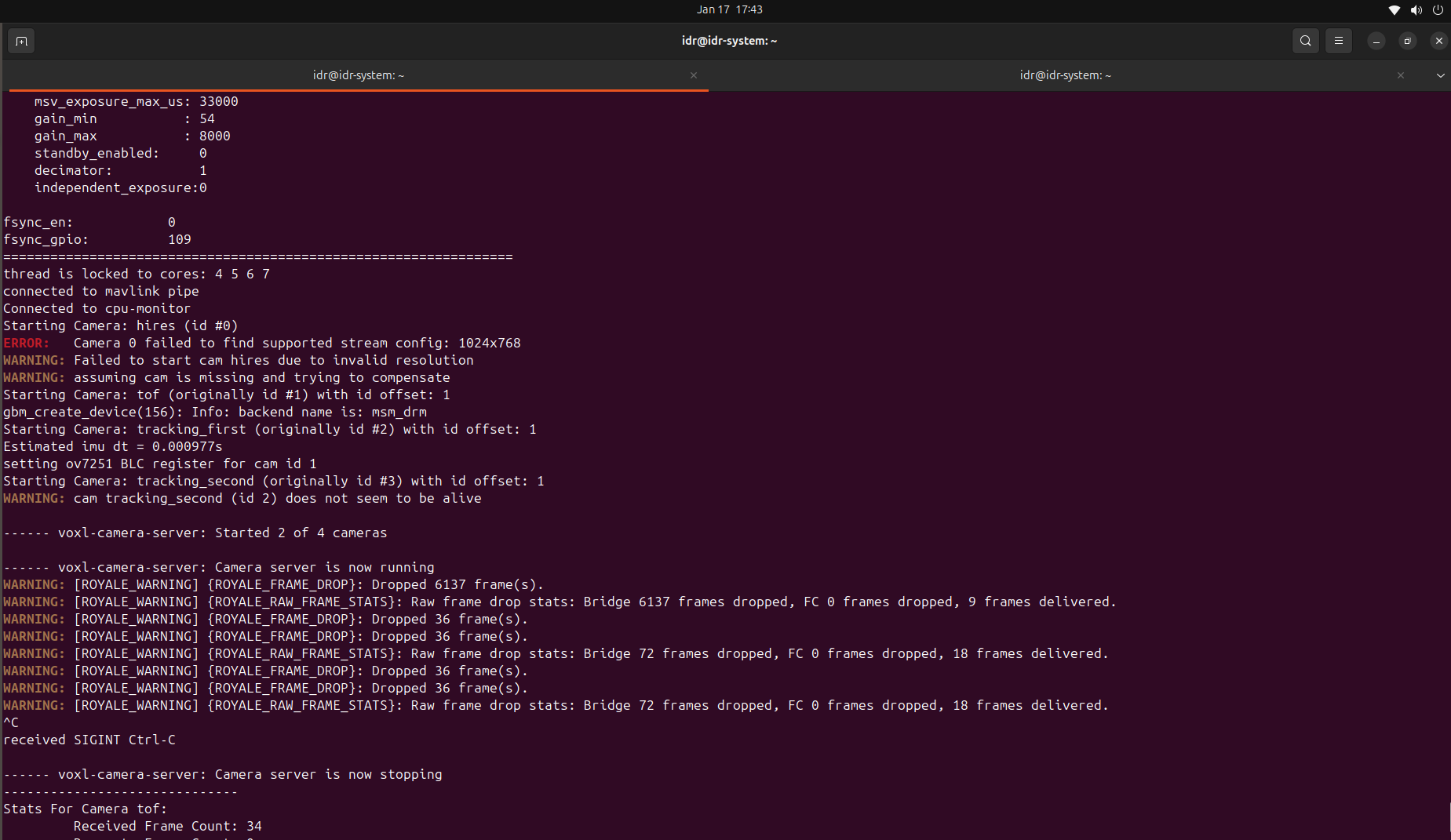
      I am working with VOXL2 / VOXL2 Mini and PMD ToF V2 (M0169), and I am facing an issue where the PMD ToF camera is not detected/started by voxl-camera-server.

      System details

      Platform: VOXL2

      System Image: 1.7.4

      PMD Module: M0169 (PMD ToF)

      Use case: Tracking + ToF + HiRes

      Hardware connection (Option 1)
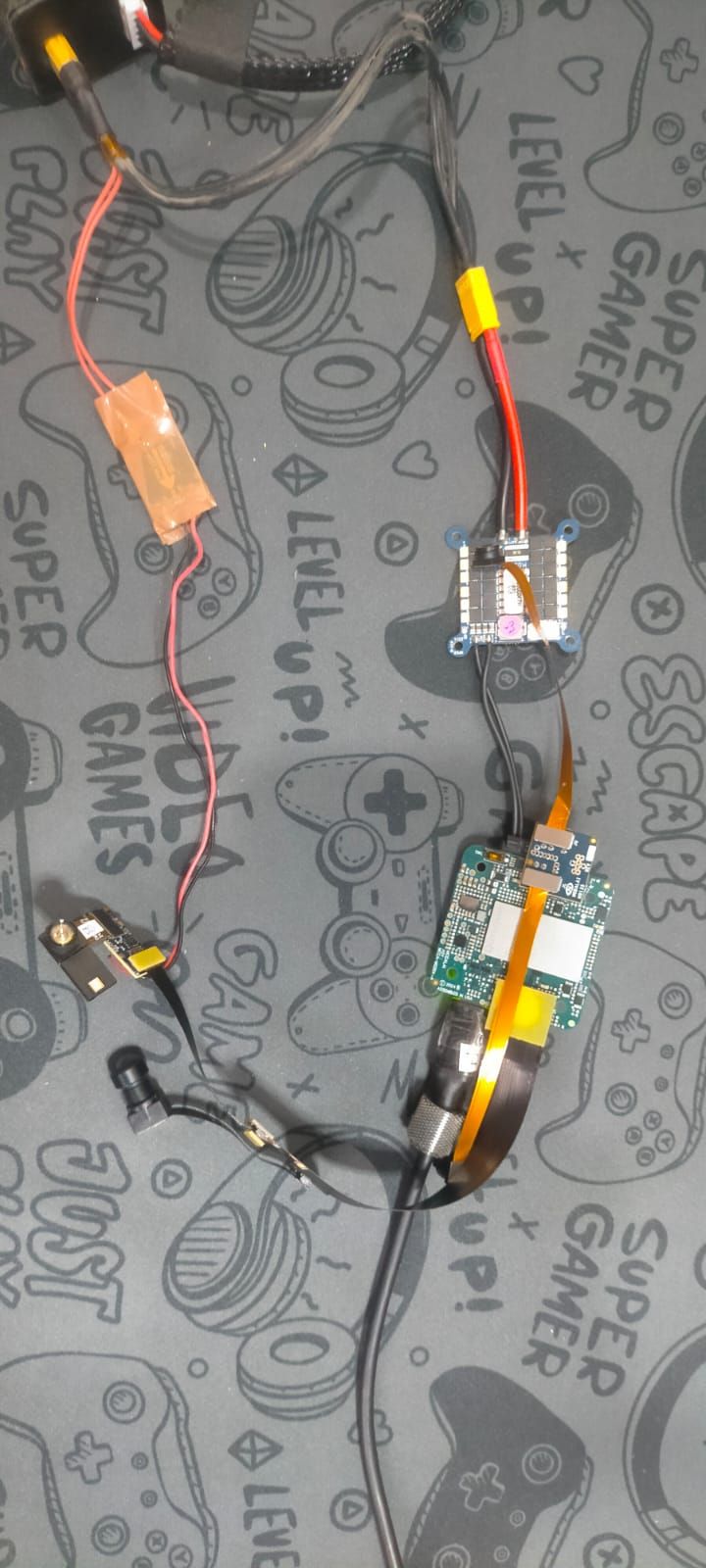
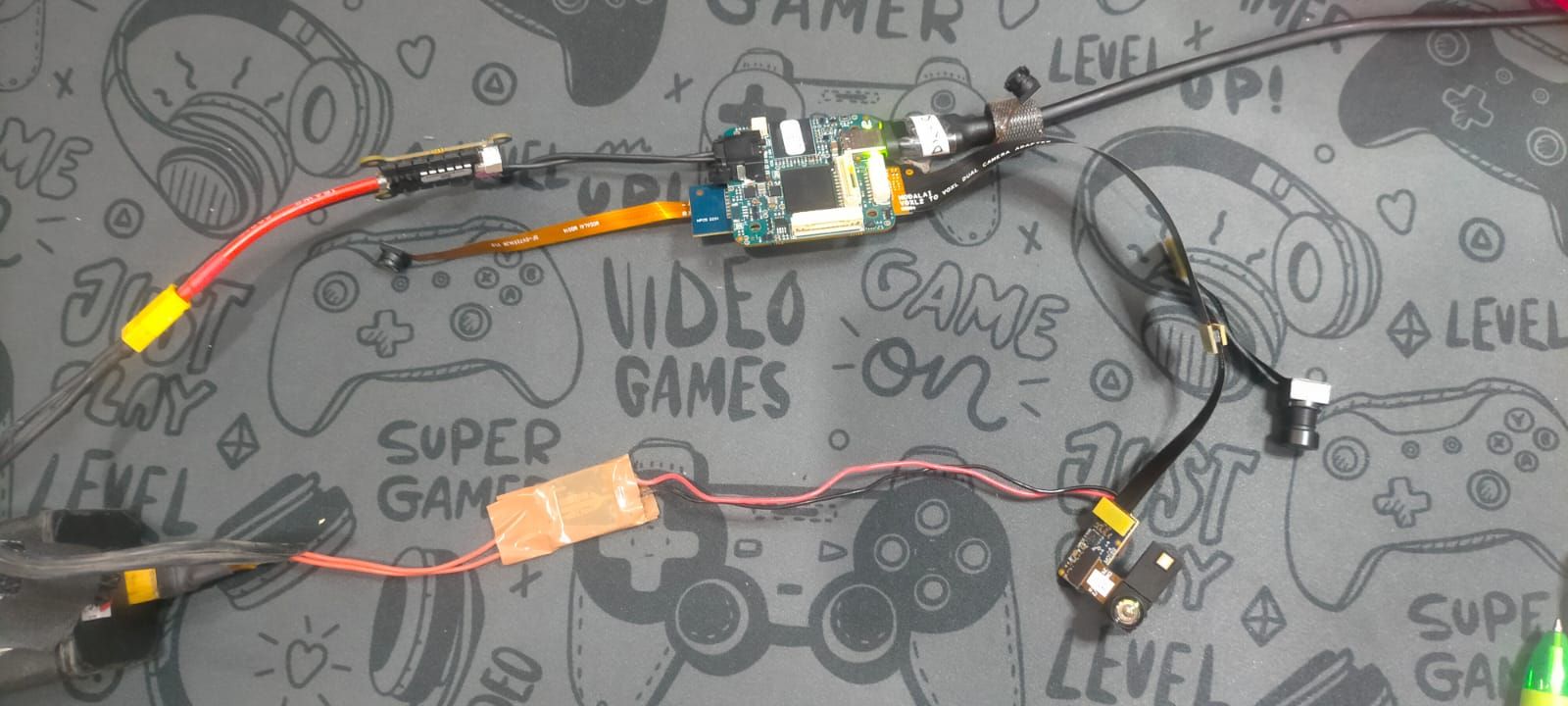
      VOXL2 → M0076 → M0074 extender → M0169 (external regulated 5V supplied) → ToF

      External 5V is provided to M0169.

      Camera configuration

      Cameras enabled: PMD ToF + IMX214 (HiRes) + OV7251 (Tracking)

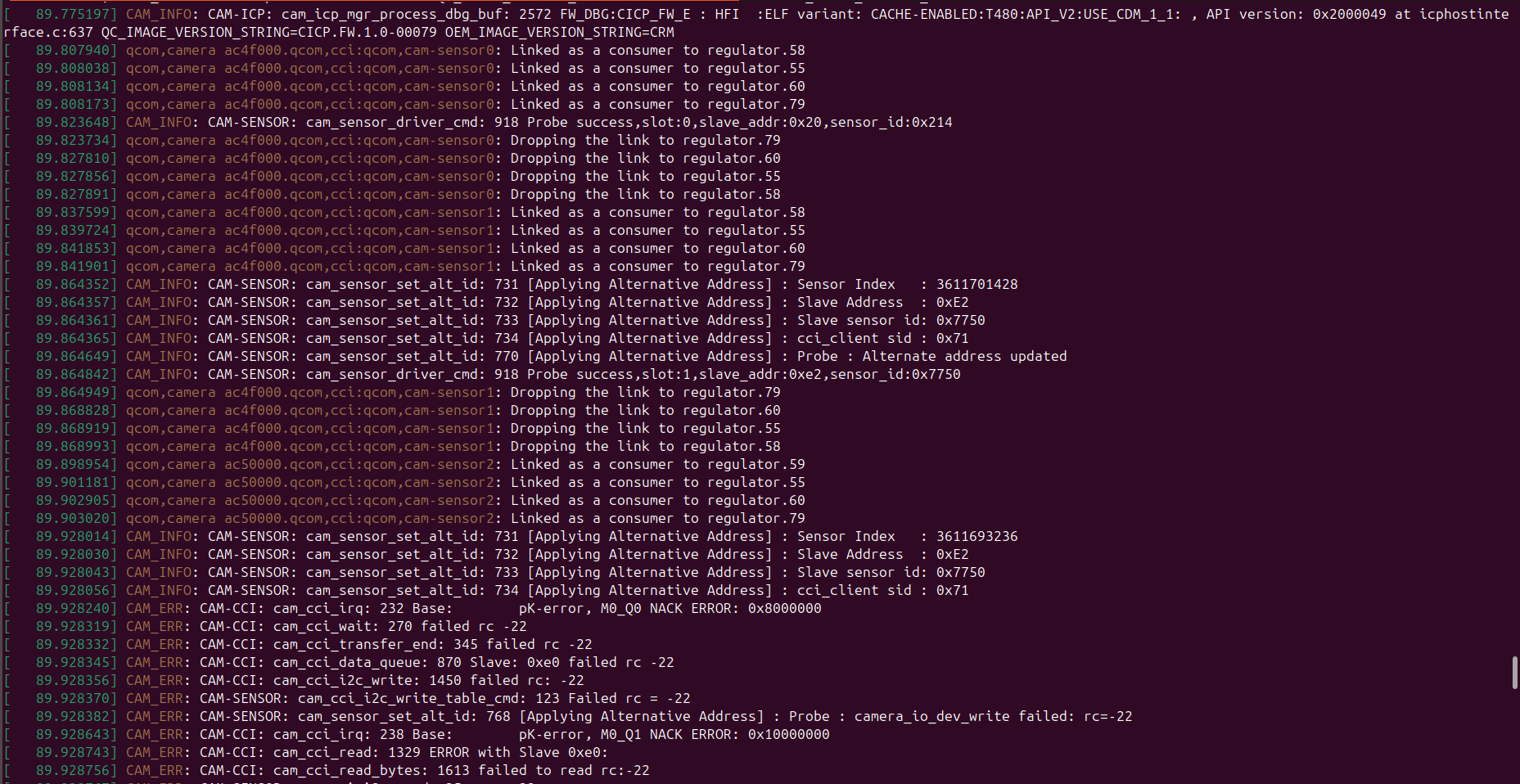
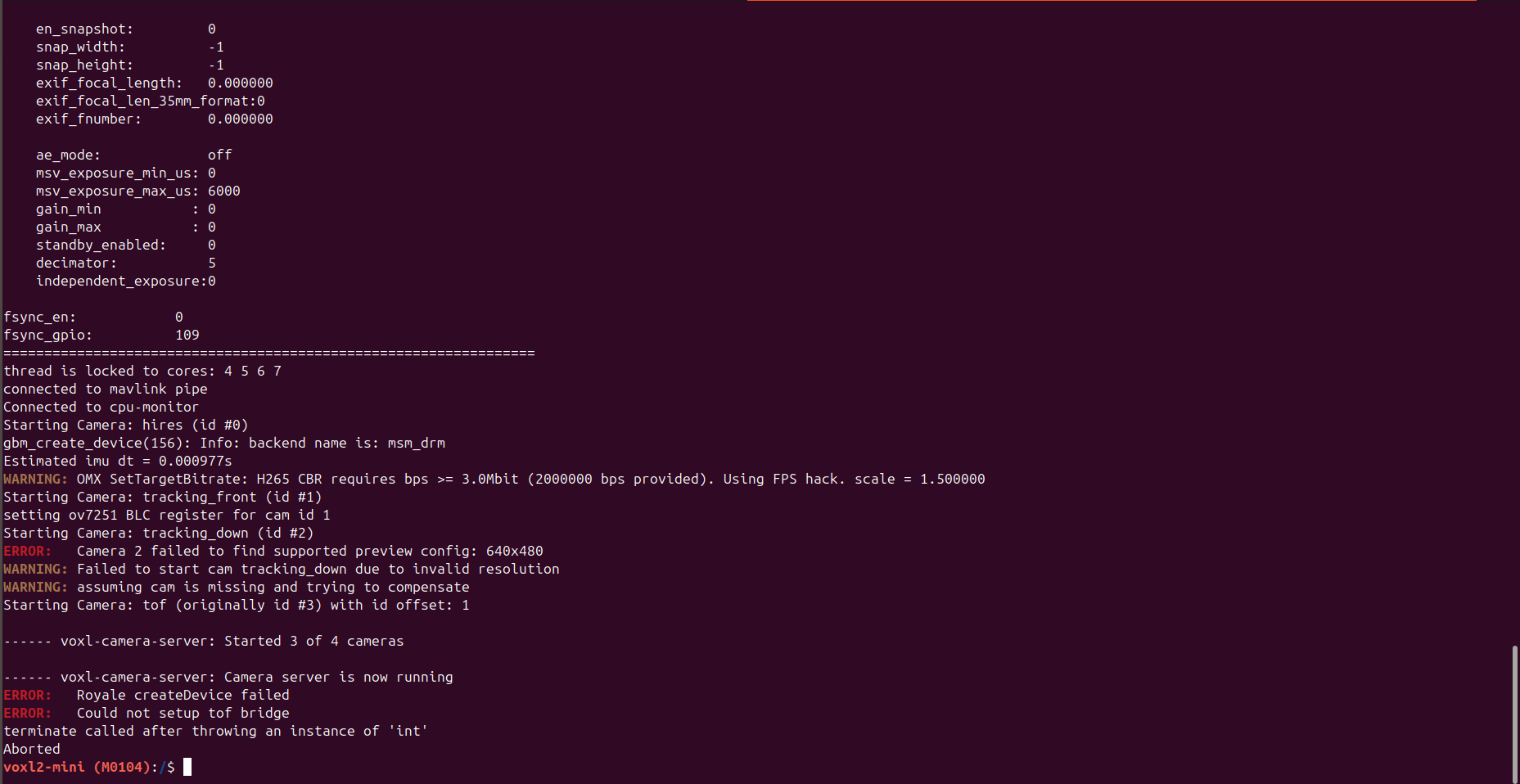
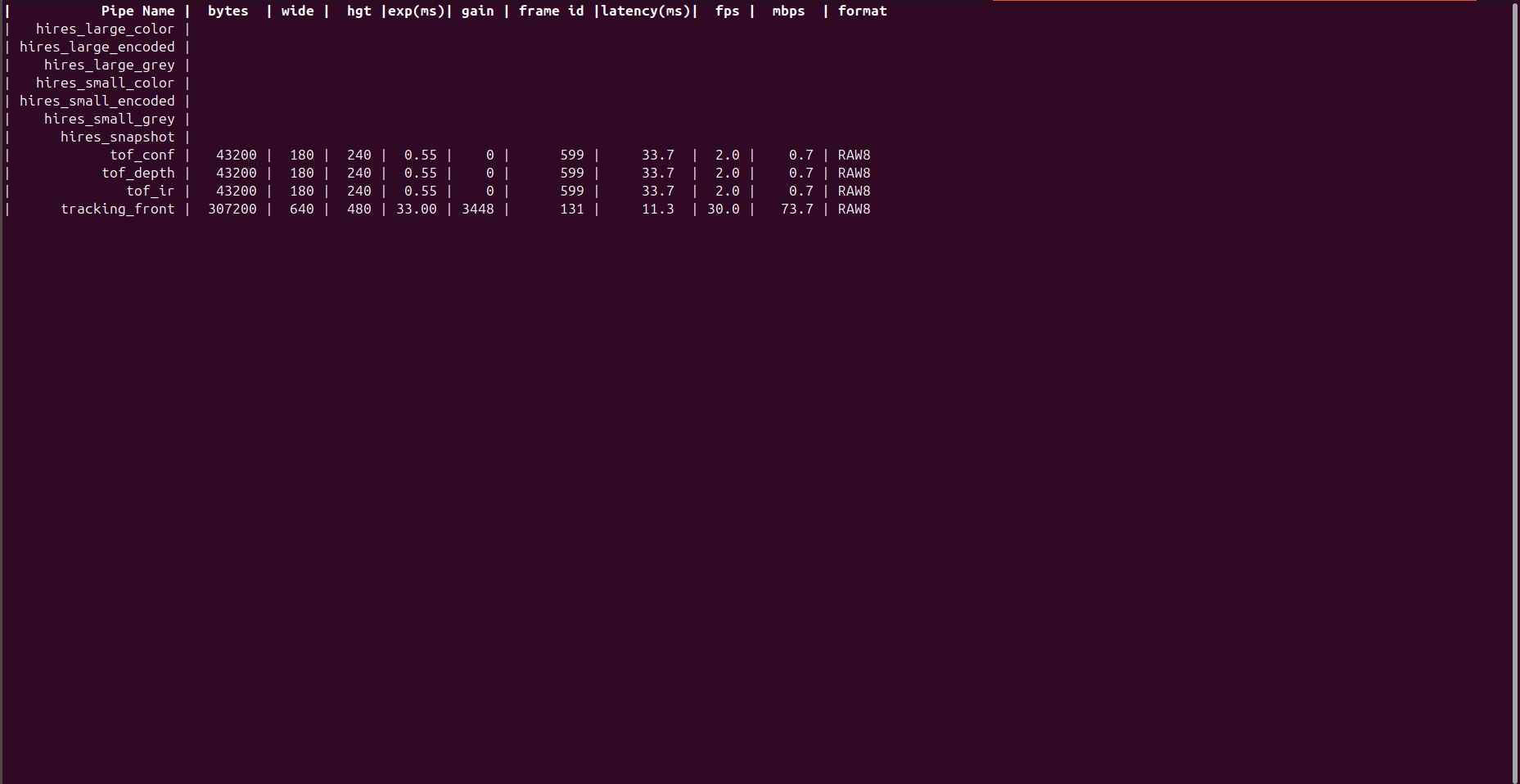
      IMX214 and OV7251 start correctly, but not pmd-tof

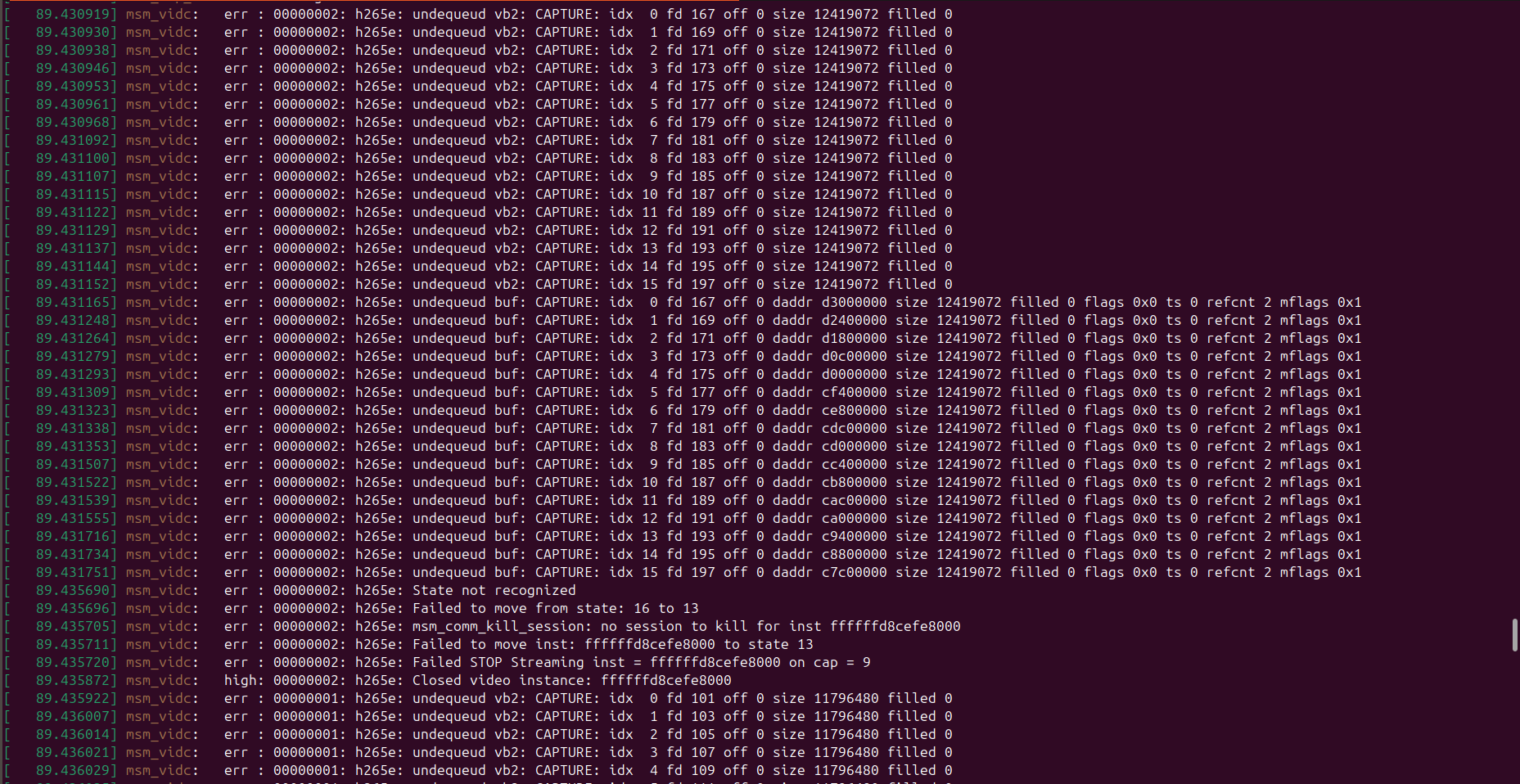
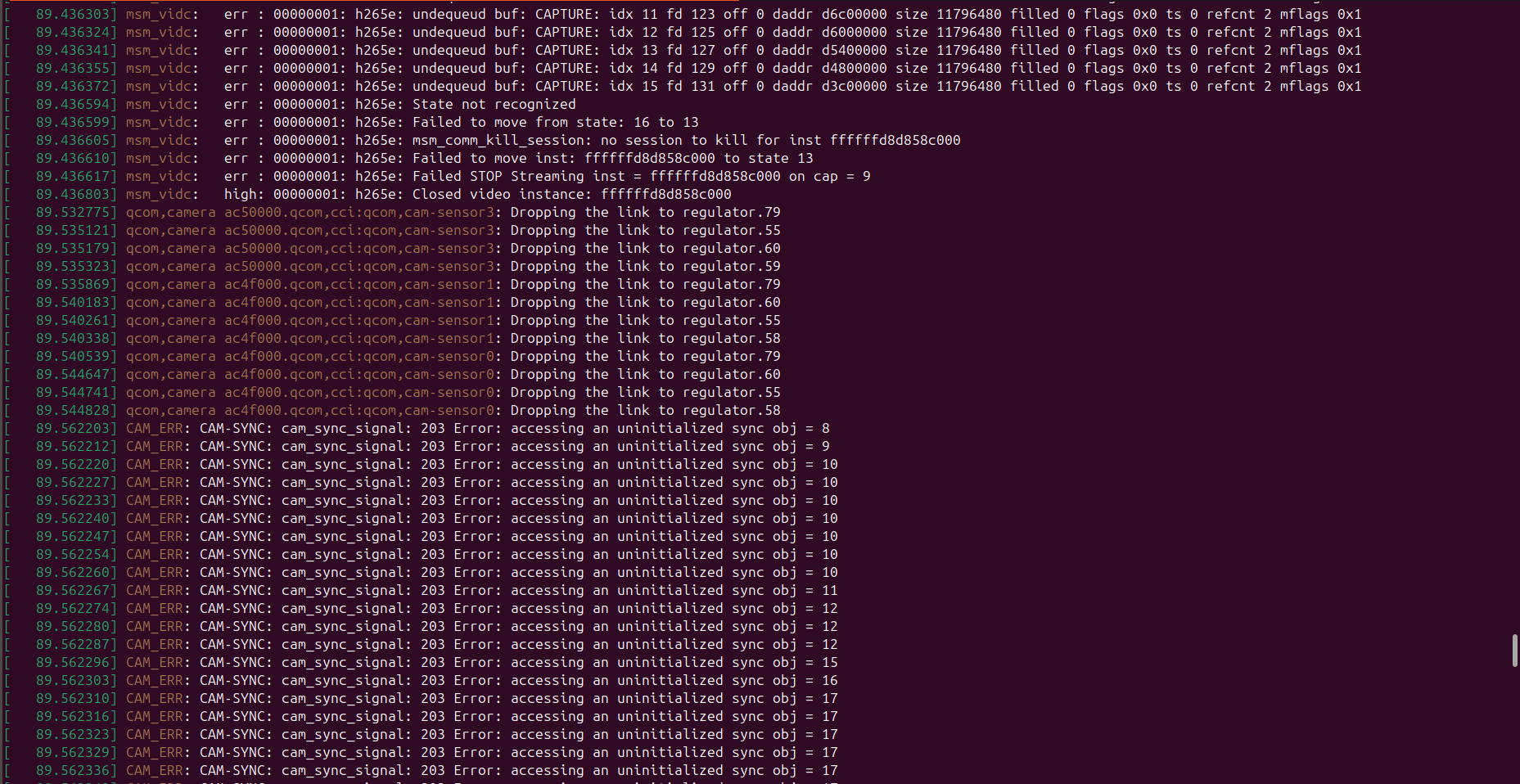
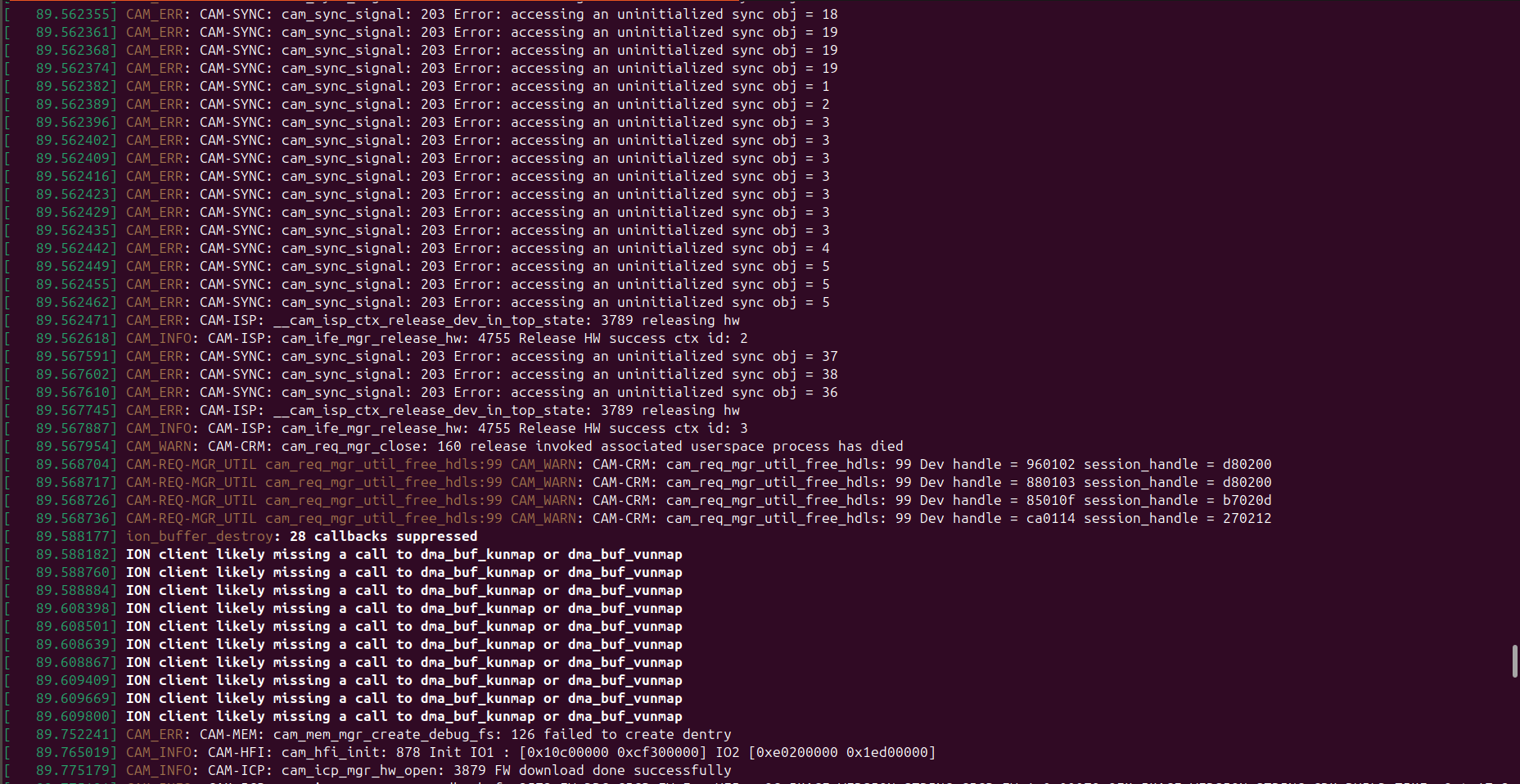
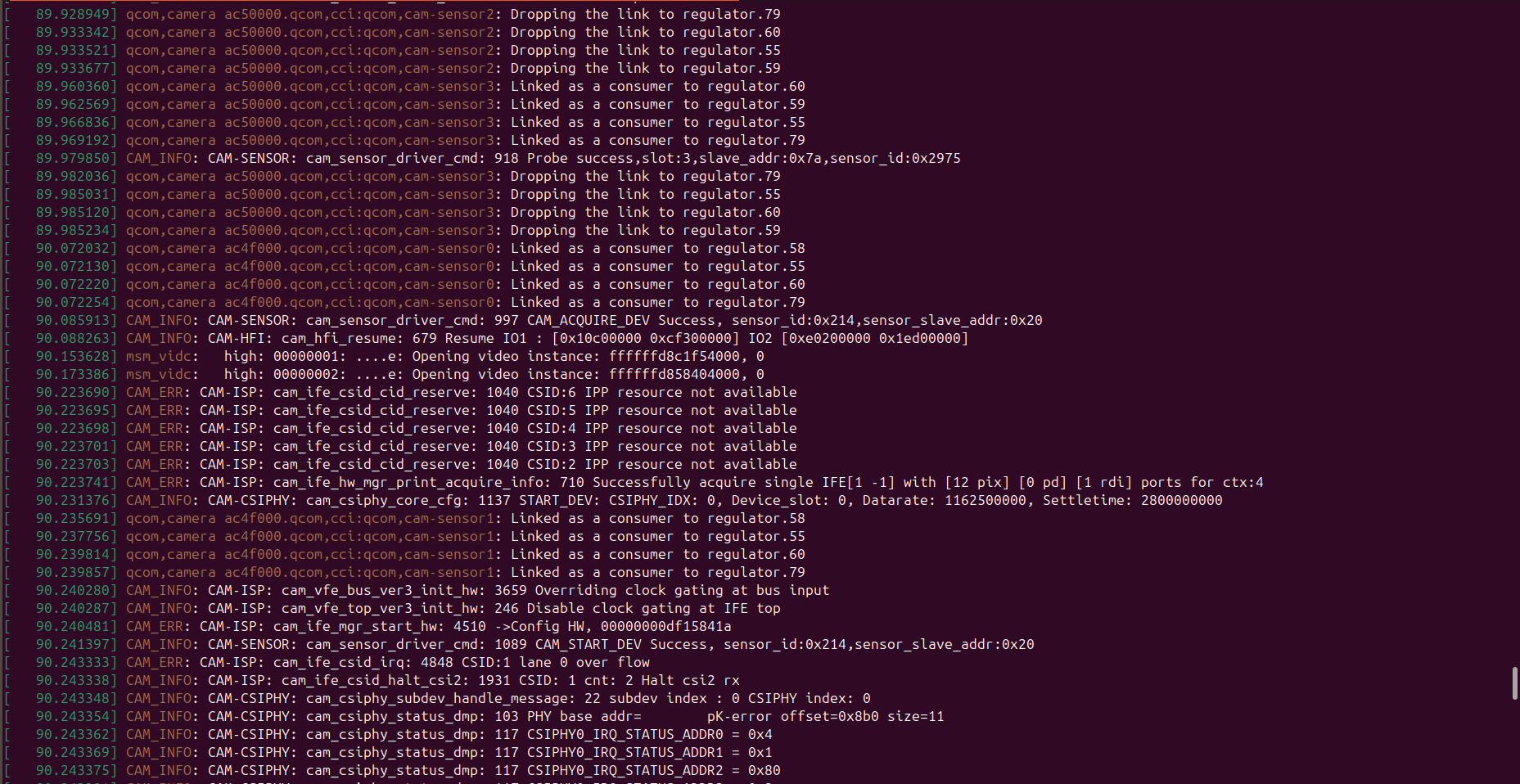
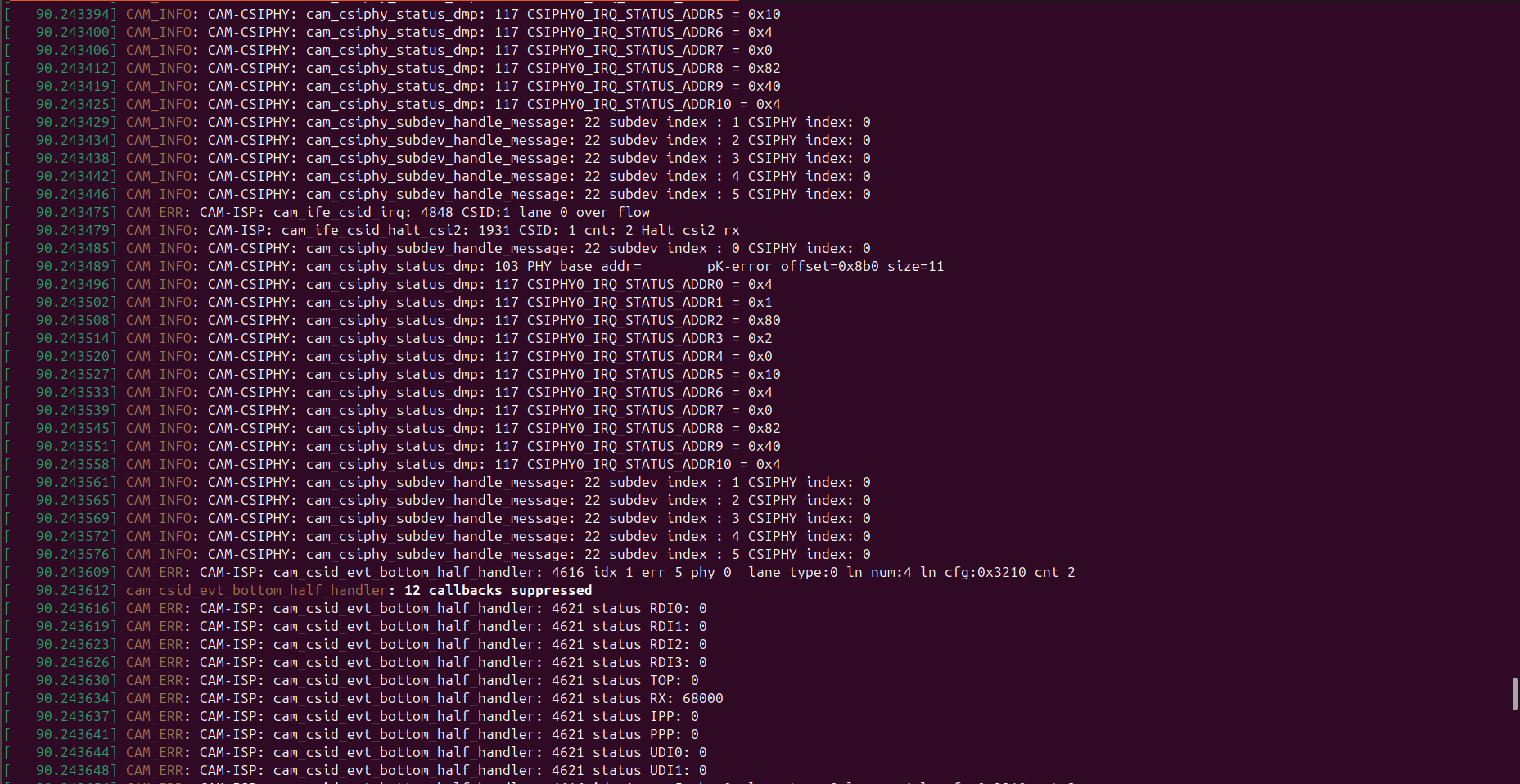
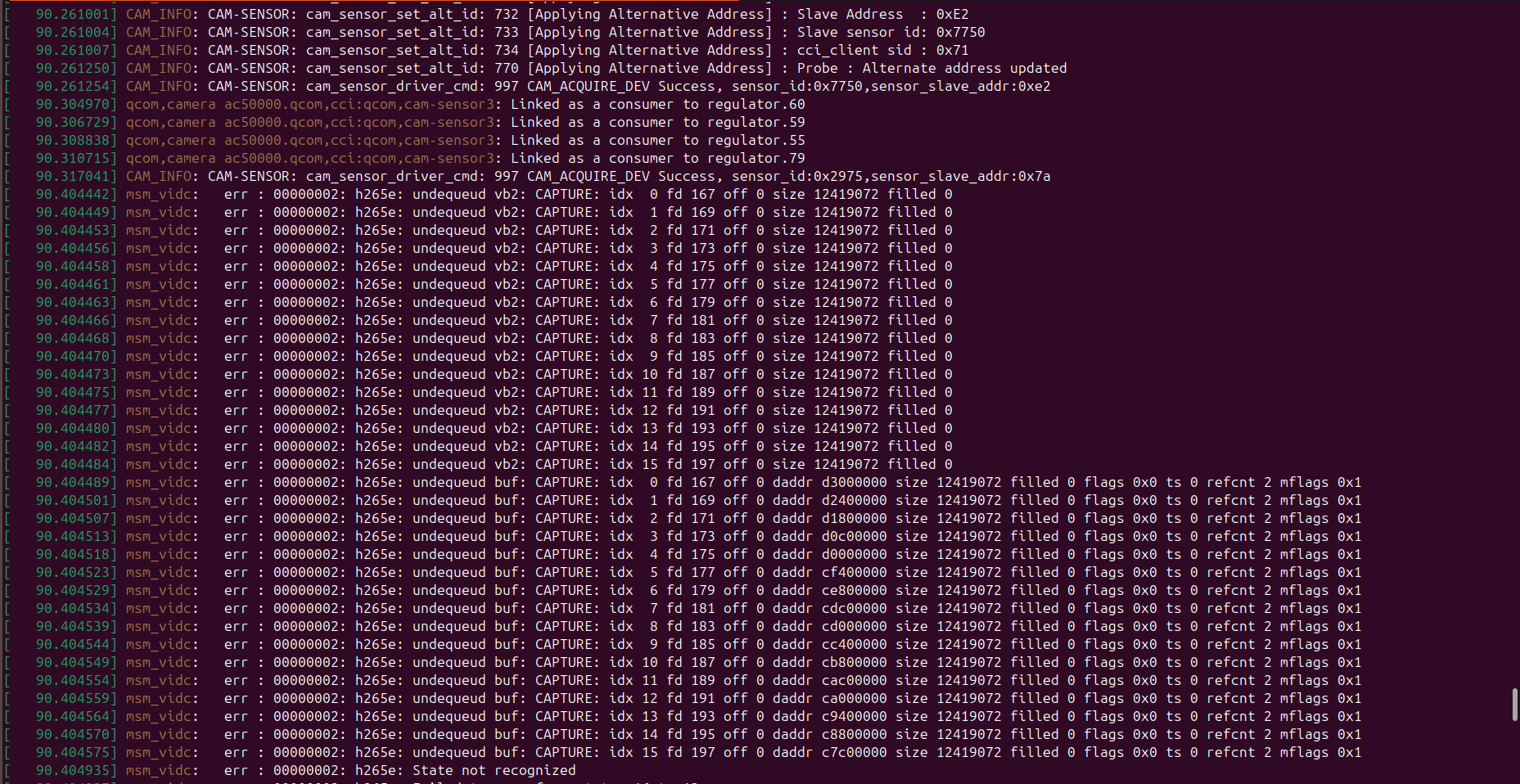
      kindly look at the screenshots.
      a36f52a5-a172-4531-8f43-0905ee278823-Screenshot from 2025-12-25 17-40-44.png /home/idr/Pictures/Screenshots/Screenshot from 2025-12-25 17-40-44.png
      10272c6a-fa27-45e7-bb32-6c97b4aeb271-Screenshot from 2025-12-25 17-40-54.png /home/idr/Pictures/Screenshots/Screenshot from 2025-12-25 17-40-54.png
      a41128c1-4a1b-4240-876e-c8d29a098411-Screenshot from 2025-12-25 17-41-05.png /home/idr/Pictures/Screenshots/Screenshot from 2025-12-25 17-41-05.png

      0df2ec23-7ed1-43f9-8417-6989d6957e24-WhatsApp Image 2025-12-25 at 6.00.04 PM.jpeg /home/idr/Downloads/WhatsApp Image 2025-12-25 at 6.00.04 PM.jpeg

      posted in Ask your questions right here!
      S
      Sarika Sharma
    • RE: Unable to connect multiple VOXL2 mini drones to QGroundControl using different UDP ports

      @Eric-Katzfey If you would be so kind as to tell how can i specify a different port to connect to at the GCS for each drone?

      posted in Ask your questions right here!
      S
      Sarika Sharma
    • RE: Unable to connect multiple VOXL2 mini drones to QGroundControl using different UDP ports

      @Eric-Katzfey yes, I am using wifi and station mode.And I am able to connect multiple drones having different IP Address on the default 14550 UDP port .But I wanna ask can I specify different ports for each drone having different IP address???
      For ex:
      Drone 1 : IP->192.168.1.15 On port no 14551
      Drone 2: IP-> 192.168.1.16 On port no 14552

      posted in Ask your questions right here!
      S
      Sarika Sharma
    • Unable to connect multiple VOXL2 mini drones to QGroundControl using different UDP ports

      I am trying to connect multiple VOXL2 Mini drones to QGroundControl (QGC) by assigning different UDP ports per drone, but I am unable to connect on any port other than the default 14550.

      My Setup

      Hardware: VOXL2 Mini
      GCS: QGroundControl
      QGC running on host PC

      Goal

      Drone 1

      IP: 192.168.1.16

      UDP Port: 14551

      Drone 2

      IP: 192.168.1.15

      UDP Port: 14552

      QGC successfully connects when using UDP port 14550 but not with 14551/14552

      kindly look at the attached screenshots:
      ![alt text](b9084041-d1be-43d0-877f-e9092d9e8688-Screenshot from 2025-12-23 16-10-25.png )file:///home/idr/Pictures/Screenshots/Screenshot%20from%202025-12-23%2016-10-25.png

      ![alt text](045f5848-1a55-4c12-bbfa-e1ac5a2d8b90-Screenshot from 2025-12-23 16-26-45.png image url)file:///home/idr/Pictures/Screenshots/Screenshot%20from%202025-12-23%2016-26-45.png

      posted in Ask your questions right here!
      S
      Sarika Sharma
    • RE: Voxl 2 Mini not detected via USB

      @tom I'm using a LiPo 3S battery with a voltage of 12V.

      posted in VOXL 2 Mini
      S
      Sarika Sharma
    • RE: Voxl 2 Mini not detected via USB

      @tom Yes, I’ve already tried using a USB-A to USB-C cable and also I used the same cable to connect VOXL2 previously, and it works perfectly — I'm able to access the ADB shell without any issues, so the cable and USB port are both functional. However, when I try to connect the VOXL2 Mini using the same cable, I’m unable to see any device listed with adb devices on Ubuntu natively(I have a dual-boot setup).I’ve also checked lsusb on Ubuntu in both normal power-on and while attempting EDL mode, but no Qualcomm device shows up.
      When I switch to Windows, the VOXL2 Mini appears in Device Manager as "Unknown USB Device (Device Descriptor Request Failed)" with a yellow warning icon (screenshot attached).
      WhatsApp Image 2025-06-15 at 2.12.47 PM.jpeg
      WhatsApp Image 2025-06-15 at 2.32.18 PM.jpeg
      WhatsApp Image 2025-06-15 at 2.32.18 PM(1).jpeg
      WhatsApp Image 2025-06-15 at 2.32.19 PM.jpeg

      posted in VOXL 2 Mini
      S
      Sarika Sharma