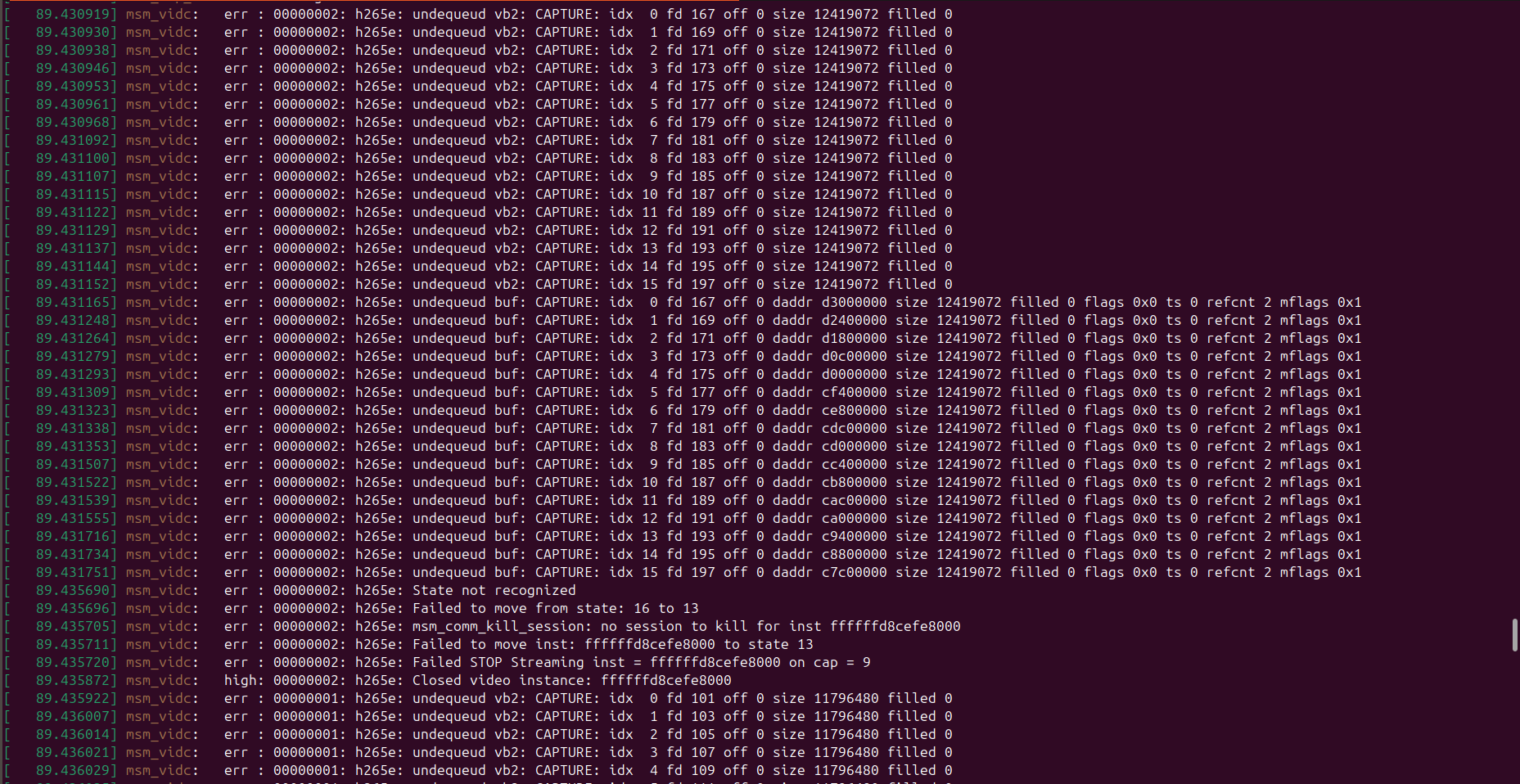
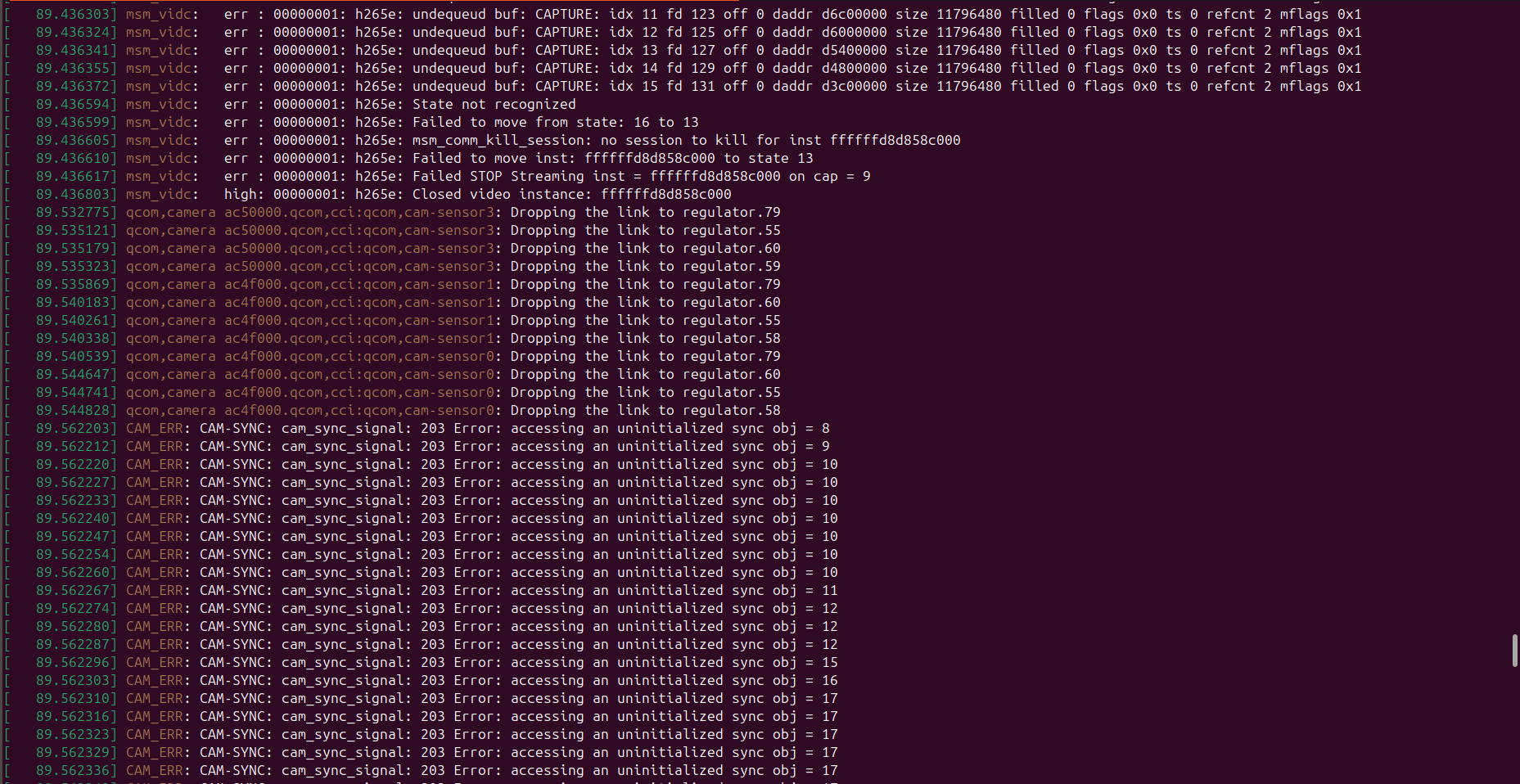
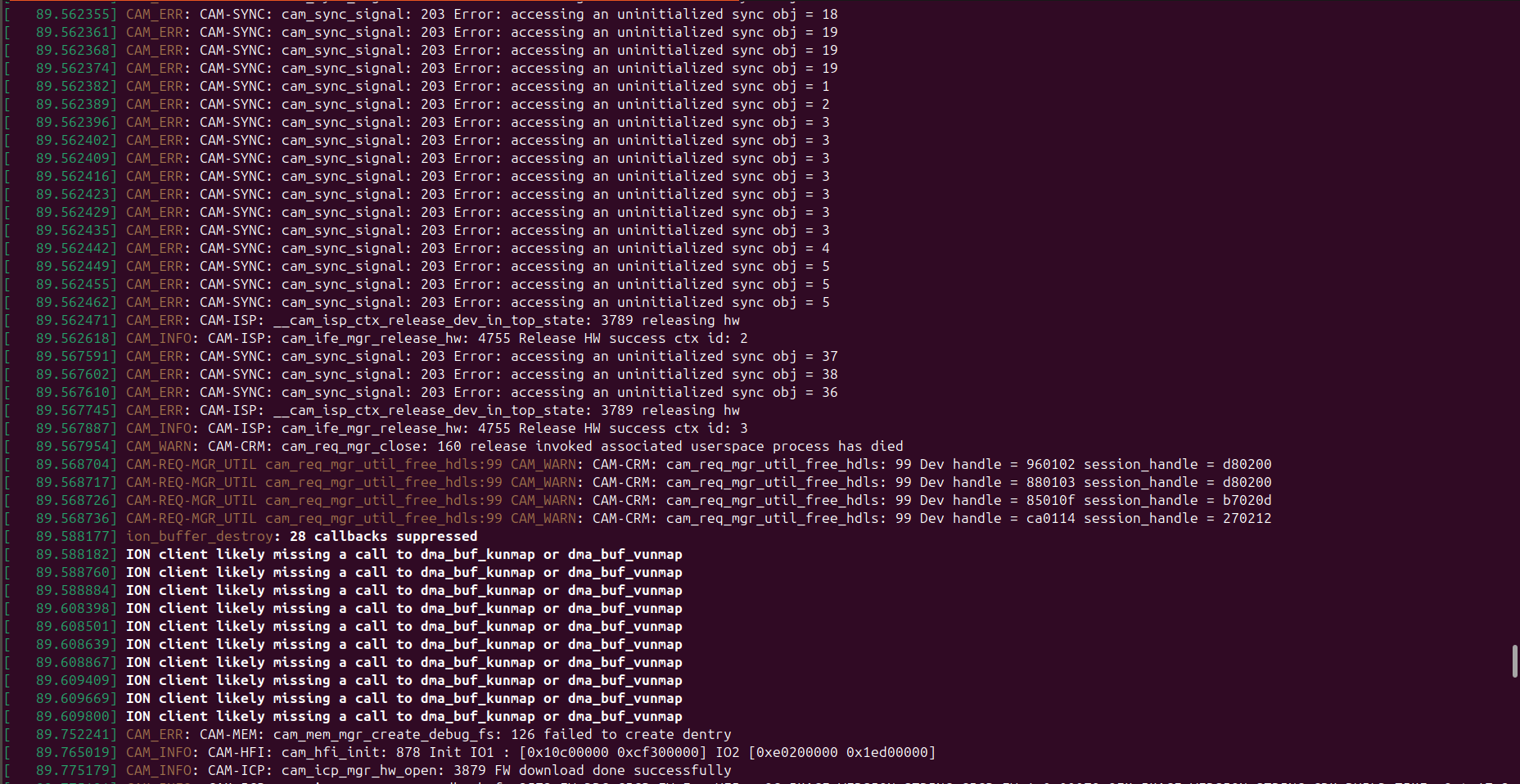
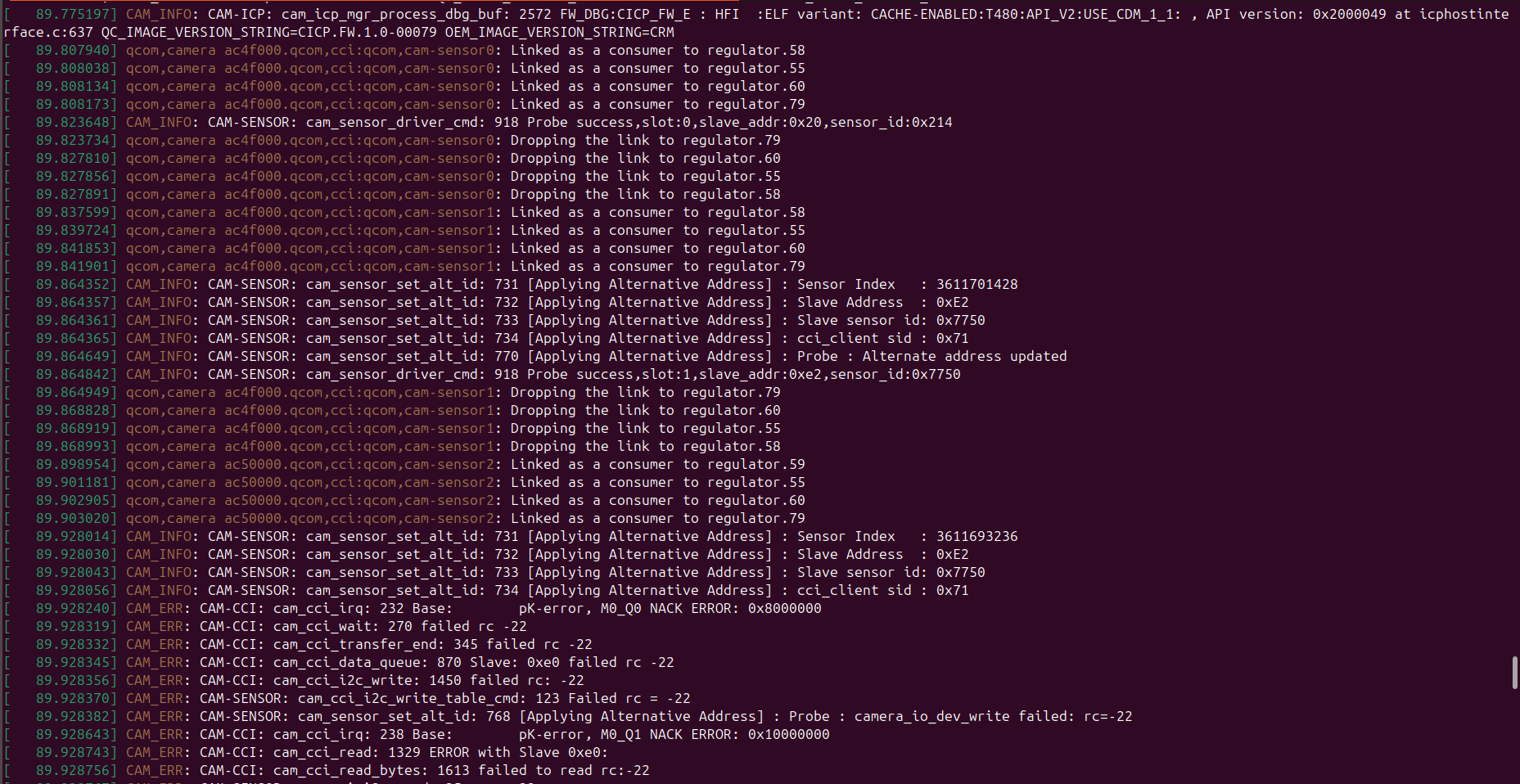
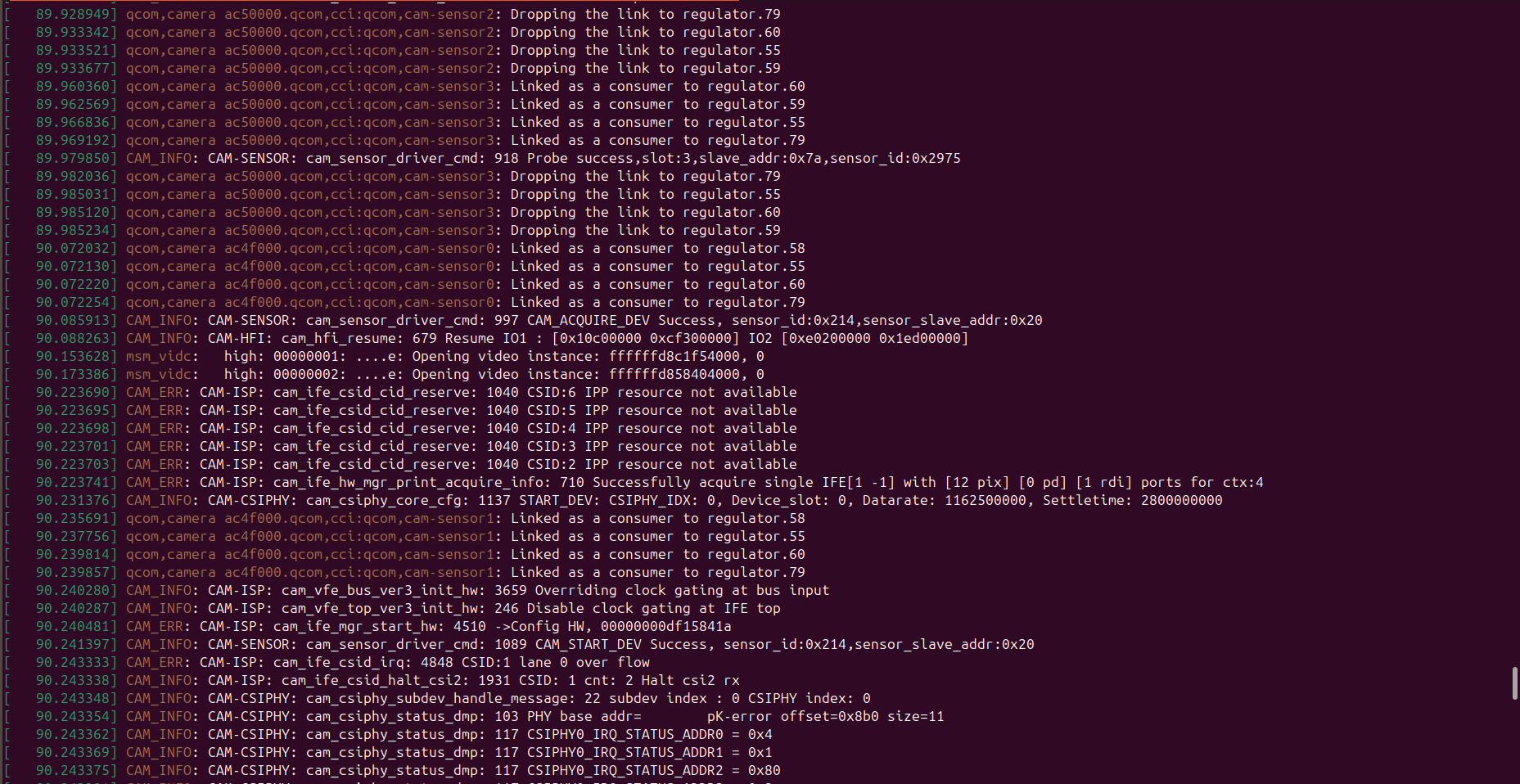
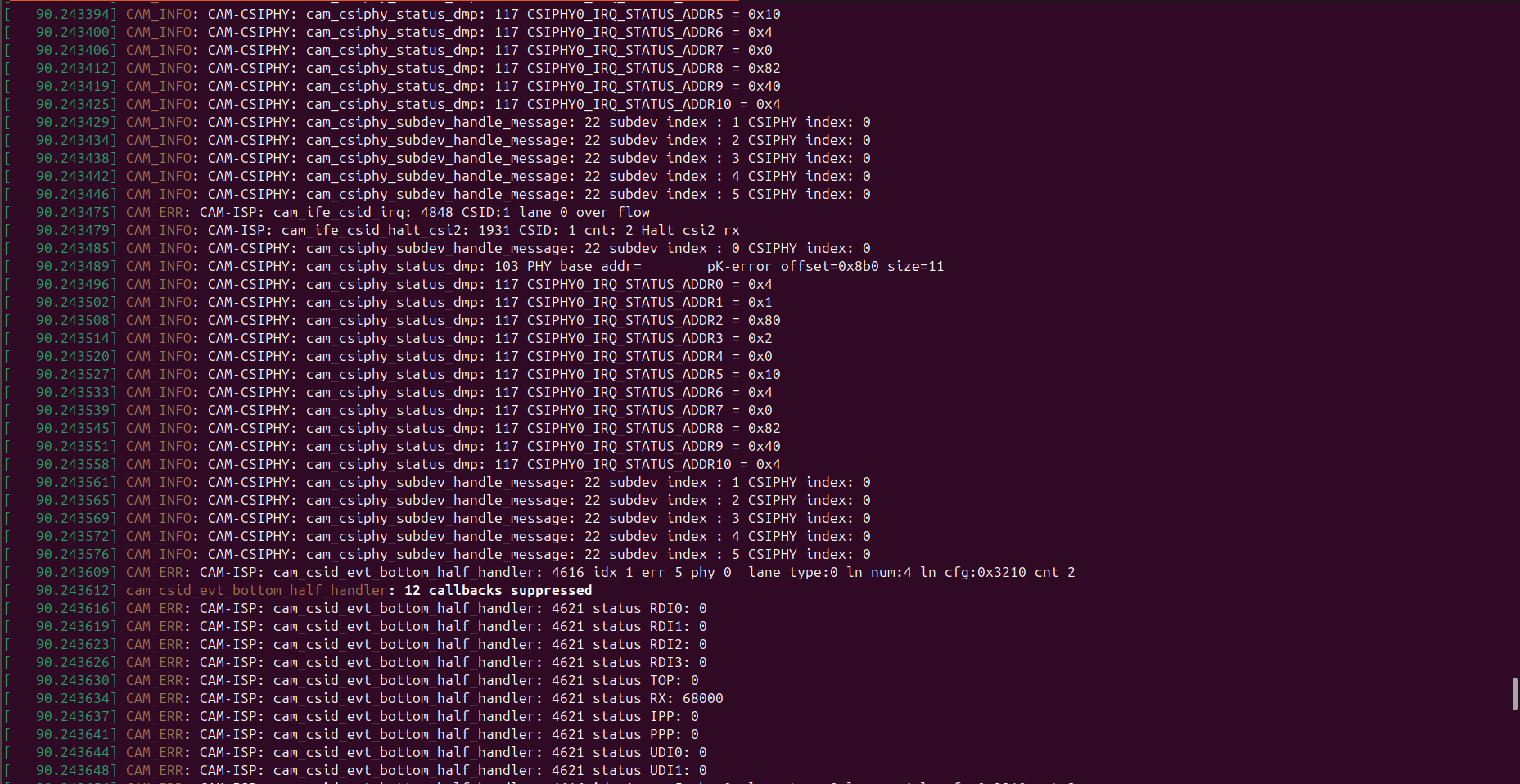
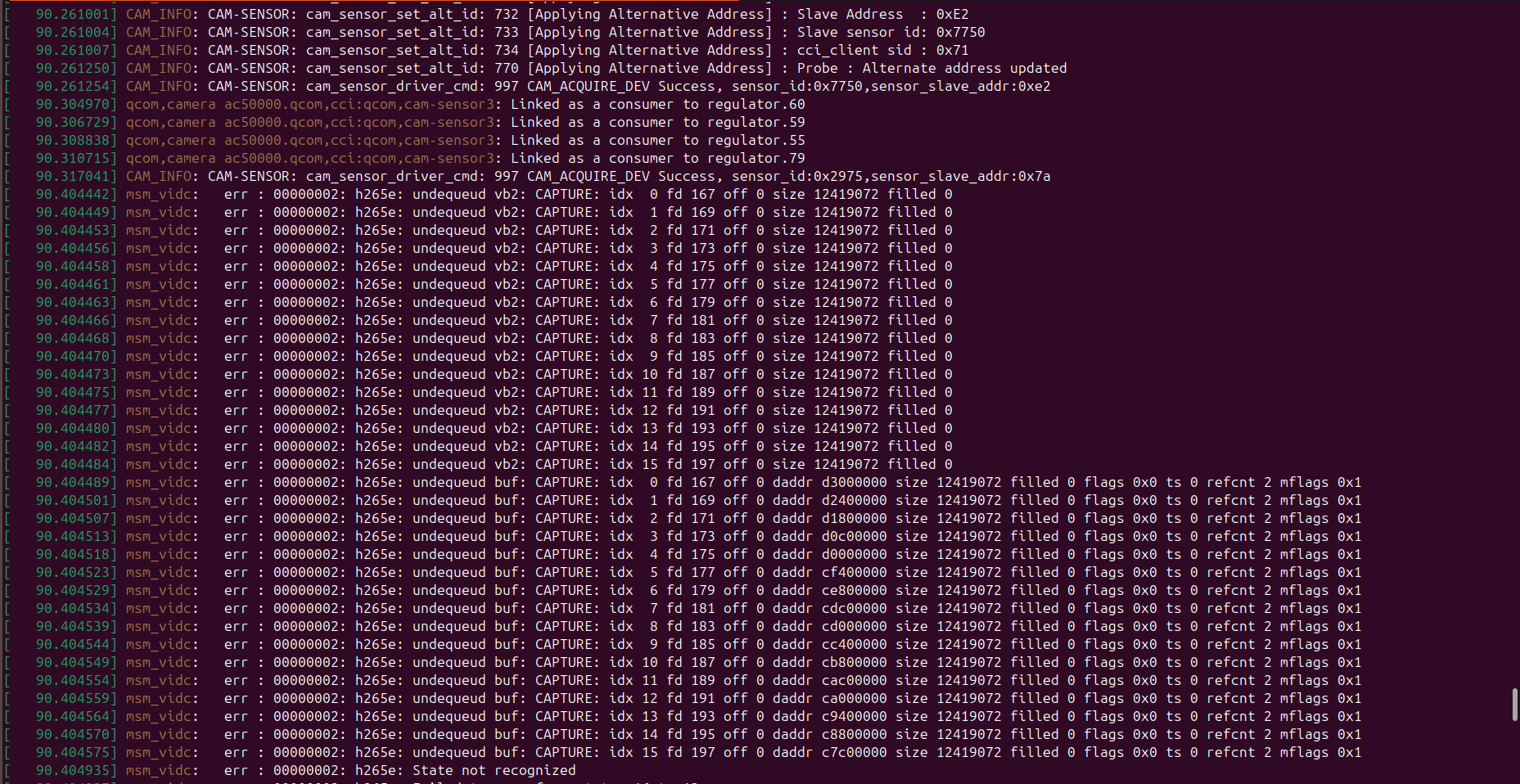
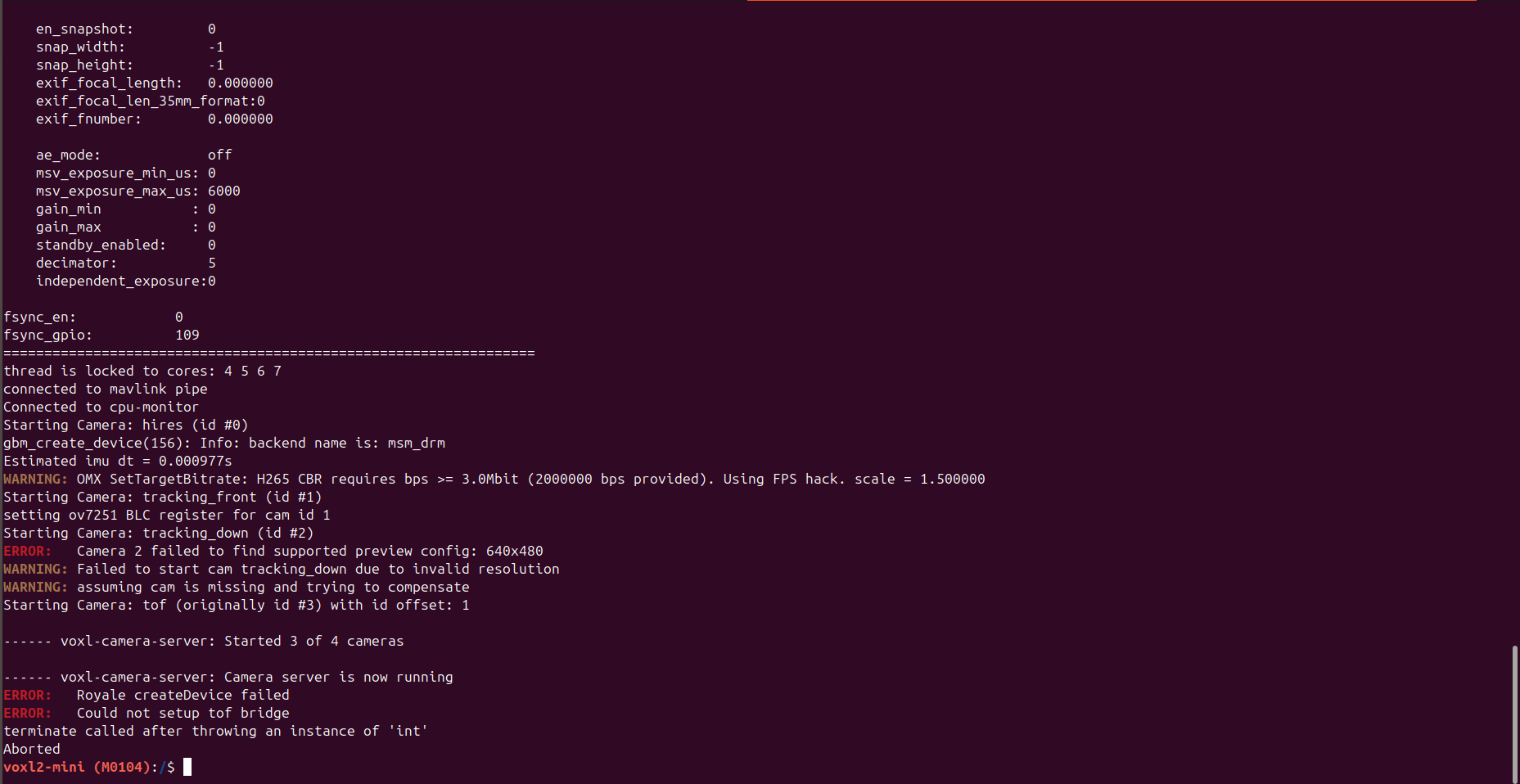
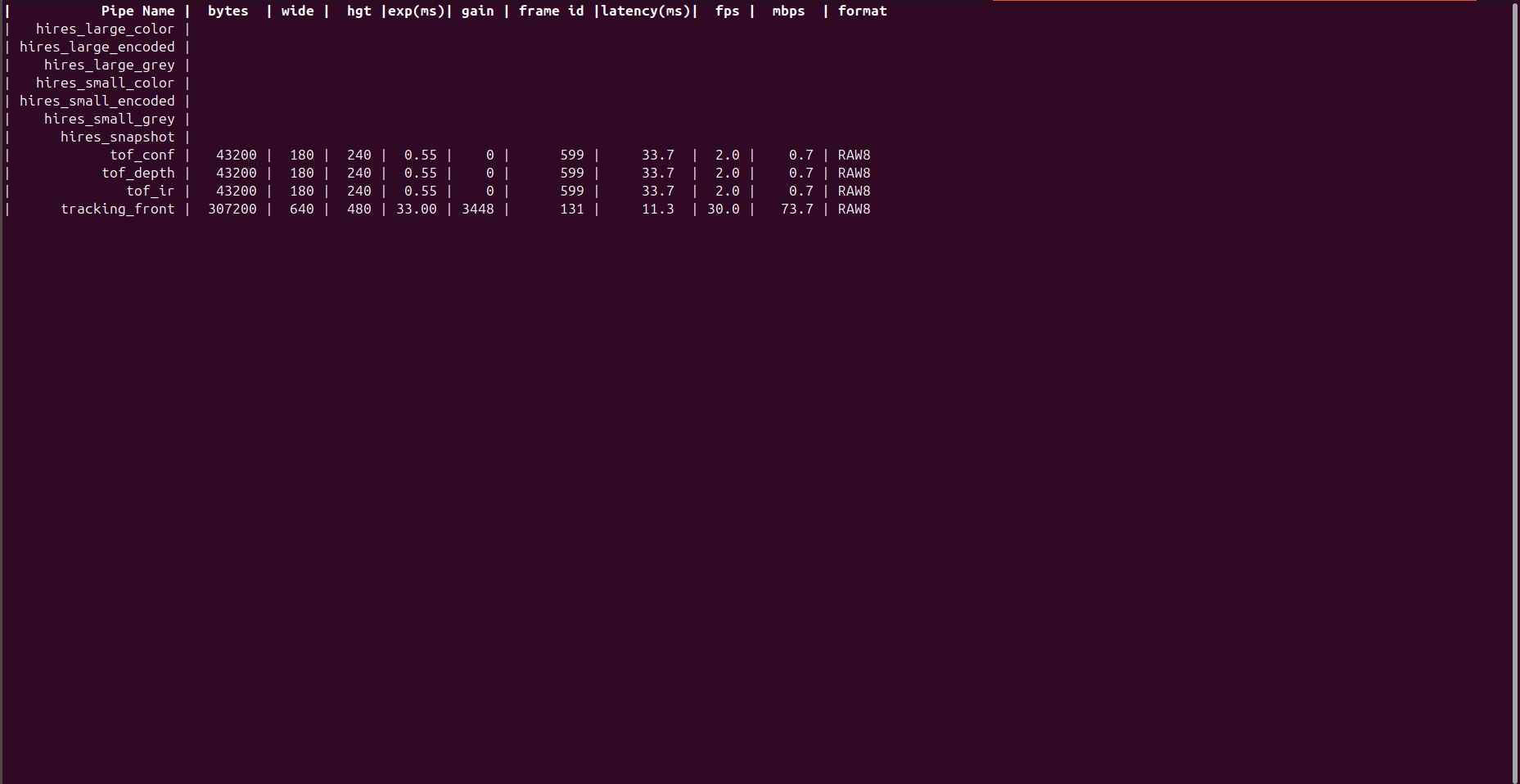
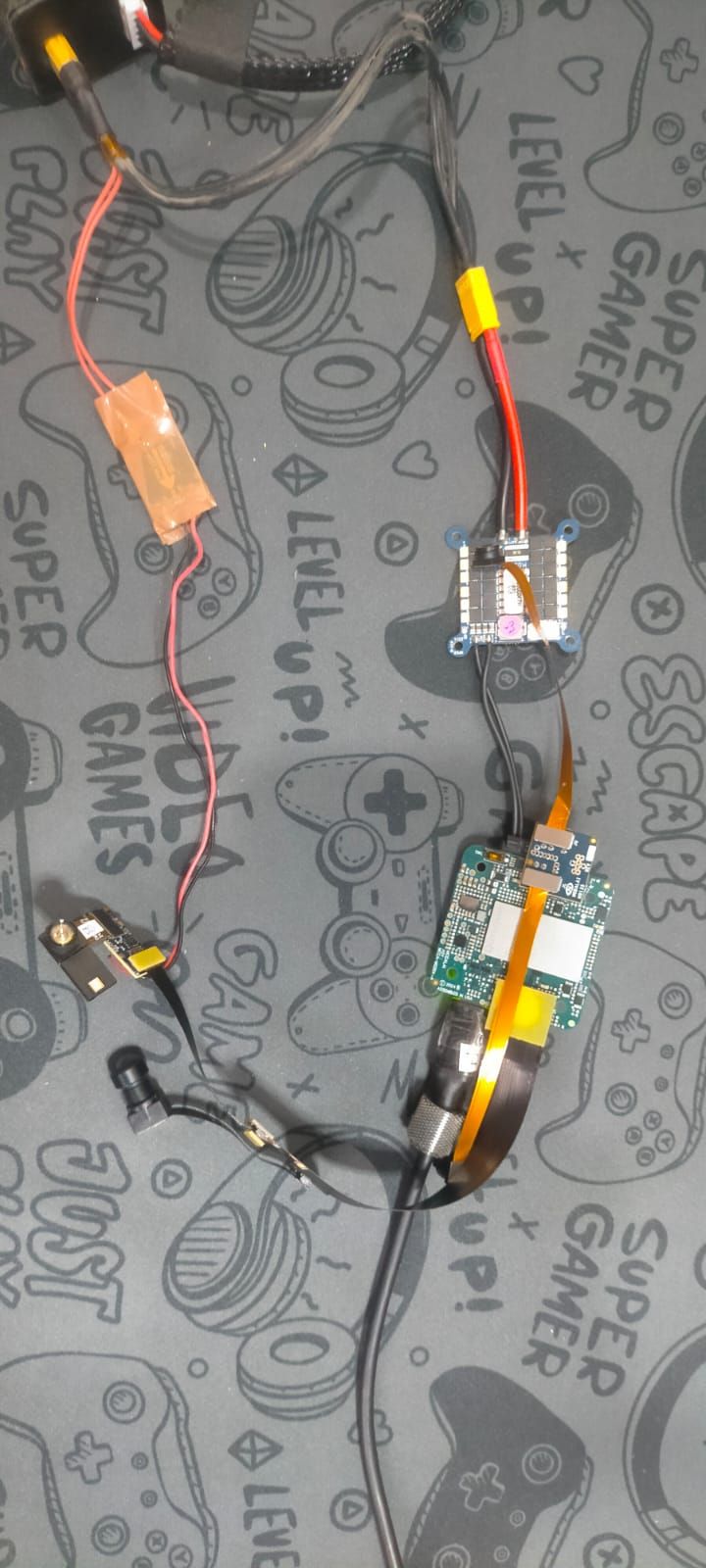
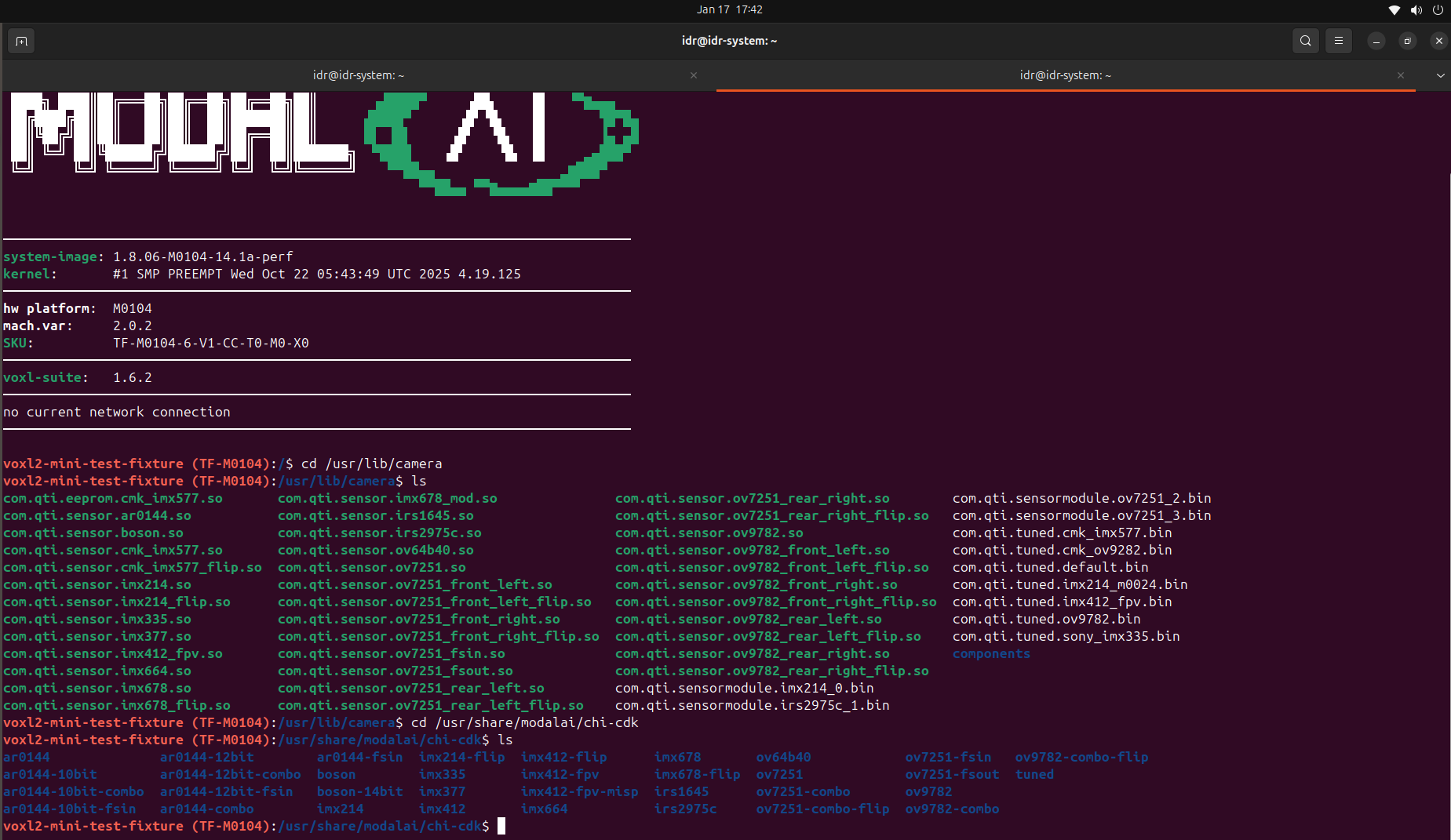
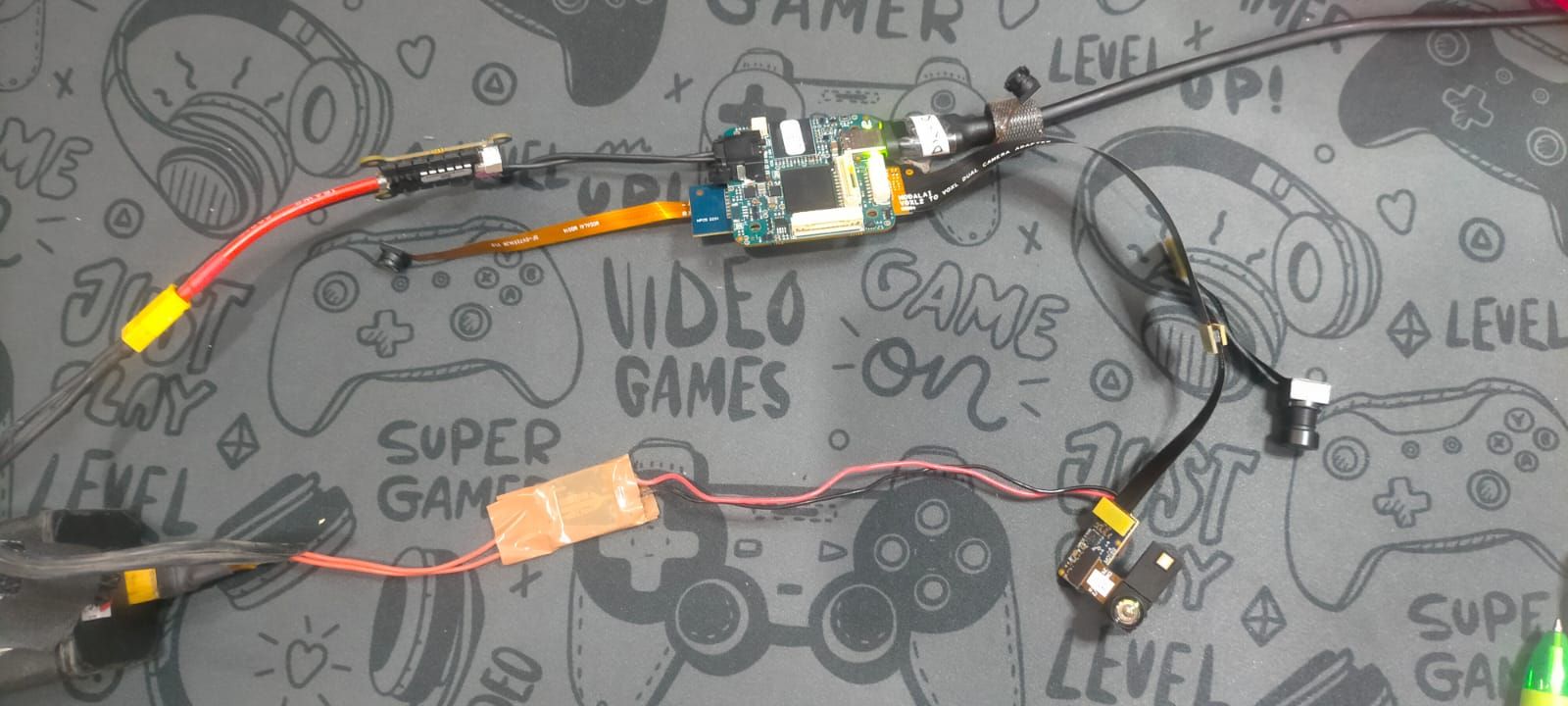
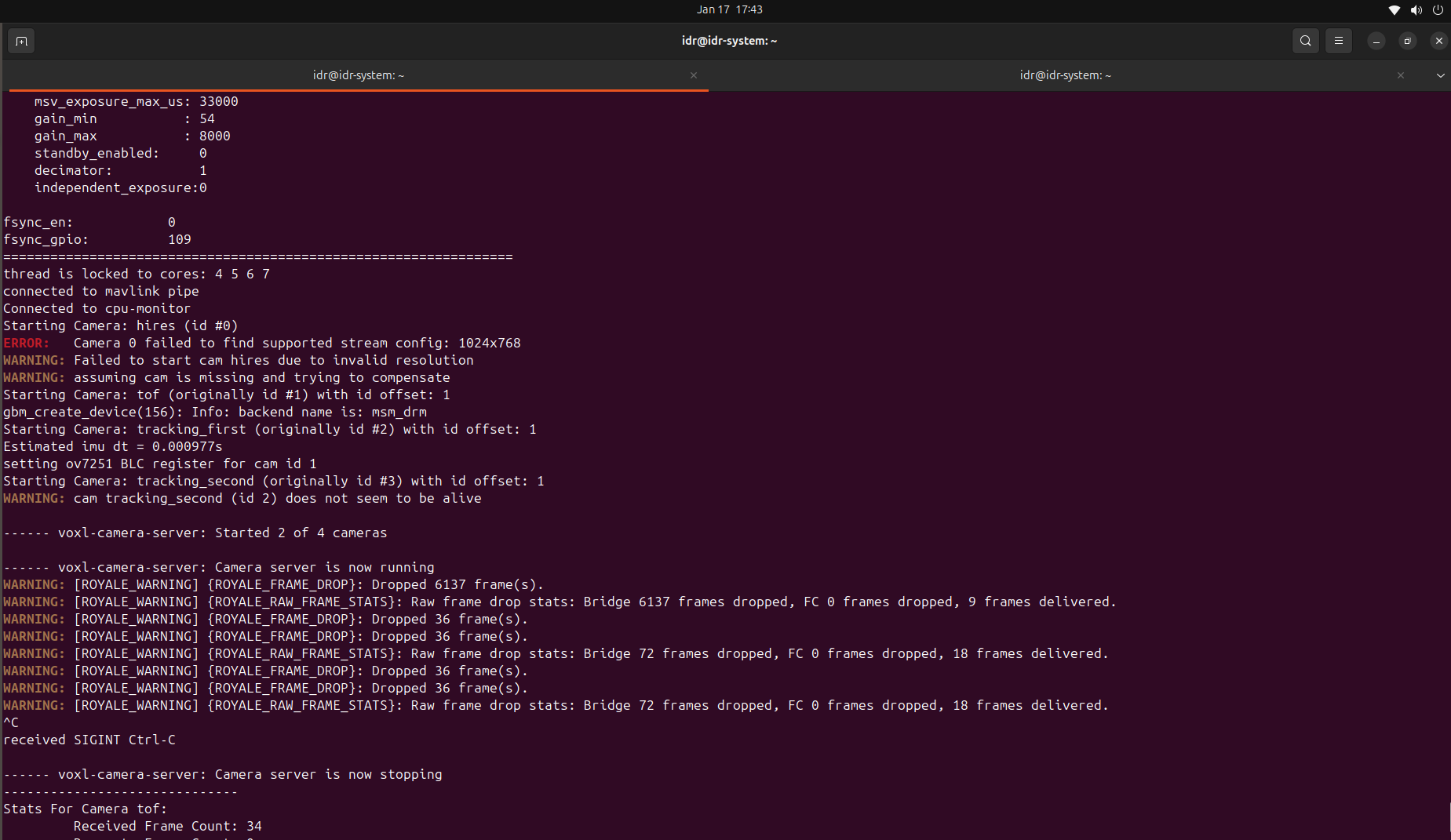
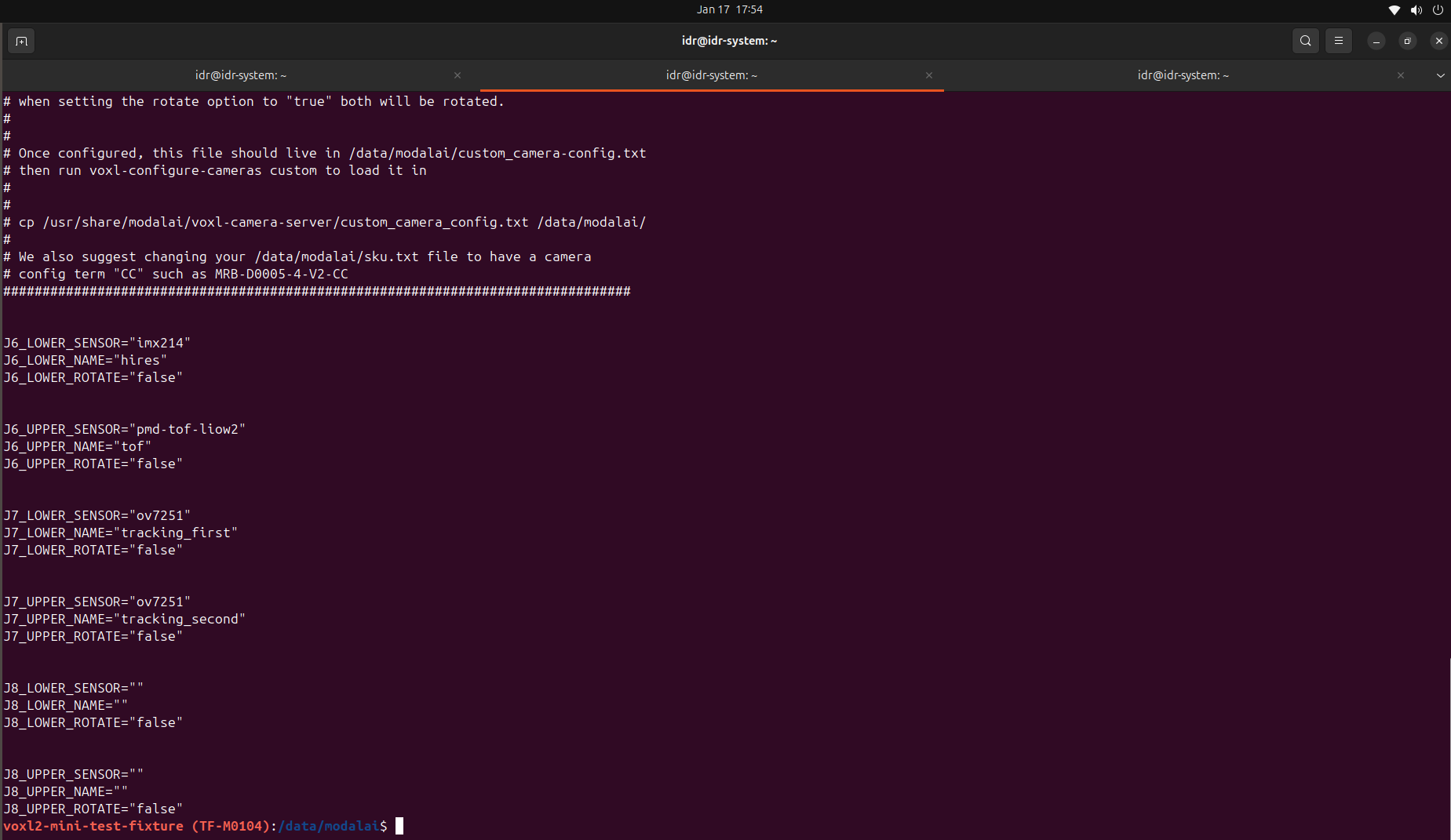
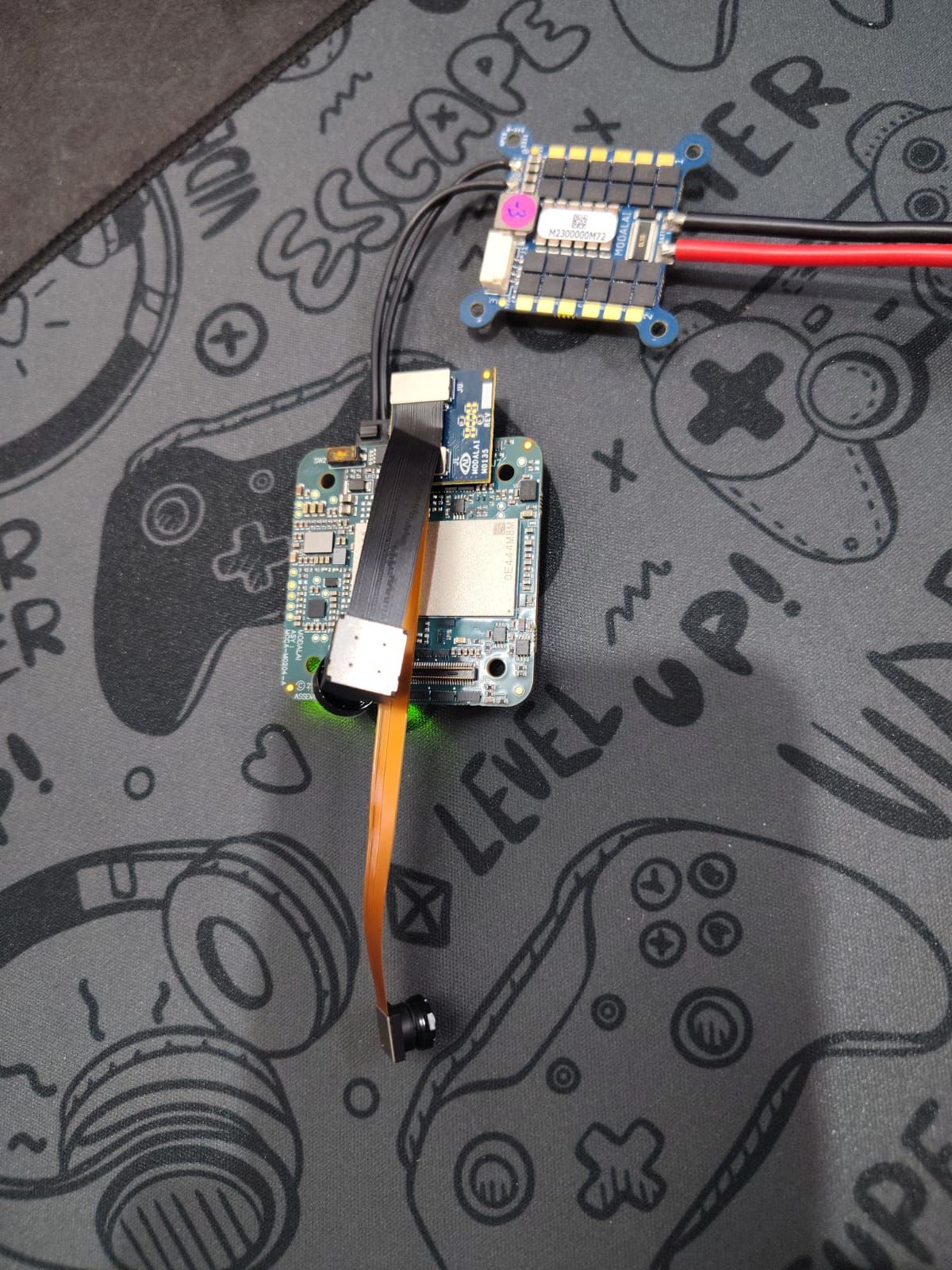
@Alex-Kushleyev Hii, Kindly look at the hardware configuration .
I am only able to detect 2 cameras out of 4 cameras .
Hires and one out of 2 tracking are not detected.


Posts made by Sarika Sharma
-
RE: Hardware configuration for 2× M0014 tracking + 1× M0169 PMD ToF + 1× M0024 HiResposted in Ask your questions right here!
-
RE: ToF sensor and VOAposted in VOXL 2
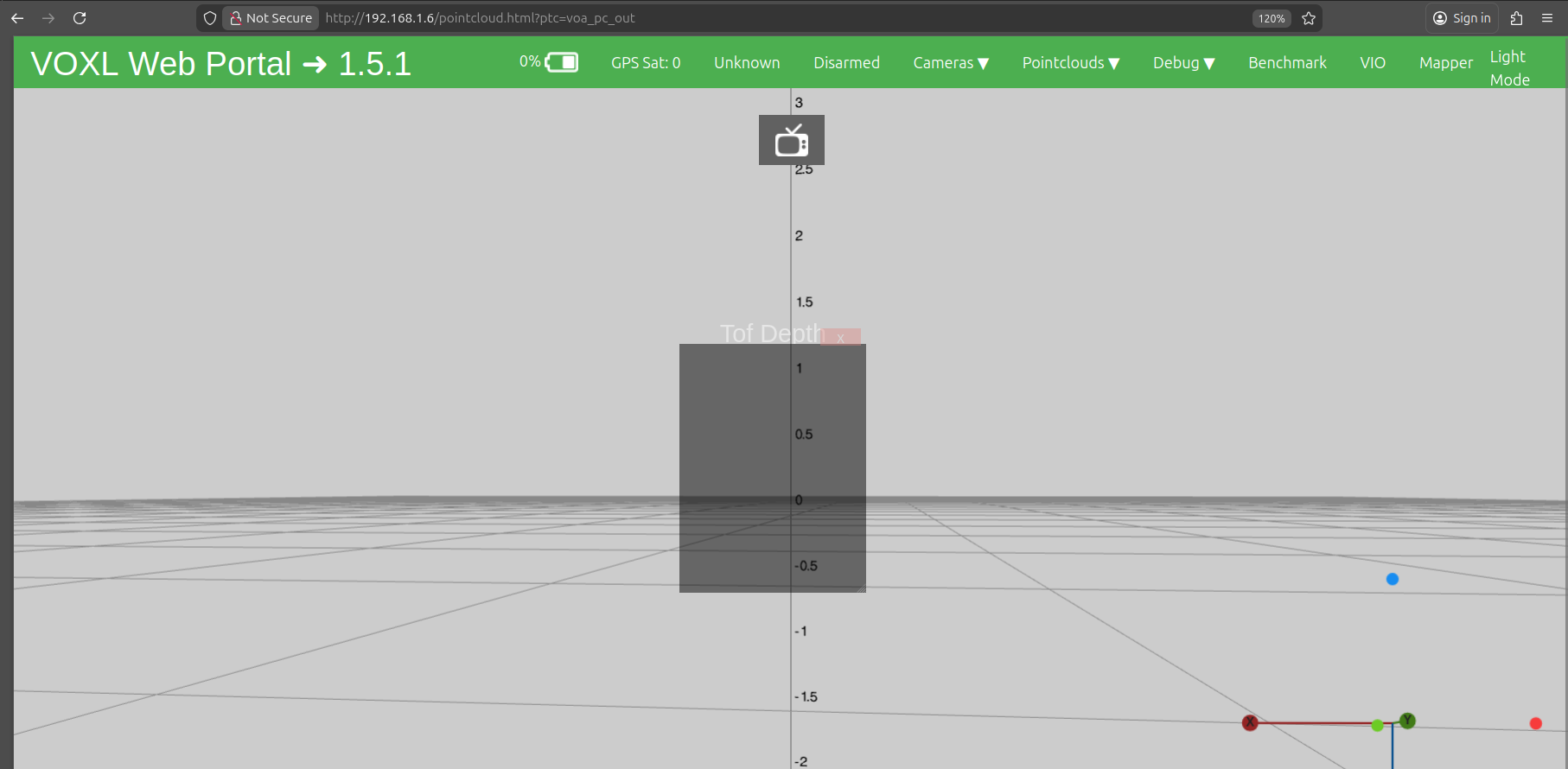
@James-Strawson Hii , I am also getting the same issue . Kindly look at the following details . I have defined tof in my extrinsics.conf file as given below:
parent: body
child: tof
T_child_wrt_parent: 0.070 0.024 -0.029
RPY_parent_to_child: 0.0 90.0 90.0
R_child_to_parent: 0.000 -0.000 1.000
1.000 0.000 -0.000
-0.000 1.000 0.000
when i run voxl-vision-hub -s i got the following
slice 0 dist none back
slice 1 dist none
slice 2 dist none
slice 3 dist none
slice 4 dist none
slice 5 dist none
slice 6 dist none
slice 7 dist none
slice 8 dist none
slice 9 dist none left
slice 10 dist none
slice 11 dist none
slice 12 dist none
slice 13 dist none
slice 14 dist none
slice 15 dist none
slice 16 dist none
slice 17 dist none
slice 18 dist none forward
slice 19 dist none
slice 20 dist none
slice 21 dist none
slice 22 dist none
slice 23 dist none
slice 24 dist none
slice 25 dist none
slice 26 dist none
slice 27 dist none right
slice 28 dist none
and in my vision-hub-conf file i have the folloeing set up:
"en_vio": true,
"vio_pipe": "qvio",
"secondary_vio_pipe": "ov",
"vfc_vio_pipe": "ov",
"en_reset_vio_if_initialized_inverted": true,
"vio_warmup_s": 3,
"send_odom_while_failed": true,
"horizon_cal_tolerance": 0.5,
"en_hitl": false,
"offboard_mode": "figure_eight",
"follow_tag_id": 0,
"figure_eight_move_home": true,
"robot_radius": 0.300000011920929,
"collision_sampling_dt": 0.1,
"max_lookahead_distance": 1,
"backtrack_seconds": 60,
"backtrack_rc_chan": 8,
"backtrack_rc_thresh": 1500,
"wps_move_home": true,
"wps_stride": 0,
"wps_timeout": 0,
"wps_damp": 1,
"wps_vfc_mission": true,
"wps_vfc_mission_loop": false,
"wps_vfc_mission_to_ramp": 25,
"wps_vfc_mission_to_kp": 0.10000000149011612,
"wps_vfc_mission_cruise_speed": 1,
"en_tag_fixed_frame": false,
"fixed_frame_filter_len": 5,
"en_transform_mavlink_pos_setpoints_from_fixed_frame": false,
"vfc_rate": 100,
"vfc_rc_chan_min": 980,
"vfc_rc_chan_max": 2020,
"vfc_thrust_ch": 3,
"vfc_roll_ch": 1,
"vfc_pitch_ch": 2,
"vfc_yaw_ch": 4,
"vfc_submode_ch": 6,
"vfc_alt_mode_rc_min": 0,
"vfc_alt_mode_rc_max": 0,
"vfc_flow_mode_rc_min": 0,
"vfc_flow_mode_rc_max": 0,
"vfc_hybrid_flow_mode_rc_min": 0,
"vfc_hybrid_flow_mode_rc_max": 0,
"vfc_position_mode_rc_min": 0,
"vfc_position_mode_rc_max": 2100,
"vfc_traj_mode_rc_min": 0,
"vfc_traj_mode_rc_max": 0,
"vfc_yaw_deadband": 30,
"vfc_vxy_deadband": 50,
"vfc_vz_deadband": 150,
"vfc_min_thrust": 0,
"vfc_max_thrust": 0.800000011920929,
"vfc_tilt_max": 0.43599998950958252,
"vfc_yaw_rate_max": 3,
"vfc_thrust_hover": 0.5,
"vfc_vz_max": 1,
"vfc_kp_z": 5.2899999618530273,
"vfc_kd_z": 5.9800000190734863,
"vfc_vxy_max": 3,
"vfc_kp_xy": 0.63999998569488525,
"vfc_kd_xy": 2.559999942779541,
"vfc_kp_z_vio": 5.2899999618530273,
"vfc_kd_z_vio": 5.9800000190734863,
"vfc_kp_xy_vio": 3.2400000095367432,
"vfc_kd_xy_vio": 3.9600000381469727,
"vfc_w_filt_xy_vio": 10,
"vfc_w_filt_xy_flow": 3,
"vfc_vel_ff_factor_vio": 0.899999976158142,
"vfc_xy_acc_limit_vio": 2.5,
"vfc_max_z_delta": 3,
"vfc_att_transition_time": 0.5,
"vfc_stick_move_threshold": 30,
"vfc_flow_transition_time": 1,
"vfc_q_min": 10,
"vfc_points_min": 7,
"vfc_en_submode_announcement": 1,
"vfc_disable_fallback": false,
"vfc_traj_csv": "/data/voxl-vision-hub/traj.csv",
"en_voa": true,
"voa_upper_bound_m": -0.15000000596046448,
"voa_lower_bound_m": 0.15000000596046448,
"voa_memory_s": 1,
"voa_max_pc_per_fusion": 100,
"voa_pie_max_dist_m": 20,
"voa_pie_min_dist_m": 0.25,
"voa_pie_under_trim_m": 1,
"voa_pie_threshold": 3,
"voa_send_rate_hz": 20,
"voa_pie_slices": 36,
"voa_pie_bin_depth_m": 0.15000000596046448,
"voa_inputs": [{
"enabled": false,
"type": "point_cloud",
"input_pipe": "dfs_point_cloud",
"frame": "stereo_l",
"max_depth": 8,
"min_depth": 0.300000011920929,
"cell_size": 0.079999998211860657,
"threshold": 4,
"x_fov_deg": 68,
"y_fov_deg": 56,
"conf_cutoff": 0
}, {
"enabled": false,
"type": "point_cloud",
"input_pipe": "stereo_front_pc",
"frame": "stereo_front_l",
"max_depth": 8,
"min_depth": 0.300000011920929,
"cell_size": 0.079999998211860657,
"threshold": 4,
"x_fov_deg": 68,
"y_fov_deg": 56,
"conf_cutoff": 0
}, {
"enabled": false,
"type": "point_cloud",
"input_pipe": "stereo_rear_pc",
"frame": "stereo_rear_l",
"max_depth": 8,
"min_depth": 0.300000011920929,
"cell_size": 0.079999998211860657,
"threshold": 4,
"x_fov_deg": 68,
"y_fov_deg": 56,
"conf_cutoff": 0
}, {
"enabled": true,
"type": "tof",
"input_pipe": "tof",
"frame": "tof",
"max_depth": 6,
"min_depth": 0.15000000596046448,
"cell_size": 0.079999998211860657,
"threshold": 3,
"x_fov_deg": 106.5,
"y_fov_deg": 85.0999984741211,
"conf_cutoff": 125
}, {
"enabled": false,
"type": "rangefinder",
"input_pipe": "rangefinders",
"frame": "body",
"max_depth": 8,
"min_depth": 0.300000011920929,
"cell_size": 0.079999998211860657,
"threshold": 4,
"x_fov_deg": 68,
"y_fov_deg": 56,
"conf_cutoff": 0
}],
"voa_voa_memory_s": 1
}
-
RE: Hardware configuration for 2× M0014 tracking + 1× M0169 PMD ToF + 1× M0024 HiResposted in Ask your questions right here!
@Sarika-Sharma and I also wanna tell you my goal i.e. stable indoor flight without GPS
-
RE: Hardware configuration for 2× M0014 tracking + 1× M0169 PMD ToF + 1× M0024 HiResposted in Ask your questions right here!
Hello @Alex-Kushleyev
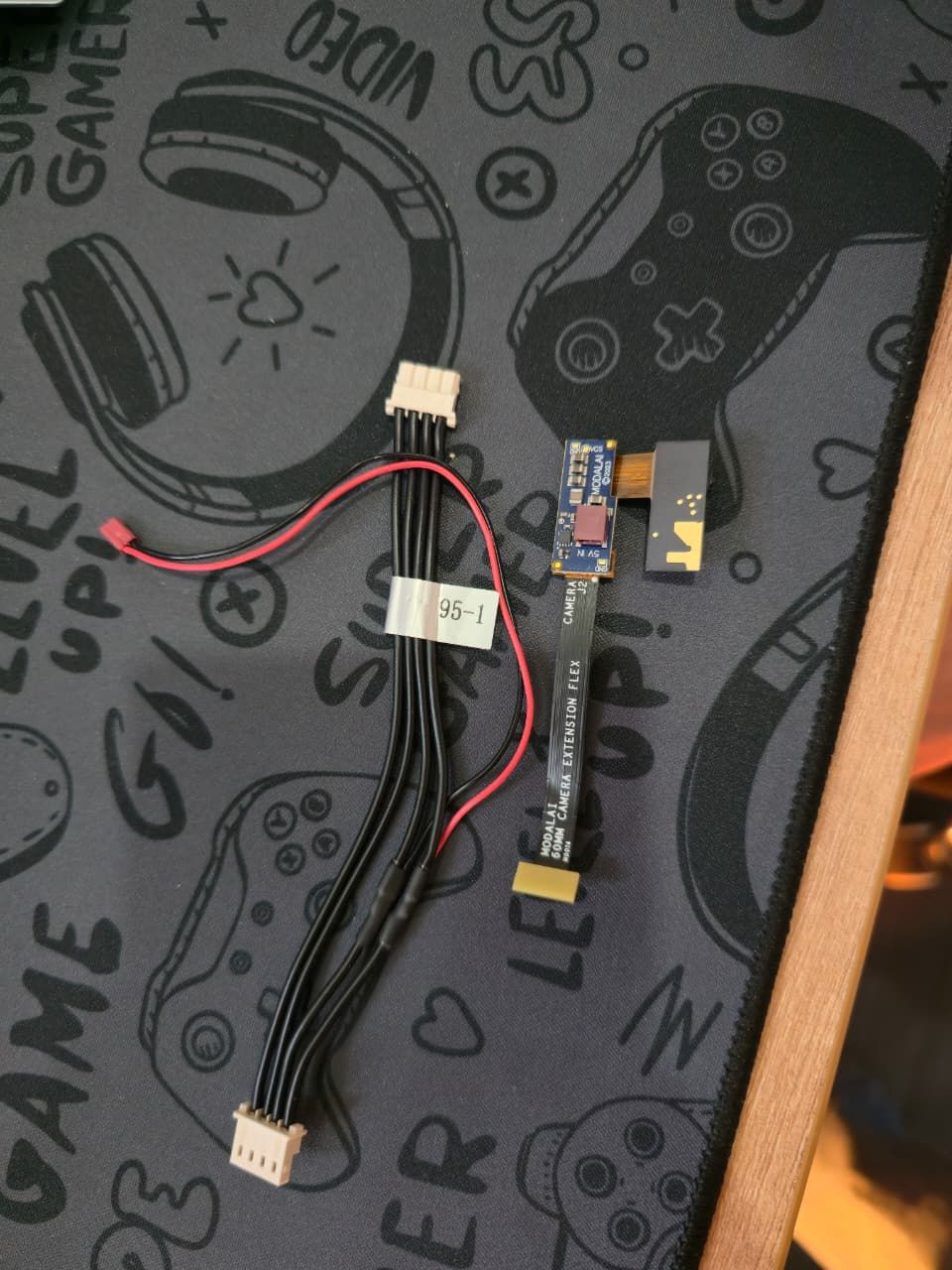
Thank you for getting back to me.Yes, I already have the above cameras.I am attaching image of the PMD TOF image sensor along with the adapters that were included, so you can confirm exactly which configuration I have.
I would also be very open to your suggestions regarding updates or improvements to the camera selection. Please feel free to recommend better options based on your experience.
Looking forward to your guidance.

-
Hardware configuration for 2× M0014 tracking + 1× M0169 PMD ToF + 1× M0024 HiResposted in Ask your questions right here!
Hello Team, I’m working with a VOXL2 Mini and would like guidance on the correct hardware configuration (cables and ports) for the following camera setup:
Cameras
-
2× M0014 (OV7251 tracking cameras)
-
1× M0169 (PMD ToF camera)
-
1× M0024 (IMX214 high-resolution camera)
Available accessories
-
M0084 flex cables
-
M0135 interface board
Could you please confirm the correct physical connection / port mapping for this setup on VOXL2 Mini?
-
-
RE: PMD ToF not detected on VOXL2posted in Ask your questions right here!
@Sarika-Sharma Now TOF is detected. I have choosed pmd-tof instead of pmd-tof-liow2.
But please give solution for the following problem.
When I used J7 according to the following configuration
Hardware Setup
M0104 Connector Interposer Sensor HW ID
J7 M0135 JL Tracking (M0014 ) 2
J7 M0135 JU Hires (M0025-2 ) 3
OR
J7 M0135 JL Hires (M0025-2 ) 2
J7 M0135 JU Tracking (M0014 ) 3ONLY , The camera which is connected to JL is working either tracking or hires.
Cameras connected to JU is not working.
When i run voxl-camera-server it gives this
WARNING: cam tracking (id 1) does not seem to be alive------ voxl-camera-server: Started 1 of 2 cameras
------ voxl-camera-server: Camera server is now running
OR
When i run voxl-camera-server it gives this
WARNING: cam hires (id 1) does not seem to be alive------ voxl-camera-server: Started 1 of 2 cameras
------ voxl-camera-server: Camera server is now running/home/idr/Downloads/WhatsApp Image 2025-12-26 at 5.31.01 PM.jpeg -
RE: Compatible ToF sensor setup with VOXL2 Miniposted in VOXL Accessories
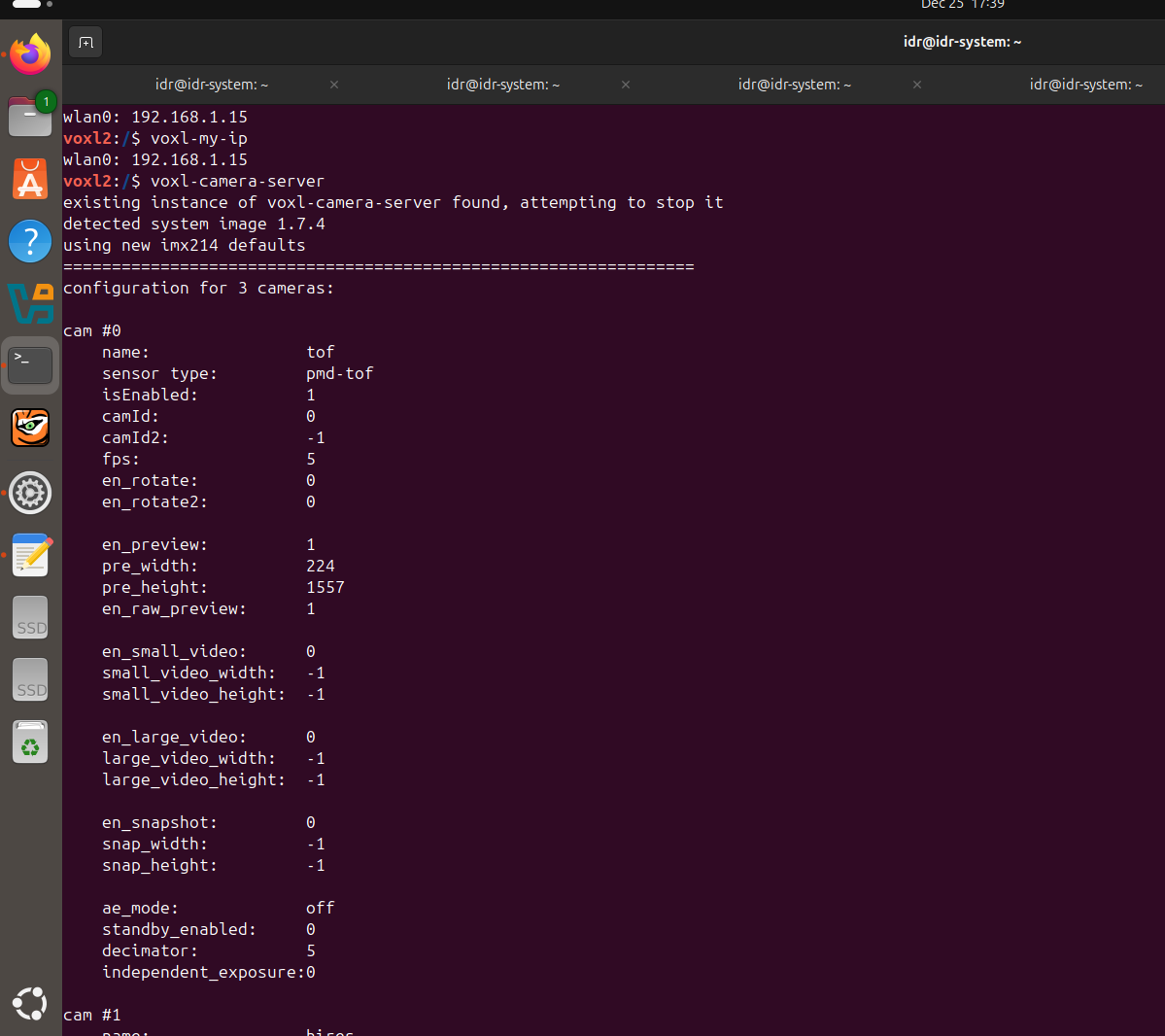
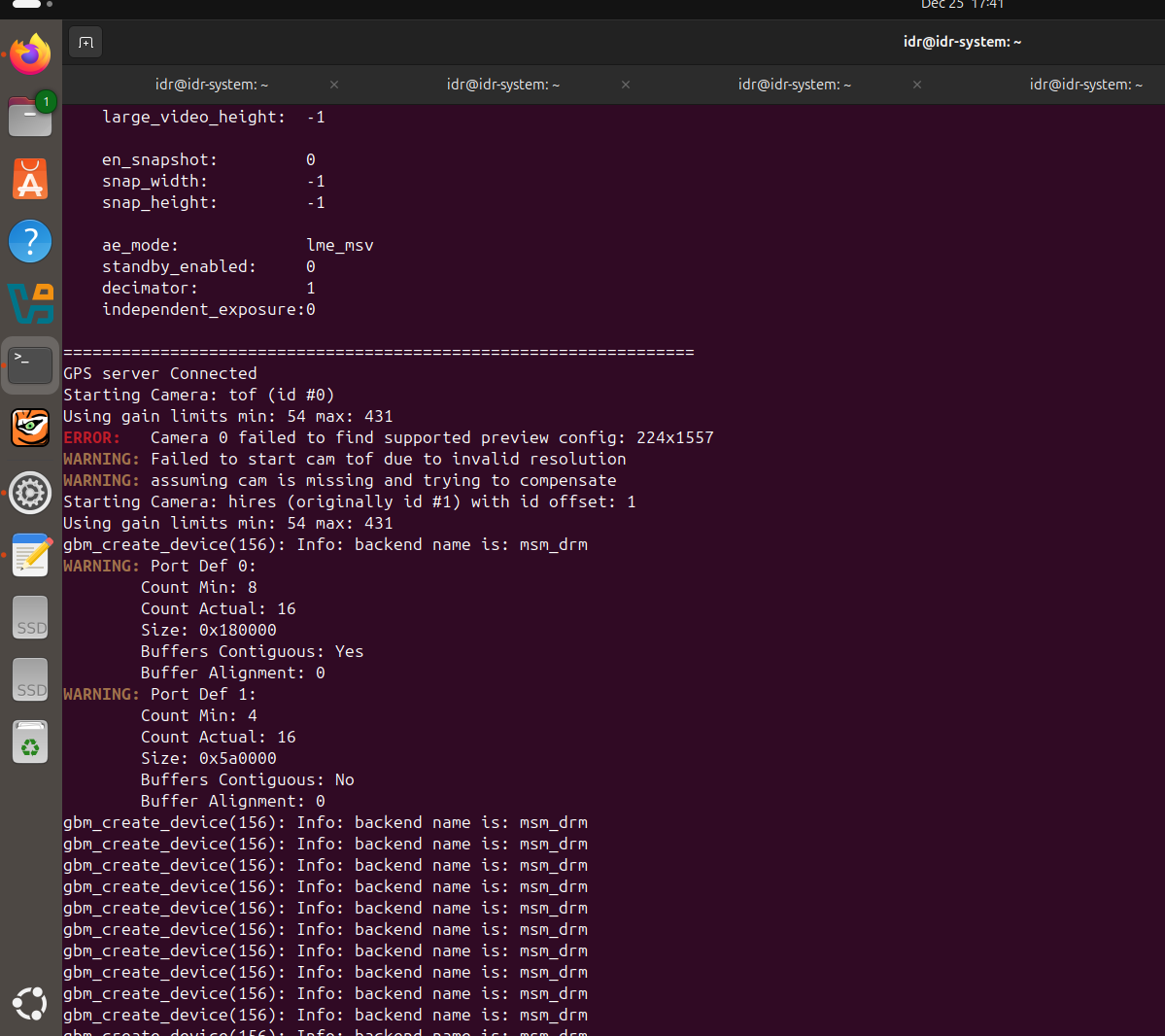
@Alex-Kushleyev @Luca-Zanatta I am also facing the same issue, can you please tell how to solve resolution problem.
I have tried to manually add preview width and preview height in vim /etc/modalai/voxl-camera-server.conf But when i run voxl-camera-server it still gives previous resolution 240*1557 and hence pmd-tof is not detected. -
PMD ToF not detected on VOXL2posted in Ask your questions right here!
Hello ModalAI Team,
I am working with VOXL2 / VOXL2 Mini and PMD ToF V2 (M0169), and I am facing an issue where the PMD ToF camera is not detected/started by voxl-camera-server.
System details
Platform: VOXL2
System Image: 1.7.4
PMD Module: M0169 (PMD ToF)
Use case: Tracking + ToF + HiRes
Hardware connection (Option 1)
VOXL2 → M0076 → M0074 extender → M0169 (external regulated 5V supplied) → ToFExternal 5V is provided to M0169.
Camera configuration
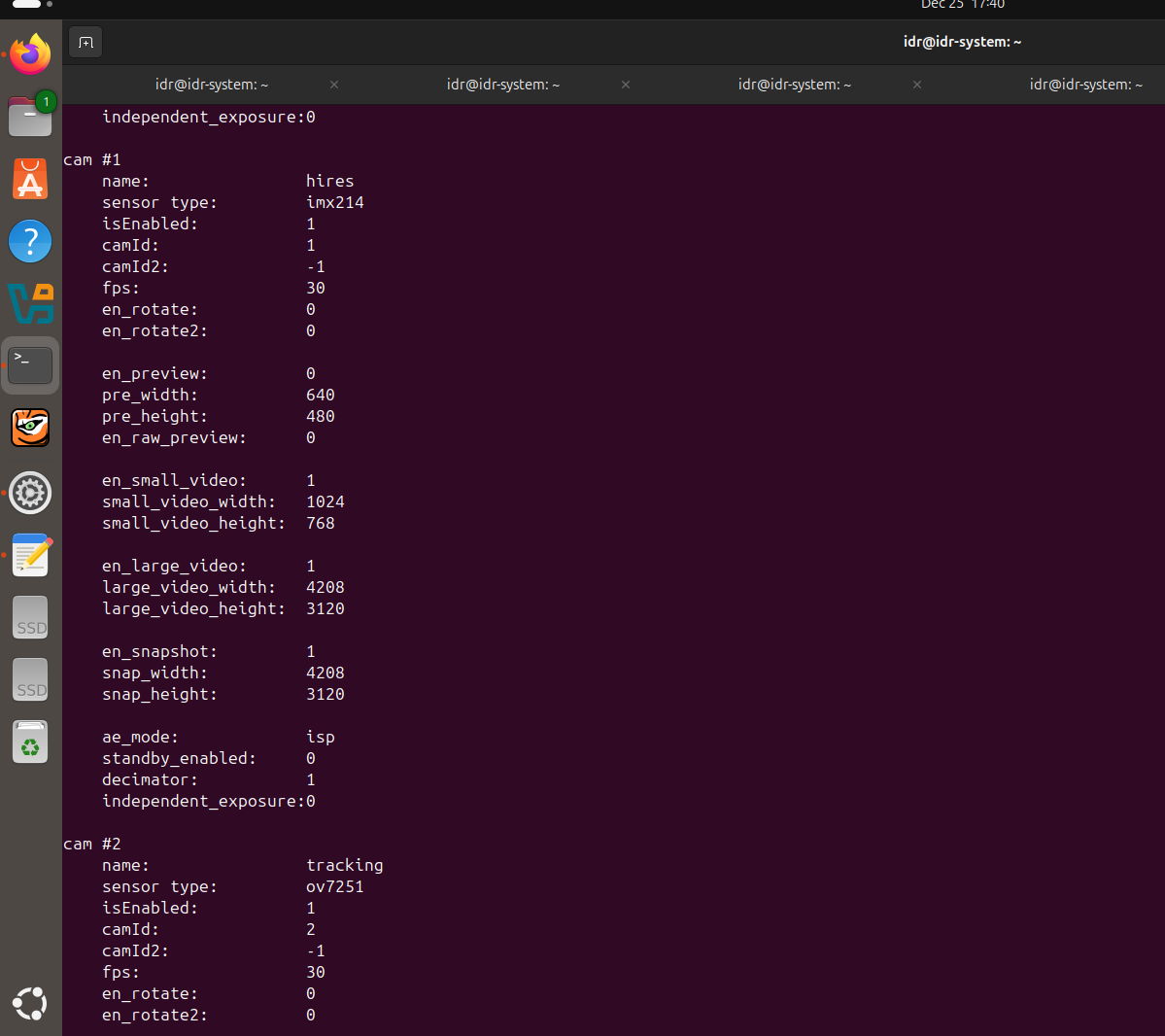
Cameras enabled: PMD ToF + IMX214 (HiRes) + OV7251 (Tracking)
IMX214 and OV7251 start correctly, but not pmd-tof
kindly look at the screenshots.
/home/idr/Pictures/Screenshots/Screenshot from 2025-12-25 17-40-44.png
/home/idr/Pictures/Screenshots/Screenshot from 2025-12-25 17-40-54.png
/home/idr/Pictures/Screenshots/Screenshot from 2025-12-25 17-41-05.png
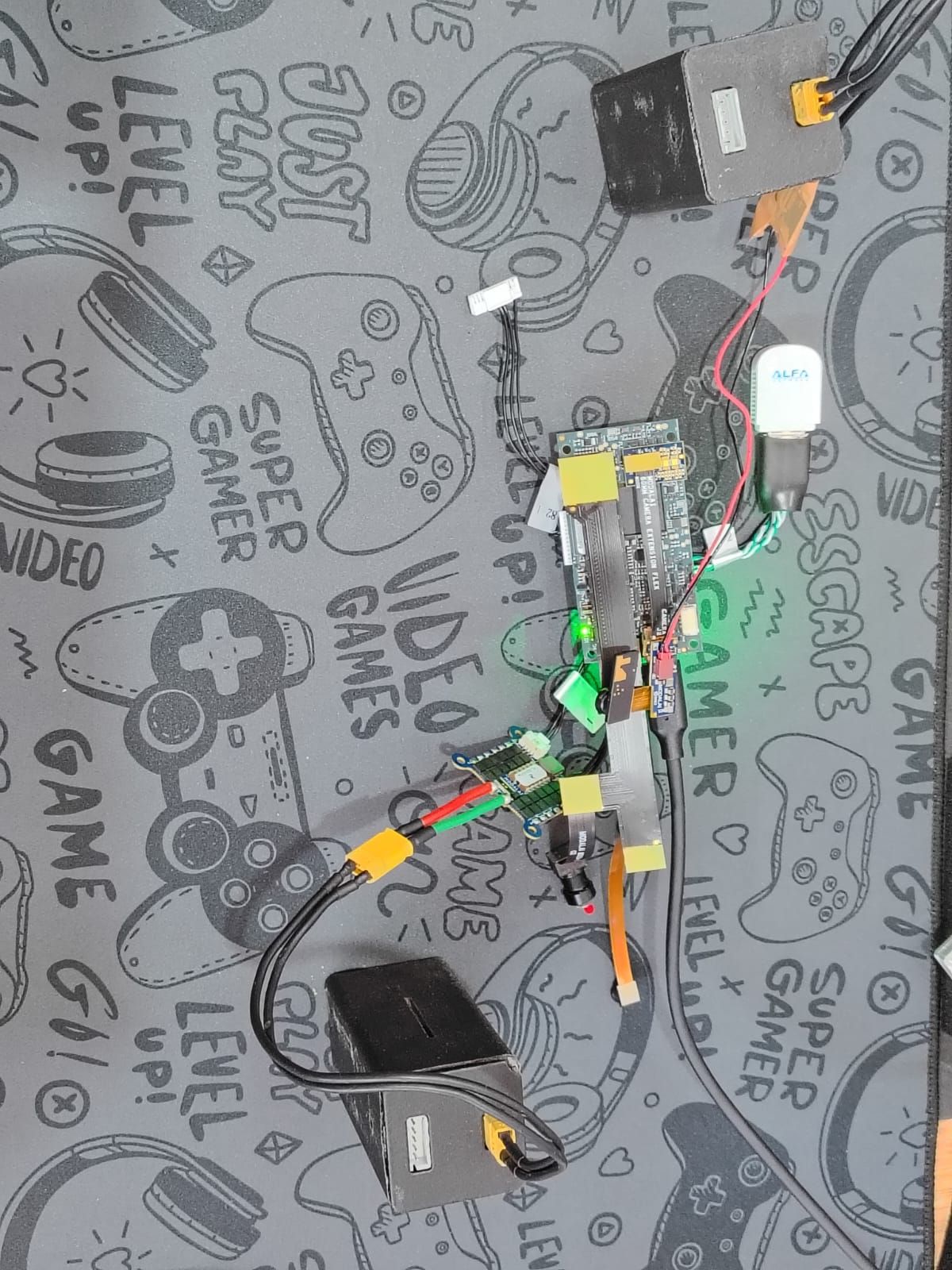
/home/idr/Downloads/WhatsApp Image 2025-12-25 at 6.00.04 PM.jpeg -
RE: Unable to connect multiple VOXL2 mini drones to QGroundControl using different UDP portsposted in Ask your questions right here!
@Eric-Katzfey If you would be so kind as to tell how can i specify a different port to connect to at the GCS for each drone?
-
RE: Unable to connect multiple VOXL2 mini drones to QGroundControl using different UDP portsposted in Ask your questions right here!
@Eric-Katzfey yes, I am using wifi and station mode.And I am able to connect multiple drones having different IP Address on the default 14550 UDP port .But I wanna ask can I specify different ports for each drone having different IP address???
For ex:
Drone 1 : IP->192.168.1.15 On port no 14551
Drone 2: IP-> 192.168.1.16 On port no 14552 -
Unable to connect multiple VOXL2 mini drones to QGroundControl using different UDP portsposted in Ask your questions right here!
I am trying to connect multiple VOXL2 Mini drones to QGroundControl (QGC) by assigning different UDP ports per drone, but I am unable to connect on any port other than the default 14550.
My Setup
Hardware: VOXL2 Mini
GCS: QGroundControl
QGC running on host PCGoal
Drone 1
IP: 192.168.1.16
UDP Port: 14551
Drone 2
IP: 192.168.1.15
UDP Port: 14552
QGC successfully connects when using UDP port 14550 but not with 14551/14552
kindly look at the attached screenshots:
file:///home/idr/Pictures/Screenshots/Screenshot%20from%202025-12-23%2016-10-25.pngfile:///home/idr/Pictures/Screenshots/Screenshot%20from%202025-12-23%2016-26-45.png -
RE: Voxl 2 Mini not detected via USBposted in VOXL 2 Mini
@tom I'm using a LiPo 3S battery with a voltage of 12V.
-
RE: Voxl 2 Mini not detected via USBposted in VOXL 2 Mini
@tom Yes, I’ve already tried using a USB-A to USB-C cable and also I used the same cable to connect VOXL2 previously, and it works perfectly — I'm able to access the ADB shell without any issues, so the cable and USB port are both functional. However, when I try to connect the VOXL2 Mini using the same cable, I’m unable to see any device listed with adb devices on Ubuntu natively(I have a dual-boot setup).I’ve also checked lsusb on Ubuntu in both normal power-on and while attempting EDL mode, but no Qualcomm device shows up.
When I switch to Windows, the VOXL2 Mini appears in Device Manager as "Unknown USB Device (Device Descriptor Request Failed)" with a yellow warning icon (screenshot attached).


-
RE: Voxl 2 Mini not detected via USBposted in VOXL 2 Mini
@tom I am running Ubuntu natively (not inside a VM). USB passthrough is not applicable in my case.
-
Voxl 2 Mini not detected via USBposted in VOXL 2 Mini
Hi ModalAI Team,
I'm working on a VOXL2 Mini (M0104) and facing persistent USB connection issues.
️ Environment:Host OS: Ubuntu 22.04 (also tested on Windows 10)
Cable: Known-good USB-C data cable
Power: Board powered via ESC; LED turns on
Issue:Ubuntu: lsusb shows nothing in any mode (ADB, Fastboot, or EDL)
Windows: Device Manager shows Unknown USB Device (Device Descriptor Request Failed) with a yellow triangle
I also tried to run flash-system-image.sh (see the attached screenshots)fails with “device not found” in fastboot mode
Tried:Different cables and USB ports (USB 2.0 & 3.0)
Different PCs (Windows and Linux)
Turned on EDL switch
Force Fastboot
Request:Looking for guidance.