@Moderator thank you so much, I will go through that now.
T
Latest posts made by taiwohazeez
-
RE: drone issues-starling 2posted in FPV Drones
-
RE: TELEMETRY DATAposted in FPV Drones
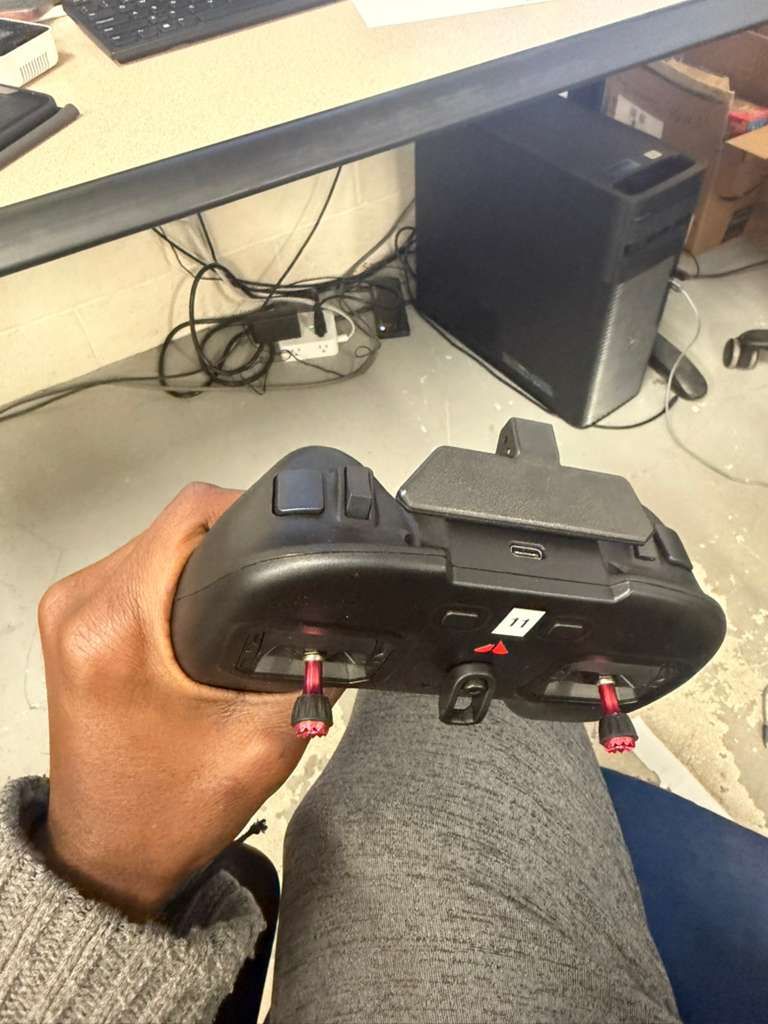
@Cliff-Wong the drone is on SDK 1.5.0, I switched to open vins, and the vio portal reflected the movement, but when i toggled my controller from manual mode to position mode, the drone crashed for the first fight, on the second and third trial the drone kept landing, when i tried the fourth time, the drone finally maintained the height and hovered. Why do I have that unpredictable behavior ? I have attached images of my controller to show the toggling i meant.
Kindly advice.
Thanks.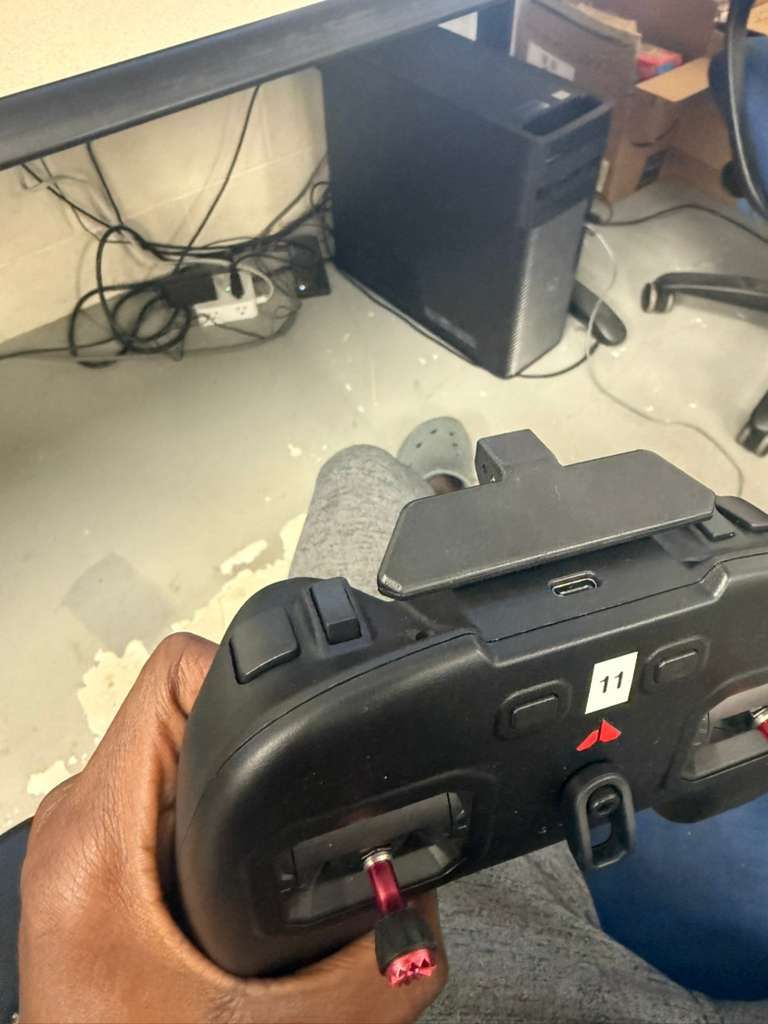
-
drone issues-starling 2posted in FPV Drones
Hello modal AI,
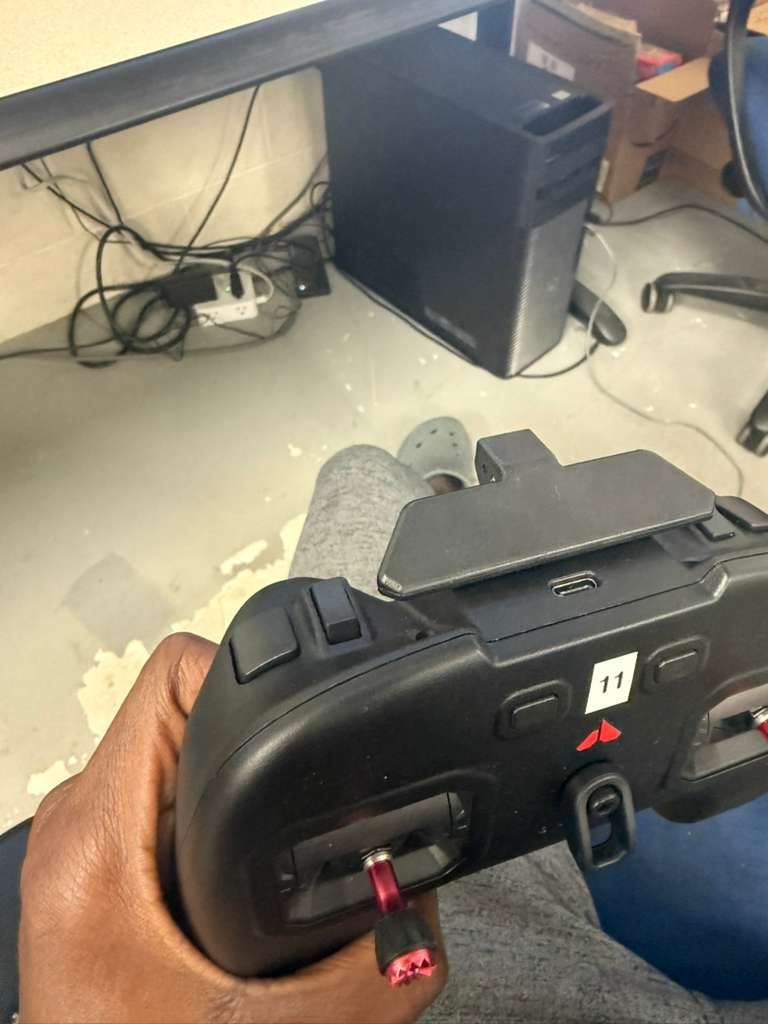
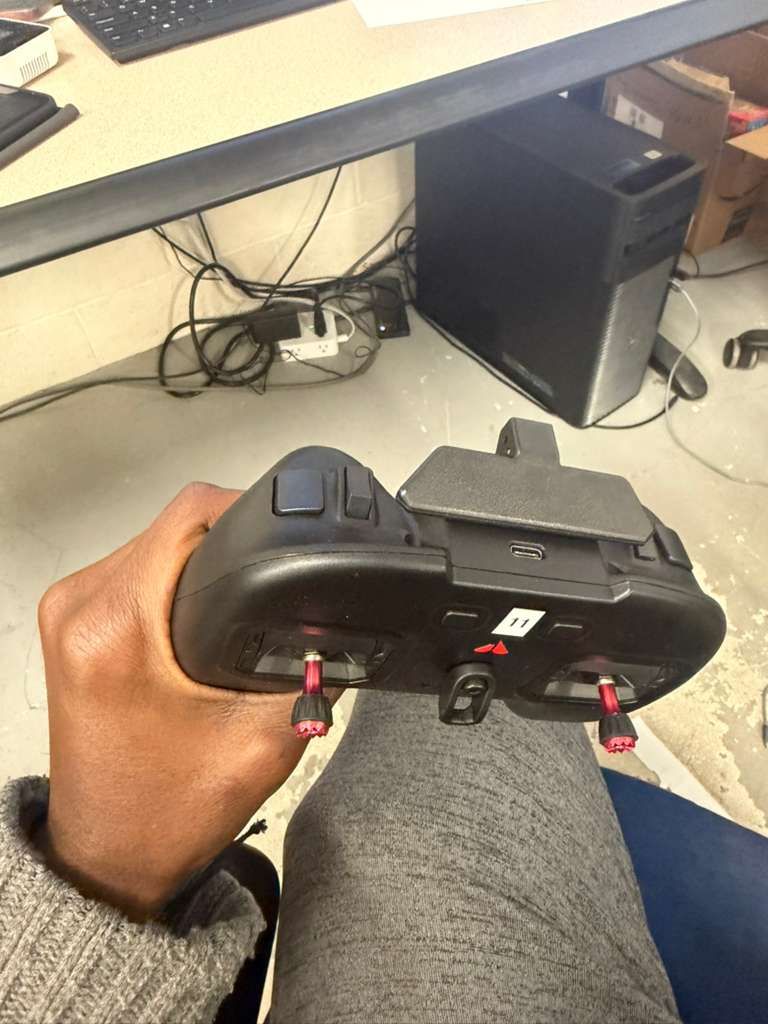
I have similar issues with all my starling 2 drones, and I keep crashing them. When I toggle my controller from manual mode to position mode, I expect the drone to hold its current height, and hover there, sometimes it does that, sometimes it lands (and I am sure it's not because of the battery because I have done this with fully charged batteries), if this was only what happens, I wouldn't really have much concerns, but sometimes, when I toggle the switch, the drone flies away and I can't control it with the left stick except I use the kill switch button, the drone eventually crashes. I would have sent a footage for better visualization, but I don't have the privilege to upload videos.
I have been working with these drones for a little while , but I can seem to understand why it does that.This is the third drone I am sending in for RMA, and I don't know why they are crashing. I can't keep crashing drones.
Kindly help me please.
NOTE: My drones are using different SDK versions (1.4.5, 1.5.0, 1.6.2)
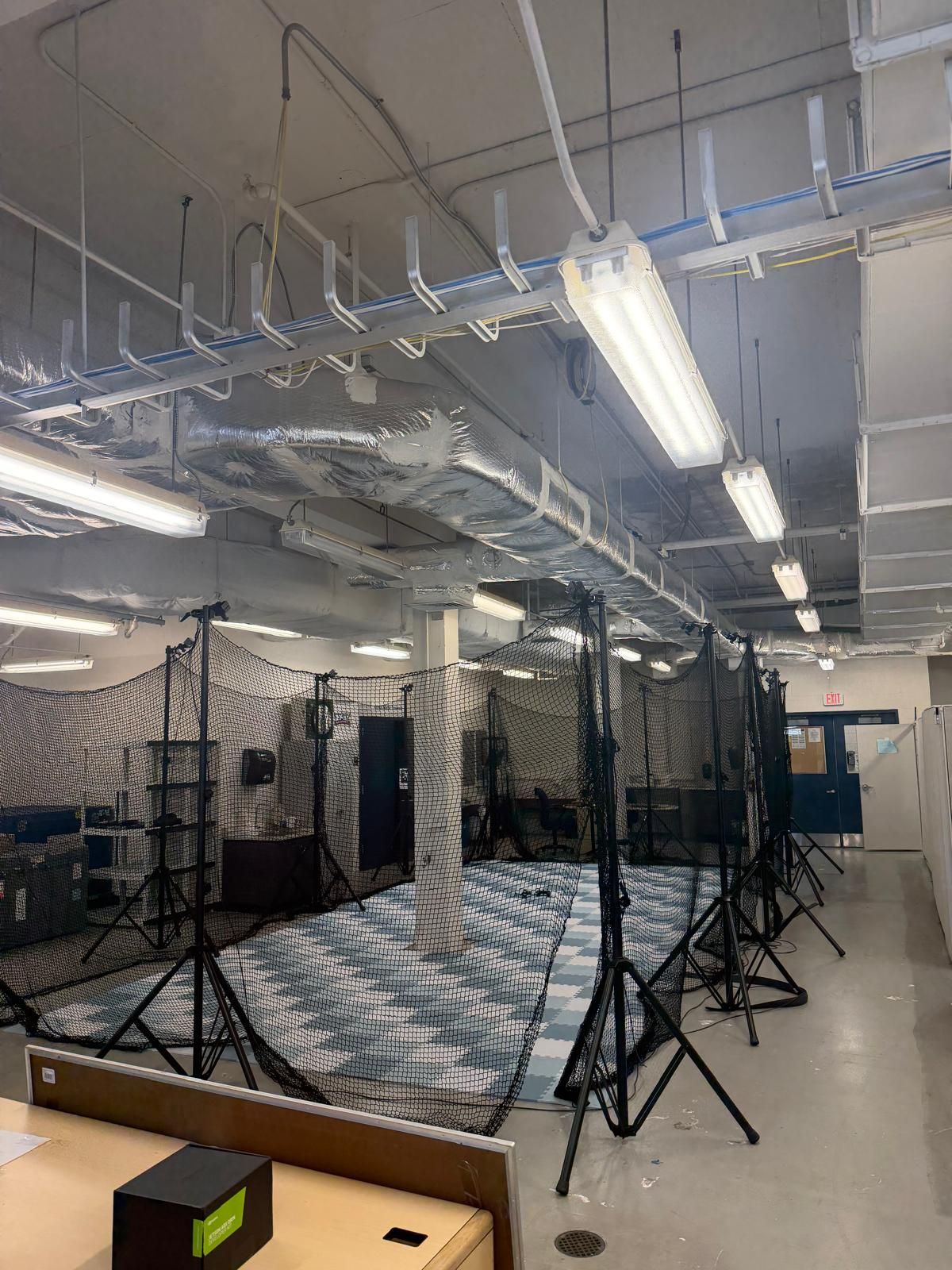
I have used qvio, i switched to open vins also.Also, sometimes on QGC, i get position and height estimate unstable, I hve calibrated the compass, gyro and accelerometer several times, yet i still have same issue. There are times where I get strong magnetic interference error also (i try to move the drone far away before powering on), I have attached the image of my lab, to see if this is the major cause. Right now, I don,t know why it behaves like that. I also attached my controller to see the toggling switch toggling i meant.
Also, what do I do when i get position, height and velocity estimate error ?
Thanks
-
RE: TELEMETRY DATAposted in FPV Drones
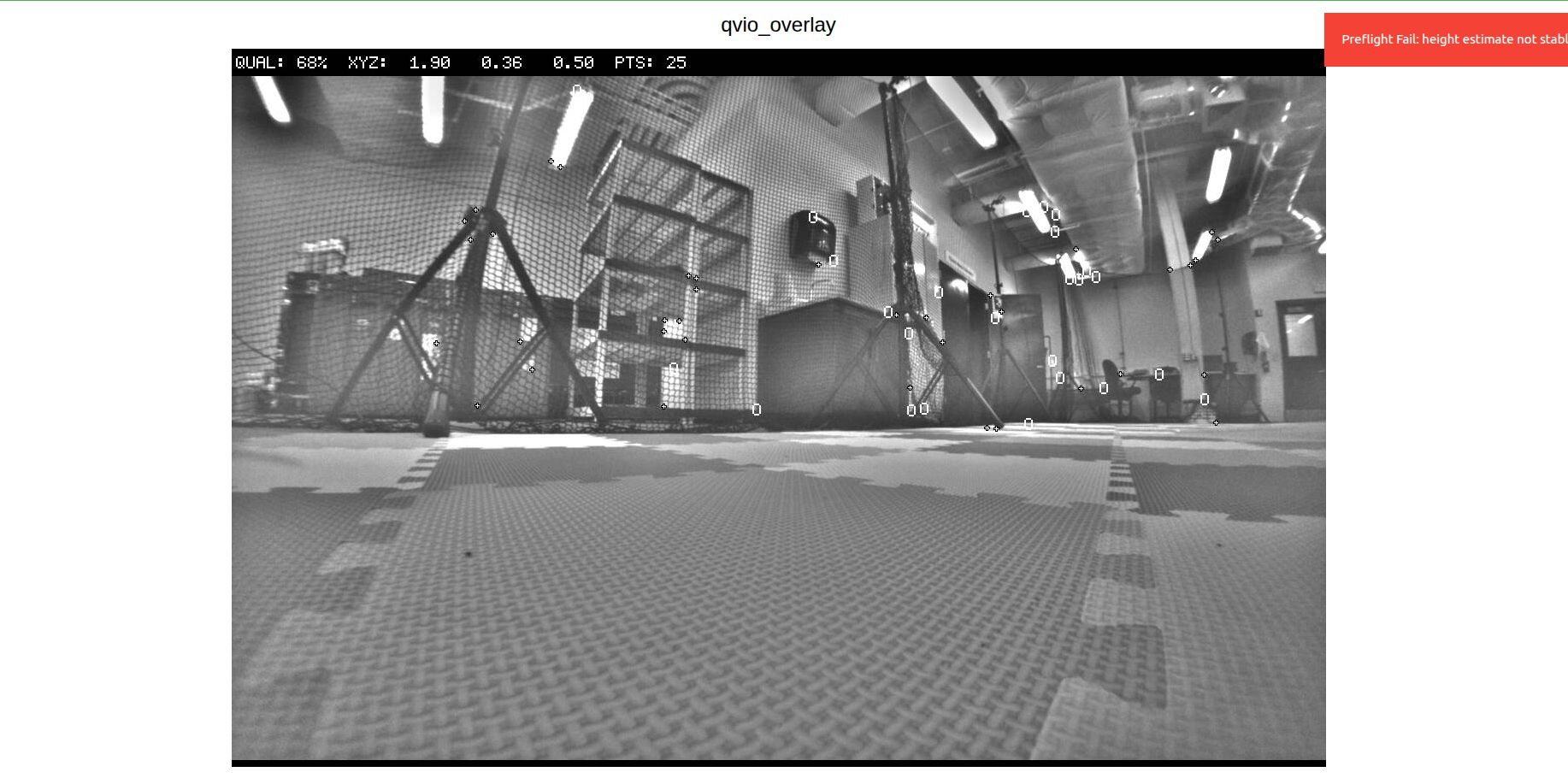
@Eric-Katzfey thank you for that. I have another issue, when i toggle the controller from manual mode to position mode, sometimes he drone holds it height, but sometimes, it just flies away and crashes. I have calibrated the compass, gyro and accelerometer, it still exhibit same behavior (infact thats how all the drones behave), so that means there is something I am not doing right, or I am missing. I ran ros2 topic echo /fmu/out/vehicle_odometry to see whats happening with the VIO, this was the output:
timestamp: 1770551010017542
timestamp_sample: 1770551010015689
pose_frame: 1
position: [1.8852728605270386, 0.3567788600921631, -7.352701663970947]
q: [0.9946960806846619, 0.013231446966528893, -0.00516587495803833, 0.1018725335597992]
velocity_frame: 1
velocity: [-0.0011717384913936257, 0.002392425434663892, -0.004358584061264992]
angular_velocity: [0.0007909969426691532, -0.003044810611754656, -0.0005365335382521152]
position_variance: [0.00031149128335528076, 0.00031149270944297314, 0.0004529791767708957]
orientation_variance: [1.4802474652242381e-05, 1.478460126236314e-05, 0.00020037211652379483]
velocity_variance: [0.0006313467747531831, 0.0006313963094726205, 0.0006925623747520149]
reset_counter: 25
quality: 0This is weird because the drone is on the ground, why is my Z reading -7.352?
Also, i keep getting heading_good_for_control: False (what can i do to fix it?)I moved the drone round the lab to capture features, yet the quality is still zero, and why does it keep resetting (from the reset_counter)?.
Kindly help.
Thanks
-
TELEMETRY DATAposted in FPV Drones
Hello support,
How can I get telemetry data for my starling 2 drone? Is there an App available?
Thanks.
Regards,
Taiwo -
RE: Camera Calibrationposted in FPV Drones
@Alex-Kushleyev Yes I used the the right size. I ran this: voxl-calibrate-camera tracking_front -f -s 6x8 -l 0.030. I was able to get it to a 100 percent several times, but i keep getting caibration failed.
This is the output from the terminal:
starling2 (D0014):~$ voxl-calibrate-camera tracking_front -f -s 6x8 -l 0.030
Waiting for valid pipe...
Please open voxl-portal in a web browser to view the camera calibrator overlay stream
Running Calibration...
Matrix
[462.8203351079722, 0, 655.3416216062686;
0, 465.2531654785162, 372.0681441827904;
0, 0, 1]
Distortion
[0.1093065188826117;
-0.05638236547106363;
0.05691560193039599;
-0.01890034155803672]
distortion_model: fisheye
Re-projection error reported by calibrateCamera: 1.32316
Calibration Failed
Max reprojection error: 0.60
This is most likely due to motion blur, please try again.
Exiting Cleanly
starling2 (D0014):~$ -
RE: MEETING WITH MODALAI TECHNICAL TEAM AND MY ADVISORposted in FPV Drones
@Moderator Thank you for the link. But he says he needs to get on a call with the technical team. It's a year already and I still don't know much about the drones (which may be from my end, I don't know), but he wants to handle this himself this time around and get all necessary information on a single call sometime early in January 2026. Kindly let me know if this is possible, and how to go about it.
Thanks
-
RE: CANT ACCESS CAMERAposted in FPV Drones
@Alex-Kushleyev Also, when you run voxl-inspect-services, voxl-camera-server will be enables but not running, Immediately i start it, it runs and stops almost immediately
-
RE: CANT ACCESS CAMERAposted in FPV Drones
@Alex-Kushleyev I updated to SDK 1.62 already, and yes I only inspected using voxl-inspect-cam tracking_down tracking_front tracking_rear tof_ir hires_small_color.
After running that, I got this (empty response), and when you Ctrl C, you get waiting for server
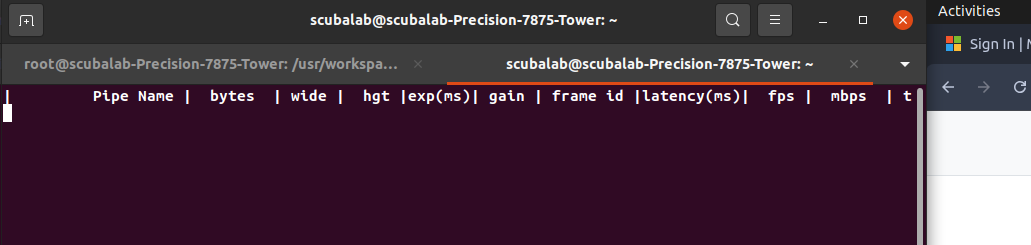
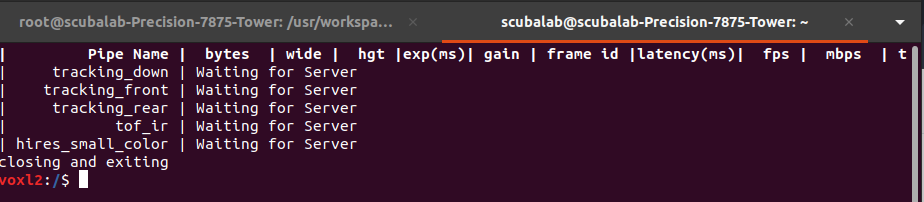
This is the output after I ran voxl-inspect-cpu
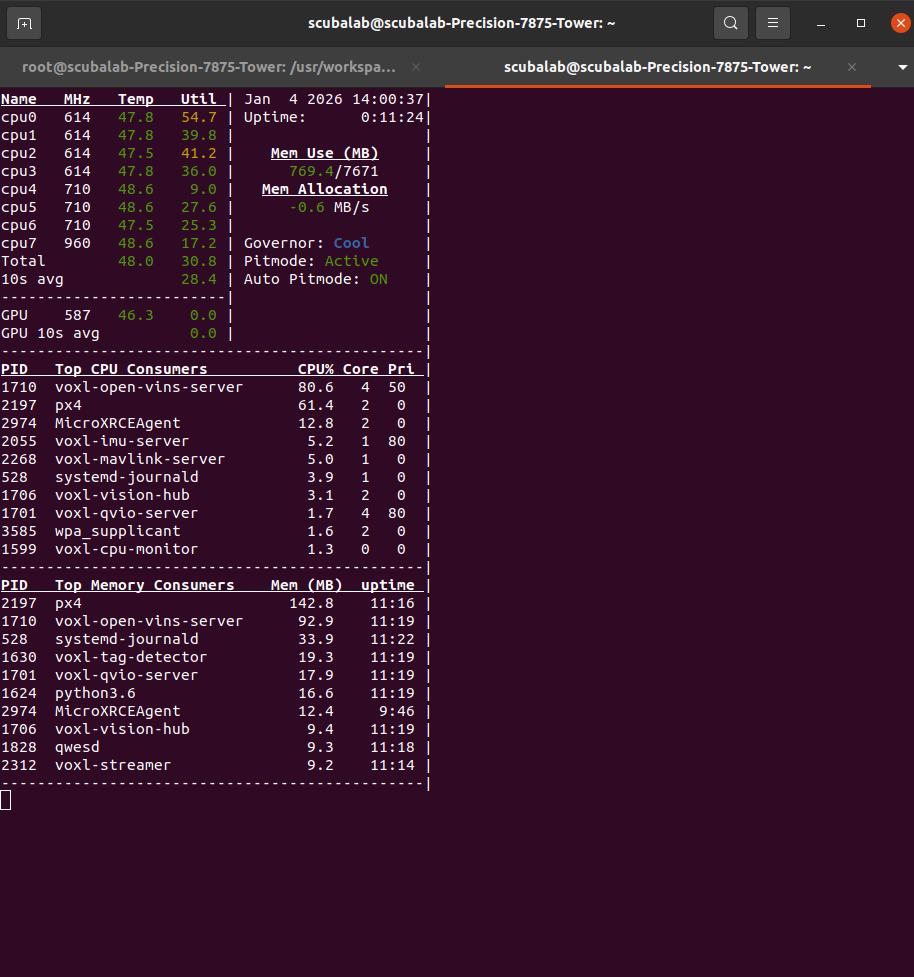
After running voxl-camera-server, i got this:
voxl2:/$ voxl-camera-server
Setting MISP AWB to Auto
MISP channels enabled in defaults : 0
MISP channels enabled in config file: 0
detected system image 1.8.6
using new imx412 defaults
Setting MISP AWB to Auto
MISP channels enabled in defaults : 0
MISP channels enabled in config file: 0
Setting MISP AWB to Auto
MISP channels enabled in defaults : 0
MISP channels enabled in config file: 0configuration for 5 cameras:
cam #0
name: tracking_front
type: ar0144
bayer_type: 0
enabled: 1
camera_id: 0
camera_id_second: -1
fps: 30
en_rotate: 1
en_rotate2: 0en_preview: 1 en_raw_preview: 1 preview_width: 1280 preview_height: 800 en_misp: 0 misp_width: 1280 misp_height: 800 en_small_video: 0 small_video_width: -1 small_video_height: -1 en_large_video: 0 large_video_width: -1 large_video_height: -1 en_snapshot: 0 snap_width: -1 snap_height: -1 exif_focal_length: 0.000000 exif_focal_len_35mm_format:0 exif_fnumber: 0.000000 ae_mode: lme_msv msv_exposure_min_us: 20 msv_exposure_max_us: 12000 gain_min : 54 gain_max : 8000 standby_enabled: 0 decimator: 1 independent_exposure:0cam #1
name: hires
type: imx412
bayer_type: 2
enabled: 1
camera_id: 1
camera_id_second: -1
fps: 30
en_rotate: 0
en_rotate2: 0en_preview: 0 en_raw_preview: 0 preview_width: 640 preview_height: 480 en_misp: 0 misp_width: -1 misp_height: -1 en_small_video: 1 small_video_width: 1024 small_video_height: 768 en_large_video: 1 large_video_width: 4056 large_video_height: 3040 en_snapshot: 1 snap_width: 4056 snap_height: 3040 exif_focal_length: 3.100000 exif_focal_len_35mm_format:17 exif_fnumber: 1.240000 ae_mode: isp msv_exposure_min_us: 20 msv_exposure_max_us: 33000 gain_min : 54 gain_max : 8000 standby_enabled: 0 decimator: 1 independent_exposure:0cam #2
name: tracking_rear
type: ar0144
bayer_type: 0
enabled: 1
camera_id: 2
camera_id_second: -1
fps: 30
en_rotate: 1
en_rotate2: 0en_preview: 1 en_raw_preview: 1 preview_width: 1280 preview_height: 800 en_misp: 1 misp_width: 1280 misp_height: 800 en_small_video: 0 small_video_width: -1 small_video_height: -1 en_large_video: 0 large_video_width: -1 large_video_height: -1 en_snapshot: 0 snap_width: -1 snap_height: -1 exif_focal_length: 0.000000 exif_focal_len_35mm_format:0 exif_fnumber: 0.000000 ae_mode: lme_msv msv_exposure_min_us: 20 msv_exposure_max_us: 12000 gain_min : 54 gain_max : 8000 standby_enabled: 0 decimator: 1 independent_exposure:0cam #3
name: tof
type: pmd-tof-liow2
bayer_type: 0
enabled: 1
camera_id: 3
camera_id_second: -1
fps: 10
en_rotate: 1
en_rotate2: 0en_preview: 1 en_raw_preview: 1 preview_width: 240 preview_height: 1629 en_misp: 0 misp_width: -1 misp_height: -1 en_small_video: 0 small_video_width: -1 small_video_height: -1 en_large_video: 0 large_video_width: -1 large_video_height: -1 en_snapshot: 0 snap_width: -1 snap_height: -1 exif_focal_length: 0.000000 exif_focal_len_35mm_format:0 exif_fnumber: 0.000000 ae_mode: off msv_exposure_min_us: 0 msv_exposure_max_us: 6000 gain_min : 0 gain_max : 0 standby_enabled: 0 decimator: 5 independent_exposure:0cam #4
name: tracking_down
type: ar0144
bayer_type: 0
enabled: 1
camera_id: 4
camera_id_second: -1
fps: 30
en_rotate: 0
en_rotate2: 0en_preview: 1 en_raw_preview: 1 preview_width: 1280 preview_height: 800 en_misp: 1 misp_width: 1280 misp_height: 800 en_small_video: 0 small_video_width: -1 small_video_height: -1 en_large_video: 0 large_video_width: -1 large_video_height: -1 en_snapshot: 0 snap_width: -1 snap_height: -1 exif_focal_length: 0.000000 exif_focal_len_35mm_format:0 exif_fnumber: 0.000000 ae_mode: lme_msv msv_exposure_min_us: 20 msv_exposure_max_us: 12000 gain_min : 54 gain_max : 8000 standby_enabled: 0 decimator: 1 independent_exposure:0fsync_en: 1
fsync_gpio: 109thread is locked to cores: 4 5 6 7
connected to mavlink pipe
Connected to cpu-monitor
Starting Camera: tracking_front (id #0)
gbm_create_device(156): Info: backend name is: msm_drm
Starting Camera: hires (id #1)
Estimated imu dt = 0.000977s
Starting Camera: tracking_rear (id #2)
ERROR: Received Fatal error from camera: tracking_front
ERROR: Sending request 10, ErrorCode: -ENODEV
ERROR: Received "Result" error from camera: tracking_front, frame number 4
WARNING: Thread: tracking_front request thread Received ESTOP
WARNING: Thread: tracking_front result thread Received ESTOP
WARNING: Thread: hires result thread Received ESTOP
WARNING: Thread: hires request thread Received ESTOP
MISP Initializing for camera tracking_rear
Detected 1 platform(s)
Detected 1 GPU device(s)
WARNING: OMX SetTargetBitrate: H265 CBR requires bps >= 3.0Mbit (1200000 bps provided). Using FPS hack. scale = 2.500000
Starting Camera: tof (id #3)
Starting Camera: tracking_down (id #4)
MISP Initializing for camera tracking_down
WARNING: OMX SetTargetBitrate: H265 CBR requires bps >= 3.0Mbit (1200000 bps provided). Using FPS hack. scale = 2.500000------ voxl-camera-server: Started 5 of 5 cameras
------ voxl-camera-server: Camera server is now running
------ voxl-camera-server: Camera server is now stopping
Stats For Camera tracking_front:
Received Frame Count: 10
Request Error Count: 0
Buffer Error Count: 0
Result Error Count: 1
ERROR: Received "Result" error from camera: tracking_down, frame number 0
ERROR: Received "Buffer" error from camera: tracking_down, frame number 0
ERROR: Received Fatal error from camera: tracking_down
ERROR: Sending request 6, ErrorCode: -ENODEV
WARNING: Pushed buffers back to pools for frame: 0
WARNING: Thread: tracking_down request thread Received ESTOP
WARNING: Thread: tof result thread Received ESTOP
WARNING: Thread: tracking_rear result thread Received ESTOP
WARNING: Thread: tracking_down result thread Received ESTOP
WARNING: Thread: tracking_rear request thread Received ESTOPStats For Camera hires:
Received Frame Count: 6
Request Error Count: 0
Buffer Error Count: 0
Result Error Count: 0Stats For Camera tracking_rear:
Received Frame Count: 0
Request Error Count: 0
Buffer Error Count: 0
Result Error Count: 0
WARNING: Thread: tof request thread Received ESTOPStats For Camera tof:
Received Frame Count: 0
Request Error Count: 0
Buffer Error Count: 0
Result Error Count: 0Stats For Camera tracking_down:
Received Frame Count: 6
Request Error Count: 0
Buffer Error Count: 1
Result Error Count: 1------ voxl-camera-server: Camera server exited gracefully, returning 0
IMU Manager closing and exiting
voxl2:/$ -
RE: Camera Calibrationposted in FPV Drones
@Alex-Kushleyev Thank you for your response. I tried it with the laptop, still couldnt calibrate it, i also tried on a flat surface, still no success.