ModalAI Forum
    • Categories
    • Recent
    • Tags
    • Popular
    • Users
    • Groups
    • Register
    • Login
    1. Home
    2. taiwohazeez
    3. Topics
    T
    • Profile
    • Following 0
    • Followers 0
    • Topics 15
    • Posts 52
    • Best 0
    • Controversial 0
    • Groups 0

    Topics created by taiwohazeez

    • T

      MEETING WITH MODALAI TECHNICAL TEAM AND MY ADVISOR

      FPV Drones
      • • • taiwohazeez
      6
      0
      Votes
      6
      Posts
      134
      Views

      T

      @Moderator Thank you for the link. But he says he needs to get on a call with the technical team. It's a year already and I still don't know much about the drones (which may be from my end, I don't know), but he wants to handle this himself this time around and get all necessary information on a single call sometime early in January 2026. Kindly let me know if this is possible, and how to go about it.

      Thanks

    • T

      Camera Calibration

      FPV Drones
      • • • taiwohazeez
      6
      0
      Votes
      6
      Posts
      129
      Views

      Alex KushleyevA

      @taiwohazeez ,

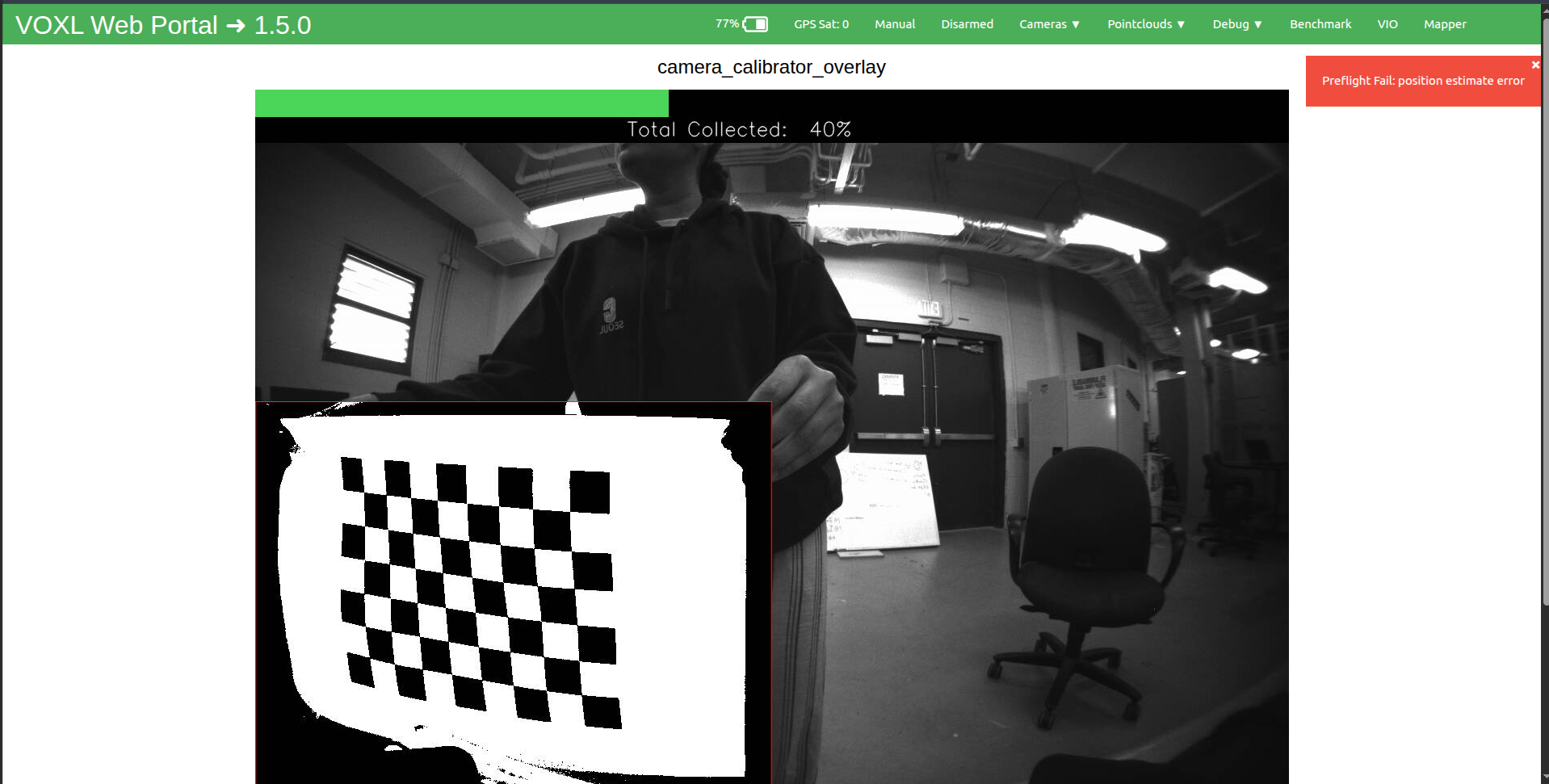
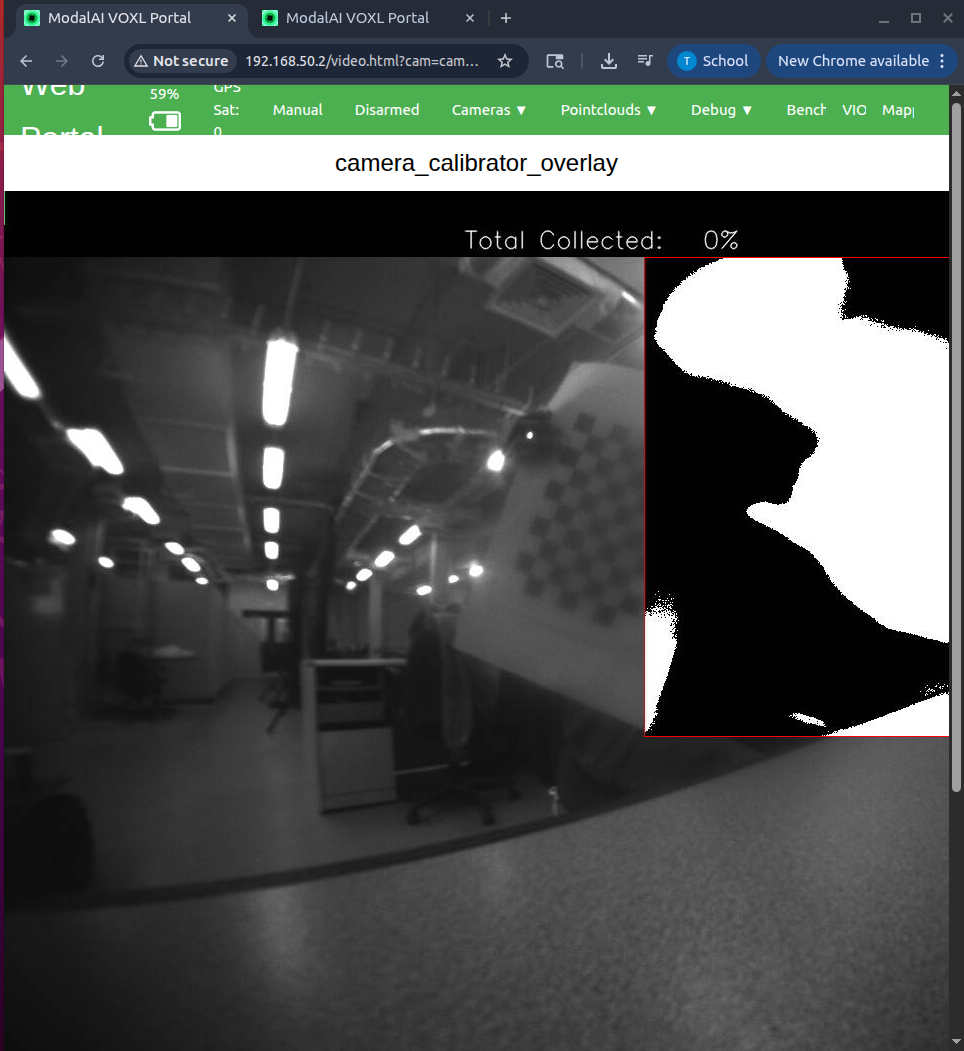
      It is possible, as the output suggests that the motion blur is causing the issue.

      You can override the auto exposure algorithm and reduce the exposure down to 5ms or so to help with this. There are two ways of doing this:

      using voxl-portal : open the regular camera view for your tracking camera, click a small check box in the bottom left corner to enable the advanced control panel. This will allow you to set the exposure and gain, you can try to set the gain to the max (should be 1600 (16x) for AR0144) and then play around with exposure to have the lowest exposure that still makes the checker board clear. After you are done changing the manual exposure, you can run the calibrator and switch the voxl-portal to the calibrator output.

      please note that until you touch the sliders for exposure and gain, they will not correspond to the current values that are being used by auto-exposure algorithm.

      from command line you can send a command to camera server: voxl-send-command tracking_front set_exp_gain 5.0 1600
      (this would set exposure to 5.0ms and gain to 1600 ISO (16x))

      Please note that the manual exposure settings / mode will persist until you reboot the camera server.

      Alex

    • T

      CANT ACCESS CAMERA

      FPV Drones
      • • • taiwohazeez
      8
      0
      Votes
      8
      Posts
      141
      Views

      Alex KushleyevA

      @taiwohazeez ,

      Once thing i noticed is that you don't have en_misp set to 1 for the tracking_front camera. I don't think this is the reason for the failure, but it should be set to 1.

      Meanwhile, please try to identify which camera is causing the issue by disabling cameras and testing camera server ( you can set enabled flag to 0, so that this camera is not started.

      Also, when you installed SDK 1.6.2, did you run voxl-configure-cameras and which option did you select for the camera configuration?

      Alex

    • T

      Camera Calibration issues

      Support Request Format for Best Results
      • • • taiwohazeez
      4
      0
      Votes
      4
      Posts
      158
      Views

      Alex KushleyevA

      Hello @taiwohazeez ,

      Thank you for sending updated images.

      Just for sanity checking, please double check that the other tracking camera on your drone is in focus and does not have this issue.. (i assume that is true).

      To me, it definitely looks likes either

      damaged or dirty lens on the external lens surface damaged or dirty lens on the internal lens surface (the back surface of the lens) dirty surface of the camera sensor itself (inside the camera module)

      If you are comfortable with unscrewing the lens completely and wiping it (front and back) with a new microfiber cloth (preferably long strand) and screw it back again to check if there is any improvement. Also, once you remove the lens, you can take a look at the sensor itself, any dirt or smudges should be very easy to detect because the surface of the camera sensor is very reflective and should be perfectly clean. I can't recommend cleaning the sensor itself on your own, since that would involve inserting something inside the camera module, which could lead to damage. Please dont keep the lens out of the lens holder for a long time (hours) as dust or dirt may get inside on the surface of the sensor (do not perform this procedure in a dusty environment).

      Please reach out to https://www.modalai.com/pages/rma if you need further help to get this fixed / replaced.

      Alex

    • T

      Help with drone familiarization

      FPV Drones
      • • • taiwohazeez
      5
      0
      Votes
      5
      Posts
      149
      Views

      T

      @tom This is the output

      voxl2:/$ voxl-version
      ────────────────────────────────────────────────────────────────────────────────
      system-image: 1.8.06-M0054-14.1a-perf
      kernel: #1 SMP PREEMPT Wed Oct 22 04:13:18 UTC 2025 4.19.125
      ────────────────────────────────────────────────────────────────────────────────
      hw platform: M0054
      mach.var: 1.0.1
      SKU: MRB-D0014-4-V1-C27-T9-M0-X0
      ────────────────────────────────────────────────────────────────────────────────
      voxl-suite: 1.6.2
      ────────────────────────────────────────────────────────────────────────────────
      Packages:
      Repo: http://voxl-packages.modalai.com/ ./dists/qrb5165/sdk-1.6/binary-arm64/
      Last Updated: 2025-12-25 03:58:02
      List:
      libfc-sensor 1.0.8
      libmodal-cv 0.6.0
      libmodal-exposure 0.1.4
      libmodal-flow 1.0.3
      libmodal-journal 0.2.7
      libmodal-json 0.4.8
      libmodal-pipe 2.14.8
      libqrb5165-io 0.5.0
      libvoxl-cci-direct 0.3.3
      libvoxl-codec 0.0.1
      libvoxl-cutils 0.1.6
      modalai-slpi 1.2.2
      mv-voxl 0.1-r0
      qrb5165-bind 0.1-r0
      qrb5165-dfs-server 0.2.0
      qrb5165-imu-server 1.2.3
      qrb5165-mini-tof-server 0.2.2
      qrb5165-rangefinder-server 0.1.6
      qrb5165-slpi-test-sig 01-r0
      qrb5165-system-tweaks 0.3.11
      qrb5165-tflite 2.17.2
      voxl-bind-spektrum 0.1.1
      voxl-camera-calibration 0.6.1
      voxl-camera-server 2.2.17
      voxl-ceres-solver 2:2.0.0-2
      voxl-configurator 1.0.10
      voxl-cpu-monitor 0.7.4
      voxl-docker-support 1.3.1
      voxl-elrs 0.4.14
      voxl-esc 1.5.7
      voxl-feature-tracker 0.5.2
      voxl-flow-server 0.3.6
      voxl-gphoto2-server 0.0.10
      voxl-io-server 0.0.6
      voxl-jpeg-turbo 2.1.3-7
      voxl-lepton-server 1.3.3
      voxl-lepton-tracker 0.0.4
      voxl-libgeographic 1.0.0
      voxl-libgphoto2 0.0.4
      voxl-libuvc 1.0.7
      voxl-logger 0.6.0
      voxl-mavcam-manager 0.6.0
      voxl-mavlink 0.1.6
      voxl-mavlink-server 1.4.12
      voxl-microdds-agent 3.0.0-0
      voxl-modem 1.2.2
      voxl-mongoose 7.19.0
      voxl-mpa-to-ros 0.3.9
      voxl-mpa-to-ros2 0.0.7
      voxl-mpa-tools 1.5.5
      voxl-open-vins-server 0.5.7
      voxl-opencv 4.5.5-3
      voxl-osd 0.2.1
      voxl-portal 0.8.4
      voxl-px4 1.14.0-2.0.124
      voxl-px4-params 0.8.11
      voxl-qvio-server 1.2.2
      voxl-remote-id 0.0.9
      voxl-reset-slpi 0.0.1
      voxl-ros2-foxy 0.0.1
      voxl-state-estimator 0.0.5
      voxl-streamer 0.8.0
      voxl-suite 1.6.2
      voxl-tag-detector 0.0.5
      voxl-tflite-server 0.5.0
      voxl-utils 1.4.9
      voxl-uvc-server 0.1.7
      voxl-vision-hub 1.9.19
      voxl-vtx 1.7.6
      voxl-wavemux 0.0.3
      voxl2-io 0.0.3
      voxl2-security-hardening-utls 1.0-r0
      voxl2-system-image 1.8.06-r0
      voxl2-wlan 1.0-r0
      ────────────────────────────────────────────────────────────────────────────────
      voxl2:/$

    • T

      DRONE NOT FLYING

      FPV Drones
      • • • taiwohazeez
      8
      0
      Votes
      8
      Posts
      350
      Views

      Eric KatzfeyE

      @taiwohazeez Can you post a video of it trying to fly?

    • T

      Drone Not Stationary in Hover Mode

      FPV Drones
      • • • taiwohazeez
      3
      0
      Votes
      3
      Posts
      197
      Views

      T

      @Zachary-Lowell-0 Hi, let me explain what i meant by hovering mode. There is a 3-way toggle switch beside the kill switch in the transmitter (toggling down switches to position mode, toggling up switches to the autonomous mode, while toggling to the middle maintains the drone flight positioning. I have another drone that when the button is switched to the middle, it maintains the drone position (thats what i meant by hover mode). My other starling 2 drones maintains their positions when the switch is toggled to the middle position, but this particular starling 2 drone doesnt.

    • T

      VOXL2 NOT DETECTING APRIL TAG

      AprilTag Relocalization
      • • • taiwohazeez
      8
      0
      Votes
      8
      Posts
      781
      Views

      Zachary Lowell 0Z

      Detections is pertinent to voxl-tflite-server and onboard computer vision on yolo, NOT on april tags.

    • T

      DRONE NOT RISING TO SET ALTITUDE

      Starling & Starling 2
      • • • taiwohazeez
      1
      0
      Votes
      1
      Posts
      239
      Views

      No one has replied

    • T

      VEHICLE VISUAL ODOMETRY NOT PUBLISHING

      ROS
      • • • taiwohazeez
      2
      0
      Votes
      2
      Posts
      285
      Views

      T

      Hi @taiwohazeez,

      The " /fmu/in" prefix is used for sending data to the autopilot - you're never going to receive data from the autopilot listening to that topic.

      Look at the "/fmu/out" topics to see messages coming from the autopilot.

      Best,
      Ted

    • T

      Starling 2 crashed state

      FPV Drones
      • • • taiwohazeez
      5
      0
      Votes
      5
      Posts
      640
      Views

      T

      Hi @taiwohazeez,

      That is the cable that powers the VOXL. I'm suggesting you leave that plugged in and disconnect everything else. I see you still have the VOXL 2 WiFi Add-on board connected. Disconnect that as well all the cameras on the bottom of the VOXL, ESC, and GPS.

      Please have the VOXL powered off while you disconnect everything.

      Let me know how it goes,
      Ted

    • T

      DAMAGED DRONE

      FPV Drones
      • • • taiwohazeez
      2
      0
      Votes
      2
      Posts
      512
      Views

      T

      @tom @teddy-zaremba can you assist please? This is pretty urgent, I need to get this fixed. Also, the landing gears got broken, and I can't seem to be able to order new parts from the official website, is there a way I can go about it?
      Looking forward to your response.
      Thanks

    • T

      Unable to get ROS2 on my Starling 2

      VOXL SDK
      • • • taiwohazeez
      4
      0
      Votes
      4
      Posts
      479
      Views

      tomT

      @taiwohazeez The build flow should be like this:

      cd voxl-mpa-to-ros2 git checkout dev git submodule update --init --recursive voxl-docker -i qrb5165-emulator ./install_build_deps.sh qrb5165 dev ./build.sh qrb5165 dev ./make_package.sh deb
    • T

      ROS2 ON VOXL2

      ROS
      • • • taiwohazeez
      13
      0
      Votes
      13
      Posts
      1128
      Views

      T

      @taiwohazeez Could you post the error and we can take a look?

      Also here's an easier way of installing it if you just want to run this script on the voxl.

      wget http://voxl-packages.modalai.com/dists/qrb5165/sdk-1.5/binary-arm64/voxl-ros2-foxy_0.0.1_arm64.deb wget http://voxl-packages.modalai.com/dists/qrb5165/sdk-1.5/binary-arm64/voxl-mpa-to-ros2_0.0.7_arm64.deb sudo dpkg -i voxl-ros2-foxy sudo dpkg -i voxl-mpa-to-ros2 voxl-configure-mpa-to-ros2
    • T

      Unable to bind controllers with starling 2

      FPV Drones
      • • • taiwohazeez
      15
      0
      Votes
      15
      Posts
      1547
      Views

      tomT

      @taiwohazeez No problem, it would also be helpful to know what SDK version is loaded on your drone. You can check this with voxl-version