
@Moderator thank you so much, I will go through that now.
Posts
-
drone issues-starling 2 -
TELEMETRY DATA@Cliff-Wong the drone is on SDK 1.5.0, I switched to open vins, and the vio portal reflected the movement, but when i toggled my controller from manual mode to position mode, the drone crashed for the first fight, on the second and third trial the drone kept landing, when i tried the fourth time, the drone finally maintained the height and hovered. Why do I have that unpredictable behavior ? I have attached images of my controller to show the toggling i meant.
Kindly advice.
Thanks.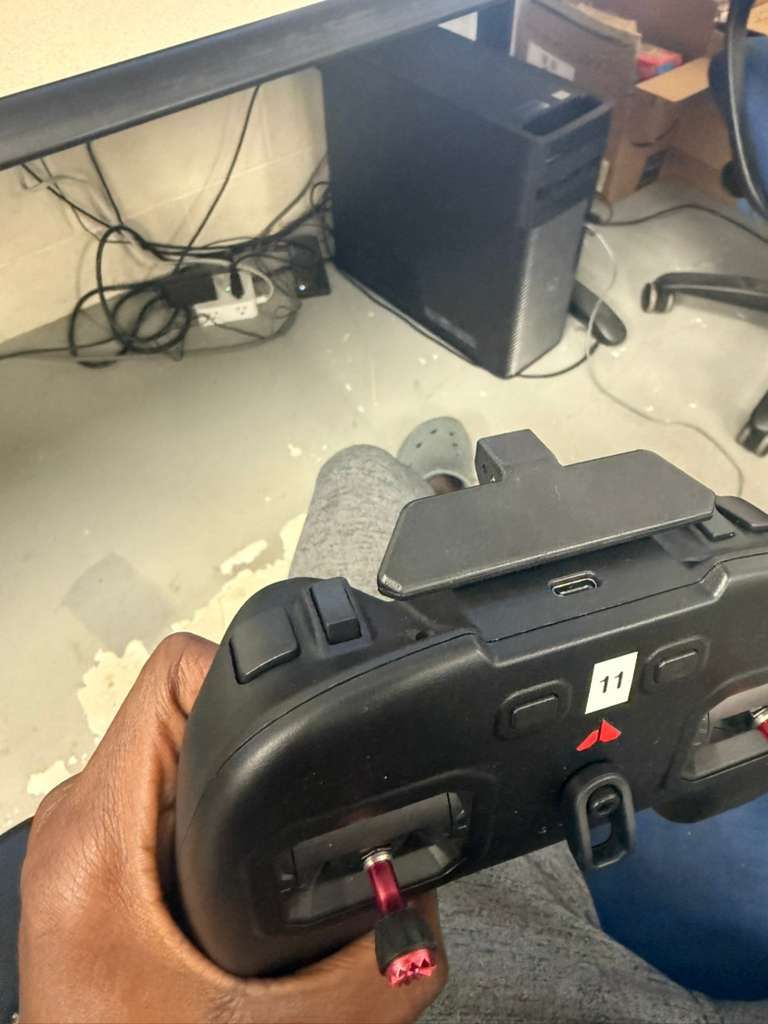
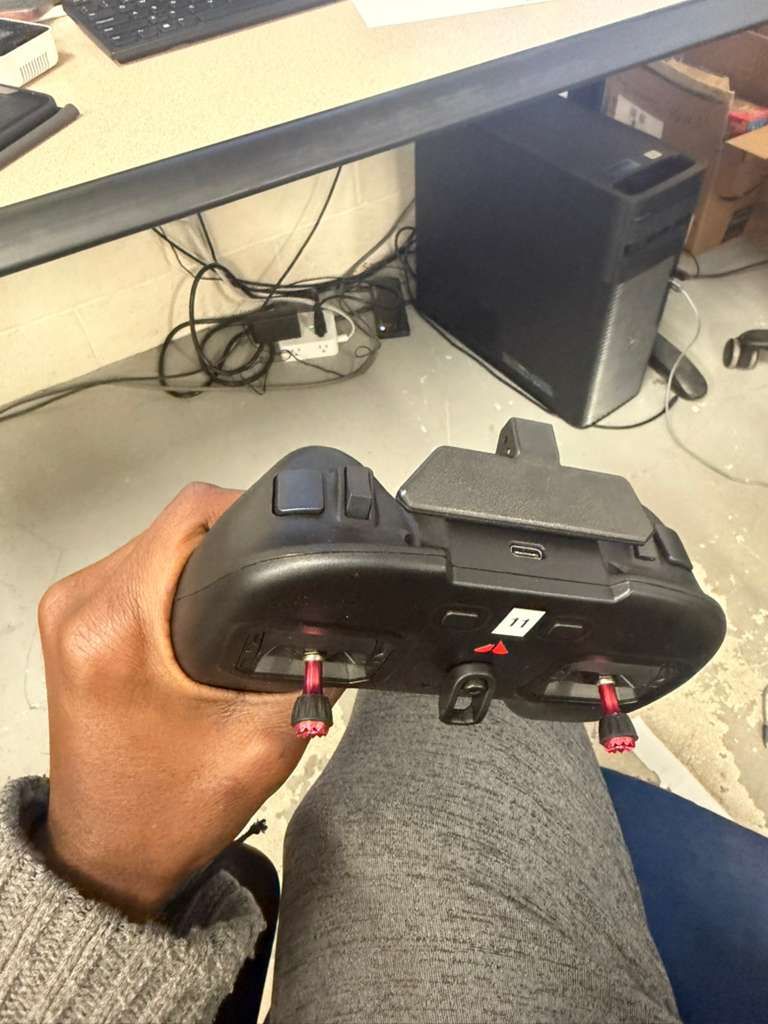
-
drone issues-starling 2Hello modal AI,
I have similar issues with all my starling 2 drones, and I keep crashing them. When I toggle my controller from manual mode to position mode, I expect the drone to hold its current height, and hover there, sometimes it does that, sometimes it lands (and I am sure it's not because of the battery because I have done this with fully charged batteries), if this was only what happens, I wouldn't really have much concerns, but sometimes, when I toggle the switch, the drone flies away and I can't control it with the left stick except I use the kill switch button, the drone eventually crashes. I would have sent a footage for better visualization, but I don't have the privilege to upload videos.
I have been working with these drones for a little while , but I can seem to understand why it does that.This is the third drone I am sending in for RMA, and I don't know why they are crashing. I can't keep crashing drones.
Kindly help me please.
NOTE: My drones are using different SDK versions (1.4.5, 1.5.0, 1.6.2)
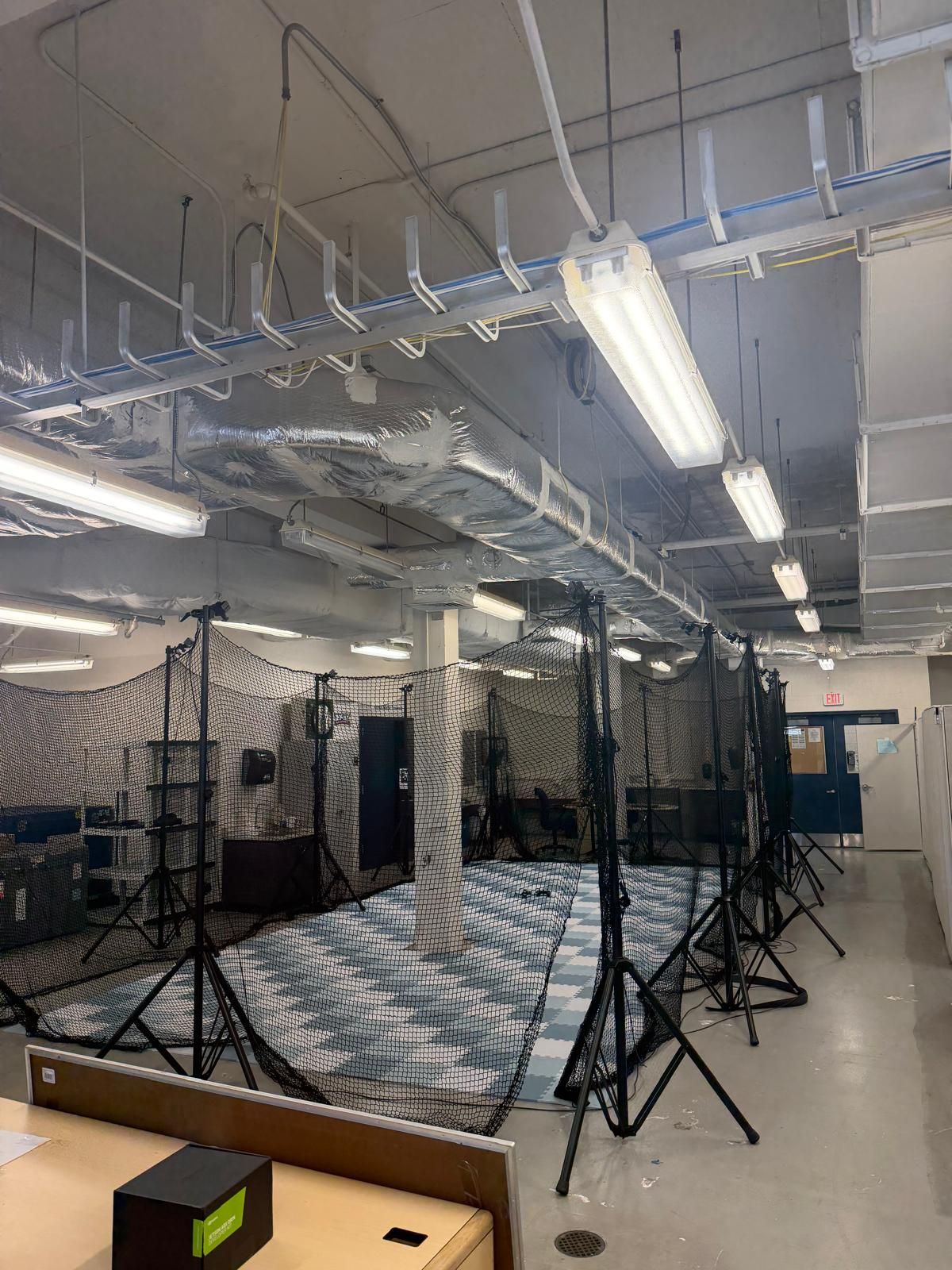
I have used qvio, i switched to open vins also.Also, sometimes on QGC, i get position and height estimate unstable, I hve calibrated the compass, gyro and accelerometer several times, yet i still have same issue. There are times where I get strong magnetic interference error also (i try to move the drone far away before powering on), I have attached the image of my lab, to see if this is the major cause. Right now, I don,t know why it behaves like that. I also attached my controller to see the toggling switch toggling i meant.
Also, what do I do when i get position, height and velocity estimate error ?
Thanks
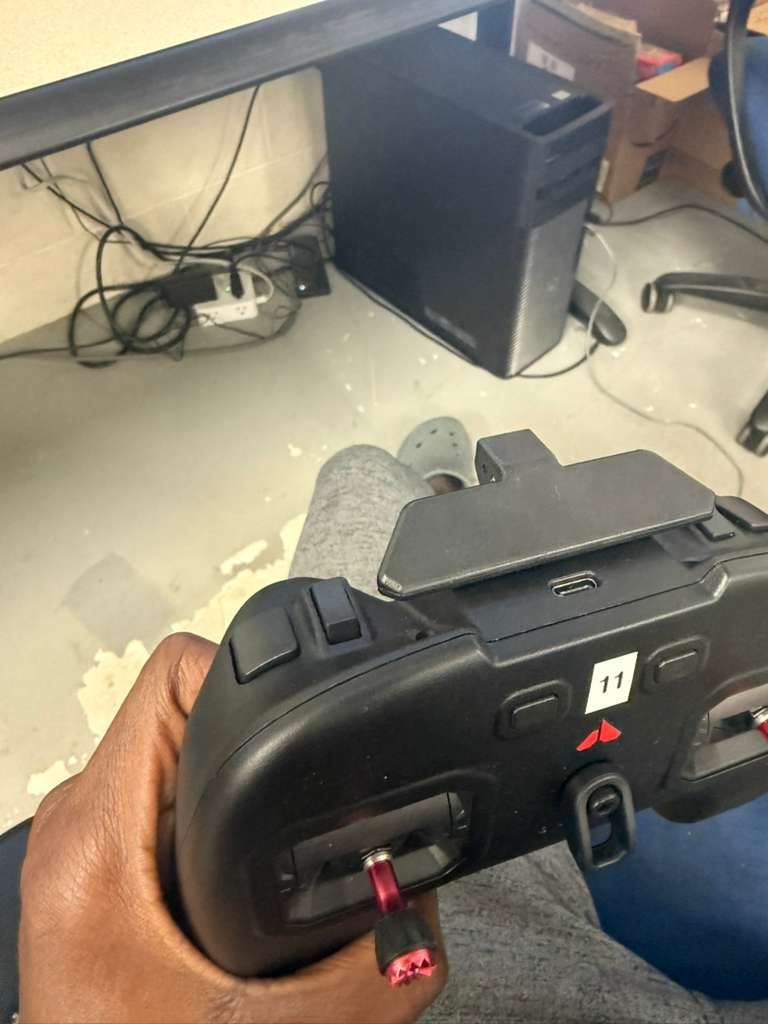
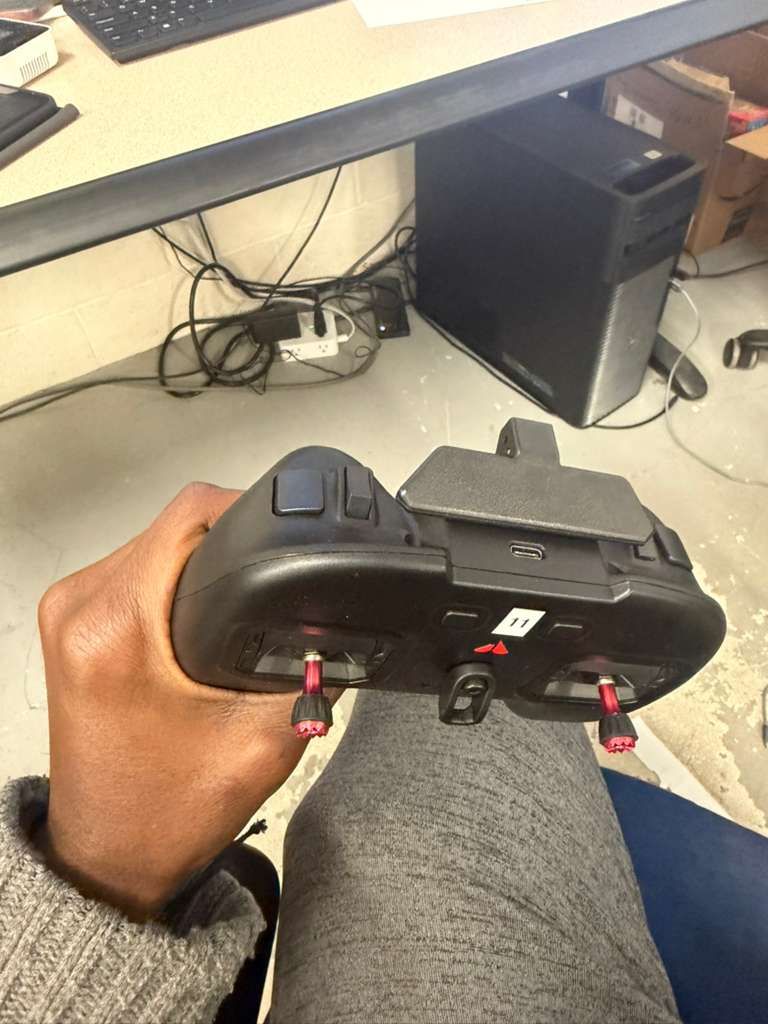
-
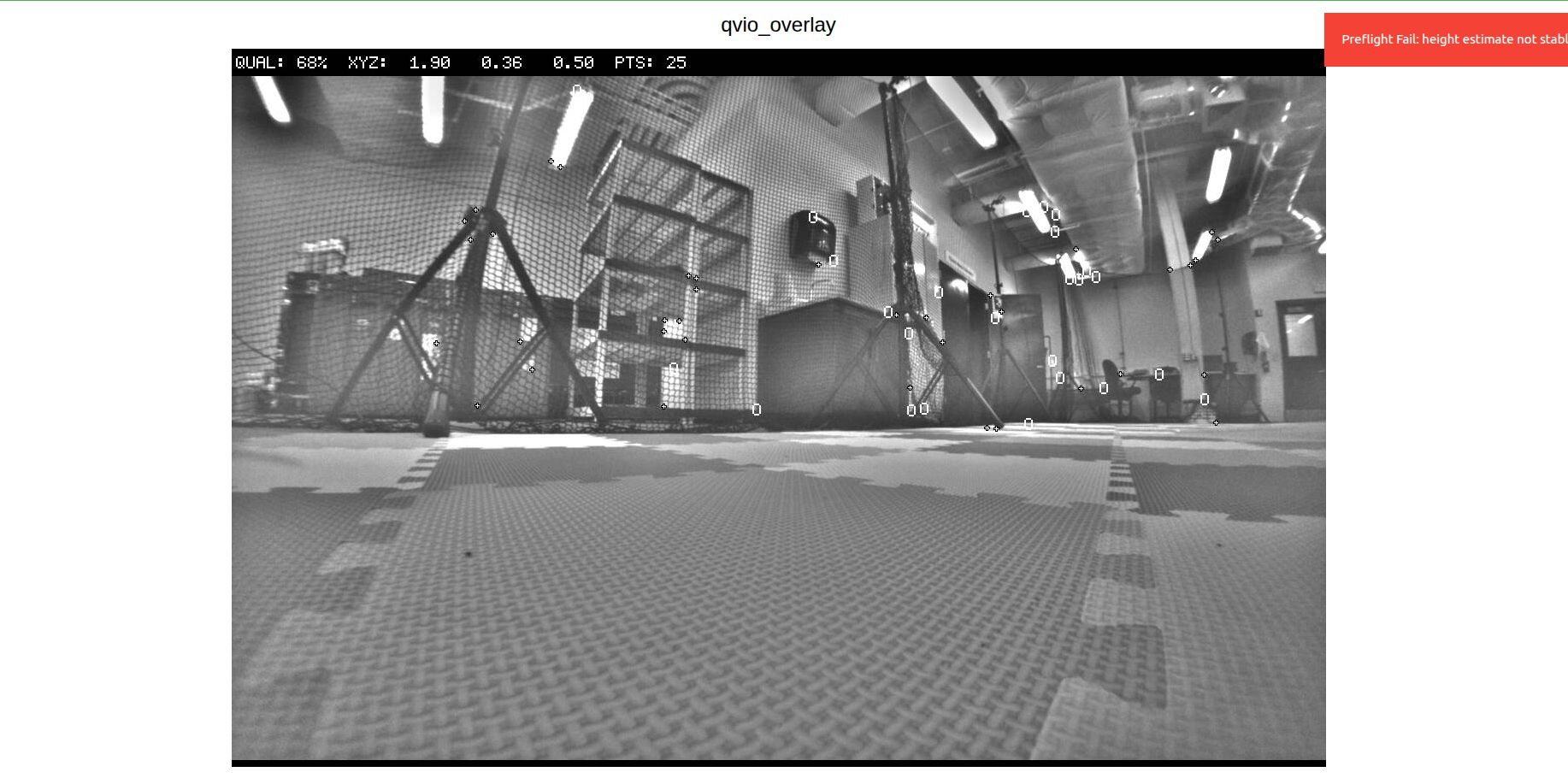
TELEMETRY DATA@Eric-Katzfey thank you for that. I have another issue, when i toggle the controller from manual mode to position mode, sometimes he drone holds it height, but sometimes, it just flies away and crashes. I have calibrated the compass, gyro and accelerometer, it still exhibit same behavior (infact thats how all the drones behave), so that means there is something I am not doing right, or I am missing. I ran ros2 topic echo /fmu/out/vehicle_odometry to see whats happening with the VIO, this was the output:
timestamp: 1770551010017542
timestamp_sample: 1770551010015689
pose_frame: 1
position: [1.8852728605270386, 0.3567788600921631, -7.352701663970947]
q: [0.9946960806846619, 0.013231446966528893, -0.00516587495803833, 0.1018725335597992]
velocity_frame: 1
velocity: [-0.0011717384913936257, 0.002392425434663892, -0.004358584061264992]
angular_velocity: [0.0007909969426691532, -0.003044810611754656, -0.0005365335382521152]
position_variance: [0.00031149128335528076, 0.00031149270944297314, 0.0004529791767708957]
orientation_variance: [1.4802474652242381e-05, 1.478460126236314e-05, 0.00020037211652379483]
velocity_variance: [0.0006313467747531831, 0.0006313963094726205, 0.0006925623747520149]
reset_counter: 25
quality: 0This is weird because the drone is on the ground, why is my Z reading -7.352?
Also, i keep getting heading_good_for_control: False (what can i do to fix it?)I moved the drone round the lab to capture features, yet the quality is still zero, and why does it keep resetting (from the reset_counter)?.
Kindly help.
Thanks
-
TELEMETRY DATAHello support,
How can I get telemetry data for my starling 2 drone? Is there an App available?
Thanks.
Regards,
Taiwo -
Camera Calibration@Alex-Kushleyev Yes I used the the right size. I ran this: voxl-calibrate-camera tracking_front -f -s 6x8 -l 0.030. I was able to get it to a 100 percent several times, but i keep getting caibration failed.
This is the output from the terminal:
starling2 (D0014):~$ voxl-calibrate-camera tracking_front -f -s 6x8 -l 0.030
Waiting for valid pipe...
Please open voxl-portal in a web browser to view the camera calibrator overlay stream
Running Calibration...
Matrix
[462.8203351079722, 0, 655.3416216062686;
0, 465.2531654785162, 372.0681441827904;
0, 0, 1]
Distortion
[0.1093065188826117;
-0.05638236547106363;
0.05691560193039599;
-0.01890034155803672]
distortion_model: fisheye
Re-projection error reported by calibrateCamera: 1.32316
Calibration Failed
Max reprojection error: 0.60
This is most likely due to motion blur, please try again.
Exiting Cleanly
starling2 (D0014):~$ -
MEETING WITH MODALAI TECHNICAL TEAM AND MY ADVISOR@Moderator Thank you for the link. But he says he needs to get on a call with the technical team. It's a year already and I still don't know much about the drones (which may be from my end, I don't know), but he wants to handle this himself this time around and get all necessary information on a single call sometime early in January 2026. Kindly let me know if this is possible, and how to go about it.
Thanks
-
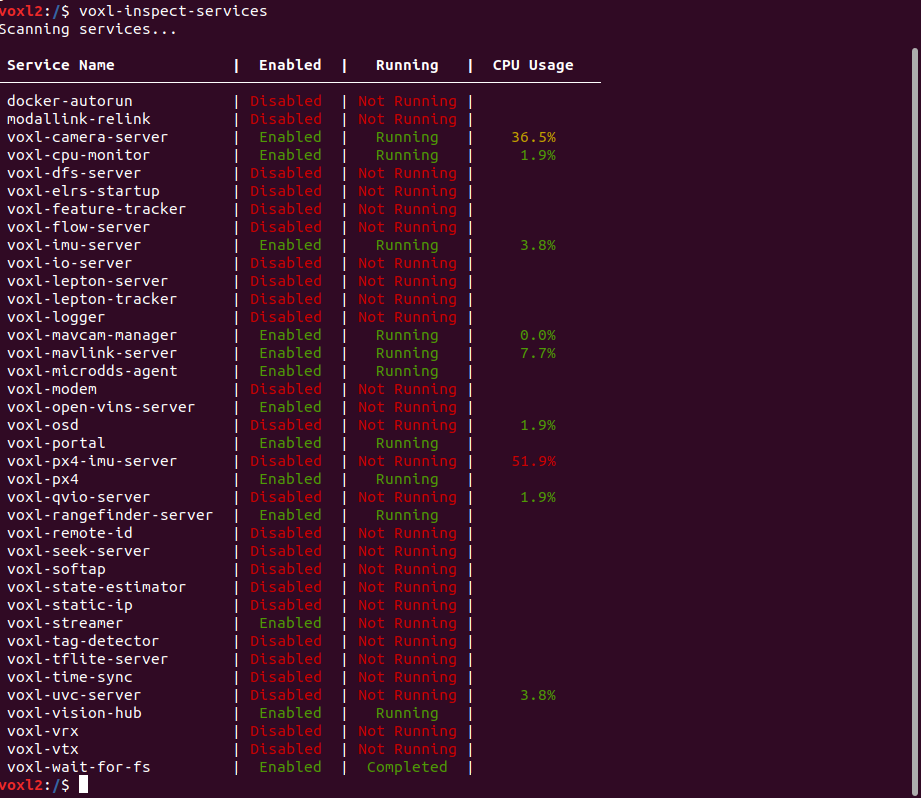
CANT ACCESS CAMERA@Alex-Kushleyev Also, when you run voxl-inspect-services, voxl-camera-server will be enables but not running, Immediately i start it, it runs and stops almost immediately
-
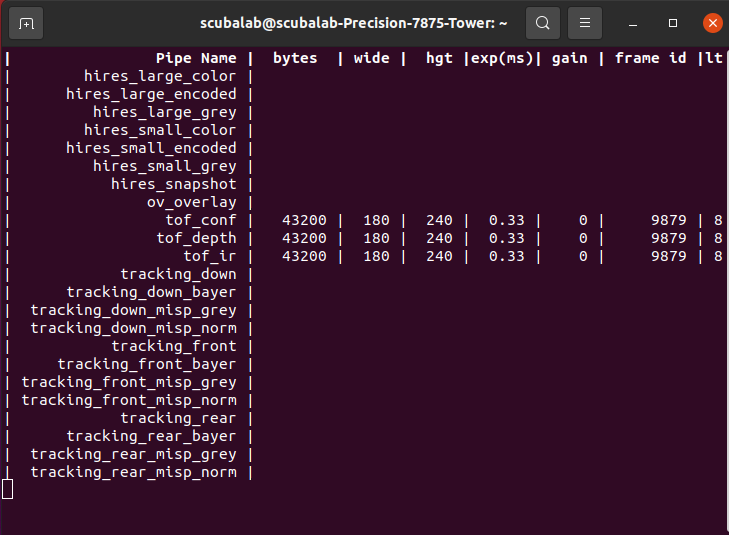
CANT ACCESS CAMERA@Alex-Kushleyev I updated to SDK 1.62 already, and yes I only inspected using voxl-inspect-cam tracking_down tracking_front tracking_rear tof_ir hires_small_color.
After running that, I got this (empty response), and when you Ctrl C, you get waiting for server
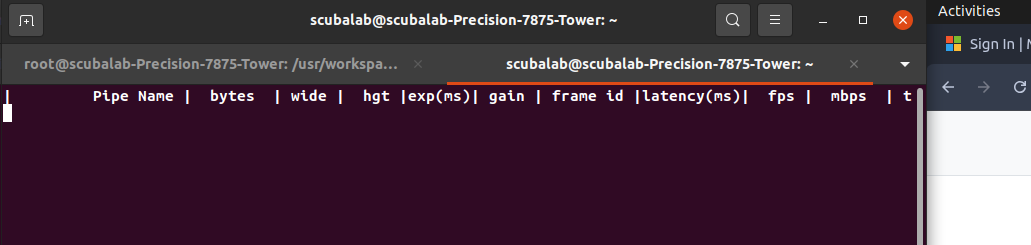
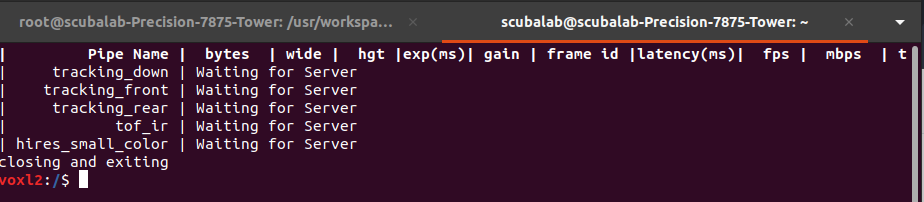
This is the output after I ran voxl-inspect-cpu
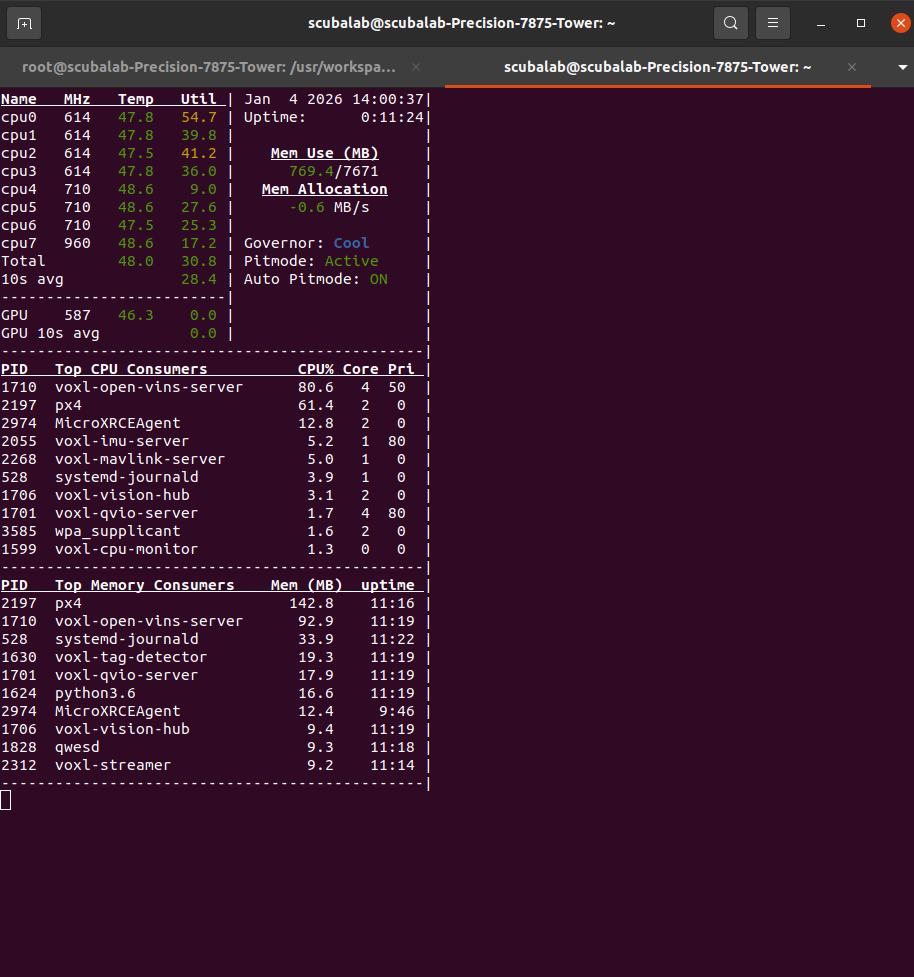
After running voxl-camera-server, i got this:
voxl2:/$ voxl-camera-server
Setting MISP AWB to Auto
MISP channels enabled in defaults : 0
MISP channels enabled in config file: 0
detected system image 1.8.6
using new imx412 defaults
Setting MISP AWB to Auto
MISP channels enabled in defaults : 0
MISP channels enabled in config file: 0
Setting MISP AWB to Auto
MISP channels enabled in defaults : 0
MISP channels enabled in config file: 0configuration for 5 cameras:
cam #0
name: tracking_front
type: ar0144
bayer_type: 0
enabled: 1
camera_id: 0
camera_id_second: -1
fps: 30
en_rotate: 1
en_rotate2: 0en_preview: 1 en_raw_preview: 1 preview_width: 1280 preview_height: 800 en_misp: 0 misp_width: 1280 misp_height: 800 en_small_video: 0 small_video_width: -1 small_video_height: -1 en_large_video: 0 large_video_width: -1 large_video_height: -1 en_snapshot: 0 snap_width: -1 snap_height: -1 exif_focal_length: 0.000000 exif_focal_len_35mm_format:0 exif_fnumber: 0.000000 ae_mode: lme_msv msv_exposure_min_us: 20 msv_exposure_max_us: 12000 gain_min : 54 gain_max : 8000 standby_enabled: 0 decimator: 1 independent_exposure:0cam #1
name: hires
type: imx412
bayer_type: 2
enabled: 1
camera_id: 1
camera_id_second: -1
fps: 30
en_rotate: 0
en_rotate2: 0en_preview: 0 en_raw_preview: 0 preview_width: 640 preview_height: 480 en_misp: 0 misp_width: -1 misp_height: -1 en_small_video: 1 small_video_width: 1024 small_video_height: 768 en_large_video: 1 large_video_width: 4056 large_video_height: 3040 en_snapshot: 1 snap_width: 4056 snap_height: 3040 exif_focal_length: 3.100000 exif_focal_len_35mm_format:17 exif_fnumber: 1.240000 ae_mode: isp msv_exposure_min_us: 20 msv_exposure_max_us: 33000 gain_min : 54 gain_max : 8000 standby_enabled: 0 decimator: 1 independent_exposure:0cam #2
name: tracking_rear
type: ar0144
bayer_type: 0
enabled: 1
camera_id: 2
camera_id_second: -1
fps: 30
en_rotate: 1
en_rotate2: 0en_preview: 1 en_raw_preview: 1 preview_width: 1280 preview_height: 800 en_misp: 1 misp_width: 1280 misp_height: 800 en_small_video: 0 small_video_width: -1 small_video_height: -1 en_large_video: 0 large_video_width: -1 large_video_height: -1 en_snapshot: 0 snap_width: -1 snap_height: -1 exif_focal_length: 0.000000 exif_focal_len_35mm_format:0 exif_fnumber: 0.000000 ae_mode: lme_msv msv_exposure_min_us: 20 msv_exposure_max_us: 12000 gain_min : 54 gain_max : 8000 standby_enabled: 0 decimator: 1 independent_exposure:0cam #3
name: tof
type: pmd-tof-liow2
bayer_type: 0
enabled: 1
camera_id: 3
camera_id_second: -1
fps: 10
en_rotate: 1
en_rotate2: 0en_preview: 1 en_raw_preview: 1 preview_width: 240 preview_height: 1629 en_misp: 0 misp_width: -1 misp_height: -1 en_small_video: 0 small_video_width: -1 small_video_height: -1 en_large_video: 0 large_video_width: -1 large_video_height: -1 en_snapshot: 0 snap_width: -1 snap_height: -1 exif_focal_length: 0.000000 exif_focal_len_35mm_format:0 exif_fnumber: 0.000000 ae_mode: off msv_exposure_min_us: 0 msv_exposure_max_us: 6000 gain_min : 0 gain_max : 0 standby_enabled: 0 decimator: 5 independent_exposure:0cam #4
name: tracking_down
type: ar0144
bayer_type: 0
enabled: 1
camera_id: 4
camera_id_second: -1
fps: 30
en_rotate: 0
en_rotate2: 0en_preview: 1 en_raw_preview: 1 preview_width: 1280 preview_height: 800 en_misp: 1 misp_width: 1280 misp_height: 800 en_small_video: 0 small_video_width: -1 small_video_height: -1 en_large_video: 0 large_video_width: -1 large_video_height: -1 en_snapshot: 0 snap_width: -1 snap_height: -1 exif_focal_length: 0.000000 exif_focal_len_35mm_format:0 exif_fnumber: 0.000000 ae_mode: lme_msv msv_exposure_min_us: 20 msv_exposure_max_us: 12000 gain_min : 54 gain_max : 8000 standby_enabled: 0 decimator: 1 independent_exposure:0fsync_en: 1
fsync_gpio: 109thread is locked to cores: 4 5 6 7
connected to mavlink pipe
Connected to cpu-monitor
Starting Camera: tracking_front (id #0)
gbm_create_device(156): Info: backend name is: msm_drm
Starting Camera: hires (id #1)
Estimated imu dt = 0.000977s
Starting Camera: tracking_rear (id #2)
ERROR: Received Fatal error from camera: tracking_front
ERROR: Sending request 10, ErrorCode: -ENODEV
ERROR: Received "Result" error from camera: tracking_front, frame number 4
WARNING: Thread: tracking_front request thread Received ESTOP
WARNING: Thread: tracking_front result thread Received ESTOP
WARNING: Thread: hires result thread Received ESTOP
WARNING: Thread: hires request thread Received ESTOP
MISP Initializing for camera tracking_rear
Detected 1 platform(s)
Detected 1 GPU device(s)
WARNING: OMX SetTargetBitrate: H265 CBR requires bps >= 3.0Mbit (1200000 bps provided). Using FPS hack. scale = 2.500000
Starting Camera: tof (id #3)
Starting Camera: tracking_down (id #4)
MISP Initializing for camera tracking_down
WARNING: OMX SetTargetBitrate: H265 CBR requires bps >= 3.0Mbit (1200000 bps provided). Using FPS hack. scale = 2.500000------ voxl-camera-server: Started 5 of 5 cameras
------ voxl-camera-server: Camera server is now running
------ voxl-camera-server: Camera server is now stopping
Stats For Camera tracking_front:
Received Frame Count: 10
Request Error Count: 0
Buffer Error Count: 0
Result Error Count: 1
ERROR: Received "Result" error from camera: tracking_down, frame number 0
ERROR: Received "Buffer" error from camera: tracking_down, frame number 0
ERROR: Received Fatal error from camera: tracking_down
ERROR: Sending request 6, ErrorCode: -ENODEV
WARNING: Pushed buffers back to pools for frame: 0
WARNING: Thread: tracking_down request thread Received ESTOP
WARNING: Thread: tof result thread Received ESTOP
WARNING: Thread: tracking_rear result thread Received ESTOP
WARNING: Thread: tracking_down result thread Received ESTOP
WARNING: Thread: tracking_rear request thread Received ESTOPStats For Camera hires:
Received Frame Count: 6
Request Error Count: 0
Buffer Error Count: 0
Result Error Count: 0Stats For Camera tracking_rear:
Received Frame Count: 0
Request Error Count: 0
Buffer Error Count: 0
Result Error Count: 0
WARNING: Thread: tof request thread Received ESTOPStats For Camera tof:
Received Frame Count: 0
Request Error Count: 0
Buffer Error Count: 0
Result Error Count: 0Stats For Camera tracking_down:
Received Frame Count: 6
Request Error Count: 0
Buffer Error Count: 1
Result Error Count: 1------ voxl-camera-server: Camera server exited gracefully, returning 0
IMU Manager closing and exiting
voxl2:/$ -
Camera Calibration@Alex-Kushleyev Thank you for your response. I tried it with the laptop, still couldnt calibrate it, i also tried on a flat surface, still no success.
-
Help with drone familiarization@tom This is the output
voxl2:/$ voxl-version
────────────────────────────────────────────────────────────────────────────────
system-image: 1.8.06-M0054-14.1a-perf
kernel: #1 SMP PREEMPT Wed Oct 22 04:13:18 UTC 2025 4.19.125
────────────────────────────────────────────────────────────────────────────────
hw platform: M0054
mach.var: 1.0.1
SKU: MRB-D0014-4-V1-C27-T9-M0-X0
────────────────────────────────────────────────────────────────────────────────
voxl-suite: 1.6.2
────────────────────────────────────────────────────────────────────────────────
Packages:
Repo: http://voxl-packages.modalai.com/ ./dists/qrb5165/sdk-1.6/binary-arm64/
Last Updated: 2025-12-25 03:58:02
List:
libfc-sensor 1.0.8
libmodal-cv 0.6.0
libmodal-exposure 0.1.4
libmodal-flow 1.0.3
libmodal-journal 0.2.7
libmodal-json 0.4.8
libmodal-pipe 2.14.8
libqrb5165-io 0.5.0
libvoxl-cci-direct 0.3.3
libvoxl-codec 0.0.1
libvoxl-cutils 0.1.6
modalai-slpi 1.2.2
mv-voxl 0.1-r0
qrb5165-bind 0.1-r0
qrb5165-dfs-server 0.2.0
qrb5165-imu-server 1.2.3
qrb5165-mini-tof-server 0.2.2
qrb5165-rangefinder-server 0.1.6
qrb5165-slpi-test-sig 01-r0
qrb5165-system-tweaks 0.3.11
qrb5165-tflite 2.17.2
voxl-bind-spektrum 0.1.1
voxl-camera-calibration 0.6.1
voxl-camera-server 2.2.17
voxl-ceres-solver 2:2.0.0-2
voxl-configurator 1.0.10
voxl-cpu-monitor 0.7.4
voxl-docker-support 1.3.1
voxl-elrs 0.4.14
voxl-esc 1.5.7
voxl-feature-tracker 0.5.2
voxl-flow-server 0.3.6
voxl-gphoto2-server 0.0.10
voxl-io-server 0.0.6
voxl-jpeg-turbo 2.1.3-7
voxl-lepton-server 1.3.3
voxl-lepton-tracker 0.0.4
voxl-libgeographic 1.0.0
voxl-libgphoto2 0.0.4
voxl-libuvc 1.0.7
voxl-logger 0.6.0
voxl-mavcam-manager 0.6.0
voxl-mavlink 0.1.6
voxl-mavlink-server 1.4.12
voxl-microdds-agent 3.0.0-0
voxl-modem 1.2.2
voxl-mongoose 7.19.0
voxl-mpa-to-ros 0.3.9
voxl-mpa-to-ros2 0.0.7
voxl-mpa-tools 1.5.5
voxl-open-vins-server 0.5.7
voxl-opencv 4.5.5-3
voxl-osd 0.2.1
voxl-portal 0.8.4
voxl-px4 1.14.0-2.0.124
voxl-px4-params 0.8.11
voxl-qvio-server 1.2.2
voxl-remote-id 0.0.9
voxl-reset-slpi 0.0.1
voxl-ros2-foxy 0.0.1
voxl-state-estimator 0.0.5
voxl-streamer 0.8.0
voxl-suite 1.6.2
voxl-tag-detector 0.0.5
voxl-tflite-server 0.5.0
voxl-utils 1.4.9
voxl-uvc-server 0.1.7
voxl-vision-hub 1.9.19
voxl-vtx 1.7.6
voxl-wavemux 0.0.3
voxl2-io 0.0.3
voxl2-security-hardening-utls 1.0-r0
voxl2-system-image 1.8.06-r0
voxl2-wlan 1.0-r0
────────────────────────────────────────────────────────────────────────────────
voxl2:/$ -
MEETING WITH MODALAI TECHNICAL TEAM AND MY ADVISOR@Moderator Thanks for your response. I think I respond to all forum posts as swiftly as possible. As a matter of fact, I think the reverse is the case, I've had situations where the technical team don't respond to messages on the forum (which I understand because they have to attend to a lot of people). Anyways I have responded to pending messages prior to the break, and will respond to the calibration issue tomorrow when I get access to the drone. I really do hope I can get the drones working perfectly soonest.
Thanks,
Taiwo -
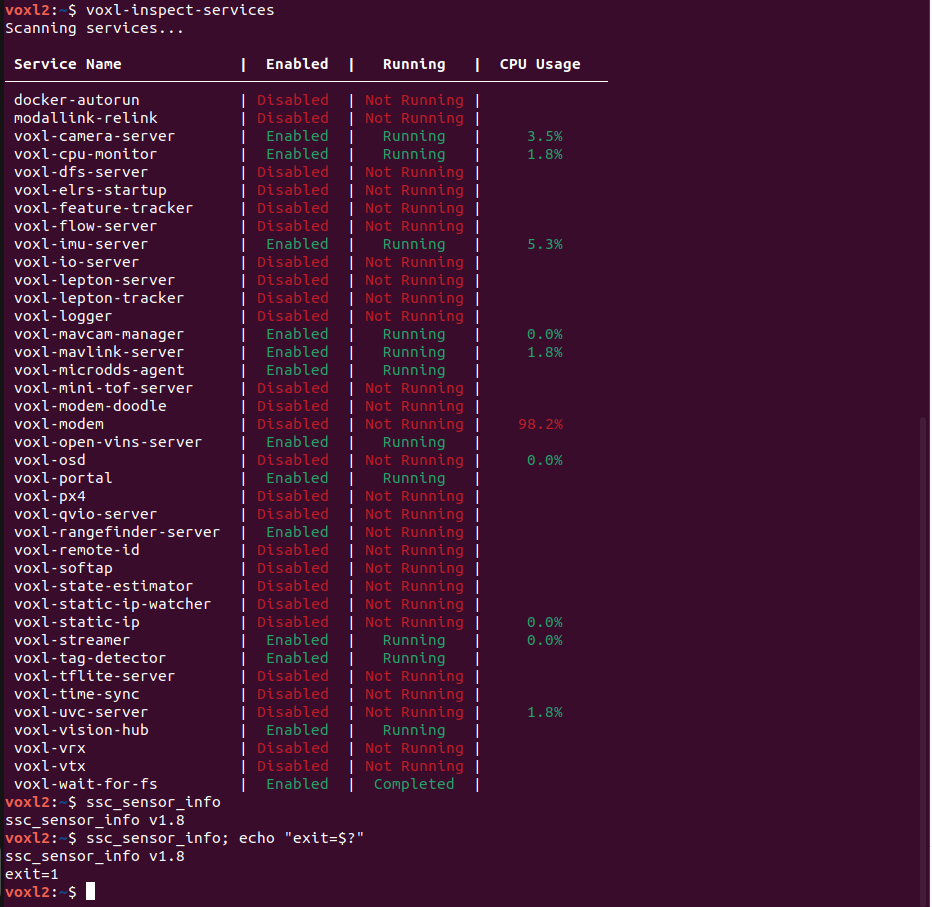
Help with drone familiarization@Moderator Thank you for your response. I have gone through the documentation several times. Even with that, I can't tell why I get those preflight check fails. Sometimes it clears, most times, I keep getting several warnings. I will go over the documentation again, maybe I am missing something.
For instance, why do I have a cpu usage when the voxl-modem isnt running? or is that normal
?
Regards,
Taiwo -
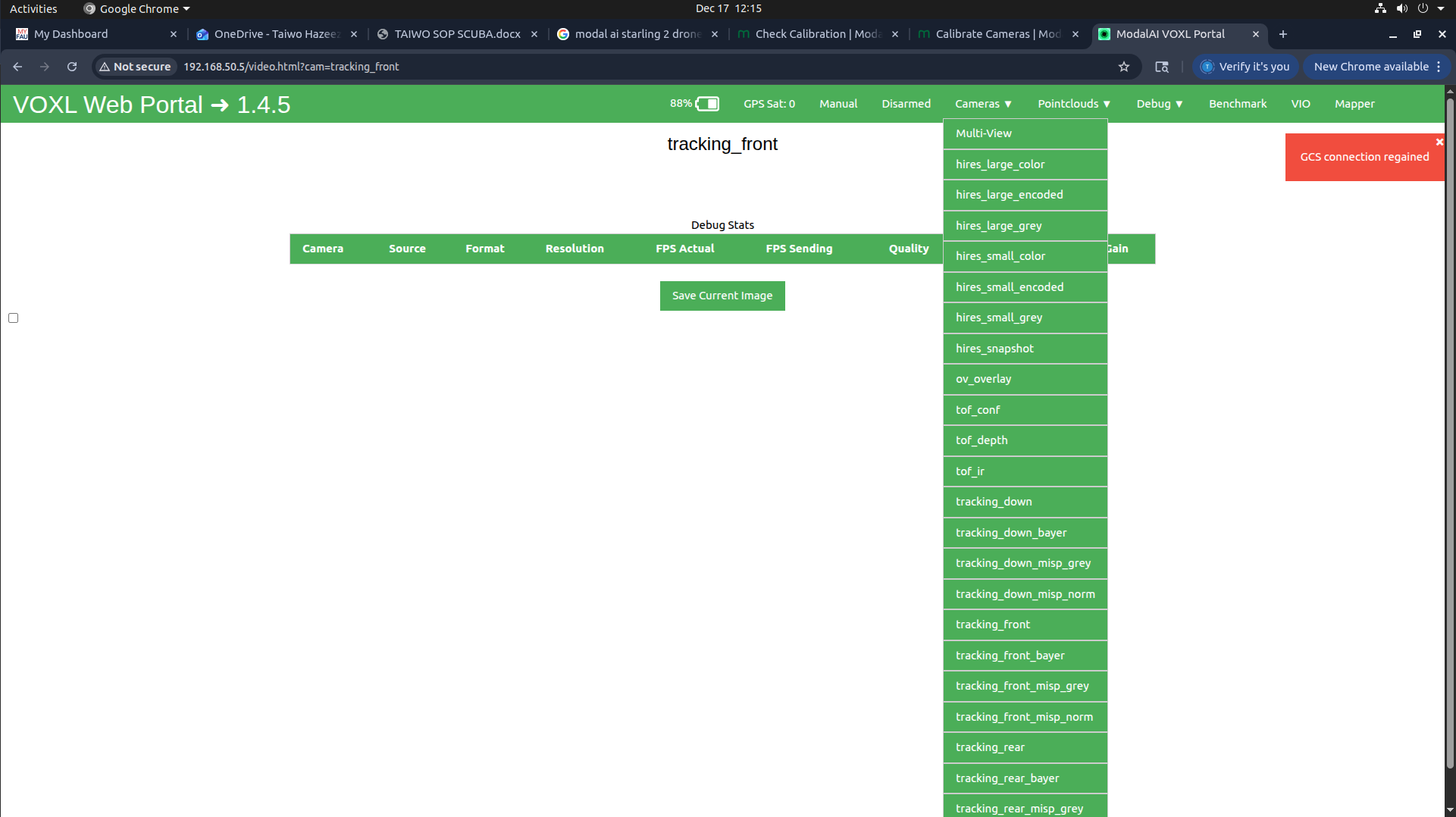
CANT ACCESS CAMERA@Alex-Kushleyev Thank you for the response. After fresh reboot the camera pipes functions for a little while and stops immediately (I can see it in voxl-portal, then they keep disappearing until i am left with tag_overlay and multi-view
-
MEETING WITH MODALAI TECHNICAL TEAM AND MY ADVISORHello support,
We have five starling 2 drones in our research lab, among which two of the drones has been sent in for RMA, another two drones has been giving issues. In summary, we haven't been able to use the drones for research purposes (we have had the drones for a year). At this point, my advisor wants to get on a call with the technical team so as to know what really the issues are, and how they can be solved once and for all.Can we get on a call sometime early in December?
Looking forward to your swift response.
Regards,
Taiwo -
Camera CalibrationHello.
This is a new starling 2 drone. I am trying to calibrate the cameras, but it seems difficult. When chess board is placed inside rectangle, the rectangles doesn't fill most times, sometimes, i get detections, sometimes i don't. It took several minutes to get a 40% collection rate. Is the calibration supposed to be this difficult? or is there a technique to this? I have seen the video on the documentation website for this, and it was seamlessly easy. Please let me know if I am doing it wrongly?
Expecting your response soon. Thanks.
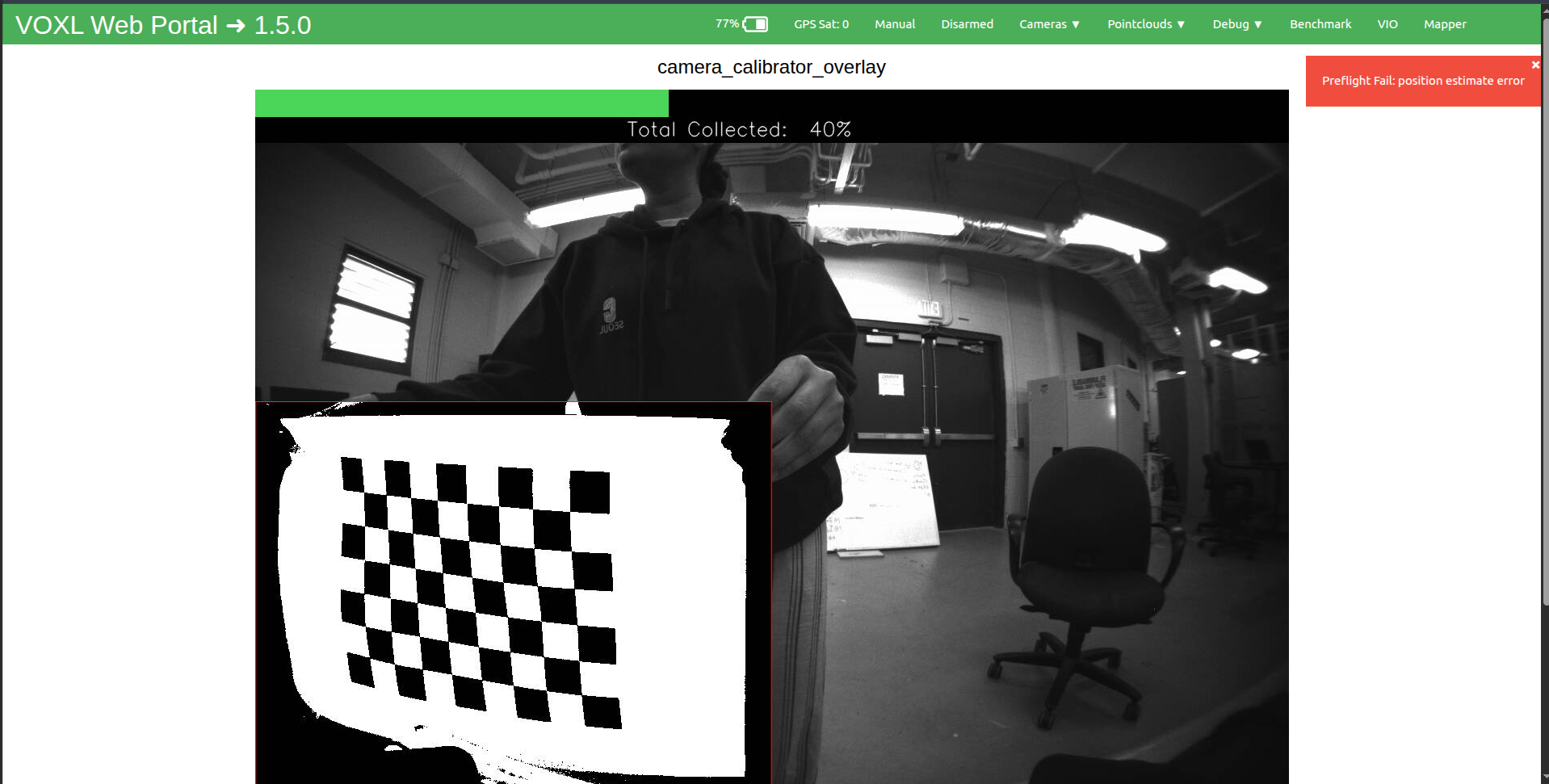
-
CANT ACCESS CAMERAHello Support,
Can anyone kindly look into this please?
I tried it accessing the cameras today from the voxl portal, it showed live footage at first, then it crashed. Can you kindly assist.
Thanks
-
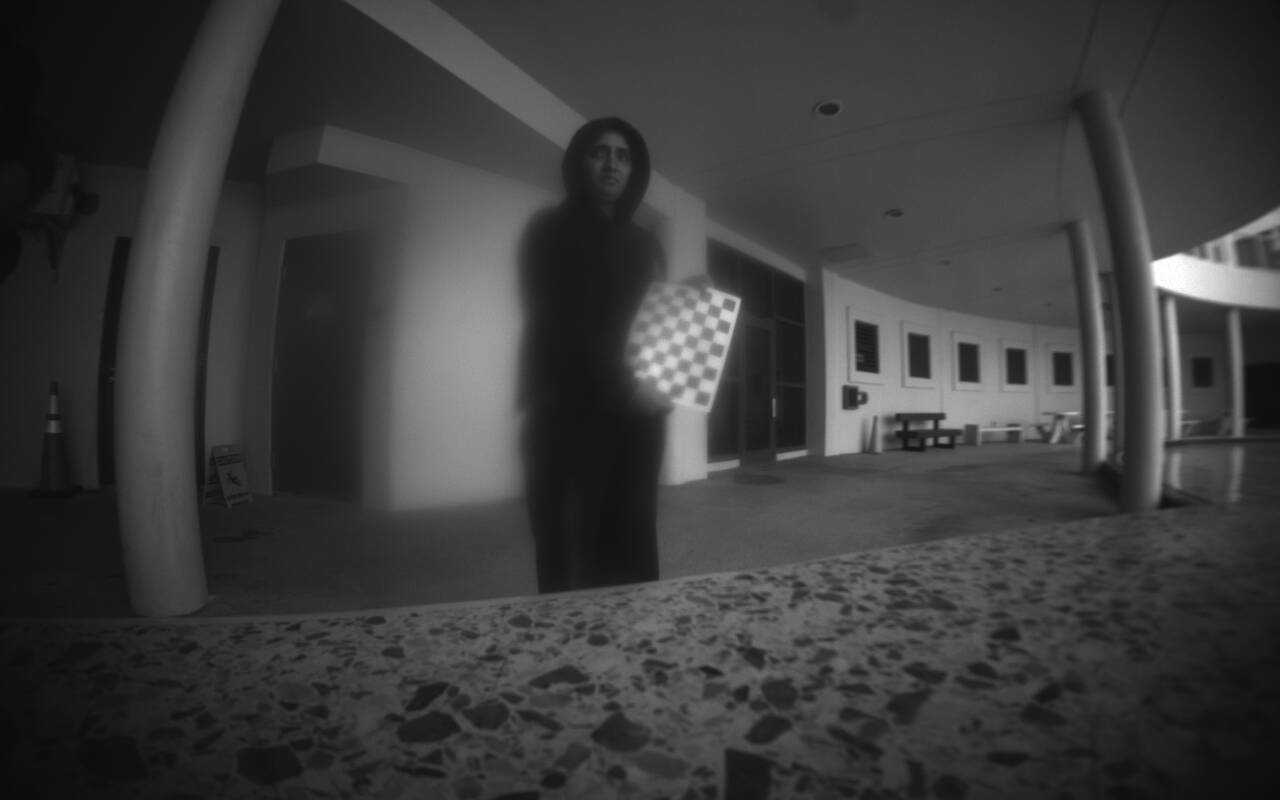
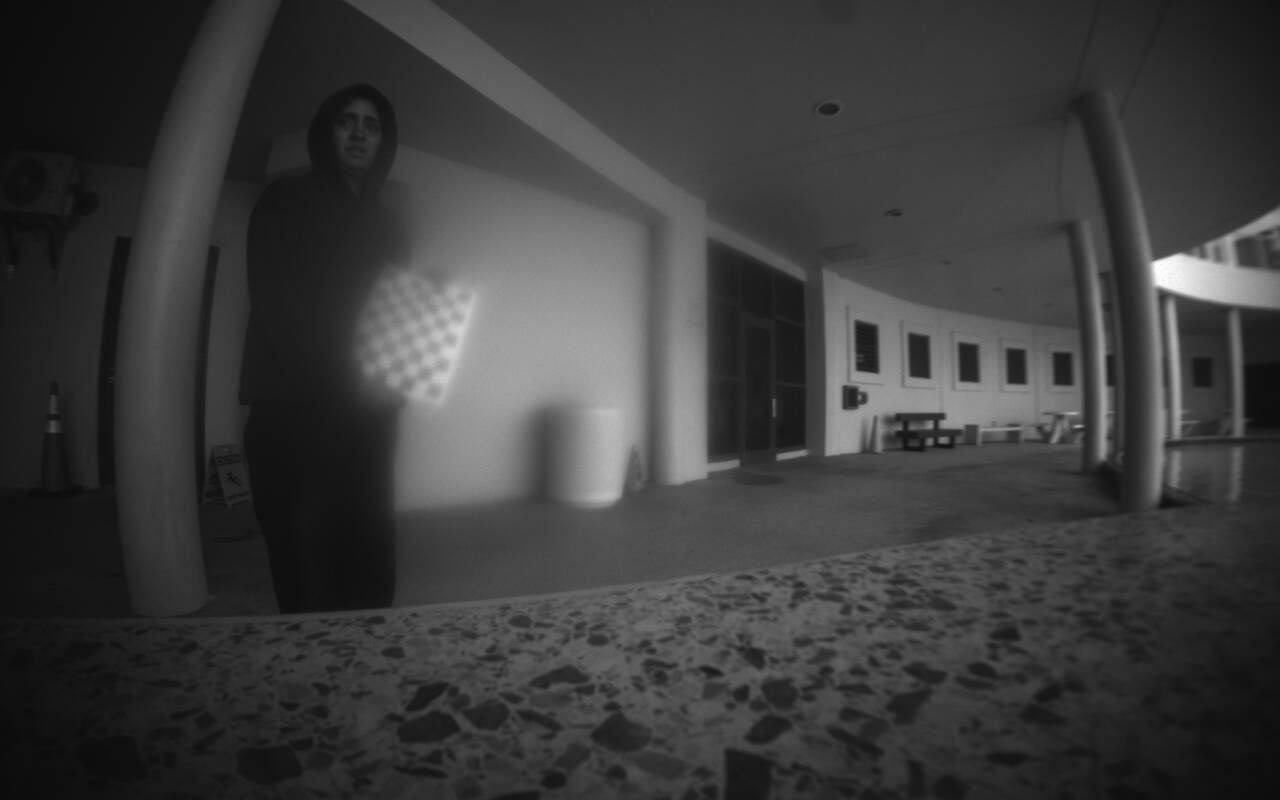
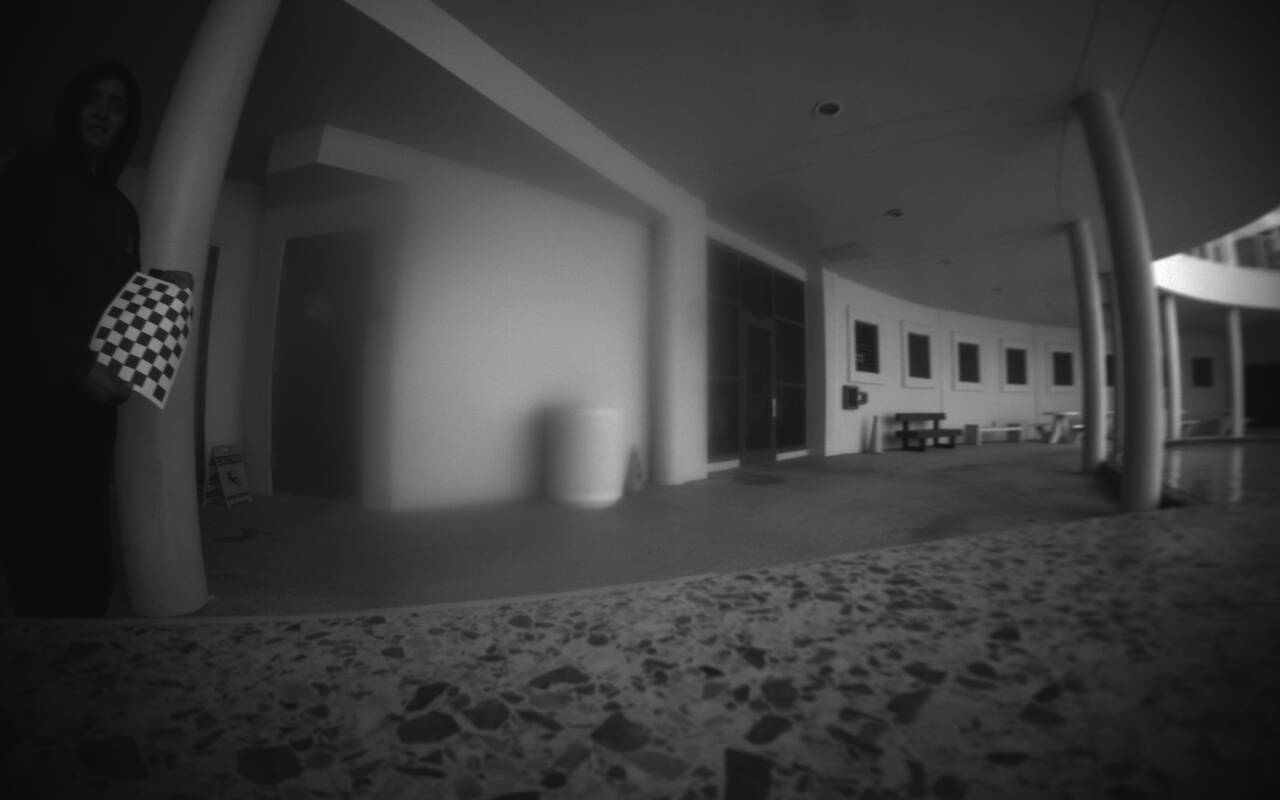
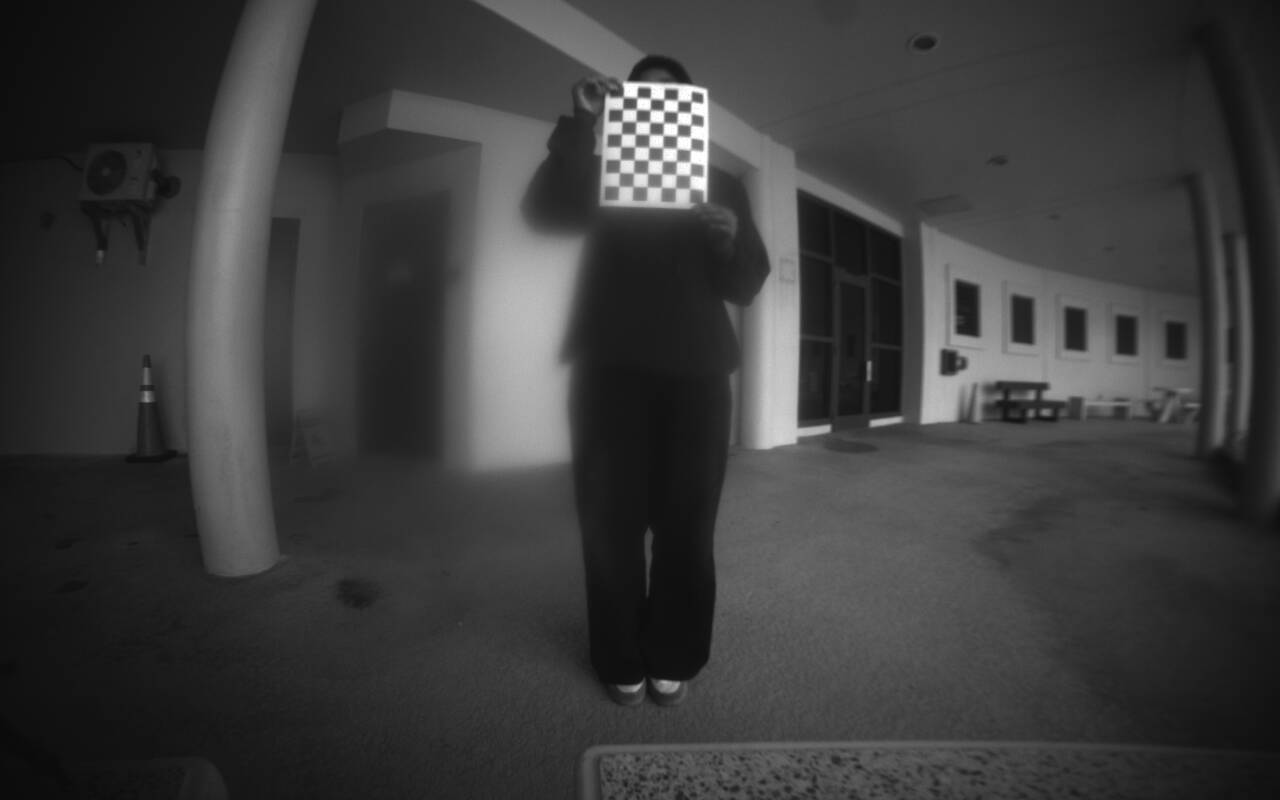
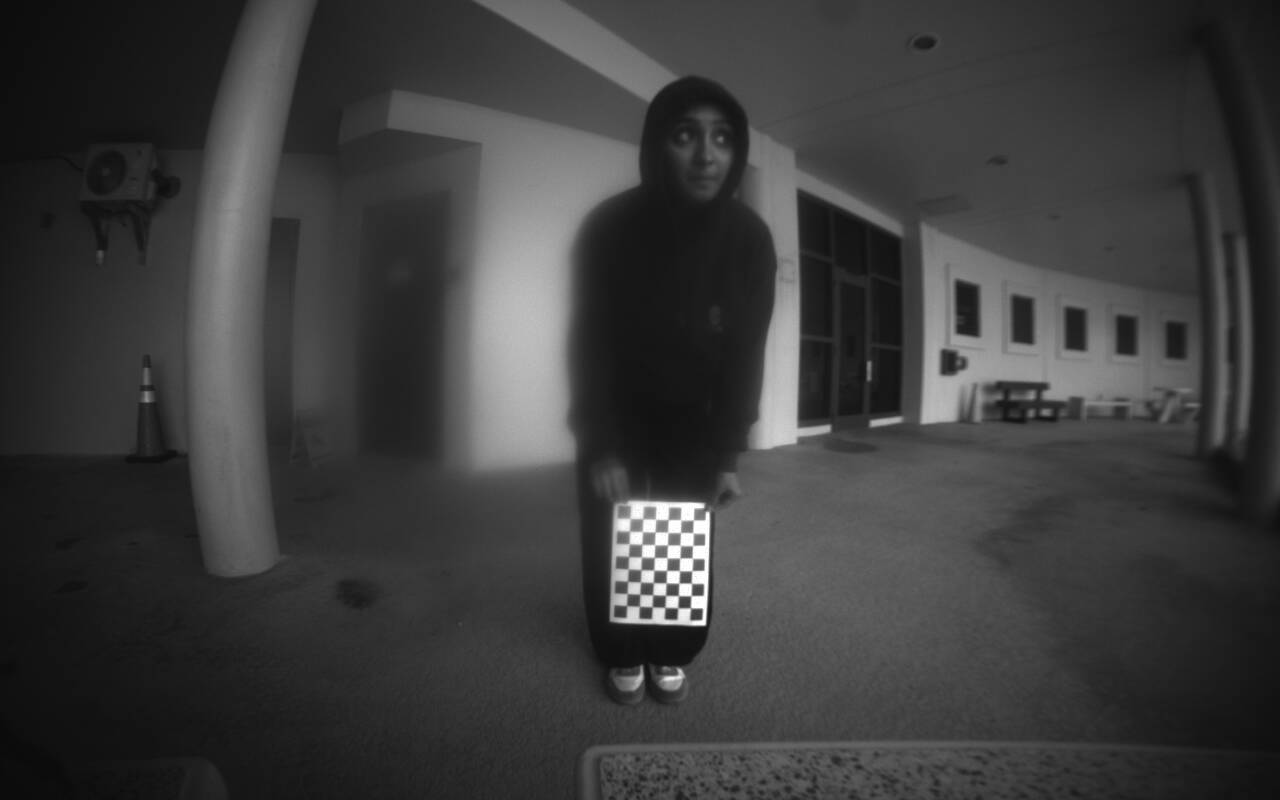
Camera Calibration issues@Alex-Kushleyev Thank you for your response. Sorry I have been away for exams. I took the drone outside to be sure it was not because of lightning. After refocusing the tracking front camera lens, i realized that when the checkerboard was moved to the sides, and also towards the top and bottom of the camera, the images were sharp, but when it was moved directly in front of the camera, it became blurry. I inspected the Lens physically and cant seem to find any damage. I have attached the images so that you can better grasp what I mean. Thanks.
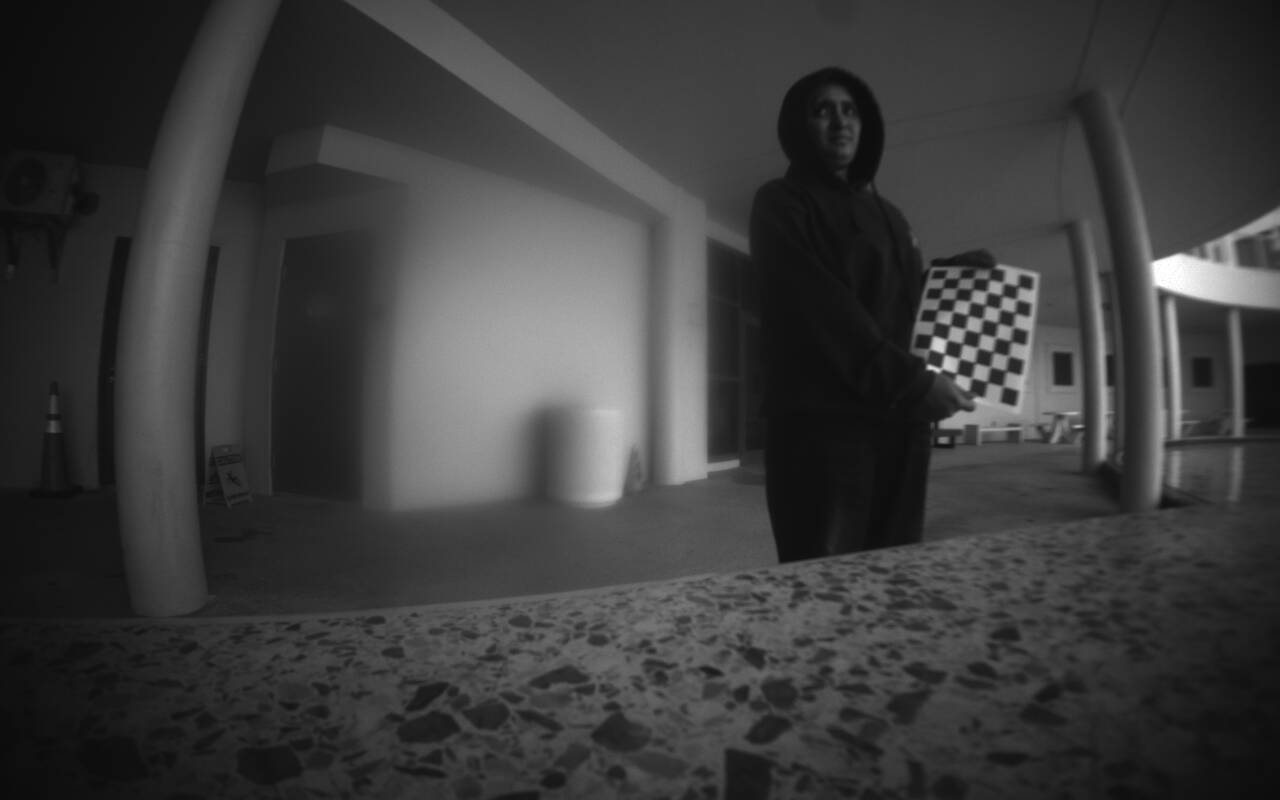
-
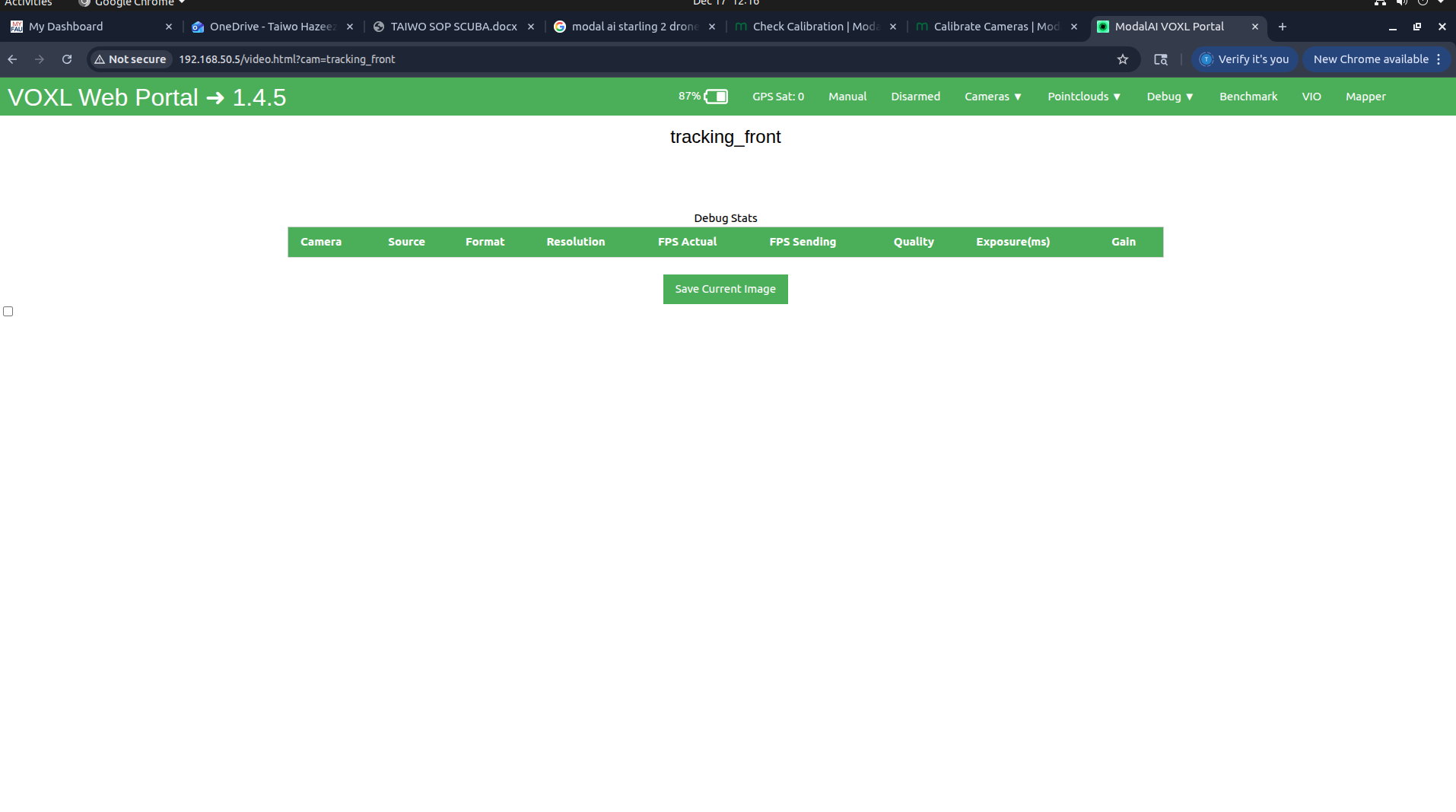
CANT ACCESS CAMERAHI, I am trying to calibrate my starling 2 drone cameras, but I realized I cant access my cameras from the voxl-portal. On voxl portal, I can see the list of camera pipes, but if I select any one if them, I dont get a footage. I have attached screenshots to make you understand what I mean better. I dont know mcuh about this, could you please point me in the right direction? How can I get it working

 )
)