
Camera Calibration issues
-
Hi modal AI support,
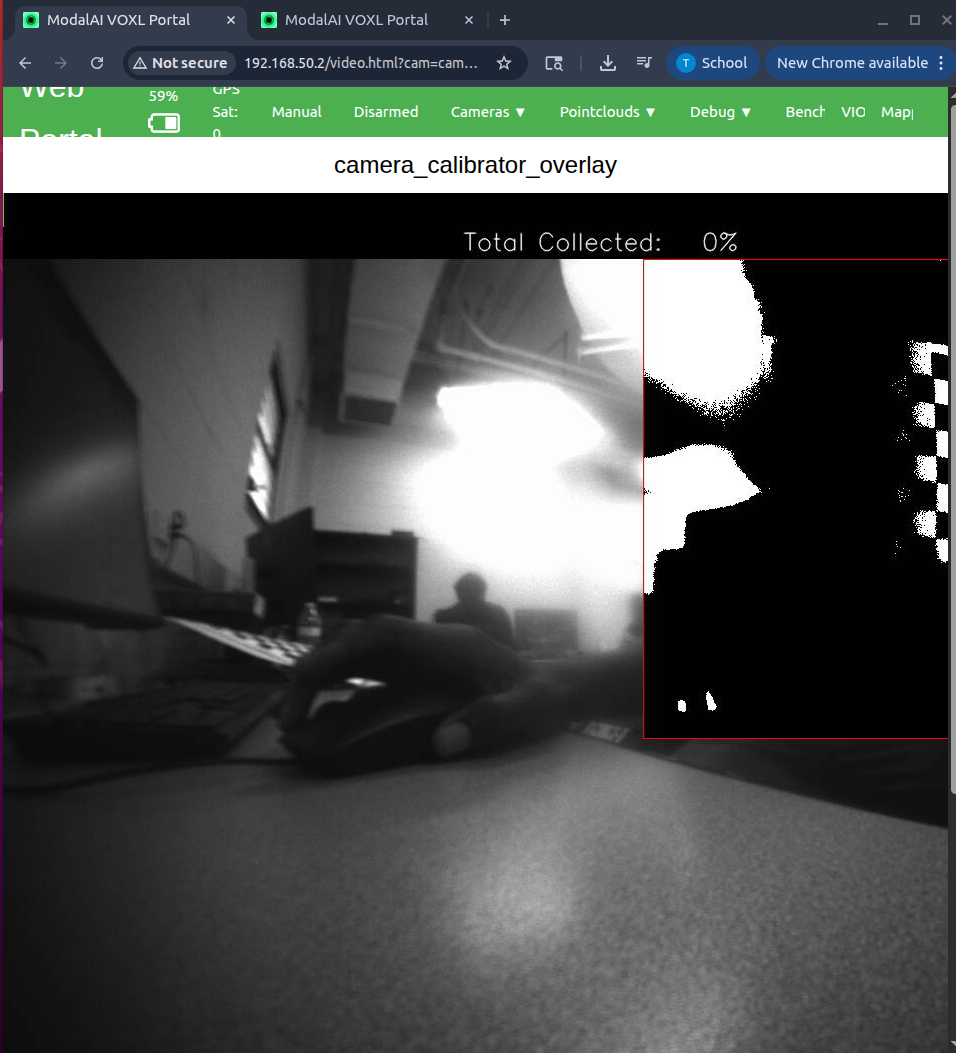
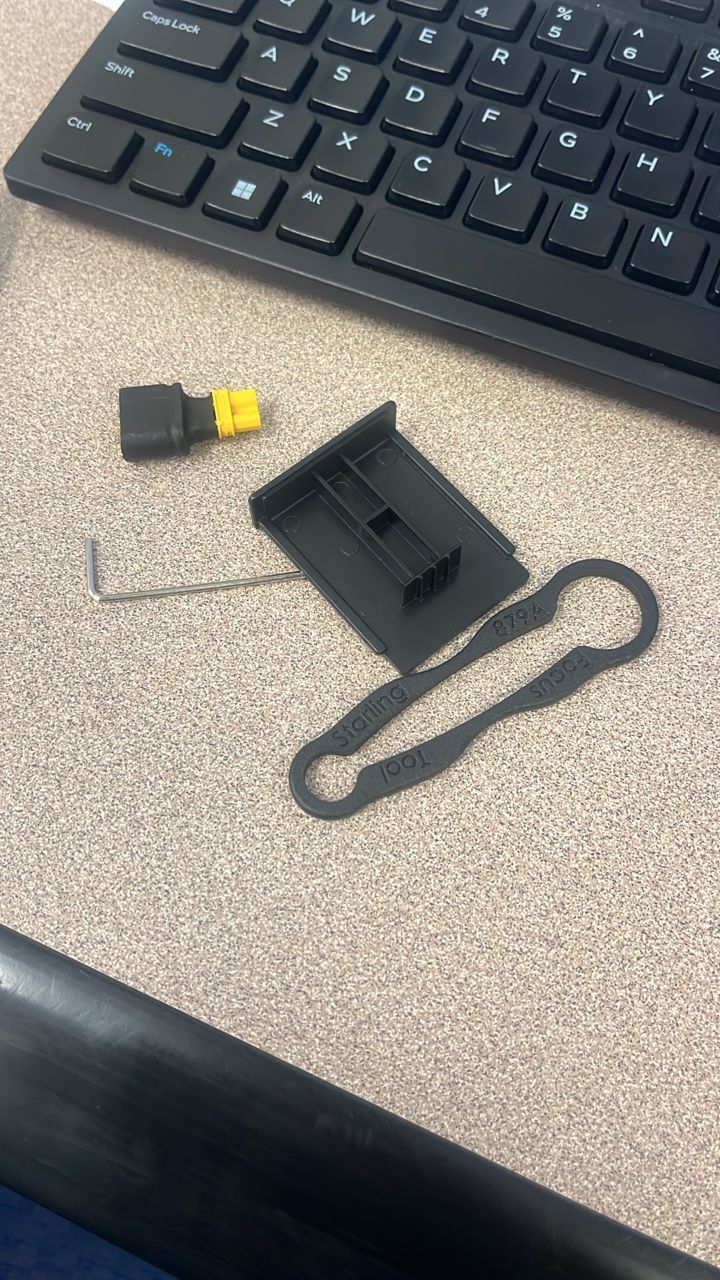
I am trying to calibrate my starling 2 drone camera using openCV 6x8 chessboard (I used this command " voxl-calibrate-camera tracking_front -f -s 6x8 -l 0.038". I think my camera lens might be dull, I have a starling 2 Lens Focus Tool, but I can't find any resource to help me adjust the focus. I have attached an image of me me trying to calibrate the camera so that you clearly understand what I am trying to say. From the first image, you can see how blurry the chessboard is, In the second image, you can see that the chessboard is barely showing when the chessboard was moved inside the rectangle. The third image are what I saw in the starling 2 Lens Focus Tool.
Kindly assist.
Thanks,
Taiwo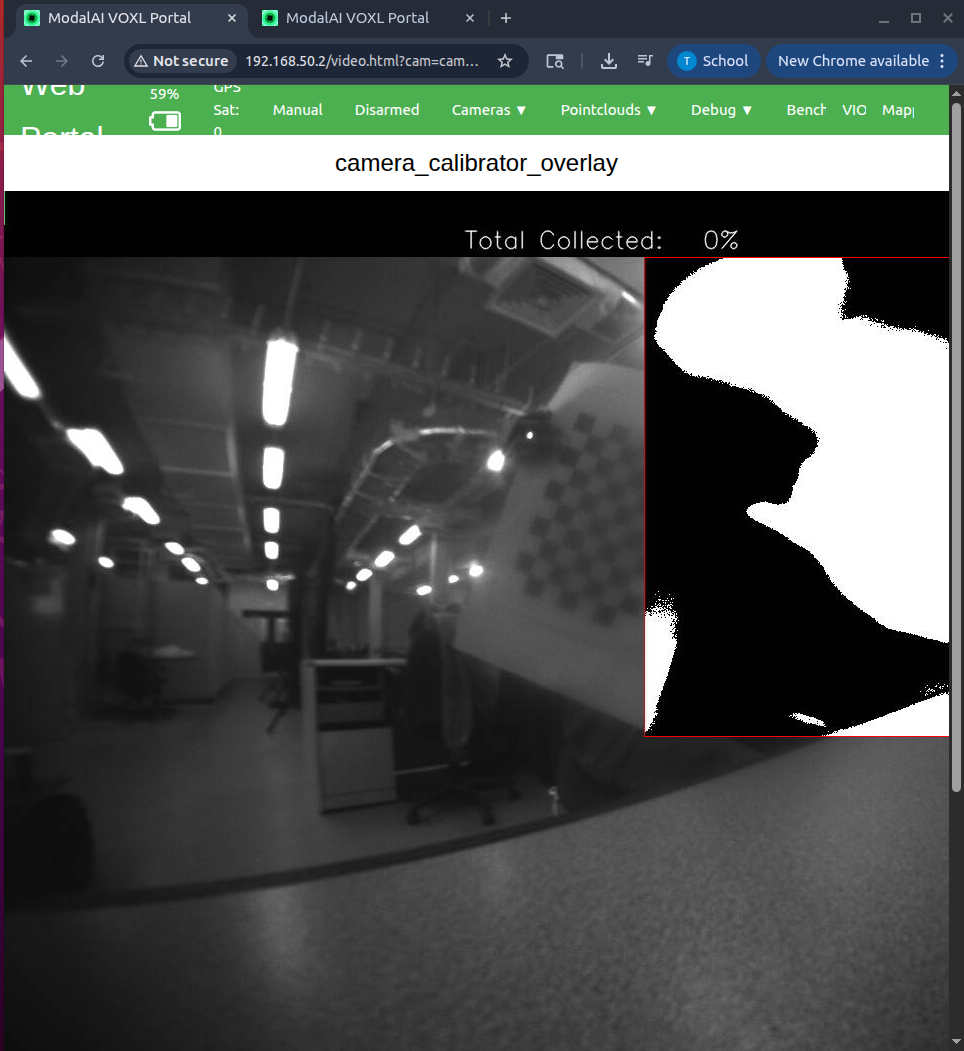
-
@taiwohazeez , the image is indeed blurry. Did the camera come like this or did something happen to the camera / lens?
Also, i am assuming that the blur is not coming from the camera moving around (that is to say the camera is stationary during those image captures).
Please inspect the lens on the outside to make sure it's not scratched or damaged, as this can also contribute to the issue.
In any case, adjusting focus on a camera is usually as simple as turning the lens slightly CW or CCW. Since the image is almost focus, i expect that the adjustment would be within 1 full turn from the existing lens position in the lens holder. If the camera lens is being held by a plastic mount, it should have a screw on the side of the plastic mount, which clamps the mount around the lens. The screw needs to be loosened and then you can use the focus tool to turn the lens slightly while looking at the image view in
voxl-portal. For this particular camera with a wide lens, the hyperfocal distance will be around 10cm, meaning that when properly focused, everything beyond 10cm away should appear in focus. With this in mind, you should some target (checkerboard is fine) 0.3 - 0.5m away and turn the lens back and forth (with the plastic tool) to try achieve the best focus. If you cannot achieve good focus (the best focus is still blurry), it probably means that either the lens is damaged dirty (front or back side of the lens).If you do unscrew the lens all the way out (by turning counter-clockwise until the lens comes out), don't leave the camera exposed like this for a long period of time, so that dust does not get on the camera sensor.
Also, what is the exposure and gain reported in the stats below the image in the voxl-portal view, when you view the camera stream (without the calibration). The environment seems pretty dark, i would recommend more lighting, but let's double check the reported exposure and gain (from auto exposure). Also, please make sure your checkerboard pattern is as flat as possible (this is unrelated to blurry image, but will result in better calibration results).
Please try focusing the camera and let me know if you have any questions.
Alex
-
@taiwohazeez , the image is indeed blurry. Did the camera come like this or did something happen to the camera / lens?
Also, i am assuming that the blur is not coming from the camera moving around (that is to say the camera is stationary during those image captures).
Please inspect the lens on the outside to make sure it's not scratched or damaged, as this can also contribute to the issue.
In any case, adjusting focus on a camera is usually as simple as turning the lens slightly CW or CCW. Since the image is almost focus, i expect that the adjustment would be within 1 full turn from the existing lens position in the lens holder. If the camera lens is being held by a plastic mount, it should have a screw on the side of the plastic mount, which clamps the mount around the lens. The screw needs to be loosened and then you can use the focus tool to turn the lens slightly while looking at the image view in
voxl-portal. For this particular camera with a wide lens, the hyperfocal distance will be around 10cm, meaning that when properly focused, everything beyond 10cm away should appear in focus. With this in mind, you should some target (checkerboard is fine) 0.3 - 0.5m away and turn the lens back and forth (with the plastic tool) to try achieve the best focus. If you cannot achieve good focus (the best focus is still blurry), it probably means that either the lens is damaged dirty (front or back side of the lens).If you do unscrew the lens all the way out (by turning counter-clockwise until the lens comes out), don't leave the camera exposed like this for a long period of time, so that dust does not get on the camera sensor.
Also, what is the exposure and gain reported in the stats below the image in the voxl-portal view, when you view the camera stream (without the calibration). The environment seems pretty dark, i would recommend more lighting, but let's double check the reported exposure and gain (from auto exposure). Also, please make sure your checkerboard pattern is as flat as possible (this is unrelated to blurry image, but will result in better calibration results).
Please try focusing the camera and let me know if you have any questions.
Alex
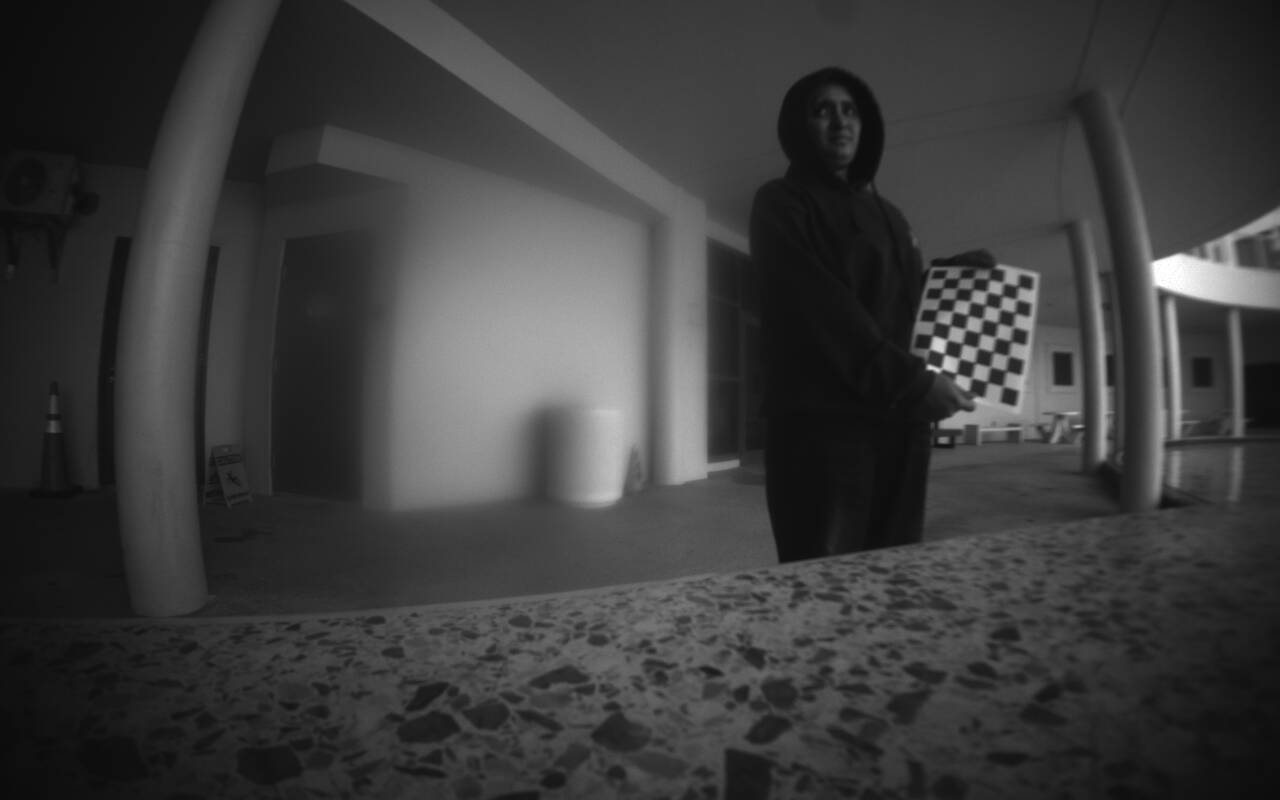
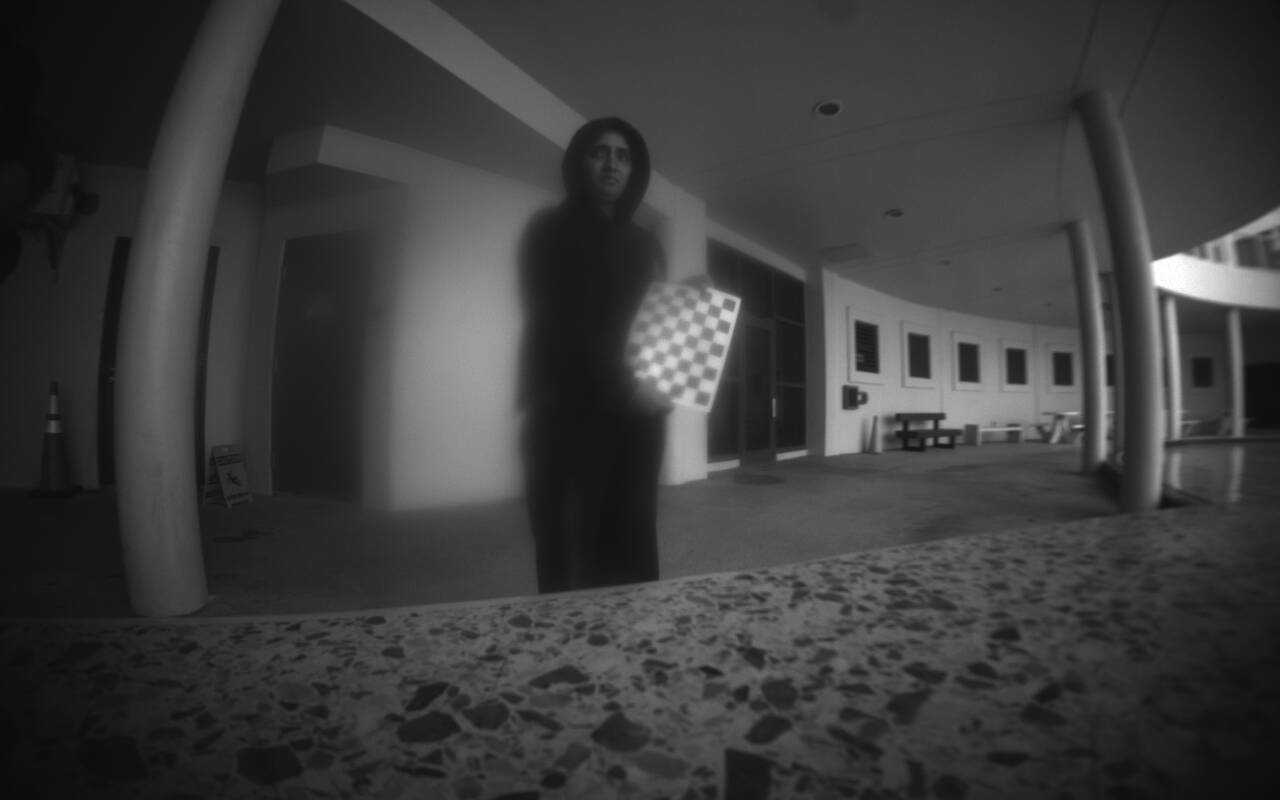
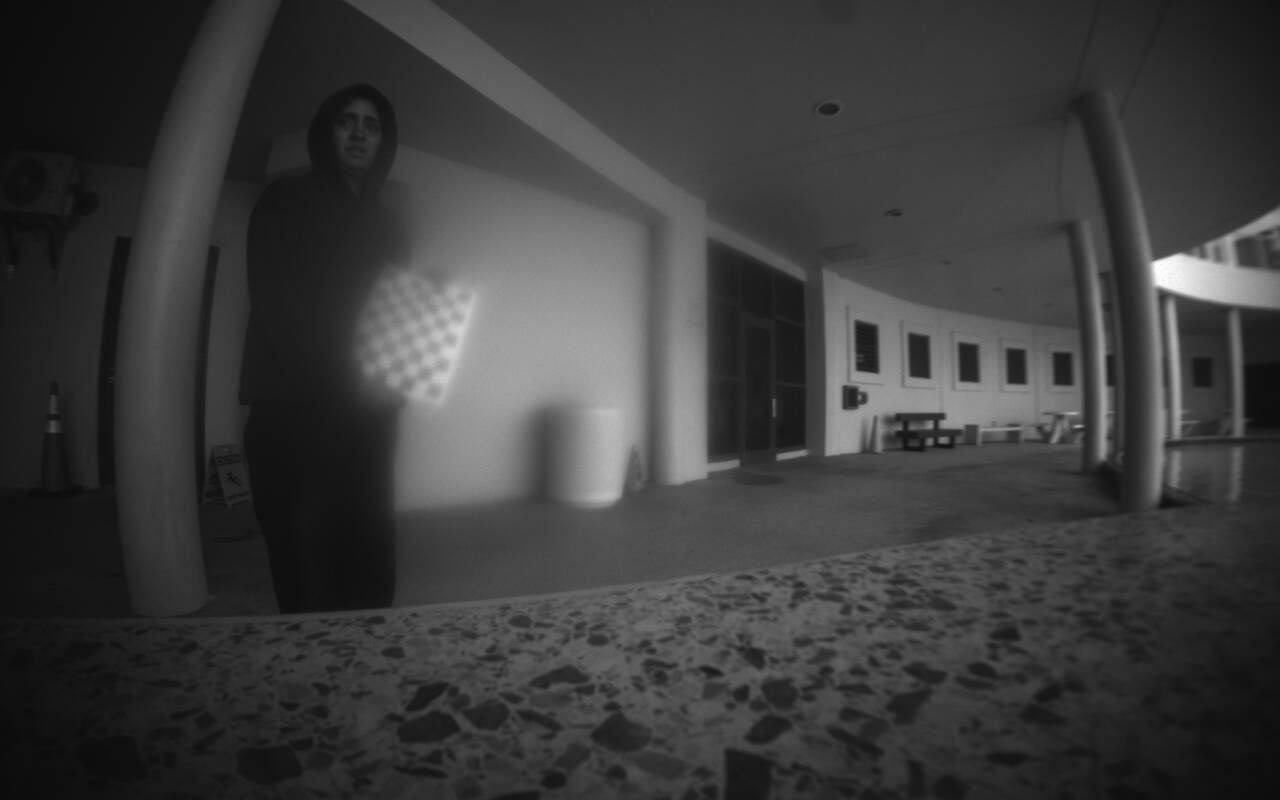
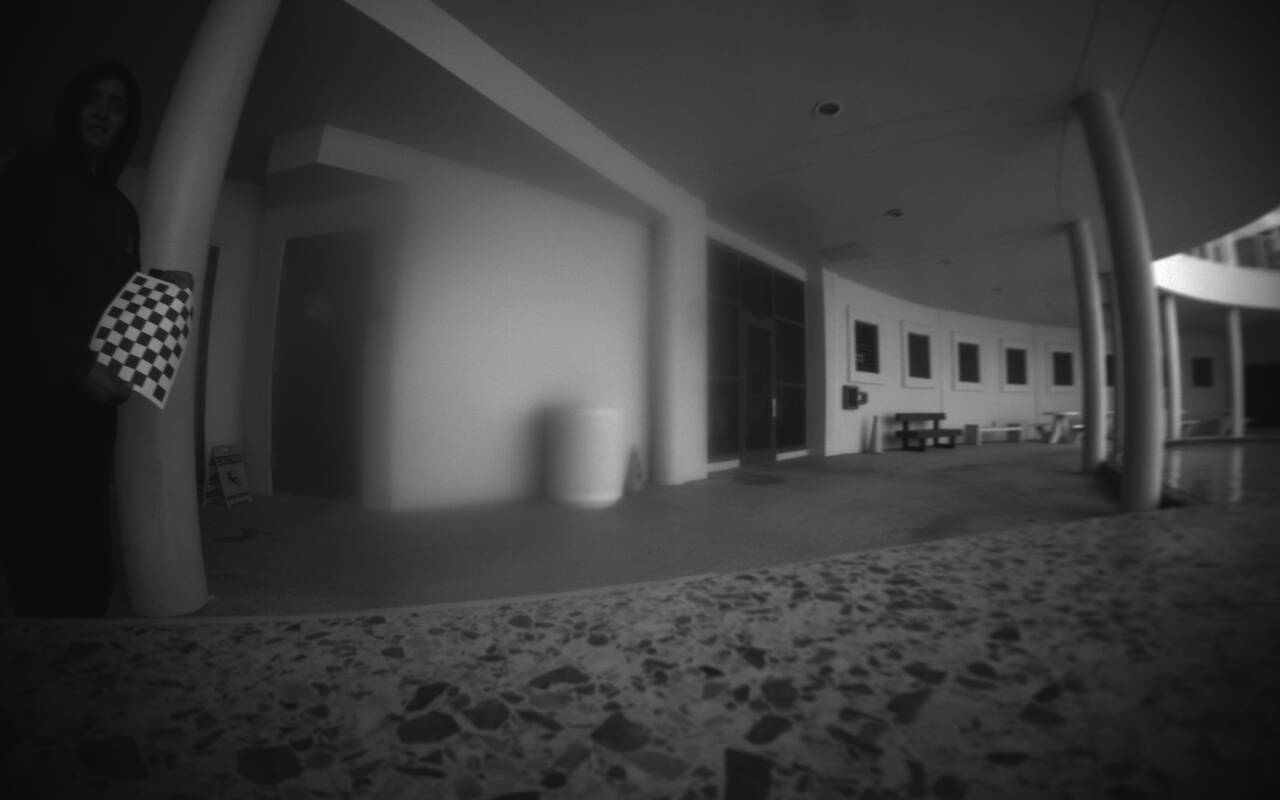
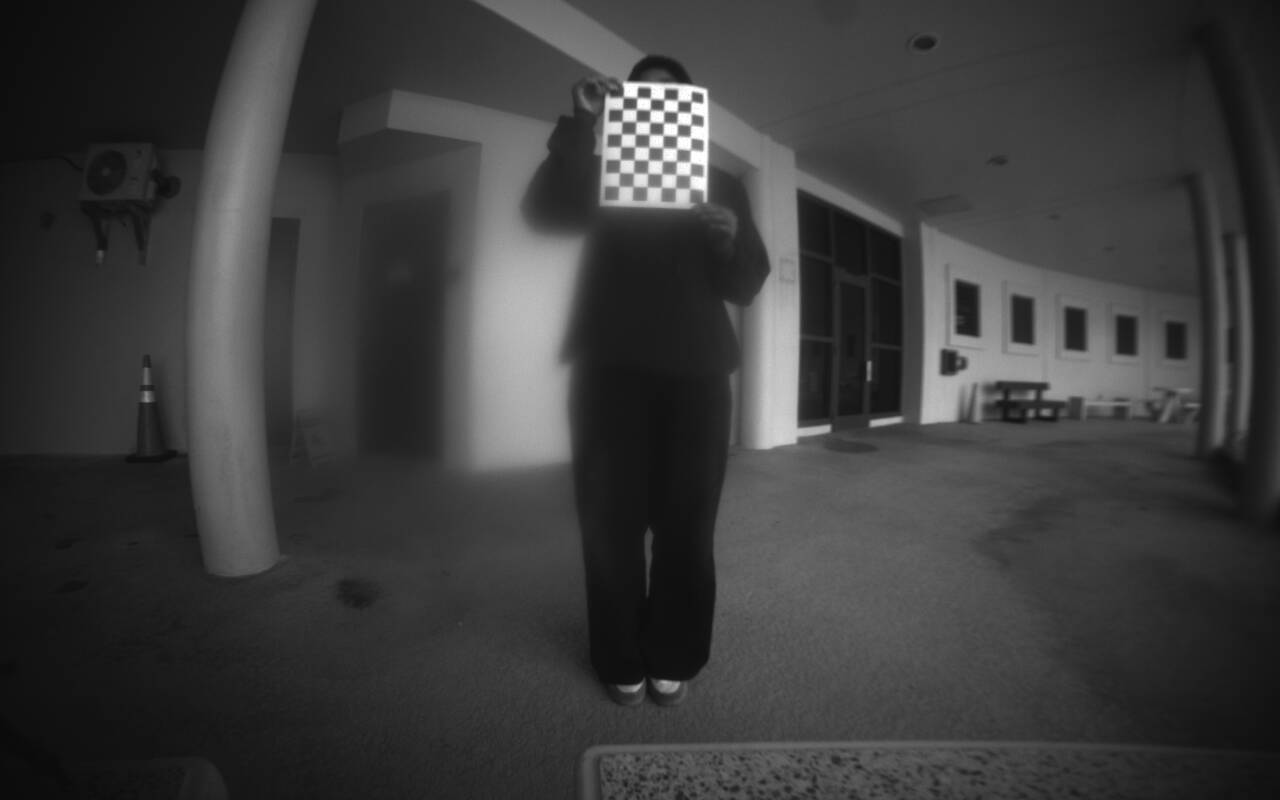
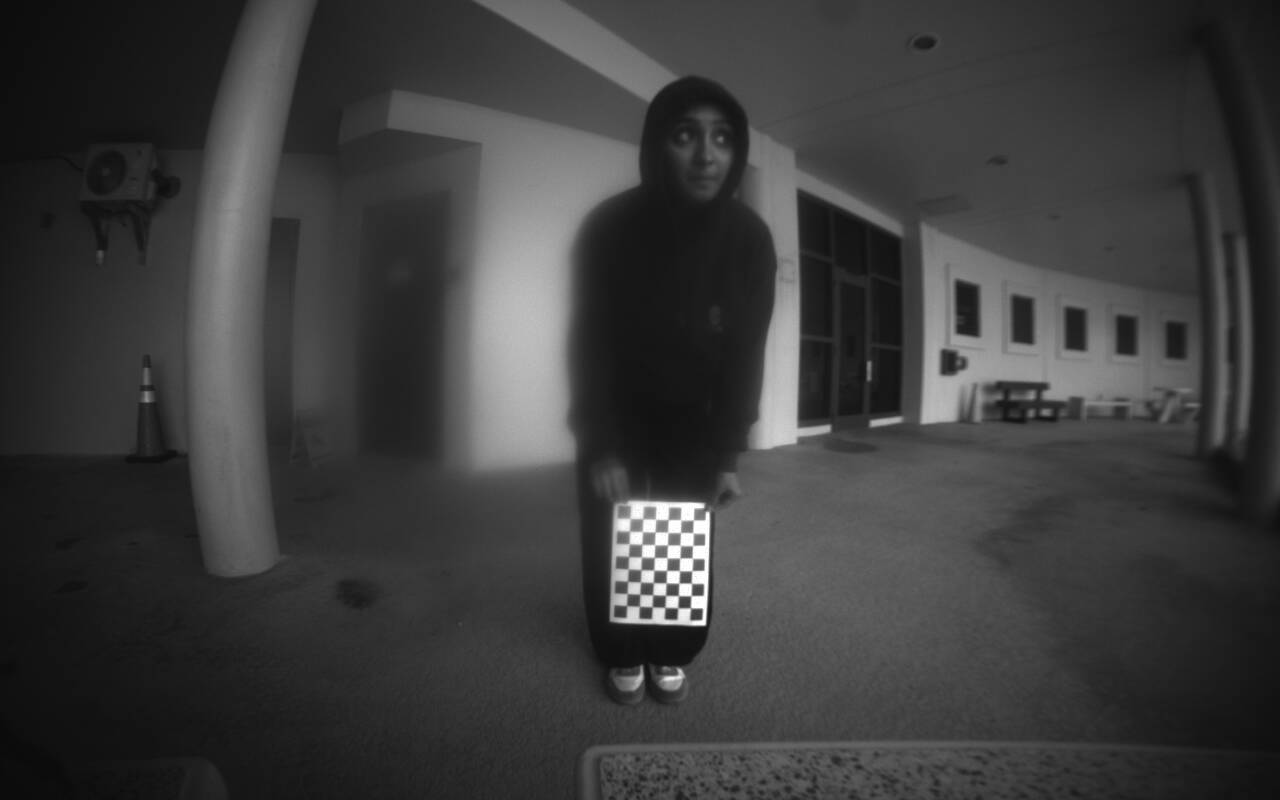
@Alex-Kushleyev Thank you for your response. Sorry I have been away for exams. I took the drone outside to be sure it was not because of lightning. After refocusing the tracking front camera lens, i realized that when the checkerboard was moved to the sides, and also towards the top and bottom of the camera, the images were sharp, but when it was moved directly in front of the camera, it became blurry. I inspected the Lens physically and cant seem to find any damage. I have attached the images so that you can better grasp what I mean. Thanks.
-
@Alex-Kushleyev Thank you for your response. Sorry I have been away for exams. I took the drone outside to be sure it was not because of lightning. After refocusing the tracking front camera lens, i realized that when the checkerboard was moved to the sides, and also towards the top and bottom of the camera, the images were sharp, but when it was moved directly in front of the camera, it became blurry. I inspected the Lens physically and cant seem to find any damage. I have attached the images so that you can better grasp what I mean. Thanks.
Hello @taiwohazeez ,
Thank you for sending updated images.
Just for sanity checking, please double check that the other tracking camera on your drone is in focus and does not have this issue.. (i assume that is true).
To me, it definitely looks likes either
- damaged or dirty lens on the external lens surface
- damaged or dirty lens on the internal lens surface (the back surface of the lens)
- dirty surface of the camera sensor itself (inside the camera module)
If you are comfortable with unscrewing the lens completely and wiping it (front and back) with a new microfiber cloth (preferably long strand) and screw it back again to check if there is any improvement. Also, once you remove the lens, you can take a look at the sensor itself, any dirt or smudges should be very easy to detect because the surface of the camera sensor is very reflective and should be perfectly clean. I can't recommend cleaning the sensor itself on your own, since that would involve inserting something inside the camera module, which could lead to damage. Please dont keep the lens out of the lens holder for a long time (hours) as dust or dirt may get inside on the surface of the sensor (do not perform this procedure in a dusty environment).
Please reach out to https://www.modalai.com/pages/rma if you need further help to get this fixed / replaced.
Alex

Reading along? Create a free ModalAI Forum account to join in.
With an account you can reply, ask your own question, get an email when a ModalAI engineer answers, and mark the reply that solved it. Your place in each thread is saved between visits.
Questions about VOXL, Flight Core, ESCs and ModalAI drones are answered here by the engineers who build them.
Register Login