Skip to content

Ask your questions right here!

2.3k Topics 11.7k Posts

Note sure where to post? Ask questions here for direct access to the ModalAI engineering team

Subcategories


  • 164 Topics
    751 Posts
    Ben LinneB
    @heiko.lizan Any elrs radio that's 900mhz or dual band compatible should work when in low band mode. If the transmitter is running v4+ you should be able to downgrade it to v3 following the elrs update guide It's normal that some services aren't running. You may need to re-enable px4 with systemctl enable voxl-px4
  • Do you have a great idea for our products you would like to see implemented?

    27 90
    27 Topics
    90 Posts
    Serhii RovnyiS
    Hello everyone, I am looking for some expert advice on a VOXL 2 companion computer setup for a long-range platform. I have two main integration challenges: Challenge A: VIO at Higher Altitudes To solve the motion blur and pixel density issues at higher altitudes, I am planning a 6-camera configuration. I want to use 4 downward-facing sensors (2 daylight + 2 IR) equipped with narrow-angle lenses, alongside 2 standard wide-angle sensors (front and rear). Could you advise on the best supported sensors (e.g., IMX series) for this? Has anyone successfully tuned the voxl-qvio-server for narrow-angle lenses, and what were the altitude limits you achieved? Challenge B: LAN Integration & WireGuard The payload data flow will be: External RTSP Camera -> Ethernet -> VOXL 2 (WireGuard encryption) -> Ethernet -> Digital RX. Because VOXL 2 lacks multiple LAN ports, I will need a miniature industrial Ethernet switch. Does ModalAI have any tested hardware recommendations for this? Furthermore, what is the best practice for routing this VPN traffic through the VOXL 2 Ubuntu environment without bottlenecking the CPU? We are currently evaluating the VOXL 2 for a broader fleet deployment and want to ensure the ecosystem can support this custom optics requirement. Any feedback on off-the-shelf solutions or standard configurations for this use case would be greatly appreciated. Thank you!
  • Are you looking for a 3D model of one of our products?

    33 86
    33 Topics
    86 Posts
    Alex KushleyevA
    @nl_vdi , if you log into developer.modalai.com, you will see the CAD models. the latest model we have is: D0012-4-V3-C28-M36-T7-K0-Starling2-Max-V3-20260317.step [image: 1781036132877-376bf0dd-494a-4bf1-8d92-1b2d91afb83d-image.png]
  • How to set up the voxl-wifi, STATION mode for hidden networks?

    1
    0 Votes
    1 Posts
    810 Views
    No one has replied
  • Voxl2 with the Intel Realsense D435i

    2
    0 Votes
    2 Posts
    962 Views
    Eric KatzfeyE
    @Jeffrey-Mao Thank you for providing the update and the instructions!
  • 0 Votes
    38 Posts
    12k Views
    A
    @Alex-Kushleyev I have checked inference_helper and modify to handle RGB format successfully. [image: 1719806154374-screenshot-2024-07-01-113145.png]
  • depth camera D435i

    4
    0 Votes
    4 Posts
    798 Views
    Jeffrey MaoJ
    @Suvasis-Mukherjee We have succesfully integrated the D435i to stream video recently with the Voxl2 through ROS2. however this process is a bit involved with a few twists and turns, so it is possible
  • ToF v2 availability?

    3
    0 Votes
    3 Posts
    939 Views
    ModeratorM
    @hmlow we're still working through the product details of what should be included in the kit. We will try to get something into beta this week
  • VOXL2 detected landing at ~27m altitude and cut motors

    7
    0 Votes
    7 Posts
    1k Views
    R
    @Alex-Kushleyev yes you can reference the log
  • Voxl2 SDK 1.3.0

    3
    0 Votes
    3 Posts
    704 Views
    Alex KushleyevA
    @Denver-Bennett , sorry for the delay. Have you followed our documentation on this topic? https://docs.modalai.com/voxl2-io-user-guide/ The firmware needs to be updated, if it has not been done when you installed SDK 1.3.0. The following docs page tells you how to check and install the firmware : https://docs.modalai.com/voxl2-io-firmware/. The voxl2-io package should already be installed on voxl2 with SDK 1.3.0, so you should be able to use commands like: voxl-2-io scan voxl-2-io upgrade_firmware (here is the actual script : https://gitlab.com/voxl-public/voxl-sdk/utilities/voxl2-io/-/blob/master/scripts/voxl-2-io?ref_type=heads)
  • some issues with voxl-camera-server 1.6.2

    5
    3
    0 Votes
    5 Posts
    1k Views
    Alex KushleyevA
    @blossomrd , this issue is most likely due to incorrect YUV line stride or plane stride for a specific resolution. That is to say, the ISP outputs a YUV image with certain line stride and plane stride (there may be some space between the Y and UV planes in order to align the image data for fast processing in hardware) and voxl-camera-server incorrectly interprets that information about the image layout. For anyone who is experiencing this issue, please post the exact conditions to reproduce: version of voxl-camera-server camera type used entire voxl-camera-server.conf config file explain how exactly you are getting the image (what MPA pipe) or viewing via voxl-portal and what resolution Thanks! Alex
  • MAVLink and MAVROS NOT connecting to PX4

    1
    1 Votes
    1 Posts
    525 Views
    No one has replied
  • Voxl Docker Python

    2
    0 Votes
    2 Posts
    535 Views
    tomT
    @Samuel-Bryan Have you tried building the image on VOXL following these steps: https://gitlab.com/voxl-public/voxl-docker-images/voxl-docker-mavsdk-python#optional-building-the-image
  • Recording and Receiving Videos

    8
    4
    0 Votes
    8 Posts
    1k Views
    L
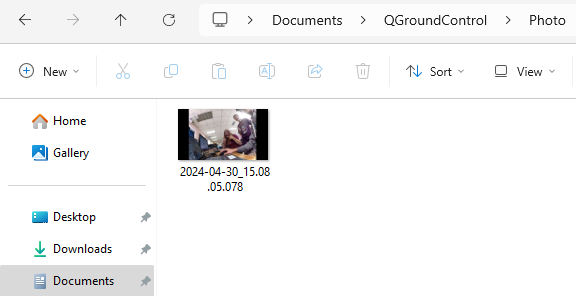
    @WineVirus @Moderator What part do I need to modify to automatically save it to the QGC area?
  • Loss of wlan0 and potentially wwan0

    13
    0 Votes
    13 Posts
    2k Views
    tomT
    @groupo Yeah that option in voxl-configure-modem is correct, I should update it in the future to make it more clear. This is what gets run on boot with that option: https://gitlab.com/voxl-public/voxl-sdk/utilities/voxl-modem/-/blob/master/scripts/voxl-modem-start?ref_type=heads#L122 For that modem, voxl-modem just acts as a wrapper for qmicli: https://gitlab.com/voxl-public/voxl-sdk/utilities/voxl-modem/-/blob/master/scripts/voxl-modem-start?ref_type=heads#L147 and udhcpc: https://gitlab.com/voxl-public/voxl-sdk/utilities/voxl-modem/-/blob/master/scripts/voxl-modem-start?ref_type=heads#L160 Feel free to modify the script as needed to fit your application
  • Starling v1 Specific Remote ID serial number

    1
    0 Votes
    1 Posts
    377 Views
    No one has replied
  • 0 Votes
    1 Posts
    652 Views
    No one has replied
  • Starling v1 GPS Error

    13
    0 Votes
    13 Posts
    2k Views
    D
    @Eric-Katzfey facing similar issues with our v1 drones. GNSS manufacturer recommends 10cm of distance from ESC/power lines/motors. Is there a location for cad files so we can modify the sensor mount and reprint it. https://www.mateksys.com/?portfolio=m10-5883#tab-id-2
  • Utilizing all CPUs on Voxl2

    voxl2
    7
    0 Votes
    7 Posts
    2k Views
    Mrunal SarvaiyaM
    @Alex-Kushleyev Correct, I just used the last 4 more powerful cpus. That was enough of a performance boost to run my optimization at the frequency I was hoping for. I didn't try using all 8 threads, I can give it a shot if that's useful information for you
  • Voxl2 Date/Time Incorrect, not updating

    4
    3
    0 Votes
    4 Posts
    777 Views
    Eric KatzfeyE
    @Stefan-Amundarain We have not tried getting Internet traffic routed to the Doodle Labs network. Should be possible but we haven't done it.
  • Configuring battery monitor with FPV ESC

    21
    0 Votes
    21 Posts
    6k Views
    R
    @Alex-Kushleyev Thanks for the help, as I was calibrating the ESCs I did notice those messages, which confused me as to why we weren't able to get that information in PX4. On Monday it suddenly just started working despite my changing nothing. Gotta love when things fix themselves
  • Maximum Connections to Wi-Fi?

    2
    0 Votes
    2 Posts
    648 Views
    Alex KushleyevA
    @Evan-D , based on the contents of /data/misc/wifi/hostapd.conf : # Maximum number of stations allowed in station table. New stations will be # rejected after the station table is full. IEEE 802.11 has a limit of 2007 # different association IDs, so this number should not be larger than that. # (default: 32) #max_num_sta=32 It is possible that after your device has seen 32 different clients, it cannot accept new ones. You can examine this config file and /usr/bin/voxl-wifi (which is used to set the device into the ap mode) and try to increase the number of stations. Alex
  • OV7251 tracking cam focus

    8
    0 Votes
    8 Posts
    2k Views
    H
    @Alex-Kushleyev I'll glue it back in place myself. Thanks!