Skip to content

Ask your questions right here!

2.3k Topics 11.7k Posts

Note sure where to post? Ask questions here for direct access to the ModalAI engineering team

Subcategories


  • 164 Topics
    751 Posts
    Ben LinneB
    @heiko.lizan Any elrs radio that's 900mhz or dual band compatible should work when in low band mode. If the transmitter is running v4+ you should be able to downgrade it to v3 following the elrs update guide It's normal that some services aren't running. You may need to re-enable px4 with systemctl enable voxl-px4
  • Do you have a great idea for our products you would like to see implemented?

    27 90
    27 Topics
    90 Posts
    Serhii RovnyiS
    Hello everyone, I am looking for some expert advice on a VOXL 2 companion computer setup for a long-range platform. I have two main integration challenges: Challenge A: VIO at Higher Altitudes To solve the motion blur and pixel density issues at higher altitudes, I am planning a 6-camera configuration. I want to use 4 downward-facing sensors (2 daylight + 2 IR) equipped with narrow-angle lenses, alongside 2 standard wide-angle sensors (front and rear). Could you advise on the best supported sensors (e.g., IMX series) for this? Has anyone successfully tuned the voxl-qvio-server for narrow-angle lenses, and what were the altitude limits you achieved? Challenge B: LAN Integration & WireGuard The payload data flow will be: External RTSP Camera -> Ethernet -> VOXL 2 (WireGuard encryption) -> Ethernet -> Digital RX. Because VOXL 2 lacks multiple LAN ports, I will need a miniature industrial Ethernet switch. Does ModalAI have any tested hardware recommendations for this? Furthermore, what is the best practice for routing this VPN traffic through the VOXL 2 Ubuntu environment without bottlenecking the CPU? We are currently evaluating the VOXL 2 for a broader fleet deployment and want to ensure the ecosystem can support this custom optics requirement. Any feedback on off-the-shelf solutions or standard configurations for this use case would be greatly appreciated. Thank you!
  • Are you looking for a 3D model of one of our products?

    33 86
    33 Topics
    86 Posts
    Alex KushleyevA
    @nl_vdi , if you log into developer.modalai.com, you will see the CAD models. the latest model we have is: D0012-4-V3-C28-M36-T7-K0-Starling2-Max-V3-20260317.step [image: 1781036132877-376bf0dd-494a-4bf1-8d92-1b2d91afb83d-image.png]
  • Masking qVio

    12
    0 Votes
    12 Posts
    4k Views
    D
    @Alex-Kushleyev said in Masking qVio: P5 160 120 255 ^@^@^@^@^@^@^ It is working now thanks. I have created mask in monochrome bmp and then used online tool to convert it into pgm but output had wrong header: P5 160 120 1 ^@^@^@^@^@^@^ I have used gimp now and exported with .pgm (binary) and it's working I put a preview mask on output image. [image: 1716379897238-d4604289-19d3-462f-99e3-89dcc788282c-image.png]
  • voxl-microdds-agent not installed on SDK1.2?

    2
    0 Votes
    2 Posts
    399 Views
    tomT
    @Rowan-Dempster They've been released and are a part of the SDK but we just don't install them by default to save space. The .debs are onboard already and should install with an apt install In that context "blackisted" just means don't install by default.
  • Odd behavior from ModalAI 4 in 1 ESC

    14
    0 Votes
    14 Posts
    3k Views
    Alex KushleyevA
    @Matthew-Wellner , As we discussed offline, I am going to post the summary for the likely issue here: By setting "demag_timing: 1" in esc params, it enabled some experimental feature, which fails to work correctly above certain rpm. It prevents motor from spinning faster when more power is applied (above a certain rpm). You can see from plots above, the desired command for motor 4 (purple) goes higher, but actual rpm is flat lined around 5700rpm (black). Also the current jumps up significantly for motor 4 (black) when it hits that ceiling. For your motor, please disable this "feature" by setting demag_timing to 0. Depending on your current timing advance, we may keep that the same or increase slightly. After disabling demag_timing-> 0, i would recommend performing rpm step tests to make sure the de-syncs still do not happen. I am sorry about this, I will update documentation to not recommend using this feature. [image: 1716325132668-9ac17b56-3431-408e-bd34-a7006eeb55ef-image.png] zoomed in [image: 1716325145165-c12f7747-3523-416b-8467-f462ee7b7561-image.png] Alex
  • Voxl-suite disappeared on Starling

    3
    3
    0 Votes
    3 Posts
    647 Views
    tomT
    @viralp Behind the scenes "voxl-suite" is really just a meta package with dependencies on all of the debian packages in VOXL Suite. Therefore if any of the packages that voxl-suite depends on are modified (either removed or downgraded) then "voxl-suite" will no longer be installed. This includes the system image. Contained in the system image is another meta package called voxl2-system-image which is versioned the same as the System Image. Therefore if there is a system image / voxl-suite mismatch you will see the same effect. This isn't a major issue, it just means that you are straying from the exact package list defined by that version of VOXL Suite. If you would like to get to a known good state you download the latest SDK from our downloads page and install it with it's install.sh script
  • VOXL2 - HITL/VIO

    14
    4
    0 Votes
    14 Posts
    2k Views
    Eric KatzfeyE
    @leonardo-Andrade-0 For the case where you are using only GPS and MAG the parameters need to reflect that. SYS_HAS_GPS = 1, SYS_HAS_MAG = 1, EKF2_MAG_TYPE = 0.
  • Unable to subscribe to vehicle_command_position topic

    3
    1
    0 Votes
    3 Posts
    1k Views
    B
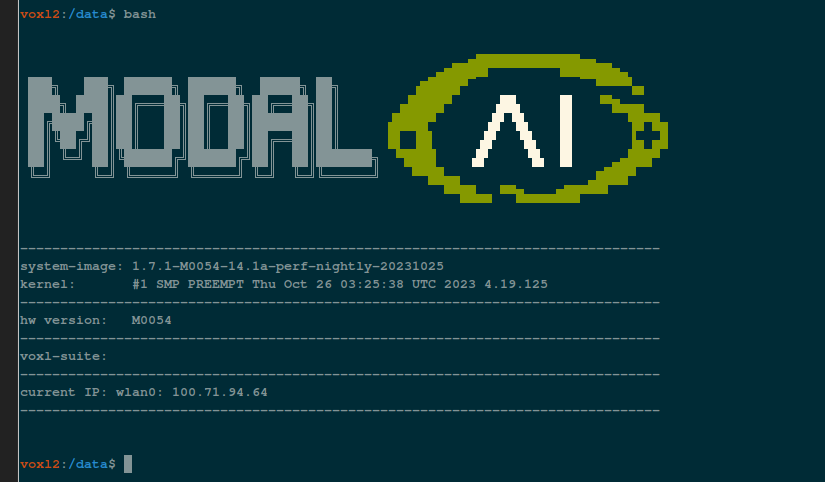
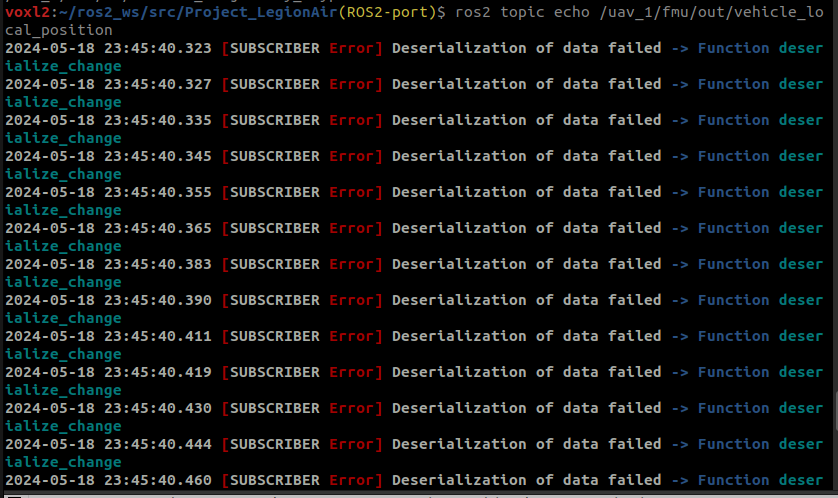
    @Darshit-Desai Here is the output from echo'ing local position. voxl2:~/colcon_ws$ ros2 topic list /fmu/in/obstacle_distance /fmu/in/offboard_control_mode /fmu/in/onboard_computer_status /fmu/in/sensor_optical_flow /fmu/in/telemetry_status /fmu/in/trajectory_setpoint /fmu/in/vehicle_attitude_setpoint /fmu/in/vehicle_command /fmu/in/vehicle_mocap_odometry /fmu/in/vehicle_rates_setpoint /fmu/in/vehicle_trajectory_bezier /fmu/in/vehicle_trajectory_waypoint /fmu/in/vehicle_visual_odometry /fmu/out/failsafe_flags /fmu/out/position_setpoint_triplet /fmu/out/sensor_combined /fmu/out/timesync_status /fmu/out/vehicle_attitude /fmu/out/vehicle_control_mode /fmu/out/vehicle_local_position /fmu/out/vehicle_odometry /fmu/out/vehicle_status /parameter_events /rosout voxl2:~/colcon_ws$ ros2 topic echo /fmu/out/vehicle_local_position timestamp: 1716299017260605 timestamp_sample: 1716299017259933 xy_valid: false z_valid: true v_xy_valid: false v_z_valid: true x: -0.015882886946201324 y: -0.006520443130284548 z: 3.26619815826416 delta_xy: [-9.292006097894046e-08, -1.9959152552928572e-07] xy_reset_counter: 1 delta_z: 0.0 z_reset_counter: 1 vx: 0.0007984319818206131 vy: -0.001192234456539154 vz: 0.006735446862876415 z_deriv: 0.014136962592601776 delta_vxy: [-1.0643154382705688e-05, -2.2861408069729805e-05] vxy_reset_counter: 1 delta_vz: 1.583993434906006e-05 vz_reset_counter: 1 ax: 0.042993903160095215 ay: -0.06323475390672684 az: -0.10127022862434387 heading: -0.12067540735006332 delta_heading: 0.0 heading_reset_counter: 0 heading_good_for_control: false xy_global: false z_global: false ref_timestamp: 0 ref_lat: .nan ref_lon: .nan ref_alt: .nan dist_bottom: 0.10000000149011612 dist_bottom_valid: false dist_bottom_sensor_bitfield: 0 eph: 0.012850395403802395 epv: 0.3351651430130005 evh: 0.04047877714037895 evv: 0.06853056699037552 dead_reckoning: true vxy_max: .inf vz_max: .inf hagl_min: .inf hagl_max: .inf --- Voxl version system-image: 1.7.4-M0054-14.1a-perf kernel: #1 SMP PREEMPT Fri Feb 9 21:59:24 UTC 2024 4.19.125 -------------------------------------------------------------------------------- hw platform: M0054 mach.var: 1.0 -------------------------------------------------------------------------------- voxl-suite: 1.1.3-1 Packages: Repo: http://voxl-packages.modalai.com/ ./dists/qrb5165/sdk-1.1/binary-arm64/ Last Updated: 2024-05-21 13:30:13 List: kernel-module-voxl-fsync-mod-4.19.125 1.0-r0 kernel-module-voxl-gpio-mod-4.19.125 1.0-r0 kernel-module-voxl-platform-mod-4.19.125 1.0-r0 libmodal-cv 0.4.0 libmodal-exposure 0.1.0 libmodal-journal 0.2.2 libmodal-json 0.4.3 libmodal-pipe 2.9.2 libqrb5165-io 0.4.2 libvoxl-cci-direct 0.2.1 libvoxl-cutils 0.1.1 mv-voxl 0.1-r0 qrb5165-bind 0.1-r0 qrb5165-dfs-server 0.2.0 qrb5165-imu-server 1.0.1 qrb5165-rangefinder-server 0.1.1 qrb5165-slpi-test-sig 01-r0 qrb5165-system-tweaks 0.2.6 qrb5165-tflite 2.8.0-2 voxl-bind-spektrum 0.1.0 voxl-camera-calibration 0.5.3 voxl-camera-server 1.8.9 voxl-ceres-solver 2:1.14.0-10 voxl-configurator 0.5.2 voxl-cpu-monitor 0.4.7 voxl-docker-support 1.3.0 voxl-elrs 0.1.3 voxl-esc 1.4.0 voxl-feature-tracker 0.3.2 voxl-flow-server 0.3.3 voxl-fsync-mod 1.0-r0 voxl-gphoto2-server 0.0.10 voxl-gpio-mod 1.0-r0 voxl-jpeg-turbo 2.1.3-5 voxl-lepton-server 1.2.0 voxl-libgphoto2 0.0.4 voxl-libuvc 1.0.7 voxl-logger 0.3.5 voxl-mavcam-manager 0.5.3 voxl-mavlink 0.1.1 voxl-mavlink-server 1.3.2 voxl-microdds-agent 2.4.1-0 voxl-modem 1.0.8 voxl-mongoose 7.7.0-1 voxl-mpa-to-ros 0.3.7 voxl-mpa-to-ros2 0.0.2 voxl-mpa-tools 1.1.3 voxl-neopixel-manager 0.0.3 voxl-open-vins 0.4.4 voxl-open-vins-server 0.2.18 voxl-opencv 4.5.5-2 voxl-platform-mod 1.0-r0 voxl-portal 0.6.3 voxl-px4 1.14.0-2.0.63 voxl-px4-imu-server 0.1.2 voxl-px4-params 0.3.3 voxl-qvio-server 1.0.0 voxl-remote-id 0.0.9 voxl-ros2-foxy 0.0.1 voxl-streamer 0.7.4 voxl-suite 1.1.3-1 voxl-tag-detector 0.0.4 voxl-tflite-server 0.3.1 voxl-utils 1.3.8 voxl-uvc-server 0.1.6 voxl-vision-hub 1.7.3 voxl2-system-image 1.7.4-r0 voxl2-wlan 1.0-r0 -------------------------------------------------------------------------------- px4_msgs branch voxl2:~/colcon_ws/src/px4_msgs(release/1.14)$ git branch * release/1.14
  • Operational range of the VOXL 2 mini

    13
    0 Votes
    13 Posts
    3k Views
    VinnyV
    Hi @Bilal-Hussain Please see our docs specifically for Doodle Labs here: https://docs.modalai.com/doodle-labs-user-guide/ VOXL2 Mini cannot use any of the plug-in boards noted above in that table. The VBUS is very limited and will require your Doodle to use an external power supply sourced from your battery. Thanks!
  • Voxl-Mapper pipe to ROS2

    5
    0 Votes
    5 Posts
    986 Views
    Jeffrey MaoJ
    Nevermind I figured it out. Once the voxl_mapper service is running it is automatically configured to run the voxl_mpa_ros2 as a pointcloud
  • Something wrong with my Starling

    5
    0 Votes
    5 Posts
    1k Views
    ModeratorM
    @Darshit-Desai what do those do when you're flying? Sitting on the ground isn't really stressing the system
  • VOXL2 microdds agent namespace

    8
    0 Votes
    8 Posts
    2k Views
    Darshit DesaiD
    @Eric-Katzfey I know this is a question for the px4 forum, but can you guys help me figure out how to run the https://github.com/PX4/px4_ros_com/blob/main/src/examples/offboard/offboard_control_srv.cpp service server here. I changed the namespace for my microdds client as you know and I am not sure if that service server is running or not, I can't find the server when I do ros2 service list or ros2 service find
  • voxl2 rangefinder (lw20)

    10
    0 Votes
    10 Posts
    2k Views
    Eric KatzfeyE
    @voxltester Again, LW20 is not in the px4 build. Until you rebuild px4 with that driver you cannot use it within px4. So, you have 2 choices. Rebuild PX4 and try to get LW20 working within PX4 or take a look at the source code for voxl-rangefinder-server and see if you can add support for LW20 into that. It currently supports the vl53l1x rangefinder. Perhaps you can just switch to that rangefinder model? Otherwise the source code it here: https://gitlab.com/voxl-public/voxl-sdk/services/qrb5165-rangefinder-server
  • Explenation VOXL2 USB-C Port not usable

    1
    0 Votes
    1 Posts
    474 Views
    No one has replied
  • Starling planning using waypoints

    6
    0 Votes
    6 Posts
    1k Views
    I
    @Jetson-Nano Unfortunately it is not yet fully working, as I said I managed to create plans with waypoints and to fly those plans we are currently launching the plans on a waypoint to waypoint basis so, no full trajectory without stopping (we don't have to click on the waypoints but the drone stops to plan the next strecht). We have done so because we don't trust the VIO to be able to mantain a correct pose for the long trajectory through the waypoints and we "stop" at the waypoints (where we placed april tags) to relocate and replan with a corrected position after a flight between waypoints. If you trust VIO to follow your planned trajectory it is possible. We have modified the planTo function from mapper to localize the closest waypoint to the clicked target and we launch global_planner_->createPlan(current_start, final_target, waypoints_); iteratively from way point to waypoint without clearing the waypoints_ vector until it reaches the last waypoint and then plan to the actual target. This creates a long trajectory that should be followed when you press follow button. As I said we have never tried to follow the long trajectory, but as far as I understand the drone should follow it given that qvio maintains a good enough pose. Right now we are experiencing stability issues when switching from position mode to trajectory mode. If we manage to solve that I can run a test with the long trajectory and get back to you.
  • 0 Votes
    14 Posts
    4k Views
    dleeD
    @ggiacalone I found something. When I start echoing a topic in voxl2, that topic (echoing) shows up on my laptop. I think we need to figure out the ros2 configuration of voxl.
  • Unable to communicate with add-on board

    13
    0 Votes
    13 Posts
    2k Views
    A
    @rogerli said in Unable to communicate with add-on board: @Vinny I have another VOXL2 where only DS1 and DS2 lights up constantly, but D1 doesn't light up. Is this normal? (There was a slight deformation near the power interface due to a previous fall.) @tom The SDK version of the VOXL2 that I'm using is 1.1.3. I initially bought two VOXL2 boards, both version 1.1.2. One was deformed due to a crash, but the other still works well. Later, I purchased two more VOXL2 boards, which arrived with version 1.1.3. One of them was completely non-functional, and the other also had communication issues. Due to time constraints, we urgently ordered two more VOXL2 boards. Should we downgrade the SDK to 1.1.2 for safety? Currently, as we are in the pre-mass production stage and sending products for inspection, we cannot afford sudden failures of critical components.
  • M500 drone parameters

    4
    0 Votes
    4 Posts
    585 Views
    Alex KushleyevA
    @es24ucb , the M500 uses an off-the-shelf S500 V2 frame, which has 480mm diagonal distance between motors, so each motor is 240mm from the center. I hope this helps! I am sorry we do not have a CAD model of M500 that we can share at this time.
  • 0 Votes
    2 Posts
    1k Views
    ?
    @Denver-Bennett Hey Denver, happy to try and help you out with this! Where you should start is our documentation for voxl-tflite-server which is how we often run ML models on VOXL. What you'll see from those docs is that we have a bunch of pretrained models already onboard as well as a bit of support for custom models. voxl-tflite-server then writes AI predictions out to a pipe using libmodal-pipe. However libmodal-pipe currently only has a C/C++ API and so you'd have to make a simple piece of C code to consume data from the pipe and invoke your Python script accordingly. I'm more than happy to help with this, but it would be good to do some reading first. I'd check out that documentation link above as well as the one on the Modal Pipe Architecture to learn how processes communicate with each other. From there I can start to answer more specific questions and help you build this out. Hope this helps! Thomas Patton
  • No WLAN0 found on VOXL2

    3
    1
    0 Votes
    3 Posts
    573 Views
    tomT
    @Will-Anderson Yep, same deal. If you reach out to contact@modalai.com we can get you sorted. I'm passing this on to the operations team as well
  • No Power to WiFi Dongle

    6
    1
    1 Votes
    6 Posts
    1k Views
    tomT
    @Stefan-Amundarain As a member of the software team I have no knowledge of your orders. I gave you the missing info you needed and a path forward using your existing hardware. If you'd like to get a replacement you can reach out to contact@modalai.com and they'll get you sorted quickly.
  • April Tag Setup Issues - Waiting for Server

    3
    2
    0 Votes
    3 Posts
    700 Views
    Alex KushleyevA
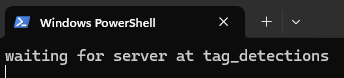
    vox-tag-detector requires camera calibration, path to which which is stored here in the configuration file : /etc/modalai/voxl-tag-detector.conf . If you have not performed calibration of your tracking camera, please do that: https://docs.modalai.com/calibrate-cameras/ After that, make sure the voxl-tag-detector.conf is set up to listen to the correct camera (input_pipe should match the name of the camera that you are looking at through voxl-portal, typically tracking for the tracking caemra). Also make sure the detector is enabled "enable": true in voxl-tag-detector.conf . Finally, as Tom suggested, if the tag detector encounters some error, it will display it in the log. You could just run the tag detector in the foreground by stopping the background service first and then running the detector in the terminal: systemctl stop voxl-tag-detector voxl-tag-detector