Skip to content

Ask your questions right here!

2.4k Topics 11.7k Posts

Note sure where to post? Ask questions here for direct access to the ModalAI engineering team

Subcategories


  • 166 Topics
    756 Posts
    Eric KatzfeyE
    Also, there are many good simulators out there.
  • Do you have a great idea for our products you would like to see implemented?

    27 90
    27 Topics
    90 Posts
    Serhii RovnyiS
    Hello everyone, I am looking for some expert advice on a VOXL 2 companion computer setup for a long-range platform. I have two main integration challenges: Challenge A: VIO at Higher Altitudes To solve the motion blur and pixel density issues at higher altitudes, I am planning a 6-camera configuration. I want to use 4 downward-facing sensors (2 daylight + 2 IR) equipped with narrow-angle lenses, alongside 2 standard wide-angle sensors (front and rear). Could you advise on the best supported sensors (e.g., IMX series) for this? Has anyone successfully tuned the voxl-qvio-server for narrow-angle lenses, and what were the altitude limits you achieved? Challenge B: LAN Integration & WireGuard The payload data flow will be: External RTSP Camera -> Ethernet -> VOXL 2 (WireGuard encryption) -> Ethernet -> Digital RX. Because VOXL 2 lacks multiple LAN ports, I will need a miniature industrial Ethernet switch. Does ModalAI have any tested hardware recommendations for this? Furthermore, what is the best practice for routing this VPN traffic through the VOXL 2 Ubuntu environment without bottlenecking the CPU? We are currently evaluating the VOXL 2 for a broader fleet deployment and want to ensure the ecosystem can support this custom optics requirement. Any feedback on off-the-shelf solutions or standard configurations for this use case would be greatly appreciated. Thank you!
  • Are you looking for a 3D model of one of our products?

    33 86
    33 Topics
    86 Posts
    Alex KushleyevA
    @nl_vdi , if you log into developer.modalai.com, you will see the CAD models. the latest model we have is: D0012-4-V3-C28-M36-T7-K0-Starling2-Max-V3-20260317.step [image: 1781036132877-376bf0dd-494a-4bf1-8d92-1b2d91afb83d-image.png]
  • VOXL ADB or Wi-Fi no longer communicating!?!

    Pinned Locked
    1
    0 Votes
    1 Posts
    3k Views
    No one has replied
  • 0 Votes
    2 Posts
    49 Views
    D
    Hi @masa-chau, It seems you are on the right track. A few pointers from my side: First, what are you actually trying to achieve? If you can avoid tracking in 3D and perform the task in 2D, I would strongly recommend doing that. Recovering 3D position from 2D observations is quite hard and can be very finicky/unreliable. For many tracking tasks, you can get away with tracking entirely in image space. If you really need to track in 3D: Use the PX4 estimator output. VIO is fused into EKF2 in PX4, so I would probably use the PX4 estimated poses/velocities as the state of the drone rather than trying to fuse the raw VIO yourself. I believe these should be available in ROS 2 through voxl-microdds-agent, although someone from ModalAI should confirm the exact topics/data being exposed. Your 2D observations from the object detector are fine, but pay close attention to latency. Also, I would not expect reliable detection at very long distances with the Starling 2 Max fisheye camera; in practice, the useful detection range may be significantly below what you might initially expect. I would not rely on the ToF camera for this. For the actual tracking algorithm, I would look at an EKF or MAP estimator that fuses the 2D observations (e.g. bearing and potentially bounding-box size) with the drone's 3D pose/velocity. The important point is that a single 2D observation does not give you reliable depth. To estimate the object's distance over time, you need additional constraints, typically through a motion model or assumptions about how the tracked object moves. Whether the object is flying or driving, you will probably need to make some approximation about its motion. I would look into the existing literature on monocular 3D object tracking / bearing-only tracking for this part. Good luck!
  • Using VOXL IO Expander with VOXL 2 Mini?

    1
    0 Votes
    1 Posts
    9 Views
    No one has replied
  • Bots Unlimited Wifi Crash

    7
    0 Votes
    7 Posts
    260 Views
    L
    Hi John, Thanks for the data dumps. Could you run this wifi_capture.sh on your board and send us the data when you reproduce the crash along with the dump file again? It should be here along with a simple readme https://drive.google.com/drive/folders/14nMhkvOMeHJ6zLJYMW4scAglTfkRYY8N?usp=sharing Could you also briefly describe how you are connecting/what devices you are connecting? Also does this happen under any specific workloads or is it sporadic? It seems like a firmware crash so any additional information would be very useful if we end up needing to report it. Thanks! Luke
  • Looking for basic specs of Seeker Vision 7

    1
    0 Votes
    1 Posts
    20 Views
    No one has replied
  • Radar Compatibility and connections clarification.

    9
    0 Votes
    9 Posts
    303 Views
    VinnyV
    Hi @jetson-nano I'm not sure I am following. The ADB Debug port is still available on VOXL 2 when you use an M0062 Debug Board with USB Hub. Our plug-in boards that connect to J3 and J5 do not consume the primary USB. See here for guidance: https://docs.modalai.com/expansion-design-guide/#usb-expansion-over-j3--j5
  • voxl-ardupilot crashing on mission planner reconnect

    8
    0 Votes
    8 Posts
    261 Views
    Alex KushleyevA
    @dan-jennings , I would be happy to help you with the Hadron Issues on newer SDKs. There were no changes to the Hadron (Boson + OV64B) functionaliy recently. Please make a new post for this issue and provide the following details: which SDK is working and which SDK(s) are not working for Hadron detailed description of the issue, any useful info from camera server or dmesg? how is Hadron connected to VOXL2? which interposers and which VOXL2 camera port (J6, J7, or J8) please provide voxl-camera-server.conf that you are using please provide a list of sensormodule.bin and *so files in /usr/lib/camera Thank you Alex
  • Debugging steps for: "Pre-arm Check Failure: Compass Sensor 0 Missing"

    4
    0 Votes
    4 Posts
    86 Views
    Eric KatzfeyE
    Can you plug the cable from the working drone into the other one? That could tell you if it's the cable.
  • 0 Votes
    2 Posts
    100 Views
    S
    Hi Philip, I checked this on a VOXL 2. Adding a second subscriber to /run/mpa/mobilenet_tflite_data is a clean fan-out. The Modal Pipe Architecture creates a separate client connection for each subscriber, so the second subscriber does not consume or steal messages from voxl-tflite-server or from an existing subscriber. I tested this with an existing subscriber already running, then attached another subscriber to mobilenet_tflite_data. The system continued running normally and both consumed messages. See picture below. Only caveat is normal concerns about load and that a slow subscriber can miss data but won't affect other subscribers/server. The qrb5165 emulator should support the MPA/libmodal-pipe itself. The pipe can still exist without the board. However, mobilenet_tflite_data will not appear in the arb5165 emulator without additional setup. That pipe is published by voxl-tflite-server, which itself consumes a camera input pipe. The emulator does not provider an emulation of the physical VOXL2 camera pipeline by default. For simulation, I would start by testing the subscriber against recorded or synthetic MPA data rather than trying to emulate the full camera pipeline. Best, Sean [image: 1786389925636-screenshot-from-2026-08-10-14-13-30.png]
  • 0 Votes
    2 Posts
    129 Views
    Alex KushleyevA
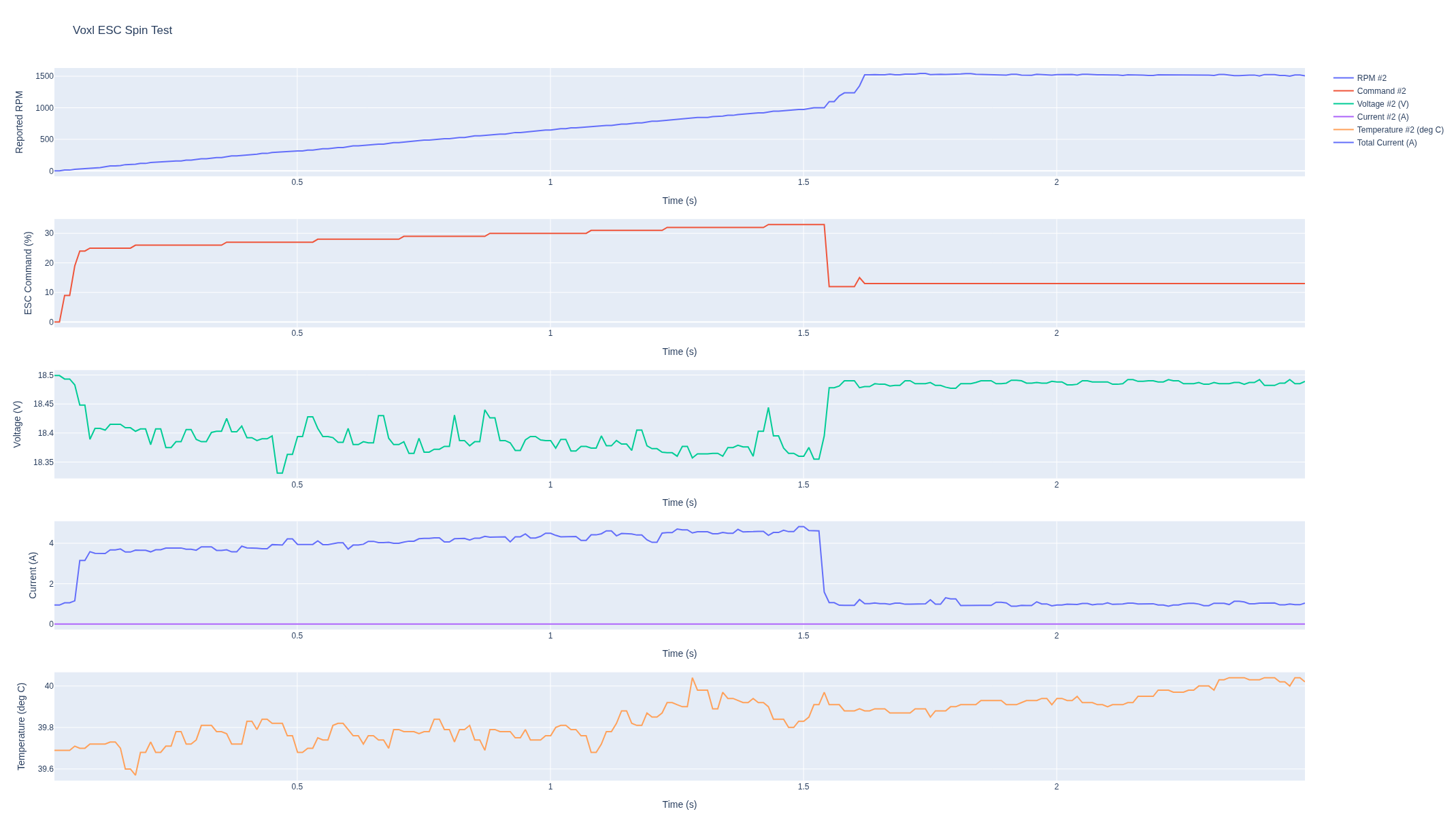
    Hello @nostrain Please take a look at the ESC firmware changelog: https://gitlab.com/voxl-public/voxl-sdk/utilities/voxl-esc/-/blob/master/voxl-esc-tools/firmware/FIRMWARE_CHANGELOG.md support for the M0138 FPV ESC has been added in firmware V39 RC10, which is likely what you received (i assume the ESC is reasonably old, since we are now shipping with latest firmware) please note that only starting version V39.15, the ESC firmware sends back the exact version in format Vxy.ab -- so 39.00 could mean 39.10-39.15 also note that the firmware hash that you have (e4f576a0) is not listed in our firmware changelog, but it is essentially the V39 RC10 release (39.10). We will look into the changes. To help with this, are you able to share the approximate motor specs? (motor kv and what supply voltage you are using)? We can try to replicate. Are you able to test the firmware from this release and tell me how it behaves? https://gitlab.com/voxl-public/voxl-sdk/utilities/voxl-esc/-/tree/366d652e3680bb769d87dfca94f76b226481a6db/voxl-esc-tools/firmware . Initially we had a few releases that were not documented in the changelog (v0_39_RC10_a7f0bccb) Thank you Alex
  • 0 Votes
    3 Posts
    194 Views
    Alex KushleyevA
    @sebastianp , sorry for the delay. There a lots of questions, let me start with what I can answer right away and will go from there. Hires Video Resolution: Starling 2 Max comes with dual IMX412 cameras (front, down-facing). IMX412 maximum resolution is 4056x3040, which is larger than 4K. 8K is not supported on Starling Max. In general, we do have support for one 8K camera (OV64B), which has maximum resolution of 9248x6944 and that resolution is supported only at 10FPS. The only way to get that camera right now is part of a Flir Hadron combo (Boson + Color camera), which is probably not what you are looking for. So the best bet for Starling 2 Max is to use the provided IMX412 camera. you can see some details regarding operating modes of IMX412 camera here : https://docs.modalai.com/camera-video/low-latency-video-streaming/#imx412-operating-modes Data Pipeline: our camera server application (voxl-camera-server) can publish processed YUV images via shared ION buffers (zero copy) and the user application can receive those buffers for processing without any cpu overhead for doing inter process communication to send the image data. you can also publish raw Bayer data (the exact data that comes from the camera) if that's what you mean by "raw" Optics: no optical zoom is supported on any of our cameras, only digital Onboard AI Compute and Performance I will need to check with colleagues and follow up. Flight Range, Autonomy & Control Starling 2 Max used PX4 as flight controller, so all the standard flight modes are supported Answers to additional questions Camera and Zoom integration: yes, raw and yuv frames can be shared with customer's C/C++ applications via shared buffers (or regular buffers via named pipes, which will have a lot of overhead for duplicating the data). No optical zoom is supported. Examples are available upon request We provide voxl-cross docker image which can be used to build the projects for VOXL2. Majority of ModalAI packages that run on VOXL2 are built using this cross-complier environment and can serve as examples how to build your own applications (you can find most packages here : https://gitlab.com/voxl-public/voxl-sdk) you can mount more hardware on Starling 2 Max, see the following thread regarding flight time : https://forum.modalai.com/topic/3732/starling-2-max-payload-capacity-and-flight-time-impact Frequency selection when you configure your starling 2 max (https://www.modalai.com/products/starling-2-max) , you can select several options and the SKU will change accordingly. The page also has explanation for the different SKU options, so it sounds like you will need: MRB-D0012-4-V4-C28-M11-T9-K2 C28 : dual tracking and dual hi-res cameras M11-T9 : Microhard and Microhard pMDDL2450 and Ghost Atto (2.4Ghz) it seems that this would be a custom SKU that you would need to request a quote for : https://www.modalai.com/pages/contact-us Ground Controller: If the drone ships with an RC transmitter, it should be already bound to the receiver. the controller and receive depends on the selection, see above regarding SKU and the shop page for more description note that the RC controller has no ability to display video, so there is no out-of-the-box ability to stream video without additional setup, such as external computer, display / goggles, etc. I hope that answered a lot of your questions, please let us know additional questions or need clarification regarding anything else. Alex
  • iFlight Commando 8 issue

    4
    1
    0 Votes
    4 Posts
    137 Views
    Eric KatzfeyE
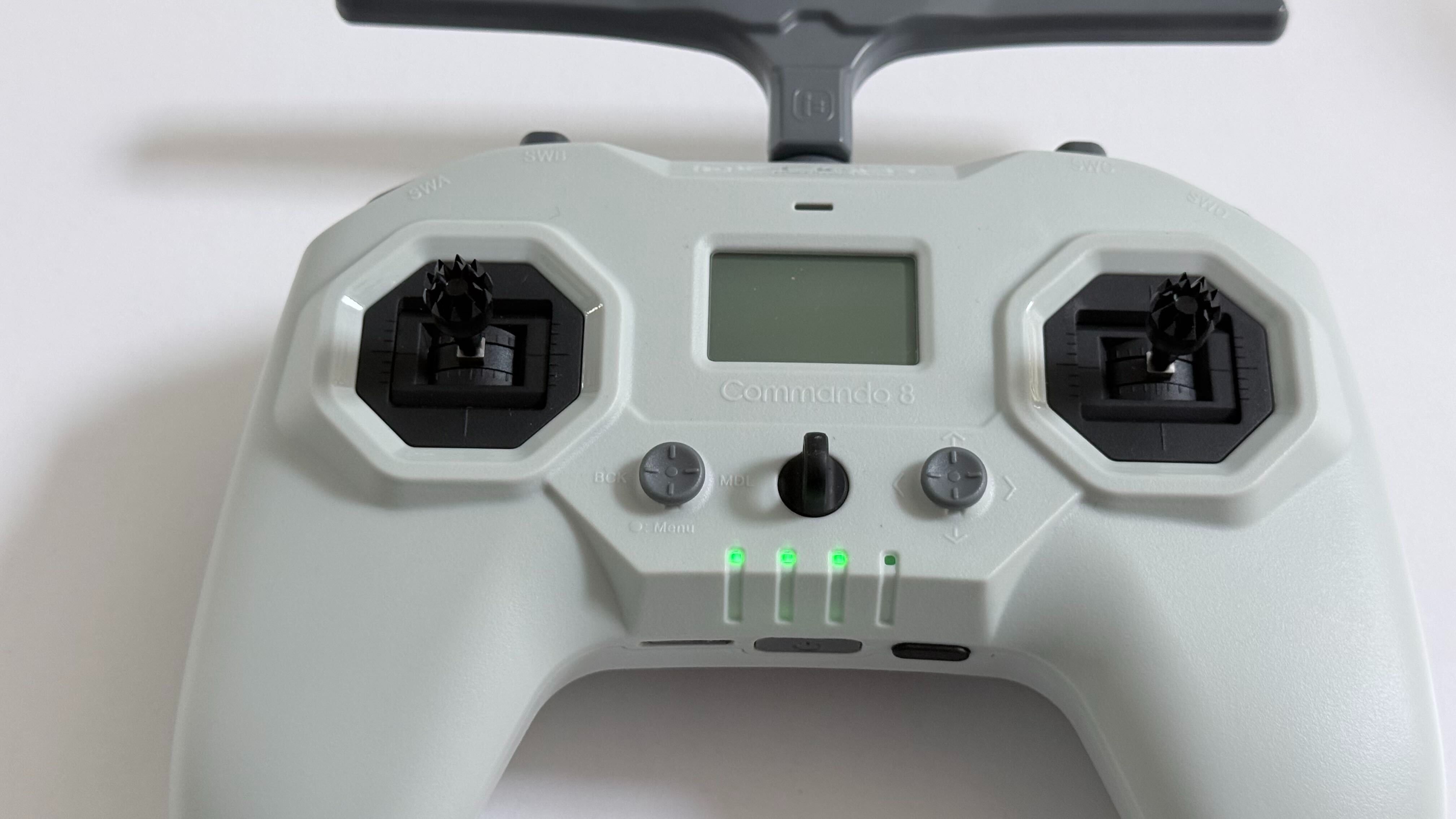
    The Commando 8 user manual is available online
  • tensorflow lite dev setup failing on Ubuntu 22

    9
    0 Votes
    9 Posts
    2k Views
    A
    I tried cross-compiling latest tflite-server on voxl-corss:V4.4 and got the same error despite adding /usr/include/ in the src/Cmakelist.txt
  • VOXL2 Camera Calibration fails and bad QVIO tracking

    1
    1
    0 Votes
    1 Posts
    72 Views
    No one has replied
  • How do Framework customers get component origin documentation?

    1
    0 Votes
    1 Posts
    86 Views
    No one has replied
  • 0 Votes
    1 Posts
    68 Views
    No one has replied
  • 0 Votes
    2 Posts
    678 Views
    D
    I hope you get an answer. They seem to be pretty unresponsive. It seems like a compelling platform, but when I reached out to contact@modalai to ask if the unit operates safely with the current GPS (I thought it was a pretty benign request), they just directed me to the forum. I'm not holding my breath on a response.
  • 1 Votes
    3 Posts
    144 Views
    K
    Hi @electroaj It's intermittent but it's gotten worse over about three weeks. Dongle would vanished from the USB bus mid-session. And then at boot the dongle enumerated for under a second, then went into the device descriptor read/64, error -71 . No software path recovered adb reboot didn't help. Only a physical restart (unplugging and plugging back to power), would bring back now even that has been inconsistent. Sometimes it would last 30 minutes after physical restart sometimes just a few seconds.
  • 0 Votes
    27 Posts
    890 Views
    Alex KushleyevA
    OK, thanks for checking. maybe there was a typo before
  • 0 Votes
    11 Posts
    2k Views
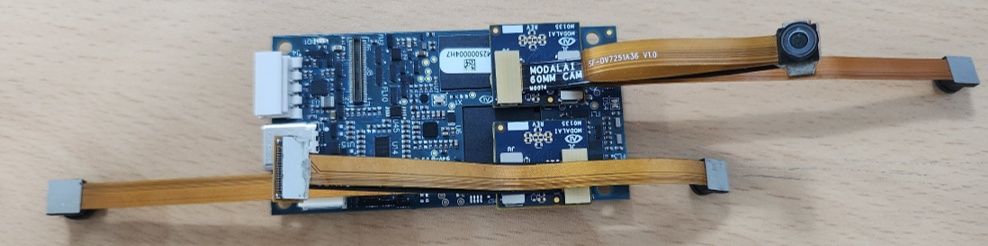
    Alex KushleyevA
    @zaimin78 , It looks like I got this working. I modified the kernel to do the following not use the combo mode for J6L and allow using J6U as independent camera GPIO109 is used as a shared reset for cameras in slot 1 and 3 (because that's how the signal routing works on VOXL2 + M0135), so the kernel knows that this reset pin is shared this setup is not set up for camera sync - all cameras are running independently I have not tested any cameras in J8U, it may not work - but it should be possible to enable it, just need to test it. You will need to update the kernel on your voxl2: https://storage.googleapis.com/modalai_public/temp/quad_ov7251_boson/qti-ubuntu-robotics-image-m0054-boot-quad-ov7251.img this kernel is based off the kernel that ships with SDK 1.6.3 you can test it before overwriting the current kernel: https://docs.modalai.com/voxl2-kernel-build-guide/#test -- you should do to reduce the chance of bricking your VOXL2 (just in case) HW Configuration: VOXL2 four OV7251 plugged in to J6L. J6U, J7L, J7U via two M0135 adapters without any mods boson320 plugged into J8L via M0194 (you can use M0181 also) there are no shared CCI buses between the ov7251 cameras - slots 0-3 use CCI 0-3 respectively, so no CCI slave address conflicts SW configuration appropriate sensormodules placed into /usr/lib/camera/ -- you can get them from /usr/share/modalai/chi-cdk/ov7251 and ../boson folders: com.qti.sensormodule.ov7251_0.bin com.qti.sensormodule.ov7251_1.bin com.qti.sensormodule.ov7251_2.bin com.qti.sensormodule.ov7251_3.bin com.qti.sensormodule.boson_4.bin use provided voxl-camera-server.conf : https://storage.googleapis.com/modalai_public/temp/quad_ov7251_boson/voxl-camera-server-quad-ov7251-boson.conf may need to modify your Boson resolution from 320x256 to 640x512 if you you have Boson640 Testing after you have all the cameras connected, boot using the test kernel test to see if all cameras are detected: voxl-camera-server -l ... DEBUG: Cam idx: 0, Cam slot: 0, Slave Address: 0x00E2, Sensor Id: 0x7750 DEBUG: Cam idx: 1, Cam slot: 1, Slave Address: 0x00E2, Sensor Id: 0x7750 DEBUG: Cam idx: 2, Cam slot: 2, Slave Address: 0x00E2, Sensor Id: 0x7750 DEBUG: Cam idx: 3, Cam slot: 3, Slave Address: 0x00E2, Sensor Id: 0x7750 DEBUG: Cam idx: 4, Cam slot: 4, Slave Address: 0x00D4, Sensor Id: 0x00FF ... start voxl-camera-server inspect sterams: voxl-inspect-cam ov7251_0 ov7251_1 ov7251_2 ov7251_3 boson [image: 1785341477366-ee693f10-dcf2-4b76-8181-a11a78db9546-image.jpeg] Please give it a shot and let me know if it works! Alex