@astro_phil ,
I just tested your configuration on voxl2 mini
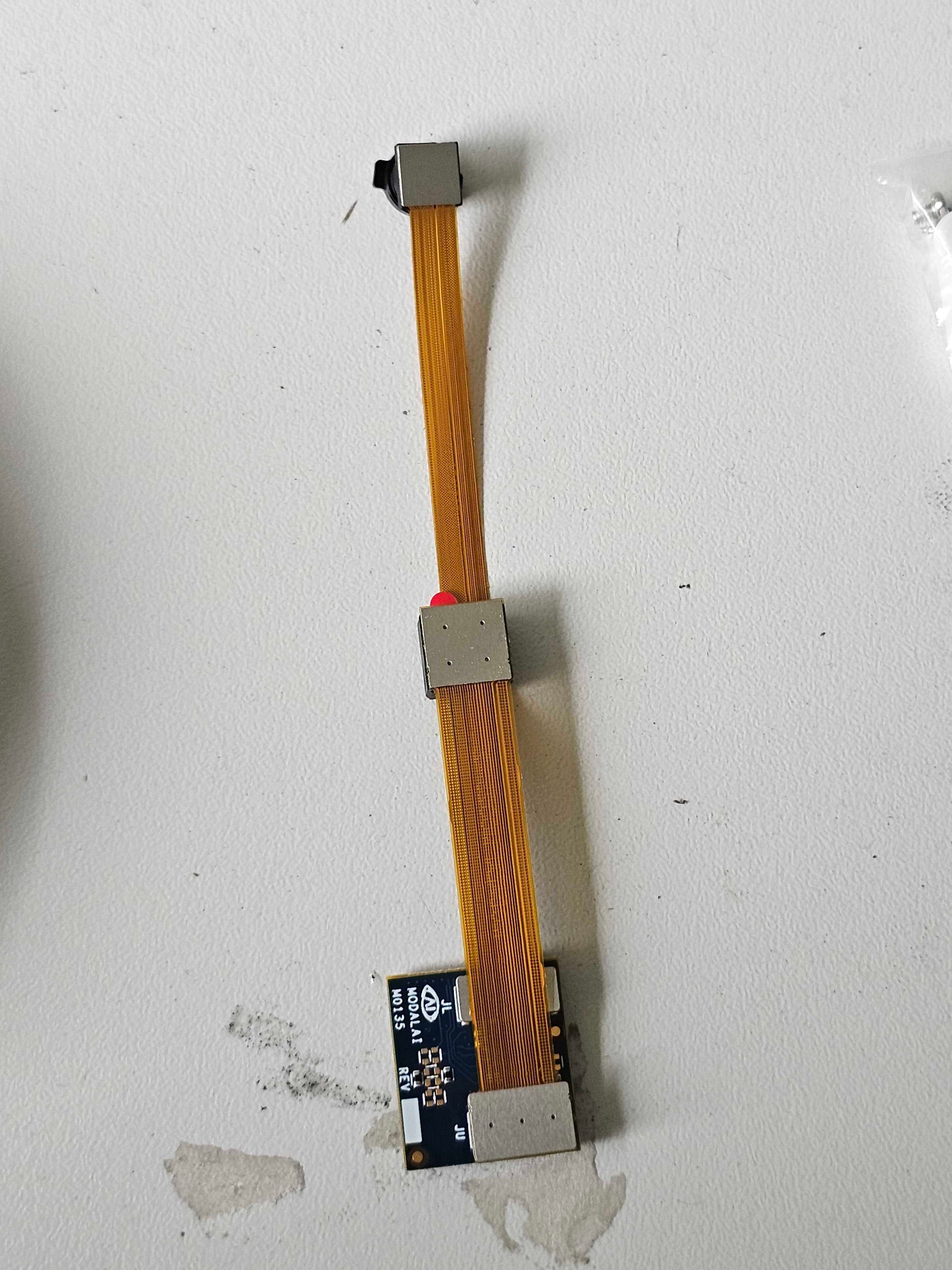
ov7251 connected to M0135 JL
imx214 connected to M0135 JU
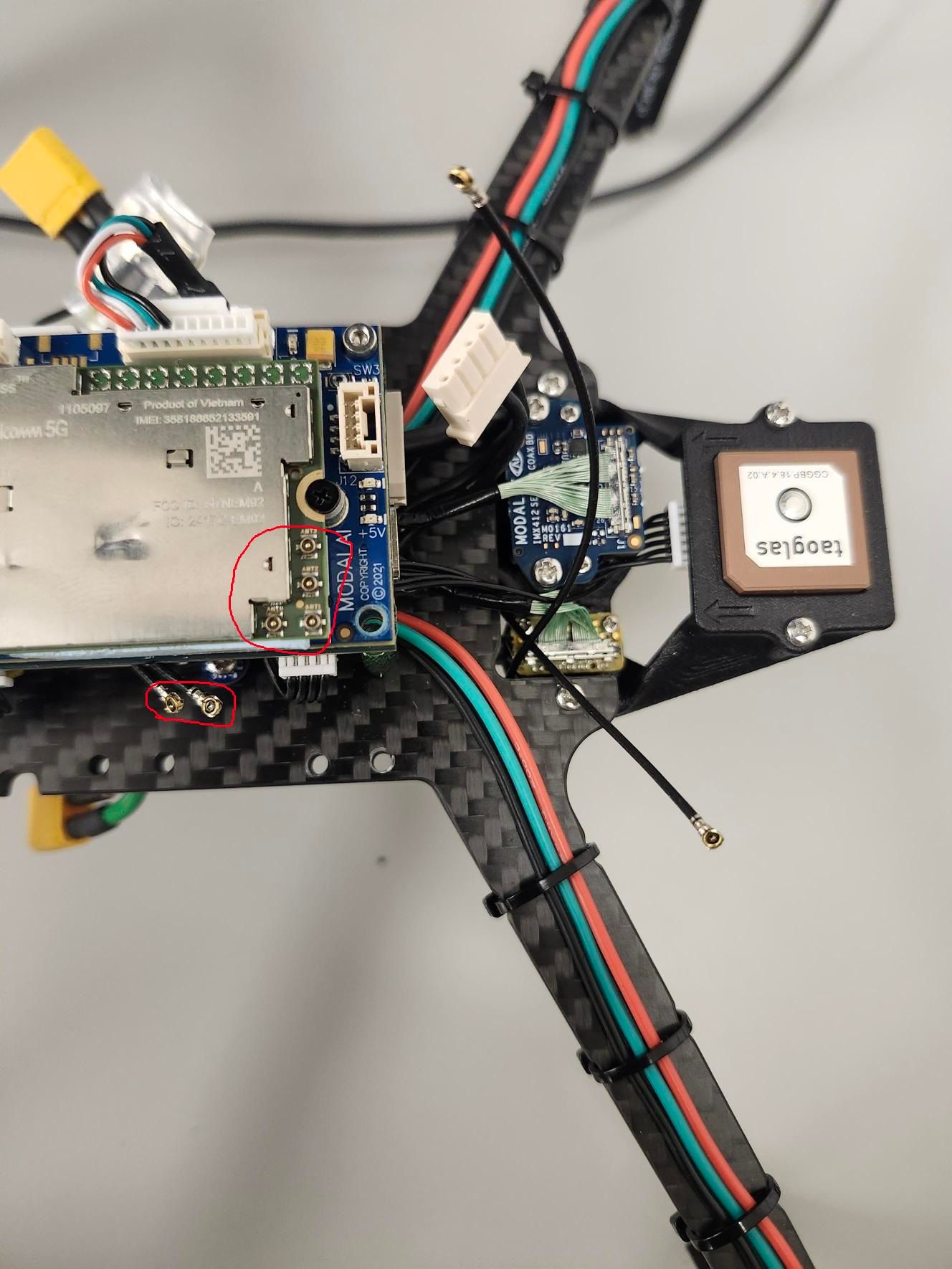
M0135 interposer connected to Voxl2 mini J7
cameras are connected to hardware camera slots 2 and 3 respectively
This particular board is using an old SDK but it should not matter, kernel variant 2.0.0
hw platform: M0104
mach.var: 2.0.0
--------------------------------------------------------------------------------
voxl-suite: 1.3.3
voxl-camera-server -l
DEBUG: Attempting to open the hal module
DEBUG: SUCCESS: Camera module opened on attempt 0
DEBUG: ----------- Number of cameras: 2
DEBUG: Cam idx: 0, Cam slot: 2, Slave Address: 0x00E2, Sensor Id: 0x7750
DEBUG: Cam idx: 1, Cam slot: 3, Slave Address: 0x0020, Sensor Id: 0x0214
DEBUG: Note: This list comes from the HAL module and may not be indicative
DEBUG: of configurations that have full pipelines
DEBUG: Number of cameras: 2
dmesg:
[ 209.617719] CAM_INFO: CAM-ICP: cam_icp_mgr_hw_open: 3879 FW download done successfully
[ 209.648730] qcom,camera ac50000.qcom,cci:qcom,cam-sensor3: Linked as a consumer to regulator.59
[ 209.649003] qcom,camera ac50000.qcom,cci:qcom,cam-sensor3: Linked as a consumer to regulator.55
[ 209.649103] qcom,camera ac50000.qcom,cci:qcom,cam-sensor3: Linked as a consumer to regulator.60
[ 209.649137] qcom,camera ac50000.qcom,cci:qcom,cam-sensor3: Linked as a consumer to regulator.79
[ 209.666156] CAM_INFO: CAM-SENSOR: cam_sensor_driver_cmd: 918 Probe success,slot:3,slave_addr:0x20,sensor_id:0x214
[ 209.666263] qcom,camera ac50000.qcom,cci:qcom,cam-sensor3: Dropping the link to regulator.79
[ 209.670389] qcom,camera ac50000.qcom,cci:qcom,cam-sensor3: Dropping the link to regulator.60
[ 209.670476] qcom,camera ac50000.qcom,cci:qcom,cam-sensor3: Dropping the link to regulator.55
[ 209.670541] qcom,camera ac50000.qcom,cci:qcom,cam-sensor3: Dropping the link to regulator.59
[ 209.688989] qcom,camera ac50000.qcom,cci:qcom,cam-sensor2: Linked as a consumer to regulator.59
[ 209.691170] qcom,camera ac50000.qcom,cci:qcom,cam-sensor2: Linked as a consumer to regulator.55
[ 209.693356] qcom,camera ac50000.qcom,cci:qcom,cam-sensor2: Linked as a consumer to regulator.60
[ 209.693454] qcom,camera ac50000.qcom,cci:qcom,cam-sensor2: Linked as a consumer to regulator.79
[ 209.717968] CAM_INFO: CAM-SENSOR: cam_sensor_set_alt_id: 731 [Applying Alternative Address] : Sensor Index : 2538021044
[ 209.717979] CAM_INFO: CAM-SENSOR: cam_sensor_set_alt_id: 732 [Applying Alternative Address] : Slave Address : 0xE2
[ 209.717988] CAM_INFO: CAM-SENSOR: cam_sensor_set_alt_id: 733 [Applying Alternative Address] : Slave sensor id: 0x7750
[ 209.717997] CAM_INFO: CAM-SENSOR: cam_sensor_set_alt_id: 734 [Applying Alternative Address] : cci_client sid : 0x71
[ 209.718308] CAM_INFO: CAM-SENSOR: cam_sensor_set_alt_id: 770 [Applying Alternative Address] : Probe : Alternate address updated
[ 209.718543] CAM_INFO: CAM-SENSOR: cam_sensor_driver_cmd: 918 Probe success,slot:2,slave_addr:0xe2,sensor_id:0x7750
I also tested the same configuration in J6:
voxl-camera-server -l
DEBUG: Attempting to open the hal module
DEBUG: SUCCESS: Camera module opened on attempt 0
DEBUG: ----------- Number of cameras: 2
DEBUG: Cam idx: 0, Cam slot: 0, Slave Address: 0x00E2, Sensor Id: 0x7750
DEBUG: Cam idx: 1, Cam slot: 1, Slave Address: 0x0020, Sensor Id: 0x0214
DEBUG: Note: This list comes from the HAL module and may not be indicative
DEBUG: of configurations that have full pipelines
DEBUG: Number of cameras: 2
dmesg
[ 216.996797] CAM_INFO: CAM-ICP: cam_icp_mgr_hw_open: 3879 FW download done successfully
[ 217.029303] qcom,camera ac4f000.qcom,cci:qcom,cam-sensor1: Linked as a consumer to regulator.58
[ 217.029395] qcom,camera ac4f000.qcom,cci:qcom,cam-sensor1: Linked as a consumer to regulator.55
[ 217.029484] qcom,camera ac4f000.qcom,cci:qcom,cam-sensor1: Linked as a consumer to regulator.60
[ 217.029516] qcom,camera ac4f000.qcom,cci:qcom,cam-sensor1: Linked as a consumer to regulator.79
[ 217.046069] CAM_INFO: CAM-SENSOR: cam_sensor_driver_cmd: 918 Probe success,slot:1,slave_addr:0x20,sensor_id:0x214
[ 217.046191] qcom,camera ac4f000.qcom,cci:qcom,cam-sensor1: Dropping the link to regulator.79
[ 217.050324] qcom,camera ac4f000.qcom,cci:qcom,cam-sensor1: Dropping the link to regulator.60
[ 217.050407] qcom,camera ac4f000.qcom,cci:qcom,cam-sensor1: Dropping the link to regulator.55
[ 217.050470] qcom,camera ac4f000.qcom,cci:qcom,cam-sensor1: Dropping the link to regulator.58
[ 217.069409] qcom,camera ac4f000.qcom,cci:qcom,cam-sensor0: Linked as a consumer to regulator.58
[ 217.071541] qcom,camera ac4f000.qcom,cci:qcom,cam-sensor0: Linked as a consumer to regulator.55
[ 217.073710] qcom,camera ac4f000.qcom,cci:qcom,cam-sensor0: Linked as a consumer to regulator.60
[ 217.073801] qcom,camera ac4f000.qcom,cci:qcom,cam-sensor0: Linked as a consumer to regulator.79
[ 217.097221] CAM_INFO: CAM-SENSOR: cam_sensor_set_alt_id: 731 [Applying Alternative Address] : Sensor Index : 390152372
[ 217.097229] CAM_INFO: CAM-SENSOR: cam_sensor_set_alt_id: 732 [Applying Alternative Address] : Slave Address : 0xE2
[ 217.097234] CAM_INFO: CAM-SENSOR: cam_sensor_set_alt_id: 733 [Applying Alternative Address] : Slave sensor id: 0x7750
[ 217.097239] CAM_INFO: CAM-SENSOR: cam_sensor_set_alt_id: 734 [Applying Alternative Address] : cci_client sid : 0x71
[ 217.097532] CAM_INFO: CAM-SENSOR: cam_sensor_set_alt_id: 770 [Applying Alternative Address] : Probe : Alternate address updated
[ 217.097747] CAM_INFO: CAM-SENSOR: cam_sensor_driver_cmd: 918 Probe success,slot:0,slave_addr:0xe2,sensor_id:0x7750
By the way, i think the SDKs are now not including the imx214 driver for slot 1. If you need it, you can use the following drivers https://storage.googleapis.com/modalai_public/temp/imx214_test_bins/imx214_eis_drivers_20250815.zip for all camera slots. The only functional change of these drivers is that the maximum resolution of the sensor has been changed from 4208 x 3120 to 4196 x 3120 due to some optimizations in gpu-based debayering that require certain image width (long story, but you can still use this driver, just may need to adjust your camera server config so that you are not requesting impossible resolution).
When you do your tests, please make sure you have the correct sensormodule id's for each camera in /usr/lib/camera . The slot number where the camera is physically plugged in has to match the index at the end of the sensormodule file name (before .bin).
Alex