Skip to content

Ask your questions right here!

2.3k Topics 11.7k Posts

Note sure where to post? Ask questions here for direct access to the ModalAI engineering team

Subcategories


  • 164 Topics
    751 Posts
    Ben LinneB
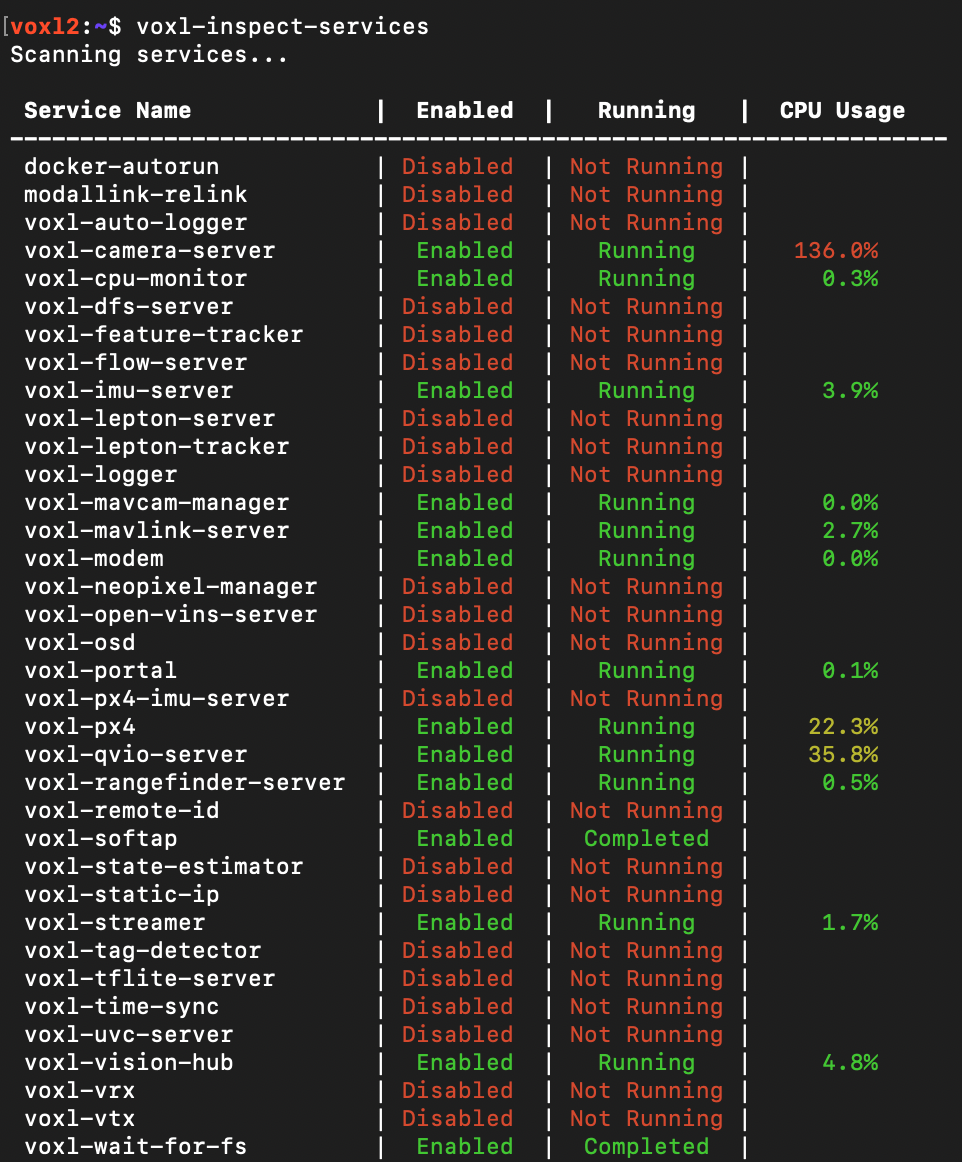
    @heiko.lizan Any elrs radio that's 900mhz or dual band compatible should work when in low band mode. If the transmitter is running v4+ you should be able to downgrade it to v3 following the elrs update guide It's normal that some services aren't running. You may need to re-enable px4 with systemctl enable voxl-px4
  • Do you have a great idea for our products you would like to see implemented?

    27 90
    27 Topics
    90 Posts
    Serhii RovnyiS
    Hello everyone, I am looking for some expert advice on a VOXL 2 companion computer setup for a long-range platform. I have two main integration challenges: Challenge A: VIO at Higher Altitudes To solve the motion blur and pixel density issues at higher altitudes, I am planning a 6-camera configuration. I want to use 4 downward-facing sensors (2 daylight + 2 IR) equipped with narrow-angle lenses, alongside 2 standard wide-angle sensors (front and rear). Could you advise on the best supported sensors (e.g., IMX series) for this? Has anyone successfully tuned the voxl-qvio-server for narrow-angle lenses, and what were the altitude limits you achieved? Challenge B: LAN Integration & WireGuard The payload data flow will be: External RTSP Camera -> Ethernet -> VOXL 2 (WireGuard encryption) -> Ethernet -> Digital RX. Because VOXL 2 lacks multiple LAN ports, I will need a miniature industrial Ethernet switch. Does ModalAI have any tested hardware recommendations for this? Furthermore, what is the best practice for routing this VPN traffic through the VOXL 2 Ubuntu environment without bottlenecking the CPU? We are currently evaluating the VOXL 2 for a broader fleet deployment and want to ensure the ecosystem can support this custom optics requirement. Any feedback on off-the-shelf solutions or standard configurations for this use case would be greatly appreciated. Thank you!
  • Are you looking for a 3D model of one of our products?

    33 86
    33 Topics
    86 Posts
    Alex KushleyevA
    @nl_vdi , if you log into developer.modalai.com, you will see the CAD models. the latest model we have is: D0012-4-V3-C28-M36-T7-K0-Starling2-Max-V3-20260317.step [image: 1781036132877-376bf0dd-494a-4bf1-8d92-1b2d91afb83d-image.png]
  • FPV ESC PWM Signal Control

    2
    0 Votes
    2 Posts
    552 Views
    Alex KushleyevA
    @Jeremy-Frederick , the FPV ESC currently supports two pwm outputs, it can be tested using the following test script: https://docs.modalai.com/voxl-fpv-esc-datasheet/#pwm-inputs--outputs (docs) https://gitlab.com/voxl-public/voxl-sdk/utilities/voxl-esc/-/blob/dev/voxl-esc-tools/voxl-esc-pwm.py (test script) make sure ESC firmware is 39.18 or later, as specified in documentation The python script tells you which ESC boards support pwm output: # PWM support on ModalAi ESCs: # M0049, M0117, M0134, M0129 : IDs 0, 1, 2, 3 # M0138: IDs 0, 3 only # All boards use pin A2 for PWM output by changing the --id argument between 0 and 3 you should be able to use this test script to control PWM outputs of the two test points of M0138 ESC . Please be careful soldering to the test points as they are small and avoid pulling on the wires (use strain relief). We are also working on enabling a 3rd pwm output on the output that is currently used for the Neopixel LED (this output is also pwm capable). In terms of integration, standalone testing can be done using this python script, but sending pwm commands have to go through PX4, and we are working on integration. You can use the following tool which will send a message to PX4, which will get forwarded to the ESC: https://gitlab.com/voxl-public/voxl-sdk/utilities/voxl-mpa-tools/-/blob/sdk-1.3.4/tools/voxl-send-esc-pwm-cmd.c . Note that this tool has been moved to another repo after sdk 1.3.4 , but you should be able to use this tool to control pwm from voxl2 command line while the px4 is running and talking to the ESC. The new repo for the tools is here : https://gitlab.com/voxl-public/voxl-sdk/services/voxl-io-server/-/tree/dev/tools and I believe it should be doing the same thing, although i have not personally confirmed it yet. Try it out! Long term, we do plan to provide the support for this (this is not a temporary feature), so we are working on cleaning up the tools for that. Alex
  • Looking for Help Understanding the GPIO mapping on the QRB5165

    11
    0 Votes
    11 Posts
    2k Views
    Eric KatzfeyE
    @Jeremy-Frederick Those aux channels are implemented differently when getting manual control messages from QGC. The only one that is mapped is aux1 that comes from the "buttons" field of the corresponding MANUAL CONTROL Mavlink message.
  • Changing video resolution of voxl-streamer

    2
    0 Votes
    2 Posts
    538 Views
    Alex KushleyevA
    @groupo , can you please provide some more details: are you using voxl-streamer to stream an h264 / h265 encoded stream (generated by voxl-camera-server) or is voxl-streamer consuming raw frames (raw8 or yuv) and encoding them to h264 / h265? If the input to voxl-streamer is not encoded, then voxl-streamer will encode them (using hardware video encoder) voxl-streamer is not set up to resize the image, so the image size is defined by the source that is providing the images or encoded video stream (most likely voxl-camera-server). you can modify your /etc/modalai/voxl-camera-server.conf to change the resolution of the stream that you are feeding into voxl-streamer (such as preview, small_video, large_video, etc) and that should automatically be reflected in the resolution that voxl-streamer outputs. Feel free to provide more specific details about which exact stream (name) you are feeding into voxl-streamaer or let me know if you have any other questions. Alex
  • Imagery collected on ModalAI drones

    2
    0 Votes
    2 Posts
    407 Views
    Alex KushleyevA
    @paul-foley , we do not have a repository for images. My suggestions would be: try using training sets from other sources (as you have been trying), but I don't have a specific reference in order to better match the 3rd party datasets to your use case, you should try to do the following: transform the 3rd party images to make them look more similar to what you are looking for (crop, zoom, resize, adjust color, etc). This can be automated transform the images collected on Starling to some standard, for example you can perform fisheye un-distortion to make them look more like the images taken from non-fisheye cameras from your training set, similarly adjust color if needed (white balance). In general, if you can somehow standardize your images, and convert the 3rd party images to the same standard, you can greatly benefit from the large data sets that you could find online. The only down side that when running the model online, you will need to transform your images in real time, but that should not be a big deal. If you need to, I can help you with some GPU-based examples to do image transformation very quickly, but you should first make sure that this approach will work for you first (and optimize later ) I hope this helps.. Alex
  • MavRos with drone won't do takeoff

    3
    1
    0 Votes
    3 Posts
    802 Views
    Kiazoa JoaoK
    @Daniel-Ryu same here. Please let me know if you figured it out.
  • 0 Votes
    2 Posts
    456 Views
    ModeratorM
    @anghung said in How to use the USB Type-C interface on the board's ADB shell as a regular USB interface?: he USB Type-C interface on the board's ADB shell as a regula That is a USB OTG interface which will negotiate automatically with its peer device
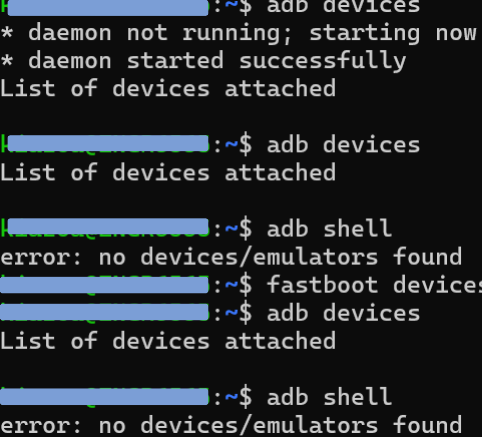
  • ADB not working. No devices detected

    18
    2
    0 Votes
    18 Posts
    4k Views
    Kiazoa JoaoK
    @jonathanrblazer I am glad it worked out for you. yes, I've been running the docker inside the VirtualBox, but you can also run it outside the VM, just use your wifi and "ssh root@ip". Always "commit" any changes you make inside the docker; otherwise, you'll have to re-download your packages over and over again. I also had a lot of issues with communication. The docker container wouldn't communicate with the drone. If you're trying to run MAVROS, follow these steps here https://docs.modalai.com/mavros-0_9/
  • Connection betweeen M0178 adapter board and M0173 front end adapter

    8
    0 Votes
    8 Posts
    1k Views
    VinnyV
    Hi @Jetson-Nano Yes, sorry for not following up. We have a small batch tested and in inventory now. I think our team may not have it up yet in Shopify, so you can always reach out directly asking for a quote using our contact form. I alerted the team your request may be in-bound. https://www.modalai.com/pages/contact-us
  • TFLITE Server

    3
    0 Votes
    3 Posts
    620 Views
    Zachary Lowell 0Z
    No - tflite server runs only tflite on the GPU - you can try leveraging the Qualcomm Nueral SDK to get onnx working on the Adreno GPU, but that is a very large lift.
  • Amprius Silicon Anode Charge instruction and Discharge curve

    1
    0 Votes
    1 Posts
    11k Views
    No one has replied
  • GPU "hello world"

    6
    0 Votes
    6 Posts
    1k Views
    Alex KushleyevA
    @jamesbowman , so the difference in compilation is just adding of -L /usr/lib or something else? I believe this is redundant, as this path should already be in the library path.. Hmm
  • Starling 2 Max Drone drifting off

    7
    8
    0 Votes
    7 Posts
    1k Views
    V
    @Eric-Katzfey Thank you for your response. For Manual mode, I recalibrated the level horizon, accel, compass, and gyro. However, during the RC calibration, I noticed a small shift in the yaw when all the sticks are in their neutral positions. I’m unsure if this is contributing to the issue. I attempted to recalibrate it several times, but the yaw does not reset to the 0 position. Please find the attached screenshot for your reference: [image: 1732209517950-ca3710fa-d00c-4444-b9cf-2fe8d267f7f4-image-resized.png] . As you suggested, I tried flying in Altitude Hold mode, and the drone drifted in the direction where the yaw was shifted. Is there a way to fix the yaw offset?
  • Starling 2 Max Not Arming

    5
    1
    0 Votes
    5 Posts
    2k Views
    V
    @Eric-Katzfey Nevermind, I found the issue. In the voxl-px4.conf file, the RC value was somehow updated to SPEKTRUM. After changing the RC value back to GHST, the issue was resolved. Thank you so much for your support!
  • VOXL ESC 4-in-1 Digital I/O UART Communications

    3
    0 Votes
    3 Posts
    356 Views
    Alex KushleyevA
    @Ender , the UART-based communication offers many benefits over traditional PWM. Just as few examples, we can use bi-directional communication to monitor and tune performance in real time and for offline analysis, take a look at some of the tools we have to analyze the ESC performance: esc calibration regenerative braking analysis low-kv motor tuning If you are not used to such protocols, it may take a bit longer to figure out how to properly tune and use our ESCs, but digital communication is the standard of many new ESCs and even hobby ESCs try to achieve similar protocols using DSHOT (which is essentially a UART-style digital communication protocol, which can be implemented using PWM pins that do not support UART on the microcontrollers). In addition to UART communication, our ESCs offer closed-loop RPM control, which helps with maintaining consistent ESC response across different conditions and battery charge levels. If you don't want to add any more variables to your project, you should definitely try the voxl2-io solution that Zachary suggested, so that you can use it in PX4 just like traditional actuators and connect your favorite ESCs to voxl2-io. voxl2-io board will connect to VOXL2 and will communicate with PX4 (running on VOXL2) via UART. voxl2-io will send out the desired PWM signals to the individual ESCs that you have connected to it. Alex
  • VOXL 2 Flir Boson MIPI support

    2
    0 Votes
    2 Posts
    4k Views
    Alex KushleyevA
    @jonathankampia , sorry for the delay, please see the response in this post https://forum.modalai.com/topic/3952/flir-boson-beta-hardware
  • flir boson beta hardware

    2
    0 Votes
    2 Posts
    478 Views
    ModeratorM
    You can reach out at https://modalai.com/contact and we will work with getting you enabled
  • 0 Votes
    2 Posts
    2k Views
    Zachary Lowell 0Z
    @Ender said in General inquiries about Starling 2 Max Outdoor GPS-denied Development Drone: @Ender please fine responses below: What are the specifications of the different cameras available? Thermal or RGB? Especially the tracking one. You can find all specifications on the cameras in our documentation here: https://docs.modalai.com/image-sensors/ We have seen that the drone comes with an PX4 integrated flight controller. We would prefer working with Ardupilot. Is it possible to use an external flight controller? Or use your flight controller with Ardupilot? Mainline ardupilot on the PCB is still in progress - unsure if it is mainlined yet but I believe this is still in development - as for using a external flight controller that can absolutely be done and then you can leverage the voxl2 for onboard compute capabilities - however you would be in charge of figuring out how to MOUNT it to the starling 2 max. Documentation on how one can leverage an external FCU can be found here: https://docs.modalai.com/voxl2-external-flight-controller/ If yes to the response above, could you provide indications on how to do so? What would be required (changing some parameters or something similar?) You can follow the documentation here: https://docs.modalai.com/voxl2-external-flight-controller/ - NOTE: the documentation reflects usage of PX4, however you can use ardupilot as well with the same hardware and software setup as they both leverage mavlink. Our environment is very bright and therefore challenging regarding camera exposure. We are thinking of using some extra cameras compared to your initial setup. How complicate would it be to add extra cameras? The starling 2 max has the option of 3 tracking cameras - I am a bit unsure why you would need to add more into the mix in order to capture the exposure in the environment. I would not recommend adding more cameras in this ecosystem as three should be plenty. Zach
  • flight core v2 compilation

    14
    0 Votes
    14 Posts
    1k Views
    tomT
    @hockey_fan No problem, I'll update the docs page with this info, thank you for pointing this out
  • Motor Calibration

    2
    2
    0 Votes
    2 Posts
    500 Views
    Alex KushleyevA
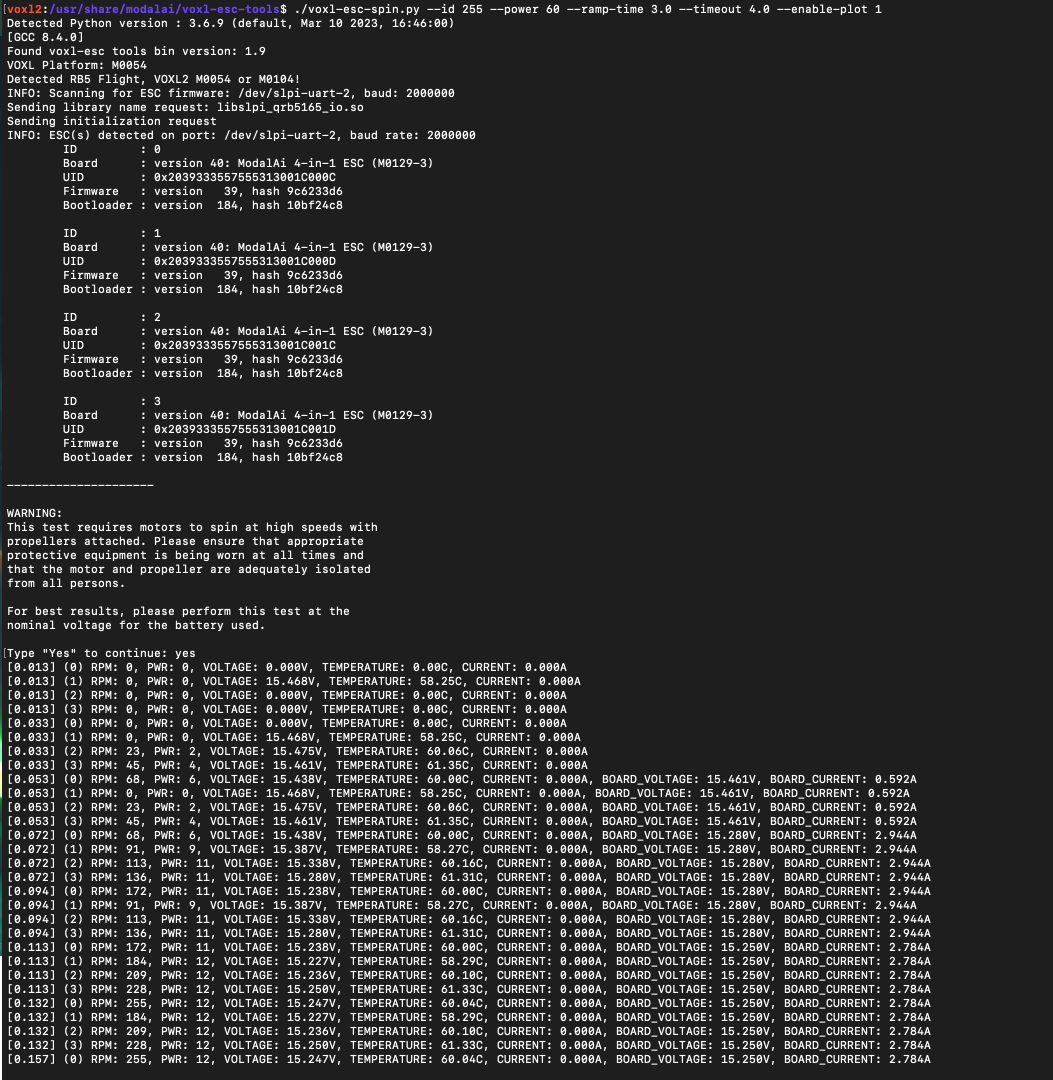
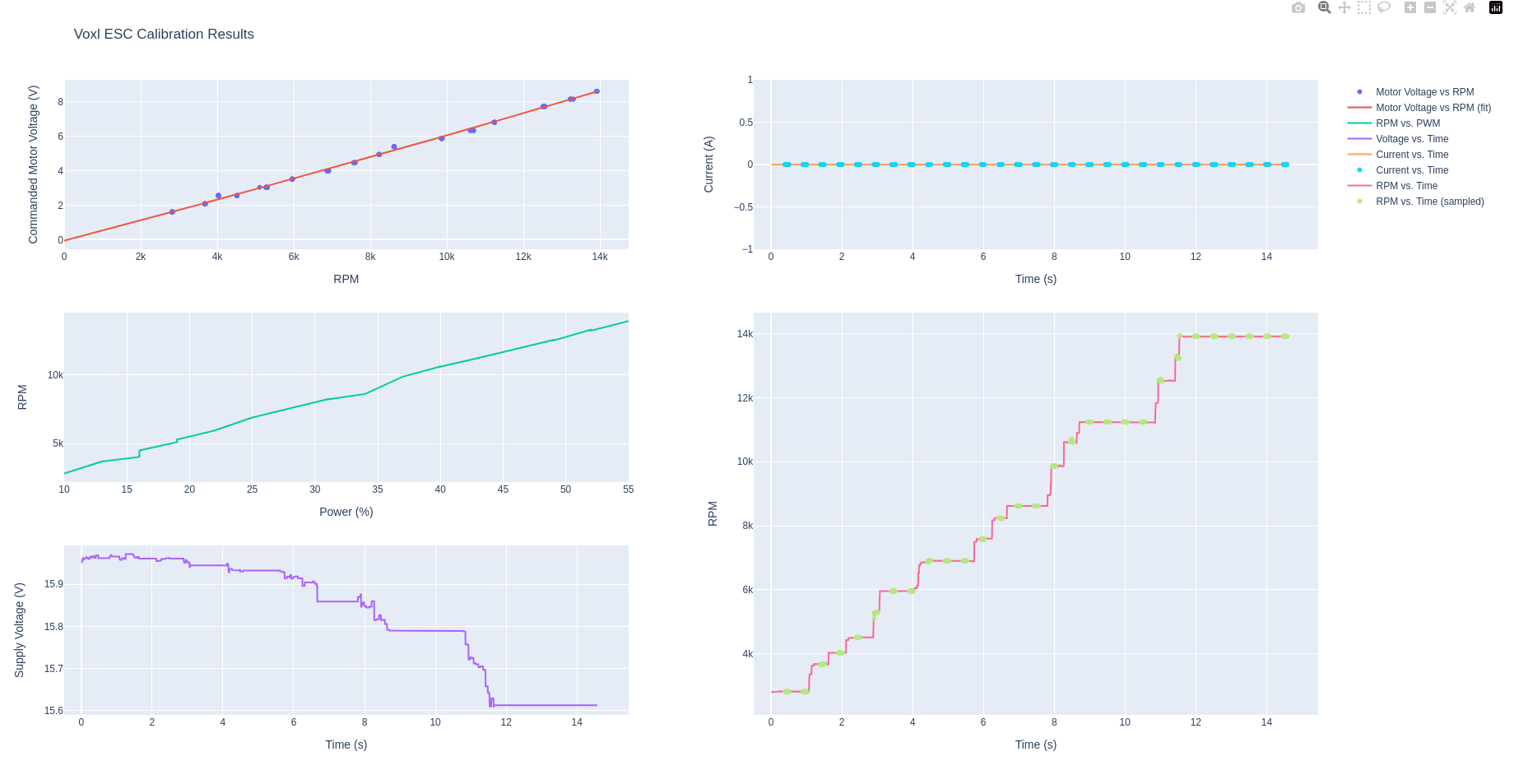
    @Stefan-Amundarain , Quick tip: if you use --id 2 during the calibration, the total current will be reported because the ESC ID2 senses the total board current. Note that if you have other load connected to the ESC, like VOXL2, that current will also be included, but it's better than nothing. Generally VOXL2 will consume little power compared to a motor spining a 5-inch propeller at high speed. The current measurement is not used for anything in the calibration, but it is a good sanity check to make sure things are behaving properly. The first plot (commanded motor voltage vs rpm is close to linear, which is a good result). Do not try to "blindly" change the a0, a1, and a2 parameters, as they are the coefficients of a quadratic curve used for feed-forward component of the RPM controller. It is not possible to just guess it. Also another tip, if you are running this calibration VOXL2 (as opposed to a PC), if you enable the cpu performance mode (voxl-set-cpu-mode perf), it should reduce some delays in running the calibration script and the data should look a bit cleaner (although i don't think it is an issue here). After performing the calibration and updating the calibration esc params file, make sure you are actually uploading that to the ESC using voxl-esc-upload-params.py script. Finally, after updating the params, what command are you using to test the ESC? You can gently test the RPM response using a ramp test, similar to what is described here: https://gitlab.com/voxl-public/voxl-sdk/utilities/voxl-esc/-/blob/master/voxl-esc-tools/doc/low_kv_motor_tuning.md?ref_type=heads#power-ramp-test , but instead of power ramp, you can do an rpm ramp: ./voxl-esc-spin.py --id 2 --rpm 12000 --ramp-time 3.0 --timeout 3.5 --enable-plot 1 --cmd-rate 250 I would be curious to see the plot of that test. You can vary the rpm target in the test (make it higher) as you become more comfortable with the performance. The closest param file to what you are testing is probably this one : https://gitlab.com/voxl-public/voxl-sdk/utilities/voxl-esc/-/blob/master/voxl-esc-params/FPV_RevB/m0138_xing2_1855_5x4x3.xml?ref_type=heads using Xing2 2207 1855kv with 5.1x4.1x3 tri-blade propeller, but this tuning is for 6S battery -- do not use this param file directly because the a0, a1, a2 params will be wrong (because you are using 4S) Please double check your results and if it is still not working, i can test your calibration file on my setup with the xing2 motor with a 4S battery. Alex
  • ROS2 Discovery issues

    1
    0 Votes
    1 Posts
    767 Views
    No one has replied