Skip to content

Flight Core and Legacy VOXL

433 Topics 2.0k Posts

Flight Core, Flight Core v2, Flight Core ArduPilot, the original VOXL, VOXL Flight, VOXL Flight Deck, VOXL-CAM and the older dev kits.

  • Drone Flipping on Take off

    Unsolved flight-deck
    5
    1
    0 Votes
    5 Posts
    2k Views
    M
    @tom Gotcha, I did not realize that and in the version of QGC I was using the motor spin tool was not working. I updated QGC and was able to get them working correctly, thanks for the help.
  • CAN support dropped?

    Unsolved flight-core-v2
    4
    0 Votes
    4 Posts
    1k Views
    Ansel MisfeldtA
    @hula Would very much appreciate that, however, I don't see a way to send a DM to another use. Feel free to DM me if I'm missing something or point me in the right direction here on this topic! Very much appreciate any help!
  • UAVCAN error while building px4 firmware

    Unsolved flight-core-v2
    5
    0 Votes
    5 Posts
    2k Views
    Jetson NanoJ
    @Eric-Katzfey I am using VOXL 2 to Flight Core v2 to VOXL FPV ESC, will this change affect any performance of the flight or any other abilities.
  • Connect with 5 GHz instead of 2.4 GHz in station mode

    Unsolved voxl-flight
    2
    0 Votes
    2 Posts
    2k Views
    LucasWL
    @LucasW to answer my own question, VOXL supports 5 GHz. This can be verified by running iw list and looking at the supported channels. The /data/misc/wifi/wpa_supplicant.conf file does not seem to take effect when trying to specify frequencies, for instance (for 5 GHz channels 36, 40, 44, and 48: country=ch ctrl_interface=/var/run/wpa_supplicant network={ ssid="my-ssid" bssid=00:00:00:00:00:00 freq_list=5180 5200 5220 5240 scan_freq=5180 5200 5220 5240 proto=RSN key_mgmt=WPA-PSK pairwise=CCMP TKIP group=CCMP TKIP psk="my-pwd" } The only way I found to connect to 5 GHz is to disable the 2.4 GHz radio entirely on the router. Otherwise, the connection defaults to 2.4 GHz. On the router, it is also better to set a fixed channel (e.g., 36) rather than letting it be automatic. In auto mode, the robots could not connect systematically to the network. Note also that my question was wrong in the sense that the hostapd.conf files are used to generate the access point, not to connect in station mode. These are maybe considerations that could be added to the technical doc @Chad-Sweet ?
  • This topic is deleted!

    1
    0 Votes
    1 Posts
    1 Views
    No one has replied
  • Cannot connect to cameras on VOXL Flight, voxl-camera-server crashes

    Unsolved voxl-flight
    2
    0 Votes
    2 Posts
    1k Views
    LucasWL
    I tried swapping the tof camera with a spare one I had around. The spare tof worked immediately without issue. I then disconnected the spare tof, configured the camera server with only hires and tracking (with no connected tof camera, which worked fine). I then tried to plug back in the original tof and it started working again. So nothing changed, just unplugged and plugged back the tof camera and reflected the changes by configuring the camera server accordingly, weird...
  • VOXL flight wifi in soft AP - only 2 connections possible

    Unsolved voxl-flight
    4
    0 Votes
    4 Posts
    1k Views
    Alex KushleyevA
    @marian , I was able to replicate it and when running dmesg, I see the following message: [ 390.539854] R0: [VosMCThread][02:38:25.067557] wlan: [3231:E :PE ] limProcessAssocReqFrame: 914: Max Sta count reached : 2 Changing max_num_sta in hostapd.conf did not help. After doing a little bit of digging, it seems like this may be a hardware limitation of the wifi hardware on VOXL1 in SoftAP mode : https://android.googlesource.com/kernel/msm.git/+/android-msm-bullhead-3.10-n-preview-1/drivers/staging/qcacld-2.0/CORE/MAC/src/pe/lim/limProcessAssocReqFrame.c#847 . It could also be a setting somewhere low level and unfortunately we don't have any information on that. Sorry about that. The wifi module on VOXL1 is QCA6174. Alex
  • Tracking camera calibration not progressing

    Unsolved voxl-cam
    23
    1 Votes
    23 Posts
    12k Views
    KnightHawk06K
    @Alex-Kushleyev I initially tried using an LCD screen for the checkerboard, but the camera wasn't detecting it. Should I move the camera around when transitioning between boxes on the LCD screen? Afterward, I reverted to the physical checkerboard and moved slowly during calibration. Additionally, I switched to the stereo camera configuration (https://docs.modalai.com/voxl2-camera-configs/#c-10-front-stereo-only-ov7251). Calibration completed successfully, and I was able to start the voxl-dfs-server (after renaming the intrinsics/extrinsics files to match the DFS configuration). However, I'm still not seeing valid output data in the VOXL Portal. Both the DFS server status and journal logs appear normal. Any idea what might be causing this? The orientation was labeled vertical in the extrinsics file, I updated it to horizontal since the cameras are mounted in that direction, I tried both. voxl2:~$ voxl-calibrate-camera stereo -s 6x9 -l 0.0254 Waiting for valid pipe... Please open voxl-portal in a web browser to view the camera calibrator overlay stream Running Calibration... Calibrating Left Camera using intrinsics guess for ov7251 stereo cam Matrix [512.0490656858071, 0, 317.943082105687; 0, 512.9677676044445, 249.1010817824914; 0, 0, 1] Distortion [-0.2223760024137635; 0.2834698825913266; 0.006375005556120415; 0.001380405690556171; -0.3234049381178579] distortion_model: plumb_bob Re-projection error reported by calibrateCamera: 0.618295 Calibration Succeded! Calibrating Right Camera using intrinsics guess for ov7251 stereo cam Matrix [499.9941123870856, 0, 302.2300515222531; 0, 500.0159138740167, 197.2845691878148; 0, 0, 1] Distortion [-0.1920328131645855; 0.1661211129668493; -9.2603546772169e-06; -0.0005742159007090549; -0.1386842520292771] distortion_model: plumb_bob Re-projection error reported by calibrateCamera: 0.654897 Calibration Succeded! Calibrating Extrinsics 7 frames will be processed Processing non-fisheye stereo R [0.9998717783469182, -0.01301971984148091, 0.009322754990917012; 0.01315096821001574, 0.9998132816974246, -0.01415816995820597; -0.009136678855605861, 0.01427895782876463, 0.9998563059074108] T [-0.09106229154044132; 0.0003557888497092847; -0.01247277836064075] Re-projection error reported by stereoCalibrate: 0.921971 Detected horizontal stereo pair Distance between cameras: 0.0911 Extrinsics Calibration Succeded! Saved intrinsics to: /data/modalai/opencv_stereo_intrinsics.yml Saved extrinsics to: /data/modalai/opencv_stereo_extrinsics.yml Exiting Cleanly [image: 1745965925691-ce4025ae-5114-4473-ae6a-d9e4862c4b13-image.png] cat opencv_stereo_front_extrinsics.yml %YAML:1.0 --- R: !!opencv-matrix rows: 3 cols: 3 dt: d data: [ 9.9987177834691821e-01, -1.3019719841480912e-02, 9.3227549909170124e-03, 1.3150968210015740e-02, 9.9981328169742456e-01, -1.4158169958205966e-02, -9.1366788556058610e-03, 1.4278957828764632e-02, 9.9985630590741081e-01 ] T: !!opencv-matrix rows: 3 cols: 1 dt: d data: [ -9.1062291540441320e-02, 3.5578884970928471e-04, -1.2472778360640750e-02 ] reprojection_error: 9.2197082833254862e-01 orientation: vertical calibration_time: "2025-04-29 21:24:04" cat opencv_stereo_front_intrinsics.yml %YAML:1.0 --- M1: !!opencv-matrix rows: 3 cols: 3 dt: d data: [ 5.1204906568580714e+02, 0., 3.1794308210568698e+02, 0., 5.1296776760444448e+02, 2.4910108178249143e+02, 0., 0., 1. ] D1: !!opencv-matrix rows: 5 cols: 1 dt: d data: [ -2.2237600241376348e-01, 2.8346988259132661e-01, 6.3750055561204149e-03, 1.3804056905561710e-03, -3.2340493811785792e-01 ] reprojection_error1: 6.1829492384868989e-01 M2: !!opencv-matrix rows: 3 cols: 3 dt: d data: [ 4.9999411238708558e+02, 0., 3.0223005152225312e+02, 0., 5.0001591387401669e+02, 1.9728456918781478e+02, 0., 0., 1. ] D2: !!opencv-matrix rows: 5 cols: 1 dt: d data: [ -1.9203281316458551e-01, 1.6612111296684931e-01, -9.2603546772168998e-06, -5.7421590070905486e-04, -1.3868425202927714e-01 ] reprojection_error2: 6.5489679777844001e-01 width: 640 height: 480 distortion_model: plumb_bob calibration_time: "2025-04-29 21:24:04"
  • VOXL2-MINI Serial Pin Mapping for Ardupilot

    Unsolved flight-core-v2
    2
    0 Votes
    2 Posts
    1k Views
    Eric KatzfeyE
    @TomP GPS on pins 2 and 3 is mapped to serial port 3 in ArduPilot. The RC port on pins 10 and 11 is mapped to 4. https://github.com/ArduPilot/ardupilot/blob/d977f318c68faf69b8afa9b5c1afe73932a1d946/libraries/AP_HAL_QURT/HAL_QURT_Class.cpp#L50
  • voxl-2 - support MESSAGING PROTOCOLS IQUART, DroneCAN, CANOpen, Hobby Protocols

    Unsolved
    6
    0 Votes
    6 Posts
    4k Views
    Chad SweetC
    @Suvasis-M https://docs.modalai.com/voxl2-mini-external-flight-controller/
  • ADB device not recognized (Staling2)

    Unsolved flight-deck
    3
    3
    0 Votes
    3 Posts
    1k Views
    tomT
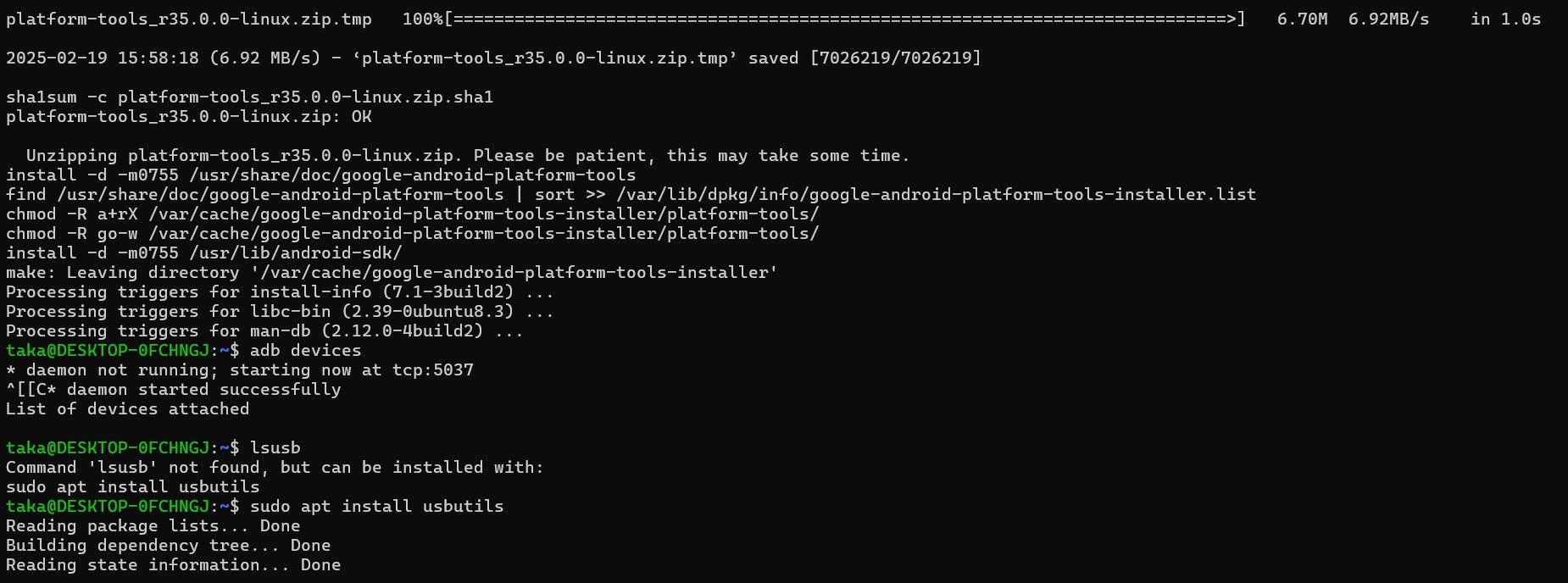
    @tom It always preferable to run linux natively to avoid issues like this
  • AUX Pins - Flight CoreV2

    Unsolved flight-core-v2
    5
    0 Votes
    5 Posts
    1k Views
    Eric KatzfeyE
    @Jetson-Nano It should be no different than with any other flight controller hardware running PX4. The PX4 documentation should be able to explain how to do that.
  • SBUS not detected

    Unsolved flight-core-v2
    7
    0 Votes
    7 Posts
    2k Views
    Ansel MisfeldtA
    @Zachary-Lowell-0 Got it working. It seems we encountered a documented bug where the defaults were somehow getting incorrectly set to the wrong parameter for RC input protocol when we reset the board to firmware defaults. We were checking the COM_RC_IN_MODE but had always had the RC_IN set to Auto previously. This made everything look fine until it glitched and changed the parameter without us knowing. In case anyone else runs into it, here is the bug: https://github.com/PX4/PX4-Autopilot/issues/22986 Appreciate the assistance on figuring this out Zachary, we can switch over to Flight Cores and VOXL Flights for this client now which they'll be happy about.
  • offboard takeoff height problem

    Unsolved voxl-flight
    4
    0 Votes
    4 Posts
    2k Views
    wintaW
    @stevedan @bensusana I'm also facing this issue. Have you been able to solve this?
  • 0 Votes
    3 Posts
    1k Views
    D
    Hi Alex, I had and I still had the issue. But once I built from https://github.com/modalai/px4-firmware/tree/voxl-fpv-dev and changed BAT1_SOURCE to power module (I originally had it set to ESC), when spinning the motors the current appeared correct and power draw updated correctly! Appreciate the help! One interesting thing, with BAT1_SOURCE set to the ESC, when monitoring the battery_status mavlink message the current consumed and current battery values were invalid (both set to 0), I would've figured that mavlink message would still be valid irrespective of the source as its only coming from place? Thanks
  • VOXL ESC FPV 4-in-1 (M0138) Not being detected on FlightCore start

    Unsolved flight-core-v2
    4
    0 Votes
    4 Posts
    1k Views
    D
    Thanks for the reply! Good to know it was a known issue. One thing, the links you sent point to modalai's fork of the px4 firmware, but alot of changes have been implemented in the mainline PX4 repository. I'd been building off the mainline repo, apologies if this has been answered before or is documented somewhere, is there a document that describes modal ai's release process so I can make sure im grabbing the latest iterations of code?
  • issue with starting the cameras on my VOXL 2 device.

    Unsolved voxl-cam
    17
    0 Votes
    17 Posts
    4k Views
    Rawdha RR
    @tom It worked! I tightened the screws, and it turns out it was a hardware issue. I've installed the Tailscale VPN on both the drone and my machine, and I've completed the calibration and binding. However, I'm having trouble starting the camera; it's not turning on in VLC or QGroundControl.
  • Starling 2 MAX with position flight mode with VOXL

    Unsolved
    3
    1
    0 Votes
    3 Posts
    3k Views
    TOMPLAT
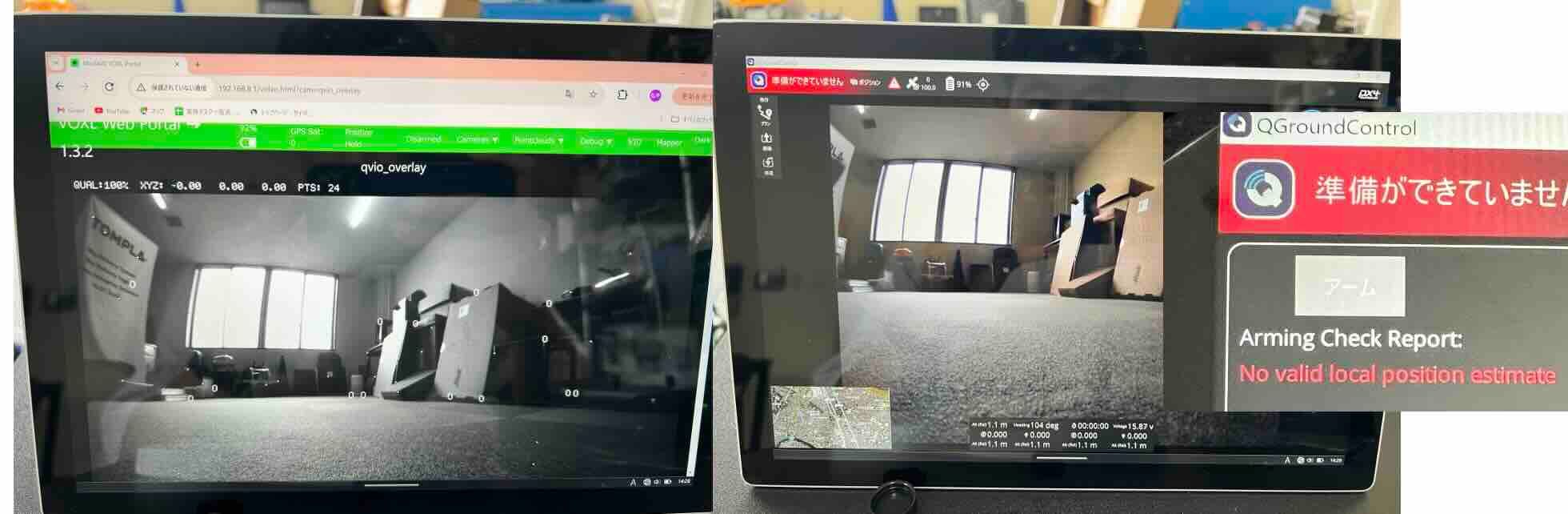
    @James-Strawson said in Starling 2 MAX with position flight mode with VOXL: NAME CURRENT NEW [1] EKF2_MAG_TYPE 0.0 5.0 [2] EKF2_EV_CTRL 0.0 15.0 [3] EKF2_HGT_REF 1.0 3.0 [4] EKF2_GPS_CTRL 7.0 0.0 [5] EKF2_EV_QMIN 0.0 1.0 I check the param that you recommend , but It is not fixed. Starling 2MAX is already set same param. Should I check another point?
  • reset my voxl cam with its original calibration

    voxl-cam
    2
    0 Votes
    2 Posts
    974 Views
    tomT
    @Moderator If you can provide the serial number of your VOXL CAM (form MXX00000XXX) we can check to see if we have the camera calibration data backed up in our production database and provide it if so.
  • Flight Core v2 not working with any telemetry radios

    Unsolved flight-core-v2
    12
    0 Votes
    12 Posts
    3k Views
    Alex KushleyevA
    @prawinsankar , can you please clarify which firmware you are talking about? If you are referring to PX4 and drivers for RC, you have to look at the specific driver for the RC and see how the baud rate is passed to the driver, typically as a param or launch argument when the PX4 module is loaded. Alex