Skip to content

VOXL SDK and Software

389 Topics 2.0k Posts

voxl-sdk releases, MPA services, camera and video pipelines, Remote ID, and building and deploying your own software on VOXL.

  • Running inference on a gstream with tflite

    Unsolved
    2
    0 Votes
    2 Posts
    2k Views
    tomT
    @Samuel-Lehman If this is a UVC camera you may be able to use voxl-uvc-server in order to create an MPA pipe and have tflite server read from that pipe It may take some slight tweaking to get voxl-uvc-server to support your specific camera
  • Error when lunching voxl_mpa_to_ros.launch

    Unsolved ros
    5
    0 Votes
    5 Posts
    3k Views
    T
    Hi @Mohammad-Goli, it seems like something on your VOXL is prematurely closing the file descriptor attached to the process that lists the pipes - I'm not sure what that is. I'm also not getting any errors with libyaml-cpp so that could be part of the problem. I'm running on SDK version 1.3.5, so I if were you I'd re-flash your VOXL and try the install again. Flashing the VOXL guide Sorry I couldn't recreate your issue. If you're still having a problem after re-flashing, let me know what SDK you tried and I'll give it a shot on my end.
  • px4 service issue

    Unsolved voxl-sdk
    9
    0 Votes
    9 Posts
    2k Views
    ben grocholskyB
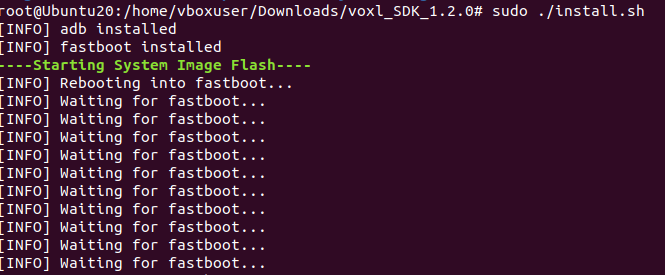
    @tom that was from ubuntu 20.04. Looking back up the terminal history I see the install script stopped at: [ERROR] missing /data/modalai/sku.txt [ERROR] please run voxl-configure-sku to make a new one and didn't run the next setup steps. I didn't realize the flashing failed until seeing voxl-px4 couldn't start. And digging into that found this thread.
  • Bridging microdds agent and dds discovery server

    Unsolved ros
    1
    0 Votes
    1 Posts
    1k Views
    No one has replied
  • This topic is deleted!

    1
    0 Votes
    1 Posts
    18 Views
    No one has replied
  • Download speeds for sdk slow

    Unsolved voxl-sdk
    4
    0 Votes
    4 Posts
    913 Views
    Peter MilaniP
    @tom yes that link worked fine, thanks
  • ROS2 performance issues with multiple vehicles

    Unsolved ros
    1
    0 Votes
    1 Posts
    746 Views
    No one has replied
  • gstreamer uyvy camera stream not working on voxl2

    Unsolved
    5
    0 Votes
    5 Posts
    4k Views
    Alex KushleyevA
    @cegeyer Here is a command to stream video from VOXL2 camera via ssh X forwading. FPS may be limited due to bandwidth (perhaps this is the command you meant in your reference above). ssh -X root@<voxl-ip> gst-launch-1.0 qtiqmmfsrc camera=0 ! "video/x-raw, width=1280,height=720,framerate=30/1" ! autovideoconvert ! autovideosink This should pop up a window with the stream from the camera. Make sure voxl-camera-server is not running if you are testing one of the mipi cameras connected to voxl2. Alex
  • Video out

    Unsolved
    3
    0 Votes
    3 Posts
    2k Views
    Samuel LehmanS
    @Alex-Kushleyev I see, that's unfortunate but thanks for letting me know.
  • Modal Ai Voxl2 Mini HITL Request for Support

    Unsolved
    2
    5
    0 Votes
    2 Posts
    2k Views
    Eric KatzfeyE
    @Eyucel To use PX4 HITL on VOXL 2 mini you need to connect to a DSP UART, not an applications processor UART. So, instead of using J10, you need to use a UART on J19 (Like the ESC UART pins 7 and 8).
  • Lepton Thermal Camera for Object detection

    Unsolved voxl-sdk
    4
    0 Votes
    4 Posts
    709 Views
    Jetson NanoJ
    @Zachary-Lowell-0 Thank you for your reply. I will test it out and let you of any developments.
  • Offboard Mode - MAVSDK - Drone random movement

    Unsolved voxl2 vio mavsdk fcv2 odometry
    3
    0 Votes
    3 Posts
    2k Views
    Jetson NanoJ
    @Zachary-Lowell-0 as mentioned I have set offboard-mode in voxl-vision-hub.conf to "off". I did a flight test shifting to offboard-mode, The drone was able to execute the script in a stable way without any jittery motions or trying to come back to home position. These are the flight logs, https://review.px4.io/plot_app?log=e32a28df-cbba-4765-8499-6fe46e2ff890
  • MAVROS

    Unsolved ros
    1
    0 Votes
    1 Posts
    533 Views
    No one has replied
  • Create a new pipe to publish barometer data for VOXL 2

    Unsolved mpa
    9
    0 Votes
    9 Posts
    5k Views
    S
    @Alex-Kushleyev Got it. Thank you your help and for taking the time to answer my questions! Sashank
  • This topic is deleted!

    3
    0 Votes
    3 Posts
    46 Views
  • Setting up Voxl2 MicroDDS Communication with PX4

    Unsolved ros
    8
    1
    0 Votes
    8 Posts
    2k Views
    James KDHJ
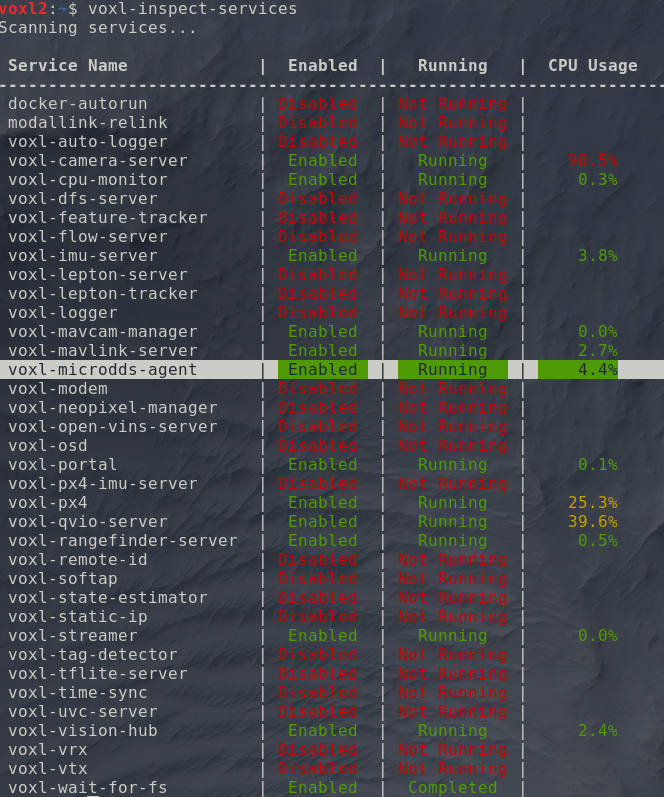
    Okay I managed to solve the problem. The reason why my external pc is unable to see the /fmu topics is probably due to the voxl-microdds-agent service starting before the network is fully "set up". From this stack overflow topic, I edited my /etc/systemd/system/voxl-microdds-agent.service file to include the line ExecStartPre=/bin/sh -c 'until ping -c1 google.com; do sleep 1; done; (this is the only "hacky" method that somehow worked). My entire service file is: [Unit] Description=voxl-microdds-agent SourcePath=/usr/bin/MicroXRCEAgent After=network.target After=multi-user.target # After=network-online.target # Wants=network-online.target [Service] User=root Type=simple ExecStartPre=/bin/sh -c 'until ping -c1 google.com; do sleep 1; done;' ExecStart=/usr/bin/MicroXRCEAgent udp4 -p 8888 [Install] WantedBy=multi-user.target After modifying the service file and rebooting the voxl2, the external computer can now see and echo topics from the /fmu. This will obviously not work if the voxl2 is not connected to the internet.. However you can still manually fix this by ssh or adb shell into the voxl2 and restart the service using the commands: systemctl stop voxl-microdds-agent systemctl start voxl-microdds-agent and the external computer should be able to see /fmu topics. On a side note, to customize & add a prefix to the /fmu topic such that it is /drone1/fmu/ in ROS2, edit the px4 start up script /usr/bin/voxl-px4-start. There is a line that starts the microdds_client for px4 where: # Start microdds_client for ros2 offboard messages from agent over localhost microdds_client start -t udp -h 127.0.0.1 -p 8888 Simply add -n <desired _name> such that it becomes: # Start microdds_client for ros2 offboard messages from agent over localhost microdds_client start -t udp -h 127.0.0.1 -p 8888 -n drone2
  • Best Method for Developping API

    Unsolved voxl2 px4 mavlink mavros voxl-sdk
    3
    0 Votes
    3 Posts
    2k Views
    G
    @Eric-Katzfey thanks! I got started using mavsdk and pymavlink
  • Mavlink server configuration of ports wont work

    Unsolved mpa
    4
    0 Votes
    4 Posts
    3k Views
    Zachary Lowell 0Z
    @jacob-yaacubov said in Mavlink server configuration of ports wont work: branches @jacob-yaacubov said in Mavlink server configuration of ports wont work: both ros master run on 127.0.01 so its local ros communication looks more like mavlink issue not sure though Reply @jacob-yaacubov yes you need to change the mav sys id for both otherwise they will overlap and create the problem you stated before when connecting to qgc and having overlapping px4 instances. As for ROS you need to change the ROS_DOMAIN_ID (an external terminal environment variable) otherwise all the ros topics will also overlap and create multiple publishers and subscribers on the same drone when you have multiple on. Zach
  • px4 params flow to autopilot

    Unsolved mpa
    2
    0 Votes
    2 Posts
    2k Views
    Zachary Lowell 0Z
    @jacob-yaacubov said in px4 params flow to autopilot: sometimes at bootup the QGC says all parameters lost Hi Jacob - Unsure if I am fully following but this is the explanation for how parameters work on the voxl2: Every boot of the voxl2 kick off the px4 instance if you have that service enabled - it will then grab the parameters from /data/px4/param (if a parameter file already exists) - if you save a file from QGC of edit a parameter, from their, it will update in this file as well. As for why the parameters are lost - I am assuming what you mean is the parameter file isnt fully loaded (AKA the green bar at the top of qgc never finishes because of a timeout) - if that is the case I would recommend trying another qgc instance on a different device like a phone or different os (mac vs linux vs windows) - and see if the problem persists. Zach
  • problems installing voxl-mpa-to-ros2

    Unsolved ros
    7
    1
    0 Votes
    7 Posts
    1k Views
    LRL
    @LR I removed and reinstalled voxl-mpa-to-ros2 and that is working now, for voxl-mpa-to-ros I still have the same problem