Skip to content

General Questions

2.3k Topics 11.3k Posts

Not sure where your question goes? Ask here. ModalAI engineers and the community answer questions about any VOXL product.

  • Starling not arming. Un reliable product!!?

    Unsolved
    2
    0 Votes
    2 Posts
    777 Views
    tomT
    @david-devassy I'd recommend sending in an RMA: https://www.modalai.com/pages/rma and we'll get things sorted
  • Error NOT_STATIONARY has occured during the flight.

    Unsolved
    6
    0 Votes
    6 Posts
    1k Views
    D
    Hello LaborzaubererTHI, You can see the video now as it has been set as unlisted. https://www.youtube.com/watch?v=jjCKZmrqrVQ Sorry for that. Regards
  • Need help simulating .tflite yolo models on my linux machine.

    Unsolved
    57
    0 Votes
    57 Posts
    36k Views
    ?
    @Ajay-Bidyarthy Only the inference time should be affected by your choice of hardware. The other two should be the same regardless of your choice. Thomas
  • Calibration for VOXL SDK 1.1.3

    Unsolved
    3
    2
    0 Votes
    3 Posts
    414 Views
    Eric KatzfeyE
    @Eric-Katzfey So you probably just need to do the magnetometer calibration procedure to be ready for flight.
  • Take-Off and Land command each fly to xy=[0,0] location instead of on the spot

    Unsolved px4
    6
    0 Votes
    6 Posts
    3k Views
    LaborzaubererTHIL
    @Eric-Katzfey said in Take-Off and Land command each fly to xy=[0,0] location instead of on the spot: @LaborzaubererTHI Sounds like it may be similar to: https://forum.modalai.com/topic/2533/failsafe-landing-bug-in-px4-1-14/19?_=1713800679314 Indeed it does.
  • QGC keeps crashing when sentinel drone is reconnected

    Unsolved
    3
    0 Votes
    3 Posts
    802 Views
    Eric KatzfeyE
    @Dawid-Mościcki Perhaps you can ask the QGC development team for some help in narrowing down what is causing QGC to crash. If you think there is a missing parameter then in your /usr/bin/voxl-px4-start script add a new line to touch the parameter so that QGC will see it. (e.g. param touch SDLOG_MODE)
  • Sentinel drone AWUS wifi problem

    Unsolved
    2
    0 Votes
    2 Posts
    529 Views
    Dawid MościckiD
    I reflashed firmware and reconfigured drone manually (not using automatic scripts which platform detection) and problem vanished. Probably there is something wrong with detecting actual drone version in those automated scripts.
  • Sentinel drone radio stopped working

    Unsolved
    2
    0 Votes
    2 Posts
    529 Views
    Dawid MościckiD
    If any1 will have similar problems in future don't follow guide : https://docs.modalai.com/sentinel-user-guide-pre-flight-setup/ See those docs : https://docs.modalai.com/voxl-elrs/ All You need to do is voxl-elrs -b, then on aperture go to ExpressLRS and choose bind Can be closed.
  • ODOMETRY MESSAGE

    Unsolved
    3
    1
    0 Votes
    3 Posts
    1k Views
    leonardo Andrade 0L
    @Eric-Katzfey thanks mate for your answer!
  • Strange Turbulent Flight Behavior when transitioning into Offboard Mode (Please Help!!)

    Unsolved
    3
    0 Votes
    3 Posts
    765 Views
    ggiacaloneG
    @Dawid-Mościcki Wow amazing I will give this a try very soon. Thank you so much!
  • S1000+ integration

    Unsolved
    5
    0 Votes
    5 Posts
    1k Views
    D
    @Alex-Kushleyev Thank you! This worked perfectly, got all of the motors spinning
  • VOXL2 kernel rebuild: GPIO sysfs does not work

    Unsolved
    8
    0 Votes
    8 Posts
    2k Views
    modaltbM
    @enrico-bandera-0 OK got it. You alluded to this, modifying something like hub.c (Generally if it's not showing up, we need to find some flags to add. For example, we added some USB modems like this: https://gitlab.com/voxl-public/system-image-build/meta-voxl2-bsp/-/blob/qrb5165-ubun1.0-14.1a/recipes-kernel/linux-msm/files/patches/005-telit-option.patch https://gitlab.com/voxl-public/system-image-build/meta-voxl2-bsp/-/blob/qrb5165-ubun1.0-14.1a/recipes-kernel/linux-msm/files/patches/004-quectel-usb-wwan.patch ) We'll likely need to find similar for TUSB8041 and then try to add if it's not showing up by default. Are you plugging this TUSB8041 hub into a USB port or using custom hardware? Have you located anything from TI that tells us what flags to enable? That's where I'd go next, see if vendor has clues and then we can try it out.
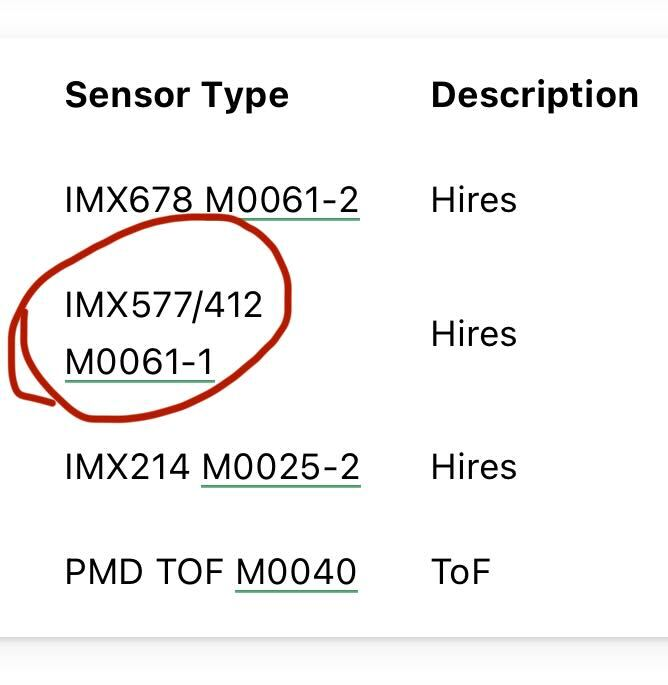
  • IMX412 vs IMX577

    Unsolved
    2
    1
    0 Votes
    2 Posts
    704 Views
    ModeratorM
    @wilkinsaf No, they are exactly the same
  • Vehicle stopped communicating with QGroundcontrol

    Unsolved
    1
    0 Votes
    1 Posts
    325 Views
    No one has replied
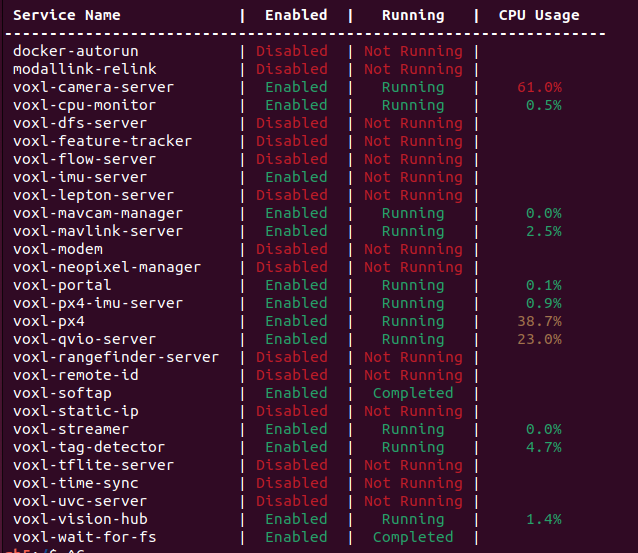
  • Sentinel drone voxl qvio server high cpu usage

    Unsolved
    1
    0 Votes
    1 Posts
    438 Views
    No one has replied
  • Position mode works, but offboard mode don't

    Unsolved
    33
    0 Votes
    33 Posts
    11k Views
    Dawid MościckiD
    I will close this ticket and make a new ones. This conversations is too long, sorry for that Thanks for help so far !
  • voxl-imu-server is Not Running

    Unsolved
    4
    1
    0 Votes
    4 Posts
    966 Views
    tomT
    @Amin-Bassiri RB5 uses voxl-px4-imu-server . You can verify the IMU data with voxl-inspect-imu imu_px4
  • Factory reset Seeker

    Unsolved
    18
    0 Votes
    18 Posts
    4k Views
    tomT
    @utari_ais Since you're using a voxl1 px4 is running on the flight core not on the voxl itself like voxl2. Therefore there is no voxl-px4 service on voxl1
  • VIO and GPS in position mode

    Unsolved
    2
    1 Votes
    2 Posts
    839 Views
    ModeratorM
    @tahawaru Here is some documentation on configuring VIO https://docs.modalai.com/flying-with-vio/ PX4 does not currently handle GPS and VIO concurrently. It is something that we have worked with the PX4 developers on for more than 2 years. It's a complicated problem though that we keep working to improve. To start experimenting, and hopefully helping to develop that feature, read through PX4's documentation on EKF2. To debug VIO, look to this area of the documentation specifically https://docs.modalai.com/flying-with-vio/#troubleshooting-vio
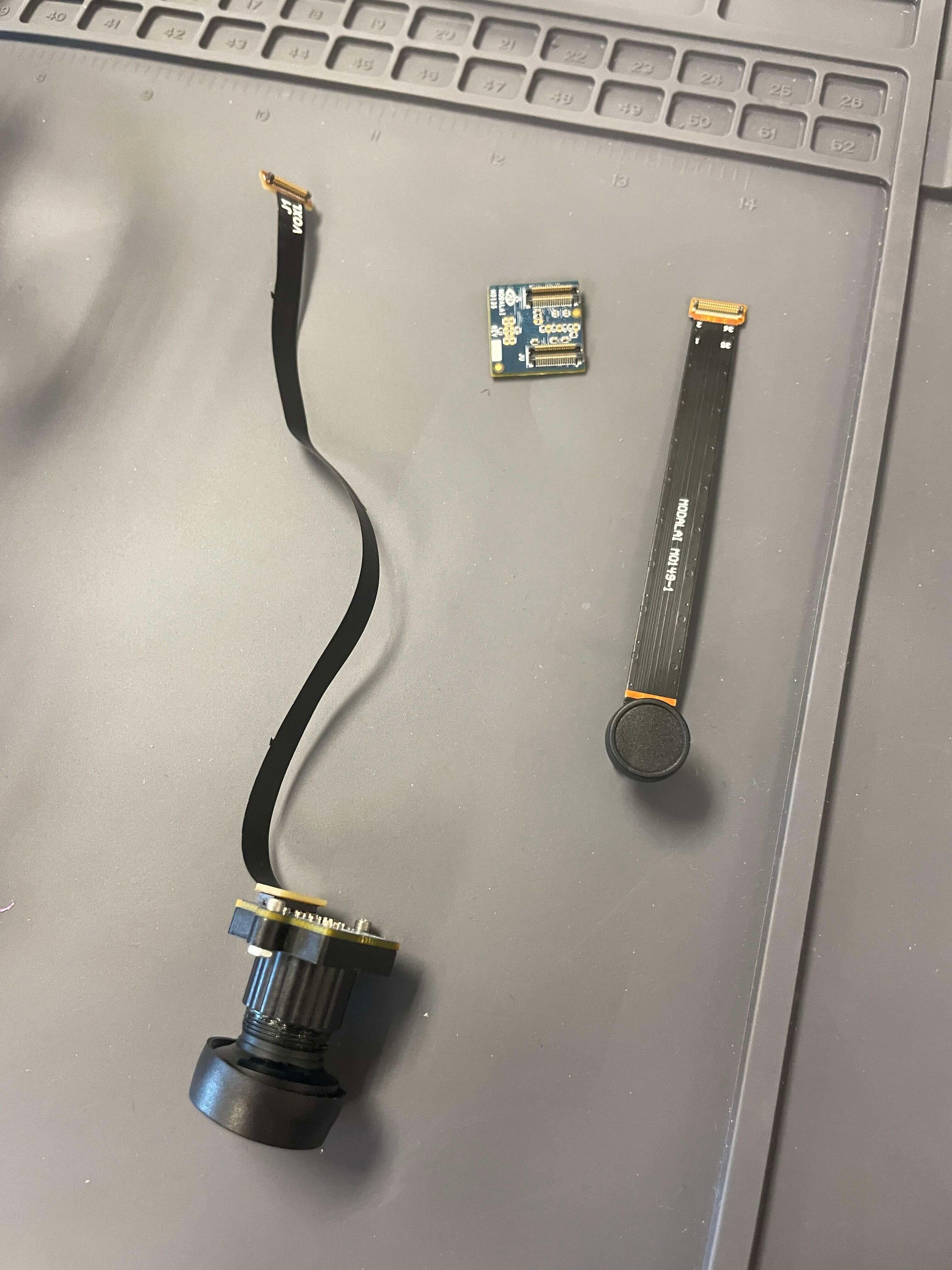
  • VOXL 2 M0135 Dual Camera Connections with M0107 and M0149 Cameras

    Unsolved
    30
    1
    0 Votes
    30 Posts
    8k Views
    Alex KushleyevA
    I tested AR0144 with M0036 flex in the configuration shown in picture below and it works. I also have the IMX412 camera attached with its own flex. The dual flex configuration is not ideal for plugging into M0135 due to flexes pointing towards each other after being connected to M0135, but for testing purposes it is OK. If you have AR0144 camera connected in the same way with the flex cable and the camera is not detected, then it seems like the flex cable is the issue. [image: 1712797006349-img_3942-resized.jpg]