Skip to content

Ask your questions right here!

2.4k Topics 11.7k Posts

Note sure where to post? Ask questions here for direct access to the ModalAI engineering team

Subcategories


  • 167 Topics
    757 Posts
    Colby HowellC
    Hello. I purchased a Starling 2 Max development drone and when attempting a first flight test I discovered that one of the batteries arrived entirely dead. I was curious if there was a way to receive replacements, and if this falls within replacement territory. I contacted the support email and was directed here. I can provide more information if needed.
  • Do you have a great idea for our products you would like to see implemented?

    27 90
    27 Topics
    90 Posts
    Serhii RovnyiS
    Hello everyone, I am looking for some expert advice on a VOXL 2 companion computer setup for a long-range platform. I have two main integration challenges: Challenge A: VIO at Higher Altitudes To solve the motion blur and pixel density issues at higher altitudes, I am planning a 6-camera configuration. I want to use 4 downward-facing sensors (2 daylight + 2 IR) equipped with narrow-angle lenses, alongside 2 standard wide-angle sensors (front and rear). Could you advise on the best supported sensors (e.g., IMX series) for this? Has anyone successfully tuned the voxl-qvio-server for narrow-angle lenses, and what were the altitude limits you achieved? Challenge B: LAN Integration & WireGuard The payload data flow will be: External RTSP Camera -> Ethernet -> VOXL 2 (WireGuard encryption) -> Ethernet -> Digital RX. Because VOXL 2 lacks multiple LAN ports, I will need a miniature industrial Ethernet switch. Does ModalAI have any tested hardware recommendations for this? Furthermore, what is the best practice for routing this VPN traffic through the VOXL 2 Ubuntu environment without bottlenecking the CPU? We are currently evaluating the VOXL 2 for a broader fleet deployment and want to ensure the ecosystem can support this custom optics requirement. Any feedback on off-the-shelf solutions or standard configurations for this use case would be greatly appreciated. Thank you!
  • Are you looking for a 3D model of one of our products?

    33 86
    33 Topics
    86 Posts
    Alex KushleyevA
    @nl_vdi , if you log into developer.modalai.com, you will see the CAD models. the latest model we have is: D0012-4-V3-C28-M36-T7-K0-Starling2-Max-V3-20260317.step [image: 1781036132877-376bf0dd-494a-4bf1-8d92-1b2d91afb83d-image.png]
  • Operating temperature range for VOXL Hires sensors ?

    2
    0 Votes
    2 Posts
    499 Views
    Chad SweetC
    Hi Reg, we have not performed formal characterization of those modules yet. We expect them to perform well in typical consumer electronics environments, 0-55C for instance.
  • How can I use pymavlink in Docker?

    3
    0 Votes
    3 Posts
    529 Views
    Daniel RyuD
    Nevermind, to use pymavlink we needed to not run MavSDK at the same time
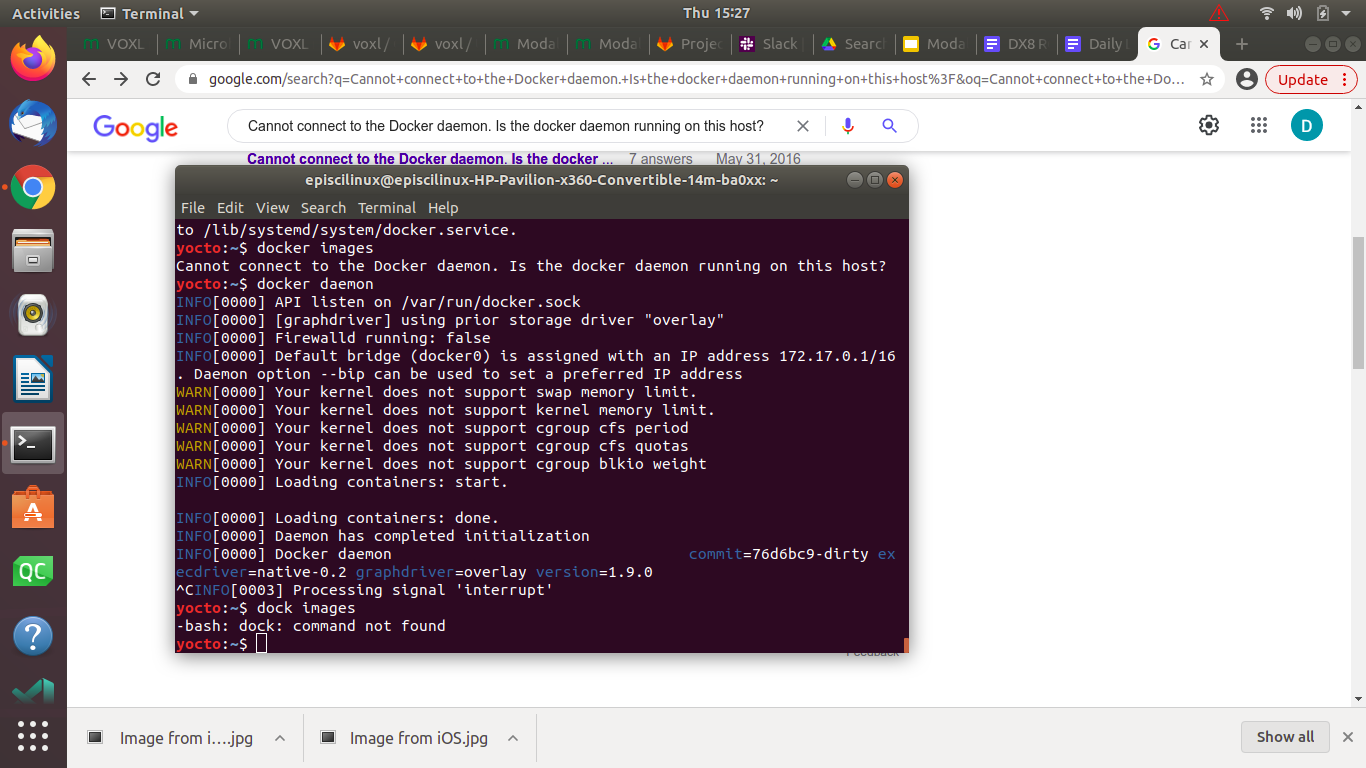
  • How to start docker daemon?

    3
    1
    0 Votes
    3 Posts
    628 Views
    Daniel RyuD
    @tom That was the solution, thanks!
  • VOXL and Qualcomm Flight Pro camera compatibility

    9
    0 Votes
    9 Posts
    1k Views
    P
    Got it. The changes are now persisting through reboots - not sure why it didn't the first time (i did adb reboot), but seems to be stably working now. Thanks for your help!
  • voxl-rtsp started but can't stream with VLC/Qgroundcontrol

    2
    2
    0 Votes
    2 Posts
    651 Views
    Alex KushleyevA
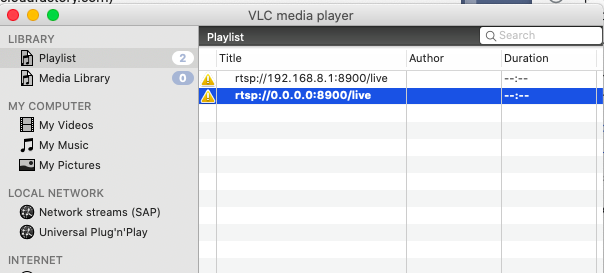
    Hello Mark, A few things to check.. make sure the voxl-camera-server is not running, since it cannot be used concurrently with voxl-rtsp (you can check what services are enabled using voxl-inspect-services when connecting via VLC, you should not use 0.0.0.0 address. 0.0.0.0 is an invalid address it is strange that voxl-rtsp reports that it's listening on 0.0.0.0. It looks like you have VOXL in AP mode (based on the IP address). Run ifconfig and see if it shows anything strange. The fact that you are able to ssh into VOXL using 192.168.8.1 means wifi AP is working fine.. just in case, try using it's actual ip address in the rtsp:// field - it looks like you already tried it in VLC? if you are able, please try compiling and using the latest version of voxl-rtsp here : https://gitlab.com/voxl-public/utilities/voxl-rtsp/-/tree/dev - it will also print some stats after you exit, just making sure the camera frames are actually coming in. There is a script build_in_docker.sh that makes it easier to compile voxl-rtsp, as long as you already have the voxl-emulator docker image
  • This topic is deleted!

    5
    0 Votes
    5 Posts
    37 Views
  • Acessing modal pipe using bash (or python)

    4
    0 Votes
    4 Posts
    739 Views
    James StrawsonJ
    Hi Zach, I just updated libmodal_pipe to 2.0.8 with a fix to cleanup the trailing characters from echoing a pipe name to the request pipe. Now you can run modal-hello-server in one window and see the output in another: yocto:/run/mpa/hello$ echo "test" > request && cat test hello160hello161hello162hello163hello164hello165hello166 Let me know if this is along the right path. I have no immediate intention for making a python library. Best, James
  • Connect VOXL to Jetson NANO

    2
    0 Votes
    2 Posts
    818 Views
    VinnyV
    Hi Raj, Can you please be more specific with your question? Are you just referring to hardware connections or are you asking for software device detection? I'm not familiar with the Jetson systems, but from what I can tell, purely from a hardware viewpoint, there are a bunch of UARTs and I2C ports exposed on a Nano 40-pin header that can be connected to Voxl directly since Voxl is also at 3.3V logic levels for our external interfaces. https://docs.modalai.com/voxl-datasheet-connectors/ Now, how you expect to use the combined system is a more complicated SW systems question, so this is why I asked if you can elaborate more. How do you want the Voxl to interact with the Jetson? This will tell us if the bandwidth of the common interfaces (I2C, UART, SPI) are even suitable for your application(s). If a USB interface is more suited to your application for higher throughput, then it can get a bit harder. The Nano appears to have a variety of USB ports, as do our systems, but you'd need to understand who is the USB Host and USB Client/Device and connect them accordingly. Thanks! Vinny
  • Not going in Position mode

    29
    0 Votes
    29 Posts
    7k Views
    James StrawsonJ
    Do you have a GPS/Mag plugged in? If not please try plugging in a GPS/Mag and set the PX4 parameter SYS_HAS_MAG to 1. There is a PX4 bug that prevents VIO-only operation if a magnetometer is missing, even if the magnetometer is not in use. We've been trying to get the bugfix approved and merged into PX4 master for over a year now but it seems to be a lost cause. For now our own branch of PX4 has the bugfix along with some custom tools for our ESCs. If your system starts working again with the magnetometer then we know somehow a standard PX4 image got onto your flight core instead of one of our own. Regards, James
  • VOA/April Tag Expected Release for 0.3.4

    6
    0 Votes
    6 Posts
    1k Views
    PawelJP
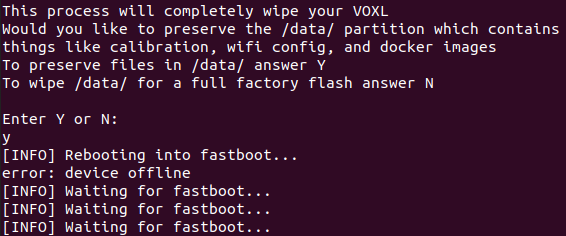
    Pasting a response I got from @Alex-Gardner (thanks!). "...download the new system image with full voxl-suite (voxl_platform_3-3-0-0.4.6-b.tar.gz) which will have all of these packages from https://developer.modalai.com/asset. If you extract the archive there will be an install script which will reflash the system image over adb (giving you the option to not wipe the data partition, if you have other things on the drone you should make sure to back them up) and then install the new voxl-suite."
  • Recieved Fatal error from camera (hires, tracking)

    3
    2
    0 Votes
    3 Posts
    801 Views
    C
    @Alex-Gardner Thanks Alex, that helped narrow it down to a hardware issue, replaced the camera and it's good now. Cheers.
  • avahi not working

    3
    0 Votes
    3 Posts
    690 Views
    P
    this is still an issue after trying voxlplatform_3.3.0 however, uninstalling avahi (opkg remove avahi and dependents) and install using https://gitlab.com/voxl-public/other/install-avahi works
  • ADB Device Offline

    7
    2
    1 Votes
    7 Posts
    4k Views
    G
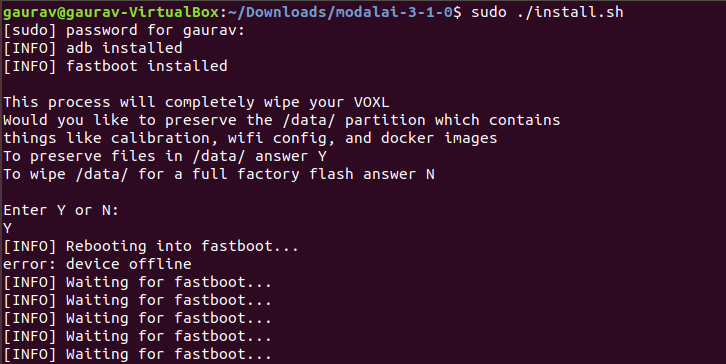
    @modaltb Thank you for helping I Tried it & Got following [image: 1624606884483-13dc3479-2fc3-439f-8f34-076c144200bc-image.png] I don't have the hardware (debug add-on board) with me now, Will receive probably in next week
  • library support

    2
    0 Votes
    2 Posts
    379 Views
    modaltbM
    You'd need to download yourself and then push to the target (or if VOXL is connected to the internet, download it and manually install). There's not an 'apt-get' like setup for opkg unfortunately. Sometimes this means you need to build from source.
  • Docker fails to start container

    2
    0 Votes
    2 Posts
    432 Views
    modaltbM
    Hi @a-w , If you're running on target, you'll need an arm64 container flavor (not x86/64), see this docker file as an example: https://gitlab.com/voxl-public/voxl-docker-images/voxl-docker-mavsdk-python/-/blob/master/Dockerfile#L1
  • Running ORB SLAM2 on VOXL

    1
    0 Votes
    1 Posts
    338 Views
    No one has replied
  • Video streaming AWS

    13
    0 Votes
    13 Posts
    2k Views
    kasarrowtecK
    @Kasum-Hussain actually sorry my mistake i thought i saw video2 but no if i go into dev folder there is no video2 only video0 video1 video32 video33
  • Record Video Stream

    1
    0 Votes
    1 Posts
    533 Views
    No one has replied
  • Tracking Camera bricks Boot

    3
    0 Votes
    3 Posts
    749 Views
    danielhD
    Thanks this fixed it. It was connected backwards. Maybe this can be marked a bit clearer in the docs, I think it’s quite unintuitive having the cable going inwards the board when not using the extension.
  • ADB Device Offline

    10
    2
    1 Votes
    10 Posts
    3k Views
    G
    Hi, I am facing the same issue [image: 1624369128135-1a3fbb9a-05ba-4660-8b39-9e658f6a2d35-image.png] [image: 1624369154908-ca2512c7-9c2e-4b01-864d-c55f02b944f3-image.png] Also, I don't have a USB Expander and Debug Add-On Board (https://docs.modalai.com/usb-expander-and-debug-manual/) Is there any other way so we can Force VOXL into Fastboot Mode. (like any onboard button/ any other technic) please let me know.