Skip to content

Flight Core and Legacy VOXL

433 Topics 2.0k Posts

Flight Core, Flight Core v2, Flight Core ArduPilot, the original VOXL, VOXL Flight, VOXL Flight Deck, VOXL-CAM and the older dev kits.

  • Microstrain 3DMGX5 Interface

    Unsolved flight-core
    3
    0 Votes
    3 Posts
    1k Views
    Andrew KeefeA
    I verified the UART is working fine using the loopback method, at a few different baud rates. I think the issue is the sensor itself must be encoding the packets differently than I am reading them. I might need to reduce the baud rate down to 9600 and review the data on the oscilloscope. The Arduino's SoftwareSerial library didn't work properly until I inverted the input, but I didn't see that option for the linux UART.
  • How To Set VIO Position Offset?

    Unsolved voxl
    4
    0 Votes
    4 Posts
    1k Views
    wilkinsafW
    Scratch that. We tested more in a GPS rich environment and are seeing similar yaw features. This might just be an issue with the hardware pitch. Will investigate level horizon in air calibration seen here: https://docs.modalai.com/calibrate-px4-horizon/
  • Problem with voxl-camera-server

    Unsolved voxl-cam
    3
    1
    0 Votes
    3 Posts
    899 Views
    A
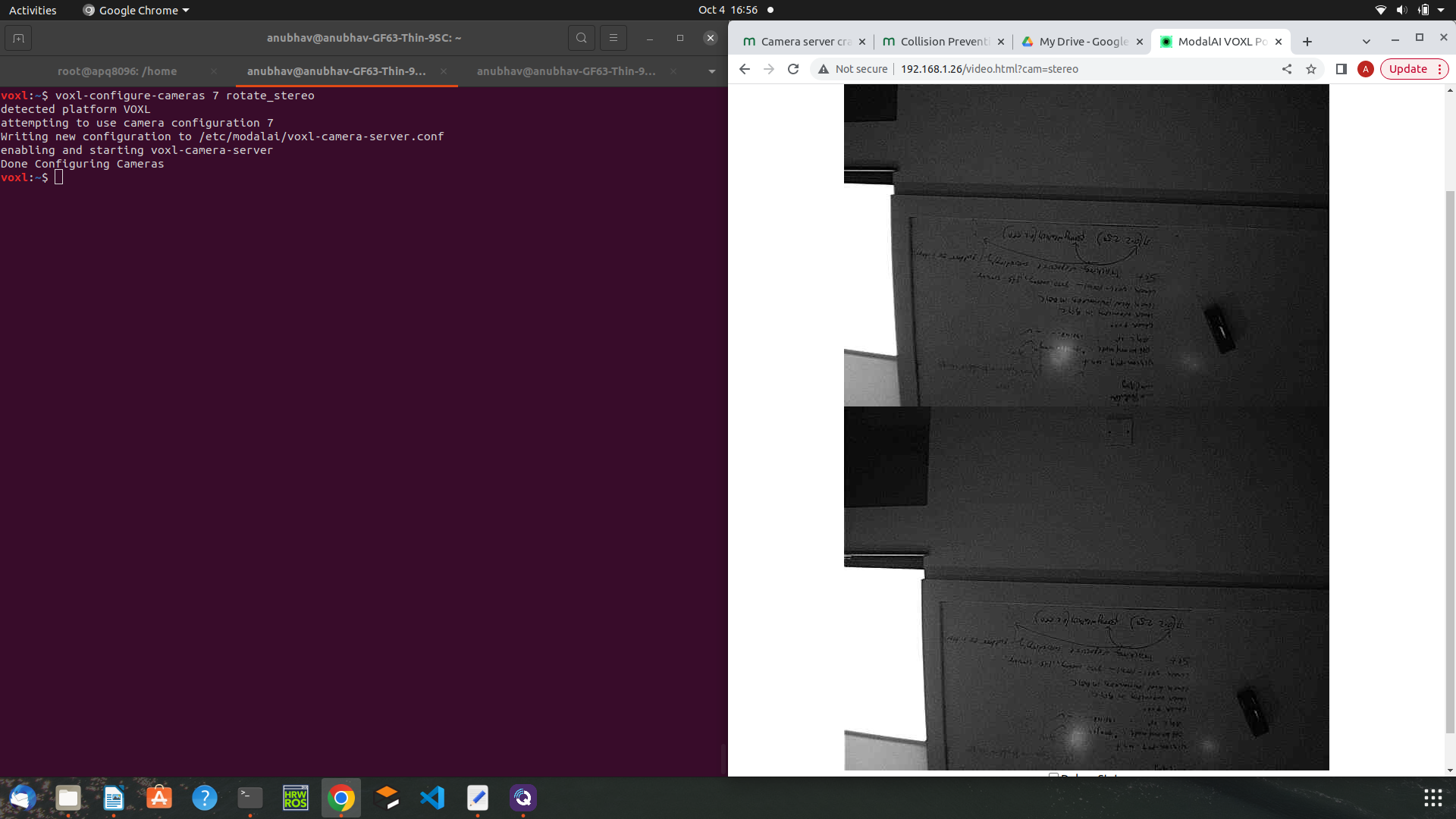
    Hi Alex, I have noticed following things: When I am using camera-configuration of stereo+tracking, camera server is not stopping after enabling and starting dfs server. When I am using camera-configuration of tof+stereo+tracking, camera server is stopping after enabling and starting dfs server. Tof sensor is working fine when not using dfs server. So, the problem of camera server getting stop with the configuration of tof+stereo+tracking and after enabling and starting dfs server a hardware issue? Does collision prevention works without the depth from stereo server instead just with the depth from tof sensor? Thanks! Anubhav
  • Datalog Transfer via Radio

    Unsolved flight-core
    3
    0 Votes
    3 Posts
    1k Views
    Andrew KeefeA
    I am connecting my RFD 900+ to the J5 connector on the Flight Core. The radio is configured for 57,600 baud. I don't have any experience setting mavlink "modes." This is an underwater vehicle, so I only communicate with it on the bench. My hope is to not have to open up the pressure vessel to pull off the data logs, which is our current method.
  • This topic is deleted!

    1
    0 Votes
    1 Posts
    14 Views
    No one has replied
  • Dead PWM Channels

    Unsolved flight-core
    2
    0 Votes
    2 Posts
    1k Views
    VinnyV
    Hi @tangotoo , If you have a DMM handy, can you confirm you get a high resistance reading between the PWM output pins and DGND on J7 with the PCB powered OFF and disconnected from the ESCs? Pin 10 is DGND. For example, if you measure DCR on Pin-2 to GND (pin-10), you should get ~200-300KOhm. And for Pins 3-9 as well. If any of those are much lower, then that implies an ESD or overvoltage event might have damaged the pins from the STM MCU or the ESD protection devices we have creating an internal short in the MCU or on the ESD diodes on those specific bad channels. If all the readings are in that high value range for all 8 PWMS, then our SW team will have to jump in to help. Thanks!
  • Mavproxy OK when Vision is not needed?

    Unsolved voxl
    10
    0 Votes
    10 Posts
    2k Views
    T
    @Alex-Gardner that did it! We definitely need to update the docs. I was going over all the Voxl Vision docs I could find and I don't recall seeing anything about voxl-mavlink-server. A flowchart might be nice, I ran into a similar issue with Voxl Camera Streamer and the camera server service, but I figured that one out thanks to the docs.
  • Error in HITL "Tx queue overflow" in VOXL-CAM.

    Unsolved voxl-cam
    5
    0 Votes
    5 Posts
    1k Views
    A
    @Zachary-Lowell, I am sorry for video part. I have linked them respectively again below, 1, 2, and 3, I hope you can see them now. I am using voxl-cam, and the error still arises when I don't open QGC. As you can see in first case, I was not using QGC to implement the MAVSDK example but the error still came.
  • Drone is getting crashed in HITL ( MAVSDK example: offboard_position_ned2.py )

    Unsolved voxl-cam
    3
    0 Votes
    3 Posts
    788 Views
    A
    @Zachary-Lowell, Yes I am leveraging iris_vision in hitl_hiris.world file. Isn't it required to fly drone in VIO mode in simulation considering there is no GPS?
  • 0 Votes
    3 Posts
    862 Views
    tomT
    added note here: https://docs.modalai.com/microhard-add-on-manual/ [image: 1664305893043-35caac2f-8a47-4fa0-86c1-5bef5b249e25-image.png]
  • px4 based flightcore and iPhone 14

    Unsolved flight-core
    1
    0 Votes
    1 Posts
    677 Views
    No one has replied
  • 0 Votes
    2 Posts
    385 Views
    VinnyV
    @Moderator J8 VBUS Output follows USB3 specs for voltage range (+5V +/- 10%) and a current limit set-point of 1.1A (just above USB 3 specs of 900mA for extra margin in OTG mode).
  • Is it possible to add a PWM channel? (12channel)

    Unsolved voxl-flight
    2
    0 Votes
    2 Posts
    497 Views
    Chad SweetC
    Sorry for the delay. To achieve 12 PWM you would need a custom solution. You could likely use an Arduino Teensy or similar
  • Camera resolution getting degraded

    Unsolved voxl-cam
    2
    0 Votes
    2 Posts
    532 Views
    Chad SweetC
    That degradation is voxl-portal reducing the resolution because its data link bandwidth is reduced. If you are using Wifi, can you try better wifi coverage or less interference? If you want unchanged video files for processing, try voxl-logger
  • Holybro Pixhawk 5x and modalai's flight core

    Unsolved flight-core
    4
    0 Votes
    4 Posts
    2k Views
    Suvasis MS
    @Vinny Thanks for more clarifications. I was comparing: https://github.com/PX4/PX4-Autopilot/blob/main/boards/holybro/pix32v5/src/board_config.h and https://github.com/PX4/PX4-Autopilot/blob/main/boards/modalai/fc-v2/src/board_config.h table comparing the hardware features I will appreciate if you can share. The Modalai flight core is tiny compared to pixhawk5x, I wanted to mix and match flight core with voxl(which is essentially snapdragon) or Nvidia Jetson processors for drones or robot. Thanks. suvasis
  • RC receiver 5VDC supply port other than J9 in flight core

    Unsolved voxl
    5
    0 Votes
    5 Posts
    982 Views
    VinnyV
    Hi @Anubhav , That's very odd that J8 is not working. It's a hard short to the 5V power subsystem that feeds the board. There is no limitation I can see that would prevent that. I know for Spektrum based receivers, there is a specific 3.3V power sequence and bit-wiggling that occurs for binding (through Flight Core J12), so I'm not sure if your receiver is expecting something similar and does not like the "always on" 5V on M0018 J8 and J9. The 4G LTE modem M0030 ports J5 and J6 are safe to use. They expose a 500mA limited 5V to those pins. They are USB2 ports @500ma, with USB HS data on pins 2/3, and DGND on Pin 4. They are turned on sometime after power-on once the hub enumerates with Voxl, so I wonder if that delay ON time is what is helping your receiver bind and communicate properly. You might be venturing into a Software domain which I am not an expert in, so if just knowing that J5 and J6 are "safe" and this works for you, then great! If not, we may need to pull in some SW folks to dig deeper. Thanks! Vinny
  • voxl-mapper: error while loading shared libraries

    Unsolved voxl-cam
    6
    0 Votes
    6 Posts
    1k Views
    ?
    Hey @jamiek, I can't give an exact timeline on the next stable voxl-mapper release, but it should be coming very soon with a lot of major improvements! The dev release for mapper does require the dev versions of its dependencies as well, including voxl-portal and voxl-vision-px4 so that may be why you are hitting a white screen with that version.
  • Error starting camera: tof

    Unsolved voxl-cam
    3
    0 Votes
    3 Posts
    483 Views
    A
    Hi @Alex-Gardner, The problem is solved and TOF camera is working fine now, previously I have flashed voxl system image 3.8 and now I have again re-flashed it with 3.3 system image. Thanks for your input!
  • VOXL flight deck not connecting to QGC

    Unsolved voxl
    3
    0 Votes
    3 Posts
    505 Views
    manan guptaM
    Hi, After inspecting services, this was the output. I can see the mavlink server is neither enabled nor running. voxl:/$ voxl-inspect-services Service Name | Enabled | Running | CPU Usage --------------------------------------------------------------- docker-autorun | Disabled | Not Running | docker-daemon | Disabled | Not Running | modallink-relink | Disabled | Not Running | voxl-camera-server | Disabled | Not Running | voxl-cpu-monitor | Disabled | Not Running | voxl-dfs-server | Disabled | Not Running | voxl-imu-server | Disabled | Not Running | voxl-mavlink-server | Disabled | Not Running | voxl-modem | Disabled | Not Running | voxl-portal | Disabled | Not Running | voxl-qvio-server | Disabled | Not Running | voxl-streamer | Disabled | Not Running | voxl-tag-detector | Disabled | Not Running | voxl-tflite-server | Disabled | Not Running | voxl-time-sync | Disabled | Not Running | voxl-vision-px4 | Enabled | Not Running | voxl-wait-for-fs | Enabled | Completed | I tried starting the service using systemctl and this was the output. voxl:/$ systemctl start voxl-mavlink-server voxl:/$ voxl-inspect-services Service Name | Enabled | Running | CPU Usage --------------------------------------------------------------- docker-autorun | Disabled | Not Running | docker-daemon | Disabled | Not Running | modallink-relink | Disabled | Not Running | voxl-camera-server | Disabled | Not Running | voxl-cpu-monitor | Disabled | Not Running | voxl-dfs-server | Disabled | Not Running | voxl-imu-server | Disabled | Not Running | voxl-mavlink-server | Disabled | Running | 0.0 voxl-modem | Disabled | Not Running | voxl-portal | Disabled | Not Running | voxl-qvio-server | Disabled | Not Running | voxl-streamer | Disabled | Not Running | voxl-tag-detector | Disabled | Not Running | voxl-tflite-server | Disabled | Not Running | voxl-time-sync | Disabled | Not Running | voxl-vision-px4 | Enabled | Not Running | voxl-wait-for-fs | Enabled | Completed | after configuring the voxl in softap mode, and connecting to it, the issue persists. Would downgrading the software release to VOXL Platform 3.6.0-0.5.0 help? Thanks
  • ERROR validating VIO data

    Unsolved voxl-cam

    3
    0 Votes
    3 Posts
    461 Views
    A
    Hi @modaltb, The output of voxl-version is shown below. voxl:~$ voxl-version -------------------------------------------------------------------------------- system-image: 3.8.0 kernel: #1 SMP PREEMPT Tue Apr 26 18:08:39 UTC 2022 3.18.71-perf -------------------------------------------------------------------------------- hw version: VOXL -------------------------------------------------------------------------------- voxl-suite: 0.8.1 0.7.0 -------------------------------------------------------------------------------- No, I am not building code myself, and running standard VOXL SDK. I have flashed new image of voxl because I was getting issue posted here. And the reason for choosing 3.8 system image was because of voxl-mavlink-server which is present in voxl-suite v0.7 and v0.8 and both requires voxl system image 3.8+. Thanks!