Skip to content

VOXL 2 Mini

71 Topics 373 Posts

VOXL 2 Support Forum

  • Ubuntu 20.04 for Voxl 2 Mini

    2
    0 Votes
    2 Posts
    325 Views
    tomT
    @detlefurig Yes that is something we're actively working on, probably a few months out at this point
  • Tap UART TX (RC) pin signal elsewhere

    3
    1
    0 Votes
    3 Posts
    469 Views
    VinnyV
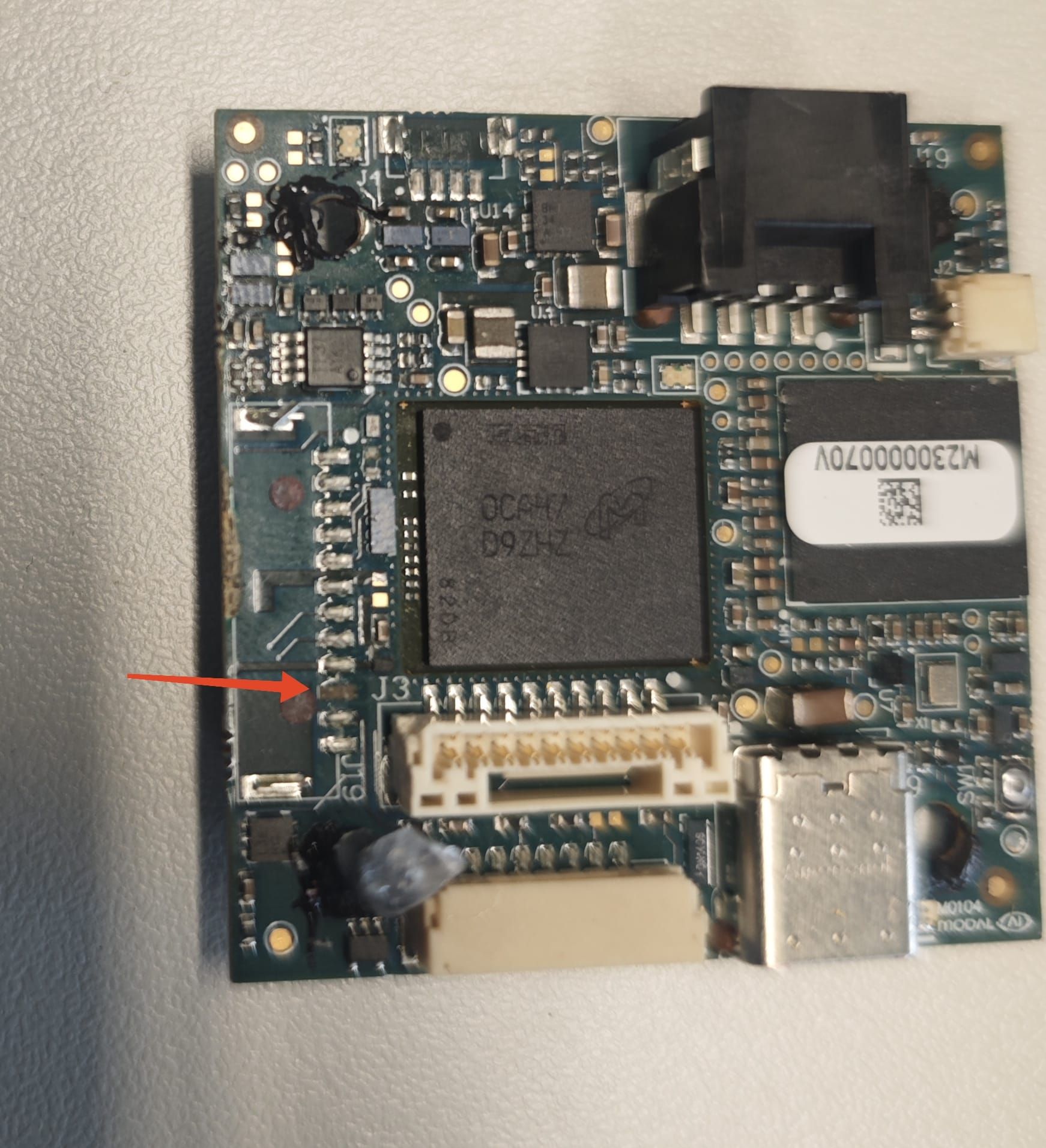
    Hi @TomP Looking pretty grim... That specific signal is all buried at least 3-7 layers deep directly from that pad and it hits other BGA devices right in the pad.... no exposed traces, no exposed pins at all... You'll have to find a different UART port or some other plan B.... sorry.
  • Lumenier RID & M10Q GPS Module compatibility

    21
    0 Votes
    21 Posts
    4k Views
    P
    @Eric-Katzfey I did the systemctl stop and started service again. I guess rebooting the board earlier did not have the same effect. The compass calibration in Q is working now (no more "no mag found" error) which I guess it means the mag is working now and our gps is working too. here is the output of voxl-p4 -d by the way: INFO [qshell] Send cmd: 'lis3mdl start -R 10 -X -b 1' INFO [muorb] [uORB] Marking DeviceNode(qshell_req) as advertised in process_remote_topic INFO [muorb] [qshell] qshell gotten: lis3mdl start -R 10 -X -b 1 INFO [muorb] [qshell] arg0 = 'lis3mdl' INFO [muorb] [qshell] arg1 = 'start' INFO [muorb] [qshell] arg2 = '-R' INFO [muorb] [qshell] arg3 = '10' INFO [muorb] [qshell] arg4 = '-X' INFO [muorb] [qshell] arg5 = '-b' INFO [muorb] [qshell] arg6 = '1' INFO [muorb] [drivers__device] *** I2C Device ID 0x51e09 335369 INFO [muorb] [drivers__device] Set up I2C bus mutex for bus 1 INFO [muorb] lis3mdl #0 on I2C bus 1 INFO [muorb] (external) INFO [muorb] address 0x1E INFO [muorb] rotation 10 INFO [muorb] INFO [muorb] [qshell] Ok executing command: lis3mdl start -R 10 -X -b 1
  • UART rangefinder integration with VOXL 2 Mini

    10
    0 Votes
    10 Posts
    1k Views
    Eric KatzfeyE
    @psafi In this case we don't use voxl-mavlink-server directly because we are essentially setting up a "mavlink device" straight into px4.
  • Voxl 2 Mini not detected via USB

    10
    2
    0 Votes
    10 Posts
    2k Views
    tomT
    @Sarika-Sharma Okay that should be fine, was just double checking the voltage wasn't too high for that ESC. I'd recommend submitting an RMA: https://www.modalai.com/pages/rma
  • Need 2 GPI interrupt inputs on VOXL 2 Mini

    2
    0 Votes
    2 Posts
    477 Views
    VinnyV
    Hi @dougmiller If your VOXL 2 Mini is TrustZone Configured for UART over J10, then yes, there are 2 pins available as inputs. https://docs.modalai.com/voxl2-mini-connectors/#j10---external-uart You can see GPIO_40, GPIO_46 and GPIO_64 are input capable. GPIO_40 and GPIO_64 are able to be configured to do wake events in the SoC so they have extra configuration to route to a power manager. Depending on how you write your IRQ routine, that may or may not help. Hope this helps!
  • Two USB FLIR Boson cameras, one connected to J9 USB-C port...not working

    5
    0 Votes
    5 Posts
    989 Views
    S
    @Vinny Thanks for all the info.
  • Voxl2 mini Mavlink server

    6
    0 Votes
    6 Posts
    1k Views
    M
    @Zachary-Lowell-0 Am I using the wrong serial port? Currently set up with TTYHS0 on J10 [image: 1730823460396-f1e6e745-20ab-415b-bb6e-e5a1074ab810-image.png] In the guide its showing the QUPs on J19 being connected [image: 1730823513076-9f406335-3fc6-45cc-a78e-43062a6c2d7b-image.png]
  • Voxl 2 mini overheating and rebooting

    7
    0 Votes
    7 Posts
    1k Views
    LucaVertiqL
    @Alex-Kushleyev said in Voxl 2 mini overheating and rebooting: @LucaVertiq , did you try disconnecting EVERYTHING from the board and seeing if it boots? Just bare board with power module. Alex Yes, the full boot cycles were observed with just the power module and the voxl. We confirmed the voltage at the voxl was 3.8V and not dropping much below that, so no dead short. @Vinny said in Voxl 2 mini overheating and rebooting: Hi @LucaVertiq To me, it seems as if the board went into a power fail condition. Was this in any sort of crash or was it dropped? LED D2 coming on, then going Off repeatedly is an indication of a continuous reboot cycle (coinciding with your readings of 0.4A, 0A) but there is likely some hardware fault detected by the system preventing it from booting fully. I had actually just disassembled the vehicle to connect with ADB as we keep the ADB port inaccessible. I had ADB'd in to do some things, then when I reassembled it this began happening. It's quite possible I knocked something loose, or possibly some ESD event. I've been too busy flying vehicles to get to test the unbricking procedure, but Monday I will.
  • Resolution problem when using VOXL2-mini USB3 to HDMI adapter

    22
    2
    0 Votes
    22 Posts
    5k Views
    ModeratorM
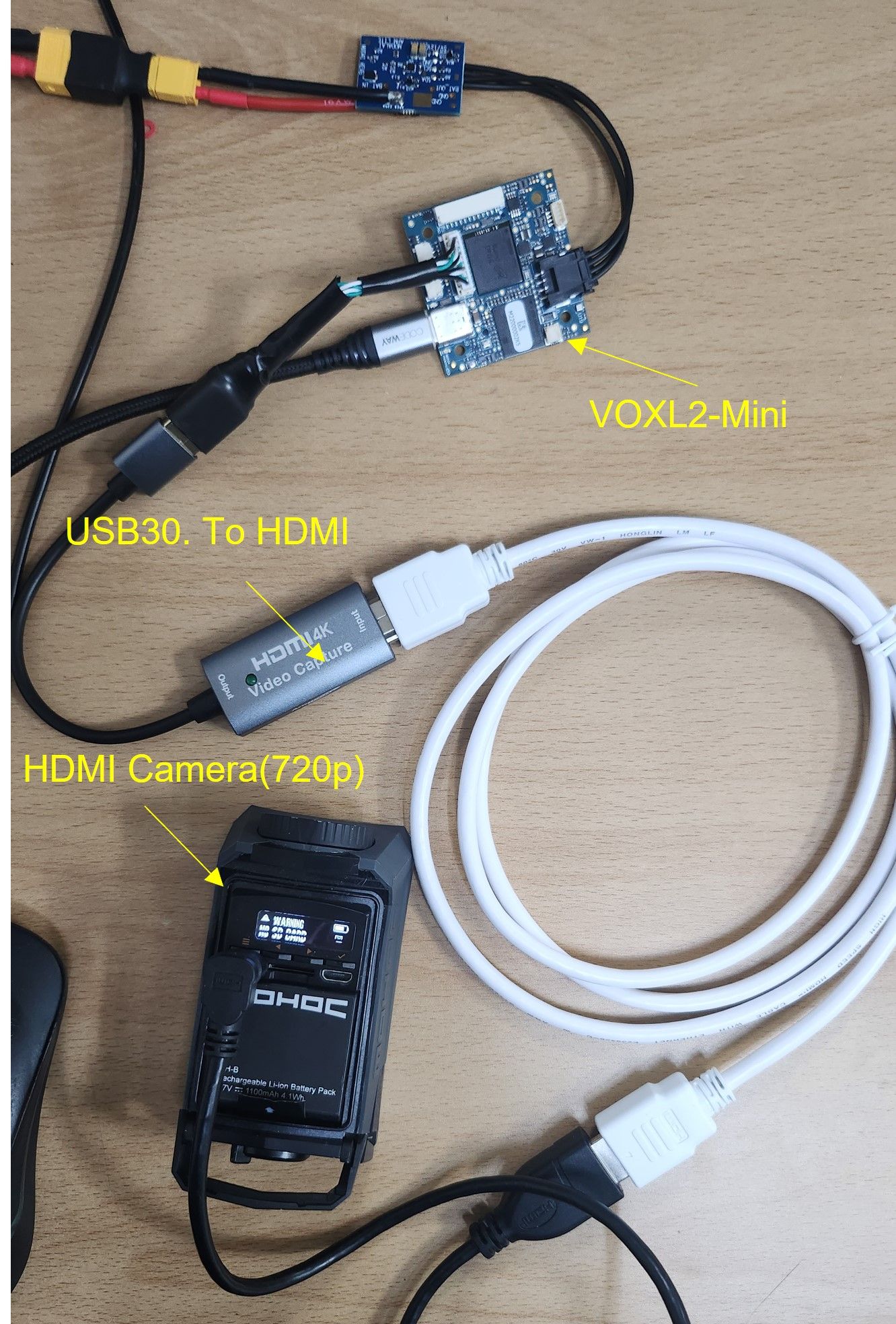
    @milanerd The added capacitance helps VOXL 2 Mini's USB port achieve USB 3 speeds. We don't have that adapter to confirm a fix for your issue, but with the cable the link should transfer much faster
  • Three concurrent camera support

    11
    0 Votes
    11 Posts
    2k Views
    A
    @modaltb I also want to check the stock availability of new TOF sensor over here. Is this TOF camera available for shipping currently? I cant see that on website so wanted to check with you.
  • Connecting VOXL 2 Mini to Doodle Labs Helix

    2
    0 Votes
    2 Posts
    634 Views
    VinnyV
    @Moderator From a software viewpoint, yes, they should be identical due to the USB Host port connectivity. However, the reason why Doodle is not listed as one of our connectivity options on VOXL 2 Mini is due to power limitations. The VBUS of the USB Port J3 can only provide 900mA, which is less than 1/2 of what a Doodle radio asks for (most Doodle radios need 5V @ 2A). To try to use a Doodle on VOXL 2 Mini will require you to connect an external power supply as per Doodle's requirements and then use our USB connector for GND, D+, and D- only. Be sure somewhere in the system, specifically at the Doodle connectors, to connect the GNDs of the power supply and our USB GND to create a common DC GND reference, but to not introduce noise from the power supply into the USB signals. We do not normally do this, so we are not aware of any other caveats, but we can't guarantee 100% success either. Give it a try! Let us know if you need further guidance. Thanks
  • results

    4
    2 Votes
    4 Posts
    837 Views
    Alex KushleyevA
    @tiralonghipol , very nice!! We love to see what our customers do with the products - we look forward to seeing more! Alex
  • M0173 Compatibility and Availability

    1
    0 Votes
    1 Posts
    440 Views
    No one has replied
  • VOXL2 Mini / AR0144 J7 Group 1 / voxl-fsync-mod

    4
    0 Votes
    4 Posts
    1k Views
    Kerry SnyderK
    I can confirm that multi-camera triggering works with a very minor patch: diff --git a/recipes-kernel/voxl-fysnc-mod/files/voxl-fsync-mod.c b/recipes-kernel/voxl-fysnc-mod/files/voxl-fsync-mod.c index 837dd21..730e374 100644 --- a/recipes-kernel/voxl-fysnc-mod/files/voxl-fsync-mod.c +++ b/recipes-kernel/voxl-fysnc-mod/files/voxl-fsync-mod.c @@ -24,7 +24,10 @@ * /sys/module/voxl_fsync_mod/parameters/pulse_width_us * - uint - the length of pulse to use in microseconds, default 10, 10us * - * /sys/module/voxl_fsync_mod/parameters/gpio_num + * /sys/module/voxl_fsync_mod/parameters/gpio1_num + * - uint - the GPIO number to use + * + * /sys/module/voxl_fsync_mod/parameters/gpio2_num * - uint - the GPIO number to use */ #define GPIO_OFFSET 1100 @@ -38,8 +41,10 @@ static uint pulse_width_us = 10; // module_param(pulse_width_us, uint, 0644); /* GPIO number */ -static uint gpio_num = 109; -module_param(gpio_num, uint, 0644); +static uint gpio1_num = 41; +module_param(gpio1_num, uint, 0644); +static uint gpio2_num = 114; +module_param(gpio2_num, uint, 0644); /* enable/disable the GPIO output and timestamps */ static int enabled = 0; @@ -143,8 +148,10 @@ static enum hrtimer_restart fsync_hrtimer_tick_cb(struct hrtimer *timer) { /* initialize on being enabled */ if (!initialized && enabled) { - gpio_direction_output((gpio_num + GPIO_OFFSET), 0); - gpio_export((gpio_num + GPIO_OFFSET), true); + gpio_direction_output((gpio1_num + GPIO_OFFSET), 0); + gpio_export((gpio1_num + GPIO_OFFSET), true); + gpio_direction_output((gpio2_num + GPIO_OFFSET), 0); + gpio_export((gpio2_num + GPIO_OFFSET), true); initialized = true; pr_info("voxl-fsync: initialized\n"); } @@ -153,7 +160,8 @@ static enum hrtimer_restart fsync_hrtimer_tick_cb(struct hrtimer *timer) hrtimer_forward_now(&fsync_hrtimer, ns_to_ktime(sampling_period_ns)); if (enabled) { - gpio_set_value((gpio_num + GPIO_OFFSET), 1); + gpio_set_value((gpio1_num + GPIO_OFFSET), 1); + gpio_set_value((gpio2_num + GPIO_OFFSET), 1); /* TIMESTAMP TIMESTAMP TIMESTAMP*/ mutex_lock(&fysnc_mutex); @@ -163,7 +171,8 @@ static enum hrtimer_restart fsync_hrtimer_tick_cb(struct hrtimer *timer) if(pulse_width_us > 0) udelay(pulse_width_us); - gpio_set_value((gpio_num + GPIO_OFFSET), 0); + gpio_set_value((gpio1_num + GPIO_OFFSET), 0); + gpio_set_value((gpio2_num + GPIO_OFFSET), 0); /* signal clients */ fsync_update_pending = 1;
  • lis3mdl magnetometer

    20
    0 Votes
    20 Posts
    3k Views
    M
    @Vinny Thanks for the help on this I really appreciate it. I'll take a look.
  • Can't get data from second imu

    6
    0 Votes
    6 Posts
    934 Views
    M
    @Eric-Katzfey ok, thank you
  • Building px4 tests in docker

    1
    0 Votes
    1 Posts
    434 Views
    No one has replied
  • VOXL2 Mini flip camera orientation

    11
    2
    0 Votes
    11 Posts
    2k Views
    Alex KushleyevA
    @LucaVertiq , Here is the latest VOXL2 mini nightly SDK : https://storage.cloud.google.com/platform-nightlies/voxl2-mini/voxl2-mini_SDK_nightly_20240415.tar.gz I just tested by using SDK 1.1.1 as a base and booting using the kernel from the nightly: adb reboot bootloader fastboot boot qti-ubuntu-robotics-image-m0104-1-boot.img IMX214 works on all 4 ports. I think you have an option of using this approach or just installing the full nightly. I am not 100% that the latest kernel is fully compatible with everything in SDK 1.1.1, so that is a bit of a risk, so using nightly is a back up option if you wanted to try the SDK 1.1.1 and something did not work as expected with the latest kernel. If you install the full nightly, use M0054-1 board variant for the voxl2 mini. Also here are links for the imx214 sensormodule for slot 1 (regular and flip): https://storage.googleapis.com/modalai_public/temp/voxl2-misc-packages/com.qti.sensormodule.imx214_1.bin https://storage.googleapis.com/modalai_public/temp/voxl2-misc-packages/com.qti.sensormodule.imx214_flip_1.bin
  • Voxl2 Mini Failed to Configure px4

    14
    1
    0 Votes
    14 Posts
    2k Views
    Nicholas HansenN
    @tom Ok, thank you for you help & time in troubleshooting this issue