Skip to content

General Questions

2.2k Topics 11.3k Posts

Not sure where your question goes? Ask here. ModalAI engineers and the community answer questions about any VOXL product.

  • ADB Device Offline

    Unsolved
    10
    2
    1 Votes
    10 Posts
    3k Views
    G
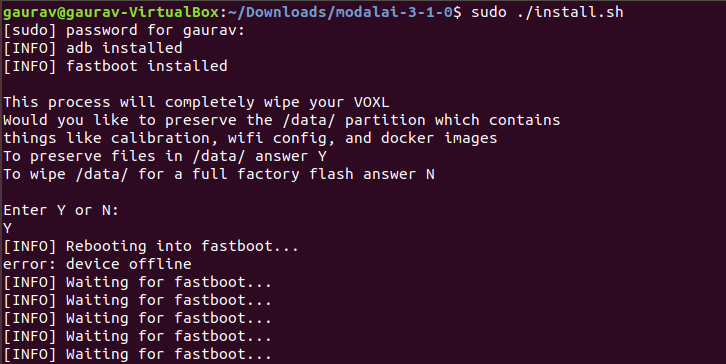
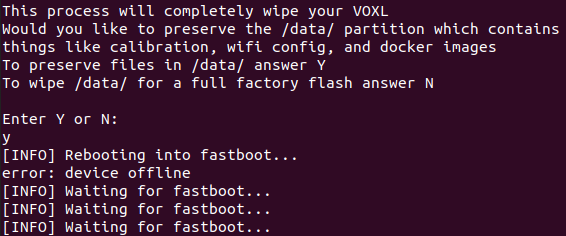
    Hi, I am facing the same issue [image: 1624369128135-1a3fbb9a-05ba-4660-8b39-9e658f6a2d35-image.png] [image: 1624369154908-ca2512c7-9c2e-4b01-864d-c55f02b944f3-image.png] Also, I don't have a USB Expander and Debug Add-On Board (https://docs.modalai.com/usb-expander-and-debug-manual/) Is there any other way so we can Force VOXL into Fastboot Mode. (like any onboard button/ any other technic) please let me know.
  • voxl fan mounting

    Unsolved
    7
    0 Votes
    7 Posts
    2k Views
    Chad SweetC
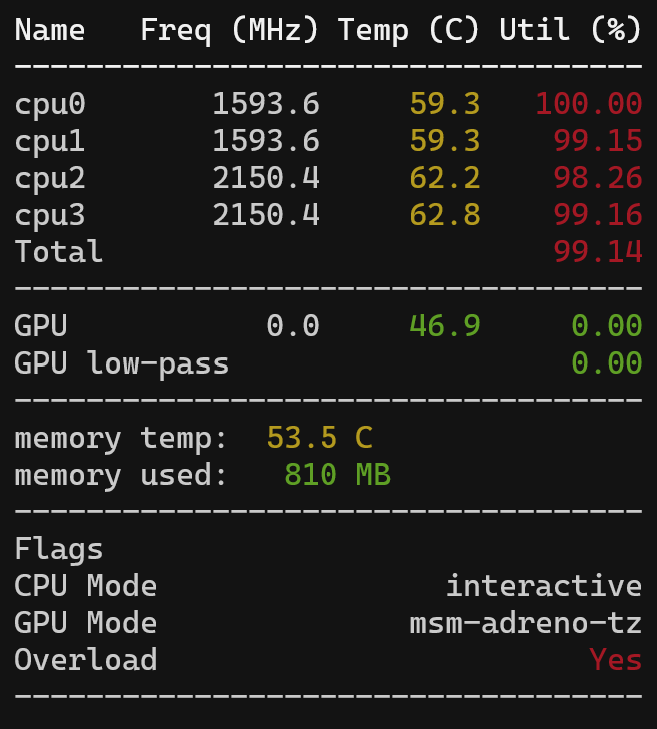
    It all depends on your setup. With our flight deck setup we can run all 4 cores at 100% with just the fan. A fan is much more effective than a heat sink. Still might require a little experimentation though
  • Camera rotation relation in extrinsics file

    Unsolved
    2
    1
    0 Votes
    2 Posts
    599 Views
    C
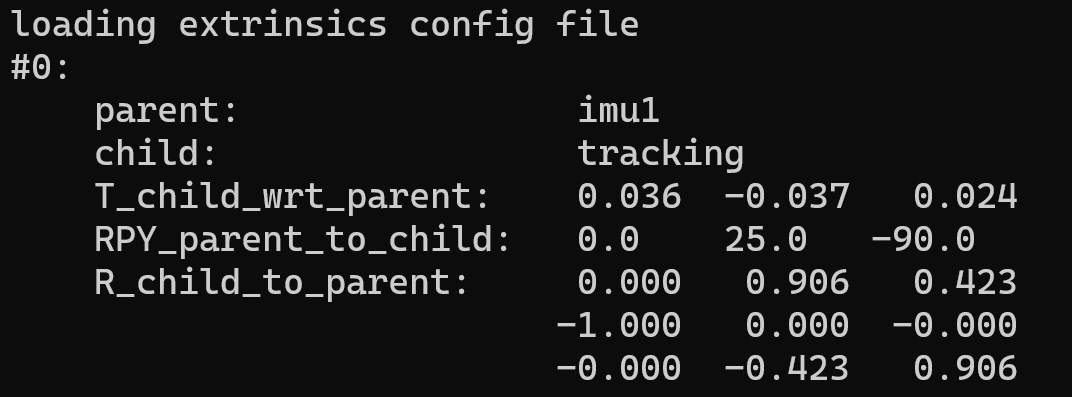
    I was able to resolve this issue by trial and error of the camera orientation, it seems like the documentation is outdated and does not provide an accurate reference for a starting point to obtain the proper values.
  • micrortps setup via voxl_io

    Unsolved
    14
    0 Votes
    14 Posts
    3k Views
    Alex KushleyevA
    Also, you could do a quick test on DSP side, just write more data to UART port than the baud rate can handle and see what the write() function returns and how much time it takes. Usually the write() function is non-blocking, as it will hand off data to underlying layers to take care of UART writing. But I suspect that if the SDSP UART system runs out of buffers to put your data in, it will probably block until buffer space for writing frees up instead of dropping data. I have not confirmed this, but that's my expectation.
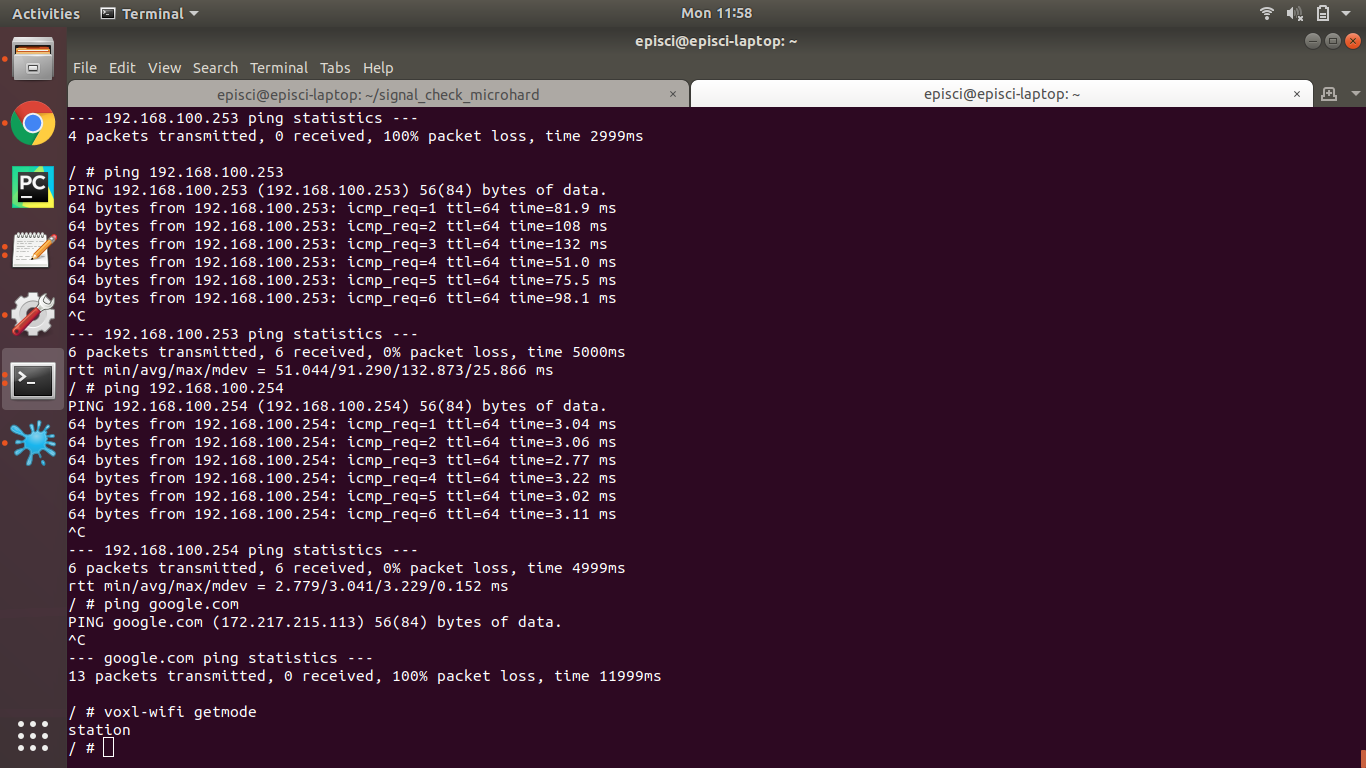
  • Station mode not connecting to Internet

    Unsolved
    3
    1
    0 Votes
    3 Posts
    1k Views
    modaltbM
    @Daniel-Ryu thanks for posting the resolution!
  • Follow a moving apriltag (part 2)

    Unsolved
    1
    0 Votes
    1 Posts
    525 Views
    No one has replied
  • VOXL mainboard appears to be dead

    Unsolved
    1
    0 Votes
    1 Posts
    492 Views
    No one has replied
  • Building ROS node with OpenCV

    Unsolved
    31
    0 Votes
    31 Posts
    10k Views
    ryan_meagherR
    @Chad-Sweet Hey, I updated my voxl to the newest system image and after doing so my docker is using docker-start.service while before it was using docker-daemon.service. Not sure why this has changed, but I have updated the above instructions and wanted to let you know so you could change this in the documentation. Is there a reason why this would have changed after flashing a new system image onto the device? Both times I configured my docker by using voxl-configure-docker-support.sh
  • VOXL flight connection with PX4

    Unsolved
    4
    0 Votes
    4 Posts
    857 Views
    ryan_meagherR
    @gauravshukla914 no problem, glad it helped
  • read/write raw video data in FIFO

    Unsolved
    3
    0 Votes
    3 Posts
    724 Views
    S
    @Alex-Kushleyev great! That’s a point what I need. I’ll try it Thanks,
  • VOA feature reference

    Unsolved
    3
    0 Votes
    3 Posts
    626 Views
    S
    @Chad-Sweet voxl-dfs-server is for voxl-vision-px4 ver 0.8.1. version 0.6.8 is not used voxl-dfs-server. could you please let me know based of voxl-vision-px4 ver 0.6.8? Thanks,
  • Follow a moving apriltag

    Unsolved
    3
    0 Votes
    3 Posts
    721 Views
    A
    @Alex-Gardner thank you!
  • Auto-reestablishing Connection over Radio on Disconnect

    Unsolved
    5
    0 Votes
    5 Posts
    807 Views
    tomT
    @FourPointTwoMm Interesting, I was under the impression that the Microhard modems would auto-reconnect to each other when they came back in range. This is something we will have to test.
  • Apt-get functionality

    Unsolved
    2
    1 Votes
    2 Posts
    867 Views
    Chad SweetC
    The Yocto OS uses opkg which is similar to, but not compatible with, aptitude Aptitude is used in Debian/Ubuntu distros. You can run one on VOXL using Docker as documented here: https://docs.modalai.com/docker-on-voxl/
  • Collision Warning sign

    Unsolved
    6
    6
    0 Votes
    6 Posts
    1k Views
    M
    @Chad-Sweet Update: I have performed the calibration process as you mentioned for both Stereo camera and tracking camera by following the calibration documentation https://docs.modalai.com/calibrate-cameras/ though they are not moved from their original position of VOXL flight deck. [image: 1622039548849-2744ae31-4605-48ab-be86-bbdcc97f51cf-image.png] While performing the calibration for stereo cameras I have also fixed the focus for both left and right camera. But after the calibration process the collision prevention does not seem to be working any more. By that I mean the the obstacle topic does not seems to detect anything even it is very close or far from the wall. I also tried with different object to see if the camera can pick up the difference but it does not seems to be consistent any more. At 0 degree angle it mostly shows 0 m. It only shows some value while it is in the ground but once flying it is completely 0 m in withing +- 30 deg angle range. After several try I decided to perform the calibration process again, and after the process I found same result. I also tried to change the CP_dist from QGC parameter ranging from 0.5- 10 meter but it does not seems to work anymore. Then i realized I have made a big mistake by not saving the default calibration.stereo.xml file for calibration and then I found the sample calibration file in the voxl-camera-calibration git folder which then I replaced it with the calibrated file. Once this process is complete I then fly the Modal AI m500 and it worked almost as before but the CP_dist value of 1.5 m seems now too much and we reduced it to 0.8 meter. This the sample calibration.xml snippet from the git hub link: [image: 1622038820107-1362c676-a1ef-4bae-85b4-ee0e6799befa-image.png] I also noticed the focal_length_x and y for calibrated camera is ranging from 488-490 for both camera value which is much higher value after the calibration process compared with the sample calibration file shown above. Please let us know what can be done to correct this calibration problem or at least how I can obtain the default factory calibration data from modal ai.
  • Issue in Microhard paring with Slave unit

    Unsolved
    18
    2
    0 Votes
    18 Posts
    3k Views
    tomT
    @manzur Interesting, thank you for the information! Perhaps I was wrong about the default Network ID, I will take a note of that.
  • Avoidance Question

    Unsolved
    4
    0 Votes
    4 Posts
    987 Views
    K
    Hi @Chad-Sweet it appears that I am on voxl-suite 0.2.0 as indicated above. However, if QGC reports that avoidance system is unavailable and the vehicle will not arm. If I run voxl-vision -s I can see the obstacle debug info on the terminal, also I set "en_voa": true, Any suggestions as to what I am doing wrong?
  • Question about Apriltag Configuration

    Unsolved
    2
    0 Votes
    2 Posts
    501 Views
    modaltbM
    Hi @shlee853 , There's a pretty good tutorial from our Guru here: https://www.youtube.com/watch?v=0j7CjmDvluM -Travis
  • Spektrum transmitter binds, but RC signals not appearing

    Unsolved
    3
    0 Votes
    3 Posts
    614 Views
    modaltbM
    @mvxl500 like Chad mentioned, typically with the PX4/QGC setup you have to power cycle PX4 after binding: From: https://docs.modalai.com/configure-rc-radio/ [image: 1621870241358-569470cd-1d23-44ba-8696-ab557b906e80-image.png]
  • Tracking camera type for voxl-flight deck

    Unsolved
    2
    0 Votes
    2 Posts
    470 Views
    Chad SweetC
    TBC is the translation from IMU to camera, OMBC is the rotation You can see 2D and 3D drawings on the datasheets page which should help you make the measurements https://docs.modalai.com/voxl-datasheet-functional-description/ Start by trying to recreate the known sets on the Flight Deck, and then make adjustments from there.