Skip to content

General Questions

2.2k Topics 11.3k Posts

Not sure where your question goes? Ask here. ModalAI engineers and the community answer questions about any VOXL product.

  • This topic is deleted!

    1
    1
    0 Votes
    1 Posts
    2 Views
    No one has replied
  • Stereo pair front and rear custom application baseline

    Unsolved
    2
    0 Votes
    2 Posts
    447 Views
    ModeratorM
    @Gary-Holmgren Hi Gary, we do not have a recommended baseline. Generally you can measure distance ~100x baseline. So the wider the baseline, the further you can measure distance. The trade off is you lose near field perception the wider you go. There is nothing atypical about the implementation on VOXL. If you search Google you will find abundant resources on stereo baseline.
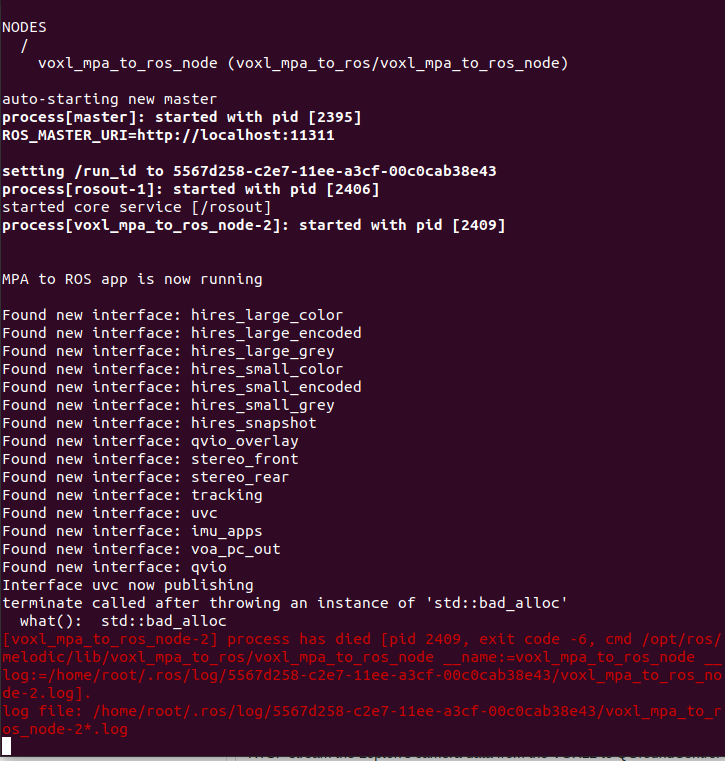
  • voxlmpa2ros not working starling with sdk version 1.1.2

    Unsolved
    8
    0 Votes
    8 Posts
    2k Views
    Darshit DesaiD
    @Zachary-Lowell-0 Ok got it this worked. Thanks
  • This topic is deleted!

    1
    0 Votes
    1 Posts
    1 Views
    No one has replied
  • Proper Soldering Technique for VOXL mini ESC

    Unsolved
    5
    1 Votes
    5 Posts
    642 Views
    Trevor RedpathT
    @Alex-Kushleyev Thanks for taking the time Alex this was very helpful!
  • Sentinel (VOXL2) not connecting via ADB and not able to boot

    Unsolved
    16
    0 Votes
    16 Posts
    3k Views
    tomT
    @JoshRebello Our only office is in San Diego.
  • Remote connection to VOXL2 from VSCode

    Unsolved
    6
    0 Votes
    6 Posts
    1k Views
    ?
    @rsr4z Yeah no worries, let me know if I can help out with anything else!
  • M500 & Doodle Labs Compatibility & Socketed Connections

    Unsolved m500 doodle voxl-flight mesh rider
    4
    2
    0 Votes
    4 Posts
    2k Views
    VinnyV
    Hi @Ivan-Gambit Good questions. M0078 Tech Docs Reference: https://docs.modalai.com/usb-epxansion-with-fastboot-v2-datasheet/ Yes, if you have a Voxl or Voxl-Flight in an M500, you will need the M0078 PCB to expose the USB host port from J13. You will not use the provided MCBL-00009 in the M0078 kit. Yes, Voxl or Voxl-Flight J13 port was not designed with Doodle in mind, so you are best to use a splice direct from the power cable. The way to do this is as follows: Use the D+/D- and GND from the M0078 4-pin JST "J3" to the Doodle USB D+/D- and one GND [image: 1706645581587-af2cb12a-9843-46f2-b691-8db5c063c365-image.png] use the 5VDC and a GND from the Power Module to the Doodle 5V input and GND. In your case, you can remove the jumper from M0078 "J2" since you are not using any VBUS from the M0078 USB connector. If you remove the jumper on M0078 J2, that allows you to use a simple 4-pin JST to JST cable to the Doodle such as https://docs.modalai.com/cable-datasheets/#mcbl-00015 , or convert it to a breakout cable to connect to the Doodle (Sorry I do not know how to advise further since I am not familiar with the socketed versions) Note: Yes, we have that jumper on M0078 to provide an easy way to access the 5V from the power module, but we did also not design that jumper and the traces with Doodle in mind. It was more for devices needing 1A of USB VBUS, not 2A+ that Doodle requires. You can try it, but you may have limited range at the highest power modes, and most of our cables that you would then use are also 1A limited, so problems like voltage droops/sags may occur with that approach. The key thing in all of this is to make sure you have a common GND, and the return current for USB will go where it needs and the return current for the 5V will follow it's associated GND return path. Also make sure you do not short VBUS to the 5VDC of your splice if you use that jumper J2. Might be best to just leave it off, but since those pins are "HOT" maybe add a bit of Kapton over them to protect against inadvertent shorts. If you are hesitant to make splices in the power feed for Voxl, you can see if one of our pre-spliced power cables we offer can give you a jump start, such as: https://docs.modalai.com/cable-datasheets/#mcbl-00211 and then remove the JST to provide what you need on the Doodle side. But, if you need all 4 wires for the I2C port on Voxl, you can start with an MCBL-00001 and then just move contacts from one cable to another.... https://docs.modalai.com/cable-datasheets/#mcbl-00001 There really are a lot of ways to do this (sorry if it's info overload). I'm happy to review your final solution. If you want some extra support we can email you if you want to share more non-public drawings or such. Just let us know! But, if you are willing to share your setup and pics, it would be faster and you'd be helping others in the same situation Thanks!
  • Extracting images from a rosbag and image format of hires_small_color mpa topic

    Unsolved
    7
    0 Votes
    7 Posts
    1k Views
    Darshit DesaiD
    @Zachary-Lowell-0 Yes that was my initial question, thanks it worked, although I didn't know NV12 means YUV format @Darshit-Desai said in Extracting images from a rosbag and image format of hires_small_color mpa topic: is the image of a specific encoding which is causing this,
  • Can anyone recommend a Tflite Colab Notebook for VOXL2 Training

    Unsolved
    53
    1 Votes
    53 Posts
    30k Views
    ?
    @Darshit-Desai Yeah, for reference almost all of the voxl-tflite-server code and documentation was written by a former employee so I don't always have the source of ground truth for things. I think there may be some logic in there that deals with reshaping the output tensors but I'm not fully sure. Same thing with the --half argument, I think we advise it but if you can get your model to work without quantization that's awesome. Glad to see it's working!! The results look good Keep me posted on how I can help, Thomas Patton
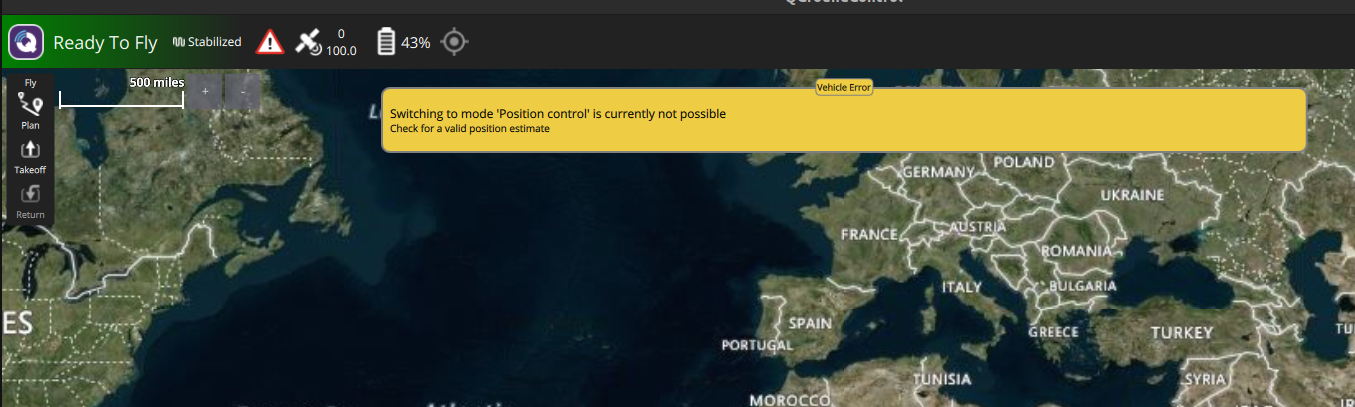
  • Seeker VIO doesn't do Position mode

    Unsolved
    9
    4
    0 Votes
    9 Posts
    1k Views
    P
    @tom It's done. Thank you so much for the help.
  • no data while querying /run/mpa/tflight_data/request using Python

    Unsolved
    18
    0 Votes
    18 Posts
    4k Views
    ?
    @sansoy Oh great, if you already have a function that works with libmodal-pipe then you shouldn't have much trouble writing one for the cameras. Take a look at these lines for the initial code to register the callback function to the camera pipe, this sets up _camera_helper_cb to receive images on callback. For an example of parsing that data, maybe check out these lines in a different module. There's a bit of extra info here but this shows the gist of casting the raw char* bytes into something like an OpenCV image. Definitely modify as needed to fit your use case! Keep me posted, happy to help however I can! Thomas Patton
  • 0 Votes
    3 Posts
    2k Views
    ?
    @ErezI After following that thread let me know what questions you have, I'm happy to help!! Thomas Patton
  • Failed to start docker autorun service for VOXL

    Unsolved
    2
    3
    0 Votes
    2 Posts
    552 Views
    tomT
    @Pooyan Take a look at this thread and see if that helps resolve the issue: https://forum.modalai.com/topic/2989/docker-not-working-correctly-on-voxl/4?_=1706311436242
  • Custom System Image

    Unsolved
    7
    0 Votes
    7 Posts
    1k Views
    tomT
    @Rowan-Dempster If the packages you're looking to include are small I can look into getting them into our default system image. Otherwise yeah we may have to discuss other avenues for supporting a custom system image (not a decision that I can make personally) Also most python packages are available via. apt with something like apt-get install python3-numpy
  • Are SELECT_TF_OPS supported on VOXL2?

    Unsolved tflite tflite-server voxl2
    2
    0 Votes
    2 Posts
    1k Views
    ?
    @eric Sorry for the late response on this!! Your best bet would be to just try it out, I can't say without trying it myself. It's possible it works, it's possible something fails. I've never had to deal with this so I can't say for certain. It's also worth pointing out that voxl-tflite-server is more meant to be an example of how TFLite models can be run on VOXL and not an in-depth ML framework for deploying custom models. If voxl-tflite-server doesn't support it, by all means fork the repository and build out the functionality to be able to. Even better, make a pull request with that functionality and I'll test and approve it! Hope this helps, Thomas Patton
  • Can you power VOXL2 from the ModalAI 6s ESC?

    Unsolved
    51
    0 Votes
    51 Posts
    27k Views
    Matthew WellnerM
    @Alex-Kushleyev Awesome!! Thanks!
  • QVIO server on starling degraded and fails after starting (intermittent)

    Unsolved
    1
    2
    0 Votes
    1 Posts
    1k Views
    No one has replied
  • Sentinel not arming in OFFBOARD mode

    Unsolved
    2
    0 Votes
    2 Posts
    576 Views
    Dawid MościckiD
    @SMRazaRizvi in order to arm drone in offboard mode, px4 must be first able to arm in position mode. i would recommend checking if this drone arms in position mode (not manual)
  • Way to reduce motor arming spin speed in PX4 params?

    Unsolved
    2
    0 Votes
    2 Posts
    1k Views
    Alex KushleyevA
    @Matthew-Wellner, The ESC params should have min_rpm parameter set to the minimum RPM that you obtained during your tests, specifically the RPM that motor spins when you send ./voxl-esc-spin.py --power 10 command, as 10% power is pretty much the minimum you would want to use on the ESC itself. Then you make sure your PX4 params also use this value for min_rpm for the following param: VOXL_ESC_RPM_MIN , however you also want to make sure the max_rpm ESC param corresponds to VOXL_ESC_RPM_MAX in PX4 params, otherwise the rpm range will not work correctly in PX4. You should also do some sanity checking. Knowing your propeller's thrust vs rpm curve helps a lot. Then you can check the commanded / actual motor RPMs versus your vehicles weight. It is possible to build a very lightweight vehicle, such that even small amount of thrust % would result in above hover thrust. You typically want to avoid those situations because it would be hard to achieve stable flight. Finally, you should check your px4 log, you could load it here to generate plots, including actuator commands and reported RPMS and you can check if those RPMs make sense. https://review.px4.io/ . Please take note that this is a public site.