Skip to content

Starling & Starling 2

218 Topics 998 Posts

Questions regarding the Sentinel VOXL 2 Development Drone

  • Questions in order to adapt it to the Japanese Radio Law

    2
    0 Votes
    2 Posts
    383 Views
    Eric KatzfeyE
    @Taka (1) VOXL 2 does not have any RF transmitters. RF could be transmitted by external WiFi, RC, Cellular modem, etc., etc. (2) How are you configuring the WiFi module? Is it in access point mode or station mode? The SDK will set everything up correctly when using the WiFi in "SoftAP" or access point mode.
  • Starling 2 Max V2; SDK 1.4.0; camera-server and VOXL-Portal

    3
    0 Votes
    3 Posts
    746 Views
    J
    @Alex-Kushleyev Hi Alex, Thanks! Yes, that was exactly the problem. I switched to the dev branch using 'voxl-configure-pkg-config', downloaded the latest voxl-portal ('apt get update && apt install voxl-portal'), and then switched back to the 1.4.0 pkg. Voxl-Portal works just fine now.
  • Motor Replacement Instructions Starling 2 Max

    starling2 max motors repair
    17
    0 Votes
    17 Posts
    4k Views
    Dobry KolaczD
    @griffin Great to hear!! It is possible, depending on what size tip and what kind of soldering iron you were using, that 650F may actually not have been hot enough. After talking about it with my team I realized that we have set our irons up to the 750-800F range. Nonetheless, it is likely the safest option to just splice in the new wires just as you have done
  • Orin additional computer

    1
    0 Votes
    1 Posts
    212 Views
    No one has replied
  • Flir Lepton on Starling 2 is supported by SDK 1.4?

    1
    0 Votes
    1 Posts
    265 Views
    No one has replied
  • GPS not connecting

    5
    0 Votes
    5 Posts
    921 Views
    Meytal LempelM
    Hi @tom , here is my /etc/modalai/voxl-px4.conf: #!/bin/bash # # voxl-px4 Configuration File # # GPS: # Tell PX4 which GPS to use. If there is no GPS unit use NONE. Otherwise # choose AUTODETECT and the startup script will attempt to automatically # configure the GPS, magnetometer, and status LED # Options include: [NONE, AUTODETECT] # # RC: # Tell PX4 which RC transmitter to use. # Use EXTERNAL when getting RC control from external Mavlink messages (e.g Via QGC) # Options include: [SPEKTRUM, CRSF_MAV, CRSF_RAW, M0065_SBUS, EXTERNAL, FAKE_RC_INPUT] # # ESC: # Tell PX4 which type of ESC to use. # Options include: [VOXL_ESC, VOXL2_IO_PWM_ESC] # # POWER_MANAGER: # Tell PX4 which power manager to use. # Use NONE for ModalAI Mini-ESC since the ESC driver handles PM. # Use EXTERNAL when not using the ModalAI APM power manager to power the board # This also just disables the voxlpm driver, same as the NONE option # Options include: [VOXLPM, EXTERNAL, NONE] # # DISTANCE_SENSOR: # Tell PX4 which distance sensor peripheral to use. # Note: The sensor will be started on the RC port so it is only # really possible to use it when using external RC. # Options include: [NONE, LIGHTWARE_SF000] # # OSD: # Tell PX4 whether to enable OSD (on-screen display). # Options include: [ENABLE, DISABLE] # # DAEMON_MODE: # Tell PX4 whether to enable daemon mode. # Options include: [ENABLE, DISABLE] # # SENSOR_CAL: # Tell PX4 where to source sensor calibration information. # Options include: [ACTUAL, FAKE] # # ARTIFACT_MODE: # Do not allow artifacts to be saved to disk. Will not start the logging # module, will delete any current log files, and will delete the data manager file. # Options include: [ENABLE, DISABLE] # # EXTRA_STEPS: # Optional field that allows a user to define custom commands to be run by PX4 on boot. # Must be a valid bash array as seen below # Example: EXTRA_STEPS=( "qshell gps start" "qshell commander mode manual" ) # # GPS=AUTODETECT RC=GHST ESC=VOXL_ESC POWER_MANAGER=VOXLPM DISTANCE_SENSOR=NONE OSD=DISABLE DAEMON_MODE=ENABLE SENSOR_CAL=ACTUAL ARTIFACT_MODE=DISABLE EXTRA_STEPS=()
  • Overheating of VOXL2 in Idal situation without any CPU ussage

    9
    0 Votes
    9 Posts
    1k Views
    Alex KushleyevA
    @Jainik-Mehta , Due to the high resolution of the hires camera (4056x3040), the voxl-portal has a hard time encoding these images to jpegs (using a software jpeg encoder turbojpeg), so that they can be sent out to your browser. This is expected behavior. In order to avoid this, please choose a lower resolution stream, something closer to 1280x720, or what you already have as an option 1024x768 hires_small_color (instead of hires_large_color). Voxl-portal is a tool that should be used for debugging / testing and is not optimized for efficient video transmission. For most efficient video transmission, you should use the encoded stream and you could make it available via rtsp protocol using voxl-streamer tool. Then camera server will use hw video encoder to generate the video, send it to voxl-streamer and the streamer can forward the video to you rtsp player (vlc, ffmpeg, mplayer, etc, etc) If you need more guidance, please let us know what you are trying to achieve. Alex
  • Problem acquiring GPS satellites (possible voxl2 board EMI?)

    5
    3
    0 Votes
    5 Posts
    2k Views
    Alex KushleyevA
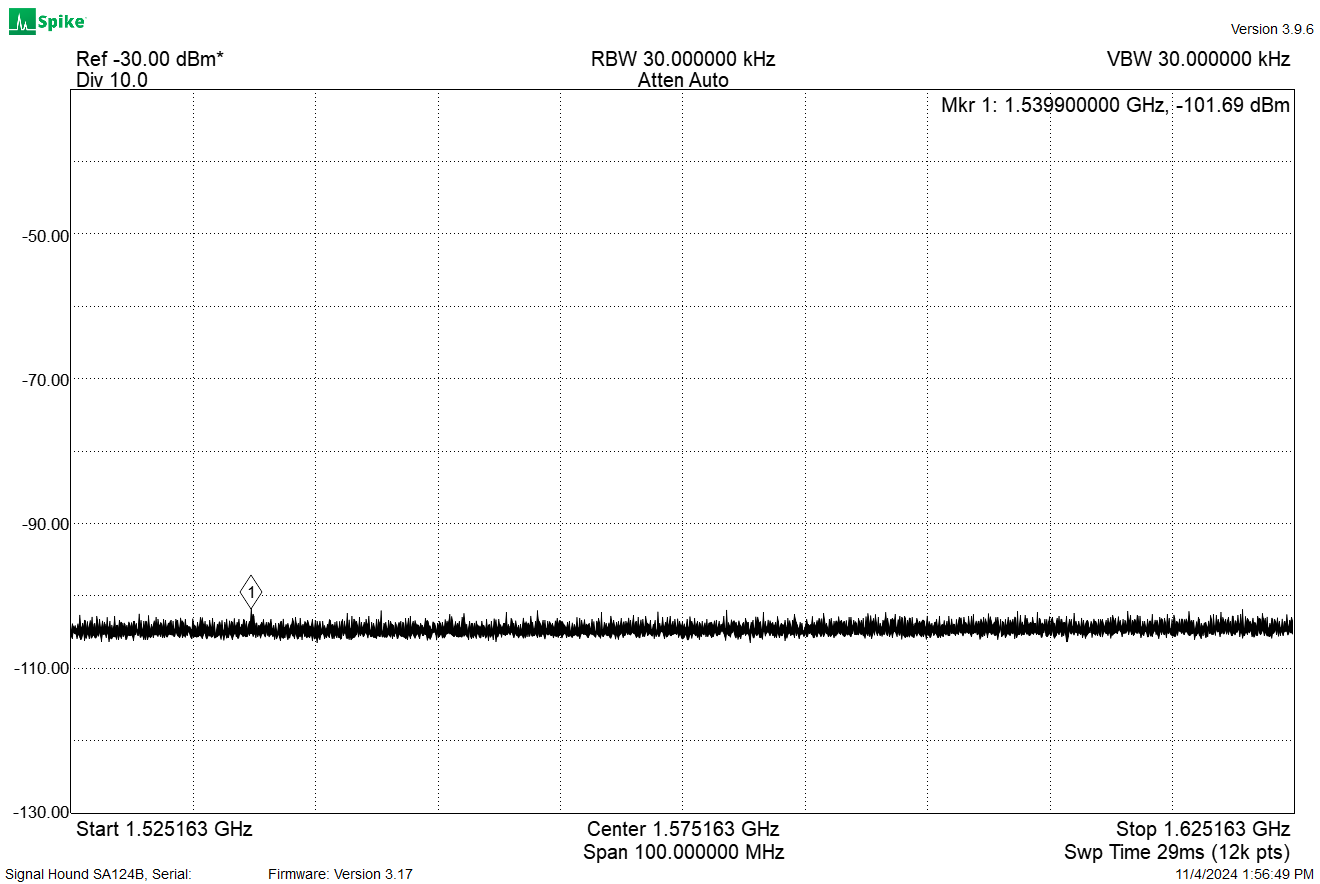
    @nuallaino , we are continuing to investigate the GPS signal issues and found that sometimes the wifi module (Alpha networks), located right under the GPS receiver, can create interference with the GPS unit. Please try a workaround by disconnecting the wifi dongle from the M0141 usb adapter board and use a usb extension cable to move the wifi dongle from under the gps receiver. You don't have to mount the cable to the drone just for this test. Also, you can do a quick test by disabling USB power (which will turn off the wifi dongle) using the following command on VOXL2. You will need an ADB connection to check the GPS status if wifi is disabled. pin GPIO_157 controls VBUS, which is USB power on VOXL2 to disable, run voxl-gpio write 157 0 to enable, run voxl-gpio write 157 1 Please let us know if these tests show positive results. Alex
  • Starling 2 Max : Read and update ESC Parameters

    2
    0 Votes
    2 Posts
    391 Views
    tomT
    @Kessie D0012 is Starling 2 Max, voxl-esc setup_D0012 will load the correct firmware for your board as well as the correct params for your drone
  • 0 Votes
    8 Posts
    2k Views
    N
    Thank you for your help guys. I eventually reflashed the VOXL2 and it is working fine!
  • This topic is deleted!

    2
    0 Votes
    2 Posts
    6 Views
  • Starling 2 Max position mode roll and pitch do nothing

    1
    0 Votes
    1 Posts
    269 Views
    No one has replied
  • Access position data at higher frequency

    starling2 max mavlink offboard-mode
    3
    0 Votes
    3 Posts
    1k Views
    G
    edit: use mavutil.mavlink.MAVLINK_MSG_ID_LOCAL_POSITION_NED* instead of magic number 32 for message ID
  • Indoor Altitude Estimate Divergence

    2
    2
    0 Votes
    2 Posts
    387 Views
    G
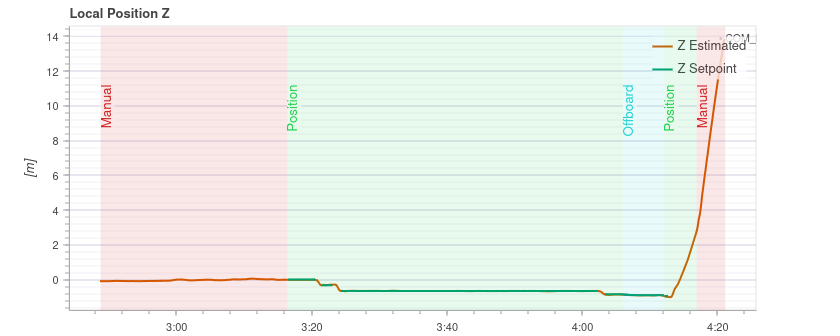
    @admin @Moderator Any suggestions on how to prevent this altitude divergence? This happens somewhat regularly and requires reversion to manual control.
  • Motor stop functionning on starling 2

    6
    0 Votes
    6 Posts
    1k Views
    J
    @Jeremy-Schmidt Hi, It's resolved now, in the mean time I had a response from the support. Have a good day Julien
  • Position Mode Unavailable

    starling2 max position-mode gps qvio
    6
    0 Votes
    6 Posts
    2k Views
    tomT
    @griffin Correct
  • Depth Information Source Unclear

    starling2 max voa depth sensor dfs
    3
    0 Votes
    3 Posts
    1k Views
    G
    @James-Strawson Hey James, Thanks for the tip, installing via apt install voxl-mapper and then running with systemctl start voxl-mapper worked out of the box. Kind regards, Griffin
  • Unable to bind controller anymore to Starling V2

    11
    0 Votes
    11 Posts
    1k Views
    tomT
    @mario Should be the same, if you're seeing that LED pattern then binding mode has started correctly
  • Starling 2 Max Purchase question

    3
    0 Votes
    3 Posts
    415 Views
    Eric KatzfeyE
    @elad-applepar For question #1, if you are talking about adding a second GPS for redundancy then it is possible depending on which GPS unit you choose and which configuration option you choose for the Starling 2 Max. The GPS unit would have to be UART based, not CAN or SPI based. And you would need to choose the WiFi configuration of the Starling 2 Max because that has an add on board that exposes a UART connection. Then you would need to enable a driver for the second GPS in PX4. This isn't something we have tried but it is theoretically possible to do. I would only undertake this if you are comfortable modifying drones and dealing with px4 configurations.
  • High Resolution Camera CPU Overheat

    starling2 max
    2
    0 Votes
    2 Posts
    1k Views
    Alex KushleyevA
    @griffin , this is expected behavior (from our point of view ). Here is what's happening: the image from hires large stream (which is what I assume you are using) is either 3840x2160 or larger, around 4xxx by 3xxx depending on which camera you are using voxl portal is not very efficient at processing large images and when it receives the huge 4K image (YUV or RGB), it will use turbojpeg (software JPG encoder) to convert it to jpeg. This process takes a lot of cpu for large images and especially if fps is 30, it is too much for voxl-portal to handle if you want to view hires images through portal, you can enable (if not enabled) en_small_video stream in camera config file /etc/modalai/voxl-camera-server.conf and set resolution to something smaller, usually 1280x720 or similar is good (depending on the aspect ratio that you need) once you enable the small video stream, you can view the hires_small_color stream from the voxl-portal the cpu % (assuming you are looking at output of top) will show the cpu usage percentage at the current cpu frequency . So this number is often very misleading because if the cpu is not running at max frequency, it will have higher % usage compared to perf mode (which can be set using voxl-set-cpu-mode perf. You can use tool voxl-inspect-cpu to show the total usage of each core (which takes into account the frequency of each core) and you can also see the current core frequencies (but you cannot see individual processes). Please let us know if you have any other questions. Alex