Skip to content

Starling & Starling 2

218 Topics 998 Posts

Questions regarding the Sentinel VOXL 2 Development Drone

  • Removing WiFi Adapter Hat from Starling

    1
    0 Votes
    1 Posts
    315 Views
    No one has replied
  • Attempt to reduce drift with the help of stereo camera

    7
    0 Votes
    7 Posts
    1k Views
    James StrawsonJ
    @Jetson-Nano If you are using a stereo-pair that are being published together on the same pipe like on a Seeker, M500, or Sentinel, then you should just need to set up the following config files: /etc/modalai/voxl-qvio-server.conf: "cam_name": "stereo", (or stereo_front for sentinel) "lens_cal_path": "/data/modalai/opencv_stereo_intrinsics.yml", (or stereo_front_intrinsics for Sentinel) "cam_extrinsics_name": "stereo_l", (or stereo_front_l for sentinel) "use_second_cam_if_stereo": false, To use the right camera, you can swap "use_second_cam_is_stereo" to true, and qvio will pull in instrinsic lens params from the right camera which is also part of the same intrinsics file. Note that we only have camera locations in the extrinsics files for the left camera, but you can add to /etc/modalai/extrinsics.conf an entry for the right camera if you wish.
  • Enabling Ghost atto RC input in HITL

    3
    0 Votes
    3 Posts
    528 Views
    L
    @tom Perfect! That worked
  • Simulations to Practical Starling 2

    3
    0 Votes
    3 Posts
    1k Views
    Z
    @tom I need to perform the autonomous indoor mission? Can I do it with VOXL 2 if yes How I can do it?
  • Outdoor and night slam performance

    1
    0 Votes
    1 Posts
    418 Views
    No one has replied
  • VOXL 2 Starling

    2
    0 Votes
    2 Posts
    530 Views
    ModeratorM
    @Zarrar The Starling 2 meets all of those specifications. The obstacle avoidance and gps-denied navigation are tuned to indoor environments
  • Starling Sensors still Recommended for New Designs?

    3
    0 Votes
    3 Posts
    619 Views
    T
    @modaltb thanks for the follow up. I'll see if I can secure a starling 2 soon.
  • 0 Votes
    3 Posts
    563 Views
    C
    Thanks for the response. Looking forward to the great work.
  • Regarding controlling drone flight using code

    3
    0 Votes
    3 Posts
    565 Views
    C
    @Eric-Katzfey said in Regarding controlling drone flight using code: @cy208183395 I would take a look at the documentation for MAVSDK. It has a python interface available and can do drone control. Thanks for your reply
  • Starling HITL no serial port data or connection made

    4
    0 Votes
    4 Posts
    810 Views
    Eric KatzfeyE
    @JoeAR_21 I would just buy something like this: https://www.adafruit.com/product/954?gad_source=1&gclid=CjwKCAjwyo60BhBiEiwAHmVLJQuZ-9b9QJJtpK_PN6k5qN0jQMigyLn_nbWc5deXCZ8ZnSInlYXwrhoCxZAQAvD_BwE
  • Considerate VIO drift (z-axis) in Starling V2.

    7
    2
    0 Votes
    7 Posts
    2k Views
    James StrawsonJ
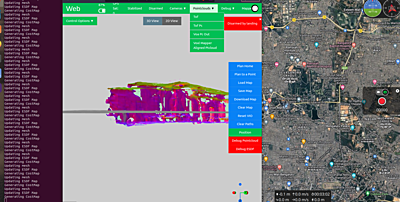
    @Jetson-Nano In SDK 1.2.0 we did start pushing the default config of voxl-mapper a big harder with smaller voxl sizes, longer ray lengths, and double the UI update rate to better complement the newer TOF sensors on the Starling 2. Part of this update was also to lock some of the heavier parts of the mapper processing to cores 4,5,6 to make sure VIO wasn't affected too much. However, if you are still seeing a difference in VIO performance between mapper being on and off then there may still be some optimization to be done. Just to confirm you are seeing worse VIO performance when mapper is enabled, correct? If so, please try increasing the voxl_size parameter in /etc/modalai/voxl-mapper.conf from the default 0.1 to 0.25, and set the cpu into performance mode on bootup by changing the normal_cpu_mode field to "performance" in /etc/modalai/voxl-cpu-monitor.conf. The map will be very course and ugly with such a big voxel size but I'm just curious if the power cpu use helps resolve the issue. For reference, here is the commit history for voxl-mapper showing the recent tweaks for SDK 1.2 and newer that turn up some of the knobs.
  • Starling 2 doesn't detect camera after flashing new SDK

    4
    3
    0 Votes
    4 Posts
    782 Views
    tomT
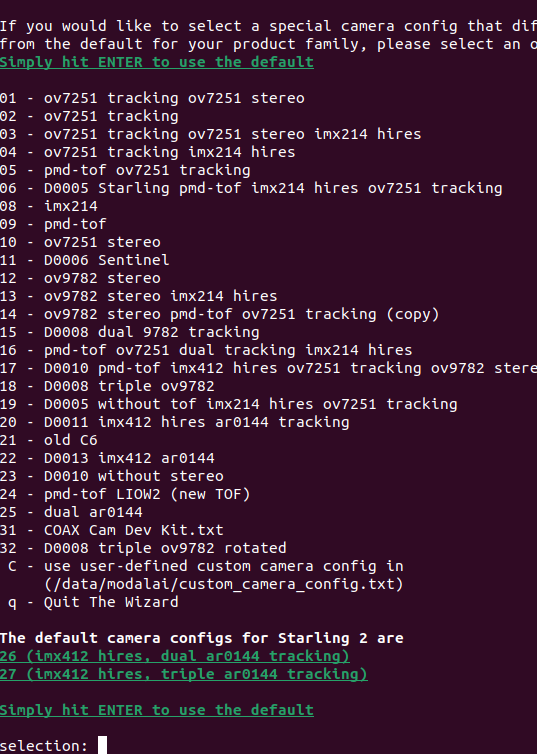
    @Judoor-0 Yep exactly, if the drone is already in fastboot before running the flashing script it can't identify which board it is (M0054-1, M0054-2, M0104-1) so it has to give you all options. This time since it has ADB access it can be smarter and just ask you the possible options it knows are supported for your hardware
  • voxl-mapper setting

    1
    3
    0 Votes
    1 Posts
    429 Views
    No one has replied
  • External API to interact with voxl-mapper

    1
    0 Votes
    1 Posts
    299 Views
    No one has replied
  • Flir Lepton on Starling 2

    2
    0 Votes
    2 Posts
    608 Views
    ModeratorM
    The Flir Lepton feature is still in development. Please check future release notes in VOXL SDK for updates on availability.
  • Collision Prevention not working with external FC

    1
    0 Votes
    1 Posts
    397 Views
    No one has replied
  • Plan to a point

    1
    0 Votes
    1 Posts
    349 Views
    No one has replied
  • Binding of Ghost Atto controller

    2
    0 Votes
    2 Posts
    410 Views
    tomT
    @Stefano-Accolla https://docs.modalai.com/orqa-ghost/
  • check-calibration "Detected Missing Calibration Files"

    3
    1
    0 Votes
    3 Posts
    620 Views
    tomT
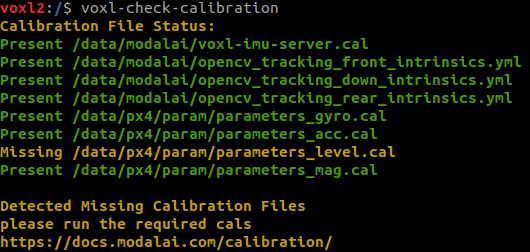
    @Stefano-Accolla Not a major issue, you'll just have to calibrate horizon via QGroundControl: https://docs.px4.io/main/en/config/level_horizon_calibration.html As for the Ghost Atto, please open a separate thread for that
  • "Serial Port Closed!" and other HITL Errors

    17
    8
    0 Votes
    17 Posts
    4k Views
    L
    @Eric-Katzfey Issue is mostly resolved. There were two main errors to fix. The first was that the cable that I was using needed to have its RX and TX wires swapped as Vinny pointed out. The second was that Docker Desktop needed to be uninstalled and replaced with only the core Docker CE Engine. After doing this, the HITL seems to be up and running on the alternate Linux computer I tested with. On the original computer, the "Serial port closed error" is no longer present although there does seem to be a graphics issue when attempting to run the Gazebo image with graphics. [image: 1718148966860-8d0e6ab0-9969-4fb4-853c-4879b46992bf-image.png] Once this is fixed I think it should be all ready to perform simulations.