Skip to content

General Questions

2.2k Topics 11.3k Posts

Not sure where your question goes? Ask here. ModalAI engineers and the community answer questions about any VOXL product.

  • ADB Device Not Detected After Connecting J2

    Unsolved
    3
    0 Votes
    3 Posts
    508 Views
    M
    @Alex-Gardner Thank you, that fixed the issue.
  • Gremsy gimbal integration with Flight Core

    Unsolved
    2
    0 Votes
    2 Posts
    541 Views
    modaltbM
    Hi @steveb2014 , Using a TELEM port should get you the same interface as standard Pixhawks, perhaps some params need to be changed for baud etc. Do you have specific issues or errors you are seeing? Thanks! Also, some info on our use of a gimbal with FlightCore here --> https://docs.modalai.com/voxl-m500-gimbal-user-guide/ although it was using a little 2-axis PWM controlled gimbal.... I think the MAVLink approach is better.
  • How to Build mavsdk_server from new source

    Unsolved
    13
    0 Votes
    13 Posts
    2k Views
    PIRON PIP
    @chaitanya Sorry. My goal is that cell phone can control VOXL flight deck. Therefore, I need a MAVSDK library( e.g. libmavsdk.so) at Android. Then I can use the library to send command to control VOXL flight deck.
  • VOXL2 - flight deck CAD model availability

    Unsolved
    2
    0 Votes
    2 Posts
    543 Views
    Chad SweetC
    We have posted the Sentinel CAD which has the flight deck embedded. https://docs.modalai.com/sentinel-functional-description/#3d-step
  • S500 Frame CAD Model

    Unsolved
    2
    0 Votes
    2 Posts
    2k Views
    Chad SweetC
    We have posted the Sentinel CAD which has some of the s500 components embedded. We don't have the s500 frame as is. https://docs.modalai.com/sentinel-functional-description/#3d-step
  • ADB Device Not Attached/Offline

    Unsolved
    10
    0 Votes
    10 Posts
    2k Views
    tomT
    @Chuck-Bokath Sounds like you were able to get a connection going? If not, I was going to suggest adding your ground station's IP to the voxl-vision-px4 config file under the qgc_ip setting.
  • Is it possible to switch to a non-spektrum radio for RB5 drones

    Unsolved
    2
    0 Votes
    2 Posts
    561 Views
    Chad SweetC
    We have a px4io board that will be in beta soon. It will enable more RC options. Do you have a specific protocol you are looking for?
  • Microhard vs WiFi : pros/cons?

    Unsolved
    4
    0 Votes
    4 Posts
    591 Views
    Chad SweetC
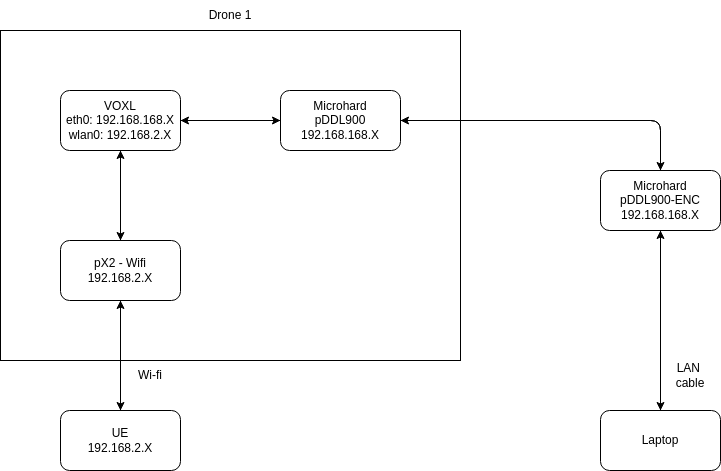
    In general, yes Microhard is designed for point to point robustness at longer range. Like all radios, your mileage may vary.
  • voxl-streamer decimator

    Unsolved
    5
    0 Votes
    5 Posts
    918 Views
    Eric KatzfeyE
    @Philemon-Benner No problem. But that's exactly why the decimator is there. It's often nicer to see lower frame rate with higher image quality.
  • Potentially incomplete Dshot implementation?

    Unsolved
    8
    0 Votes
    8 Posts
    2k Views
    Chad SweetC
    Thanks for the heads up!
  • Setup Flight Deck on Fixed Wing

    Unsolved
    2
    0 Votes
    2 Posts
    617 Views
    Steve TurnerS
    @Peter There is nothing that would prevent the VOXL Flight Deck or any of MODAL AI's kit from being used in a fixed wing configuration. The underlying autopilot, PX4 can be configured to fly a fixed wing aircraft. The software on the VOXL "brain" is tuned for quadcopters and will fly out of the box but with adjustments I'm sure it can be done. Someone from ModalAI can chime in, but it would not surprise me if other customers are already flying Modal kit on a variety of other platforms from ground, to sea, and other air configurations.
  • offboard mode mavsdk example

    Unsolved
    5
    2
    0 Votes
    5 Posts
    1k Views
    PIRON PIP
    @沈-宏澤 Do you solve your problem? How to solve it?
  • USB devices not detect before "$ adb devices"

    Unsolved
    3
    3
    0 Votes
    3 Posts
    662 Views
    Shunichi ShiozawaS
    @Moderator I didn't use docker. (certainly, the screenshot folder looks like inside docker) This problem was solved in another way I made a mistake in the port to insert the micro USB. [image: 1651901583482-%E3%82%B9%E3%82%AF%E3%83%AA%E3%83%BC%E3%83%B3%E3%82%B7%E3%83%A7%E3%83%83%E3%83%88-2022-05-07-143058.jpg] Thank you.
  • How to make VOXL Flight DECK fly at offboard?

    Unsolved
    1
    0 Votes
    1 Posts
    420 Views
    No one has replied
  • Help selecting VOXL product/platform for specific use case

    Unsolved
    5
    0 Votes
    5 Posts
    717 Views
    Bharat SriniB
    @stevet Thanks! We actually do have these, maybe we can just figure out the FOV of each camera from the respective data sheets.
  • "[ERROR] test sig failed to save" when installing system on RB5

    Unsolved
    4
    0 Votes
    4 Posts
    843 Views
    tomT
    @andyh Okay great, we do have your files in our database. I will send you your files via. an email to your account registered here in the next few minutes. Here are a list of the files I will send you: testsig-0xbb02a75f.so opencv_stereo_extrinsics.yml opencv_stereo_intrinsics.yml opencv_stereo_rear_extrinsics.yml opencv_stereo_rear_intrinsics.yml opencv_tracking_intrinsics.yml The steps you will do to fix your issue are as follows: Download all of the above files Create the /data/modalai directory on your RB5 with adb shell mkdir -p /data/modalai In your terminal, navigate to the directory where you saved the above files Push the camera calibration files to your RB5 with adb push *.yml /data/modalai/. Push the testsig file to your RB5 with adb push testsig*.so /usr/lib/rfsa/adsp/. After doing this the flashing script should be happy. It seems as though those files were somehow lost, possibly due to a re-flash with an older version of our script (newer versions such as the one in 1.0.5-M0052-9.1-perf-c save these files during the flashing process)
  • This topic is deleted!

    4
    0 Votes
    4 Posts
    8 Views
  • Autonomous indoor and outdoor drone for interfacing

    Unsolved
    2
    0 Votes
    2 Posts
    463 Views
    Chad SweetC
    The Seeker has been used for that sort of work in the past, though the customer is still expected to develop the swarming application. You can see this article here as an example. The configuration of Seeker depends on how the customer intends to approach the problem. If you plan to communicate with the robots over cellular / LTE, then that is the option to choose. There is WiFi built in for short range communications. A controller is recommended for emergency take-over, but not explicitly required. Please develop using extreme caution as unpredictable behavior can occur. We have some safety tips at https://modalai.com/safety
  • Time taken to connect to VPN is inconsistent and long

    Unsolved
    6
    0 Votes
    6 Posts
    745 Views
    Eric KatzfeyE
    @hmlow Great, thanks for looking into that!
  • m500 outside hovering precision

    Unsolved
    4
    0 Votes
    4 Posts
    975 Views
    modaltbM
    Hi @janis_blank , A quick browse of those range finders showed some with I2C interfaces. Now, we don't have all drivers possible starting in PX4, so this might not work out of the box. Here's the drivers available: https://github.com/modalai/px4-firmware/blob/modalai-1.11/boards/modalai/fc-v1/default.cmake#L17 There's a spare I2C port though likely available on the hardware for you, J13 on FlightCore: https://docs.modalai.com/flight-core-datasheets-connectors/#j13---i2c-display--i2c2-bus--safety-switch-connector You may need to enable drivers and then alter startup to get to work, here: https://github.com/modalai/px4-firmware/blob/modalai-1.11/boards/modalai/fc-v1/init/rc.board_sensors But in theory using I2C you should be able to get data from the range finders (it wouldn't be integrated into voxl-* tools, rather just used by PX4 though)