Skip to content

General Questions

2.2k Topics 11.3k Posts

Not sure where your question goes? Ask here. ModalAI engineers and the community answer questions about any VOXL product.

  • Docking/charging station and thermal

    Unsolved
    3
    0 Votes
    3 Posts
    396 Views
    R
    @Moderator Thank you!! We are looking to build a thermal drone with a docking station for security response and patrols. Two questions, do you have a model recommendation for us to use/start with and do you of anybody already working on a dock? Don't want to reinvent the wheel if we don't have to, but will if necessary. Thank you for any feedback!
  • Adding ll40ls driver to px4 build

    Unsolved
    5
    0 Votes
    5 Posts
    842 Views
    Eric KatzfeyE
    @jonathankampia Unfortunately, the hard part is creating the build Docker.
  • Invalid Remote ID Serial Number

    Unsolved
    3
    0 Votes
    3 Posts
    2k Views
    Andrew MartinA
    @modaltb This simplest fix for us was to just change the hardcoded 'C' to a hardcoded 'A' and rebuild the deb. It's not the "proper" solution, but it should let us fly legally.
  • VOXL2 dual tracking

    Unsolved fps 30 name hires name tof fps 10
    1
    0 Votes
    1 Posts
    747 Views
    No one has replied
  • 0 Votes
    2 Posts
    334 Views
    Eric KatzfeyE
    @장성원 It only works on VOXL and VOXL 2 You need to use the board to board connector You can fly in manual mode with an RC controller. ModalAI does not offer an RC transmitter integrated with display.
  • GPS performance with IMX412 Hires Camera EMI and Mitigation Techniques

    Unsolved
    3
    0 Votes
    3 Posts
    689 Views
    Alex KushleyevA
    @jameskuesel , Can you please provide a bit more detail about your test -- when you enable M0161, how exactly do you test it? Do you view the images using voxl-portal? and if so, how is your starling2 connected to the network? If you are using the wifi dongle, then we have noticed that moving the wifi dongle away from the GPS antenna helps reduce interference. You can test if the interference is still present by unplugging the wifi dongle completely from usb port and use voxl-inspect-cam test application to make sure the camera is running (inspect the same camera stream that you were previously viewing). Also, please let me know what resolution / FPS you are testing the camera at. Regarding the MIPI clock rates, i would need to double check, but i believe the IMX412 driver uses 1.5Gbps MIPI bit rate, which is close to GPS L1, but not really close that it would cause interference. We can definitely try different bit rates to see if it helps reduce EMI (if that is indeed the case), but let's first rule out the potential wifi dongle issue. We have ability to change the MIPI clock rate in quite a wide range, but this will require a different sensormodule driver for the camera, which I would need to provide to you. Another thing, we recently found that the Starling Front End M0173 board may cause GPS interference via the Lepton connection, so if you have that plugged in, please unplug and see if that helps with GPS signal. Lepton needs 25Mhz clock, so one of the harmonics could hit exactly GPS L1 at 1575Mhz. Alex
  • afskgkzjxijxcbtgqjxc

    Unsolved
    1
    0 Votes
    1 Posts
    274 Views
    No one has replied
  • IMX412 Poor performance vs IMX214?

    Unsolved
    12
    2
    0 Votes
    12 Posts
    2k Views
    Alex KushleyevA
    @jameskuesel , thank you for letting me know about the focus issue. It seems we had a few cameras shipped out without being properly focused - we will make sure to take care of it in the future. Sorry about that. Regarding the image quality, after adjusting the lens focus, are you satisfied with the image resolution / quality? Also i believe the color balance outdoors should look better under natural light. Alex
  • Frame size mismatch: got 43200 bytes from pipe, expected 38528

    Unsolved
    3
    0 Votes
    3 Posts
    971 Views
    Alex KushleyevA
    I just made a fix on a branch, but did not test it: https://gitlab.com/voxl-public/voxl-sdk/services/voxl-camera-server/-/commit/43aa51a43c339e008b86d637b87cb22d9c369588 If you are able to test the fix, please give it a try and let me know if it works! Thanks! Alex
  • PWM Servo IO Board

    Unsolved
    21
    1
    0 Votes
    21 Posts
    5k Views
    Alex KushleyevA
    @valvarez , the usage for the test tool is as follows: voxl2:/$ qrb5165io-uart-test -h Description: runs hardware loopback test on specified bus Usage: qrb5165io-uart-test -d <device ID> (eg 3 for /dev/ttyHS3) So you should run your test as: voxl2:/$ qrb5165io-uart-test -d 2 [INFO]: success!
  • Fatal: ThreadLocker acquire: QSystemSemaphore::handle: unknown error 38

    Unsolved
    8
    0 Votes
    8 Posts
    778 Views
    Alex KushleyevA
    @voxl2_user , i will ask around.. Also, there may be some sysv compatibility mode, instead of fully utilizing sysv for all IPC. I think i saw something like that when grepping the kernel build source for sysv supprt. I will check a bit later. Alex
  • VOXL-ESC (output) + VOXL IO (output)

    Unsolved
    3
    2
    0 Votes
    3 Posts
    686 Views
    Alex KushleyevA
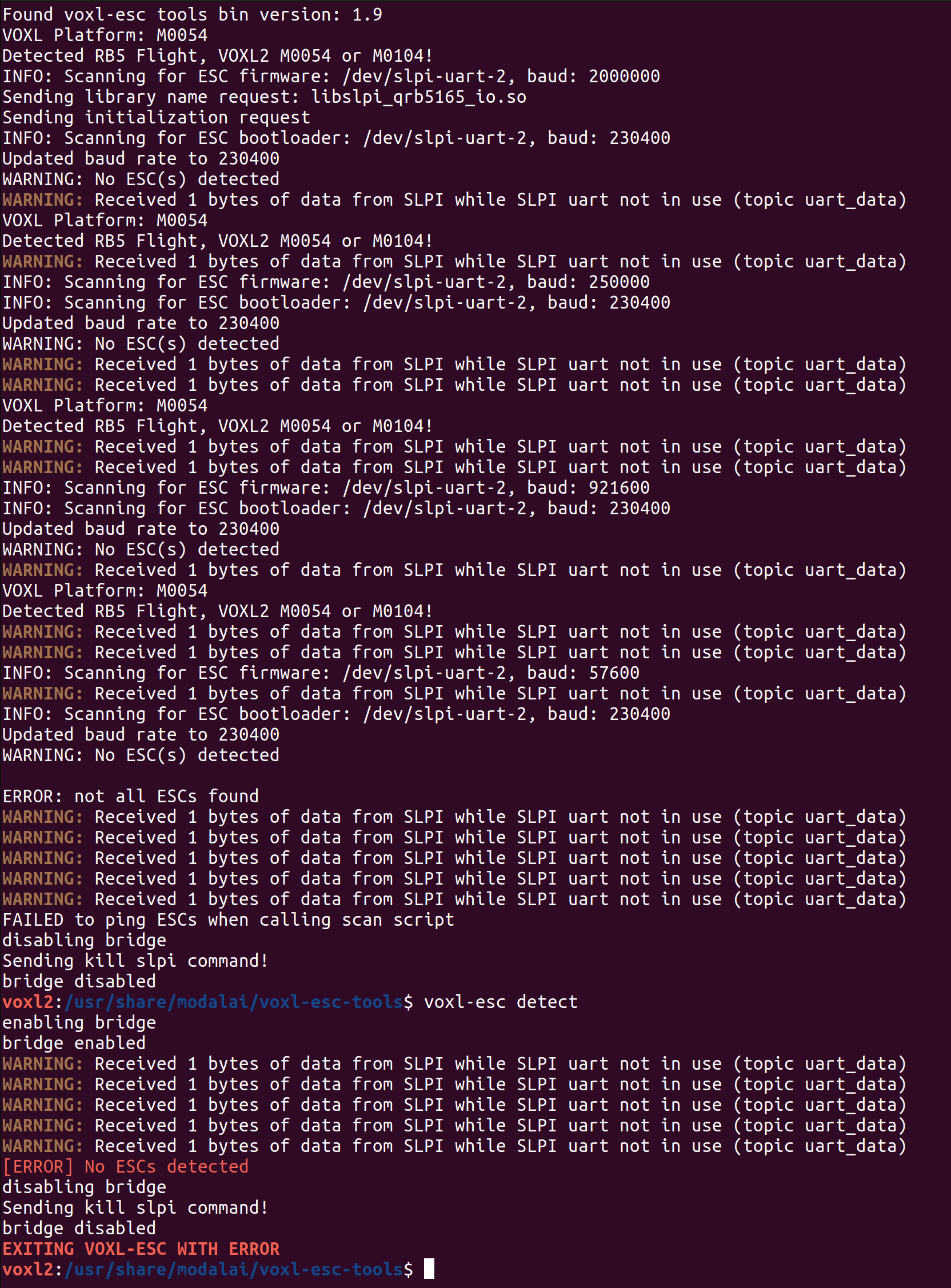
    @valvarez , i believe i have previously tried VOXL_ESC + VOXL2 IO drivers running at the same time and it worked. You just have two output interfaces that you can configure and test via GCS. As Eric mentioned, you just need to make sure you configure the two drivers to start together and to connect to the correct ports (and baud rates). Regarding outputting PWM from VOXL_ESC, there is a way to make it work. We do not have the PWM ports on the ESC exposed as normal PWM outputs in PX4, but you can use a special tool / command on voxl2, which will send message to the ESC (via PX4) and control the PWM port: https://gitlab.com/voxl-public/voxl-sdk/services/voxl-io-server/-/blob/master/tools/voxl-send-esc-pwm-cmd.c (which is also part of our SDK) . voxl2:/$ voxl-send-esc-pwm-cmd -h Tool to send command a VOXL ESC to make it output a PWM signal If timeout is disabled (default) then the esc will keep sending the same pwm command even after this program exits. If enabled, the signal will stop after 0.5s. Oneshot mode will automatically exit this program after one message is sent to the esc, otherwise it will keep going untill you hit ctrl-C ESC_PIN_M0129_AUX0 2 ESC_PIN_M0129_AUX1 258 ESC_PIN_M0129_AUX2 514 ESC_PIN_M0129_AUX3 770 ESC_PIN_M0129_AUX_REG_EN 6 ESC_PIN_M0129_AUX_REG_ADJ 22 ESC_PIN_M0138_VTX_REG 80 ESC_PIN_M0138_RGB_OUT 24 ESC_PIN_M0138_AUX0 2 ESC_PIN_M0138_AUX1 770 ESC_PIN_M0138_AUX_REG_EN 12 ESC_PIN_M0138_AUX_REG_ADJ 11 D0008_V5_LIGHT_BAR_PIN 2 D0008_V5_PAYLOAD_PIN_0 770 D0008_V5_PAYLOAD_PIN_1 24 -h, --help print this help message -o, --one-shot only send one command then quit, not to be confused with short duration 125us oneshot mode -p, --pin {pin} output pin -t, --timeout enable 0.5s timeout, otherwise pwm will continue indefinitely -w, --width {val} pulse width microseconds (default 1500) typical use: voxl-send-esc-pwm-cmd -p 2 -t -w 1500 You will need to provide the pin number. See the usage helps, which provides the pin mapping (look at pins for M0129 ESC, but pwm pins are the same on M0117, M0134 ESCs as well). For a simple test, you can use pin=2 (meaning this will control Pin A2 on ESC ID 0 ), which should control the PWM0 output on your ESC. The 4 PWM outputs on the ESC are each connected to A2 port of the corresponding microcontroller, responsible for each ESC ID. The pin mapping is also documented here : https://gitlab.com/voxl-public/voxl-sdk/services/voxl-io-server/-/blob/master/lib/modal_io.h?ref_type=heads#L66 Alex
  • QVIO Flight violently unstable

    Unsolved
    10
    1
    0 Votes
    10 Posts
    2k Views
    Alex KushleyevA
    @Gary-Holmgren , we have not tried the mask with 1280x800 resolution. Can you please try using the mask of size 160x120 and make it half white / half black for sanity testing. It is possible that the mask size has to be of these specific dimensions (and it would get resized to match the aspect ratio of the actual image, not sure). Also, you should enable the debug prints in QVIO, as mentioned here https://forum.modalai.com/topic/3459/masking-qvio/6 and there is another potential "gotcha", the mask path is relative to working directory where qvio server starts.. but after you enable the qvio server debug prints, you will see the path from which the mask file is being loaded, as you can see from screen shots from the other post. Unfortunately, the underlying QVIO source code is not available, so I cant check the exact behavior of the masking feature. Alex
  • Dual Tracking qvio

    Unsolved
    4
    2
    0 Votes
    4 Posts
    710 Views
    tomT
    @tkddnjs825 Nope, if you run through install.sh it'll get everything setup as necessary
  • Where to see fprintf messages coming from voxl-tflite-server?

    Unsolved
    4
    0 Votes
    4 Posts
    713 Views
    tomT
    @arcj Try voxl-tflite-server -d
  • Unable to connect to wifi network

    Unsolved
    3
    0 Votes
    3 Posts
    809 Views
    Alex KushleyevA
    @KnightHawk , Please try unplugging the USB dongle from the USB extension (connected to VOXL2) then plugging it back in and check output of dmesg on your voxl2. It should say something about the new usb device connected and whether there are any errros. Also, in order to confirm that the wifi dongle itself is working, you could try plugging that into a standard linux PC, it should be recognized. Alex
  • 5GHz mode on ALFA dongle and change beacon freq

    Unsolved
    4
    0 Votes
    4 Posts
    585 Views
    tomT
    @RSAUser1 It's not something I've tried, but I assume it would work in the same way you would do it on another Ubuntu 18.04 device.
  • Arm the RB5 drone with Mavros only

    Unsolved
    5
    0 Votes
    5 Posts
    762 Views
    S
    @Eric-Katzfey Thanks for answering! I have managed to solved this problem by using proper MOCAP data instead of GPS. I did not test in the QGC. But for mavros I succesfully armed the drone, which is what I really want for doing more control. I wonder if there is any tutorial or documentation for doing low-level control, such as to do control specifically on motors, PWM, instead of using PX4 to do high-level control. Thanks for your help again!
  • Starling 2 - Voxl-dfs-server

    Unsolved
    7
    4
    0 Votes
    7 Posts
    1k Views
    ModeratorM
    @JoeAR_21 voxl-vision-hub handles VOA, not voxl-dfs-server You can see the tof callback function in voa_manager here: https://gitlab.com/voxl-public/voxl-sdk/services/voxl-vision-hub/-/blob/master/src/voa_manager.c?ref_type=heads#L380
  • Ghost atto Sentinel

    Unsolved
    6
    1
    0 Votes
    6 Posts
    906 Views
    Eric KatzfeyE
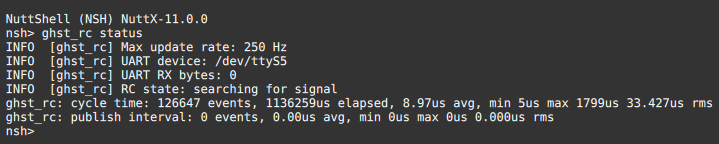
    @valvarez Sorry about that, but looks like that ghst_rc driver is specific to the DSP and cannot be used on the apps processor right now. I'm afraid the current build cannot support what you are looking to do without some changes. Probably best for you to put the receiver in SBUS mode and connect to the IO board.