Skip to content

Ask your questions right here!

2.4k Topics 11.7k Posts

Note sure where to post? Ask questions here for direct access to the ModalAI engineering team

Subcategories


  • 167 Topics
    757 Posts
    Colby HowellC
    Hello. I purchased a Starling 2 Max development drone and when attempting a first flight test I discovered that one of the batteries arrived entirely dead. I was curious if there was a way to receive replacements, and if this falls within replacement territory. I contacted the support email and was directed here. I can provide more information if needed.
  • Do you have a great idea for our products you would like to see implemented?

    27 90
    27 Topics
    90 Posts
    Serhii RovnyiS
    Hello everyone, I am looking for some expert advice on a VOXL 2 companion computer setup for a long-range platform. I have two main integration challenges: Challenge A: VIO at Higher Altitudes To solve the motion blur and pixel density issues at higher altitudes, I am planning a 6-camera configuration. I want to use 4 downward-facing sensors (2 daylight + 2 IR) equipped with narrow-angle lenses, alongside 2 standard wide-angle sensors (front and rear). Could you advise on the best supported sensors (e.g., IMX series) for this? Has anyone successfully tuned the voxl-qvio-server for narrow-angle lenses, and what were the altitude limits you achieved? Challenge B: LAN Integration & WireGuard The payload data flow will be: External RTSP Camera -> Ethernet -> VOXL 2 (WireGuard encryption) -> Ethernet -> Digital RX. Because VOXL 2 lacks multiple LAN ports, I will need a miniature industrial Ethernet switch. Does ModalAI have any tested hardware recommendations for this? Furthermore, what is the best practice for routing this VPN traffic through the VOXL 2 Ubuntu environment without bottlenecking the CPU? We are currently evaluating the VOXL 2 for a broader fleet deployment and want to ensure the ecosystem can support this custom optics requirement. Any feedback on off-the-shelf solutions or standard configurations for this use case would be greatly appreciated. Thank you!
  • Are you looking for a 3D model of one of our products?

    33 86
    33 Topics
    86 Posts
    Alex KushleyevA
    @nl_vdi , if you log into developer.modalai.com, you will see the CAD models. the latest model we have is: D0012-4-V3-C28-M36-T7-K0-Starling2-Max-V3-20260317.step [image: 1781036132877-376bf0dd-494a-4bf1-8d92-1b2d91afb83d-image.png]
  • TOF Images and Frame data not sending

    3
    3
    0 Votes
    3 Posts
    610 Views
    Daniel RyuD
    @Alex-Gardner Worked, thanks!
  • VİO

    4
    0 Votes
    4 Posts
    937 Views
    Daniel RyuD
    Not modalai, but something that helped me debug this very same issue was installing voxl-portal, and using that to view the qvio stream, which will overlay the points onto the tracking camera screen. If it creates points at your drone's motors and feet, then I presume it would be a problem
  • TOF Ros launch file not found

    2
    0 Votes
    2 Posts
    607 Views
    Daniel RyuD
    Found the repository that stores the code here https://gitlab.com/voxl-public/old-projects/voxl-hal3-tof-cam-ros. If this link could be placed in the documentation for future viewers, that would be great
  • Intermittent crashing of voxl-camera-server during VOA testing

    6
    0 Votes
    6 Posts
    1k Views
    J
    Thanks for printing out those resolutions. Very helpful! yocto:~$ voxl-camera-server -d 1 exising instance of voxl-camera-server found, attempting to stop it ------ voxl-camera-server INFO: Port J2 ------ voxl-camera-server: Done configuring hires camera Port : port_J2 Name : hires Enabled : 1 Type : hires Api : hal3 P-W : 640 P-H : 480 P-Fmt : nv21 FPS : 30 OverrideId : -1 AEAlgo : isp ------ voxl-camera-server INFO: Port J3 ------ voxl-camera-server: Done configuring stereo camera Port : port_J3 Name : stereo Enabled : 1 Type : stereo Api : hal3 P-W : 1280 P-H : 480 P-Fmt : nv21 FPS : 30 OverrideId : -1 AEAlgo : modalai =================MODALAI Auto Exposure Settings================== gain_min: 0 gain_max: 1000 exposure_min_us: 100 exposure_max_us: 33000 desired_msv: 58.000000 k_p_ns: 32000.000000 k_i_ns: 20.000000 max_i: 250.000000 p_good_thresh: 3 exposure_period: 1 gain_period: 2 display_debug: no exposure_offset_for_gain_calc: 8000 ================================================================= ------ voxl-camera-server INFO: Port J4 ------ voxl-camera-server: Done configuring tracking camera Port : port_J4 Name : tracking Enabled : 1 Type : tracking Api : hal3 P-W : 640 P-H : 480 P-Fmt : raw8 FPS : 30 OverrideId : -1 AEAlgo : modalai =================MODALAI Auto Exposure Settings================== gain_min: 0 gain_max: 1000 exposure_min_us: 100 exposure_max_us: 33000 desired_msv: 58.000000 k_p_ns: 32000.000000 k_i_ns: 20.000000 max_i: 250.000000 p_good_thresh: 3 exposure_period: 1 gain_period: 2 display_debug: no exposure_offset_for_gain_calc: 8000 ================================================================= Writing new configuration to /etc/modalai/voxl-camera-server.conf Created pipe: hires_preview channel: 0 Created pipe: stereo channel: 1 Created pipe: tracking channel: 2 Starting Camera: tracking SUCCESS: Camera module opened ----------- Number of cameras: 3 ------ voxl-camera-server INFO: Client: qvio-server0 connected to channel: 2 ------ voxl-camera-server ERROR: Client connected to invalid channel: 0 ------ voxl-camera-server ERROR: Client connected to invalid channel: 1 ----------- HiRes camera id: 0 ----------- Stereo camera id: 2 ----------- Mono camera id: 1 ------ voxl-camera-server INFO: Client: voxl-streamer0 connected to channel: 2 Available resolutions for camera: tracking: 640 x 480 320 x 240 Resolution: 640 x 480 Found! ------ voxl-camera-server: Preview buffer allocations Internal Exposure for: tracking 2 /builds/voxl-public/modal-pipe-architecture/voxl-camera-server/src/expgain_interface/expgain_interface_factory.cpp 45 Creating exposure interface Creating ModalAI exposure interface Port : port_J4 Name : tracking Enabled : 1 Type : tracking Api : hal3 P-W : 640 P-H : 480 P-Fmt : raw8 FPS : 30 OverrideId : -1 AEAlgo : modalai =================MODALAI Auto Exposure Settings================== gain_min: 0 gain_max: 1000 exposure_min_us: 100 exposure_max_us: 33000 desired_msv: 58.000000 k_p_ns: 32000.000000 k_i_ns: 20.000000 max_i: 250.000000 p_good_thresh: 3 exposure_period: 1 gain_period: 2 display_debug: no exposure_offset_for_gain_calc: 8000 ================================================================= Starting Camera: hires Available resolutions for camera: hires: 4160 x 3120 4056 x 3040 4000 x 3000 3040 x 3040 3016 x 3016 3840 x 2160 3648 x 2736 3264 x 2448 3200 x 2400 2976 x 2976 3044 x 1720 2704 x 2028 2704 x 1520 2592 x 1944 2688 x 1512 2028 x 1144 2160 x 2160 1920 x 2160 1920 x 1920 1880 x 1880 2048 x 1536 1920 x 1440 1920 x 1080 1600 x 1600 1600 x 1200 1520 x 1520 1440 x 1080 1080 x 1080 1280 x 960 1340 x 760 1280 x 768 1280 x 720 1200 x 1200 1280 x 640 1280 x 480 1040 x 780 1024 x 768 960 x 960 720 x 720 800 x 600 960 x 720 848 x 480 858 x 480 864 x 480 800 x 480 720 x 480 640 x 480 640 x 240 640 x 360 480 x 640 480 x 480 480 x 360 480 x 320 432 x 240 352 x 288 320 x 240 Resolution: 640 x 480 Found! ------ voxl-camera-server: Preview buffer allocations Port : port_J2 Name : hires Enabled : 1 Type : hires Api : hal3 P-W : 640 P-H : 480 P-Fmt : nv21 FPS : 30 OverrideId : -1 AEAlgo : isp Starting Camera: stereo Available resolutions for camera: stereo: 1280 x 480 848 x 480 858 x 480 864 x 480 800 x 480 720 x 480 640 x 480 640 x 240 640 x 360 480 x 480 480 x 360 480 x 320 432 x 240 352 x 288 320 x 240 Resolution: 1280 x 480 Found! ------ voxl-camera-server: Preview buffer allocations Internal Exposure for: stereo 1 /builds/voxl-public/modal-pipe-architecture/voxl-camera-server/src/expgain_interface/expgain_interface_factory.cpp 45 Creating exposure interface Creating ModalAI exposure interface Received raw10 frame, checking to see if is actually raw8 Frame was actually 8 bit, sending as is Port : port_J3 Name : stereo Enabled : 1 Type : stereo Api : hal3 P-W : 1280 P-H : 480 P-Fmt : nv21 FPS : 30 OverrideId : -1 AEAlgo : modalai =================MODALAI Auto Exposure Settings================== gain_min: 0 gain_max: 1000 exposure_min_us: 100 exposure_max_us: 33000 desired_msv: 58.000000 k_p_ns: 32000.000000 k_i_ns: 20.000000 max_i: 250.000000 p_good_thresh: 3 exposure_period: 1 gain_period: 2 display_debug: no exposure_offset_for_gain_calc: 8000 ================================================================= ------ voxl-camera-server: Camera server is now running
  • voxl-tflite-server: "FATAL: Unsupported model provided!!"

    9
    0 Votes
    9 Posts
    2k Views
    ?
    @colerose we selected mobilenetv2 because of its exceptional performance on embedded devices - currently, inference time in the voxl-tflite-server is ~22ms per frame with very high precision. Also, the mobilenet family is fairly easy to retrain with a custom dataset!
  • VOXL on Intel-Galileo & Pixhawk Cube

    5
    0 Votes
    5 Posts
    776 Views
    modaltbM
    Hi @Ador , Unfortunately it's not that straight forward. Most of the code won't be portable, the first candidates to be ported would be from here: https://gitlab.com/voxl-public/core-libs The system image (what Yocto is building) has many hardware dependent items, and we aren't pulling the application layer in during the bitbake process, rather later on we install on top. As an example, part of our software stack run on Hexagon DSP processor (a MAVLink parser) which wouldn't exist on RPi etc so it wouldn't work.
  • Stream from Gimbal freezes in 2 seconds

    14
    3
    0 Votes
    14 Posts
    1k Views
    Daniel RyuD
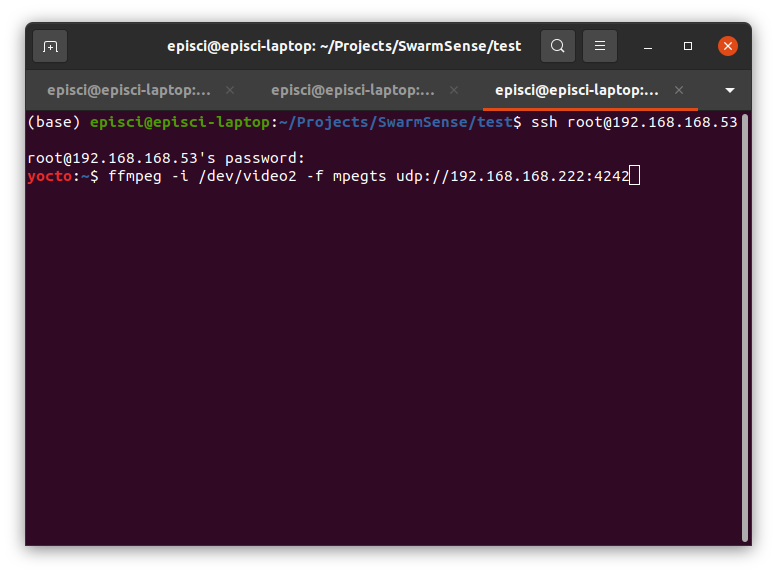
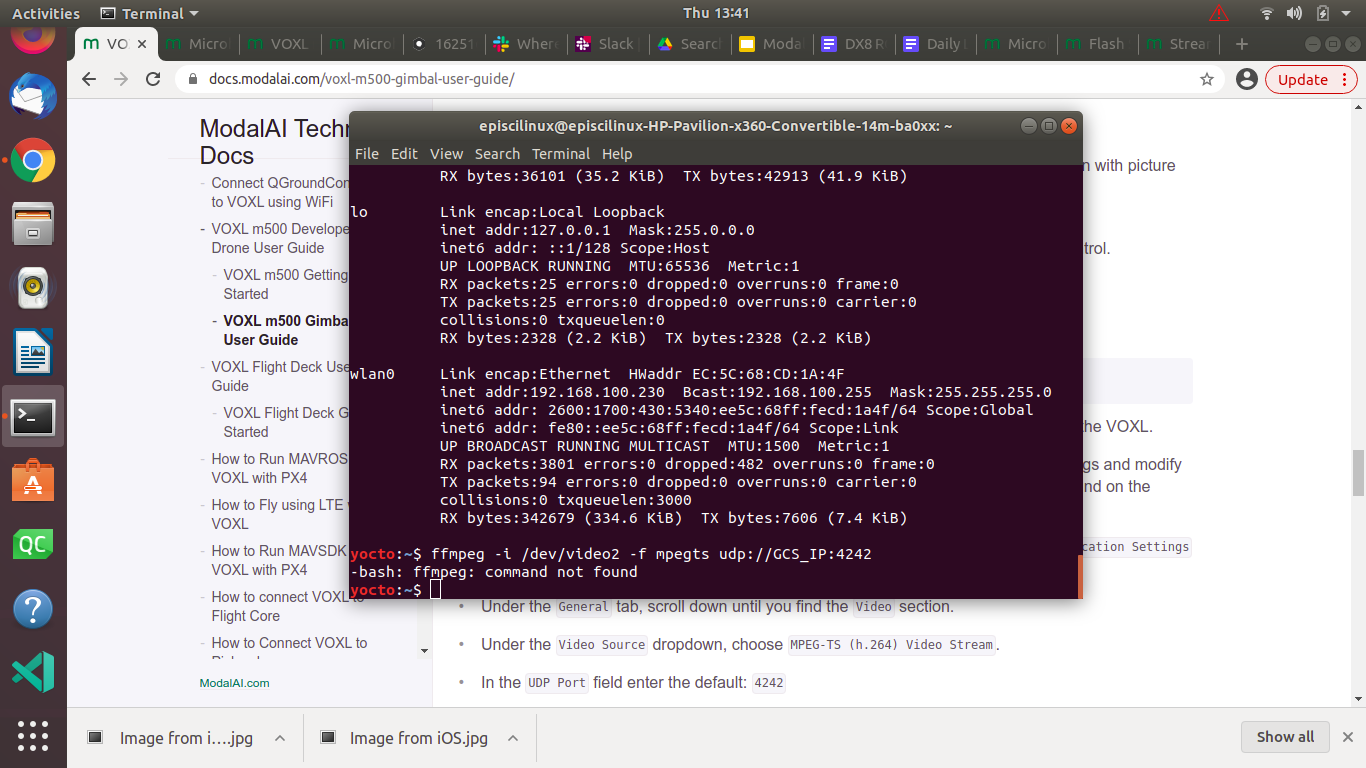
    https://forum.modalai.com/topic/460/integrating-flir-boson-as-usb-connected-camera-on-voxl/3 Issue with UVC cameras in general has moved here
  • Rotating the tracking camera

    2
    0 Votes
    2 Posts
    485 Views
    ?
    That should work fine, keep in mind that you should change the extrinsic with relation to imu0 as well, and that you may need to change the translation if you're not able to rotate it perfectly in place. VIO will converge internally to the actual rotation/translation values as long as they're close enough, but it can lead to errors if they're not.
  • Problems updating voxl-suite

    3
    2
    0 Votes
    3 Posts
    701 Views
    A
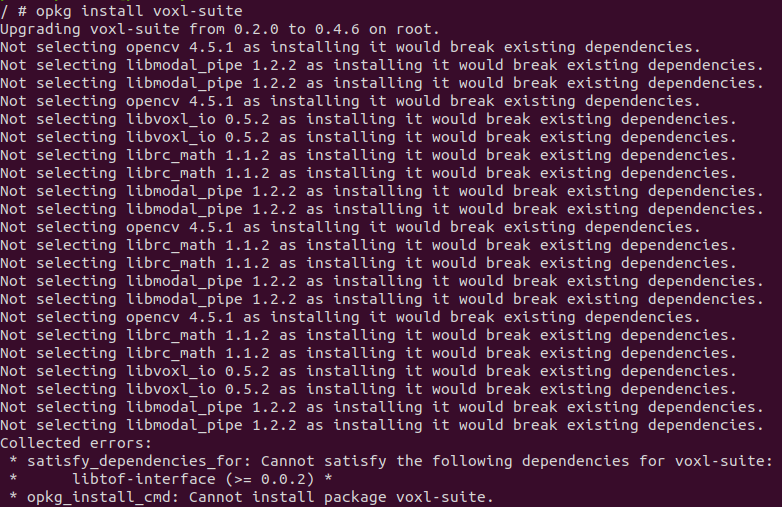
    Oh thank you! I will try to flash this new image. Thanks for the fast response.
  • Gimbal camera streaming not starting

    19
    2
    0 Votes
    19 Posts
    3k Views
    Daniel RyuD
    Solution: sometimes when just binding the RC controller, the inputs aren't shown. Make sure to restart drone after rebinding. Additionally, I've found different controllers have different lever/switch inputs, so its good to use QGC to look for the responsive switches and assign the ones you want accordingly
  • M500 Checklist

    3
    0 Votes
    3 Posts
    652 Views
    todd45040T
    Thank you! Very helpful. I figured out where I had seen the checklist, it was available for download in an email you folks sent out July 20th.
  • Companion Computer NVIDIA Nano

    2
    0 Votes
    2 Posts
    602 Views
    modaltbM
    Hi @simo , That's likely a question for NVIDIA We can help you with our companion computer though! In general, you'll want to get a 3.3V TTL port on the NVIDIA side, setup the correct baud rate, and then use their mavros software). Thanks! Travis
  • Stereo Cameras are highly inaccurate

    11
    4
    0 Votes
    11 Posts
    2k Views
    Daniel RyuD
    @Chad-Sweet The fix in the dev branch successfully populates the 0th degree bin for obstacle detection. We are now able to run VOA mostly successfully, with one observable bug with the voxl-camera-server/voxl-dfs-server. Please see this post for details: https://forum.modalai.com/topic/450/intermittent-crashing-of-voxl-camera-server-during-voa-testing?_=1631837674205
  • Unable to ssh into voxl m500

    3
    0 Votes
    3 Posts
    467 Views
    Ahmed MekkyA
    Hi Chad, I tried a different windows ssh software and it worked fine. I could ssh into the VOXL using "Termius". It could be an issue of encryption or inherent setup. Thanks,
  • Flight Core not passing RC input PWM commands

    5
    2
    0 Votes
    5 Posts
    1k Views
    Chad SweetC
    This sounds similar to the R/C passthrough instructions for the gimbal found here
  • Flying Predetermined Course in GPS-Denied Environments

    3
    0 Votes
    3 Posts
    730 Views
    todd45040T
    Thanks for the info., it's not too late. We will work the task in the upcoming week. We'll make a few attempts and report back our outcome. Thanks again, -Todd
  • 0 Votes
    6 Posts
    2k Views
    S
    @shlee853 I found a v3.5.6 on the github. I'll try on this version. https://github.com/mavlink/qgroundcontrol/releases/tag/v3.5.6 Thannks,
  • object avoidance feature is disabled?

    2
    0 Votes
    2 Posts
    588 Views
    ?
    The obstacle avoidance on voxl uses the disparity map coming out of voxl-dfs-server (so make sure this is running if you want obstacle avoidance), and passes the obstacle data into the standard px4 bins (thus using the px4 avoidance algorithm)
  • execute script to start docker container on start up

    4
    0 Votes
    4 Posts
    1k Views
    kasarrowtecK
    So i managed to get it to work with the following service file and script file - [Unit] After=docker-autorun.service [Service] Type=simple ExecStart=/bin/bash /home/root/mastervoxl_init.sh [Install] WantedBy=multi-user.target #!/bin/bash echo 'initializing mastervoxl docker container' docker run --restart=always -i mastervoxl /bin/bash
  • Sanity test for unusual use-case

    8
    0 Votes
    8 Posts
    1k Views
    Eric KatzfeyE
    @Thomas-MacNamara Awesome! What a cool application!