Skip to content
  • 0 Votes
    3 Posts
    788 Views
    A
    @Zachary-Lowell, Yes I am leveraging iris_vision in hitl_hiris.world file. Isn't it required to fly drone in VIO mode in simulation considering there is no GPS?
  • Camera resolution getting degraded

    Unsolved Flight Core and Legacy VOXL voxl-cam
    2
    0 Votes
    2 Posts
    531 Views
    Chad SweetC
    That degradation is voxl-portal reducing the resolution because its data link bandwidth is reduced. If you are using Wifi, can you try better wifi coverage or less interference? If you want unchanged video files for processing, try voxl-logger
  • voxl-mapper: error while loading shared libraries

    Unsolved Flight Core and Legacy VOXL voxl-cam
    6
    0 Votes
    6 Posts
    1k Views
    ?
    Hey @jamiek, I can't give an exact timeline on the next stable voxl-mapper release, but it should be coming very soon with a lot of major improvements! The dev release for mapper does require the dev versions of its dependencies as well, including voxl-portal and voxl-vision-px4 so that may be why you are hitting a white screen with that version.
  • Error starting camera: tof

    Unsolved Flight Core and Legacy VOXL voxl-cam
    3
    0 Votes
    3 Posts
    483 Views
    A
    Hi @Alex-Gardner, The problem is solved and TOF camera is working fine now, previously I have flashed voxl system image 3.8 and now I have again re-flashed it with 3.3 system image. Thanks for your input!
  • Does ModalAI ESC V2 need ESC calibration

    Unsolved Flight Core and Legacy VOXL voxl-cam
    1
    0 Votes
    1 Posts
    362 Views
    No one has replied
  • ERROR validating VIO data

    Unsolved Flight Core and Legacy VOXL voxl-cam
    3
    0 Votes
    3 Posts
    460 Views
    A
    Hi @modaltb, The output of voxl-version is shown below. voxl:~$ voxl-version -------------------------------------------------------------------------------- system-image: 3.8.0 kernel: #1 SMP PREEMPT Tue Apr 26 18:08:39 UTC 2022 3.18.71-perf -------------------------------------------------------------------------------- hw version: VOXL -------------------------------------------------------------------------------- voxl-suite: 0.8.1 0.7.0 -------------------------------------------------------------------------------- No, I am not building code myself, and running standard VOXL SDK. I have flashed new image of voxl because I was getting issue posted here. And the reason for choosing 3.8 system image was because of voxl-mavlink-server which is present in voxl-suite v0.7 and v0.8 and both requires voxl system image 3.8+. Thanks!
  • No lock with GPS

    Unsolved Flight Core and Legacy VOXL voxl-cam
    3
    1
    0 Votes
    3 Posts
    588 Views
    ?
    @Chad-Sweet I have GPS mounted over VoxlCam hardware with distance of approximately 10 cms. I also tried moving GPS towards backside similar to seeker but still I wasn't able to get fix. I have waited for an hour to get fix but still facing issues. Do I need to configure GPS module by any chance with u-center : https://www.u-blox.com/en/product/u-center ? As far as electromagnetic interference is concerned I don't think there is anything in very close vicinity of GPS.
  • 0 Votes
    2 Posts
    437 Views
    James StrawsonJ
    Hi, The bugfix for this is in VOXL SDK 0.8 and newer. If for some reason you need to change the imu that qvio uses from the default configured by voxl-configure-mpa then you can edit the config file /etc/modalai/voxl-qvio-server.conf manually or use one of the shortcut command line arguments listed in the voxl-configure-qvio --help text such as: voxl-configure-qvio factory_enable_imu0 voxl-configure-qvio factory_enable_imu1 Hope this helps, James
  • Uncontrolled drift on QVIO

    Unsolved Flight Core and Legacy VOXL voxl-cam
    5
    1
    0 Votes
    5 Posts
    702 Views
    ?
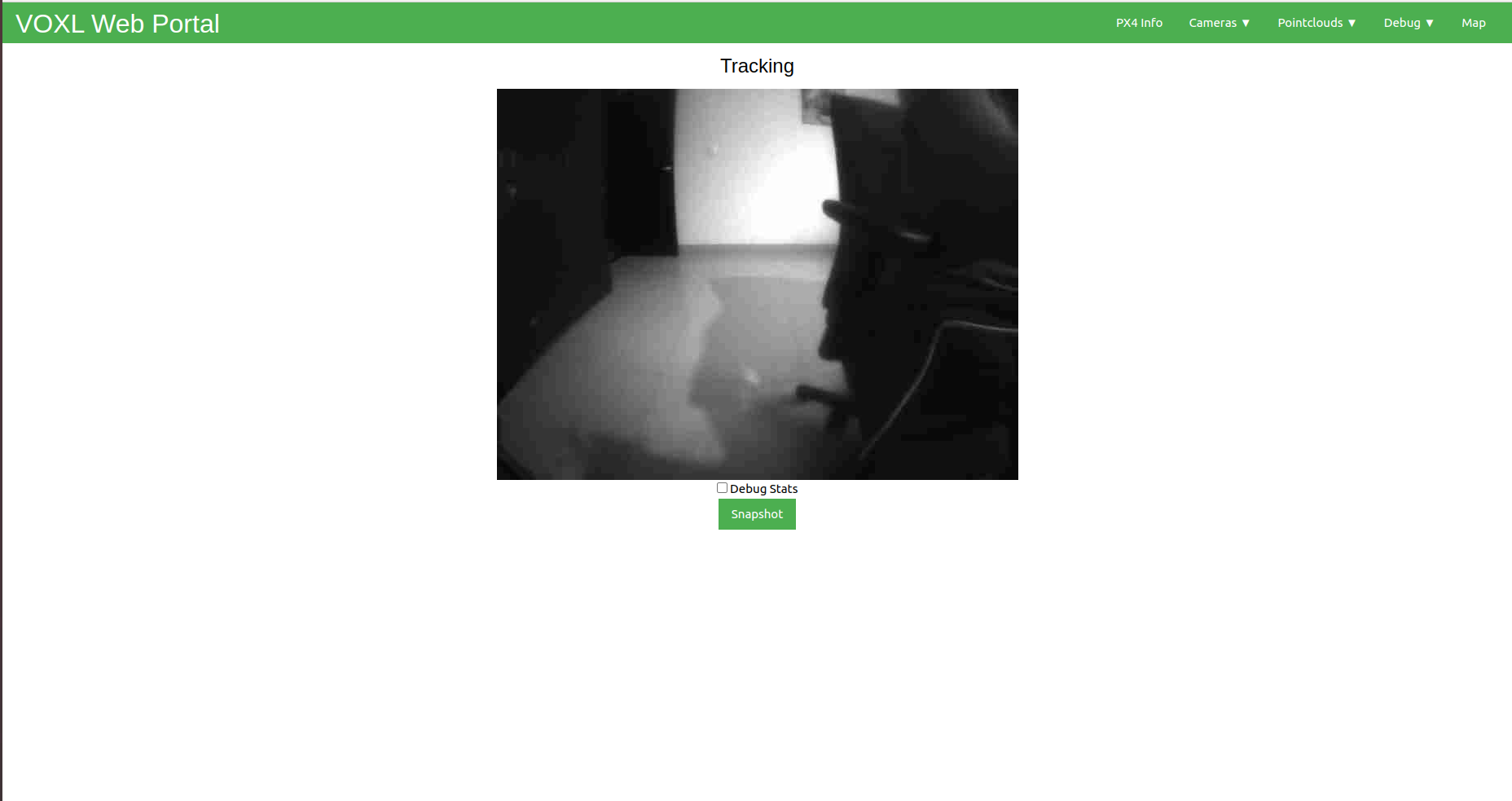
    Hi, It looks like your network is the issue here for the blurry image. Voxl-portal will compress images when it detects a poor network connection, and you can see that in the debug stats it's only able to pass through 40% quality image.
  • 0 Votes
    2 Posts
    786 Views
    T
    @Troi said in Stereo camera does not appear in Camera Calibrator Overlay: Hello, I am trying to calibrate the stereo camera using the instructions on the website (https://docs.modalai.com/calibrate-cameras/). I use the following command to start the calibration process: voxl-calibrate-camera stereo -l 0.04 -s 4x7 I tried to view the calibration progress via the voxl-portal's Camera Calibrator Overlay. The Camera Calibrator Overlay option appears in the voxl-portal drop-down menu. However, the stereo view with overlay never appears. When I try to exit camera calibration (via Ctrl + C), the program hangs and I have to exit the terminal to stop the program. What should I do to solve the issue with the camera calibrator overlay and the stereo camera calibration? I am having the same issue, any help will be appreciated. @Troi How did you resolve this?
  • Tracking camera calibration not progressing

    Unsolved Flight Core and Legacy VOXL voxl-cam
    23
    1 Votes
    23 Posts
    12k Views
    KnightHawk06K
    @Alex-Kushleyev I initially tried using an LCD screen for the checkerboard, but the camera wasn't detecting it. Should I move the camera around when transitioning between boxes on the LCD screen? Afterward, I reverted to the physical checkerboard and moved slowly during calibration. Additionally, I switched to the stereo camera configuration (https://docs.modalai.com/voxl2-camera-configs/#c-10-front-stereo-only-ov7251). Calibration completed successfully, and I was able to start the voxl-dfs-server (after renaming the intrinsics/extrinsics files to match the DFS configuration). However, I'm still not seeing valid output data in the VOXL Portal. Both the DFS server status and journal logs appear normal. Any idea what might be causing this? The orientation was labeled vertical in the extrinsics file, I updated it to horizontal since the cameras are mounted in that direction, I tried both. voxl2:~$ voxl-calibrate-camera stereo -s 6x9 -l 0.0254 Waiting for valid pipe... Please open voxl-portal in a web browser to view the camera calibrator overlay stream Running Calibration... Calibrating Left Camera using intrinsics guess for ov7251 stereo cam Matrix [512.0490656858071, 0, 317.943082105687; 0, 512.9677676044445, 249.1010817824914; 0, 0, 1] Distortion [-0.2223760024137635; 0.2834698825913266; 0.006375005556120415; 0.001380405690556171; -0.3234049381178579] distortion_model: plumb_bob Re-projection error reported by calibrateCamera: 0.618295 Calibration Succeded! Calibrating Right Camera using intrinsics guess for ov7251 stereo cam Matrix [499.9941123870856, 0, 302.2300515222531; 0, 500.0159138740167, 197.2845691878148; 0, 0, 1] Distortion [-0.1920328131645855; 0.1661211129668493; -9.2603546772169e-06; -0.0005742159007090549; -0.1386842520292771] distortion_model: plumb_bob Re-projection error reported by calibrateCamera: 0.654897 Calibration Succeded! Calibrating Extrinsics 7 frames will be processed Processing non-fisheye stereo R [0.9998717783469182, -0.01301971984148091, 0.009322754990917012; 0.01315096821001574, 0.9998132816974246, -0.01415816995820597; -0.009136678855605861, 0.01427895782876463, 0.9998563059074108] T [-0.09106229154044132; 0.0003557888497092847; -0.01247277836064075] Re-projection error reported by stereoCalibrate: 0.921971 Detected horizontal stereo pair Distance between cameras: 0.0911 Extrinsics Calibration Succeded! Saved intrinsics to: /data/modalai/opencv_stereo_intrinsics.yml Saved extrinsics to: /data/modalai/opencv_stereo_extrinsics.yml Exiting Cleanly [image: 1745965925691-ce4025ae-5114-4473-ae6a-d9e4862c4b13-image.png] cat opencv_stereo_front_extrinsics.yml %YAML:1.0 --- R: !!opencv-matrix rows: 3 cols: 3 dt: d data: [ 9.9987177834691821e-01, -1.3019719841480912e-02, 9.3227549909170124e-03, 1.3150968210015740e-02, 9.9981328169742456e-01, -1.4158169958205966e-02, -9.1366788556058610e-03, 1.4278957828764632e-02, 9.9985630590741081e-01 ] T: !!opencv-matrix rows: 3 cols: 1 dt: d data: [ -9.1062291540441320e-02, 3.5578884970928471e-04, -1.2472778360640750e-02 ] reprojection_error: 9.2197082833254862e-01 orientation: vertical calibration_time: "2025-04-29 21:24:04" cat opencv_stereo_front_intrinsics.yml %YAML:1.0 --- M1: !!opencv-matrix rows: 3 cols: 3 dt: d data: [ 5.1204906568580714e+02, 0., 3.1794308210568698e+02, 0., 5.1296776760444448e+02, 2.4910108178249143e+02, 0., 0., 1. ] D1: !!opencv-matrix rows: 5 cols: 1 dt: d data: [ -2.2237600241376348e-01, 2.8346988259132661e-01, 6.3750055561204149e-03, 1.3804056905561710e-03, -3.2340493811785792e-01 ] reprojection_error1: 6.1829492384868989e-01 M2: !!opencv-matrix rows: 3 cols: 3 dt: d data: [ 4.9999411238708558e+02, 0., 3.0223005152225312e+02, 0., 5.0001591387401669e+02, 1.9728456918781478e+02, 0., 0., 1. ] D2: !!opencv-matrix rows: 5 cols: 1 dt: d data: [ -1.9203281316458551e-01, 1.6612111296684931e-01, -9.2603546772168998e-06, -5.7421590070905486e-04, -1.3868425202927714e-01 ] reprojection_error2: 6.5489679777844001e-01 width: 640 height: 480 distortion_model: plumb_bob calibration_time: "2025-04-29 21:24:04"
  • 0 Votes
    5 Posts
    852 Views
    Adrian HidalgoA
    @Enstrom1, I would have to direct you to either @RichieRich or @Jeremy-Schmidt. I do know that VIO needs to be able to see contrasts and objects fairly clearly to work at it's best.
  • voxl-wifi and voxl-modem running concurrently

    Unsolved Flight Core and Legacy VOXL voxl-cam
    5
    0 Votes
    5 Posts
    688 Views
    ?
    @tom I don't see wwan0 interface after doing ifconfig so couldn't ping google.com as well.
  • VOXL-CAM is not connecting to QGC through UDP

    Unsolved Flight Core and Legacy VOXL voxl-cam
    11
    0 Votes
    11 Posts
    2k Views
    modaltbM
    This rx: 0.000 kB/s instance 2 tells me it's not getting any data from VOXL.... This is the connection that provides that link: [image: 1662047065492-c24bf1be-8000-458a-9380-a633cdb51ab3-image.png] Can you confirm that this connection is in place? You have px4_uart_bus: 5 px4_uart_baudrate: 921600 For voxl-mavlink-server which is correct. 5 = BLSP5 = J12 on VOXL1. It's configured for 921600. Your Flight Core is configured correctly too. So the last thing I would think to do is to probe with an oscilliscope if possible on that connector I pointed out and see if you have bi-directional data.
  • Error in HITL "Tx queue overflow" in VOXL-CAM.

    Unsolved Flight Core and Legacy VOXL voxl-cam
    5
    0 Votes
    5 Posts
    1k Views
    A
    @Zachary-Lowell, I am sorry for video part. I have linked them respectively again below, 1, 2, and 3, I hope you can see them now. I am using voxl-cam, and the error still arises when I don't open QGC. As you can see in first case, I was not using QGC to implement the MAVSDK example but the error still came.
  • Totally confused from the beginning

    Unsolved Flight Core and Legacy VOXL voxl-cam
    10
    0 Votes
    10 Posts
    2k Views
    local adL
    I've made great progress. I have finally started getting my brain rapped around this VOXL. Funny it's so complicated. I was able to cut the cord. Remove the usb cable that is. I focused on understanding the VOXL wifi and understanding softap and logging into via wifi, This allowed me to get some imagery to the browser utility. I went down the list of utilities then inspect tools in technical docs on the website. This allowed me to get a bigger picture of the components. I have logged my experience and will post a work flow I follow to get up and running. I'm still working on the 4g connection but reading the VPN stuff and working with the instructions makes more sense now I have gotten the wifi configured . I have it configured but qgc is still not connecting I understand it's hard to ask for technical support with such complexity. I just believe it's worth the investment in time because this is a real solution and the voxl2 will be eaiser to work with now I have a grasp of the voxl. I hope to be flying my custom designed 3d printed drone soon.
  • can't get rviz working

    Unsolved Flight Core and Legacy VOXL voxl-cam
    2
    0 Votes
    2 Posts
    1k Views
    nickyblanchN
    @fjksalf If the IP address of the VOXL is 192.168.1.1 then you need to execute export ROS_MASTER_URI=http://192.168.1.1:11311 on the Ubuntu system and then run rviz from the same terminal.
  • Having issues Configuring ROS on VOXL CAM

    Unsolved Flight Core and Legacy VOXL voxl-cam
    21
    0 Votes
    21 Posts
    7k Views
    KrisK
    @Alex-Gardner Thank you for your help
  • Latest PX4 version for VOXLCAM

    Unsolved Flight Core and Legacy VOXL voxl-cam
    5
    0 Votes
    5 Posts
    726 Views
    ?
    Hello @modaltb Thanks for the response. I can see tags on modalai px4-firmware repo for 1.13 so I was asking. By any chance can I test latest tag v1.13 from modalai px4-firmware repo? If no what's the time by which v1.13 would be officially supported on VOXLCAM? The feature I am looking for is Autotune vehicle which isn't supported on V1.11.