Skip to content
  • make modalai_rb5-flight_default does not generate .px4 file

    Unsolved Development Drones rb5
    2
    0 Votes
    2 Posts
    549 Views
    Eric KatzfeyE
    @stevedan It is better to use this wrapper project to build px4: https://gitlab.com/voxl-public/voxl-sdk/services/voxl-px4. Use the instructions in the readme for that project instead of the documentation you were looking at. Sorry for the confusion!
  • Issue controlling the RB5

    Unsolved Development Drones rb5
    9
    0 Votes
    9 Posts
    2k Views
    S
    Yes, things are working fine now. Thanks for the support.@RichieRich
  • GPIO on RB5 drone

    Unsolved Development Drones rb5
    2
    0 Votes
    2 Posts
    636 Views
    modaltbM
    Hi @umlr , Here's some info for VOXL 2 which shares most of the design. https://docs.modalai.com/voxl2-linux-user-guide/#gpios For the RB5, qualcomm had some sample code here: https://github.com/quic/sample-apps-for-Qualcomm-Robotics-RB5-platform/tree/master/GPIO-samples For example, we are using it here: https://gitlab.com/voxl-public/voxl-sdk/utilities/voxl-bind/-/blob/master/src/voxl-bind.c#L58 GPIO 46 going to J10 pin 6. GPIOs 82, 83 and 84 control the onboard LED which you can use and get visual feedback.
  • 0 Votes
    13 Posts
    2k Views
    tomT
    @Sam-Kiley All of the VOXL suite is open source, voxl-modem lives here: https://gitlab.com/voxl-public/voxl-sdk/utilities/voxl-modem/-/tree/dev The quectel related source is from https://gitlab.com/voxl-public/voxl-sdk/utilities/voxl-modem/-/tree/dev/src/quectel-CM But yes I believe that’s where I get the updated version from. I’ve also reached out to Quectel to make sure I get the very latest.
  • RB5 not detected by QGroundControl

    Unsolved Development Drones rb5
    14
    2
    0 Votes
    14 Posts
    3k Views
    alfa budimanA
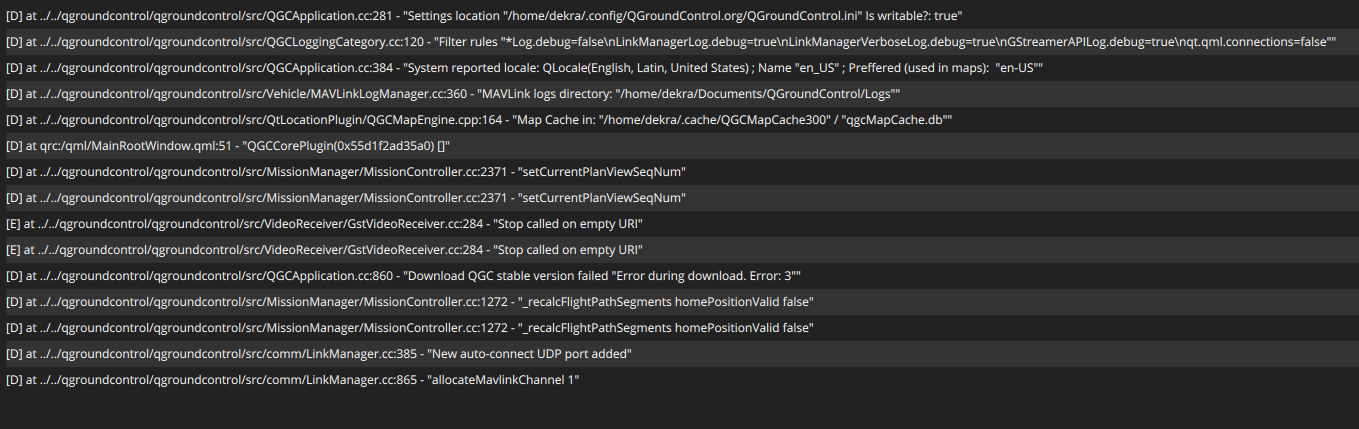
    @Alejandro-M I documented the steps I took to get my RB5 drone from out of the box to flying programmatically with MAVROS. It includes intermediate steps such as wifi and QGround control setup. https://github.com/albud187/uav_nav_ops/blob/manual/RB5_Drone_Setup.docx
  • Tracking Camera's Pose Relative to Drone

    Unsolved Development Drones rb5
    3
    1
    0 Votes
    3 Posts
    829 Views
    alfa budimanA
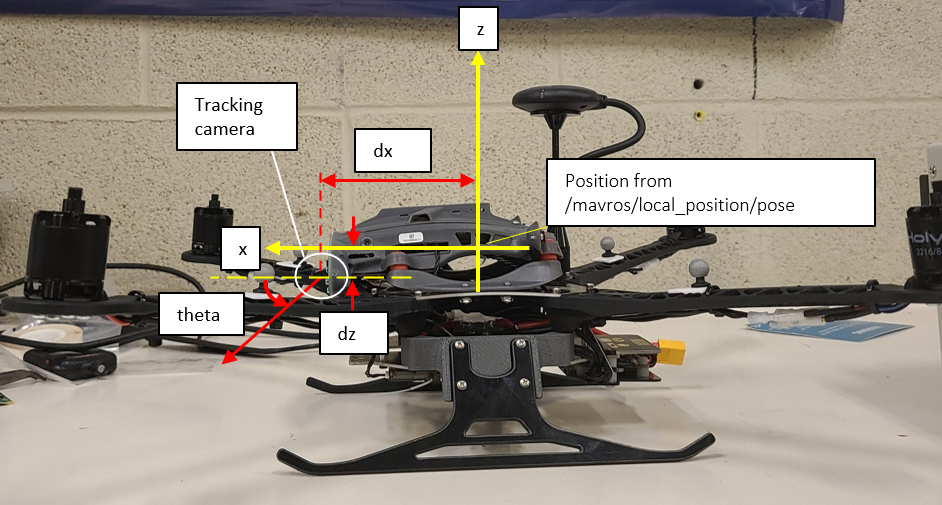
    Thanks, that's exactly what I'm looking for
  • Open CV and CV Bridge

    Unsolved Development Drones rb5
    1
    1 Votes
    1 Posts
    748 Views
    No one has replied
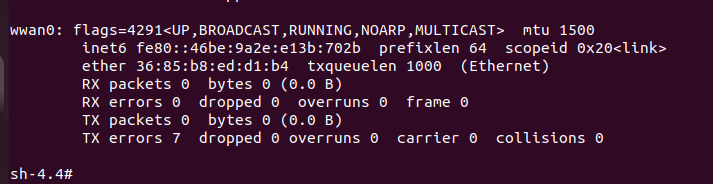
  • Connecting to a LTE/5G network

    Unsolved Development Drones rb5
    1
    4
    0 Votes
    1 Posts
    427 Views
    No one has replied
  • Repair QRB5 crash damage

    Unsolved Development Drones rb5
    2
    0 Votes
    2 Posts
    522 Views
    Adrian HidalgoA
    @Gregory-A-Welch, sounds like there was a significant crash. We can send you replacements but I would be worried about the damage that might have been sustained to the Flight-Deck. Would you mind sending a pic of the state of the drone? We can build you a replacement drone, basically an RMA. I would recommend going this route, since there are a lot of little nuances to the build and would be the quickest to get the drone back in the air. We can also repair the Flight-Deck
  • Drone IP Address keeps changing

    Unsolved Development Drones rb5
    7
    0 Votes
    7 Posts
    2k Views
    alfa budimanA
    I setup wifi connectivity on the RB5 drone by executing voxl-wifi station ssid password It automatically connects to any network with that matching ssid and password, whether it is a hotspot setup by my cellphone or setup by my personal laptop, regardless of their IP address. This is the functionality that I want. If the IP address of the drone changes because it is connected on a different network, that is fine. The issue is the drone IP address changing even though it is re-connecting on the same network after being turned off and turned back on. @tom said in Drone IP Address keeps changing: @alfa-budiman The ROUTE_IP and LOCAL_IP depend on the format of the IP addresses on the WiFi network you are attempting to connect to. I would connect to your WiFi network and check the IP address given to your drone by the network. If it gives you an IP address in the format 192.168.X.Y you'll want to set the ROUTER_IP to 192.168.X.1 then set LOCAL_IP to whatever IP you want to request from the router, it will need to be in the format 192.168.X.Z where Z is the number you want to request. My concern with entering these IP addresses is that it would then cause the cause drone to search for a specific IP address or else it will not connect. I documented the steps I took to setup my drone here: https://github.com/albud187/uav_nav_ops/blob/manual/RB5_Drone_Setup.docx
  • Sensor abnormality encountered during takeoff

    Unsolved Development Drones rb5
    3
    1
    0 Votes
    3 Posts
    759 Views
    K
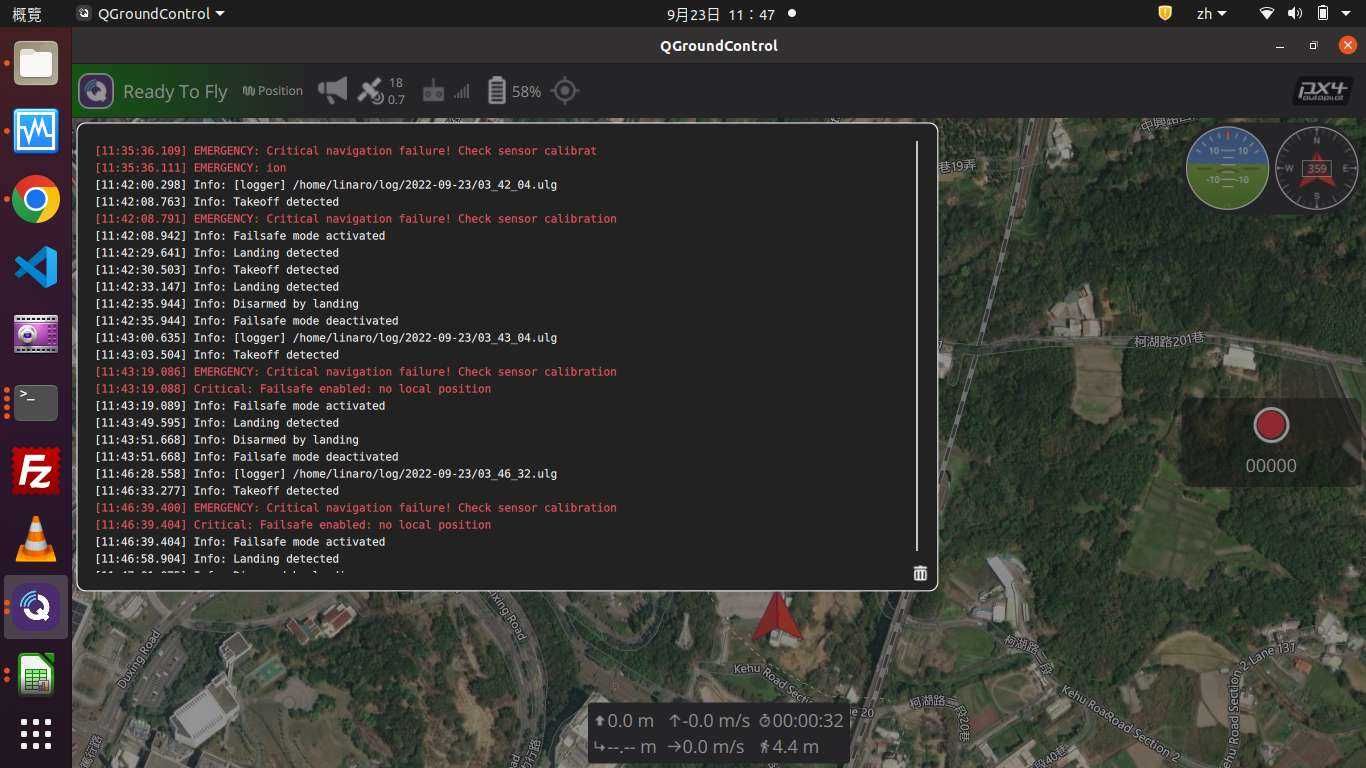
    Hi Adrian Hidalgo , The status is like the video below. Do you have any suggestions? thanks https://www.youtube.com/watch?v=urtfFJ4y4kw&feature=youtu.be
  • How to fly RB5 with VIO ?

    Unsolved Development Drones rb5
    4
    2
    0 Votes
    4 Posts
    874 Views
    tomT
    @Kevin We've recently released VOXL SDK support for RB5-Flight, I'd highly recommend upgrading your drone to this newer system image and VOXL SDK as you will have much more software support. Checkout the video we have here: https://docs.modalai.com/Qualcomm-Flight-RB5-system-image/#voxl-sdk-for-rb5-flight
  • How to start voxl-vision-px4 service

    Unsolved Development Drones rb5
    3
    0 Votes
    3 Posts
    909 Views
    K
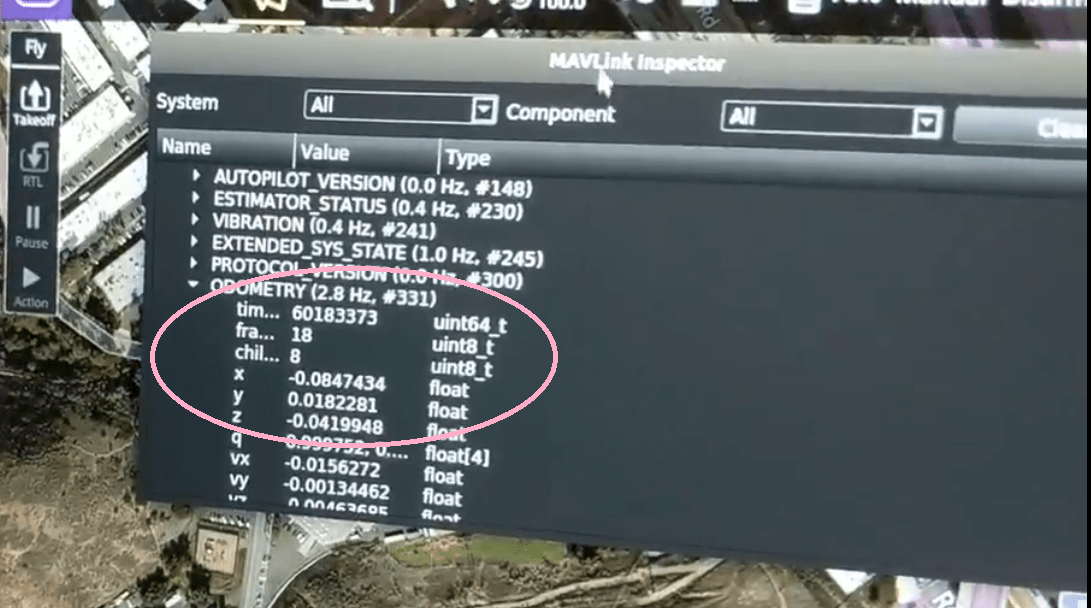
    @Steve-Turner Thanks. After run the voxl-vision-px4 -d 0, I doing the following: and the voxl-vision-px4 run normal, But I can't get the ODOMETRY mavlink telemetry in my QGroundControl, How can I fix this issue? rb5:/etc/modalai$ voxl-configure-extrinsics Starting Wizard which preset extrinsics file would you like to use? 1) leave_alone 5) starling_v1_voxl_flight 2) m500_flight_deck 6) starling_v2_voxl2 3) seeker_v1_voxlcam 7) sentinel_v1 4) rb5_flight_v1 8) custom #? 4 wiping old extrinsics config file copying /usr/share/modalai/extrinsic_configs/rb5_flight_v1.conf to /etc/modalai/extrinsics.conf loading and updating file with voxl-inspect-extrinsics -q done configuring extrinsics
  • RB5 with VOXL SDK cannot calibrate Stereo cameras

    Unsolved Development Drones rb5
    1
    0 Votes
    1 Posts
    445 Views
    No one has replied
  • Request backup files for system image re-flashing

    Unsolved Development Drones rb5
    3
    1 Votes
    3 Posts
    1k Views
    K
    Hi @modaltb , Excuse me how to use RB5 on VOXL Web Portal, are there any teaching materials? Thanks. https://www.youtube.com/watch?v=gqlSKRP8prc https://docs.modalai.com/voxl-portal/
  • 0 Votes
    5 Posts
    1k Views
    K
    @Jeremy-Schmidt Could you please check the email I sent PX4 parameters? Thank you.
  • Help to debug why QRB5 crashed

    Unsolved Development Drones rb5
    1
    0 Votes
    1 Posts
    516 Views
    No one has replied
  • rb5-streamer with ethernet

    Unsolved Development Drones rb5
    1
    0 Votes
    1 Posts
    315 Views
    No one has replied
  • Extensive Problems with RB5 Drones

    Unsolved Development Drones rb5
    3
    0 Votes
    3 Posts
    738 Views
    alfa budimanA
    Thanks. CTV, CTU and CTT*: detected by usb, connects to wifi / Q Ground control and can be armed / throttled. For some reason these just worked after I pushed the button and powered them on, didn't have to go through the full-flash process. *For CTT it was a Q Ground Control related issue. I saved the parameter file from CTV and loaded it onto CTT. CU7: non-responsive to flash-full process: [INFO] version: 0.0 [INFO] adb installed [INFO] fastboot installed [INFO] qti-ubuntu-robotics-image-qrb5165-rb5-boot.img present [INFO] abl.elf present [INFO] qti-ubuntu-robotics-image-qrb5165-rb5-sysfs.ext4 present [ERROR] Device in fastboot mode. Unable to backup camera files. [INFO] Please bring device out of fastboot mode by first running: fastboot reboot I then enter fastboot reboot and try sudo ./flash-full.sh again. It gets stuck at [INFO] version: 0.0 [INFO] adb installed [INFO] fastboot installed [INFO] qti-ubuntu-robotics-image-qrb5165-rb5-boot.img present [INFO] abl.elf present [INFO] qti-ubuntu-robotics-image-qrb5165-rb5-sysfs.ext4 present [INFO] Saving camera calibration files and is no longer detected by usb. However, when I push the button again, it does appear on lsub and fastboot devices. c9ce2d0d fastboot