Skip to content
  • Maximum Wind Speed

    Unsolved Development Drones m500
    1
    1 Votes
    1 Posts
    581 Views
    No one has replied
  • Red blinking light when connecting WiFi

    Unsolved Development Drones m500
    22
    0 Votes
    22 Posts
    7k Views
    Ward JavoronokW
    Got it. Thanks.
  • m500 Serial number

    Unsolved Development Drones m500
    2
    0 Votes
    2 Posts
    507 Views
    tomT
    @Daniel-Ryu Yes, the serial number will start with an M and is 11 digits long
  • Can I fly the m500 drone using just a laptop?

    Development Drones m500
    2
    0 Votes
    2 Posts
    495 Views
    ModeratorM
    One could use a gaming joystick connected to QGroundControl through a laptop to fly the drone. This does not allow for the same level of precision as a typical R/C transmitter . Both MAVROS or MAVSDK can be used to programmatically fly the drone. This requires very advanced skill and should still be used with an R/C transmitter for safety functionality. Flying drones can be dangerous. Please review our article on safety and be careful!
  • Home position offset in offboard flight

    Unsolved Development Drones m500
    2
    0 Votes
    2 Posts
    743 Views
    PawelJP
    I've gone further down the rabbit hole and see now that the tag detections update the fixed frame, as does the fixed_pose_input sink, which as far as I can tell does not get used and is setup for alternative fixed frame references. I also see now that the setpoints get converted in the uart_mavlink.c file from fixed to local frame, and when no april tags are used this keeps the value the same. This being said, it seems that, when april tags are not used, the setpoints and the vio position are both set in local frame. If I am understanding this correctly, I should be able to set my home position to T_body_wrt_local before sending the home position as a setpoint in offboard mode, but the drone seems to always move to some other location. Can you please clarify what my misunderstaning is in this case, if any?
  • Python, OpenCV, MAVLink, Docker, and cameras how to use all?

    Unsolved Development Drones m500
    5
    0 Votes
    5 Posts
    2k Views
    todd45040T
    I'm going to assume you know about the Docker examples at: https://gitlab.com/voxl-public/voxl-docker-images Will any of those help? -Todd
  • 0 Votes
    2 Posts
    647 Views
    James StrawsonJ
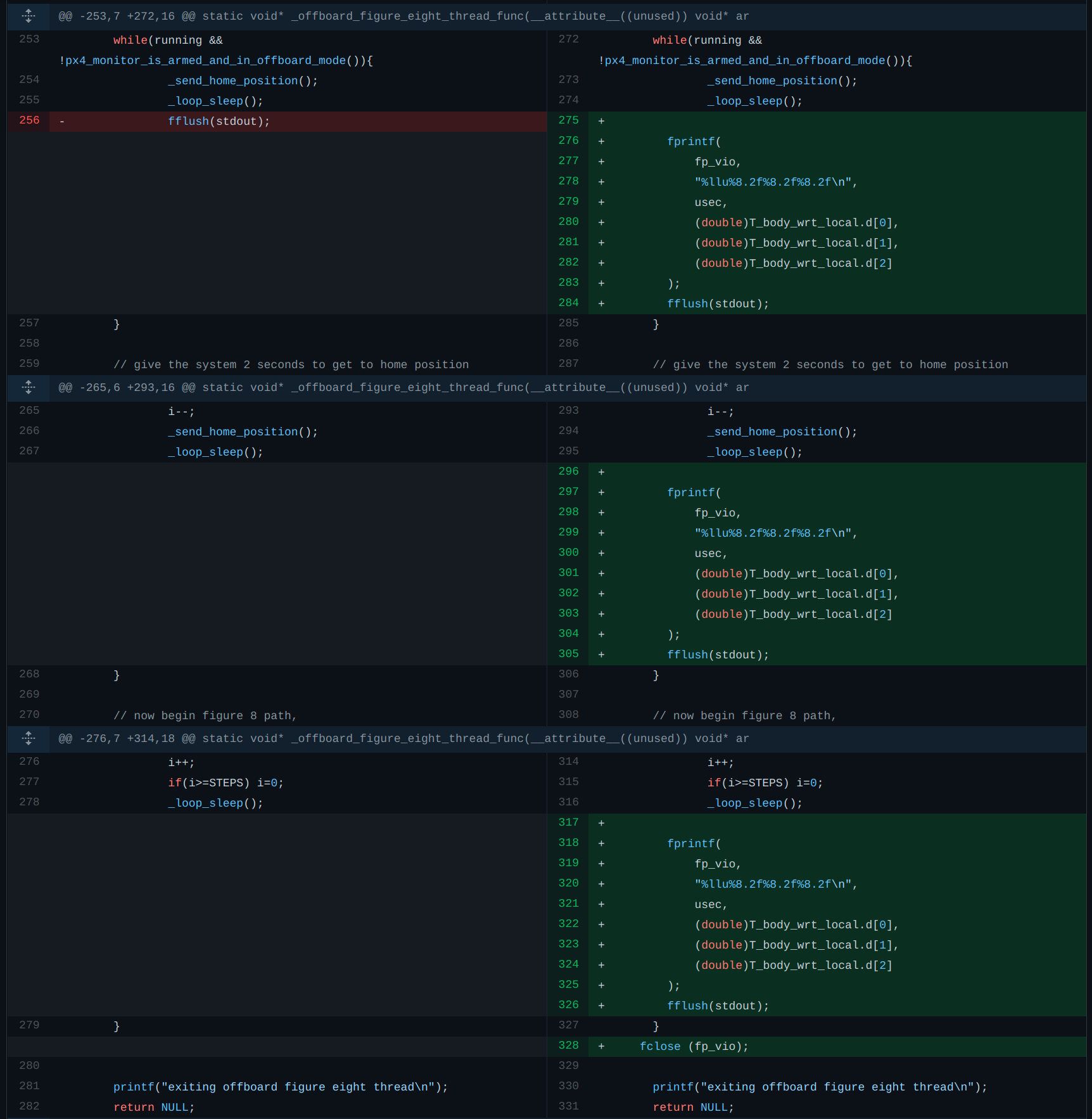
    I tried to recreate this with a simple little test_time program but it behaves as expected: #include <stdio.h> #include <time.h> void main() { time_t t = time(NULL); struct tm datetime = *localtime(&t); printf("time:\n"); printf("%d-%d-%d_%d-%d-%d\n", datetime.tm_year+1900,datetime.tm_mon+1, datetime.tm_mday,datetime.tm_hour,datetime.tm_min,datetime.tm_sec); printf("DONE\n"); return; } the result of starting this manually and from a systemd service is the same. Aug 03 17:52:43 apq8096 systemd[1]: Starting test_time... Aug 03 17:52:44 apq8096 systemd[1]: Started test_time. Aug 03 17:52:44 apq8096 test_time[4238]: time: Aug 03 17:52:44 apq8096 test_time[4238]: 2021-8-3_17-52-44 Aug 03 17:52:44 apq8096 test_time[4238]: DONE Note that if you run this on boot then it will likely run before establishing an internet connection and fetching a date and time from either GPS or an NTP server. VOXL will not remember the date and time between reboots. Also, modifying VVPX4 to log VIO data is an unnecessarily difficult way of going about this. It's also unsafe to write to a file in the same flight-critical thread that's sending PX4 high-rate commands. There is a tool called voxl-logger that likely does what you need, and would be safer to modify to do what you need than messing with VVPX4. yocto:/etc/systemd/system$ voxl-logger -h Tool to save data published through Modal Pipe Architecture to disk. By default, this saves images to /data/voxl-logger/ since the /data/ parition is the largest partition on VOXL. You can change this with the -d argument. -c, --cam {name} name of a camera to log, e.g. tracking -d, --directory {dir} name of the directory to save the log to, default is /data/voxl-logger/ if argument is not provided. -i, --imu {name} name of an imu to log, e.g. imu1. -k, --skip {n_to_skip} number of samples to skip between logged samples -h, --help print this help message -n, --note {note} optionally add a very short note to the end of the log directory name, e.g. flight_with_new_motors -o, --preset_odometry record a preset log containing qvio, tracking cam and both IMUs for testing VIO. This can be used with other pipes. -s, --samples {samples} maximum samples to save for one specific channel, otherwise it will run untill you quit the program. -t, --time {seconds} time to log for in seconds. -v, --vio {name} name of a vio pipe to log, e.g. qvio -z, --debug enable verbose debug mode typical uses: To log one camera image: yocto:/# voxl-logger --cam tracking --samples 1 To log 5000 imu samples: yocto:/# voxl-logger -i imu1 -s 5000 --note "primary imu test" To log 1000 imu0 samples and 2000 imu1 samples: yocto:/# voxl-logger -i imu0 -s 1000 -i imu1 -s 2000 To log every 5th imu sample (skip 4) for 5.5 seconds: yocto:/# voxl-logger -i imu1 --skip 4 -t 5.5 To log tracking camera and both imus until you press ctrl-c yocto:/# voxl-logger --preset_odometry To record a typical log for testing VIO (imu + tracking) for 1 minute yocto:/# voxl-logger --preset_odometry --time 60 --note "log for vio replay test 1" Here is the source code if you are curious, but it is installed by default as part of voxl-suite so you can use it out of the box. Note, we haven't used this tool in a while so if you find a bug/regression please let us know. https://gitlab.com/voxl-public/modal-pipe-architecture/voxl-mpa-tools/-/blob/master/tools/voxl-logger.cpp Best, James
  • Fly over wifi (no transmitter) from your laptop

    Unsolved Development Drones m500
    2
    0 Votes
    2 Posts
    420 Views
    Eric KatzfeyE
    @Dat-Tran-Huynh You can use a USB gaming joystick (Like those from Logitech) and QGroundControl to control the drone over WiFi without an RC transmitter / receiver from your laptop.
  • Controlling Gimbal autonomously

    Unsolved Development Drones m500
    1
    0 Votes
    1 Posts
    558 Views
    No one has replied
  • Minimal example of using camera_cb

    Unsolved Development Drones m500
    17
    0 Votes
    17 Posts
    4k Views
    ?
    @mkwan Can you make a new thread with this issue and include the output of voxl-inspect-services -v
  • m500 says it is armed but it is not armed

    Unsolved Development Drones m500
    3
    0 Votes
    3 Posts
    866 Views
    Jeremy SchmidtJ
    In the parameters list, check for "dshot_config". Our most recent M500's use dshot 600.
  • Expandable Storage For m500

    Unsolved Development Drones m500
    4
    0 Votes
    4 Posts
    1k Views
    ?
    SDIO Card Specification version 3.0, 4-bit, up to 2TB
  • voxl-streamer failing for tflite-overlay

    Unsolved Development Drones m500
    7
    0 Votes
    7 Posts
    1k Views
    PawelJP
    Thanks Matt, that did the trick
  • Integration of VOXL on Quadcopter

    Unsolved Development Drones m500
    2
    0 Votes
    2 Posts
    826 Views
    Chad SweetC
    Hi Prasanth, you should be able to find how to connect to ESCs, GPS, and other peripherals here: https://docs.modalai.com/flight-core-connections/ That page is relevant for both Flight Core independently and integrated with VOXL on VOXL Flight
  • voxl-tag-detector fails to start on V3.3 "Missing lens_cal_file"

    Unsolved Development Drones m500
    13
    0 Votes
    13 Posts
    3k Views
    wilkinsafW
    If anyone has run into this again, ensure you update your /etc/modalai/voxl-tag-detector.conf to the tracking camera pipe you would like to do the april tag detection on. the "tracking" has gotten update to "tracking_down" or "tracking_front"
  • Video frames synced with telemetry?

    Unsolved Development Drones m500
    2
    0 Votes
    2 Posts
    862 Views
    Chad SweetC
    You can see an example of how to write telemetry on top of a video frame here https://gitlab.com/voxl-public/modal-pipe-architecture/voxl-qvio-server/-/blob/master/server/main.cpp#L715
  • 0 Votes
    3 Posts
    962 Views
    D
    Thank you for your reply. I have checked the code link that you shared, and Could I know the shared code runs in companion computer(based on linux) or the processor in PX4? What's more, currently I have a Motion Capture(Optitrack), and they provide a python SDK for data streaming. Is it possible that I run the python code to get the pose data of quadcopter and then integrate it with vio_manager.c ? Another question is that is there a display device interface in companion computer(based on linux)? I really want to do programming in graphical Linux interface
  • How to upload a .py routine to the m500?

    Unsolved Development Drones m500
    2
    0 Votes
    2 Posts
    834 Views
    Chad SweetC
    If you're interested in Python and MAV SDK, you should start here: http://docs.modalai.com/mavsdk
  • I/O Python Interfacing

    Unsolved Development Drones m500
    19
    0 Votes
    19 Posts
    4k Views
    PawelJP
    I reran the calibration outdoors with gps signal and far from any metal. I also raised the drone to be ~3-4' from the metal turntable below it. This improved the calibration quite a bit and the drone is not drifting as much as before. However, there still seems to be more drift in the VIO than there was when I first received the drone. I still don't have the PWM_MIN parameter that the docs say I should check for the assure the PX4 parameters loaded properly. I see that this parameter is in the custom2.params file, but the note in the document says it turns off the gps. Can you please explain the steps you go through during your calibration process? Should I also be loading this custom2.params file? If so, does that mean that gps is not used when in VIO (no sensor fusion etc)?
  • Controlling a servo with VOXL

    Unsolved Development Drones m500
    9
    0 Votes
    9 Posts
    2k Views
    Alex KushleyevA
    Yes, chr is an issue most likely. Take a look at how uint8 from a binary representation is sent here : https://gitlab.com/voxl-public/voxl-sdk/core-libs/libapq8096-io/-/blob/master/lib/python/voxl_i2c_apm_v1.py#L48 you can do something similar (also example for hex). The data type needs to be some sort of an int. #values of configuration registers CTRLA (address 0x00) and CTRLB (address 0x01) CTRLA = np.uint8(int('0b01011000',2)) #offset calib every 128 conv, volt=Sense+; so sampling takes about 35ms (for both voltage and current together) CTRLB = np.uint8(int('0b00000100',2)) #addresses of registers for reading data REG_VRAW = int('0x1E',16) REG_IRAW = int('0x14',16) #write configuration to both LTC2946 devices p.slave_config(ID0) p.write(0,8,CTRLA) p.write(1,8,CTRLB) ... p.slave_config(ID0) vraw_batt = p.read(REG_VRAW,8,2) iraw_batt = p.read(REG_IRAW,8,2)