
Incorrect date time when running vvpx4 with systemctl vs manual
-
I've been working on adding some vio logging to the vvpx4 repo. I'm branched off the most recent master version as of July 30 2021. The idea is to be able to track the drones location, specifically when running offboard mode (figure8 in this case). I'm using the system date-time stamp to name the log files created, and the datetime returned changes depending how vvpx4 is run. If I let it run in the background with
systemctl restart voxl-vision-px4It keeps getting1970-01-01_-4-00-08or1970-01-01_-4-00-09as the date-time stamp, but if I run the service manually withvoxl-vision-px4to see printouts (note not running with the debug flag) I get the datetime I expect. The issue here is that my logs keep getting overwritten unless I am running the vvpx4 package manually. Just a quick note that I am subtracting 4 hours to correct for my timezone (can be seen in screenshots below).The changes are fairly minor and only extend to the
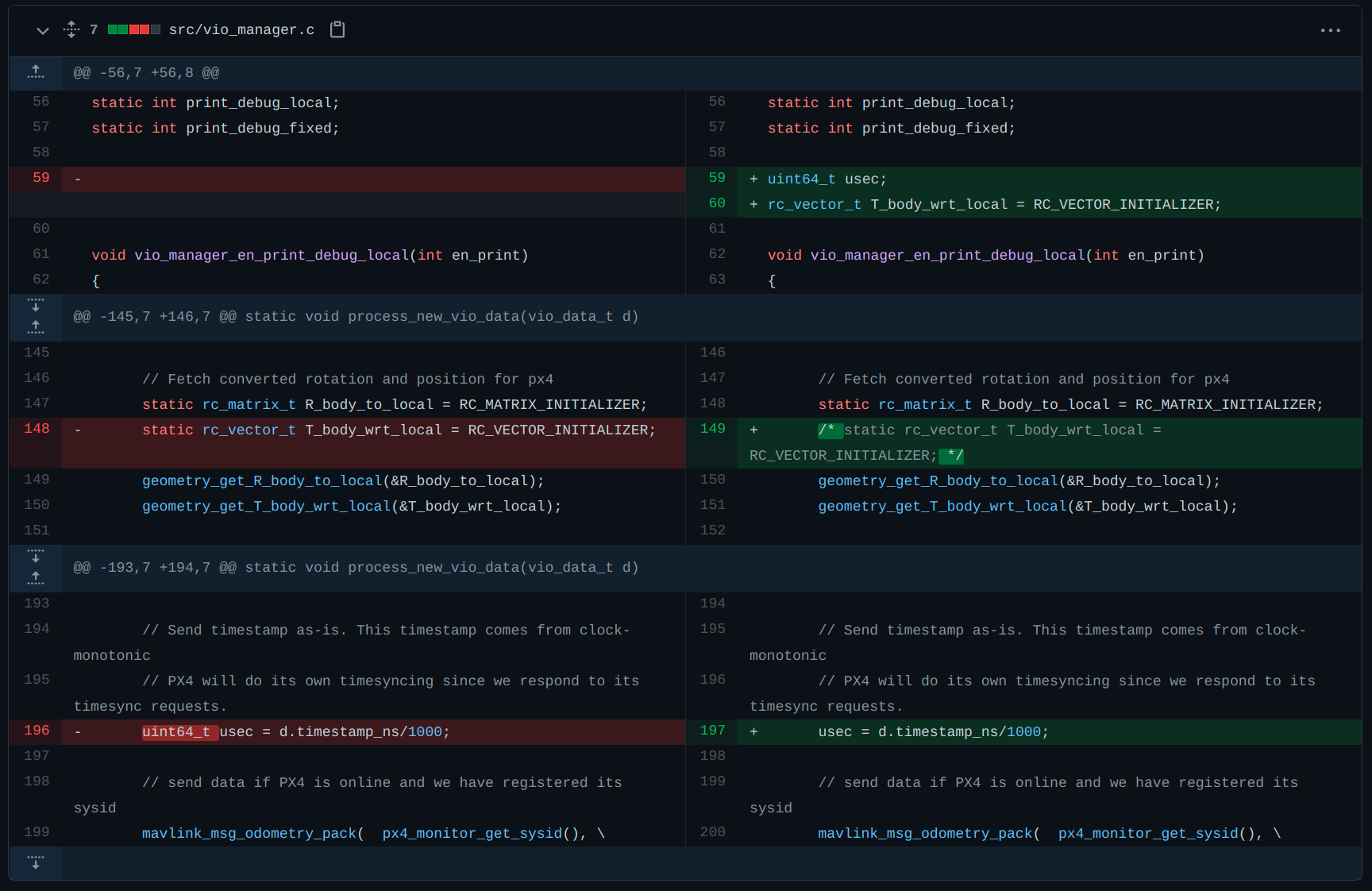
vio_managerandoffboard_figure8scripts. I can email the scripts if it will help. For now I'll add some screenshots of the diff from master.vio_manager.c
I madeT_body_wrt_localandusecexternally accessible from thevio_manager.c.
offboard_figure_eight.h
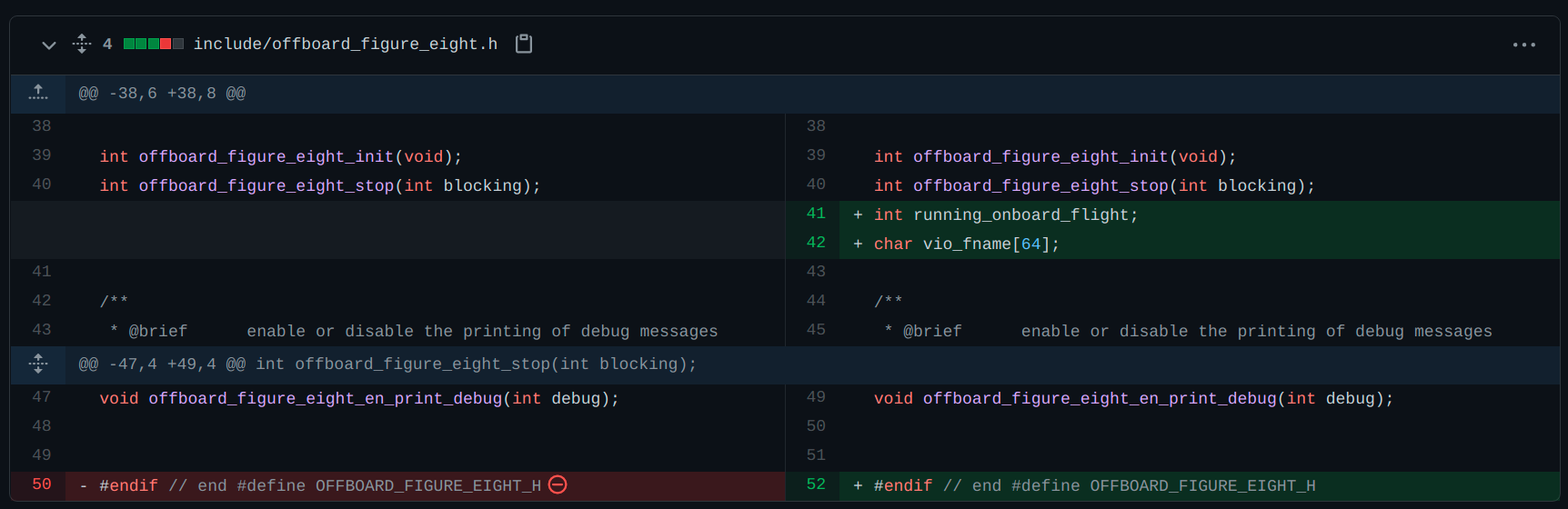
I added some variables to the figure8 header for the file handles
offboard_figure_eight.c
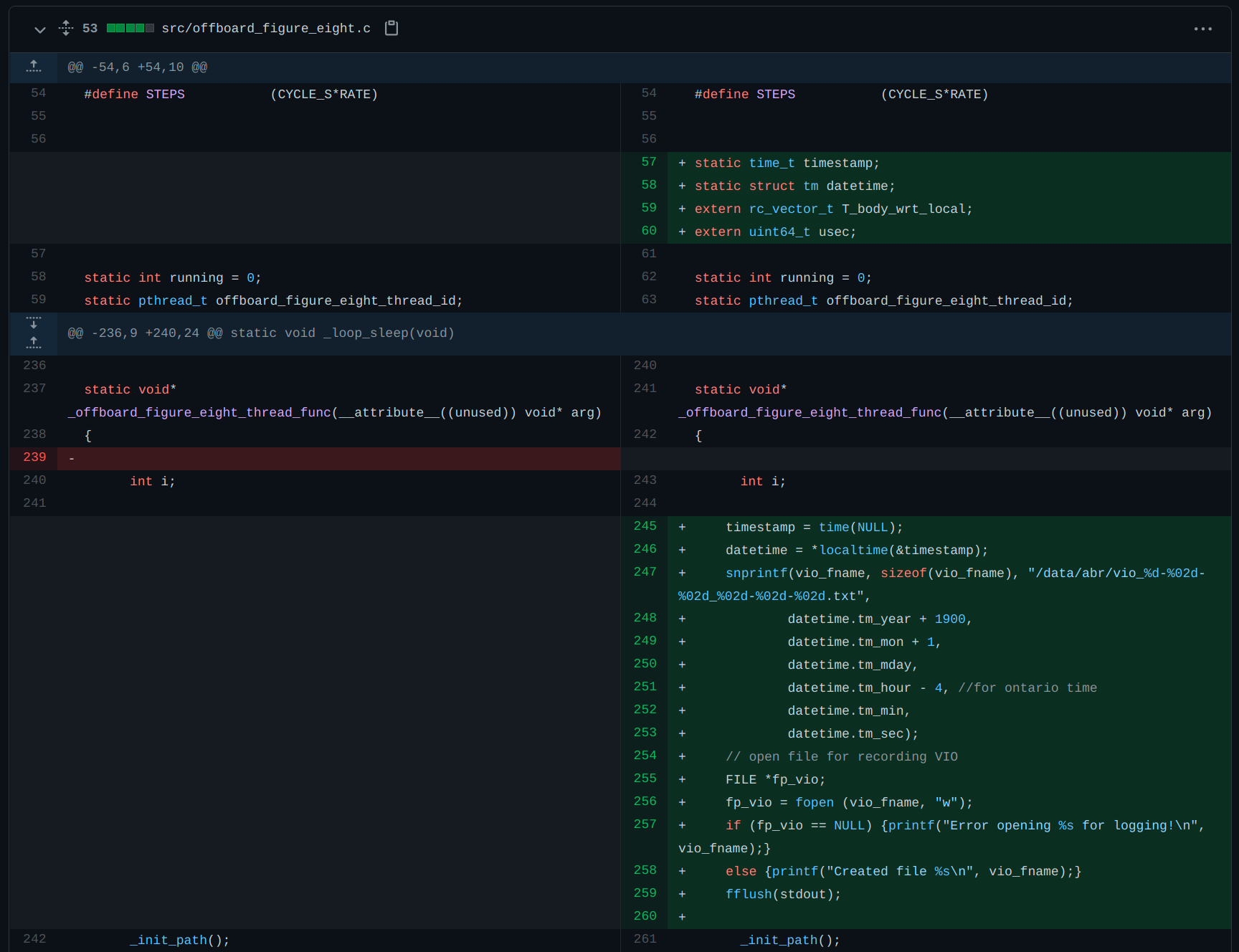
I instantiate my date-timestamp structs and the now externally facingT_body_wrt_localandusecvariables from thevio_manager. Then I use the datetime to create the filename.
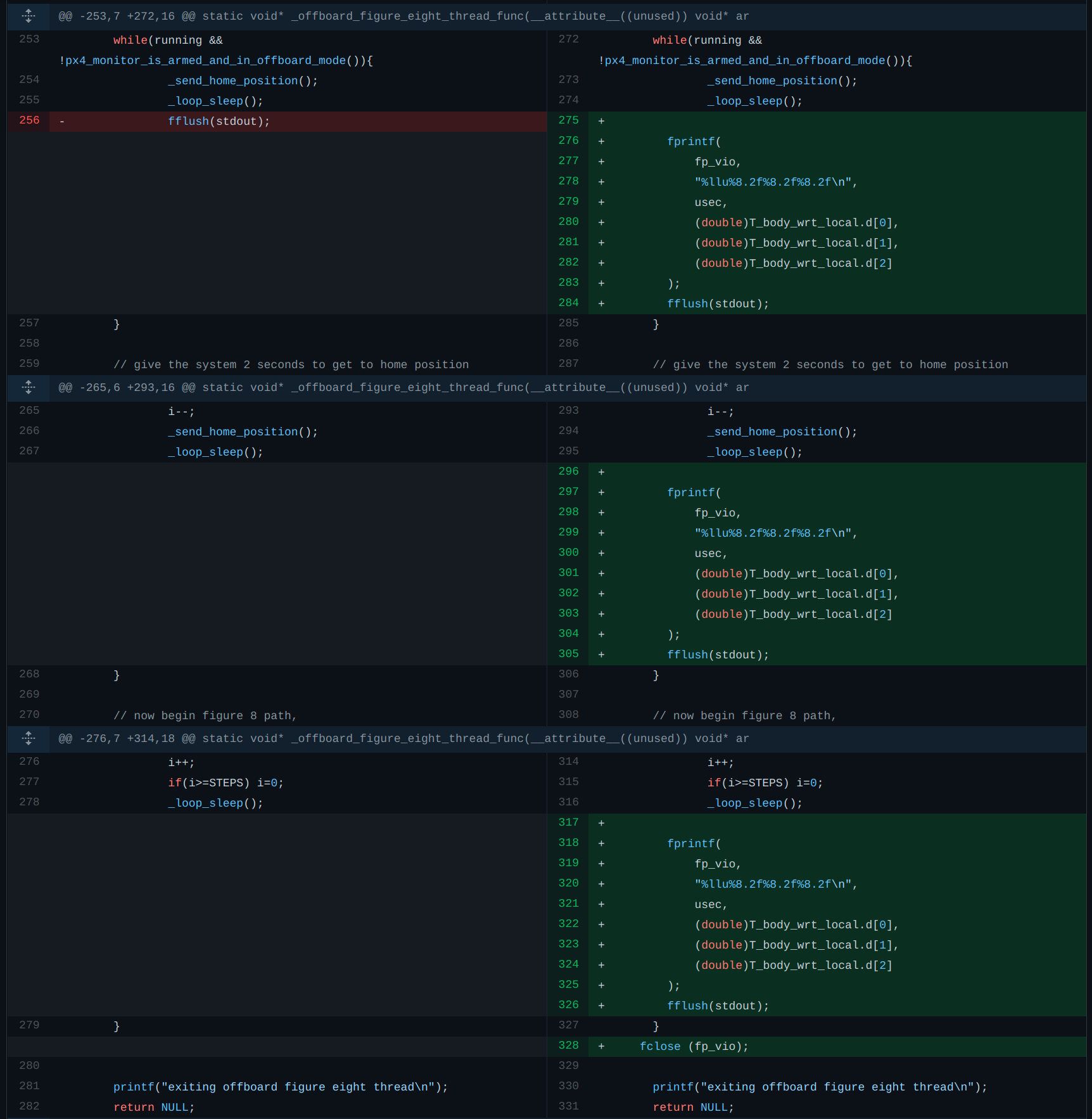
I have the file open outside the main
HOMEloop of offboard_figure_eight, and I write to file during each loop following (not armed and in offboard mode, sending home position before offboard mode, and in offboard mode).
tldr; why is the system date-time returned different when vvpx4 is running as
voxl-vision-px4vssystemctl restart voxl-vision-px4? -
I tried to recreate this with a simple little test_time program but it behaves as expected:
#include <stdio.h>
#include <time.h>

void main()
{

	time_t t = time(NULL);
	struct tm datetime = *localtime(&t);

	printf("time:\n");
	printf("%d-%d-%d_%d-%d-%d\n", datetime.tm_year+1900,datetime.tm_mon+1, datetime.tm_mday,datetime.tm_hour,datetime.tm_min,datetime.tm_sec);
	printf("DONE\n");

	return;
}
the result of starting this manually and from a systemd service is the same.
Aug 03 17:52:43 apq8096 systemd[1]: Starting test_time...
Aug 03 17:52:44 apq8096 systemd[1]: Started test_time.
Aug 03 17:52:44 apq8096 test_time[4238]: time:
Aug 03 17:52:44 apq8096 test_time[4238]: 2021-8-3_17-52-44
Aug 03 17:52:44 apq8096 test_time[4238]: DONE
Note that if you run this on boot then it will likely run before establishing an internet connection and fetching a date and time from either GPS or an NTP server. VOXL will not remember the date and time between reboots.
Also, modifying VVPX4 to log VIO data is an unnecessarily difficult way of going about this. It's also unsafe to write to a file in the same flight-critical thread that's sending PX4 high-rate commands. There is a tool called voxl-logger that likely does what you need, and would be safer to modify to do what you need than messing with VVPX4.
yocto:/etc/systemd/system$ voxl-logger -h

Tool to save data published through Modal Pipe Architecture to disk.
By default, this saves images to /data/voxl-logger/ since the /data/ parition is
the largest partition on VOXL. You can change this with the -d argument.

-c, --cam {name}            name of a camera to log, e.g. tracking
-d, --directory {dir}       name of the directory to save the log to, default
                              is /data/voxl-logger/ if argument is not provided.
-i, --imu {name}            name of an imu to log, e.g. imu1.
-k, --skip {n_to_skip}      number of samples to skip between logged samples
-h, --help                  print this help message
-n, --note {note}           optionally add a very short note to the end of the log
                              directory name, e.g. flight_with_new_motors
-o, --preset_odometry       record a preset log containing qvio, tracking cam and both
                              IMUs for testing VIO. This can be used with other pipes.
-s, --samples {samples}     maximum samples to save for one specific channel,
                              otherwise it will run untill you quit the program.
-t, --time {seconds}        time to log for in seconds.
-v, --vio {name}            name of a vio pipe to log, e.g. qvio
-z, --debug                 enable verbose debug mode

typical uses:
  To log one camera image:
    yocto:/# voxl-logger --cam tracking --samples 1

  To log 5000 imu samples:
    yocto:/# voxl-logger -i imu1 -s 5000 --note "primary imu test"

  To log 1000 imu0 samples and 2000 imu1 samples:
    yocto:/# voxl-logger -i imu0 -s 1000 -i imu1 -s 2000

  To log every 5th imu sample (skip 4) for 5.5 seconds:
    yocto:/# voxl-logger -i imu1 --skip 4 -t 5.5

  To log tracking camera and both imus until you press ctrl-c
    yocto:/# voxl-logger --preset_odometry

  To record a typical log for testing VIO (imu + tracking) for 1 minute
    yocto:/# voxl-logger --preset_odometry --time 60 --note "log for vio replay test 1"
Here is the source code if you are curious, but it is installed by default as part of voxl-suite so you can use it out of the box. Note, we haven't used this tool in a while so if you find a bug/regression please let us know.
Best,
James


Reading along? Create a free ModalAI Forum account to join in.
With an account you can reply, ask your own question, get an email when a ModalAI engineer answers, and mark the reply that solved it. Your place in each thread is saved between visits.
Questions about VOXL, Flight Core, ESCs and ModalAI drones are answered here by the engineers who build them.
Register Login