Skip to content

Support Request Format for Best Results

164 Topics 751 Posts
  • Camera Calibration issues

    4
    3
    0 Votes
    4 Posts
    473 Views
    Alex KushleyevA
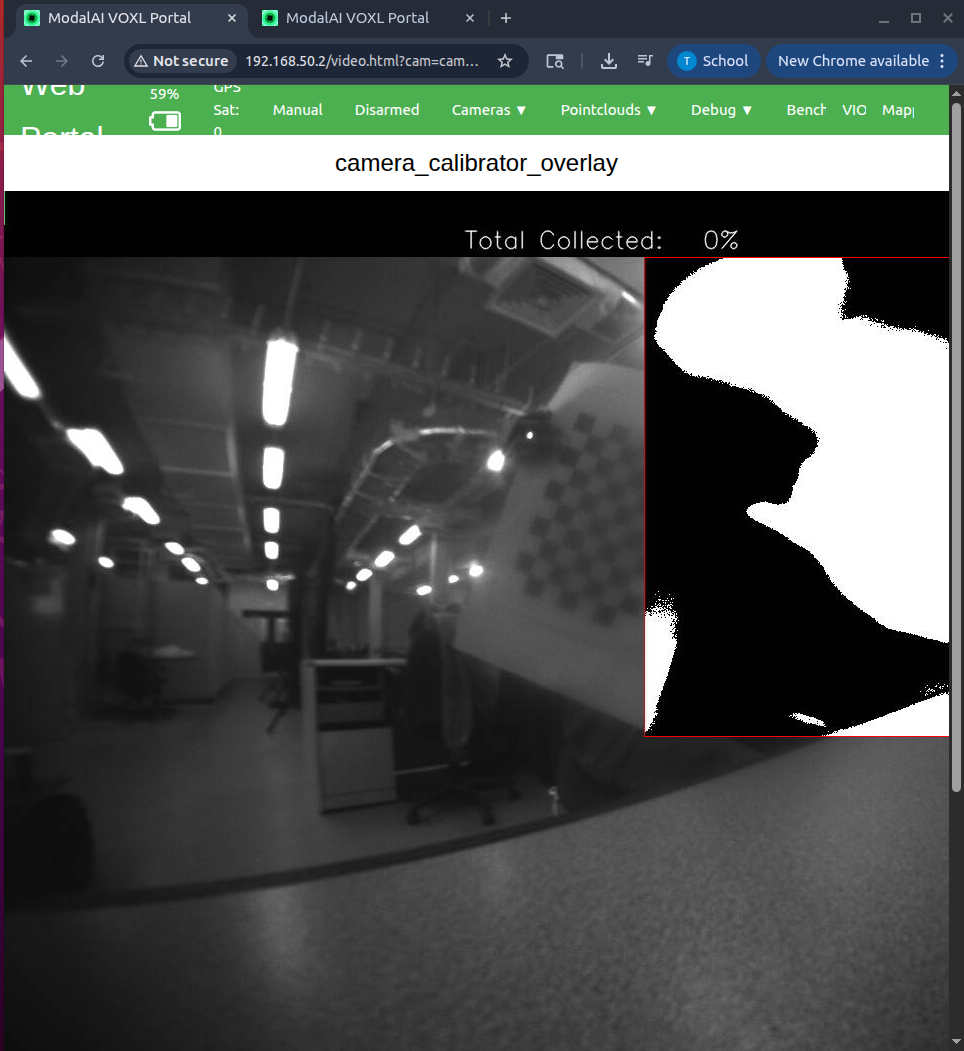
    Hello @taiwohazeez , Thank you for sending updated images. Just for sanity checking, please double check that the other tracking camera on your drone is in focus and does not have this issue.. (i assume that is true). To me, it definitely looks likes either damaged or dirty lens on the external lens surface damaged or dirty lens on the internal lens surface (the back surface of the lens) dirty surface of the camera sensor itself (inside the camera module) If you are comfortable with unscrewing the lens completely and wiping it (front and back) with a new microfiber cloth (preferably long strand) and screw it back again to check if there is any improvement. Also, once you remove the lens, you can take a look at the sensor itself, any dirt or smudges should be very easy to detect because the surface of the camera sensor is very reflective and should be perfectly clean. I can't recommend cleaning the sensor itself on your own, since that would involve inserting something inside the camera module, which could lead to damage. Please dont keep the lens out of the lens holder for a long time (hours) as dust or dirt may get inside on the surface of the sensor (do not perform this procedure in a dusty environment). Please reach out to https://www.modalai.com/pages/rma if you need further help to get this fixed / replaced. Alex
  • 0 Votes
    2 Posts
    226 Views
    Zachary Lowell 0Z
    @jared-upshaw the voxl mini also runs the flight stack, so ensure if you are leveraging the flight core v2 and plan on using the voxl2 mini purely for onboard compute, that you disable voxl-px4 on the voxl2 mini as to not get conflicting mavlink messages (serially connect the two over a uart) As for camera setup, please find the link to the documentaiton on which cameras work with the voxl2 mini and how to wire them up! https://docs.modalai.com/voxl2-mini-image-sensors/
  • Request Support: VOXL 2 Mini No USB Power / Dim LED Issue

    15
    0 Votes
    15 Posts
    1k Views
    Ashish KumarA
    @tom Thank you. I will submit an RMA request.
  • Ribbon connectors for ModalAI cameras to Board

    4
    0 Votes
    4 Posts
    660 Views
    VinnyV
    Hi @snowt33nshi All of our ucoax based image sensors use the same cables. Be careful mating adapters to sensors as they are not all compatible as noted here: https://docs.modalai.com/micro-coax-user-guide/ Hope this helps.
  • ModalAI Options for Confined Space Entry and LNG Operations?

    2
    0 Votes
    2 Posts
    345 Views
    tomT
    @nickrobbins I would take at stinger as a place to start: https://www.modalai.com/products/stinger-vision-fpv?variant=48373207695664 It is on the Blue UAS list: https://www.diu.mil/blue-uas-cleared-list (Stinger Vision FPV)
  • Quectel RM530-GL 5G-Modem doesn't work

    4
    0 Votes
    4 Posts
    673 Views
    Dmytro StolbovyiD
    @Dmytro-Stolbovyi voxl2:~$ usb-devices |less [1/1] T: Bus=01 Lev=00 Prnt=00 Port=00 Cnt=00 Dev#= 1 Spd=480 MxCh= 1 Ver= 2.00 Cls=09(hub ) Sub=00 Prot=01 MxPS=64 #Cfgs= 1 P: Vendor=1d6b ProdID=0002 Rev=04.19 S: Manufacturer=Linux 4.19.125 xhci-hcd S: Product=xHCI Host Controller S: SerialNumber=xhci-hcd.0.auto #Ifs= 1 Cfg#= 1 Atr=e0 MxPwr=0mA I: If#= 0 Alt= 0 #EPs= 1 Cls=09(hub ) Sub=00 Prot=00 Driver=hub T: Bus=01 Lev=01 Prnt=01 Port=00 Cnt=01 Dev#= 2 Spd=480 MxCh= 5 Ver= 2.10 Cls=09(hub ) Sub=00 Prot=02 MxPS=64 #Cfgs= 1 P: Vendor=0424 ProdID=2744 Rev=02.21 S: Manufacturer=Microchip Tech S: Product=USB2744 #Ifs= 1 Cfg#= 1 Atr=e0 MxPwr=0mA I: If#= 0 Alt= 1 #EPs= 1 Cls=09(hub ) Sub=00 Prot=02 Driver=hub T: Bus=01 Lev=02 Prnt=02 Port=03 Cnt=01 Dev#= 3 Spd=480 MxCh= 0 Ver= 2.10 Cls=00(>ifc ) Sub=00 Prot=00 MxPS=64 #Cfgs= 1 P: Vendor=0bda ProdID=0811 Rev=02.00 S: Manufacturer=Realtek S: Product=802.11ac WLAN Adapter S: SerialNumber=00e04c000001 #Ifs= 1 Cfg#= 1 Atr=e0 MxPwr=500mA I: If#= 0 Alt= 0 #EPs= 6 Cls=ff(vend.) Sub=ff Prot=ff Driver=rtl88XXau T: Bus=01 Lev=02 Prnt=02 Port=04 Cnt=02 Dev#= 4 Spd=480 MxCh= 0 Ver= 2.01 Cls=00(>ifc ) Sub=00 Prot=00 MxPS=64 #Cfgs= 1 P: Vendor=0424 ProdID=2740 Rev=02.00 S: Manufacturer=Microchip Tech S: Product=Hub Controller #Ifs= 1 Cfg#= 1 Atr=c0 MxPwr=0mA I: If#= 0 Alt= 0 #EPs= 0 Cls=ff(vend.) Sub=ff Prot=ff Driver=(none) T: Bus=02 Lev=00 Prnt=00 Port=00 Cnt=00 Dev#= 1 Spd=10000 MxCh= 1 Ver= 3.10 Cls=09(hub ) Sub=00 Prot=03 MxPS= 9 #Cfgs= 1 P: Vendor=1d6b ProdID=0003 Rev=04.19 S: Manufacturer=Linux 4.19.125 xhci-hcd S: Product=xHCI Host Controller S: SerialNumber=xhci-hcd.0.auto #Ifs= 1 Cfg#= 1 Atr=e0 MxPwr=0mA I: If#= 0 Alt= 0 #EPs= 1 Cls=09(hub ) Sub=00 Prot=00 Driver=hub T: Bus=02 Lev=01 Prnt=01 Port=00 Cnt=01 Dev#= 2 Spd=5000 MxCh= 4 Ver= 3.20 Cls=09(hub ) Sub=00 Prot=03 MxPS= 9 #Cfgs= 1 P: Vendor=0424 ProdID=5744 Rev=02.21 S: Manufacturer=Microchip Tech S: Product=USB5744 #Ifs= 1 Cfg#= 1 Atr=e0 MxPwr=0mA I: If#= 0 Alt= 0 #EPs= 1 Cls=09(hub ) Sub=00 Prot=00 Driver=hub T: Bus=02 Lev=02 Prnt=02 Port=00 Cnt=01 Dev#= 3 Spd=5000 MxCh= 0 Ver= 3.20 Cls=00(>ifc ) Sub=00 Prot=00 MxPS= 9 #Cfgs= 1 P: Vendor=2c7c ProdID=0801 Rev=05.04 S: Manufacturer=Quectel S: Product=RM530N-GL S: SerialNumber=4543cb18 #Ifs= 5 Cfg#= 1 Atr=a0 MxPwr=896mA I: If#= 0 Alt= 0 #EPs= 2 Cls=ff(vend.) Sub=ff Prot=30 Driver=(none) I: If#= 1 Alt= 0 #EPs= 3 Cls=ff(vend.) Sub=00 Prot=40 Driver=(none) I: If#= 2 Alt= 0 #EPs= 3 Cls=ff(vend.) Sub=00 Prot=00 Driver=(none) I: If#= 3 Alt= 0 #EPs= 3 Cls=ff(vend.) Sub=00 Prot=00 Driver=(none) I: If#= 4 Alt= 0 #EPs= 3 Cls=ff(vend.) Sub=ff Prot=ff Driver=(none)
  • How to fly the drone (Stinger Vision FPV 3.5" sUAS )

    3
    0 Votes
    3 Posts
    529 Views
    Akhil SharmaA
    @Robbie-McCue yes this worked thank you so much Robbie!!
  • USB Hub for Voxl2 with Wifi and Ethernet Both

    5
    0 Votes
    5 Posts
    868 Views
    VinnyV
    Hi @QSL OK, keep us posted! Any, for any new issues, please be sure to start a new forum post so it is seen by the team. Thanks!
  • Flight Core 2 Firmware update through QGC

    28
    2
    0 Votes
    28 Posts
    7k Views
    VinnyV
    Hi @VictorG Our team sent another batch out... FedEx tracking 884700036314 They claim Monday you should get it ... sorry for all these delays. We tried!!! I do not have visibility into our product shipment status, but this issue and experience has escalated the need for me to have that visibility, so I will explore that. We'll try better next time Keep me posted. Thanks!
  • Individual propeller control

    2
    0 Votes
    2 Posts
    381 Views
    Alex KushleyevA
    @luisgb , all of ModalAI ESCs can be controlled via UART using two modes power : command 0-100% power, which controls the average duty cycle for that motor RPM : (requires calibration for the motor + propeller type): controls rpm directly Commands to the ESC are sent via UART and normally that UART port is connected to VOXL2 UART, which is mapped directly to the DSP. The DSP is where most of PX4 runs. If you are looking for the easiest integration / testing, you can connect the ESC directly the VOXL2 CPU (using non-DSP UARTs) and use either python or c++ code to interface to the ESC (or similarly from a Linux Desktop / laptop). It is also possible to communicate with the ESC while the ESC is connected to the DSP UART. This is how the voxl-esc tools work on VOXL2 (while PX4 is not running). This works by bridging the connection between the DSP and CPU and accessing the DSP UART from the CPU. However, this path has extra delay and is not recommended for any real-time feedback control applications. If you provide more information about your use case, I can suggest the best path. Alex
  • ESC issue: rotors not spinning

    4
    0 Votes
    4 Posts
    965 Views
    Alex KushleyevA
    @Federico-Wyrwal , thank you for the reply. More debugging would be needed to figure out the root cause and it looks like you already submitted an RMA for the inspection / repair, so we will take care of it. Thank you. Alex
  • mapper not working

    1
    0 Votes
    1 Posts
    426 Views
    No one has replied
  • Stinger VRX not turning on

    13
    0 Votes
    13 Posts
    2k Views
    J
    @Grier Gotcha, please fill out this RMA form: https://www.modalai.com/pages/rma?_pos=1&_sid=6dd8dbced&_ss=r Please link this forum post in the RMA form as well
  • 0 Votes
    1 Posts
    284 Views
    No one has replied
  • ESC calibration help

    10
    0 Votes
    10 Posts
    2k Views
    Alex KushleyevA
    @victochen , just to close the loop on the original issue.. the delay in the calibration procedure was caused by UART data or processing of the ESC feedback backing up. The fix is to just slow down the command rate, seen in this commit : https://gitlab.com/voxl-public/voxl-sdk/utilities/voxl-esc/-/commit/b512f9e3d5e695868775de3d40eedb2ad15cf6d9 . Additionally, using command line argument --cmd-rate 100 when you run the calibration script on VOXL2 will fix the issue.
  • custom camera config for imx214

    1
    0 Votes
    1 Posts
    360 Views
    No one has replied
  • This topic is deleted!

    1
    0 Votes
    1 Posts
    3 Views
    No one has replied
  • Missing Config File

    5
    1
    0 Votes
    5 Posts
    931 Views
    Q
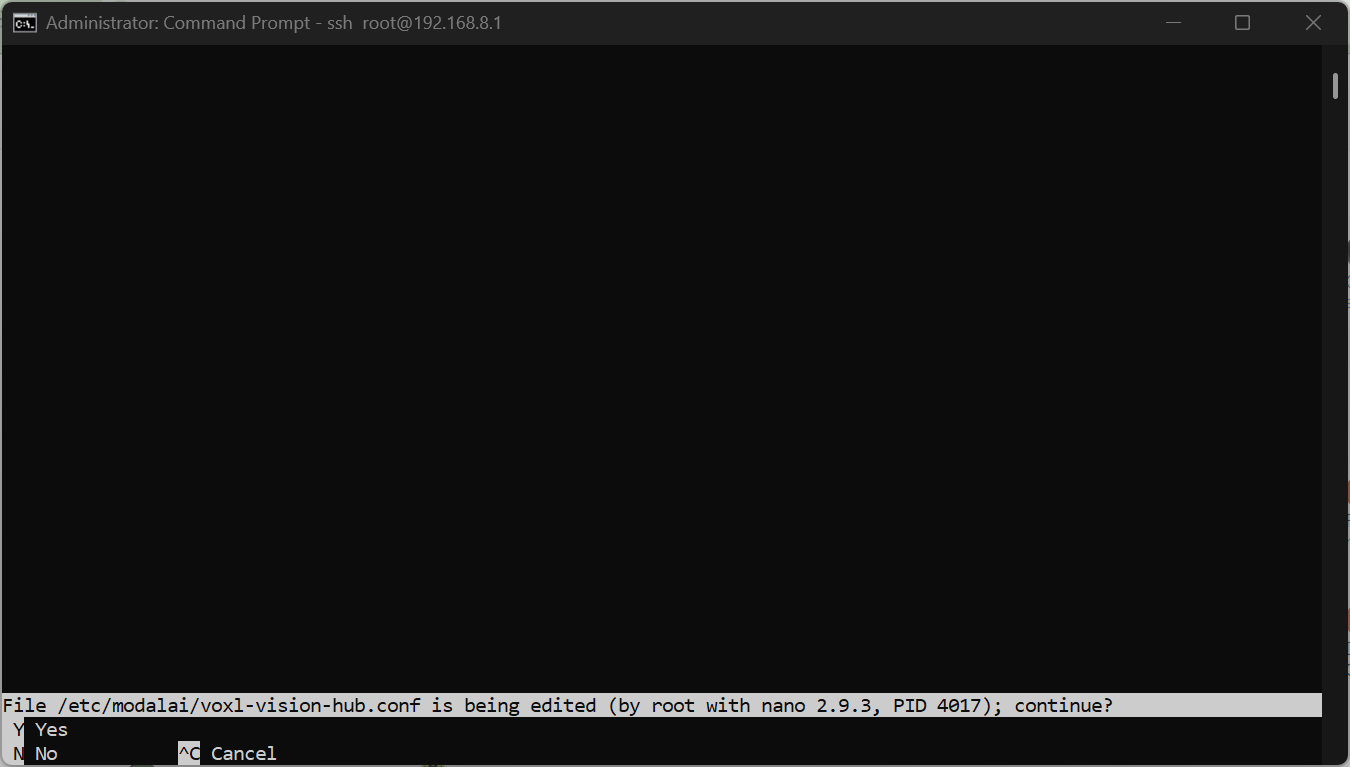
    @tom said in Missing Config File: voxl-configure-vision-hub factory_enable thanks. I tried the Sku Wizard then MPA but I seem to still have a blank file when I open it in nano. I will try the factory default next.
  • voxl2 and FLIR Hadron Gimbal

    1
    0 Votes
    1 Posts
    333 Views
    No one has replied
  • Cannot access wifi and USB

    3
    0 Votes
    3 Posts
    744 Views
    Kiazoa JoaoK
    @Avery-Cuevas Yes, the VOXL powers up and I've tried using different USBs and still no result. I even tried reflashing the system, but it won't detect fastboot and adb devices