Skip to content

VOXL SDK and Software

389 Topics 2.0k Posts

voxl-sdk releases, MPA services, camera and video pipelines, Remote ID, and building and deploying your own software on VOXL.

  • Ublox zed f9p GPS not connecting

    Unsolved
    8
    0 Votes
    8 Posts
    4k Views
    Karteek GandiboyinaK
    @emarcphera @Eric-Katzfey thank you so much after upgrading to voxl-mainline im getting GPS reading[image: 1772264739323-screenshot-from-2026-02-28-01-45-10.png]
  • Using more than 64 tags in the tag_locations.conf

    Unsolved mpa
    3
    0 Votes
    3 Posts
    2k Views
    T
    @Eric-Katzfey Yes that worked. Thanks!
  • EGL example for voxl2

    Unsolved voxl-sdk
    3
    0 Votes
    3 Posts
    2k Views
    Alex KushleyevA
    @Andrew-Jong , we are able to reproduce the error that you are seeing. I believe that you may need to set up a virtual display in order to get this to work. You could try doing so using Weston compositor, which would normally run if the display was available. Please try it and let us know if you are able to get it to work (or not). You would need to create a config file /etc/xdg/weston/weston.ini and try running it manually like this : weston --idle-time=0 --config=/etc/xdg/weston/weston.ini a sample config file might look something like this: # configuration file for Weston [core] idle-time=0 repaint-window=15 [output] name=virtual-1 mode=on We have not tested this yet, but hopefully it's a good start. Alex
  • VOXL2 QVIO Auto-Resets & I²C Errors on Startup

    Unsolved camera
    2
    0 Votes
    2 Posts
    1k Views
    Alex KushleyevA
    @yashpatel , Please see some responses below: i2c_geni a84000.i2c / 884000.i2c: i2c error :-107 This is likely due to a service that is enabled for a sensor that's not present, so the service is restarting and trying to detect the sensor. please make sure the voxl-rangefinder-server is not running and also voxl-lepton-server. you can disable the service using systemd : systemctl disable voxl-rangefinder-server. CAM_ERR: CAM-SENSOR: cam_cci_i2c_read: 35 rc = -22 this one is usually present when you have a sensormodule driver in /usr/lib/camera for a camera that is not actually plugged in, so the probe fails. Double check the cameras that you have plugged in vs sensormodules peresent in the directory above. However, this is usually harmless, if all of your cameras are working properly. Pin conflict.. We will double check that, but GPIO 130 is on a Board to Board connector that you are most likely not using, so that should not be an issue. VIO performance.. please review : https://docs.modalai.com/flying-with-vio/ try to identify the condition that caused the low feature count (look at the actual images, if possible). may need some hand-held testing and looking at the output. Please let us know if you have any other questions. Alex
  • M0173 with 4 AR0144 Tracking cameras

    Unsolved camera
    20
    0 Votes
    20 Posts
    8k Views
    H
    @Alex-Kushleyev sure thing. As per your suggestion, I modified voxl-lepton-server by moving all the Lepton camera-specific logic into a C++ class and added locks to any I2C operations to prevent race conditions. I then just created 2 instances of the LeptonCamera class I made which parse and publish the camera feeds to their own pipes which I can view in voxl-portal. I didn't need to disable any I2C interface for the second Lepton. I'm not too sure what you were referring to by that. In regards to the horizontal line artifacts, those don't seems to consistently appear and I don't know what causes it. I'll investigate it further. My next steps are to get the Leptons working with voxl-open-vins-server. One question I had was that our VOXL 2 Mini appears to be running a service called voxl-lepton-tracker however I cannot find the source code for this anywhere on the voxl public GitLab. Was it removed or hidden?
  • Can't start PX4 PCA9685 Driver

    Unsolved voxl-sdk
    11
    0 Votes
    11 Posts
    5k Views
    C
    @Alex-Kushleyev Found the reason why it was skipping. In /px4-firmware/src/lib/parameters/CMakeLists.txt there is a line that skips all modules that match 'pwm_out'. I was able to disable that for PCA9685. Once I disabled the module.yaml file being skipped it worked. No need for the .c file (which makes sense, that is just the old way to do the .yaml)
  • Minimizing voxl-camera-server CPU usage in SDK1.6

    Unsolved camera
    33
    0 Votes
    33 Posts
    13k Views
    Alex KushleyevA
    Hi @Rowan-Dempster , We just merged the changes to dev : https://gitlab.com/voxl-public/voxl-sdk/core-libs/libmodal-pipe/-/merge_requests/39. A new build of the libmodal-pipe library will be added after tonight's nightly build here : http://voxl-packages.modalai.com/dists/qrb5165/dev/binary-arm64/ . Any SDK releases after this will include this support. Alex
  • Update UDP Port for the voxl-mavlink-server

    Unsolved voxl-sdk
    10
    0 Votes
    10 Posts
    6k Views
    Eric KatzfeyE
    @brandon You'll need to load SDK v1.6.x to get it.
  • Fixed pose via /run/mpa/vvhub_fixed_pose_input in addion to Open Vins

    Unsolved mpa
    2
    0 Votes
    2 Posts
    2k Views
    Cliff WongC
    Hi there, I would highly recommend upgrading to the latest SDK 1.6.2. Q1: For voxl-vision-hub, openvins is just another [abstracted] VIO client, using the same MPA interface as QVIO. Thus, should work the same as QVIO. Q2: There are no outstanding buffer conflicts between the 2 inputs in that SDK version. Though best to update to 1.6.2 as there have been numerous MPA improvements. Q3: MAYBE ON GROUND, POSITION LOCK? is reporting that the barometer is reporting <1m and OVINS > 1m (-1 in NED space). It appears OVINS had a blow up, has recovered with a new origin in the local frame. Your output says it must have reseted in the ai/flying and hence the new local origin is above your landing point (fixed frame). Depending how you have PX4's EKF setup could lead to issues like the landing detector not working, or position error when running missions, hence why it's reported as a warning. Your output says it's at 0,0,-15 indicating OVINS restarted at ~15m up, but the PX4 baro says it's at 0. If outdoors, I recommend setting EKF2_HGT_REF = baro, if indoors, you'll need to reconcile a origin offset if VIO resets midair (qvio would require this as well) if using vio data directly waypoint manager (i.e. offboard waypoint mode or custom nav code) Going forward if staying with 1.4.x, edit /etc/modalai/voxl-open-vins-server.conf and change: "en_vio_always_on": true, ssh into the drone and run voxl-vision-hub --debug_fixed_frame --debug_tag_cam --debug_odometry to compare values and see if there is a error in calculation possibly causing vision-hub to restart. move the drone around by hand, point it at a tag as needed and monitor the output from vision-hub. Should tell you where a possible conflict arises.
  • Calibration for EIS

    Unsolved camera
    11
    0 Votes
    11 Posts
    5k Views
    Alex KushleyevA
    Another question.. did this work for you before or is this the first time trying to calibrate at half resolution? if you request the full resolution, do you get the non-zoomed image? i know it will be slow to display in voxl-portal, but you could still check. If you enable EIS with default camera calibration (no intrinsics cal file). does EIS and zoom work as expected? note that your version of voxl-portal may not have the browser support for zooming, but the config file zoom should still work. If you want to use the latest voxl-portal for EIS, please use this branch : https://gitlab.com/voxl-public/voxl-sdk/services/voxl-portal/-/tree/eis-integration . however the initial zoom of the image coming from the camera server is not dependent on the version of voxl-portal. Alex
  • Trouble configuring Boson+ on Voxl2

    Unsolved voxl-sdk
    3
    0 Votes
    3 Posts
    2k Views
    Alex KushleyevA
    @Samuel-Lehman If you have the original adapter for Boson+ which allows you to connect it to a USB port, then you can use the FLIR SDK (we use Boson Plus SDK 4.0). Unfortunately, M0153 board does not have J3 connector populated, which would allow you to connect a serial-to-usb adapter to it. We have several python scripts, which use the Boson SDK to help set up the Boson sensor without the GUI. query basic sensor info: https://storage.googleapis.com/modalai_public/temp/boson/boson_read.py set up sensor for 8bit MIPI mode, 60fps (option to set 30fps): https://storage.googleapis.com/modalai_public/temp/boson/boson_set_8bit.py You can put both of these scripts next to the BosonSDK directory and run them. Please check the USB port name inside the scripts. Once you get that configured, you can put M0153 back on boson. Regarding where to plug it in on Voxl2, please tell me what other cameras you plan to use with your Boson. Alex
  • Publish a set of PNG images to camera pipe and inject it into voxl-tflite-server

    Unsolved
    2
    0 Votes
    2 Posts
    1k Views
    ModeratorM
    You can find the source code here: https://gitlab.com/voxl-public/voxl-sdk/utilities/voxl-logger/-/blob/master/tools/voxl-replay.cpp
  • camera not working and missing configuration

    Unsolved camera
    2
    0 Votes
    2 Posts
    1k Views
    tomT
    @mkriesel You'll need to re-flash the SDK and select the correct kernel option that supports C11. When running ./install.sh you'll see the following options: Would you like to continue with SDK install? 1) Yes, with questions along the way to configure VOXL 2 2) Yes, just update SDK keeping the same SKU configuration 3) No Select, option 1, and you'll get the option to choose which kernel to flash Detected: M0054-1 (QRB5165M) Detected: Config 1 w/ M0173 Breakout Board (Starling 2 Max, Starling 2, FPV V5) ======================================================================================================= In order to support all of VOXL's camera configurations, specific drones require differing kernel images. Please select your drone hardware to proceed with flashing the appropriate kernel image. ======================================================================================================= PLEASE SELECT WHICH KERNEL TO FLASH 0. M0054-1 -> QRB5165M, Starling (D0005), Sentinel (D0006), FPV V4 (D0008), D0010, PX4 Dev Kit (D0011) 1. M0054-1 -> QRB5165M w/ M0173 Camera Breakout Board, Starling 2 Max (D0012), Starling 2 (D0014), FPV V5 (D0008/D0019/D0020) Select your choice from the options above or press [Enter] to continue with current config: For your use case, you'll want to select option 0 as you are not using an M0173 camera breakout board and the C11 camera config is inherited from the sentinel (D0006) platform.
  • Toolchain for m0054-data-fs.ext4

    Unsolved voxl-sdk
    5
    0 Votes
    5 Posts
    2k Views
    Rowan DempsterR
    @Moderator Hi Modal, Does this mean you can create a custom data file partition that you can flash using fastboot? Yes that is correct. We have not explored this before but it has been asked a few times. This could be very helpful for other developers. I'm certainly hopeful that it will be helpful here at Cleo Robotics! So far with my prototyping it works as expected and cuts flashing time of some large docker images we have here at Cleo down by a noticeable fraction (no file overhead via fastboot like with ADB). I think the snippet I posted covers the baseline functionality of getting a custom "payload" into the data partition. However if there is more I can elaborate on in terms of the toolchain / what's in the payload, and if that elaboration will be helpful to other VOXL2 developers, I would be happy to elaborate Just let me know! Other similar discussion points I tackled recently that I'm happy to talk about lessons of: Flashing the system image and VOXL/CLEO SDK through a Windows Machine (journeys in USB device drivers) Building Flutter applications for uniform flashing process across all operating systems Building release bundles (i.e. a collection of partition binaries) in CI
  • Python MPA image

    Unsolved mpa
    9
    0 Votes
    9 Posts
    4k Views
    Alex KushleyevA
    @l05 , when in doubt, you can add a print statement in your app as a sanity check to make sure you are running the correct version of the application. Then check your print statement at run time. If you are modifying an existing app in voxl-mpa-tools, you just need to use the voxl-cross docker image to build the source code build the package (deb) deploy the package (either manually pushing and dpkg -i <package.deb> on target) or using a convenience script deploy_to_voxl.sh which is typically present in most voxl projects -- this script will push the deb to voxl2 and install the deb. run your new application on voxl and confirm functionality If you are adding a new app to voxl-mpa-tools project, you will need to modify the CMakeLists.txt file in the tools folder, it should be self explanatory how to add a simple app. Once you build and deploy, your new app will be installed into /usr/bin on voxl2. If you have any other questions, let me know. Alex
  • voxl-px4 vs mainline px4 SITL questions

    Unsolved voxl-sdk
    2
    0 Votes
    2 Posts
    665 Views
    J
    @jmltt Looks the same bug as here: https://github.com/PX4/PX4-Autopilot/issues/22148 Added the change from this commit and it looks like it works now: https://github.com/PX4/PX4-Autopilot/pull/22194/commits/38f3c711084b349cb9ed82cf44ff181c6a40738a
  • EIS functionality

    Unsolved camera
    14
    2
    0 Votes
    14 Posts
    1k Views
    Alex KushleyevA
    @SKA , Does this happen right away after you start voxl-camera-server ? What raw "preview" resolution / fps are you requesting in camera server config? Also, can you post output of dmesg (everything after you start voxl-camera-server) Alex
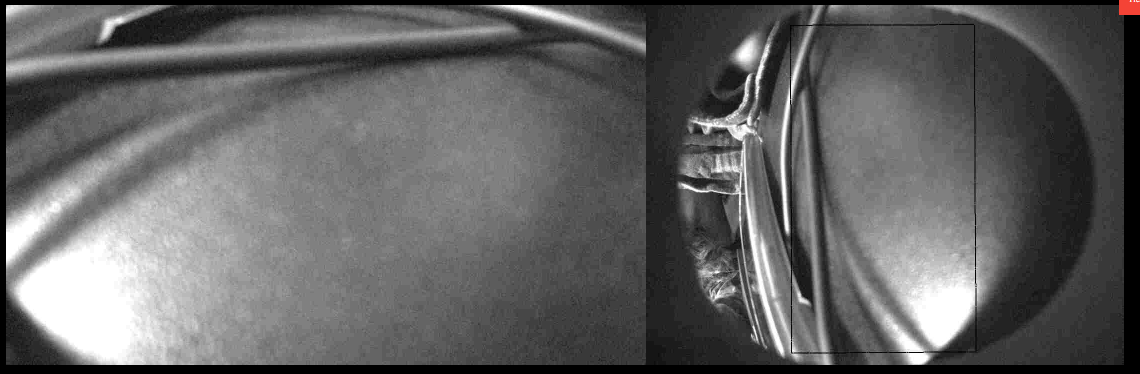
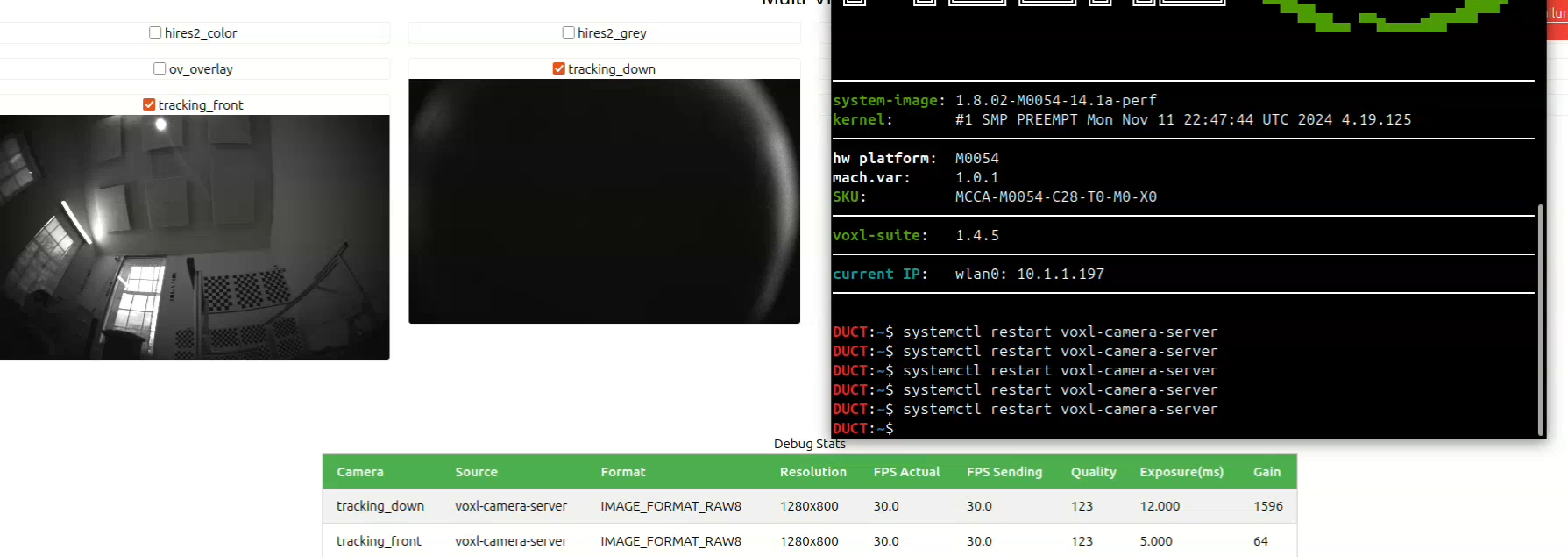
  • tracking down pipe switching to images of traccking front camera

    Unsolved camera
    14
    2
    0 Votes
    14 Posts
    1k Views
    Alex KushleyevA
    Hi @mark , Thank you for the update. We will keep investigating the underlying issue that was a result of that questionable camera. Meanwhile, if you think that the camera is defective and has no damage, you can fill out an RMA request and send it back for an exchange. I cant really comment on what could be causing this on the camera itself (it would be interesting to try it), but the camera is not serviceable by the user. https://www.modalai.com/pages/rma Alex
  • Remote ID over Wifi

    Unsolved starling2 max remote-id voxl-sdk
    1
    0 Votes
    1 Posts
    656 Views
    No one has replied
  • Ros2 Humble on Voxl2

    Unsolved ros
    4
    0 Votes
    4 Posts
    3k Views
    J
    @Zachary-Lowell-0 Thank you for the feedback! This was very helpful