Skip to content

VOXL SDK and Software

389 Topics 2.0k Posts

voxl-sdk releases, MPA services, camera and video pipelines, Remote ID, and building and deploying your own software on VOXL.

  • Creating a new client to read from voxl-tflite-server pipe

    Unsolved mpa
    2
    0 Votes
    2 Posts
    167k Views
    James StrawsonJ
    Hi Steve, You would likely want your own separate project that uses libmodal_pipe to create the client interface. That can be a systemd service if you want it on boot. MPA encourages lots of separate microservices and projects to all be compiled and run independently to avoid monolithic programs that grow too big and become hard to maintain. Examples such as all the voxl-inspect-*** tools in voxl-mpa-tools also serve as good starting points along with the modal-hello-client example you already found. I hope this helps, James
  • Push to Gitlab?

    Unsolved
    9
    1
    0 Votes
    9 Posts
    2k Views
    tomT
    @wilkinsaf Hahaha appreciate you sharing your expertise
  • Can't ping in station mode and can't re-enable modem

    Unsolved
    8
    0 Votes
    8 Posts
    2k Views
    J
    @tom Thanks for the response. The issue has been resolved. I successfully pinged google after trying this on my home network (WPA2-Personal security type), I'm guessing the issue was with the security type of my firm's network that I had been trying to connect to originally. As for the modem issues, after familiarizing myself more with the hardware I realized I hadn't attached the VOXL LTE modem that came with my kit which probably explains why a disabling command worked and an enabling command gave me a failure message. I had incorrectly assumed the modem of concern was already onboard the flight core. Thanks to the dev team and @Chad-Sweet for your responses.
  • voxl-rtsp - This computer has an invalid IP address: 0.0.0.0

    Unsolved
    2
    0 Votes
    2 Posts
    702 Views
    modaltbM
    Hi @czarsimon , Are you seeing this IP address as the output of the command or via ifconfig ? I believe the rtsp command line command will spit out 0.0.0.0 (i.e. localhost-ish), but use ifconfig to find the real IP address and use that.
  • voxl-dfs-server failing to run

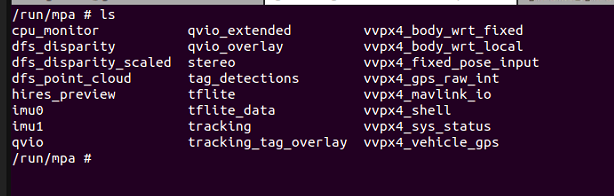
    Unsolved mpa
    3
    0 Votes
    3 Posts
    1k Views
    Lynn KoudsiL
    Seemed like a weird fluke... I reinstalled the system image + voxl suite this time from the install script, then removed the packages individually and reinstalled my built versions, and it worked... Thank you though! Lynn
  • Installing OpenCV-4.5 fails on VOXL Emulator Docker Image V1.7

    Unsolved
    2
    0 Votes
    2 Posts
    740 Views
    Lynn KoudsiL
    I resolved the problem by installing openmp from the voxl-packages site.
  • AprilTag Relocalization

    2
    0 Votes
    2 Posts
    1k Views
    G
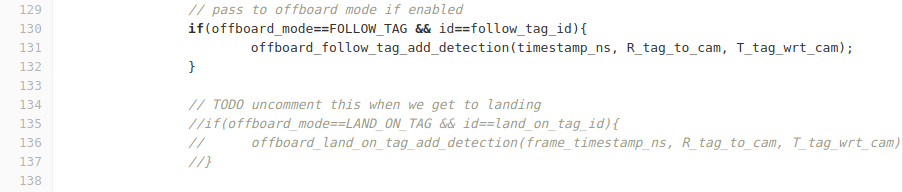
    @Chad-Sweet Thanks for the reply. I actually wanted to test landing feature. If we could get the instruction for landing on the apriltag, that'd be great.
  • Accessing h.264 stream with mpa client

    Unsolved mpa
    6
    0 Votes
    6 Posts
    2k Views
    PawelJP
    Thanks @Alex-Gardner that did the trick. I can get the cam-server and rtsp server running at the same time now. Is there a way to get voxl-rtsp to run at aspect ratios other than 3:4? When I try to change it I keep getting the following error / # voxl-rtsp -s 832x832 voxl-rtsp version 1.0.4 Setting resolution: 832x832 Connected Started camera 0 Created session Video track created in setGainAndExposure: Unable to get camera parameters rtsp://192.168.86.215:8900/live Camera Control FIFO starting: /dev/camera0_control Unable to connect to start session: -19 Unable to delete video track: -19 If I maintain the 3:4 AR it works as expected.
  • Example compiling custom TFLite model?

    Unsolved
    5
    0 Votes
    5 Posts
    1k Views
    T
    Hi Matt, Sorry about the delay in following up on this. Switching over to running the TFLite quantized model was the necessary step to get things working. Thanks for your help!
  • Changing default cameras

    Unsolved
    5
    0 Votes
    5 Posts
    1k Views
    Alex KushleyevA
    Hello Rolando, It will not be possible to fully use four ov7251 cameras at the same time due to i2c address conflict. the downward camera can coexist with the stereo pair because one of the stereo cameras is actually on a different i2c bus ov7251 camera has two i2c addresses, so with some software configuration it works. However, having 3 ov7251 cameras on i2c bus cannot be done without a conflict. In a condition of i2c conflict between cameras, what will happen is.. system will be able to detect each camera at boot time because probing happens while other cameras are powered off you should be able to fully use the conflicting cameras one at a time (not concurrently) if you use the conflicting cameras concurrently, commands sent to one camera will go out to both cameras, for example exposure and gain control. nothing will physically break, but this is currently not a supported use case. there will also be a short glitch after you started the first conflicting camera and when you are starting the second conflicting camera, since the first one will also get re-initialized with the commands intended for the second camera in your case, the ov7251 plugged into J2 was not detected because the camera configuration xml file is not configured to query this camera on J2 connector. If you wanted to enable it, you need to back up and edit the following file : /system/etc/camera/camera_config.xml and add an entry that looks like below (then reboot). The slave address 0xC0 is one of the two possible slave addresses for this camera. The other one is 0xE0 and is already used by the camera plugged into J4 (downward facing). So are you using one of the stereo cameras + stereo flex + extension cable? if you are using the stereo flex with one camera, make sure to use the left port on the flex because the right port is connected to the secondary i2c bus, accessible only in stereo configuration. Also, multiple stereo pairs are not supported on VOXL and stereo can only be used in J3. With the below config addition, you should be able to detect all 4 ov7251 cameras and successfully use the following configurations without confilicts: J2 + J4 (hires slot + tracking slot) J3 + J4 (stereo slot + tracking slot) if you want to use J2 + J3 (hires + tracking slot), change the I2C id to 0xE0, but then it's the same thing as current stereo + tracking. Now, in this configuration you should also be able to run all 4 cameras together but depending on the i2c ID of the camera in slot 0, it will conflict either with left stereo or tracking camera. I would not mess with stereo, so you could set i2c id of slot 0 to the same as in slot 2 (hires and tracking). then there is is still an issue of exposure/gain controls between the two cameras fighting with each other (both cameras will receive both exposure/gain updates). In order to prevent two cameras from fighting exposure/gain settings the only way to do it is to prevent one of the camera drivers from sending out exposure/gain updates at all. Then both cameras will have the same exposure/gain computed based on one camera's image. This would require a little bit of work on the camera driver side but it's possible (though not supported now). Anyway, this is just a long explanation of what you could try and what you will see. <!-- ov7251 tracking camera in camera slot 0 --> <CameraModuleConfig> <CameraId>0</CameraId> <SensorName>ov7251</SensorName> <SensorSlaveAddress>0xC0</SensorSlaveAddress> <ChromatixName>ov7251_chromatix</ChromatixName> <ModesSupported>1</ModesSupported> <Position>FRONT</Position> <MountAngle>360</MountAngle> <CSIInfo> <CSIDCore>0</CSIDCore> <LaneMask>0x1F</LaneMask> <LaneAssign>0x4320</LaneAssign> <ComboMode>0</ComboMode> </CSIInfo> <LensInfo> <FocalLength>4.73</FocalLength> <FNumber>2.2</FNumber> <TotalFocusDistance>1.9</TotalFocusDistance> <HorizontalViewAngle>64.1</HorizontalViewAngle> <VerticalViewAngle>51.6</VerticalViewAngle> <MinFocusDistance>0.1</MinFocusDistance> </LensInfo> </CameraModuleConfig>
  • stereo and tracking camera voxl_cam_ros

    Unsolved
    4
    0 Votes
    4 Posts
    1k Views
    ?
    Glad to hear it's working! Yes, We're days away from finishing a rework of our docs that includes all the information about the new architecture, should be seeing it real soon.
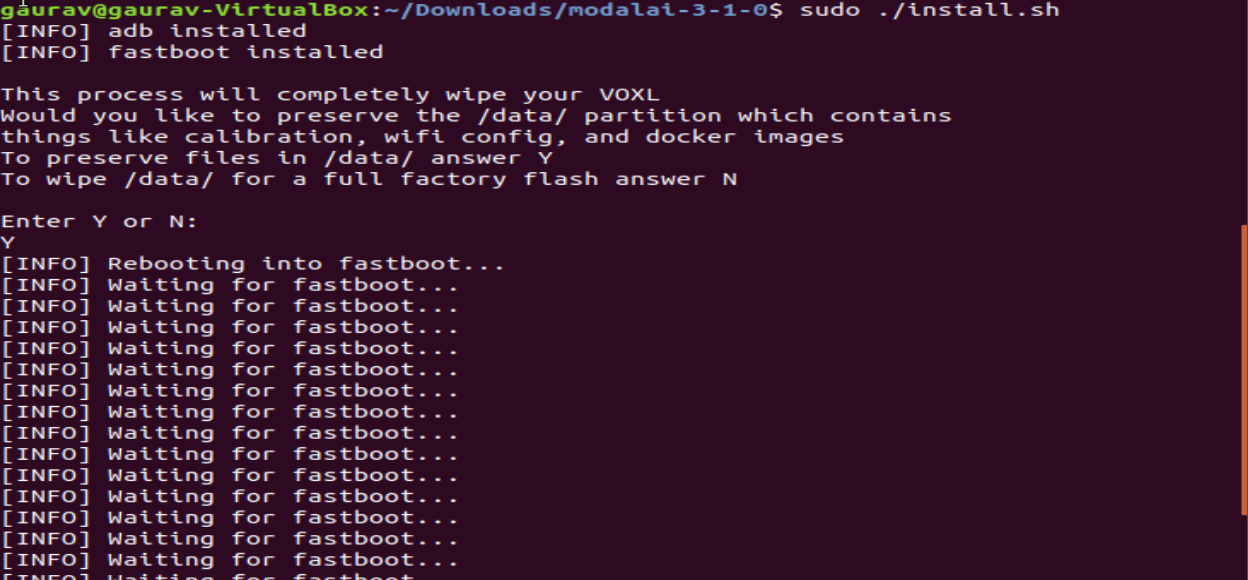
  • Flash-system-image waiting for fastboot...

    Unsolved
    3
    1
    0 Votes
    3 Posts
    874 Views
    G
    @PawelJ Thank you for the suggestion. Actually, I am facing another issue with my board, i.e. my board is going offline (https://forum.modalai.com/topic/289/adb-device-offline?_=1625029971070) and hence I am not able to communicate with it. Once I am able to communicate it I will check this.
  • How to install ipk package

    Unsolved
    9
    1
    0 Votes
    9 Posts
    2k Views
    G
    finally Done Thank so much you @tom & @Eric-Katzfey https://forum.modalai.com/topic/280/station-mode-not-connecting-to-internet?_=1624012254214 I have to disable the microhard ethernet for it.
  • voxl-cam-ros

    Unsolved
    12
    0 Votes
    12 Posts
    3k Views
    P
    @vaughanje I am with you up until this point, but I can't figure out how to kill voxl-rtsp. what command did you use for that?
  • Instructions/documentation needed on how to add new code snippet on voxl-build

    Unsolved
    3
    0 Votes
    3 Posts
    799 Views
    G
    Thank you for your reply, I will definitely try this.
  • CMake errors on open example

    Unsolved
    4
    0 Votes
    4 Posts
    1k Views
    Chad SweetC
    This cmake file has a good example of finding OpenCV libs using cmake https://gitlab.com/voxl-public/core-libs/libmodal_exposure/-/blob/master/library/CMakeLists.txt
  • installing opencv2.4 on hellotflitegpu

    Unsolved
    1
    0 Votes
    1 Posts
    531 Views
    No one has replied
  • apriltag landing

    Unsolved
    2
    1
    0 Votes
    2 Posts
    518 Views
    Chad SweetC
    We are working on bringing that apriltag demo back online with the latest software right now. Hope to have a more concreate answer in the next week or two
  • QGC Android Build Error

    Unsolved
    2
    0 Votes
    2 Posts
    801 Views
    modaltbM
    Hi @Prasad-Pawar , This is a bit out of scope for us (we don't really develop for QGC, just use the standard releases typically). Have you tried https://discuss.px4.io/c/qgroundcontrol/15 ? Thanks!
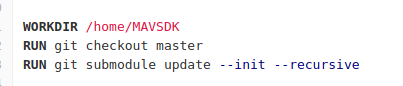
  • voxl-docker-mavsdk-python build problems

    Unsolved
    4
    2
    0 Votes
    4 Posts
    855 Views
    Joseph MartinsonJ
    @Sebastian-LaPointe, I have updated the GitLab repository with changes that should fix this issue. Please let us know if the issue persists