Skip to content

Development Drones

642 Topics 3.3k Posts

Starling 2, Starling 2 Max, Sentinel, Seeker, m500, RB5, the PX4 Autonomy Developer Kit and Stinger FPV: flying, tuning, repairs and spare parts.

  • How to do SLAM and VOXL-Mapper flying with Starling Drone ?

    Unsolved starling
    13
    0 Votes
    13 Posts
    3k Views
    david devassyD
    @tom I have a new issue Since yesterday, when I turned on the Starling drone, it just sits there. It's not getting armed. When I checked for ADB shell, it's not getting connected, and an error comes up saying no devices found. When I checked the forum, it said it might be bricked due to some file loss. We followed the unbrick tutorial, and after successful flashing of the latest QDL M0054.14.1a-flat-v3, the device is showing up as Qualcomm bulk something. However, ADB still isn't getting connected. Please note that I am unable to enter adb shell and fast boot mode . For unbrick I followed this https://docs.modalai.com/voxl2-unbricking
  • MAVSDK not connecting to the RB5 drone

    Unsolved rb5
    9
    0 Votes
    9 Posts
    2k Views
    Eric KatzfeyE
    @Advait-Pandit You can trace the packets used for the QGC connection with tcpdump and compare against what is happening with mavsdk. That should help you to understand what is going wrong.
  • RB5 drone goes to a different height than I input

    Unsolved rb5
    12
    0 Votes
    12 Posts
    2k Views
    A
    @Eric-Katzfey Thank you for the advise, I will take a look!
  • Increasing Mavlink Message Stream Rate from PX4 to VOXL2

    Unsolved sentinel
    3
    0 Votes
    3 Posts
    2k Views
    J
    @Eric-Katzfey Thanks for clearing that up. I didn't know I could access it from the voxl's file system but I just found the script in usr/bin. I'll vim into it and change what I need. Thanks!
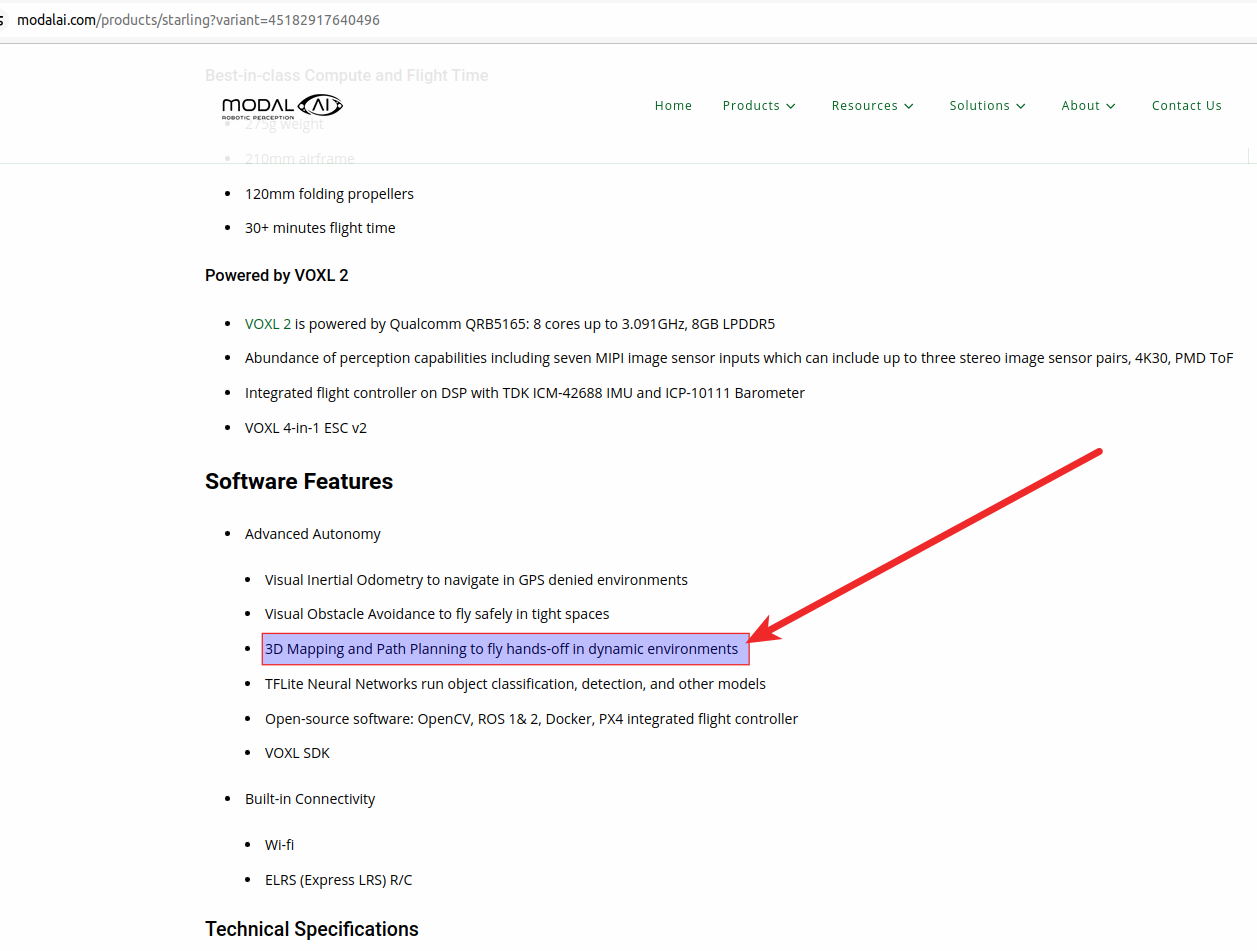
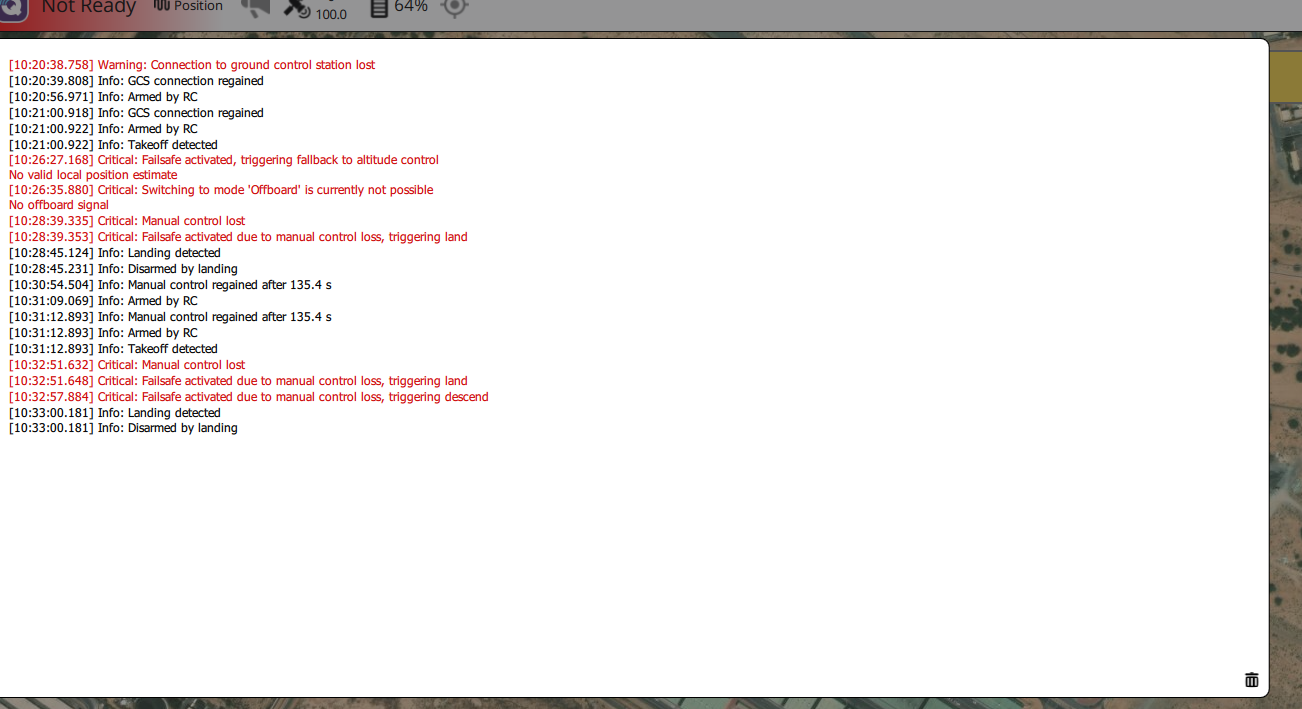
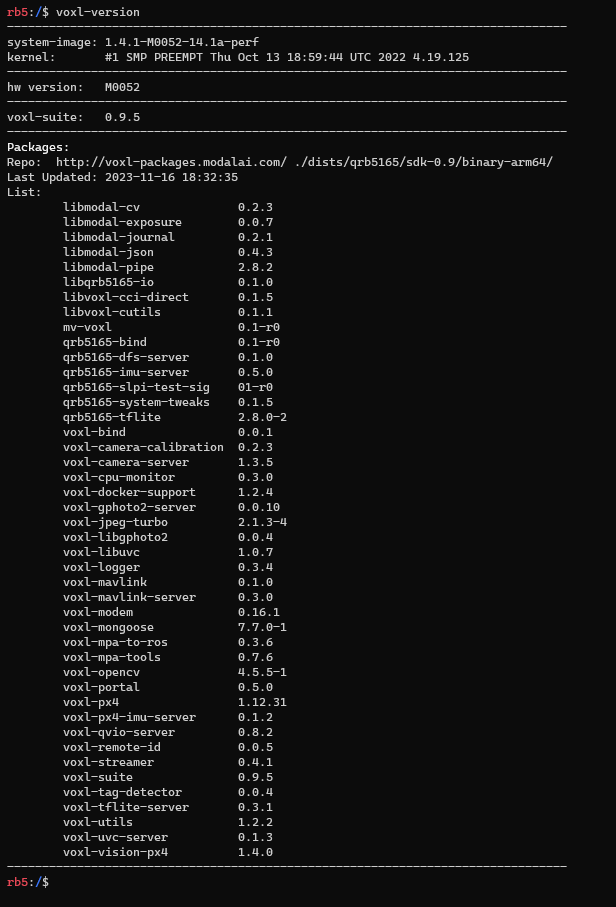
  • Starling - 3D Mapping & Path Planning features aren't working

    Unsolved starling
    7
    2
    0 Votes
    7 Posts
    2k Views
    ModeratorM
    What does /etc/modalai/voxl-vision-hub.conf contain? Did you follow the setup instructions and configure offboard_mode to trajectory?
  • RB5 Flight drone not recognized by QGC when connected to the same WiFi network

    Unsolved rb5
    4
    0 Votes
    4 Posts
    996 Views
    Eric KatzfeyE
    @Advait-Pandit Please open a new thread for this new topic. Also, you are asking about a PX4 software behavior so it would be good to ask that question on the PX4 forum also.
  • Controller not recognized in QGC

    Unsolved m500
    13
    0 Votes
    13 Posts
    4k Views
    Evan DE
    @Eric-Katzfey Reinstalling px4 solved my problem, thanks for your help!
  • Starling gone rogue (uncontrollable) in Position flight mode

    Unsolved px4-dev-kit
    8
    1 Votes
    8 Posts
    5k Views
    M
    @Eric-Katzfey Hi, The first change of flight mode to "Altitude" was because of the loss of control of pilot (see it from the "Manual Control Output") on the drone. This wasn't happened first time, I experienced the same before this flight too. The steps you provided aren't suitable, I can't do the flights like "Manual" and then verify everything everytime, this is a random behavior, even if I try in the manual mode and get a good flight, I can still experience the bad flight afterwards. When I get the bad VIO data, I get the message of "invalid setpoints" in the log and over the QGC too and the drone goes into the "altitude" mode. But, the problem I shared here is the loss of control over the drone, drone kept going upwards and even pulling the throttle to "0" isn't bring the drone to ground. You can clearly see, even in the altitude flight mode (2nd time), the drone still kept going upwards at "0" throttle. Please get us a fix for this.
  • Starling is losing position in indoor flights

    Unsolved starling
    5
    2
    0 Votes
    5 Posts
    2k Views
    M
    @Moderator As far as I can see, there is no interference in the area, I am working along for like 100's of meters. I don't have any such equipment in my premises which can interfere. Physically, I checked the "915MHz ELRS Receiver" (BetaFPV Nano RX) and it's not lose. What else I can check? Please help us fix all the issues, we are in agony since we started using this (Starling) kit. I have other open issues too. Starling gone rogue (uncontrollable) in Position flight mode
  • Sentinel ESC blue leds don't remain solid or flash

    Unsolved starling
    13
    0 Votes
    13 Posts
    2k Views
    I
    @Eric-Katzfey We loaded the default parameters with QGC and everything is back to normal. Thank you for your help!
  • RB5 High Accelerometer Bias Fail

    Unsolved rb5
    4
    1
    0 Votes
    4 Posts
    1k Views
    ModeratorM
    @vjuliani yes, it will update everything
  • Calibrate IMU RB5

    Unsolved rb5
    9
    1
    0 Votes
    9 Posts
    2k Views
    V
    Yes, @tom. Thank you
  • how to stop wlan0 mac address randomization

    Unsolved rb5
    8
    0 Votes
    8 Posts
    2k Views
    Amin BassiriA
    follow this adb shell sudo nano /etc/dhcpcd.conf copy your ip in the page like this: interface wlan0 static ip_address=192.168.1.35/24 static routers=192.168.1.7 static domain_name_servers=192.168.1.7 have look at this link also. https://www.makeuseof.com/raspberry-pi-set-static-ip/
  • Failure on build customized px4 firmware repo

    Unsolved px4-dev-kit
    5
    0 Votes
    5 Posts
    2k Views
    Alex KushleyevA
    @enrico-bandera-0 Awesome! I am glad you figured it out.
  • Landing Sensor on PX4 Autonomy Developer Kit

    Unsolved px4-dev-kit
    4
    0 Votes
    4 Posts
    2k Views
    James StrawsonJ
    @frafrat Hi. The sensor is integrated into the VOXL SDK and raw data can be viewed through ADB or SSH with the voxl-inspect-rangefinders command line tool. All PX4 Autonomy Dev kids have this sensor. That data is sent from qrb5165-rangefinder-server to PX4 via voxl-mavlink-server. To enable in PX4 set the PX4 EKF2_RNG_CTRL param to 1. You will likely need to fiddle with PX4's other rangefinder params to achieve the behavior you want. Best, James
  • Remote-ID Serial Number

    Unsolved sentinel
    2
    0 Votes
    2 Posts
    923 Views
    ModeratorM
    @pfranklin can you please share which website you are referring to?
  • VOA not working with ToF

    Unsolved starling
    5
    0 Votes
    5 Posts
    1k Views
    ModeratorM
    @Jetson-Nano Looks like MPC_POS_MODE is needed as well per the documentation https://docs.px4.io/main/en/computer_vision/collision_prevention.html
  • m500 enabling RTK GPS

    Unsolved m500
    18
    0 Votes
    18 Posts
    3k Views
    S
    @xav04 I am trying to do the same thing as you, by using the J9 port on the 5G Modem to attach an RTK GPS. Were you able to do so?
  • This topic is deleted!

    3
    2
    0 Votes
    3 Posts
    49 Views
  • S.BUS Conversion for Sentinel

    Unsolved sentinel
    5
    0 Votes
    5 Posts
    1k Views
    J
    @Eric-Katzfey Thanks for your help. I've confirmed that I was able to use J19 with the "RC=M0065_SBUS" option successfully. Hence, if no VOXL_ESC, one should use J18 for the VOXL2 IO board and if there IS a VOXL_ESC board, one should use the J19 for the VOXL2 IO board. The firmware seems to be "smart" enough to figure out as long as /etc/modalai/voxl-px4.conf is set as you suggested. -Joe