Skip to content

Development Drones

642 Topics 3.3k Posts

Starling 2, Starling 2 Max, Sentinel, Seeker, m500, RB5, the PX4 Autonomy Developer Kit and Stinger FPV: flying, tuning, repairs and spare parts.

  • This topic is deleted!

    2
    0 Votes
    2 Posts
    6 Views
  • GPS and VL53L1 not working

    Unsolved px4-dev-kit
    3
    0 Votes
    3 Posts
    1k Views
    Eric KatzfeyE
    @jefersonsilva If you let it sit for a long time does it eventually find satellites and get a fix?
  • Starling 2 Max position mode roll and pitch do nothing

    Unsolved starling
    1
    0 Votes
    1 Posts
    327 Views
    No one has replied
  • Starling 2 vs Sentinel

    Unsolved
    11
    0 Votes
    11 Posts
    6k Views
    T
    @tom Sounds good. Thanks for making me familiar with your platform. I will get a quote soon and purchase one starling 2 max.
  • Access position data at higher frequency

    Unsolved starling2 max mavlink offboard-mode starling
    3
    0 Votes
    3 Posts
    2k Views
    G
    edit: use mavutil.mavlink.MAVLINK_MSG_ID_LOCAL_POSITION_NED* instead of magic number 32 for message ID
  • Indoor Altitude Estimate Divergence

    Unsolved starling
    2
    2
    0 Votes
    2 Posts
    477 Views
    G
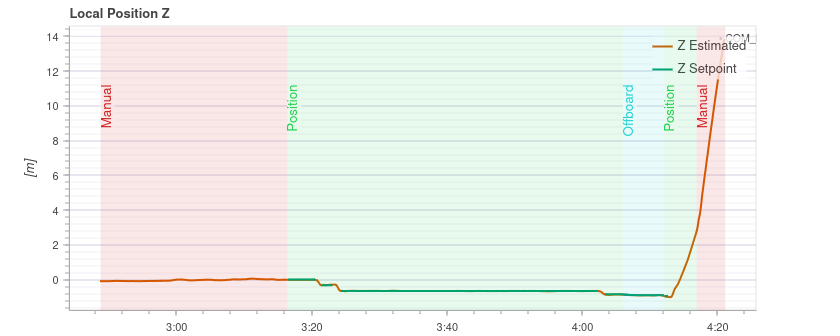
    @admin @Moderator Any suggestions on how to prevent this altitude divergence? This happens somewhat regularly and requires reversion to manual control.
  • UAV Data Collector

    Unsolved sentinel
    2
    0 Votes
    2 Posts
    1k Views
    Alex KushleyevA
    @soraminds , VOXL2 supports SoftAP mode (access point), so you can set up your drone(s) to be access points and that should allow your ground sensors to connect to the drone. See https://docs.modalai.com/sentinel-user-guide-connect-network/ , specifically see usage for voxl-wifi: voxl-wifi softap Usage -- voxl-wifi Description: Configure the Wi-Fi mode. Usage: voxl-wifi getmode Print the current Wi-Fi mode (softap or station) voxl-wifi softap <ssid> [password] Set Wi-Fi to 2.4ghz access point mode (ch6). Default password is '1234567890' voxl-wifi softap5 <ssid> [password] Set Wi-Fi to 5ghz access point mode (ch149). Default password is '1234567890' voxl-wifi station <ssid> [password] Set Wi-Fi to station mode and connect to the access point with the given SSID and password (if provided). voxl-wifi factory Set Wi-Fi configuration to factory defaults. This will set the Wi-Fi to 5ghz access point mode, with SSID 'VOXL-[MAC address]' and password '1234567890'.
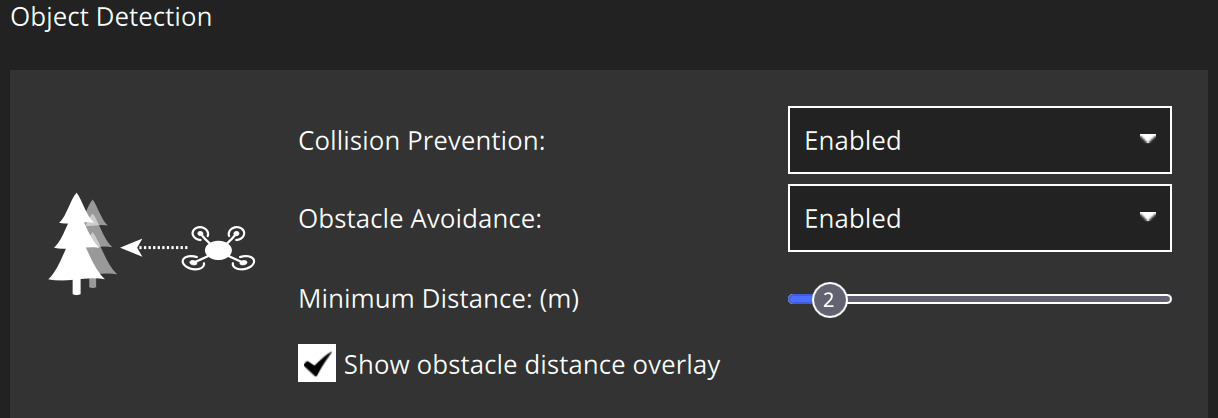
  • Collision Prevention doesn't work

    Unsolved sentinel
    1
    2
    0 Votes
    1 Posts
    678 Views
    No one has replied
  • Spectrum SPM9545 binding

    Unsolved px4-dev-kit
    3
    0 Votes
    3 Posts
    1k Views
    J
    @Eric-Katzfey Worked! Thanks a lot
  • Motor stop functionning on starling 2

    Unsolved starling
    6
    0 Votes
    6 Posts
    1k Views
    J
    @Jeremy-Schmidt Hi, It's resolved now, in the mean time I had a response from the support. Have a good day Julien
  • Position Mode Unavailable

    Unsolved starling2 max position-mode gps qvio starling
    6
    0 Votes
    6 Posts
    2k Views
    tomT
    @griffin Correct
  • Additional processor for Sentinel

    Unsolved sentinel
    8
    0 Votes
    8 Posts
    2k Views
    S
    @tom Thanks, Tom! We appreciate the support and the reassurance about VOXL 2's processing power. It's great to know there's room to explore its capabilities further. We'll definitely reach out if we have more questions—thanks again for being a resource we can count on!
  • Depth Information Source Unclear

    Unsolved starling2 max voa depth sensor dfs starling
    3
    0 Votes
    3 Posts
    2k Views
    G
    @James-Strawson Hey James, Thanks for the tip, installing via apt install voxl-mapper and then running with systemctl start voxl-mapper worked out of the box. Kind regards, Griffin
  • Unable to bind controller anymore to Starling V2

    Unsolved starling
    11
    0 Votes
    11 Posts
    2k Views
    tomT
    @mario Should be the same, if you're seeing that LED pattern then binding mode has started correctly
  • Starling 2 Max Purchase question

    Unsolved starling
    3
    0 Votes
    3 Posts
    503 Views
    Eric KatzfeyE
    @elad-applepar For question #1, if you are talking about adding a second GPS for redundancy then it is possible depending on which GPS unit you choose and which configuration option you choose for the Starling 2 Max. The GPS unit would have to be UART based, not CAN or SPI based. And you would need to choose the WiFi configuration of the Starling 2 Max because that has an add on board that exposes a UART connection. Then you would need to enable a driver for the second GPS in PX4. This isn't something we have tried but it is theoretically possible to do. I would only undertake this if you are comfortable modifying drones and dealing with px4 configurations.
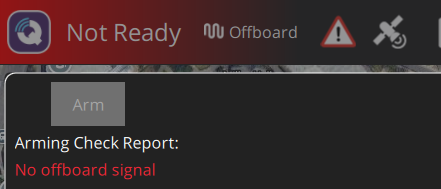
  • No offboard signal

    Unsolved m500
    1
    2
    0 Votes
    1 Posts
    963 Views
    No one has replied
  • High Resolution Camera CPU Overheat

    Unsolved starling2 max starling
    2
    0 Votes
    2 Posts
    1k Views
    Alex KushleyevA
    @griffin , this is expected behavior (from our point of view ). Here is what's happening: the image from hires large stream (which is what I assume you are using) is either 3840x2160 or larger, around 4xxx by 3xxx depending on which camera you are using voxl portal is not very efficient at processing large images and when it receives the huge 4K image (YUV or RGB), it will use turbojpeg (software JPG encoder) to convert it to jpeg. This process takes a lot of cpu for large images and especially if fps is 30, it is too much for voxl-portal to handle if you want to view hires images through portal, you can enable (if not enabled) en_small_video stream in camera config file /etc/modalai/voxl-camera-server.conf and set resolution to something smaller, usually 1280x720 or similar is good (depending on the aspect ratio that you need) once you enable the small video stream, you can view the hires_small_color stream from the voxl-portal the cpu % (assuming you are looking at output of top) will show the cpu usage percentage at the current cpu frequency . So this number is often very misleading because if the cpu is not running at max frequency, it will have higher % usage compared to perf mode (which can be set using voxl-set-cpu-mode perf. You can use tool voxl-inspect-cpu to show the total usage of each core (which takes into account the frequency of each core) and you can also see the current core frequencies (but you cannot see individual processes). Please let us know if you have any other questions. Alex
  • Unbricking

    Unsolved sentinel
    8
    0 Votes
    8 Posts
    2k Views
    tomT
    @spiff And if you turn it off and power cycle does it show up with lsusb?
  • RAM building up fast

    Unsolved starling
    5
    0 Votes
    5 Posts
    1k Views
    Alex KushleyevA
    @Judoor-0 , if you can reliably reproduce this, please look at output of top, which will show all the processes and amount of memory they are using, you can also sort them by memory usage, please check usage of the top tool. Hopefully this will allow you to pinpoint which process uses a lot of memory and more importantly increasing amount of memory. You can check the memory usage per process and see if there is any process that uses more memory over time. Try to do that without flying first, but running the whole processing stack if possible. Alex
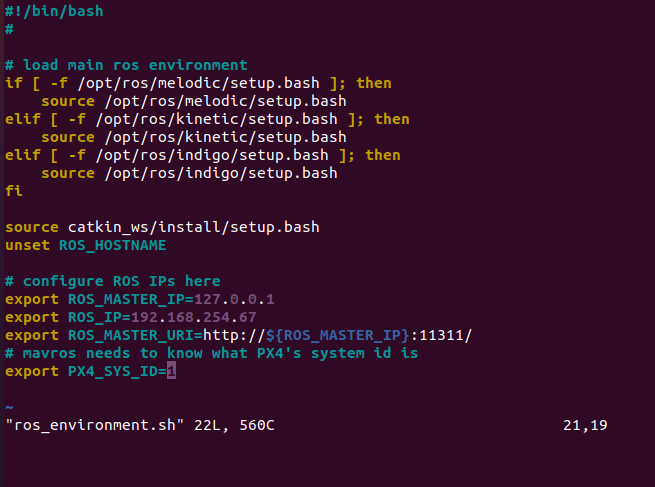
  • unable to run Mavros

    Unsolved m500
    4
    4
    0 Votes
    4 Posts
    1k Views
    Kiazoa JoaoK
    @Zachary-Lowell-0 thanks for the help. it works now, but it says "no offboard signal". do you have any idea why? [image: 1731370641982-offboard1.png] [image: 1731370647905-offboard.png]