Skip to content

ESCs, Sensors and Accessories

413 Topics 2.4k Posts

ESCs, image sensors, ToF and tracking cameras, Microhard and cellular modems, power modules, GPS and other add-on boards.

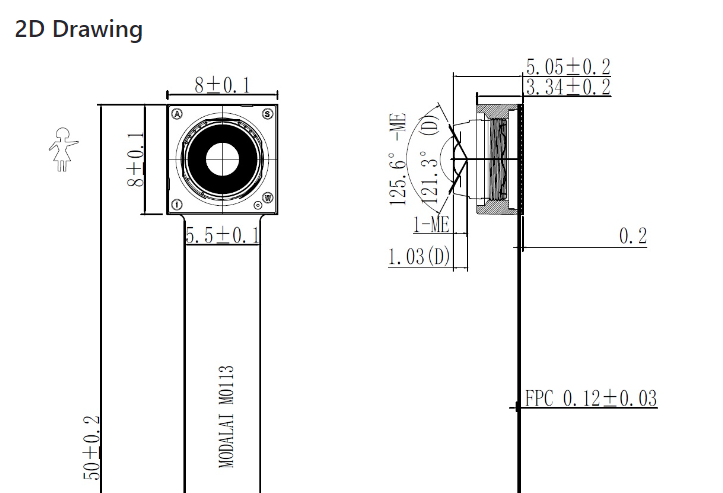
  • M0113-1 OV9782 121.3° FOV - What is the lens mounting size

    Unsolved image-sensor
    6
    1
    0 Votes
    6 Posts
    958 Views
    J
    @Moderator Much appreciated !
  • voxl2 and dshot esc

    Unsolved esc
    3
    0 Votes
    3 Posts
    932 Views
    m4v3rM
    @Kyuhyong-You I think they want you to use an external flight control for all that stuff.
  • LTE Modem v2 Pro

    Unsolved cellular
    1
    0 Votes
    1 Posts
    502 Views
    No one has replied
  • SDK 0.9.5 Image Flipping

    Unsolved image-sensor
    3
    0 Votes
    3 Posts
    881 Views
    J
    @Moderator Apologies for the lack of clarity. It's mentioned in an earlier version of the SDK (pre SDK 0.9.5), here in fact: https://docs.modalai.com/voxl-camera-server-0_9/ (search for "flip"). I added "flip" to the .conf file, but it didn't have an effect it seems. I haven't checked out 1.0 or 1.1 yet (I'm holding off on going past 0.9.5 until VOXL IO board is supported) but I'm hoping such basic image manipulation is available in those versions as well.
  • M0113 Camera Connection to VOXL2 Mini

    Unsolved image-sensor
    4
    1 Votes
    4 Posts
    920 Views
    ModeratorM
    @RykerBarthold OV9782 is definitely supported on VOXL 2
  • Microhard pMDDL 2450 Video Disconnects from QGC after ~15 Seconds

    Unsolved microhard
    2
    0 Votes
    2 Posts
    1k Views
    wilkinsafW
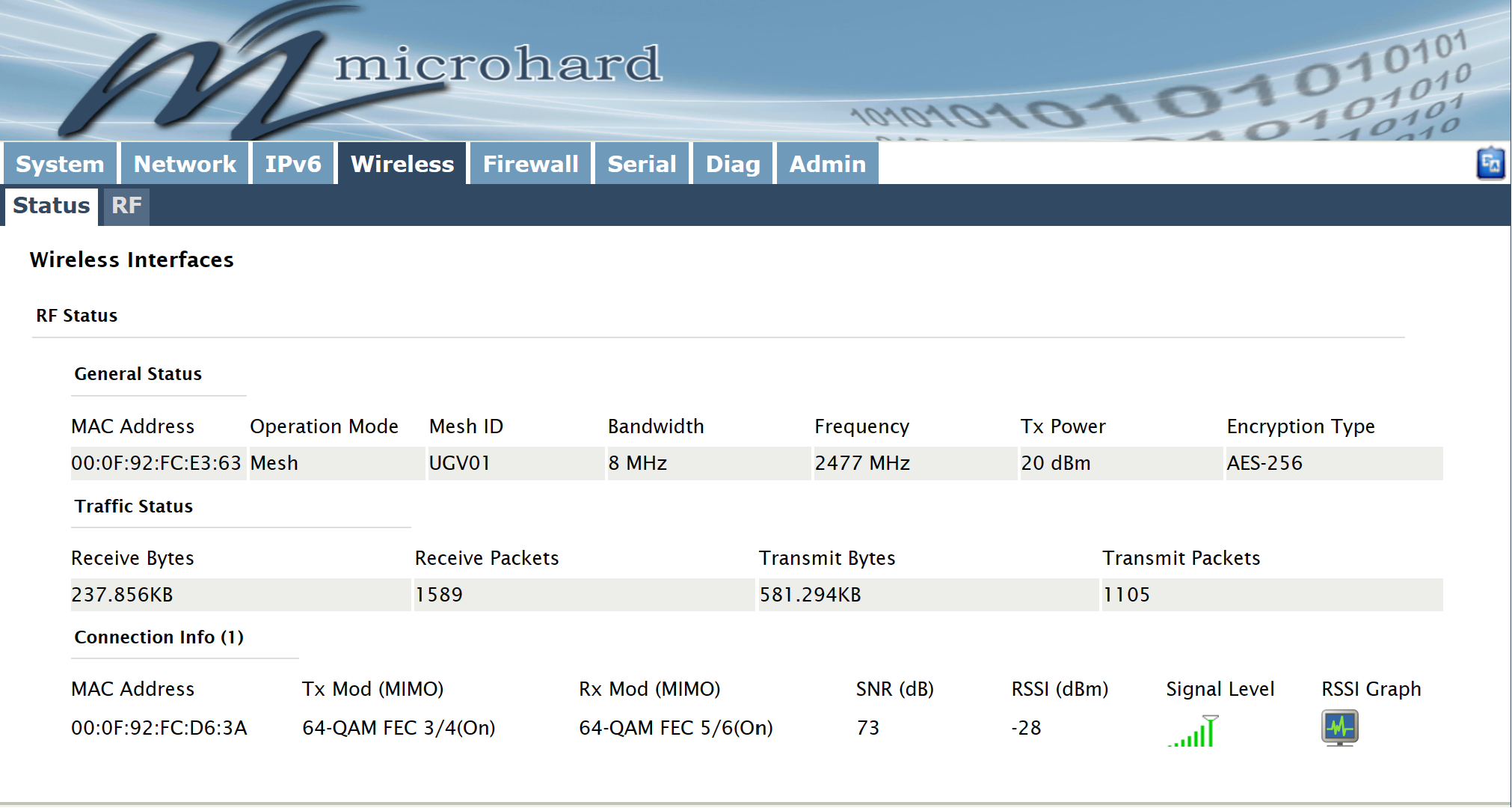
    @Jeremy-Frederick I would look at this being a radio thing. I would try get some distance between the radios. if they are too close together there might be too much noise in the system monitor the radio health when you see the cut out (should be able to see that from the menu of microhard 192.168.168.2) see if this happens if you connect over straight ethernet (use this cable: https://www.amazon.com/USB-Ethernet-Adapter-Gigabit-Switch/dp/B09GRL3VCN/ref=sr_1_2_sspa?crid=1ZBIC6DOI8DB5&keywords=ethernet+to+usb+adapter&qid=1699997723&sprefix=ehternet+to+usb%2Caps%2C124&sr=8-2-spons&sp_csd=d2lkZ2V0TmFtZT1zcF9hdGY&psc=1). If you dont see the issue, i would look closer into how the radios are configured antennas: make sure you have the right radio antennas suggested by microhard
  • VOXL 2 is not able to detect any cameras

    Unsolved camera voxl-camera voxl-portal image-sensor
    4
    0 Votes
    4 Posts
    2k Views
    A
    @Jetson-Nano hello! which tutorial are you referring to?
  • OV9782 camera

    Unsolved image-sensor
    4
    1 Votes
    4 Posts
    1k Views
    VinnyV
    Hi @Sonoaero That is a valid electrical connection scheme. If you plug into either J6 or J7 of V2 Mini, you'll match the configuration shown here: https://docs.modalai.com/voxl2-mini-image-sensors/#tracking Keeping in mind M0076 only picks up the "lower" CSI group functions. I cannot advise as to how SW will work on this config switching from M0014 (OV7251) to M0113 (OV9782), but it is valid electrically. Hope this helps. Thanks!
  • Voxl2 ESC Error

    Unsolved esc
    4
    0 Votes
    4 Posts
    1k Views
    Eric KatzfeyE
    @AP123 I'm guessing that voxl-px4 is running and the voxl-esc commands are not able to stop it. You can try to do this manually. Run systemctl disable voxl-px4 and then reboot. You should then be able to use the voxl-esc tools. After you are done use systemctl enable voxl-px4 to get voxl-px4 on auto start again.
  • pMDDL2350 USB BUS problem

    Unsolved microhard
    6
    0 Votes
    6 Posts
    2k Views
    VinnyV
    Hi @Mastermind All I know is that the specific error you pointed to has nothing to do with physical power capability. The specific failure in Linux "Rejected Configuration due to insufficient available bus power" is strictly due to messaging between host OS and USB drivers, and USB devices downstream. We have seen it, and we had Microchip confirm with us that error is a SW element. I am 100% confident on this. USB Tree View will show you exactly which combination of devices is reporting what power so you can start to isolate the issue. In our experience, it has been Linux drivers working with OpenSource USB devices exposing bugs in various Linux USB drivers... they are not all the same or correct. OS's do not measure VBUS. If VBUS has an issue, the Hub will handle it for our design, and power cycle the device if there is a fault. In most designs, maybe the power control device may flag the OS there was an overpower event, but that is not where the current reporting comes from. Please feel free to measure VBUS, I suspect you will not see any perturbations on there indicating low power (even if it is a competitor's product, I have confidence that is not your issue, especially since our dongles do not source USB VBUS for power ... they have the external 5V supply which you provide). VBUS on our designs is only used as a "detect" function for enumeration. It is possible the linux OS driver for USB enumeration was modified by that device if you installed any device drivers... but I am venturing out of my wheel house... if you can remove any drivers you installed for the SDR radio, and try again, that may help confirm that. Then, try to add in the SDR radio after enumeration with the MH radio. All the while, I would get USB Tree View and see what you can observe with the device reporting demands. Another option I would explore is the configuration of the SDR radio. I wonder if it's possible it is reporting it as a permanently connected device (like an embedded USB device), set for bus powered, and hogging all the resources. Even after you remove it... if it is setup as a permanent connected device, the OS may not be releasing the resources for it. So, uninstalling any drivers may help there. If you have USB Tree View, you can send the config values (attributes, revision, config, etc reported) to the vendor to ask them to explain the register settings, and if they are correct or not. Hope I am being clear... I'm not the best writer, nor a SW person, but I am very familiar with USB, and we have had this exact issue before, and learned how to fix it.
  • Is the M0022 and M0065 Boards Compatible with SDK 1.0.0?

    Unsolved
    2
    0 Votes
    2 Posts
    984 Views
    ModeratorM
    No, the M0065 is not supported in SDK 1.0.0. There will be an SDK update within the next two weeks that should enable support.
  • M0065 Board Chip on back getting very hot.

    Unsolved
    2
    0 Votes
    2 Posts
    1k Views
    VinnyV
    Hi @AP123 Can you please send a pic of your setup, and indicate which chip is hot? It is most likely plugged into the wrong port/connector, or a cabling pinout issue. A high res image will help us diagnose. Thanks!
  • ESC RPM Parameters

    Unsolved esc
    5
    0 Votes
    5 Posts
    1k Views
    H
    @Alex-Kushleyev OK, thanks for the reply. It is actually behaving as expected now. At first it did not seem like the PX4 params were having an effect. If I have the understanding correct: On the PX4 side, the controller efforts (0-1) are getting spanned to the RPM MIN/MAX params. The RPM (in RPM units) command is then being sent across the UART to the esc.
  • Microhard modem not running with Voxl

    Unsolved microhard
    4
    4
    0 Votes
    4 Posts
    1k Views
    tomT
    @Brandon-Wightman Ah that's a really old SDK release at this point, I'd recommend to updating to the latest (SDk 0.9.5)
  • Want-to-buy M0040 ToF

    Unsolved image-sensor
    1
    0 Votes
    1 Posts
    417 Views
    No one has replied
  • VL53L1X Rangefinder

    Unsolved
    1
    0 Votes
    1 Posts
    914 Views
    No one has replied
  • M0040 ToF material

    Unsolved image-sensor
    2
    0 Votes
    2 Posts
    609 Views
    L
    I am interested in using the M0040 TOF on one of my projects but I have some restrictions on the materials I can use. I also would like to know what materials the TOF is made from.
  • esc 4 in i issue

    Unsolved esc
    14
    0 Votes
    14 Posts
    2k Views
    A
    @Alex-Kushleyev here is out put from ./voxl-esc-scan.py. ~/voxl-esc/voxl-esc-tools$ ./voxl-esc-scan.py Detected Python version : 3.8.10 (default, May 26 2023, 14:05:08) [GCC 9.4.0] Found voxl-esc tools bin version: 1.2 INFO: All COM ports: /dev/ttyS0 : ttyS0 /dev/ttyUSB0 : FT232R USB UART - FT232R USB UART INFO: UART Port Candidates: /dev/ttyUSB0 INFO: Scanning for ESC firmware: /dev/ttyUSB0, baud: 2000000 INFO: ESC(s) detected on port: /dev/ttyUSB0, baud rate: 2000000 INFO: Detected protocol: firmware INFO: Additional Information: INFO: --------------------- ID : 0 Board : version 34: ModalAi 4-in-1 ESC (M0117-1) UID : 0x203034305743570C00280022 Firmware : version 38, hash 83faccfa Bootloader : version 183, hash 25317f42 ID : 1 Board : version 34: ModalAi 4-in-1 ESC (M0117-1) UID : 0x203034305743570C00190039 Firmware : version 38, hash 83faccfa Bootloader : version 183, hash 25317f42 ID : 2 Board : version 34: ModalAi 4-in-1 ESC (M0117-1) UID : 0x203034305743570C001A0047 Firmware : version 38, hash 83faccfa Bootloader : version 183, hash 25317f42 ID : 3 Board : version 34: ModalAi 4-in-1 ESC (M0117-1) UID : 0x203034305743570C003B004F Firmware : version 38, hash 83faccfa Bootloader : version 183, hash 25317f42 and we supplied 12v in esc.
  • ESC 4 in 1 Control Firmware

    Unsolved esc
    3
    1
    0 Votes
    3 Posts
    675 Views
    Alex KushleyevA
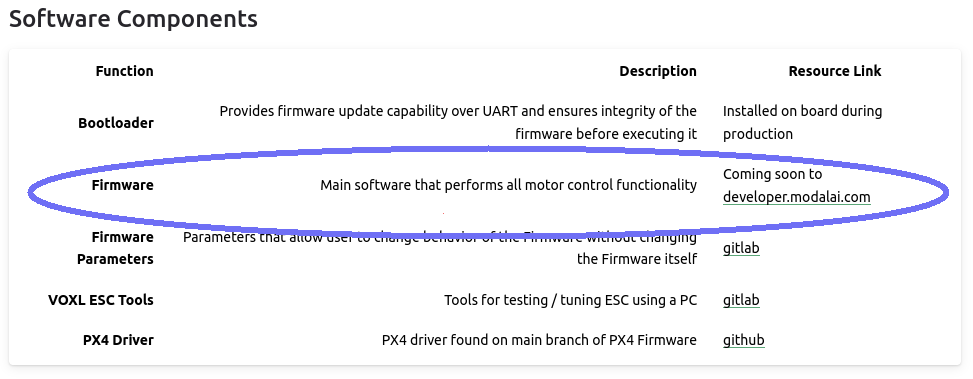
    updated docs to reflect firmware and params locations : https://docs.modalai.com/modal-esc-v2-manual/
  • PX4 modal_io: esc_status not updating

    Unsolved esc
    2
    0 Votes
    2 Posts
    518 Views
    0
    Update: It was an issue on my end regarding the baud-rate configuration. All is good.