
M500 will not connect to QGC, but still has shh connection
-
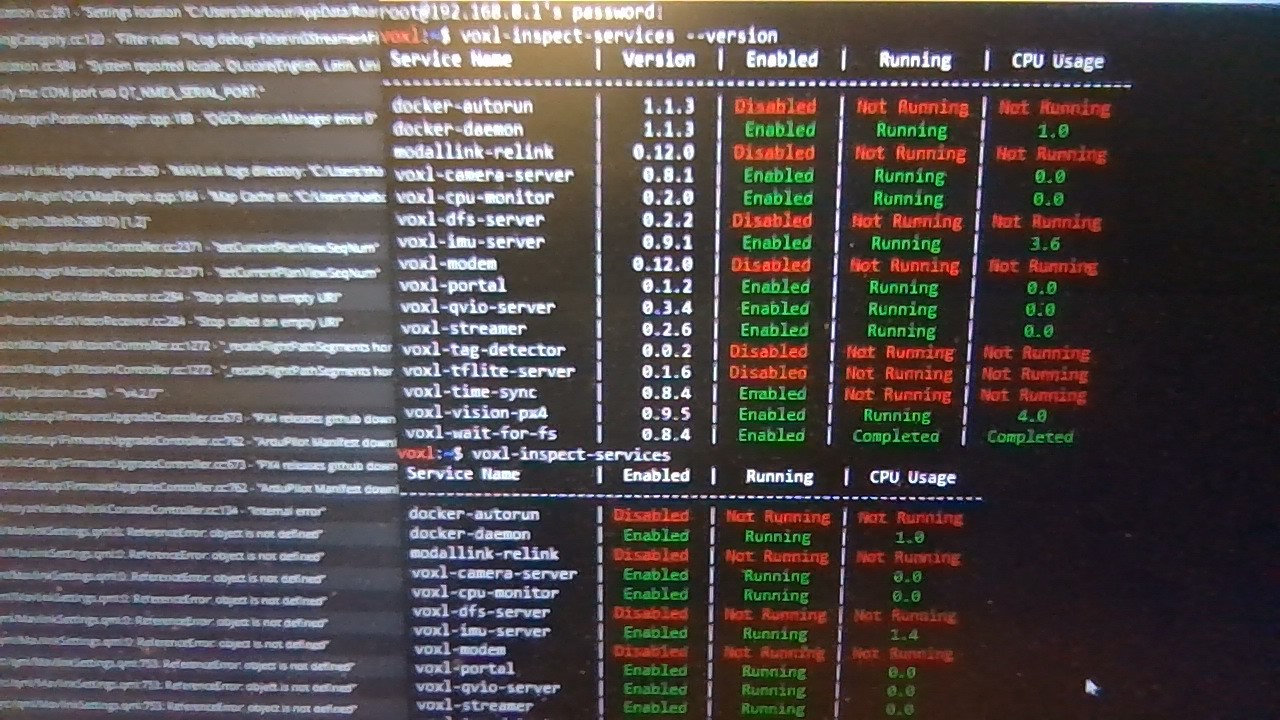
I've been working on a M500 aircraft that I recently got from Modal. While setting up docker I found that my aircraft had stopped connecting to QGC properly on startup. Do you have any idea why this is happening? Here is what the inspect services looks like. I tried double checking the voxl-vision-px4.conf file and the IP address was correct... I redownloaded QGC. I'm at a loss here, should I just try to update firmware?
-
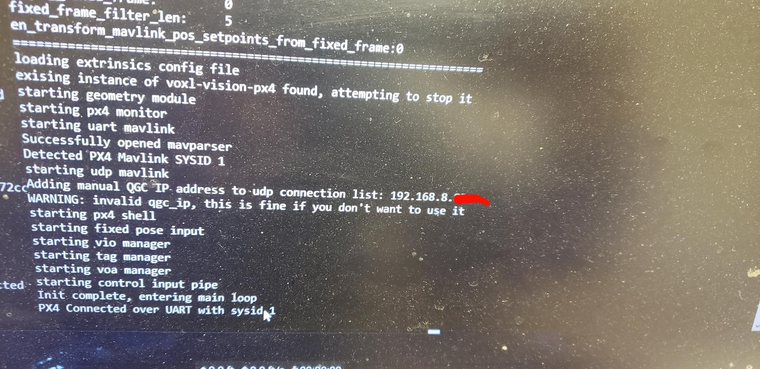
Also it has given me this when I input the voxl-vision-px4 command into the shh connection
Adding manual QGC IP address to udp connection list: xxx.xxx.x.xx
WARNING: invalid qgc_ip, this is fine if you don't want to use itbut I do want to use the GCS so how do I fix the invalid ip address, because that is the correct one.
-
@Steve-Sager Is the qgc_ip address of the form 192.168.X.Y?
@tom Yes, thanks for the quick response. the current format is 192.168.x.xx
-
@Steve-Sager That is interesting, if you look at the qgc_ip line in the config file
cat /etc/modalai/voxl-vision-px4.conf | grep qgc_ipdoes it show the IP address that you expect?@tom said in M500 will not connect to QGC, but still has shh connection:
cat /etc/modalai/voxl-vision-px4.conf | grep qgc_ip
after checking it again I did get an output, and it was the same ip address
-
-
@Steve-Sager I would update to the latest release, VOXL Platform 0.9, it can be downloaded from https://developer.modalai.com/asset/1
and installed by following the instructions here: https://docs.modalai.com/platform-releases/
We've made a lot of improvements recently so it wouldn't hurt to get you using the latest
-
@Steve-Sager I would update to the latest release, VOXL Platform 0.9, it can be downloaded from https://developer.modalai.com/asset/1
and installed by following the instructions here: https://docs.modalai.com/platform-releases/
We've made a lot of improvements recently so it wouldn't hurt to get you using the latest
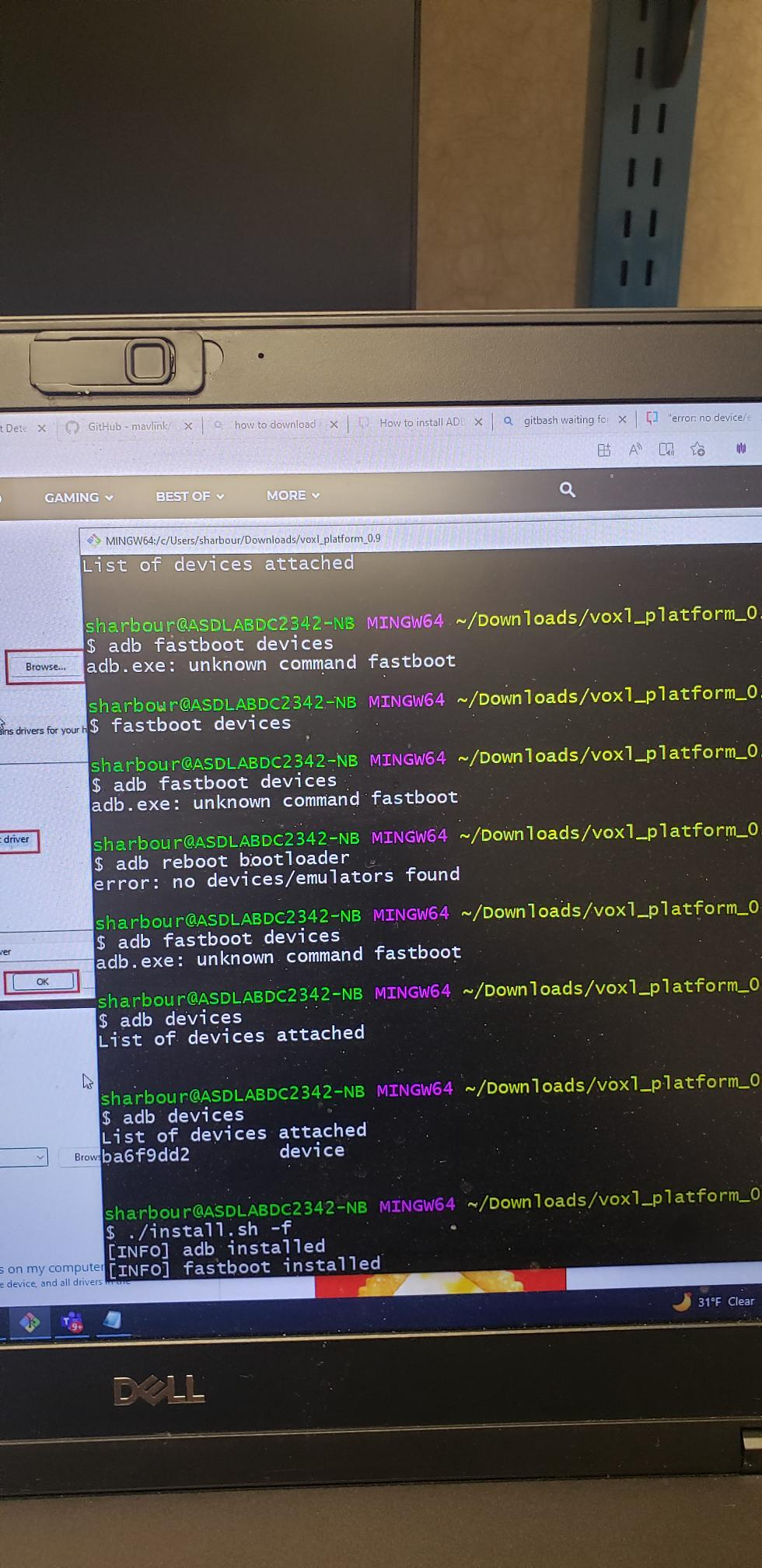
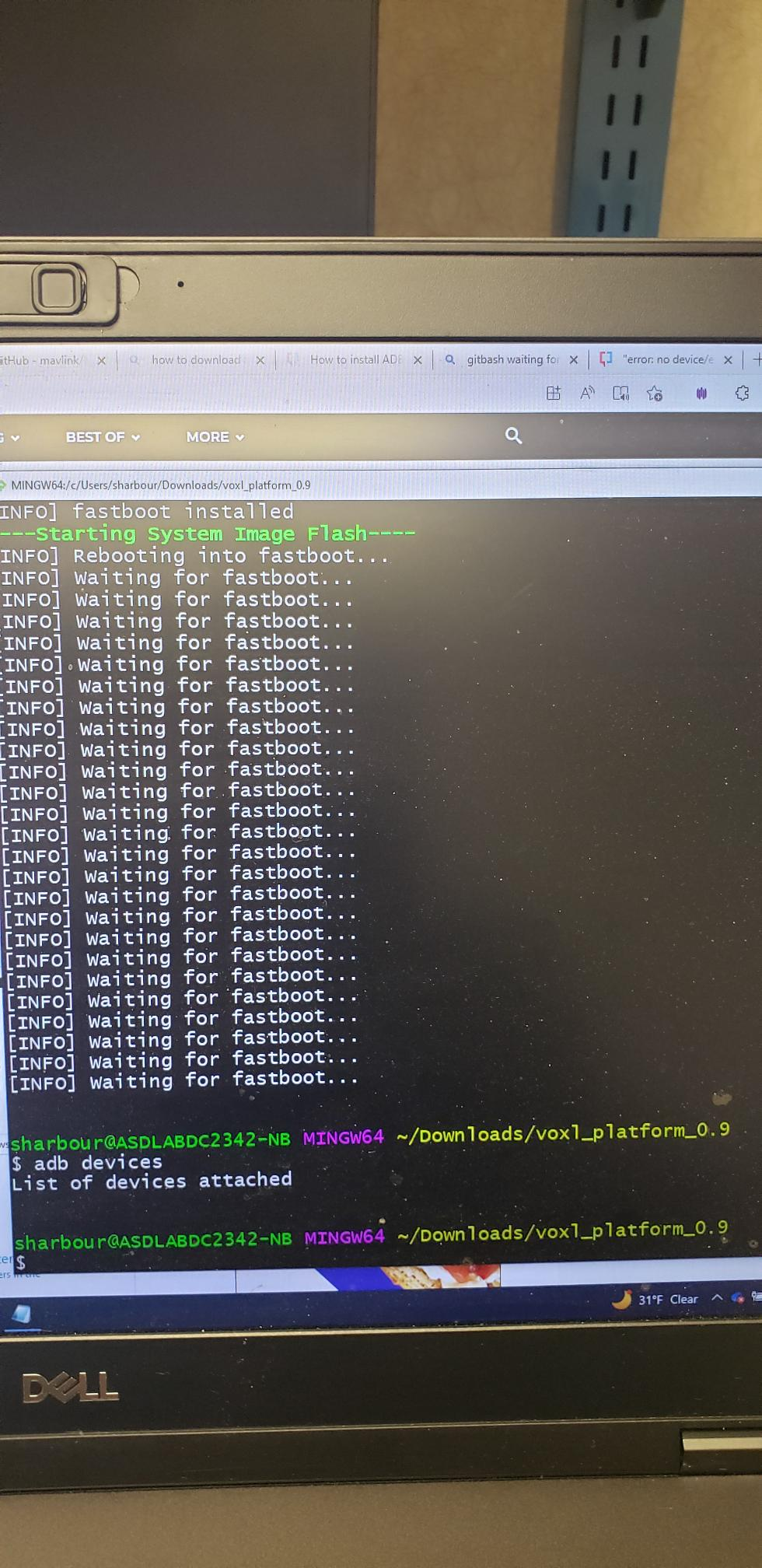
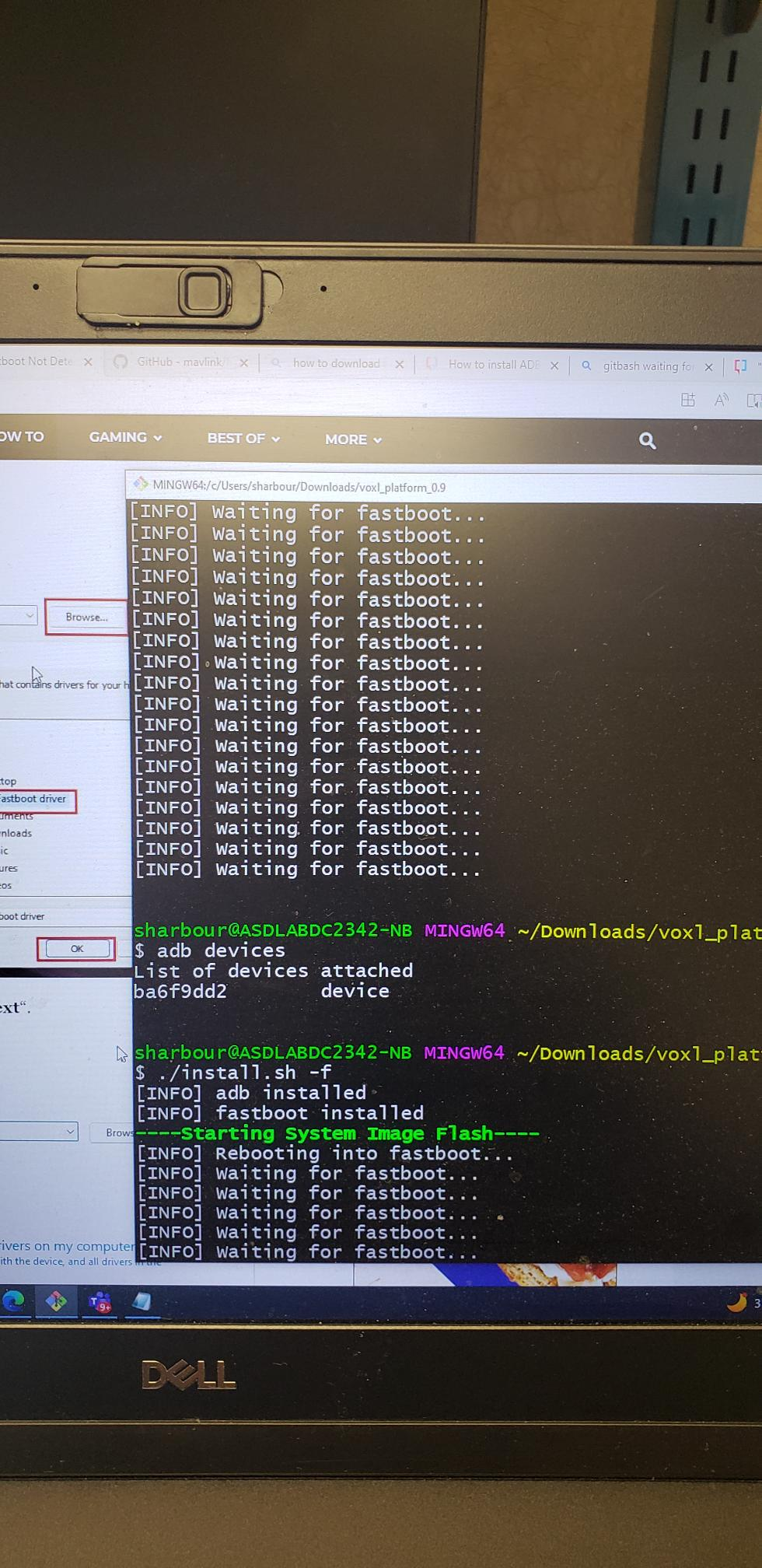
@tom I tried following the install instructions you sent me but ran into an issue. when I try to use the ./install.sh -f command the reboot into fastboot turns off the adb connection to the voxl and fails. Any suggestions? I tried using the expander & debug kit to boot into fastboot, but that results in the same problem.
here are some images of what is showing up in my Git Bash prompt.
-
@Steve-Sager We don't support using Windows for flashing. Do you have an Ubuntu machine you could use to flash? Preferably Ubuntu 18.04.
@tom I have a Ubuntu 20.04 machine will that be okay?
-
looks like the problem was Windows. let me double check and I'll post again what happens but it is loading now...
-
@tom would you happen to know how to get the ecdsa password for my aircraft?
-
@Steve-Sager If you're referring to the SSH login:
Defaults are as follows
user: root
pass: oelinux123@tom After following all the instructions and successfully flashing the new firmware onto the aircraft. I have connected to the ssh once again and set the QGC IP address to the correct laptop ip but the aircraft still isn't connecting to QGC.
-
@Steve-Sager Here's something else to look at: https://docs.qgroundcontrol.com/master/en/troubleshooting/qgc_setup.html#waiting_for_connection
-
@Steve-Sager Here's something else to look at: https://docs.qgroundcontrol.com/master/en/troubleshooting/qgc_setup.html#waiting_for_connection
@tom I will be looking to the firewall to make sure it wasn't that, but we have allowed the application past the wall. Could this be related to to something else?
-
it looks like the previous command you had me run:
cat /etc/modalai/voxl-vision-px4.conf | grep qgc_ip
is giving me a different ip address than the one we put into voxl-vision-px4. how do I change that one to the correct address?


Reading along? Create a free ModalAI Forum account to join in.
With an account you can reply, ask your own question, get an email when a ModalAI engineer answers, and mark the reply that solved it. Your place in each thread is saved between visits.
Questions about VOXL, Flight Core, ESCs and ModalAI drones are answered here by the engineers who build them.
Register Login