Skip to content

Flight Core and Legacy VOXL

433 Topics 2.0k Posts

Flight Core, Flight Core v2, Flight Core ArduPilot, the original VOXL, VOXL Flight, VOXL Flight Deck, VOXL-CAM and the older dev kits.

  • voxl-camera-server only showing hires

    Unsolved voxl-cam
    1
    0 Votes
    1 Posts
    617 Views
    No one has replied
  • Encrypt files within the VOXL

    Unsolved voxl
    3
    0 Votes
    3 Posts
    3k Views
    Alex KushleyevA
    @qqa , we have document how to achieve folder-level encryption on VOXL2 here : https://docs.modalai.com/enabling-file-encryption/ . Please let us know if you have any other questions.
  • Pairing VOXL CAM with an external Pixhawk 6X

    Unsolved voxl-cam
    2
    0 Votes
    2 Posts
    1k Views
    ModeratorM
    @Irfan-Usman Sure, see these documents VOXL 1 & VOXL CAM: https://docs.modalai.com/how-to-connect-voxl-to-pixhawk/ VOXL 2 (recommended): https://docs.modalai.com/voxl2-external-flight-controller/
  • Ardupilot support

    Unsolved flight-core-v2
    3
    1 Votes
    3 Posts
    2k Views
    Andrew TridgellA
    see https://forum.modalai.com/topic/3640/ardupilot-on-voxl2
  • BMM150 Magnetometer on Flight Core V2 EOL

    Unsolved flight-core-v2
    2
    0 Votes
    2 Posts
    1k Views
    VinnyV
    Hi @jacobcayetano1 There are still over 500k units in available distribution which we can access. I would not worry at all at this time and I fully expect we can still build FCv2 as is for years to come. Our parts sourcing expertise is top notch! (not sure if you recall but during the parts shortage craziness of 2020-21 we were one of the few vendors who still had product in-stock and shipping!!) If you had a large order in mind, any head's up is appreciated so we can be sure to have sufficient stock. Thanks!
  • This topic is deleted!

    1
    0 Votes
    1 Posts
    7 Views
    No one has replied
  • voxl-docker-mavsdk-python build issues

    Unsolved voxl
    48
    2 Votes
    48 Posts
    29k Views
    Eric KatzfeyE
    @Alexander-Saunders Looks better now. What does the dsp_hitl start command look like now? Seems like it is setup for VIO only.
  • VOXL Web Portal

    Unsolved voxl
    2
    0 Votes
    2 Posts
    1k Views
    Eric KatzfeyE
    @Samuel-Bryan Sure, source is here: https://gitlab.com/voxl-public/voxl-sdk/services/voxl-portal
  • Pin Assignments for voxlCAM Connectors to Jetson Nano

    Unsolved voxl-cam
    3
    3
    0 Votes
    3 Posts
    1k Views
    藤田真也
    @Moderator Hello, Thank you very much for your prompt response and for providing the link to the datasheet for the VOXL 1 connectors. This information is exactly what I needed. I appreciate your assistance and support.
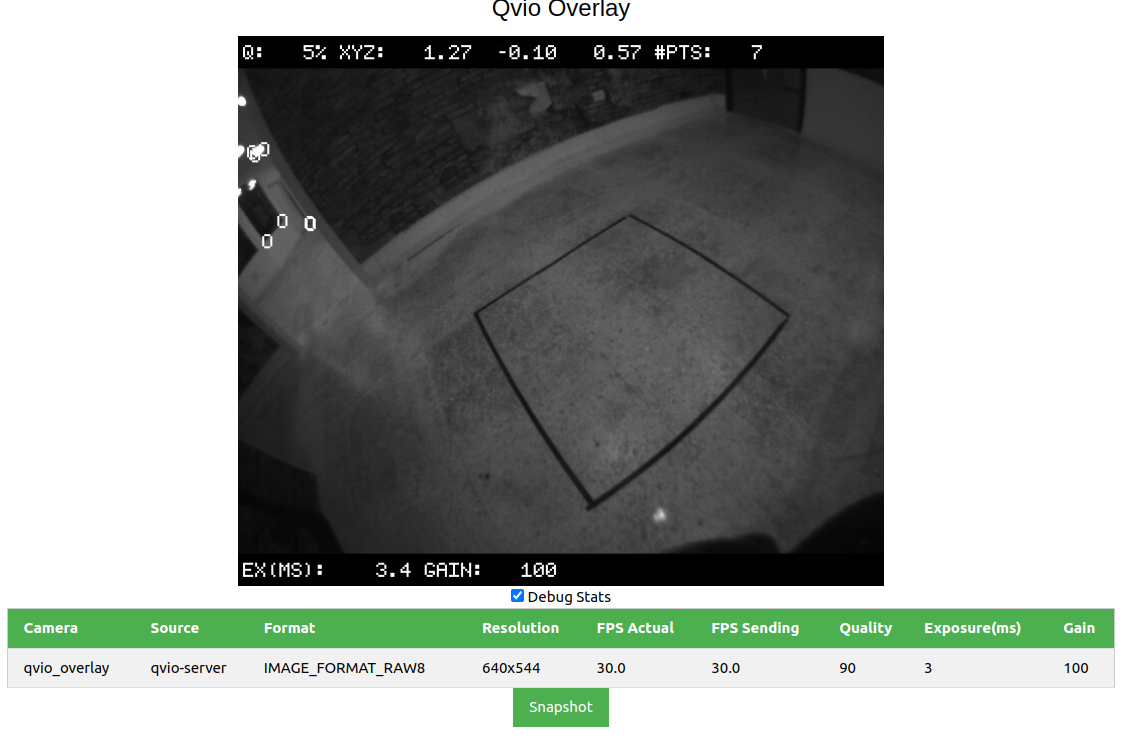
  • Low stability in qvio due to low number of features

    Unsolved voxl-cam
    7
    3
    0 Votes
    7 Posts
    2k Views
    tomT
    @Joshua-Ermias yes that would be the easiest way. You can either restart the service with systemctl restart voxl-camera-server or just power cycle your VOXL
  • Manual Control Lost during flight with Flight Core V2 + VOXL2 Setup

    Unsolved flight-core-v2
    4
    0 Votes
    4 Posts
    2k Views
    J
    @Vinny @Moderator Thank you for the response. The reason why we suspected a power issue is that the Flight Core PX4 logs have gaps in data. My apologies as I should have included that info initially. Here is an example from manual setpoint data. [image: 1716303716023-6b5c0659-91f0-424d-93ae-6f5fb178bcb8-image.png] Here is a scatterplot for throttle manual setpoint data to show that those straight lines on the line graph are indeed gaps in data and not inhumanly smooth setpoint changes. [image: 1716303554866-bdc82181-0b10-4f33-a424-a91274f00989-image.png] These gaps are consistent across all the data in the log, which led us to hypothesize that power was lost during these instances. We are using a custom controller that employs SBUS joystick protocol through QGC. Let me know if this info sparks any other ideas or is reminiscent of another issue.
  • Camera server dying with new MIPI extension cables.

    Unsolved voxl-cam
    7
    0 Votes
    7 Posts
    2k Views
    ModeratorM
    @viralp https://docs.modalai.com/image-sensor-flexes-adapters/#extending-mipi-image-sensor-cable-lengths
  • Building some custom code to FC V2 - Bricked

    Unsolved flight-core
    2
    0 Votes
    2 Posts
    2k Views
    T
    Unbricked! Here's some context/advice for anyone trying to do the same. If you purchased a cheapo STLINK V2 from Amazon as I did. Picture below... [image: 61TfQhFysAL._AC_SX679_.jpg] $0 Fix: What may very well happen to ya, is the RESET pin doesn't work. In this case you will need a friend. With said friend, you must dilligently connect to the board using Under Reset Mode and Hardware Reset. The second your homie clicks the connect button, you, the bricker of the board must move your jumper cable from the RESET pin which is 3.3V to an open Ground, leave it for exactly 1 second, then move it back to RESET. This should work like a charm, but may require one or two tries to get the right timing. See instructions below. [image: raiders.jpg] $10 Fix: Program a Pico/Arduino to do your 1 second ground for you. $78 Fix: Buy the real STLINK V2.
  • 0 Votes
    3 Posts
    1k Views
    J
    @Alex-Kushleyev I figured it why the orientation estimator wasn't running after reading through this post, where that user had the same (plus a few more) problems: https://forum.modalai.com/topic/1755/setup-problems-on-new-boards-sensors-and-qgc-connection-problems/18 Basically the problem is that the firmware as-shipped assumes you have at least one active mag, but that the built-in one isn't active. The documentation didn't say how to change the PX4 parameters to make it work without one. The default build does not start the built-in mag, so if you don't have an external plugged in (as in my use case), then EKF2 gets stuck while looking for the reading for one without any error printout, making it unclear what the problem is. I initially tried the version of activating it by adding the boot line to the etc folder of the sd card, and that worked once, but then it got deleted on the next reboot for unknown reasons. That is an easy enough fix with just a firmware rebuild where the magnetometer is started by default. That really is the version you should ship unless you are going to specify in your documentation that the as-shipped version will need an external mag to function. With the firmware as-is, you have to change two parameters on PX4 to make it work, specifically you have to turn off EKF2 magnetometer fusion and whether or not the system has a mag at all. Ie. EKF2_MAG_TYPE to NONE and SYS_HAS_MAG to Disabled. After doing that it will run. Still haven't sorted out the issue with the telem lockout. I'll see if that got fixed with EKF2 now running normally.
  • What connector would I use for a servo?

    flight-core-v2
    1
    1 Votes
    1 Posts
    677 Views
    No one has replied
  • VOXL Flight Clock System

    Unsolved voxl-flight
    5
    0 Votes
    5 Posts
    2k Views
    Eric KatzfeyE
    @boga Sorry, yes, I was referring to VOXL 2.
  • VOXL Flight Best Way for Synchronizing All IMUs

    Unsolved voxl-flight
    1
    0 Votes
    1 Posts
    783 Views
    No one has replied
  • Failure to open port during ESC Calibration of VOXL Flight

    Unsolved voxl-flight
    1
    0 Votes
    1 Posts
    717 Views
    No one has replied
  • Is the FlightCore V2 Accelerometer thermally Calibrated in the factory?

    Unsolved flight-core
    1
    0 Votes
    1 Posts
    744 Views
    No one has replied
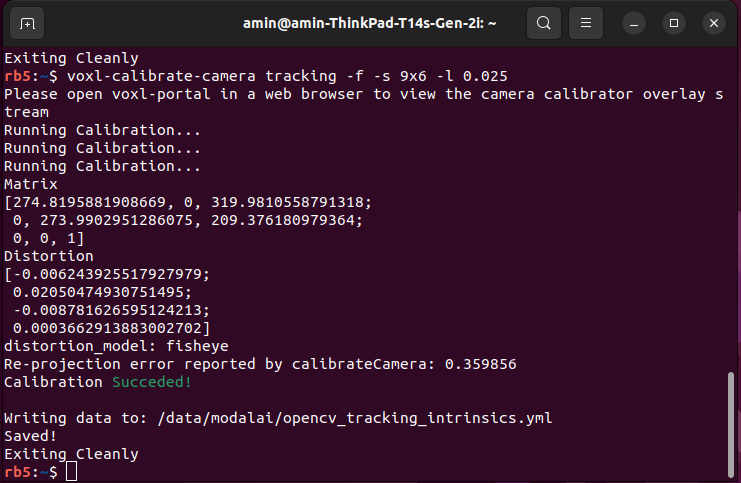
  • Re-projection error reported by calibrateCamera, but Calibration Succeded!

    Unsolved voxl-cam
    2
    1
    0 Votes
    2 Posts
    1k Views
    ?
    @Amin-Bassiri There will always be some reprojection error when computing a homography, as long as the error is below 0.5 (which it looks like yours is) you should be totally fine. Let me know if you have any other questions! Thomas