Skip to content

VOXL 2 and VOXL 2 Mini

647 Topics 3.7k Posts

VOXL 2, VOXL 2 Mini and VOXL 2 IO: bring-up, connectors, power, cameras, system image and SDK installs on the current compute platform.

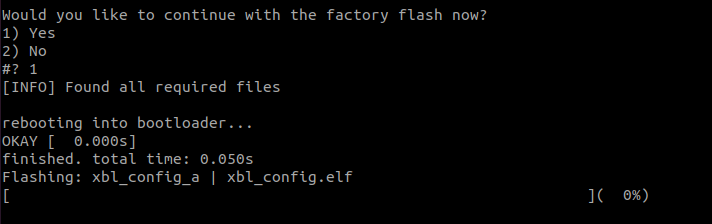
  • Voxl 2 is Bricked

    Unsolved voxl-2
    7
    0 Votes
    7 Posts
    1k Views
    tomT
    @Prawin-Sankar QDL is the lowest level flashing method we can share publicly so if that's not working there's not much we can do.
  • This topic is deleted!

    1
    1
    0 Votes
    1 Posts
    3 Views
    No one has replied
  • Cameras only work in certain ports

    Unsolved voxl-2-mini
    6
    2
    0 Votes
    6 Posts
    2k Views
    Alex KushleyevA
    OK, here is the clarification regarding camera IDs and sensormodule file names and the general process for camera detection on VOXL2 platforms all the camera-related drivers are located in /usr/lib/camera the index at the end of sensormodule.bin filename, such as 0 in com.qti.sensormodule.imx678_0.bin is only used to distinguish the files - the actual index at the end is not being used for anything each sensormodule.bin file contains a camera_id parameter, which is read by the camera framework after loading the .bin file the camera_id is then used by the Kernel to look up the specific port information to be used for communication with the specific camera, including (but not limited to): i2c (cci) bus id, mipi interface id, reset pin and others. This information is mapped to each camera port in the Linux Device Tree. with the above information (all basically mapped to a single camera ID), the camera framework knows how to turn on the camera, which bus to use for i2c communication and which mipi port to receive the image data from after obtaining the port information, the camera framework uses other information in sensormodule.bin to detect the camera (query the WHOAMI register for camera identification). If the camera is detected, it is considered to be available for the camera framework to use (not much else is happening until you actually open the camera using the voxl-camera-server, for example). The camera framework also loads the list of available streaming modes which is also contained in the sensormodule.bin after the camera is queried / identified, it is then powered off when voxl-camera-server is started, it sees all the cameras that the camera framework already detected and their corresponding resolutions / modes. Based on the voxl-camera-server.conf, the appropriate cameras are turned on again and set to stream at the desired resolution / fps. lastly, for each camera type, there is a single .so dynamic library (for example com.qti.sensor.imx678.so) which contains functions for converting desired exposure and gain values into the register values that need to be sent to the camera. With all of this in mind, renaming a sensormodule.bin should achieve nothing because the actual id / number at the end of the file is not used for the camera ID parameter, it is only used for differentiating the files. If there is still an outstanding request to connect IMX678 camera to a port that is currently not supported, please let us know, we can generate and test the new sensormodule.bin files and release them (assuming there are no other unexpected issues) Alex
  • This topic is deleted!

    1
    0 Votes
    1 Posts
    3 Views
    No one has replied
  • J9 USB Accessory Mode

    Unsolved voxl-2-mini
    3
    0 Votes
    3 Posts
    858 Views
    B
    @tom Yes sir. Voxl 2 mini J9 USB port <=> Android Phone attempting to use accessory mode to directly communicate without additional external hardware for networking or similar. I've used that port as the host for USB storage previously, ADB, etc. but this use is resisting our efforts.
  • J19 uart

    Unsolved voxl-2-mini
    4
    1
    0 Votes
    4 Posts
    1k Views
    tomT
    @mkriesel Yep, exactly
  • IMX377 for VOXL2 SDK 1.1.1

    Unsolved voxl-2
    3
    0 Votes
    3 Posts
    658 Views
    J
    @modaltb ok thanks! I'll proceed with the 412 variant.
  • J19 UART port mapping.

    Unsolved voxl-2
    2
    0 Votes
    2 Posts
    771 Views
    Eric KatzfeyE
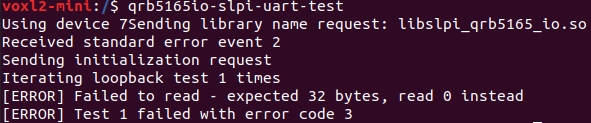
    @Anubhav The J19 ports are only mapped to the SLPI DSP. You cannot access them directly from the applications processors. Are you running PX4 on VOXL2? If not then you can use libqrb5165_io (https://gitlab.com/voxl-public/voxl-sdk/core-libs/libqrb5165-io) to access the SLPI DSP UARTs from the applications processors.
  • Setup issues with the Voxl 2 Mini with Hires and Tracking Cameras

    Unsolved voxl-2-mini
    11
    1 Votes
    11 Posts
    3k Views
    LucaVertiqL
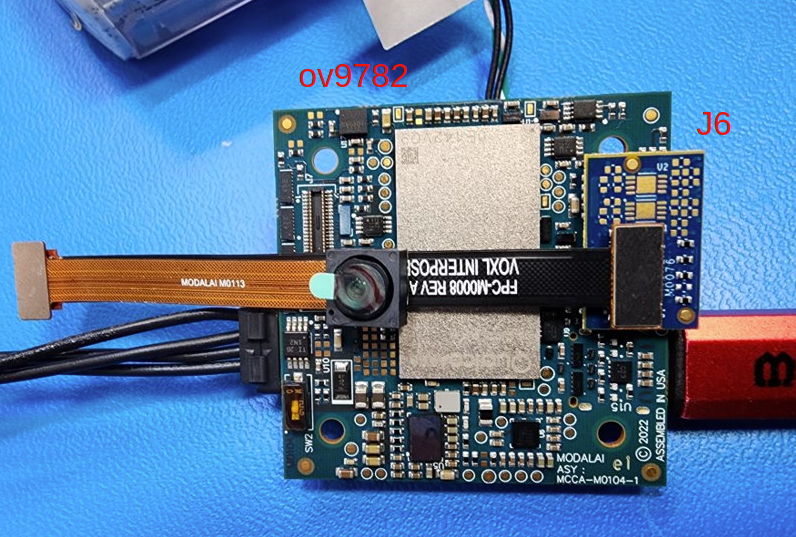
    I am having these same issues. I'm on voxl suite 1.1.0. Voxl camera server shows 0 cameras connected. When I use dmesg right after I get this: [image: 1701455566411-56fd6d22-d63c-4478-a07c-bcc3379c6b2c-image.png] My setup is as shown here: https://docs.modalai.com/images/voxl2-mini/MDK-M0104-1-C4-b.jpg And I've used camera-server-config-helper hires:imx214:0 tracking0:ov7251:1 For configuration. Am I doing something obviously wrong? Thanks
  • Props spinning affect collision prevention?

    Unsolved voxl-2
    3
    0 Votes
    3 Posts
    824 Views
    ModeratorM
    We don't seem to have that issue. you may need to crop the stereo frames in dfs server https://gitlab.com/voxl-public/voxl-sdk/services/qrb5165-dfs-server/-/blob/master/src/main.cpp
  • Will the blades spinning affect collision prevention?

    Unsolved voxl-2
    5
    0 Votes
    5 Posts
    1k Views
    Alex KushleyevA
    @AP123 you can try decreasing the maximum disparity in the DFS server, please see the following: https://gitlab.com/voxl-public/voxl-sdk/services/qrb5165-dfs-server/-/blob/master/src/config_file.h?ref_type=heads#L67 . The config file for DFS is located here : /etc/modalai/voxl-dfs-server.conf -- you can update the param. Since the propellers are very close to the cameras, the disparity for those pixels will be very large. Decreasing maximum disparity should help filter out points that are too close. Alternatively, you can look into the collision prevention code and add logic to ignore points that are too close. Finally you can modify the DFS code to just blank out the (rectangular) part of image that sees the propellers before processing. I do not know if a mask is supported, but setting a certain area to 0 or 255 should achieve the effect of "ignoring". I would try decreasing the maximum disparity first, that is the easiest, but not too much since you could be ignoring true obstacles. @James-Strawson anything else @AP123 can try? Alex
  • How to connect Microhard pDDL Carrier USB Dongle to Voxl 2mini

    Unsolved voxl-2-mini
    3
    0 Votes
    3 Posts
    776 Views
    P
    Thanks @Moderator, How to connect Microhard UART to VOXL2 mini, which connectors should I use?
  • The qrb5165-kernel repository has disappeared.

    Unsolved voxl-2
    2
    0 Votes
    2 Posts
    474 Views
    modaltbM
    Hi @dongsup-seo thanks for reporting, things should be up again here: https://gitlab.com/voxl-public/system-image-build/qrb5165-kernel
  • VOXL 2 VOA not working

    Unsolved voxl-2
    3
    4
    0 Votes
    3 Posts
    582 Views
    Jetson NanoJ
    @Cliff-Wong When I set COM_OBS_AVOID = 1 the system says it is not ready to fly, but I am not getting any messages as Avoidance System not ready
  • VOA with front and rear stereo pairs

    Unsolved voxl-2
    7
    0 Votes
    7 Posts
    1k Views
    Jetson NanoJ
    @afdrus Those CP parameters right, I did it. I am using PX4 1.12
  • 0 Votes
    4 Posts
    2k Views
    ModeratorM
    @dsupplee yes, the images on VOXL 2 are unsigned. please see the VOXL 2 kernel build guide here: : https://docs.modalai.com/voxl2-kernel-build-guide/
  • avoidance collision prevention disabled

    Unsolved voxl-2
    41
    0 Votes
    41 Posts
    24k Views
    Cliff WongC
    Hi there, looks like there's some confusion with what mode is being tested. Here's some clarification. PX4 has 2 approaches to handling obstacle distance data: a. Obstacle Avoidance(OA) feature which stops the aircraft if object detection occurs from the voxl-voa service. This requires CP_* parameters set that you can compare with your drone listed here based on your application. b. Collision Prevention(CP) feature, which not only includes OA, but also rerouting capability in all autonomous modes (position, alt, mission, offboard) and leverages the same voxl-voa service. This requires not only the CP_* parameters but also requires COM_OBS_AVOID = enable. If your application requires (a), you can leave com_obs_avoid = disable and OA should work out of the box as is. If your application requires (b), then we have discovered a software bug in the VOA service. And the main reason you get the "collision module not ready", no arm possible. It has been corrected [code here] and binaries will be available in our gitlab daily builds shortly.
  • Setting Permanent Clock

    Unsolved voxl-2
    4
    0 Votes
    4 Posts
    1k Views
    M
    @mrawding Just answering my own forum for those who don't have access to internet based NTP server. A few solutions to stop it being synced back to Dec 15 2021 Run a local NTP server on the groundstation If running a timesync service like chrony - write a system service to detect a difference between the system time and the last modification time of /var/lib/systemd/timesync/clock and then running touch /var/lib/systemd/timesync/clock to reset this time - probably 1-5s daemon rate would make sense.
  • This topic is deleted!

    1
    0 Votes
    1 Posts
    415 Views
    No one has replied
  • is there any specific way that we need to configure the MPA in VOXL 2

    Unsolved voxl-2
    2
    0 Votes
    2 Posts
    357 Views
    tomT
    @Jetson-Nano Posted this in another thread but this is covered in https://docs.modalai.com/voxl-developer-bootcamp/