Skip to content

ROS

68 Topics 336 Posts
  • ROS2 performance issues with multiple vehicles

    1
    0 Votes
    1 Posts
    714 Views
    No one has replied
  • MAVROS

    1
    0 Votes
    1 Posts
    496 Views
    No one has replied
  • Setting up Voxl2 MicroDDS Communication with PX4

    8
    1
    0 Votes
    8 Posts
    2k Views
    James KDHJ
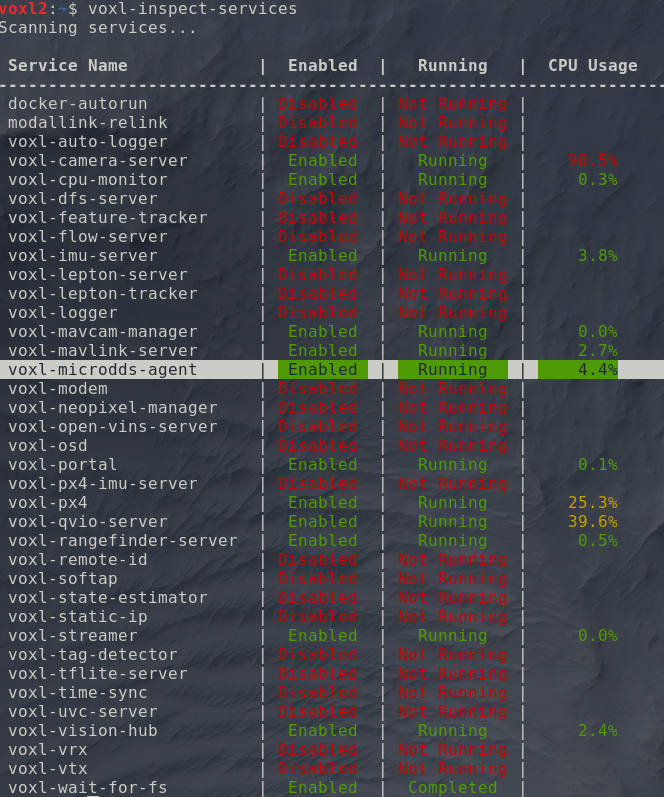
    Okay I managed to solve the problem. The reason why my external pc is unable to see the /fmu topics is probably due to the voxl-microdds-agent service starting before the network is fully "set up". From this stack overflow topic, I edited my /etc/systemd/system/voxl-microdds-agent.service file to include the line ExecStartPre=/bin/sh -c 'until ping -c1 google.com; do sleep 1; done; (this is the only "hacky" method that somehow worked). My entire service file is: [Unit] Description=voxl-microdds-agent SourcePath=/usr/bin/MicroXRCEAgent After=network.target After=multi-user.target # After=network-online.target # Wants=network-online.target [Service] User=root Type=simple ExecStartPre=/bin/sh -c 'until ping -c1 google.com; do sleep 1; done;' ExecStart=/usr/bin/MicroXRCEAgent udp4 -p 8888 [Install] WantedBy=multi-user.target After modifying the service file and rebooting the voxl2, the external computer can now see and echo topics from the /fmu. This will obviously not work if the voxl2 is not connected to the internet.. However you can still manually fix this by ssh or adb shell into the voxl2 and restart the service using the commands: systemctl stop voxl-microdds-agent systemctl start voxl-microdds-agent and the external computer should be able to see /fmu topics. On a side note, to customize & add a prefix to the /fmu topic such that it is /drone1/fmu/ in ROS2, edit the px4 start up script /usr/bin/voxl-px4-start. There is a line that starts the microdds_client for px4 where: # Start microdds_client for ros2 offboard messages from agent over localhost microdds_client start -t udp -h 127.0.0.1 -p 8888 Simply add -n <desired _name> such that it becomes: # Start microdds_client for ros2 offboard messages from agent over localhost microdds_client start -t udp -h 127.0.0.1 -p 8888 -n drone2
  • problems installing voxl-mpa-to-ros2

    7
    1
    0 Votes
    7 Posts
    1k Views
    LRL
    @LR I removed and reinstalled voxl-mpa-to-ros2 and that is working now, for voxl-mpa-to-ros I still have the same problem
  • This topic is deleted!

    1
    0 Votes
    1 Posts
    2 Views
    No one has replied
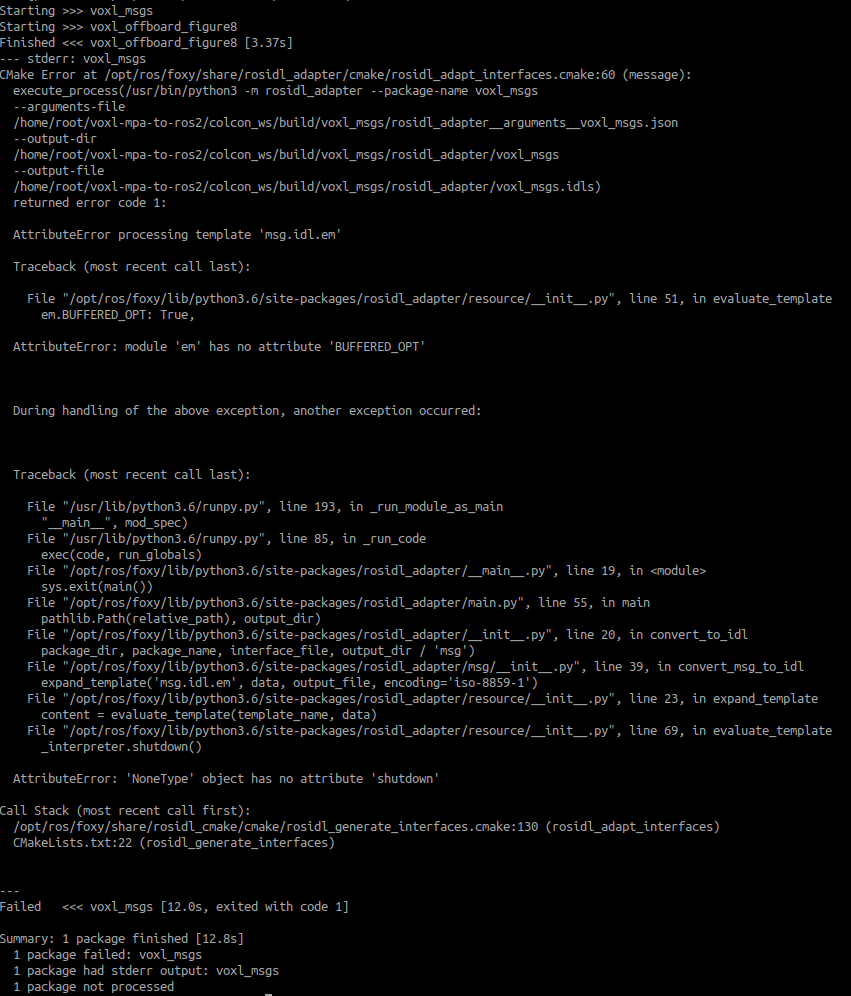
  • voxl-px4 and voxl-mpa-to-ros2 message compatibility and build issues

    5
    0 Votes
    5 Posts
    2k Views
    Zachary Lowell 0Z
    @jmltt good find - I will test on my voxl2 once your fork has had a MR made. Zach
  • RosTopics for voxl-flight

    4
    0 Votes
    4 Posts
    734 Views
    Zachary Lowell 0Z
    Sounds good @voxl-phoenix ! Goodluck - the VOXL2 is radically easier to interface with due to ubuntu 18.04 being the OS vs yocto so my recommendation is to migrate to that if you have the ability - if not, let me know how the mavsdk side of things goes! Zach
  • ROS2 bag /qvio

    4
    0 Votes
    4 Posts
    634 Views
    A
    @Zachary-Lowell-0 Thanks for the reply! I ment that I can't record qvio data same way as the other msgs. Trying to record qvio gives me error code like below. [image: 1729832757233-screenshot-from-2024-10-25-07-58-07.png] Still the data can be view like this "ros2 topic echo /qvio geometry_msgs/msg/PoseStamped" And I thought you cloud record this same data, but haven't found a way. My question is - is there working way to record ros2 bag for qvio and what is it? I'm asking before I start making ros2 node for that.
  • ROS2 to MPA

    5
    1 Votes
    5 Posts
    1k Views
    T
    @Alex-Kushleyev Please could you provide a simple example like arm() and disarm() or something similar to the offboard_control.cpp? Best wishes,
  • Issue with ROS2 set-up, Deserialization of UORB Topics

    17
    0 Votes
    17 Posts
    4k Views
    T
    @brahim @tom Hi and sorry for the delayed response. Main result : no response from the rb5 Comments: the offboard code example in cpp is running in Gazebo but I cannot get the drone to arm via ROS2 run px4_ros_com offboard_control. This is the output from my terminal ~/ros2_ws$ ros2 run px4_ros_com offboard_control Starting offboard control node... [INFO] [1729601421.989530505] [offboard_control]: Arm command send Notes: The offboard setting is "off" not "false" on the voxl-vision-hub.conf. Do you have a recent tutorial on how to use ROS2 with the rb5? Best wishes,
  • 0 Votes
    9 Posts
    2k Views
    Zachary Lowell 0Z
    @tahawaru also since you are running an RB5 and not a voxl2, the most recent SDK you are running is 1.1.3 which might have dependencies in modal-pipe or modal-json that are not transferable to the newest dev branch of voxl-mpa-to-ros2 causing some form of error somewhere in the pipeline.
  • Trouble in running the mavros_test Project (simple-example)

    7
    1
    0 Votes
    7 Posts
    2k Views
    B
    Manual mode is not really representative of the ability to switch into offboard mode and send setpoints. You will need to be able to arm in position or hold mode first. If you do not have an rc controller then try to arm in hold mode. If you are not able to arm in either mode, then there is a preflight check fail somewhere that needs to be addressed first.
  • Rename ROS Topics pulished by the RB5

    4
    0 Votes
    4 Posts
    1k Views
    S
    @Prabhav-Gupta You can just remap the topics coming out of the voxl_mpa_node, or remap the topics inside your ORBSLAM launch file. No need to mess with the source code.
  • MAVROS: `waiting for offboard mode` still loading

    2
    0 Votes
    2 Posts
    597 Views
    Kashish GargK
    @Denver-Bennett were you able to find a solution to this? same issue on our end
  • MAVRS: offboard mode issues, ./run_mavros_test.sh

    2
    0 Votes
    2 Posts
    587 Views
    Kashish GargK
    @Denver-Bennett Were you able to find a solution to this? same issue on my end
  • Unable to build ROS python workspace on the RB5 drone

    ros rb5
    3
    0 Votes
    3 Posts
    2k Views
    P
    @Eric-Katzfey I had backed up my ROS workspace using adb pull before flashing the drone and used adb push to reinstate my workspace on the drone. This unfortunately changed up the file permissions for the folders within the workspace. I was able to fix this by deleting (using rm -rf) all folders within my ROS workspace except the src (which contains the packages I was working on) and building the packages again. I was then faced with the other CMake error visible above - @Prabhav-Gupta said in Unable to build ROS python workspace on the RB5 drone: CMake Error at /home/root/python_ws/src/vision_opencv/cv_bridge/CMakeLists.txt:16 (find_package): Could not find a package configuration file provided by "OpenCV" (requested version 3) with any of the following names: OpenCVConfig.cmake opencv-config.cmake I fixed this by building opencv from source on the drone (following this - https://docs.opencv.org/4.x/d7/d9f/tutorial_linux_install.html) After installing opencv, the catrkin build did not return any errors at the time. I do need to check whether my ROS Nodes are working as expected or not. Will update here once I do the same. Thank you for your time!
  • Sensors simulation with Gazebo

    ros gazebo starling2
    1
    0 Votes
    1 Posts
    943 Views
    No one has replied
  • 0 Votes
    19 Posts
    5k Views
    Alex KushleyevA
    @Prabhav-Gupta , you are welcome!
  • Error when launching mpa_to_ros2

    4
    0 Votes
    4 Posts
    775 Views
    J
    @Zachary-Lowell-0 well it work now! I found these lines on another thread of the forum: sudo apt-get install voxl-ros2-foxy sudo apt-get install voxl-mpa-to-ros2 voxl-configure-mpa-to-ros2 source /opt/ros/foxy/mpa_to_ros2/install/setup.bash export ROS_HOME=/opt/foxy ros2 run voxl_mpa_to_ros2 voxl_mpa_to_ros2_node And everything worked first time ! So please put these line directly on the documentation cause I lost so much time with this install !
  • voxl-microdds-agent not publishing all topics

    7
    0 Votes
    7 Posts
    2k Views
    Darshit DesaiD
    @Zachary-Lowell-0 @Moderator A really important question here is what if there are two drones publishing the same name FMU topics and you haven't set the domain id different for those drones for data sharing through your custom interfaces. PX4 ROS2 docs provide a way to change the namespace of the FMU topics to be published but MODAL AI docs mention no such thing? Is there a way to do that? As most of the starling systems are being used as a swarm platform this thing is really critical