Skip to content

General Questions

2.3k Topics 11.3k Posts

Not sure where your question goes? Ask here. ModalAI engineers and the community answer questions about any VOXL product.

  • External MAVLink Connection using VOXL 2 through ttyHS1

    Unsolved
    6
    0 Votes
    6 Posts
    1k Views
    Eric KatzfeyE
    @Jeremy-Frederick Okay, well then you will need to add support for such an external Mavlink enabled peripheral into voxl-mavlink-server. We don't currently support that.
  • Starling 2 Max does not roll and pitch in position mode

    Unsolved
    1
    0 Votes
    1 Posts
    269 Views
    No one has replied
  • VOXL2 Camera Configuration not found

    Unsolved
    11
    0 Votes
    11 Posts
    2k Views
    J
    @Alex-Kushleyev Thanks, everything looks alright now that I've removed the other cameras from the config file
  • VOXL Connection to MAVLINK server failed using pymavlink

    Unsolved
    6
    0 Votes
    6 Posts
    1k Views
    tomT
    @svempati Are you trying to access the mavlink data from VOXL 2 itself or from an offboard computer / ground station?
  • Calibration FIles

    Unsolved
    5
    0 Votes
    5 Posts
    1k Views
    tomT
    @Shivam-Sehgal Re-calibrating cameras if the calibration files are lost requires a precise calibration board which many customers don't have, which is why we back them up in our database before shipping the drones. These calibration files (extrinsic and intrinsic) are specific to each drone. gyro, accel, and other sensors can be easily re-calibrated on the bench by the user without any extra peripherals.
  • Cant adb shell into voxl2 or unbrick, stuck in fastboot?

    Unsolved
    6
    0 Votes
    6 Posts
    1k Views
    tomT
    @Gary-Holmgren Thanks for the update!
  • HDMI Input Accessory

    Unsolved
    12
    0 Votes
    12 Posts
    2k Views
    tomT
    @FIREBIRD VOXL2: https://www.modalai.com/products/voxl-2?variant=39914779836467 https://docs.modalai.com/voxl2-datasheets/ M0130 add-on board (1 USB 3.0 + 2 USB 2.0s): https://www.modalai.com/collections/voxl-2-add-ons/products/m0130-3?variant=48186331693360 https://docs.modalai.com/lte-io-breakout-usb-hub-datasheet/
  • Cant adb shell into voxl2 or unbrick, stuck in fastboot?

    Unsolved
    2
    0 Votes
    2 Posts
    541 Views
    tomT
    @Gary-Holmgren Copying over response from another thread: https://forum.modalai.com/post/20119
  • This topic is deleted!

    3
    0 Votes
    3 Posts
    15 Views
  • Camera Timestamp From Camera Server Question

    Unsolved
    2
    0 Votes
    2 Posts
    613 Views
    Alex KushleyevA
    @mkriesel, For global shutter camera like AR0144, the center of exposure will happen at the time that you suggested: int64_t center_of_exposure_ns = start_of_exposure_ns + exposure_time_ns / 2; For rolling shutter cameras, this is not true because different lines are exposed at different times. In this case, the center of exposure, which means the center of exposure of the middle line ( ) will be: int64_t center_of_exposure_ns = start_of_exposure_ns + (exposure_time_ns + readout_time_ns)/2; This means that you will need to know the readout_time (which is time it takes for the full image to be transferred from the camera). It is not currently exposed in camera server or the camera metadata. Take a look at this resource, it should help understand the rolling shutter case if you need : https://www.1stvision.com/cameras/IDS/IDS-manuals/en/basics-shutter-mode.html , specifically: [image: 1734062749454-shutter_global.png] [image: 1734062647078-shutter_rolling.png] Alex
  • HTTP server on Sentinel

    Unsolved
    4
    0 Votes
    4 Posts
    667 Views
    Eric KatzfeyE
    @soraminds VOXL 2 is a Linux computer so you can just run Apache or any other standard web server. But be aware that voxl-portal is also a running web server so you would have to stop it or, even better, run your server on a different port.
  • Unstablr Baro in Voxl 2 mini

    Unsolved
    14
    0 Votes
    14 Posts
    2k Views
    Alex KushleyevA
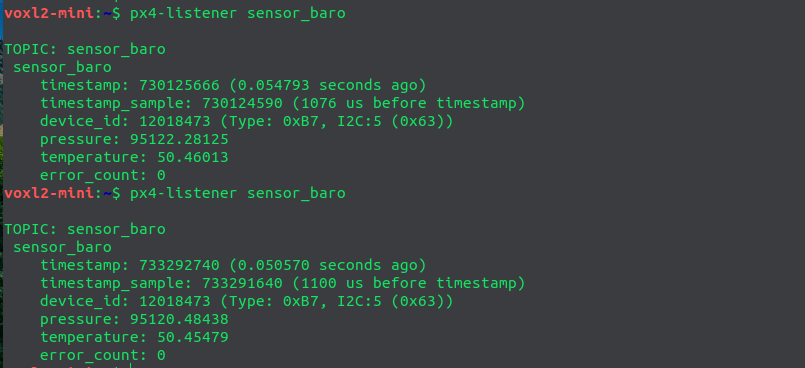
    We have added support of the following barometers to voxl-dev branch of px4-firmware repo and you should be able to pick up the change tomorrow in the latest nightly build: bmp280 bmp388 ms5611 http://voxl-packages.modalai.com/dists/qrb5165/dev/binary-arm64/ (look for voxl-px4 and check build date). the new barometers can be enabled connected to J19 (px4 i2c port 1, so -b 1) and modifying voxl-px4-start script: qshell bmp280 start -X -b 1 qshell bmp388 start -X -b 1 qshell ms5611 start -X -b 1 You should disable the onboard barometer icp101xx, otherwise there may be a conflict where two barometers are publishing under the same instance (at least when viewed with px4-listener). We will investigate this issue. Alex
  • starling 2 RMA

    Unsolved
    4
    0 Votes
    4 Posts
    747 Views
    tomT
    @Viktor-Gal If you've already removed the board then sending in just the board as an RMA is fine
  • Starling 2 VIO - how many cameras used?

    Unsolved
    12
    0 Votes
    12 Posts
    2k Views
    S
    @tom thank you. I've been looking through the code. I'd like to test masking areas of non-interest in my tracking cameras. From the voxl-open-vins-server.conf file and from common.h image_data struct it seems like this feature exists, but I cannot find where I can put the masks, or define where they are. Do you know if this is implemented already? Maybe I'm looking in the wrong place?
  • Doodle labs Nimble radio

    Unsolved
    3
    0 Votes
    3 Posts
    772 Views
    tomT
    @david-moro We have not used that specific radio before, only the nano and mini
  • Starling 2 max information

    Unsolved
    6
    0 Votes
    6 Posts
    1k Views
    ModeratorM
    The Starling 2 and Starling 2 Max will be supported for the foreseeable future. The Sentinel is less popular, so it is likely to be deprecated in 2025 but is currently marked as "Active Production" on its website Dash speed, or burst speed, is the airframes capability when full throttle is applied for a short period of time. Batteries are typically able to discharge more current when first applied, but not for a sustained period of time.
  • Camera not recognized

    Unsolved
    3
    3
    0 Votes
    3 Posts
    803 Views
    VinnyV
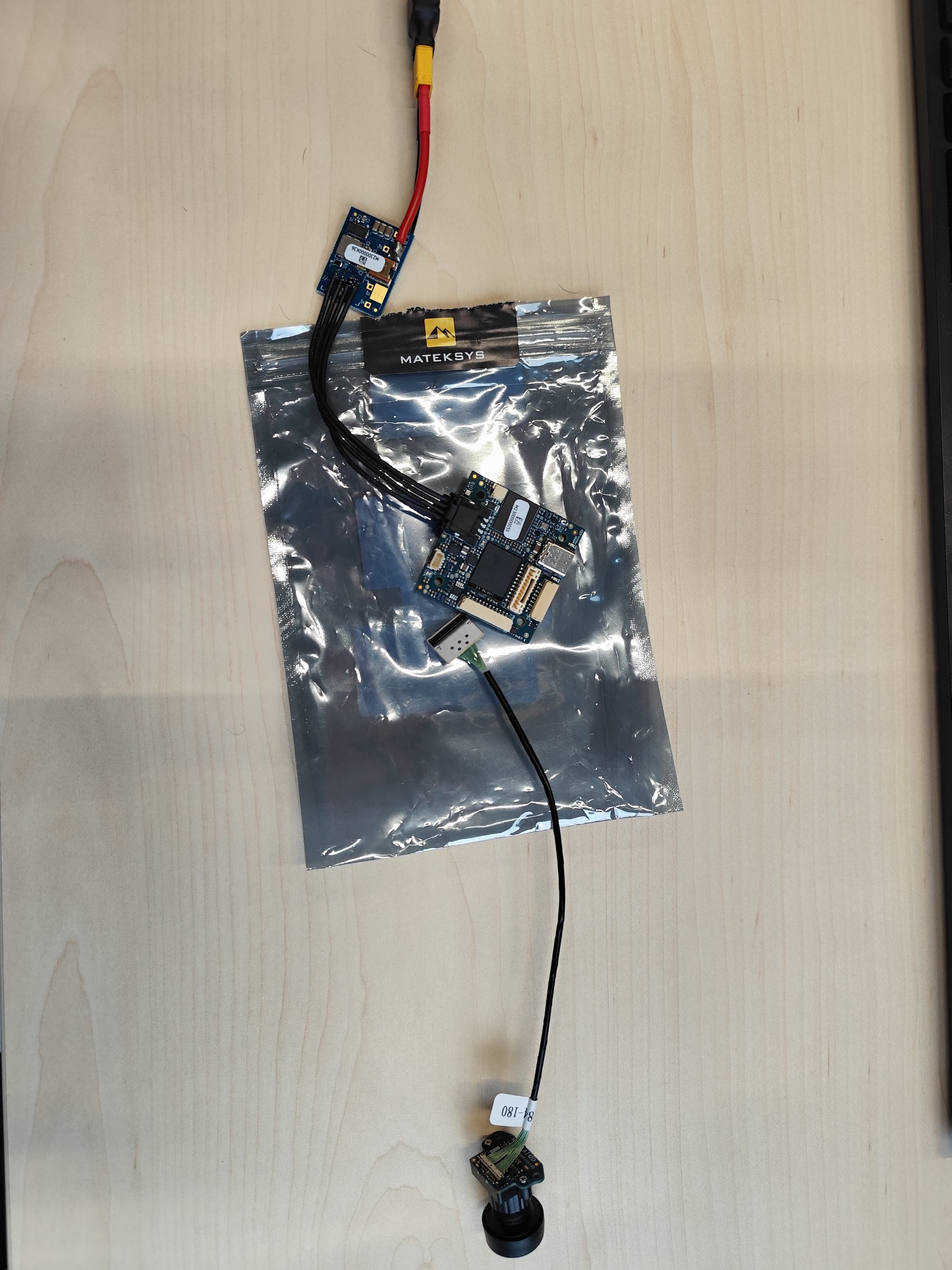
    HI @TomP Please remove all products off of the ESD static bags. This bags are only used for unpowered storage/shipping when outside of a controlled ESD Work Area. This site has a few good books you can try to pick up so your team is well prepared for ESD handling: https://www.techni-tool.com/category/Static-Protection/ESD-Training-And-Awareness-Materials
  • FPV ESC PWM Signal Control

    Unsolved
    2
    0 Votes
    2 Posts
    630 Views
    Alex KushleyevA
    @Jeremy-Frederick , the FPV ESC currently supports two pwm outputs, it can be tested using the following test script: https://docs.modalai.com/voxl-fpv-esc-datasheet/#pwm-inputs--outputs (docs) https://gitlab.com/voxl-public/voxl-sdk/utilities/voxl-esc/-/blob/dev/voxl-esc-tools/voxl-esc-pwm.py (test script) make sure ESC firmware is 39.18 or later, as specified in documentation The python script tells you which ESC boards support pwm output: # PWM support on ModalAi ESCs: # M0049, M0117, M0134, M0129 : IDs 0, 1, 2, 3 # M0138: IDs 0, 3 only # All boards use pin A2 for PWM output by changing the --id argument between 0 and 3 you should be able to use this test script to control PWM outputs of the two test points of M0138 ESC . Please be careful soldering to the test points as they are small and avoid pulling on the wires (use strain relief). We are also working on enabling a 3rd pwm output on the output that is currently used for the Neopixel LED (this output is also pwm capable). In terms of integration, standalone testing can be done using this python script, but sending pwm commands have to go through PX4, and we are working on integration. You can use the following tool which will send a message to PX4, which will get forwarded to the ESC: https://gitlab.com/voxl-public/voxl-sdk/utilities/voxl-mpa-tools/-/blob/sdk-1.3.4/tools/voxl-send-esc-pwm-cmd.c . Note that this tool has been moved to another repo after sdk 1.3.4 , but you should be able to use this tool to control pwm from voxl2 command line while the px4 is running and talking to the ESC. The new repo for the tools is here : https://gitlab.com/voxl-public/voxl-sdk/services/voxl-io-server/-/tree/dev/tools and I believe it should be doing the same thing, although i have not personally confirmed it yet. Try it out! Long term, we do plan to provide the support for this (this is not a temporary feature), so we are working on cleaning up the tools for that. Alex
  • Barometer was not working perfectly (Temperature raises)

    Unsolved
    5
    3
    0 Votes
    5 Posts
    2k Views
    Alex KushleyevA
    regarding external baro, please see response here : https://forum.modalai.com/topic/3996/unstablr-baro-in-voxl-2-mini
  • Looking for Help Understanding the GPIO mapping on the QRB5165

    Unsolved
    11
    0 Votes
    11 Posts
    2k Views
    Eric KatzfeyE
    @Jeremy-Frederick Those aux channels are implemented differently when getting manual control messages from QGC. The only one that is mapped is aux1 that comes from the "buttons" field of the corresponding MANUAL CONTROL Mavlink message.