Skip to content

General Questions

2.2k Topics 11.3k Posts

Not sure where your question goes? Ask here. ModalAI engineers and the community answer questions about any VOXL product.

  • LTE BVLOS setup

    Unsolved
    1
    0 Votes
    1 Posts
    122 Views
    No one has replied
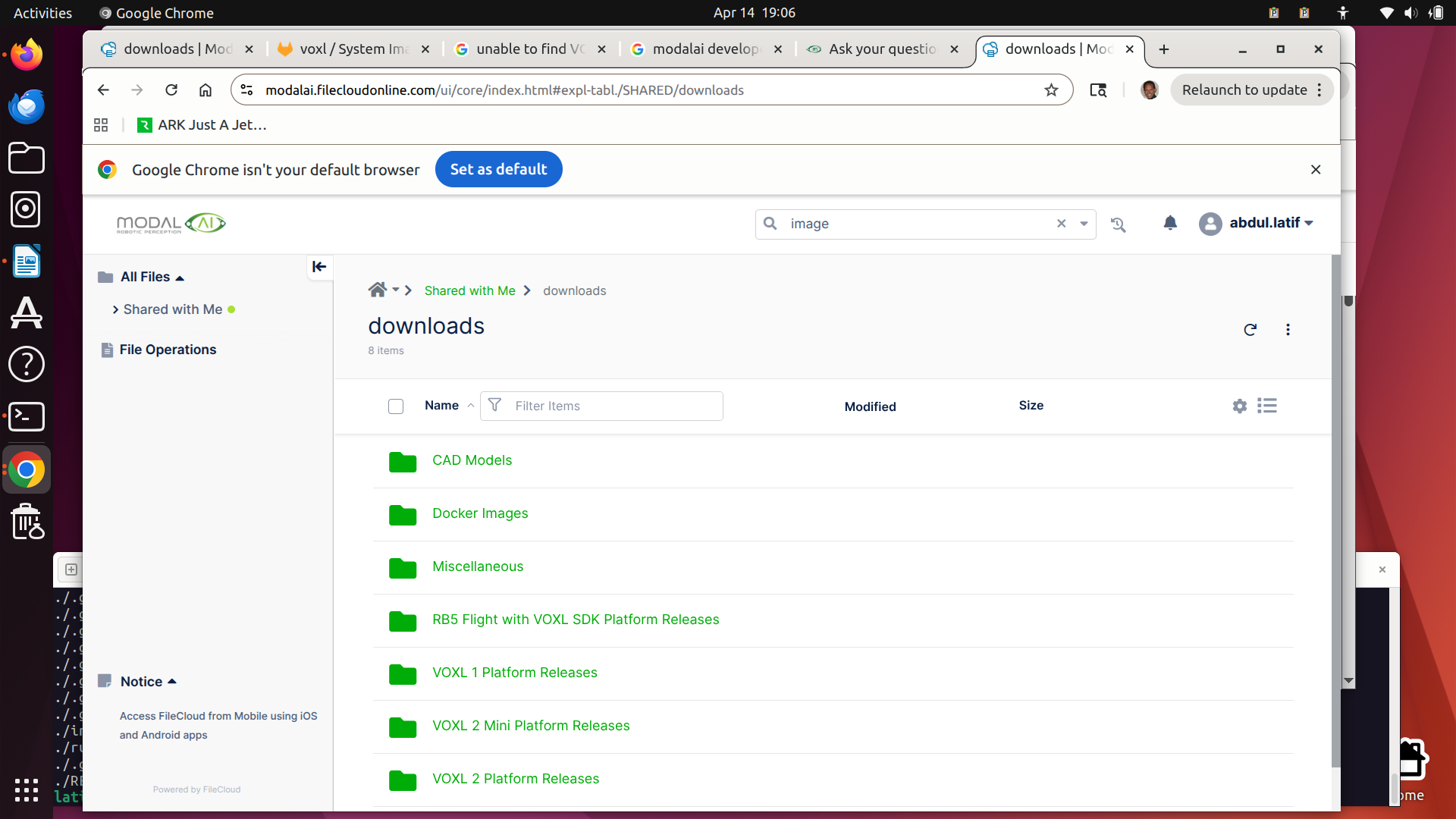
  • Unable to find QDL image

    Unsolved
    2
    1
    0 Votes
    2 Posts
    344 Views
    Z
    Flat builds should be available now!!
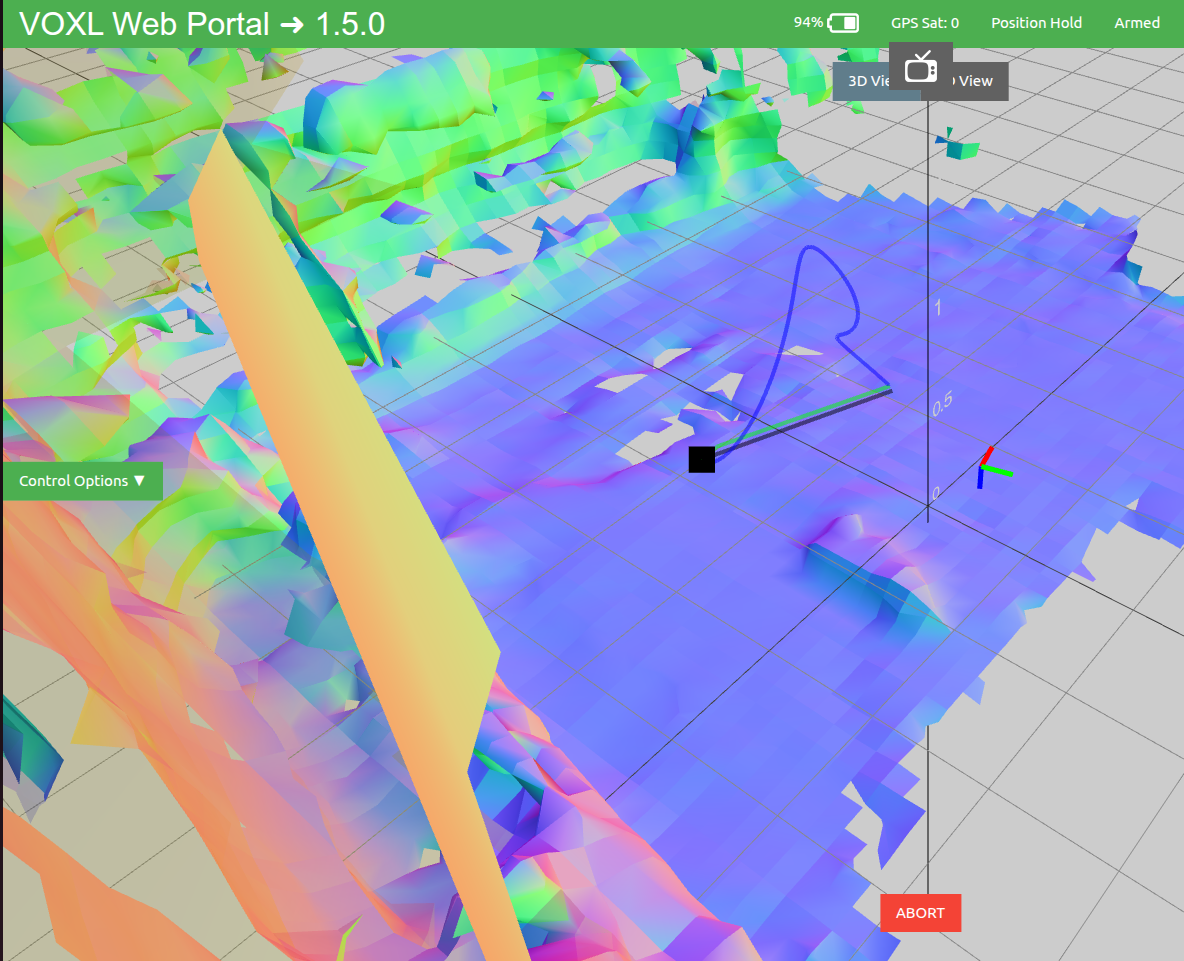
  • tarling - Path planning (blue line) is erratic and drone moves to wrong locations

    Unsolved
    19
    1
    0 Votes
    19 Posts
    2k Views
    Cliff WongC
    @DronAlan Hi there, the configuration & extrinsics files look fine (just switch offboard mode from figure_eight back to trajectory mode. Since you confirmed figure 8 and position mode are working fine and reflect true ground truth in voxl portal, next is to dive a bit deep into the processes: Just to confirm: are you using a loaded saved map? Orientation can be different in a loaded maps based on how it was saved. Going forward in debugging this I would create the map while flying, then test plan-to-point to ensure it is working properly. Before take off, if you ssh onto the drone and run voxl-vision-hub --debug_offboard and rerun the mapping test (point 1m in front of the drone hovering), and you don't need to map the entire room, just get the general area. In the ssh session, monitor the output from voxl-vision-hub. Take off and fly forward and backward in position mode, with some slight yaw motions to generate a decent map in voxl portal (recall we're generating a map in flight then plan to fly to a point, not using a old-saved map). Then switch into trajectory mode. In the ssh session, you should get a Received trajectory has duration message printed. Goto voxl-portal and plan-a-point. Then execute go-to-point. In the ssh session you should get a Received insert command. printed out on the terminal. And it will show the drone's forward commands, i..e set points, to your planned point. I expect the commanding: XYZ values to increase in the positive X direction. Please post the output of the ssh session here. If the drone moves in the backwards direction as you've been seeing but the commanding XYZs are moving forward, we have found our problem (PX4 issue such that I'll need your params file). If the drone moves forward with commanding XYZs are moving forward then it's how your older maps are being saved and we can go from there.
  • Issue with USB Camera Disconnecting on VOXL2

    Unsolved
    6
    0 Votes
    6 Posts
    536 Views
    VinnyV
    OK @Daehan-Won Yeah, I'd try to run one first on it's own before the hub to rule that out. Keep us posted. Thanks!
  • 0 Votes
    3 Posts
    2k Views
    Q
    @Alex-Kushleyev, thank you for your answer. I confirm your assumption, when I set the decimator to 1, the fps is not divided. Here are the tests I did on SDK 1.5.0 and SDK 1.6.3 : test with SDK 1.5.0 ; fps = 10 | standy_enabled = false or true | decimator = 5 | Pipe Name | bytes | wide | hgt |exp(ms)| gain | frame id |latency(ms)| fps | mbps | format | tof_depth | 43200 | 180 | 240 | 2.90 | 0 | 1540 | 28.0 | 10.0 | 3.5 | RAW8 timestamp(ms)| w | h | Zmax | center point (m) (conf) 7170622 | 240 | 180 | 7.1 | -0.0 0.0 0.0 0 fps = 60 | standy_enabled = false or true | decimator = 5 | Pipe Name | bytes | wide | hgt |exp(ms)| gain | frame id |latency(ms)| fps | mbps | format | tof_depth | 43200 | 180 | 240 | 1.30 | 0 | 2155 | 9.3 | 59.9 | 20.7 | RAW8 timestamp(ms)| w | h | Zmax | center point (m) (conf) 10666991 | 240 | 180 | 3.1 | 0.0 0.0 0.0 0 fps = 60 | standy_enabled = false or true | decimator = 5 | Pipe Name | bytes | wide | hgt |exp(ms)| gain | frame id |latency(ms)| fps | mbps | format | tof_depth | 43200 | 180 | 240 | 1.18 | 0 | 869 | 9.4 | 59.9 | 20.7 | RAW8 timestamp(ms)| w | h | Zmax | center point (m) (conf) 10753813 | 240 | 180 | 3.1 | 0.0 0.0 0.0 0 test with SDK 1.6.3 fps = 10 | standy_enabled = true or false | decimator = 1 | Pipe Name | bytes | wide | hgt |exp(ms)| gain | frame id |latency(ms)| fps | mbps | format | tof_depth | 43200 | 180 | 240 | 3.02 | 0 | 260 | 29.7 | 10.0 | 3.5 | RAW8 timestamp(ms)| w | h | Zmax | center point (m) (conf) 2052194 | 240 | 180 | 7.1 | -0.0 0.0 0.0 0 fps = 60 | standy_enabled = true or false | decimator = 1 | Pipe Name | bytes | wide | hgt |exp(ms)| gain | frame id |latency(ms)| fps | mbps | format | tof_depth | 43200 | 180 | 240 | 1.18 | 0 | 7532 | 9.3 | 59.9 | 20.7 | RAW8 timestamp(ms)| w | h | Zmax | center point (m) (conf) 2190721 | 240 | 180 | 3.1 | 0.0 0.0 0.0 0 fps = 60 | standy_enabled = true or false | decimator = 10 | Pipe Name | bytes | wide | hgt |exp(ms)| gain | frame id |latency(ms)| fps | mbps | format | tof_depth | 43200 | 180 | 240 | 1.20 | 0 | 83 | 10.1 | 6.0 | 2.1 | RAW8 timestamp(ms)| w | h | Zmax | center point (m) (conf) 2469720 | 240 | 180 | 3.1 | 0.0 0.0 0.0 0 As you can see, for SDK 1.5.0, fhe fps is NEVER divided, regardless of the value of standby_enabled. For SDK 1.6.3, fhe fps is ALWAYS divided, regardless of the value of standby_enabled. So, my problem is solved but I think you have a bug on the management of the paramater 'standby_enabled'. I fastly investigate the code of voxl-camera-server and I can't find where you are using 'standby_enabled'. Here is the search result in all the project : # Query: standby_en # ContextLines: 2 6 results - 2 files include/common_defs.h: 370 modal_exposure_msv_config_t ae_msv_info; ///< ModalAI AE data (MSV) 371 372: int standby_enabled; ///< Standby enabled for lidar 373 int decimator; ///< Decimator to use for standby 374 src/config_file.cpp: 129 printf(" gain_min : %d\n", cams[i].ae_msv_info.gain_min); 130 printf(" gain_max : %d\n", cams[i].ae_msv_info.gain_max); 131: printf(" standby_enabled: %d\n", cams[i].standby_enabled); 132 printf(" decimator: %d\n", cams[i].decimator); 133 printf(" independent_exposure:%d\n", cams[i].ind_exp); 642 // standby settings for tof only 643 if(is_tof_sensor(cam->type)) { 644: json_fetch_bool_with_default(item, "standby_enabled", (int*)&cam->standby_enabled, cam->standby_enabled); 645 json_fetch_int_with_default (item, "decimator", &cam->decimator, cam->decimator); 646 } Maybe you should add a condition in your function PerCameraMgr::ProcessTOFPreviewFrame(): void PerCameraMgr::ProcessTOFPreviewFrame(mpa_ion_buf_t* buffer_info, camera_image_metadata_t meta) { tofFrameCounter++; if(grab_cpu_pitmode_active() && tofFrameCounter % (int)configInfo.decimator != 0){ return; } auto noStridePlaneSize = static_cast<size_t>(pre_width*pre_height*1.5); auto realWidth = static_cast<uint32_t>(pre_width*1.5); uint8_t* noStridePlane; if (buffer_info->stride != realWidth) { noStridePlane = new uint8_t[noStridePlaneSize]; removePlaneStride(buffer_info->stride, realWidth, buffer_info->height, (uint8_t*) buffer_info->vaddress, noStridePlane); } else { noStridePlane = static_cast<uint8_t*>(buffer_info->vaddress); } uint16_t srcPixel16[pre_width * pre_height] = {0}; // NOTE we don't actually puvblish tis particular metadata to the pipe // TOF data is published separately in a very different way to cameras meta.format = IMAGE_FORMAT_RAW8; meta.size_bytes = pre_width * pre_height; meta.stride = pre_width; Mipi12ToRaw16(meta.size_bytes, noStridePlane, srcPixel16); tof_interface->ProcessRAW16(srcPixel16, meta.timestamp_ns); if (buffer_info->stride != realWidth) { delete[] noStridePlane; } M_VERBOSE("Sent tof data to royale for processing\n"); return; } Best regards Quentin
  • IMU Frame off

    Unsolved
    6
    0 Votes
    6 Posts
    618 Views
    IgorI
    @Alex-Kushleyev Hi Alex, Thank you for the clear and concise explanation.
  • Invalid Remote ID Serial Number for FAA(voxl-remote-id 0.0.9)

    Unsolved
    1
    0 Votes
    1 Posts
    353 Views
    No one has replied
  • Does Starling 2 Max support multi-drone collaboration?

    Unsolved
    1
    0 Votes
    1 Posts
    123 Views
    No one has replied
  • YOLOv8 with NPU (VOXL2 Mini)

    Unsolved
    2
    0 Votes
    2 Posts
    298 Views
    F
    Adding onto this, is there a way to get the server to log out which operations/how many operations were delegated to the CPU? I believe its something that the tflite interpreter can spit out and would be super useful when trying to figure out why a model isnt loading correctly.
  • can't found flight pro kit documentations

    Unsolved
    1
    0 Votes
    1 Posts
    176 Views
    No one has replied
  • 0 Votes
    4 Posts
    354 Views
    VinnyV
    Hi @irw Can you please post High Res and clear photos of both sides of the VOXL 2?
  • Controller Heating

    Unsolved
    2
    0 Votes
    2 Posts
    232 Views
    Alex KushleyevA
    @Myles-Levine , the VOXL2 SoC is not designed to run at full power for a long time without cooling. The maximum operating temperature is around 95 deg C, at which point, the CPU will being automatically throttling (reducing) operating frequency. It is common to rely on air flow from propellers when the drone is flying, however some implementations may have a small fan as well. Since you mentioned bench testing, installing a small fan next to VOXL2 to get airflow over the board should help. No specific recommendations, you can start with a standard 12V fan used in PC power supplies. It can be relatively easy to overheat VOXL2 without cooling, because it has quite a powerful processor and the heat is concentrated in such a small package. You can spend more time optimizing the code (if possible) or add passive and / or active cooling. Alex
  • Export Controls

    Unsolved
    2
    0 Votes
    2 Posts
    1k Views
    Alex KushleyevA
    @Michael-Soul , it is EAR99
  • Starling 2 GPS

    Unsolved
    2
    0 Votes
    2 Posts
    336 Views
    Alex KushleyevA
    Hello @adam , please see the following post regarding GPS signal quality on Starling 2 and Starling 2 Max : https://forum.modalai.com/topic/5116/gnss-emi-mitigation-guidelines There is no voxl-gps service - voxl-px4 handles the GPS functionality, so as long as that is running, the GPS module should be active. Please go through the documentation linked above, there are some mitigation steps that are relatively easy to implement. We apologize for the inconvenience, but enabling usable GPS on Starling 2 will require some tweaks. Alex
  • No Wifi Interface Detected

    Unsolved
    2
    0 Votes
    2 Posts
    242 Views
    Nikos MavrN
    @Nikos-Mavr I have an extra ac1300 to use that lsusb recognizes but I don't think the driver is implemented. Ac600 Antenna might be malfunctioning after all because even if it lights up on other pcs and identifies WiFis it cannot connect. Is there a way to implement a driver for ac1300?
  • Unable to Bind VOXL 2 - Starling 2 to Commando 8 (915 v2) radio

    Unsolved
    2
    0 Votes
    2 Posts
    1k Views
    tomT
    @MikeR Does your commando 8 have an orq ghost transmitter module connected to it? If it doesn't then it is likely using ELRS which is not compatible with a ghost receiver. You'd need a orqa transmitter like this one: https://shop.orqafpv.com/products/orqa-orqa-fpv-ctrl-radio-controller Maybe your other drone had an ELRS receiver on it?
  • I2C reading of 12S battery

    Unsolved
    19
    0 Votes
    19 Posts
    5k Views
    Eric KatzfeyE
    @Nikos-Mavr You're welcome! And can you please start a new forum post for this new issue? Thanks!
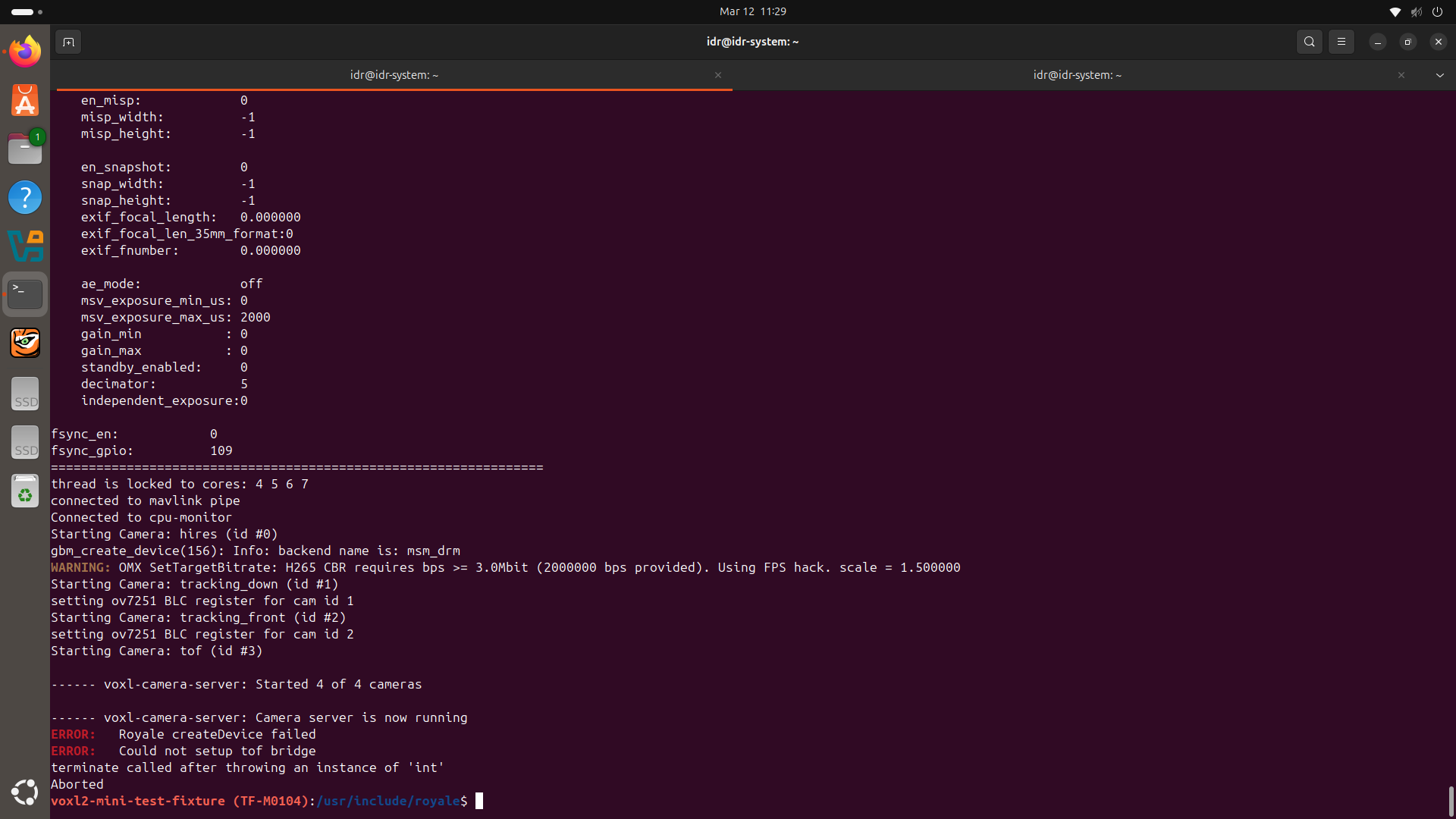
  • VOXL2 Mini – Royale createDevice failed when starting ToF camera

    Unsolved
    4
    1
    0 Votes
    4 Posts
    314 Views
    Alex KushleyevA
    @Piyush-Singh , can you please provide more details how exactly all cameras are connected to VOXL2 mini (including interposers, flexes), etc. A diagram would help a lot which kernel variant are you running on your voxl2 mini (2.0.0 or 2.0.2). Are all the other cameras working if you disable the TOF sensor in the camera server config? Alex
  • 0 Votes
    2 Posts
    594 Views
    Alex KushleyevA
    @Shantanu-Gupta please check documentation and video for VOXL2: https://docs.modalai.com/voxl2-voxl2-mini-system-image/#force-voxl-2-into-fastboot https://docs.modalai.com/voxl2-connectors/#buttons https://www.youtube.com/watch?v=IM3PnW7cipQ Alex
  • Starling 2 Max no GPS data

    Unsolved
    52
    1 Votes
    52 Posts
    28k Views
    Alex KushleyevA
    we just posted an update on this topic, please see https://forum.modalai.com/topic/5116/gnss-emi-mitigation-guidelines