Skip to content
  • Categories
  • Recent
  • Tags
  • Popular
  • Users
  • Groups
Collapse
Brand Logo

ModalAI Forum

VinnyV

Vinny

@Vinny
ModalAI Team
Unfollow Follow
About
Posts
640
Topics
1
Shares
0
Groups
4
Followers
3
Following
0

Posts

Recent Best Controversial

  • Powering the VOXL 2 as a Standalone Computer
    VinnyV Vinny

    Hi @Mihir-Bala
    You will need a 2S minimum to satisfy all the requirements of our power module: https://docs.modalai.com/power-module-v3-datasheet/
    Then, you need to do the math to support a 30Watt transient on power up... which equates to a ~5amp burst at the low end of the 2S cell ~6.4V.
    So, if you have a 1,000mAh cell at 2S, that will require a 5C rating.
    If you have a 2,000mAh cell, you need ~2.5C rating, and so on...

    Hope this helped!

    VOXL 2

  • VOXL2 Microhard Add-On & High Speed Board to Board Connector Compatibility
    VinnyV Vinny

    Hi @jacobcayetano1
    Apologies for not updating some of the tech docs content about that test board we developed.
    Here are some links:
    https://docs.modalai.com/voxl2-dev-test-board/
    That describes the board and provides schematics and other useful user info.

    Since the test board is a very easy way to destroy your VOXL 2, we keep the sale of it on our Beta page to alert customers that it is an "at-risk" design since you can easily void your VOXL 2 warranties by over-stressing the VOXL2 and introducing ESD and other signal shorting risks.
    That said, here is the purchase link:
    https://www.modalai.com/pages/beta-voxl-2-b2b-breakout-board
    It comes as a kit with many goodies for it's use including cables, a mounting case, and an SD card.

    Now, as far as being able to use Microhard AND J5, we recommend using the standalone version ("dongle") of the Microhard board: https://www.modalai.com/collections/modems/products/mdk-m0048-2 since that will allow you to cascade it off any USB port we have (or one that you include in your design).
    Here are some tips for designing a good USB port with our Voxl ecosystem: https://docs.modalai.com/expansion-design-guide/#usb-expansion-over-j3--j5

    Should you go down the route of designing a custom VOXL 2 plug-in board, we will offer a courtesy review of your schematic to help you along! Feel free to tag me again when you are ready, and we will start an email exchange to share your data so you are not posting it on our forum (unless you wanted to).

    Hope this helped.
    Vinny

    Microhard Modems

  • Two USB FLIR Boson cameras, one connected to J9 USB-C port...not working
    VinnyV Vinny

    Hi @serviceberry
    From a HW viewpoint (I am HW team) that sounds reasonable to use the hub the way you suggest. But I know for a fact from personal experience the Boson's are very dependent on VBUS rise times, and a very fast rising 5V supply may not allow it to enumerate properly. We have had an instance in the past where one particular VBUS port rose really fast, and the Boson did not enumerate until we slowed it down. It's one of those situations that may require testing to check. Our J3 10-pin host port has a nice moderate rise time that allows Boson to enumerate. So, when using a Hub, check the VBUS rise times compared to J3.
    I do NOT expect J9 USB-C OTG port to work with Boson.
    The Snapdragon SOC is very smart, and when in OTG mode, it will not provide more than 500mA to any device that enumerates as USB2 which I am lead to believe how the Boson enumerates. if the Boson could enumerate as a USB3 device and the drivers were all present in the Kernel for this, the Snapdragon will give it 900mA over VBUS letting it boot but I think this is a non-starter without the Boson being able to do that.
    Our Boson kits use USB2 only and we provide 1A support to enable them to work without requiring enumeration to negotiate more current, hence why they work on the J3 ports and other expansion board ports that have more than 500mA: https://docs.modalai.com/expansion-design-guide/#usb-expansion-over-j3--j5

    VOXL 2 Mini

  • Hardware sync between Lepton and Stereo pair
    VinnyV Vinny

    Hi Nikhil,
    Sorry for our delayed response on this. I just recently joined our forum to help out with more HW centric question.
    As Chad mentioned, this does require HW mods if you do not want the SW driver timestamp method (which would be our recommendation/preference).
    The Lepton signal VSYNC (on GPIO3 most likely is what you are referring to) is running at the VIO voltage of 2.8V to 3.1V per Lepton specs. Our camera sensors are MIPI based, and as such all of those I/Os are at 1.8V, so a level translator would be required which makes connecting these a bit tricky, especially if you need bi-directional support with another sync controller/snoop device. This would need to be something done on a custom interface between the Lepton and the stereo sensors. We do not have such module but would be happy to give further guidance if you need it.
    Thanks!
    Vinny

    VOXL

  • CAN device support
    VinnyV Vinny

    @Ansel-Misfeldt Hi,
    The approach we will take for CANBUS right now is similar to what we have. That is, to add CANBUS, it requires the use of a FlightCore Flight Controller. So, with Voxl1, you have Voxl-Flight which integrates the FlightCore, or you add on Flight Core independantly.
    For Voxl2, you can still use a FlightCore, but we have some exciting news coming soon for a newer improved FlightCore, we will likely call it FlightCore V2 🙂
    It will retain CANBUS functionality but has a slew of other upgrades and user improvements added in, all in the same form-factor as FCv1.
    Our Docs portal is just about ready for launch and I think we did a better job up-front on this one to help our customers get running quickly.

    Stay tuned, we should be posting it for sale in the up-coming days!!

    VOXL 2

  • MDK-M0048-2-01 change to MDK-M0048-2-01
    VinnyV Vinny

    Hi @austin-c
    yeah, and it will not.
    There are dozens of changes between the two boards.
    It's just easier and cheaper to order the correct version. We have no documents showing how to convert it is simply not doable for the cost and risk and time.

    Not the news you wanted, but please trust me on that one. 🙂

    Microhard Modems

  • Need 2 GPI interrupt inputs on VOXL 2 Mini
    VinnyV Vinny

    Hi @dougmiller
    If your VOXL 2 Mini is TrustZone Configured for UART over J10, then yes, there are 2 pins available as inputs.
    https://docs.modalai.com/voxl2-mini-connectors/#j10---external-uart
    You can see GPIO_40, GPIO_46 and GPIO_64 are input capable.
    GPIO_40 and GPIO_64 are able to be configured to do wake events in the SoC so they have extra configuration to route to a power manager. Depending on how you write your IRQ routine, that may or may not help.
    Hope this helps!

    VOXL 2 Mini

  • Support for other Thermal Cameras
    VinnyV Vinny

    Hi @saegsali
    Yes, we are actively working on 3 other solutions with different vendors.
    We understand the importance of having options here.

    Nothing is in production yet, so please bear with us as we continue our development.
    We hope to have some extra support by Q3 of this year with at least 2 other products, one being what you mentioned, and NOT over USB 🙂

    Thanks!

    Video and Image Sensors

  • Issue With VOXL 2 When Connected To Microhard Modem Add-on
    VinnyV Vinny

    Hi @John-Nomikos
    Have you confirmed the issue we pointed to in the other forum post?
    https://forum.modalai.com/topic/1356/sentinel-drone-randomly-reboots?_=1673383475709
    Do you have Kapton or another insulating tape you can place on the J5 120-pin B2B connector on Voxl2 to help confirm the Microhard is not touching J5? We've seen it first hand that it triggers resets.
    I doubt all 3 MCBL-00001 are all bad on you (although we do know they go bad fast from users pulling them out by the cable wires instead of the plastic shroud, but that's another issue).

    Let us know.
    Thanks!

    VOXL 2

  • Doodle Add-on board for VOXL2
    VinnyV Vinny

    Hi @dlee
    All of our Doodle configs are only using USB2, not UART.
    Hope that answers your questions.
    Thanks!

    VOXL Accessories

  • M0194 and M0186 CAD files
    VinnyV Vinny

    Thanks @aheyne for alerting us.
    I had made the updates to our site and the 3D models are now there.
    Let us know if you need any more help.
    Thanks!

    Link Preview Image
    PCB Catalog

    ModalAI technical documentation for VOXL and VOXL 2 Companion Computers for PX4 and ArduPilot Obstacle Avoidance and GPS-denied navigation, assembled in the USA

    favicon

    ModalAI Technical Docs (docs.modalai.com)

    3D Models

  • VOXL2 Mini quad with 1s battery
    VinnyV Vinny

    Hi @Gary-Holmgren
    Yes, we did design VOXL 2 Mini to be powered by 1S capable source. But, we'll need @Alex-Kushleyev to respond regarding the MINI ESC and how that may need to be tuned for 1S operations.

    For VOXL 2 Mini, here is the way it can work, and the few caveats to explain why we have not offered it yet in exactly that way. If I go in too deep on any electronics jargon, let me know and I'll try to clarify as needed 🙂

    1. The VBAT input of VOXL 2 Mini is by default 3.8V, and that is what the ESC puts out or the "-4" variant of our M0041 power module. This is, as you may know, the ~center point of a 1S battery, representing ~50% SOC.
    2. The V2 Mini can operate wholly in the 1S range for core functions, with the few limitations:
    • The local 3.3V regulator for the UART, GNSS, and all other ports will start to drop-out at around 3.4V. So, even though the core electronics (Snapdragon, Memory, Cameras, USB) will work down to 3.2V, some of our extra circuits will not be happy. If you are powering modules from our 3.3V supply, and they can operate at slightly lower, like 3.2V or 3.1V, and you use our 3.3V as the VDDIO ref, then all is good there.

    • Our 5V boost circuit likes higher voltages. At 3.8V VBATT in, we can supply ~900mA of VBUS (to mimic USB3 VBUS specs). However, as that input VBATT voltage goes down, so will the capacity of that supply. Also, I have a UVLO setting on that rail to trigger the 5V boost to turn OFF if VBAT drops below 2.5V to prevent 1S battery continual drainage (deep discharge) in the event you disable the flight control stuff, but forget to disconnect the battery. However, the ramp ON has a very large hysteresis and it triggers at ~3.5V. So, if you try to start a power ON with less than 3.6V, that 5V boost may never turn ON. Now, if you are not using VBUS, or the 5V on the J19 connector, then it's a do-not-care. But, your ToF use case will require it....

    • TOF is not easy on VOXL 2 Mini, especially the new V2 one. Since we only have that 900mA of 5V (less at lower voltages), the ToF circuit may get starved of it's needed 5V if you start to use other stuff, like USB or lower input VBATT. So, we would only caution you to use 1 ToF module at max, and be prepared to lower exposure and frame rates at VBAT < 3.8V. Our ToF modules use that 5V to generate a local 3.3V, so we do get some power conversion gains, but we just have not done it yet on V2 Mini to capture all the other side effects.

    • Thermal, if you are using our Fan connector, that is powered by that same 5V supply IN mentioned above. So, if that does start to shut down, you'll get a fan OFF condition (possibly ON/OFF throttling like a forced PWM if the 5V comes back on), triggering thermal rise compared to the current 100% duty cycle ON as it is now.

    • Unplanned/Untested Software responses at VBAT <3.8V. As stated, we have not tested this config. The Snapdragon parts are very complex SoCs. When power input starts to go below a certain threshold, the underlying Power MGMT IC's (PMICs) will start to throw interrupts. I think the first one by default is around 3.3V VBATT, but they change based on platforms and chips. So, as we start to approach the "dead battery" SOC%, the system itself may start to react differently and we have not characterized that at all for our builds. It is electrically spec'd to operate, but SW may start nagging and doing weird stuff, like turning off functions such as cameras for example to conserve power.

    • Motor noise!!! This is the biggest one... 1S motors will draw a lot of current to equal similar power demands of higher 2S+ rated motors (there is some V*I correlation here to motor power, so the lower the V, the higher the I). This will result in a lot of noise on the VBATT power rail. These transients can go not only low (droop, triggering resets, 5V OFF, etc) but also too HIGH (back EMF, energy dumps, etc...) potentially damaging components on V2 Mini's front end power system. V2 Mini ABS MAX voltage in is 6V, at which point the PMICs will be damaged. This is the single biggest reason we have not tried to connect a battery directly to our electronics, and always opt to have some type of nice DC/DC to provide solid line-regulation protection. So, if you try to use a direct 1S VBAT, you will need a really good motor-noise transient protection, maybe even a fast acting Zener diode, set to ~5.6V or so. On a side note, we just started including a 5.6V Zener on a new Spin of V2 mini we are working on, but existing M0104 V2 Minis do NOT have that 5.6V zener. Details on a new V2 Mini will follow in the up-coming months, as teased here: https://docs.modalai.com/voxl2-mini-connectors/#j3-usb-3-10-pin

    Those are my first thoughts... If I think of anything else, I will let you know.
    I think it is doable.... V2 Mini was designed with micro-quads in mind, but there is some planning and design considerations that need to be done. We can help you along with the HW side of stuff, but I can't promise we'll have any SW support for issues possibly related to low VBAT in since we have no system to check against or develop with. That is why we only use 2S+ in our platforms (currently).

    Hope this helped!

    Support Request Format for Best Results

  • Issue With VOXL 2 When Connected To Microhard Modem Add-on
    VinnyV Vinny

    @John-Nomikos Great to hear!
    Yeah I have since taken over our Cable Tech Docs section and I am currently going though an entire revamp of that page. As part of it, I am going to hopefully get video(s) up there showing proper cable removal techniques.
    The biggest issue I know of with MCBL-00001 is that it is just "easier" for users to pull it out using the wires, which strains the crimp pins, and damages the connections. It's required to pull it from the plastic shroud which can be somewhat blocked by the heatshrink on our Power Module, and I see even in our own internal teams that it's not always done correctly.... when done correctly, that cable should last years and years... I have some that are very old (pushing 10 years) and still work great. But I have had come across some internally that only lasted a few days. We might just start providing them in qty-2 batches instead of 1 just to help everyone get past that issue while we improve our training information to hopefully put this issue behind us.

    VOXL 2

  • Manual Control Lost during flight with Flight Core V2 + VOXL2 Setup
    VinnyV Vinny

    Hi @jacobcayetano1
    Our Power Module is proven to deliver 30W continuous over the full industrial temperature range.
    I'd be shocked if you can find a better module with all of it's features out there for this price point.
    I encourage you to stress test it using a load box and you'll see how reliable it is. I'm happy to share a few of our validation plots if you wish. We also unit test every unit with a 3Amp load (15W) before shipping.
    Let me know if you have any other concerns about the power module.

    To add to what our Moderator has posted, the QGC "Avionics Power Low" feature and warning is useless. The ADCs on STMicro parts are frankly terrible, plain and simple. That is why we use a 16-bit INA231 on the power module for current measurement and reporting.

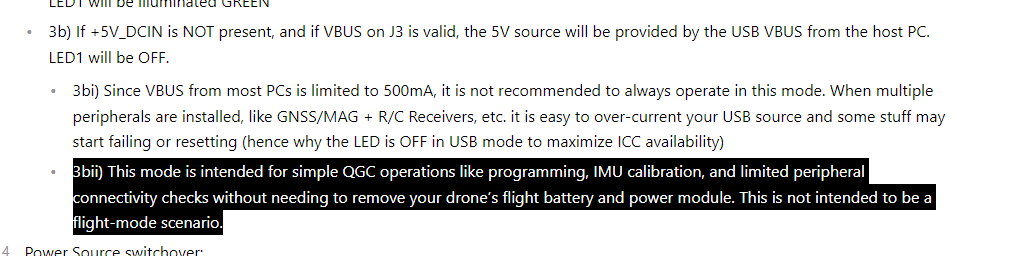
    Additionally, You cannot power the FCv2 over USB fully featured as noted here:
    https://docs.modalai.com/flight-core-datasheets-v2-functional-description/#power-supply-and-power-source-mux-details
    03705a57-e373-4130-bbcf-1218dc00ceba-image.png
    That USB power option is provided as a convenience for programming w/o a bulky battery.

    Flight Core v2

  • VOXL Power
    VinnyV Vinny

    Hi Gaurav,
    The PWM Output port J1007 provides 5V DC as a reference on pin 1. This same voltage connects to the main power 5V that powers Voxl.
    https://docs.modalai.com/voxl-flight-datasheet-connectors/#j1007---8-channel-pwm--4-channel-dshot-output-output-connector
    If you are providing a separate power source on the ESCs different from Voxl's 5V, then you should either insert a blocking diode on this or remove that cable position from J1007.1 and only use a 9-conductor cable, positions 2-10.
    If you are using the same 5V supply on Voxl and the ESCs, then these are just shorts and do not matter.
    We provide a variety of power tap-off options on Voxl and Voxl Flight and we know sometimes it can create tricky cabling solutions.
    Let me know if you would like more info, and if you do, please provide us with the ESC part number you have.
    Thanks!
    Vinny

    Ask your questions right here!

  • CAN device support
    VinnyV Vinny

    Hi @liftedsystems
    I just saw this now.. sorry for our delays on this...
    We respond better when you start a new thread because we ALL get notified of it internally ... Thread replies are on a "best effort" basis to check so we miss some.... but if you wish to do so, please just tag us using the "@" like you did to get Chad and we will see that at a higher level too, but new threads are always the best!
    Thanks, and I hope Travis gave you the info you were hoping for!!

    VOXL 2

  • BMM150 Magnetometer on Flight Core V2 EOL
    VinnyV Vinny

    Hi @jacobcayetano1
    There are still over 500k units in available distribution which we can access.
    I would not worry at all at this time and I fully expect we can still build FCv2 as is for years to come.
    Our parts sourcing expertise is top notch!
    (not sure if you recall but during the parts shortage craziness of 2020-21 we were one of the few vendors who still had product in-stock and shipping!!)
    If you had a large order in mind, any head's up is appreciated so we can be sure to have sufficient stock.
    Thanks!

    Flight Core v2

  • VOXL Power
    VinnyV Vinny

    @gauravshukla914
    Great, thanks for the response. Glad we could help.
    Just FYI, that 2A 5V BEC will not properly power a Voxl, nor would any 5V supply though any of the JST or Hirose connectors, although you may see Voxl try to power up.
    In those conditions, be sure to use our Power Module as the main 5V so it has a successful power up. This is the only connector that was designed to support the current demand Voxl needs during power up: https://docs.modalai.com/voxl-flight-datasheet-connectors/#j1013---5v-dc-power-input-i2c3-to-power-cable-apm
    https://docs.modalai.com/power-module-v3-datasheet/

    Be sure to reach out with any additional questions.
    Thanks!
    Vinny

    Ask your questions right here!

  • OV9782 camera
    VinnyV Vinny

    Hi @Sonoaero
    That is a valid electrical connection scheme.
    If you plug into either J6 or J7 of V2 Mini, you'll match the configuration shown here:
    https://docs.modalai.com/voxl2-mini-image-sensors/#tracking
    Keeping in mind M0076 only picks up the "lower" CSI group functions.

    I cannot advise as to how SW will work on this config switching from M0014 (OV7251) to M0113 (OV9782), but it is valid electrically.

    Hope this helps.
    Thanks!

    Image Sensors

  • Ethernet Dongle
    VinnyV Vinny

    Hi @bendraper
    Unfortunately, on Voxl2, we set that USB-C port as peripheral mode only, so it cannot be a host to any devices such as mass storage (thumb drives), ethernet dongles, and the like.
    Hope that helps.

    VOXL 2
  • Login

  • Don't have an account? Register

  • Login or register to search.
  • First post
    Last post
0
  • Categories
  • Recent
  • Tags
  • Popular
  • Users
  • Groups