Skip to content
  • Categories
  • Recent
  • Tags
  • Popular
  • Users
  • Groups
Collapse
Brand Logo

ModalAI Forum

  1. ModalAI Support Forum
  2. Ask your questions right here!
  3. Starling Drone not showing up in ADB devices

Starling Drone not showing up in ADB devices

Scheduled Pinned Locked Moved Ask your questions right here!
starling2usbvoxllinuxhelp
23 Posts 4 Posters 5.7k Views 3 Watching
  • Oldest to Newest
  • Newest to Oldest
  • Most Votes
Reply
  • Reply as topic
Log in to reply
This topic has been deleted. Only users with topic management privileges can see it.
  • ijones2I ijones2

    @Vinny

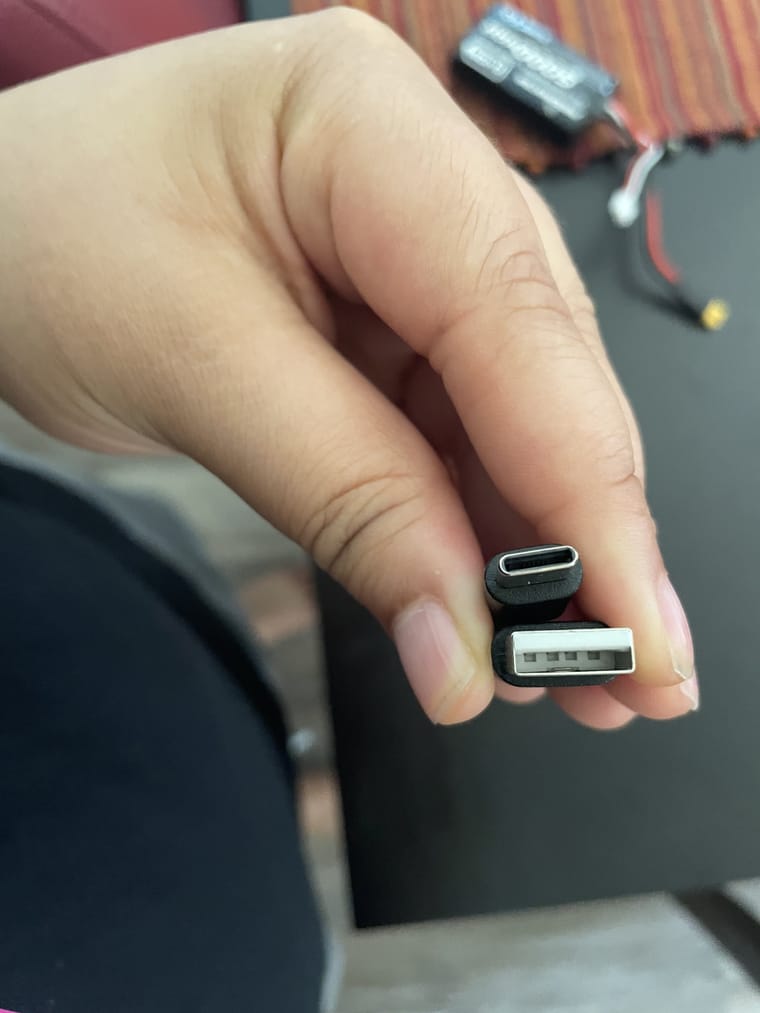
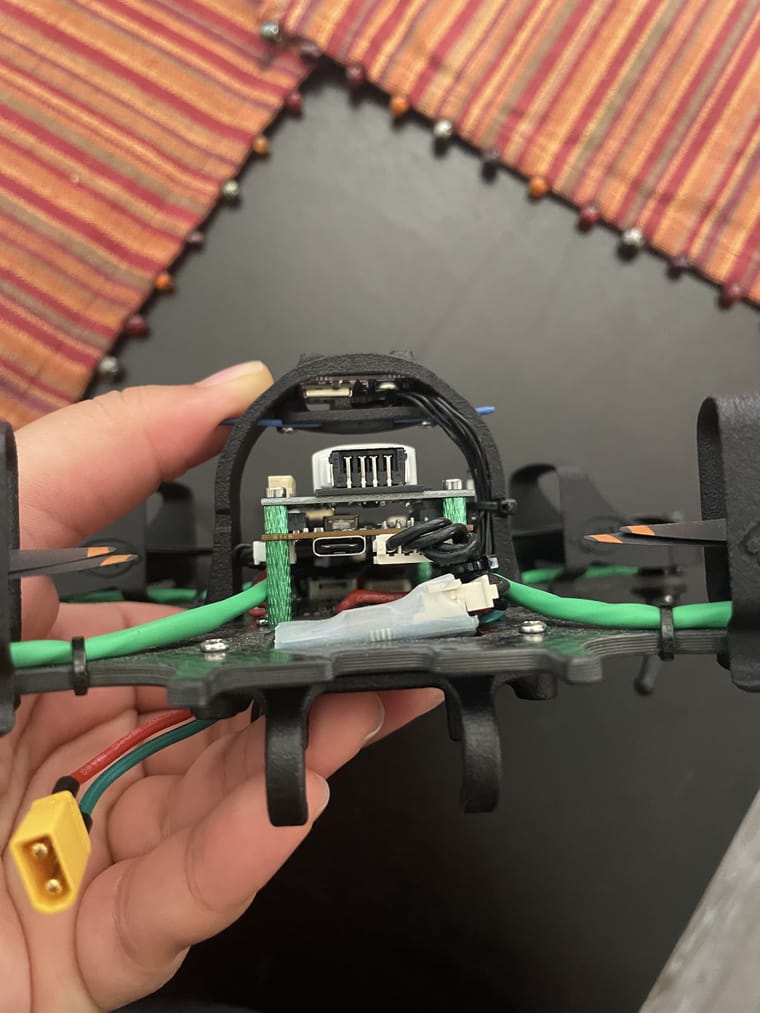
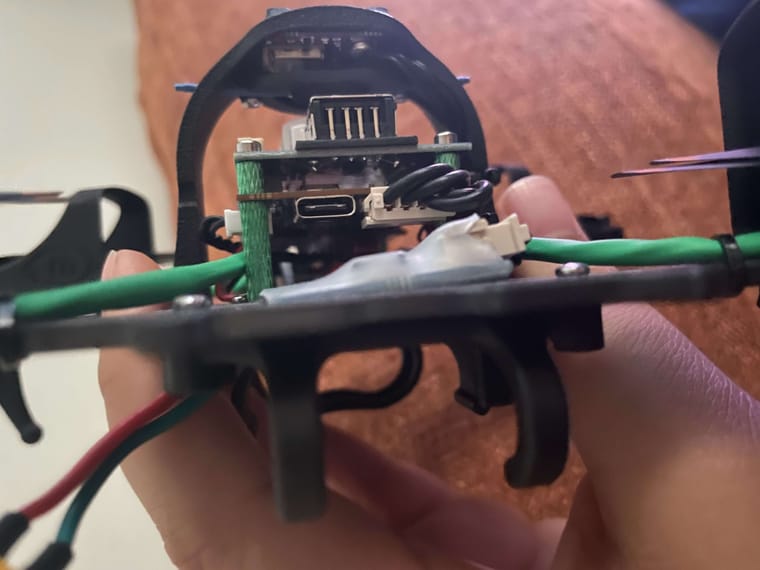
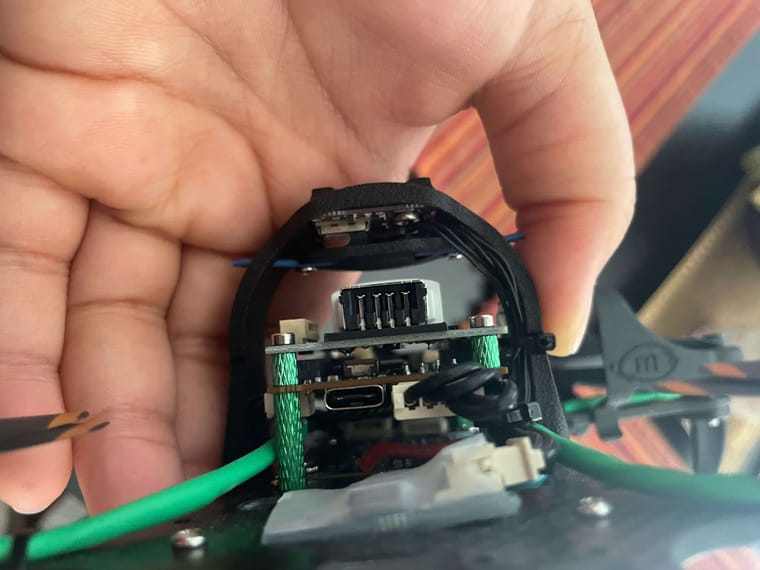
    Hey Vinny! But of course! I hope this helps !!!!

    IMG_2193 (1).jpg
    IMG_2190-min.jpg
    IMG_2208-min.jpg
    IMG_2184-min.jpg

    ijones2I Offline
    ijones2I Offline
    ijones2
    wrote on last edited by ijones2
    #6

    @ijones2 @Vinny

    IMG_2203 (1).jpg

    IMG_2202 (1).jpg

    IMG_2195 (1).jpg

    IMG_2200 (1).jpg

    1 Reply Last reply
    0
    • VinnyV Vinny

      Hi @ijones2
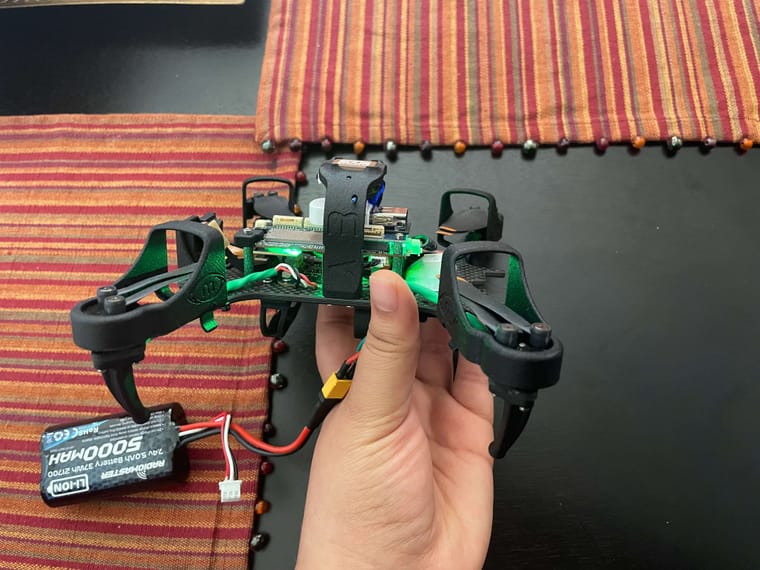
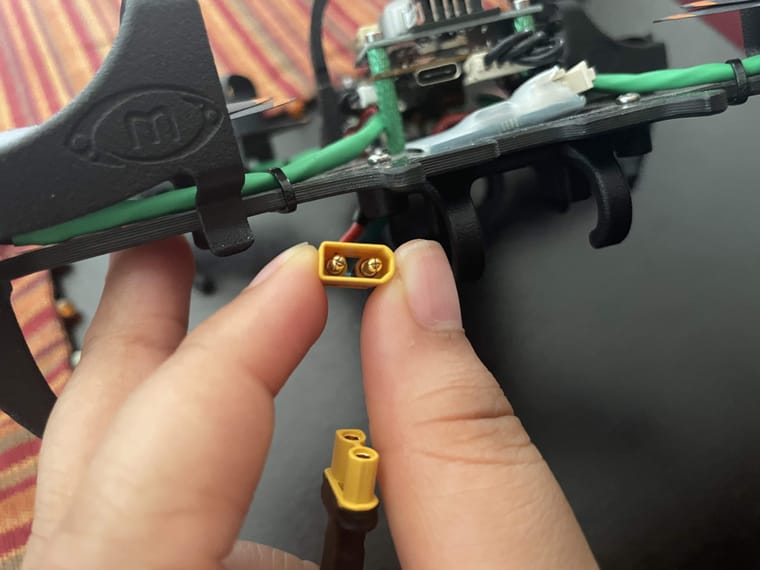
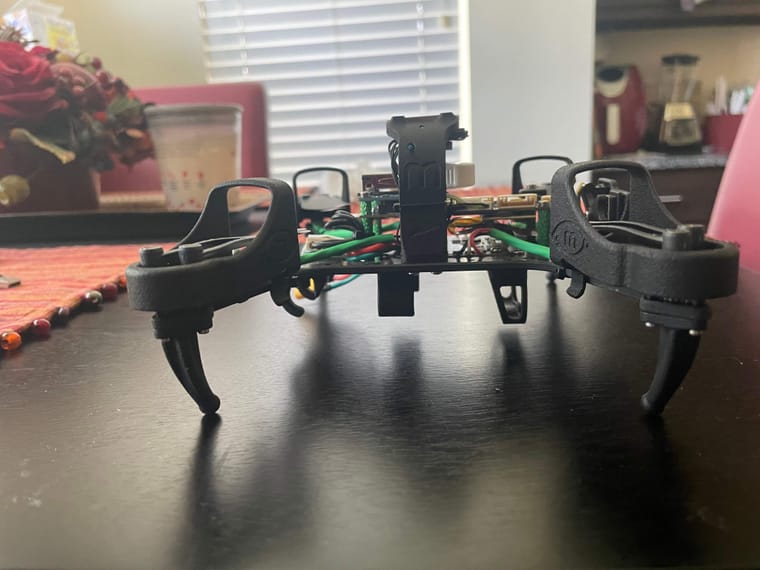
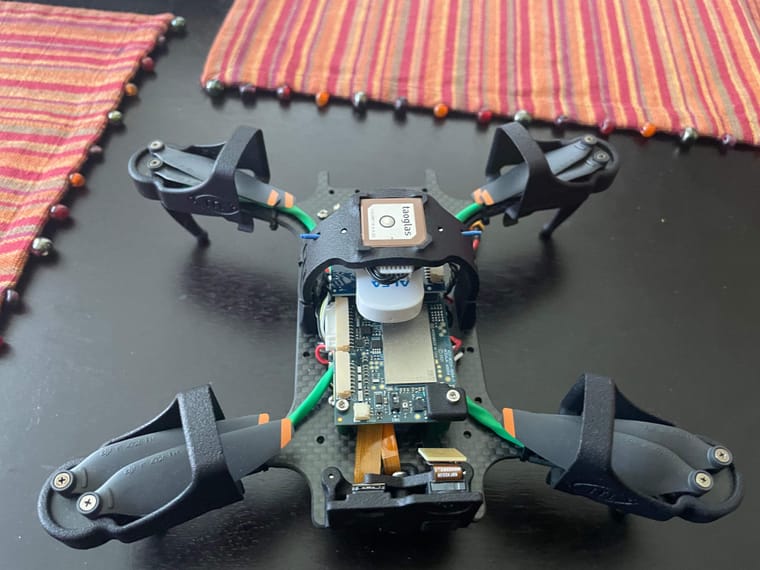
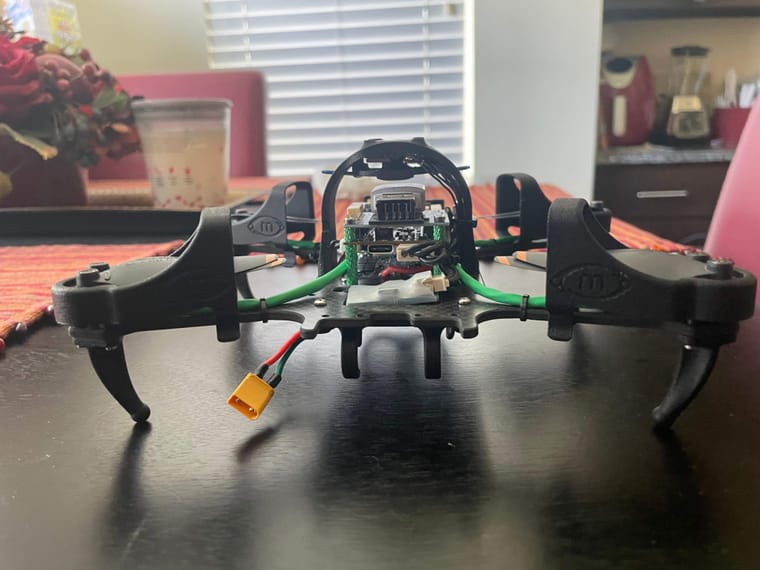
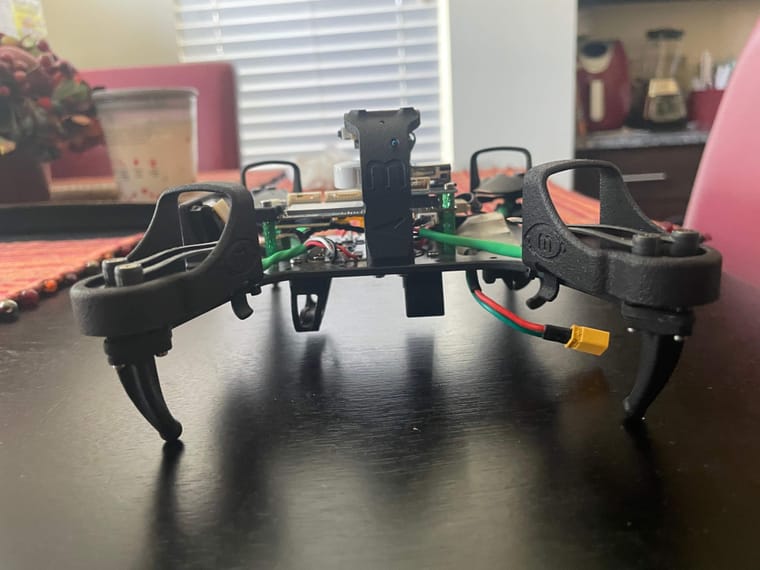
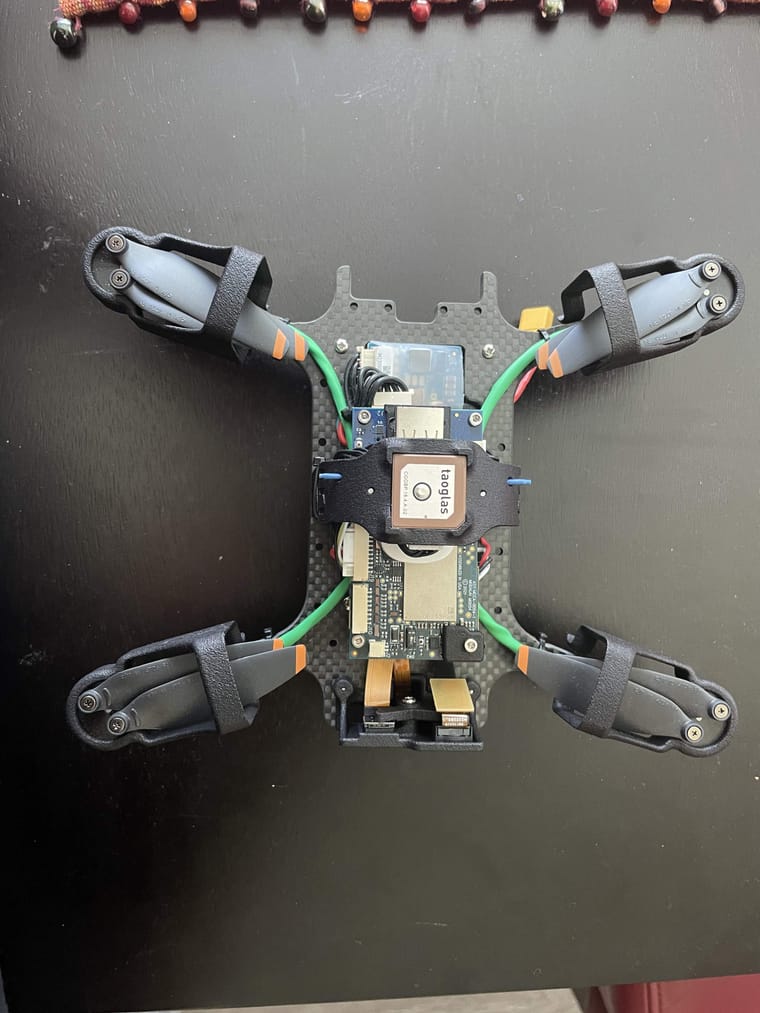
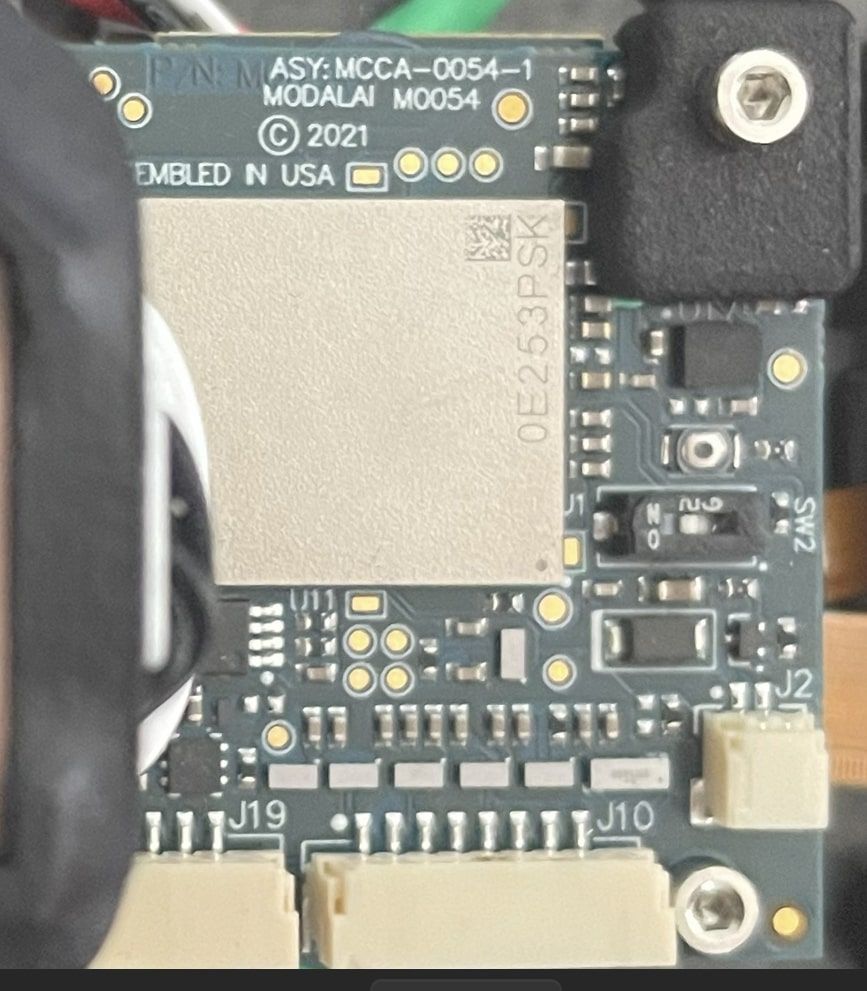
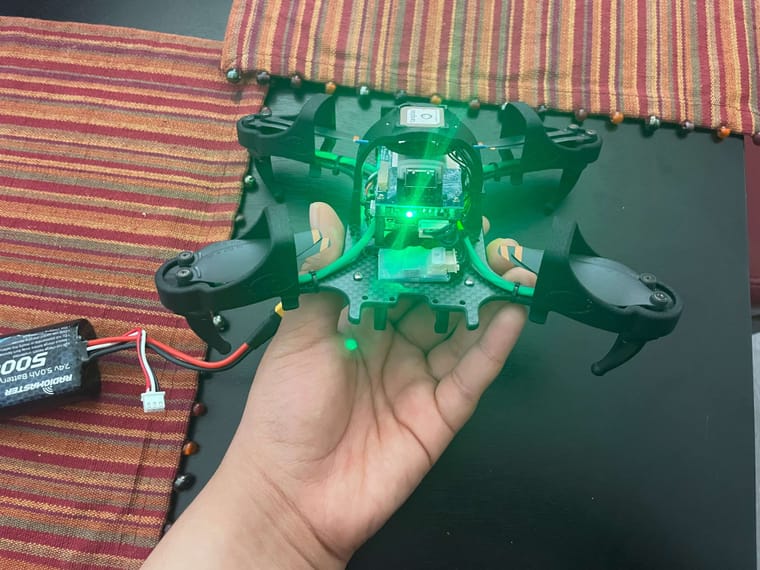
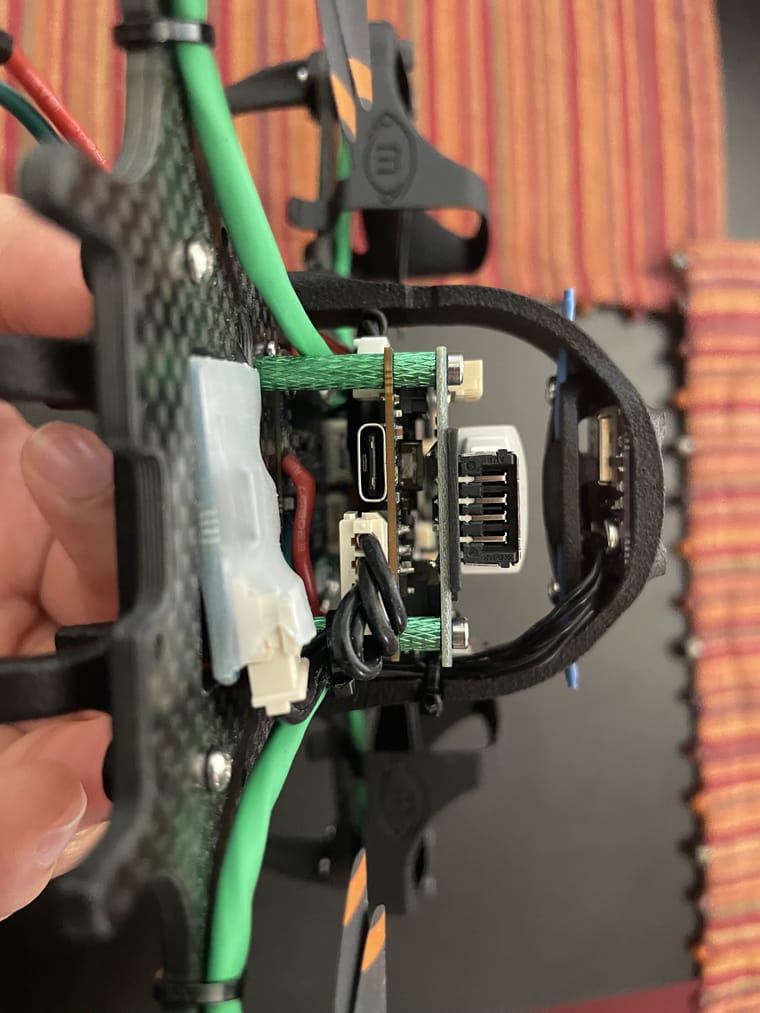
      Are you able to post a picture of your entire drone, and zoom in (second+ images) on your power source(s) and power connections to the drone?

      ijones2I Offline
      ijones2I Offline
      ijones2
      wrote on last edited by
      #7

      @Vinny

      IMG_2210.jpg

      IMG_2212.jpg

      IMG_2214.jpg

      IMG_2213.jpg

      IMG_2209 (1).jpg

      VinnyV 1 Reply Last reply
      0
      • ijones2I ijones2

        @Vinny

        IMG_2210.jpg

        IMG_2212.jpg

        IMG_2214.jpg

        IMG_2213.jpg

        IMG_2209 (1).jpg

        VinnyV Offline
        VinnyV Offline
        Vinny
        ModalAI Team
        wrote on last edited by
        #8

        Hi @ijones2
        Thanks for those. Your Starling looks like it's new out of the box, so I do not suspect anything severe is happening. All of the green lights when you power I can see in the image stay solid green, right (no flashing/flickering)?
        if so, all should be OK and your system is likely booting, so you may have a problem with your host machine.
        I am from Hardware, so I'll need to pull in someone from software team to help you.

        @tom ,
        My suspicion is ADB is not installed correctly on the host machine, but I do not know how to help someone through that.
        Or...
        If the drone was operating and the battery suddenly dropped out to give the red LED, it just means it was shut down. But, if the shut-down was occurring during a write operation which could have been happening from a QGC config, it might be bricked.
        any ideas?

        Thanks!

        tomT ijones2I 2 Replies Last reply
        0
        • VinnyV Vinny

          Hi @ijones2
          Thanks for those. Your Starling looks like it's new out of the box, so I do not suspect anything severe is happening. All of the green lights when you power I can see in the image stay solid green, right (no flashing/flickering)?
          if so, all should be OK and your system is likely booting, so you may have a problem with your host machine.
          I am from Hardware, so I'll need to pull in someone from software team to help you.

          @tom ,
          My suspicion is ADB is not installed correctly on the host machine, but I do not know how to help someone through that.
          Or...
          If the drone was operating and the battery suddenly dropped out to give the red LED, it just means it was shut down. But, if the shut-down was occurring during a write operation which could have been happening from a QGC config, it might be bricked.
          any ideas?

          Thanks!

          tomT Offline
          tomT Offline
          tom
          admin
          wrote on last edited by
          #9

          @ijones2 When your drone is powered and plugged into your host machine via USB, what do you see with lsusb?

          1 Reply Last reply
          0
          • VinnyV Vinny

            Hi @ijones2
            Thanks for those. Your Starling looks like it's new out of the box, so I do not suspect anything severe is happening. All of the green lights when you power I can see in the image stay solid green, right (no flashing/flickering)?
            if so, all should be OK and your system is likely booting, so you may have a problem with your host machine.
            I am from Hardware, so I'll need to pull in someone from software team to help you.

            @tom ,
            My suspicion is ADB is not installed correctly on the host machine, but I do not know how to help someone through that.
            Or...
            If the drone was operating and the battery suddenly dropped out to give the red LED, it just means it was shut down. But, if the shut-down was occurring during a write operation which could have been happening from a QGC config, it might be bricked.
            any ideas?

            Thanks!

            ijones2I Offline
            ijones2I Offline
            ijones2
            wrote on last edited by
            #10

            @Vinny @tom

            Yep! Solid green, no flickering!

            I tried the unbrick guide but then I got to this step:

            Initiate flash
            While in the ufs sub-directory of the image release, run the following qdl command in order to flash the device:

            $ sudo qdl --debug --storage ufs --include . prog_firehose_ddr.elf rawprogram_unsparse0.xml rawprogram1.xml rawprogram2.xml rawprogram3.xml rawprogram4.xml rawprogram5.xml patch0.xml patch1.xml patch2.xml patch3.xml patch4.xml patch5.xml

            and it would say waiting for device and I left that on the screen because it said that the qdl flash will take some time. I had to end the process because it was going on 4+ hours of waiting for device. I restarted it and it was still taking hours. I never got to the point of seeing the completion output.

            when I would run this $ lsusb the starling would not show up.

            tomT 1 Reply Last reply
            0
            • ijones2I ijones2

              @Vinny @tom

              Yep! Solid green, no flickering!

              I tried the unbrick guide but then I got to this step:

              Initiate flash
              While in the ufs sub-directory of the image release, run the following qdl command in order to flash the device:

              $ sudo qdl --debug --storage ufs --include . prog_firehose_ddr.elf rawprogram_unsparse0.xml rawprogram1.xml rawprogram2.xml rawprogram3.xml rawprogram4.xml rawprogram5.xml patch0.xml patch1.xml patch2.xml patch3.xml patch4.xml patch5.xml

              and it would say waiting for device and I left that on the screen because it said that the qdl flash will take some time. I had to end the process because it was going on 4+ hours of waiting for device. I restarted it and it was still taking hours. I never got to the point of seeing the completion output.

              when I would run this $ lsusb the starling would not show up.

              tomT Offline
              tomT Offline
              tom
              admin
              wrote on last edited by
              #11

              @ijones2 When you are attempting to use QDL are you flipped the switch to the ON position?

              QDL should start giving output instantly so no need to wait that long before trying something else

              ijones2I 1 Reply Last reply
              0
              • tomT tom

                @ijones2 When you are attempting to use QDL are you flipped the switch to the ON position?

                QDL should start giving output instantly so no need to wait that long before trying something else

                ijones2I Offline
                ijones2I Offline
                ijones2
                wrote on last edited by
                #12

                @tom

                Hey Tom!

                I do have the switch flipped on!

                ijones2I 1 Reply Last reply
                0
                • ijones2I ijones2

                  @tom

                  Hey Tom!

                  I do have the switch flipped on!

                  ijones2I Offline
                  ijones2I Offline
                  ijones2
                  wrote on last edited by
                  #13

                  @ijones2 @tom
                  Screenshot 2024-08-28 125110.jpg

                  tomT 1 Reply Last reply
                  0
                  • ijones2I ijones2

                    @ijones2 @tom
                    Screenshot 2024-08-28 125110.jpg

                    tomT Offline
                    tomT Offline
                    tom
                    admin
                    wrote on last edited by
                    #14

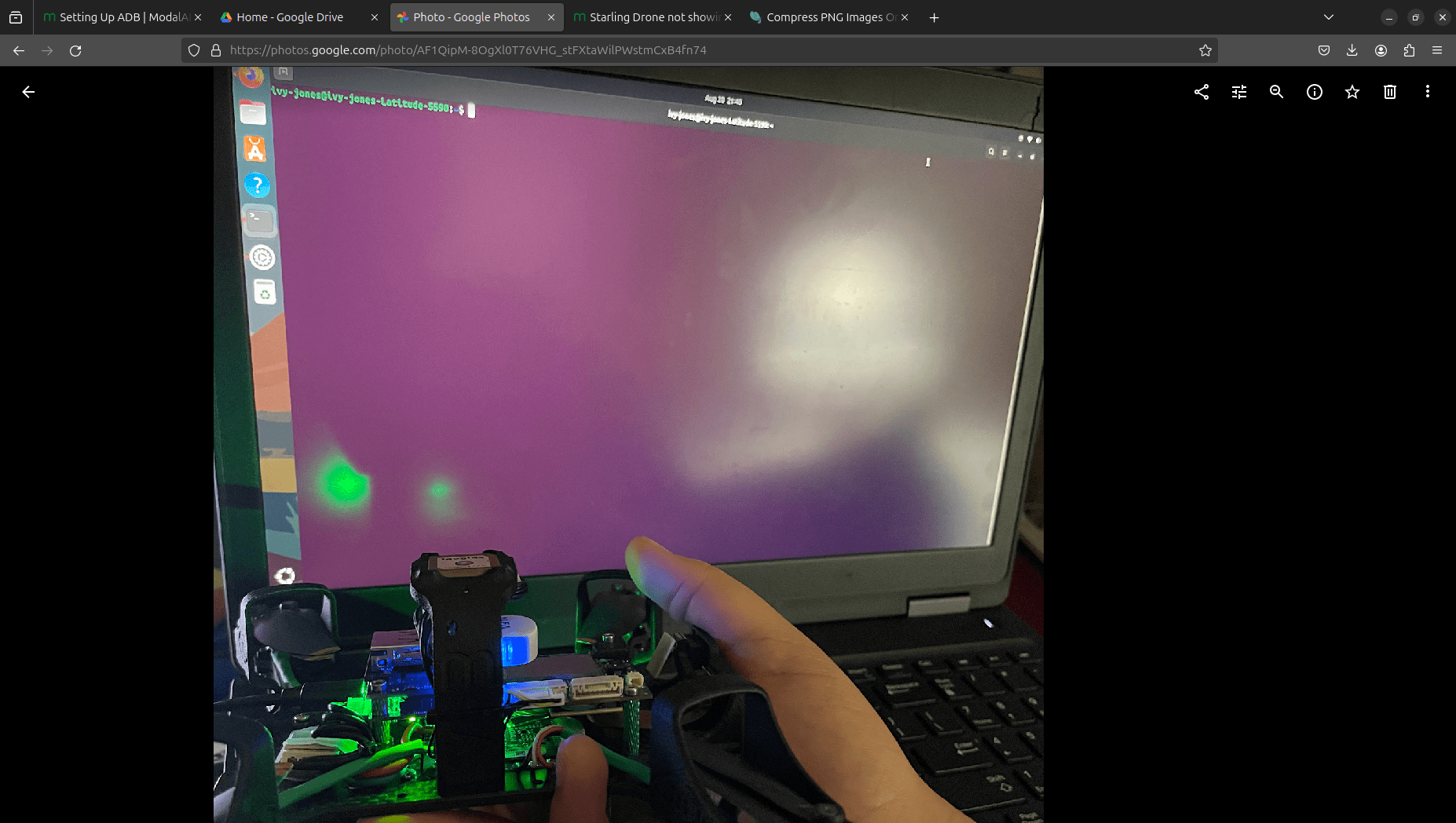
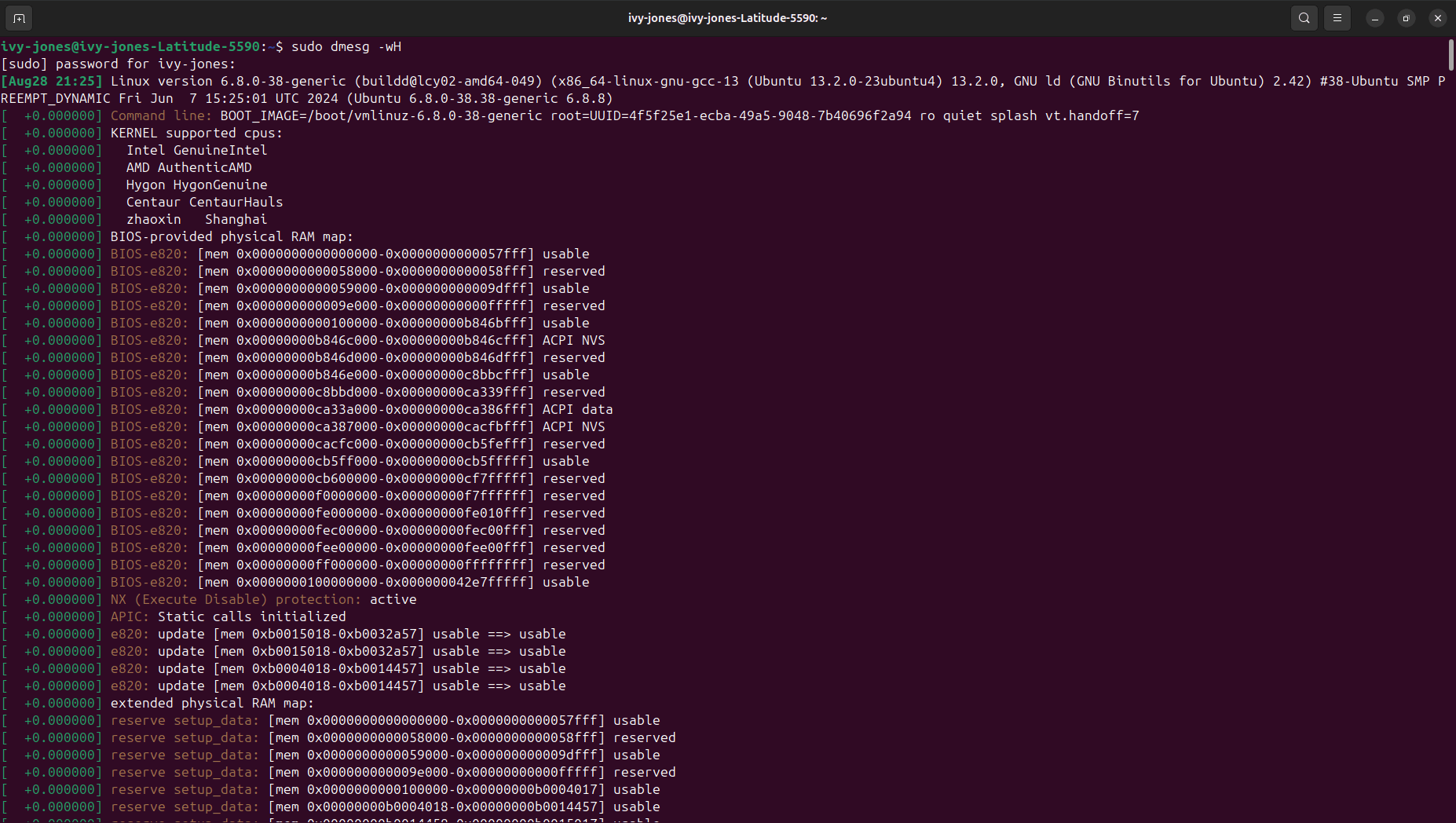
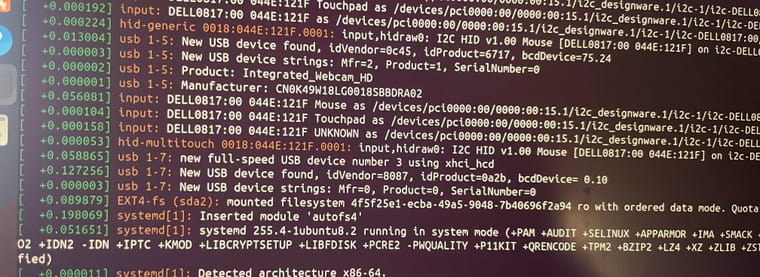
                    @ijones2 I would try opening a new terminal, running sudo dmesg -wH, then powering and plugging in your VOXL 2 to your host PC and see if you see any enumeration info come through. This will tell us if your cable setup is good

                    ijones2I 1 Reply Last reply
                    0
                    • tomT tom

                      @ijones2 I would try opening a new terminal, running sudo dmesg -wH, then powering and plugging in your VOXL 2 to your host PC and see if you see any enumeration info come through. This will tell us if your cable setup is good

                      ijones2I Offline
                      ijones2I Offline
                      ijones2
                      wrote on last edited by
                      #15

                      @tom

                      Hey Tom!

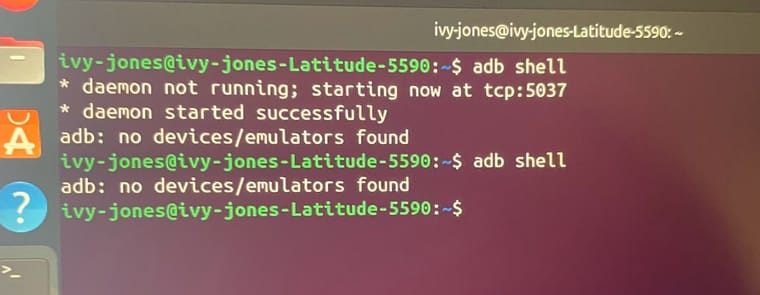
                      I ran the code and I got a lot of input but I went and scrolled specifically to the usb part and here's what I got
                      IMG_2229-min.jpg

                      IMG_2233-min.jpg

                      I can send a picture of all the output it's a lot but let me know if that will be helpful.

                      tomT 1 Reply Last reply
                      0
                      • ijones2I ijones2

                        @tom

                        Hey Tom!

                        I ran the code and I got a lot of input but I went and scrolled specifically to the usb part and here's what I got

                        IMG_2229-min.jpg

                        IMG_2233-min.jpg

                        I can send a picture of all the output it's a lot but let me know if that will be helpful.

                        tomT Offline
                        tomT Offline
                        tom
                        admin
                        wrote on last edited by
                        #16

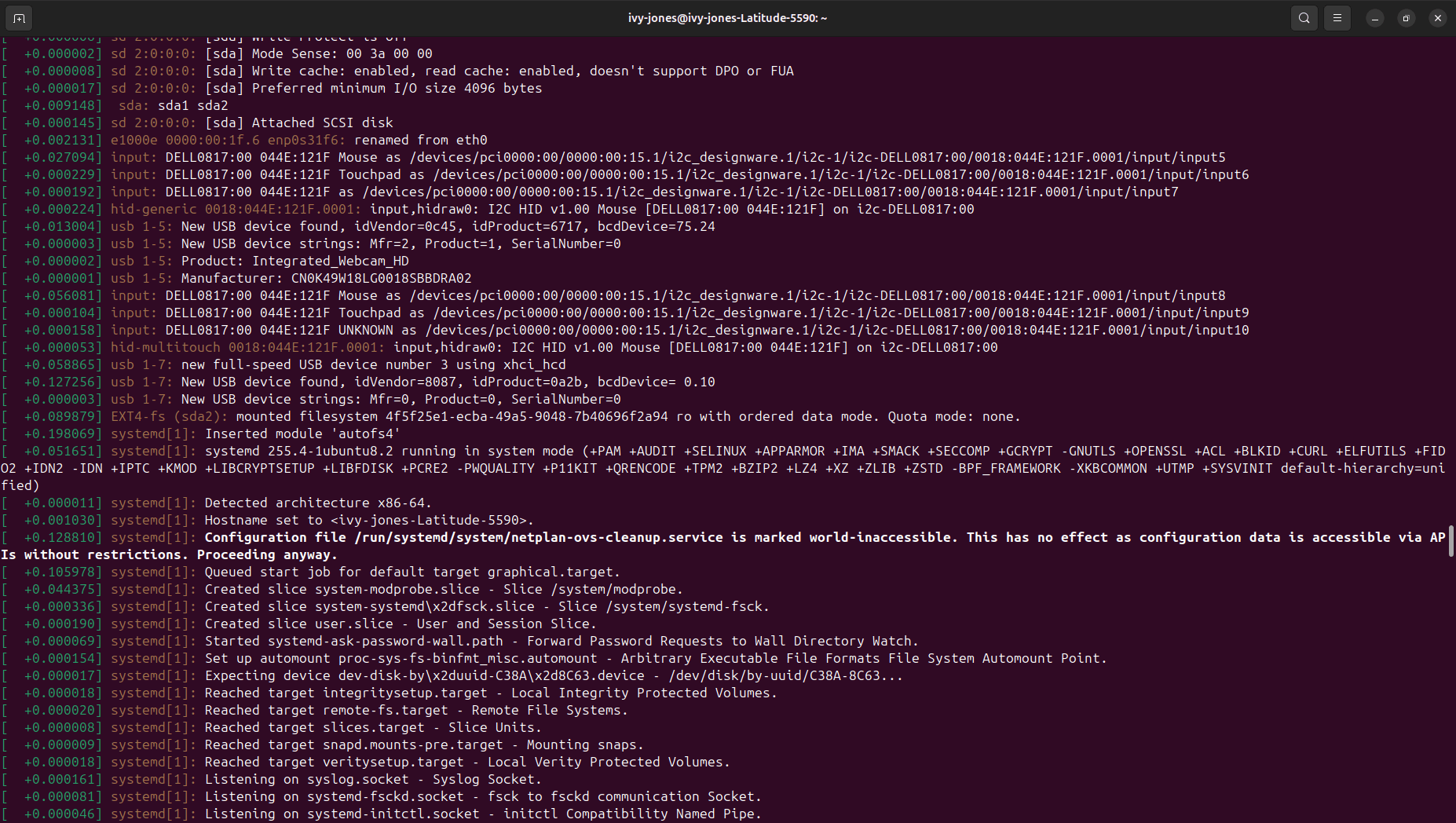
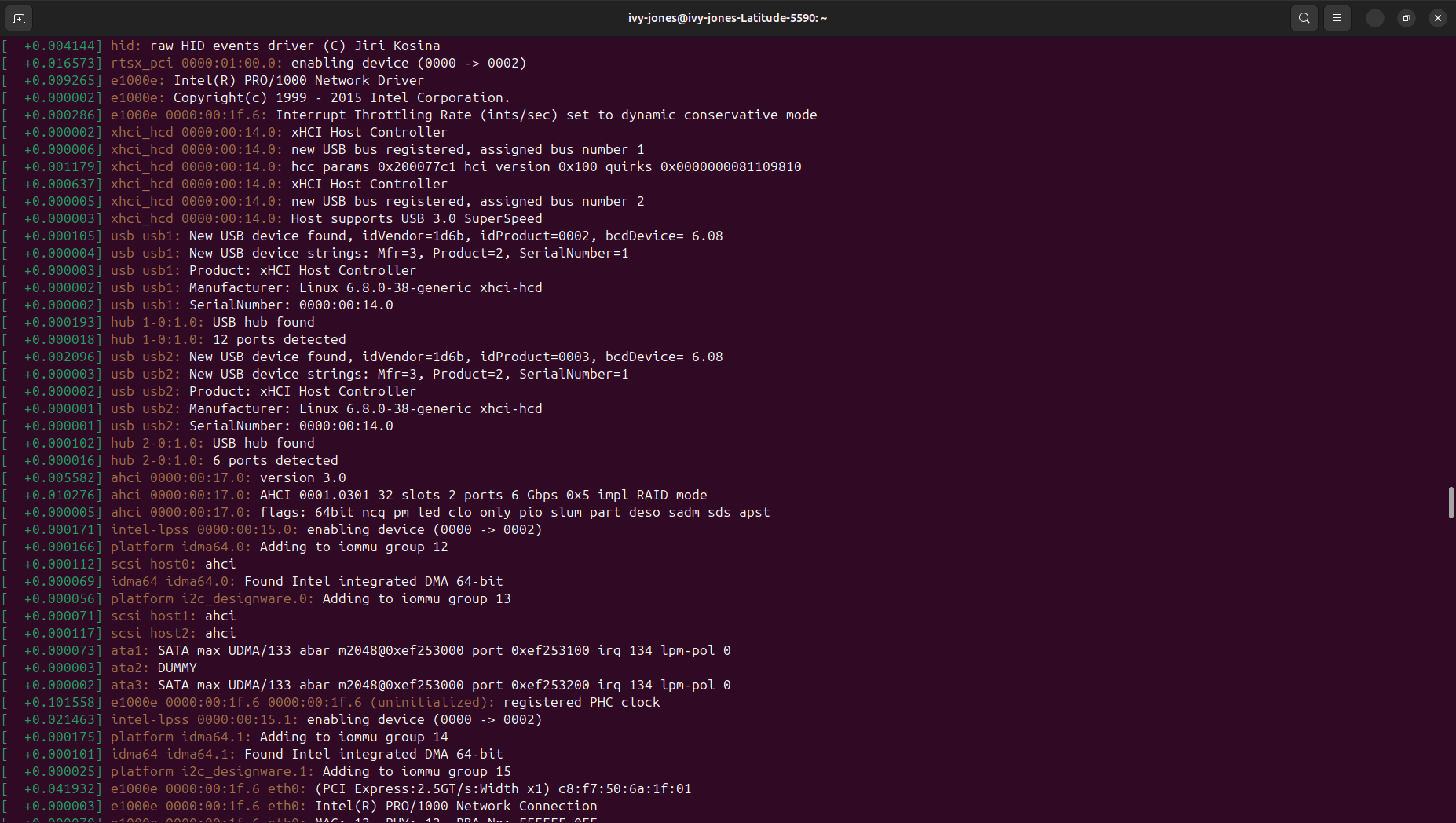
                        @ijones2 Can you try without running anything else? Just plugging in the board and powering it on should spit out some messages if it's detected correctly

                        ijones2I 1 Reply Last reply
                        0
                        • tomT tom

                          @ijones2 Can you try without running anything else? Just plugging in the board and powering it on should spit out some messages if it's detected correctly

                          ijones2I Offline
                          ijones2I Offline
                          ijones2
                          wrote on last edited by
                          #17

                          @tom

                          Hey Tom!

                          Here'd what I got!

                          Screenshot from 2024-08-28 21-55-12-min.png

                          Screenshot from 2024-08-28 21-42-44-min.png

                          Screenshot from 2024-08-28 21-44-21-min.png

                          Screenshot from 2024-08-28 21-43-34-min.png

                          tomT 1 Reply Last reply
                          0
                          • ijones2I ijones2

                            @tom

                            Hey Tom!

                            Here'd what I got!

                            Screenshot from 2024-08-28 21-55-12-min.png

                            Screenshot from 2024-08-28 21-42-44-min.png

                            Screenshot from 2024-08-28 21-44-21-min.png

                            Screenshot from 2024-08-28 21-43-34-min.png

                            tomT Offline
                            tomT Offline
                            tom
                            admin
                            wrote on last edited by
                            #18

                            @ijones2 I'm not seeing any devices that seem to be the drone enumerating. Do you happen to have another machine or USB cable setup you can test with?

                            ijones2I 2 Replies Last reply
                            0
                            • tomT tom

                              @ijones2 I'm not seeing any devices that seem to be the drone enumerating. Do you happen to have another machine or USB cable setup you can test with?

                              ijones2I Offline
                              ijones2I Offline
                              ijones2
                              wrote on last edited by
                              #19

                              @tom

                              Hey Tom!

                              I have ordered another USB-C to USB-A cable and made sure that it included data transfer and should be here tomorrow. The cable I am currently using has/had worked but I am starting to think it might be the cord. I will find out tomorrow when it arrives and will update you then! If the new cords do not work on my lab laptop, I will try the cords on a different PC and if THAT does not work...😥

                              1 Reply Last reply
                              0
                              • tomT tom

                                @ijones2 I'm not seeing any devices that seem to be the drone enumerating. Do you happen to have another machine or USB cable setup you can test with?

                                ijones2I Offline
                                ijones2I Offline
                                ijones2
                                wrote on last edited by
                                #20

                                @tom

                                Hey Tom! i think this is progress?
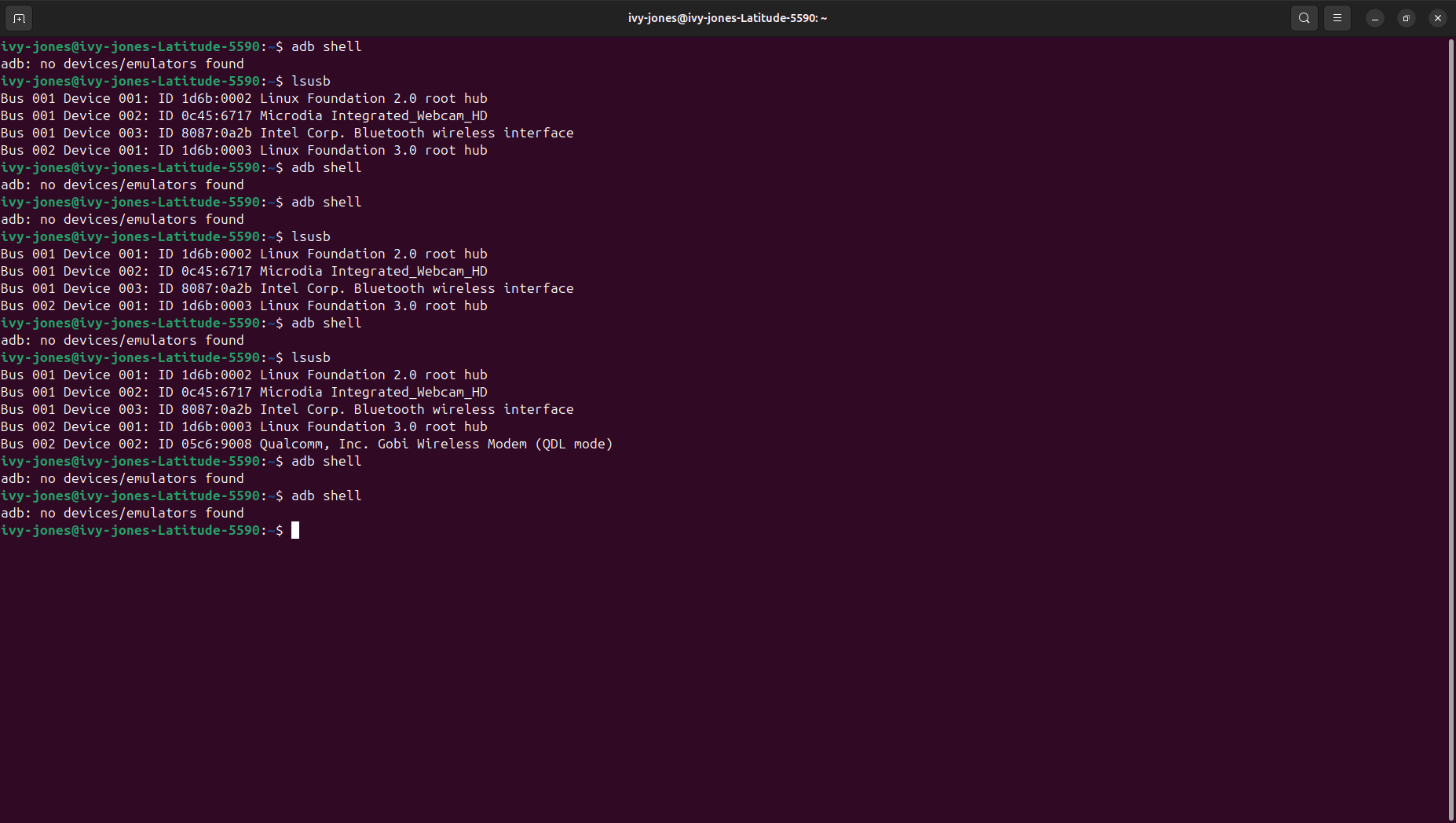
                                I tried 3 different USB-C to USB-A cords and the third one gave me " Bus 002 Device 002: ID 05c6:9008 Qualcomm, Inc. Gobi Wireless Modem (QDL mode) "

                                so I guess it was the cord? Or is it my lab laptop?
                                Screenshot from 2024-08-30 11-35-38-min.png

                                I kind of don't know what to make of this??

                                tomT 1 Reply Last reply
                                0
                                • ijones2I ijones2

                                  @tom

                                  Hey Tom! i think this is progress?
                                  I tried 3 different USB-C to USB-A cords and the third one gave me " Bus 002 Device 002: ID 05c6:9008 Qualcomm, Inc. Gobi Wireless Modem (QDL mode) "

                                  so I guess it was the cord? Or is it my lab laptop?

                                  Screenshot from 2024-08-30 11-35-38-min.png

                                  I kind of don't know what to make of this??

                                  tomT Offline
                                  tomT Offline
                                  tom
                                  admin
                                  wrote on last edited by
                                  #21

                                  @ijones2 QDL means that the QDL switch is likely switched to ON which would meant that the QDL unbricking process would likely work. Can you try the same test with the switch OFF (requires plugging/unplugging power) and see what lsusb shows?

                                  ijones2I 1 Reply Last reply
                                  0
                                  • tomT tom

                                    @ijones2 QDL means that the QDL switch is likely switched to ON which would meant that the QDL unbricking process would likely work. Can you try the same test with the switch OFF (requires plugging/unplugging power) and see what lsusb shows?

                                    ijones2I Offline
                                    ijones2I Offline
                                    ijones2
                                    wrote on last edited by
                                    #22

                                    @tom

                                    Hey Tom! good news!

                                    I got new cables for the drone now and when I connected the drone it shows up on the lsusb and I am able to run the adb shell. Would I have to unbrick it or because the adb shell is running I would not need to unbrick it? Essentially I'm asking what my next steps should be?
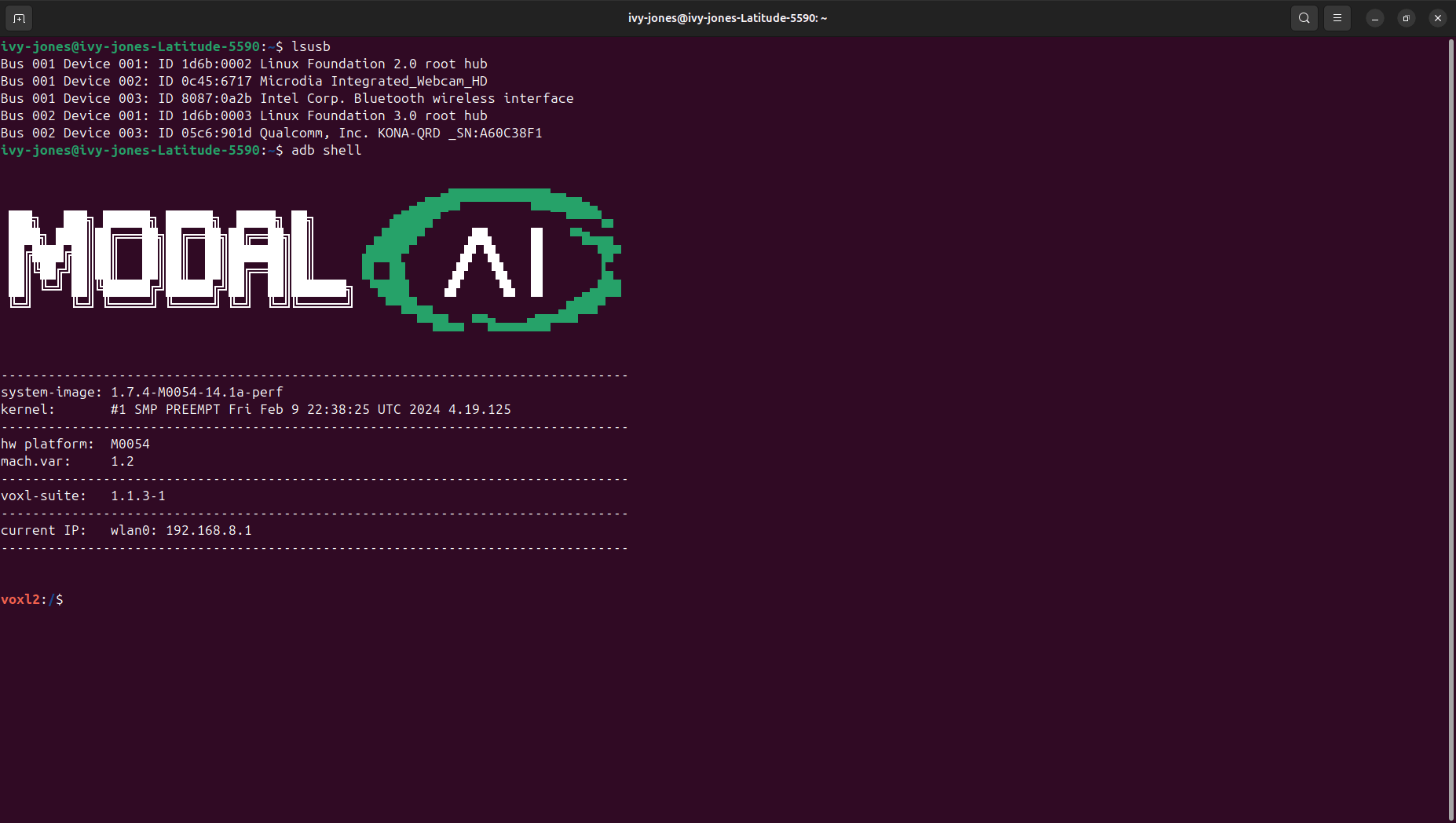
                                    Screenshot from 2024-09-04 11-07-26-min.png

                                    tomT 1 Reply Last reply
                                    0
                                    • ijones2I ijones2

                                      @tom

                                      Hey Tom! good news!

                                      I got new cables for the drone now and when I connected the drone it shows up on the lsusb and I am able to run the adb shell. Would I have to unbrick it or because the adb shell is running I would not need to unbrick it? Essentially I'm asking what my next steps should be?

                                      Screenshot from 2024-09-04 11-07-26-min.png

                                      tomT Offline
                                      tomT Offline
                                      tom
                                      admin
                                      wrote on last edited by
                                      #23

                                      @ijones2 This is great news! It looks like everything is functioning as expected so no need to go through the unbricking process at this point.

                                      It does appear that there is a fairly old SDK loaded on there so I would recommend flashing the latest SDK (1.3.3) from downloads.modalai.com under "VOXL 2 Platform Releases"

                                      Just follow the instructions here to do so: https://docs.modalai.com/flash-system-image/#flashing-a-voxl-sdk-release

                                      1 Reply Last reply
                                      0

                                      Hello! It looks like you're interested in this conversation, but you don't have an account yet.

                                      Getting fed up of having to scroll through the same posts each visit? When you register for an account, you'll always come back to exactly where you were before, and choose to be notified of new replies (either via email, or push notification). You'll also be able to save bookmarks and upvote posts to show your appreciation to other community members.

                                      With your input, this post could be even better 💗

                                      Register Login
                                      Reply
                                      • Reply as topic
                                      Log in to reply
                                      • Oldest to Newest
                                      • Newest to Oldest
                                      • Most Votes


                                      ModalAI
                                      Categories Recent Tags ModalAI.com Docs
                                      © 2026 ModalAI® · Accelerating autonomy for smaller, smarter, safer drones · Powered by NodeBB
                                      • Login

                                      • Don't have an account? Register

                                      • Login or register to search.
                                      • First post
                                        Last post
                                      0
                                      • Categories
                                      • Recent
                                      • Tags
                                      • Popular
                                      • Users
                                      • Groups