Skip to content

Development Drones

632 Topics 3.3k Posts

Starling 2, Starling 2 Max, Sentinel, Seeker, m500, RB5, the PX4 Autonomy Developer Kit and Stinger FPV: flying, tuning, repairs and spare parts.

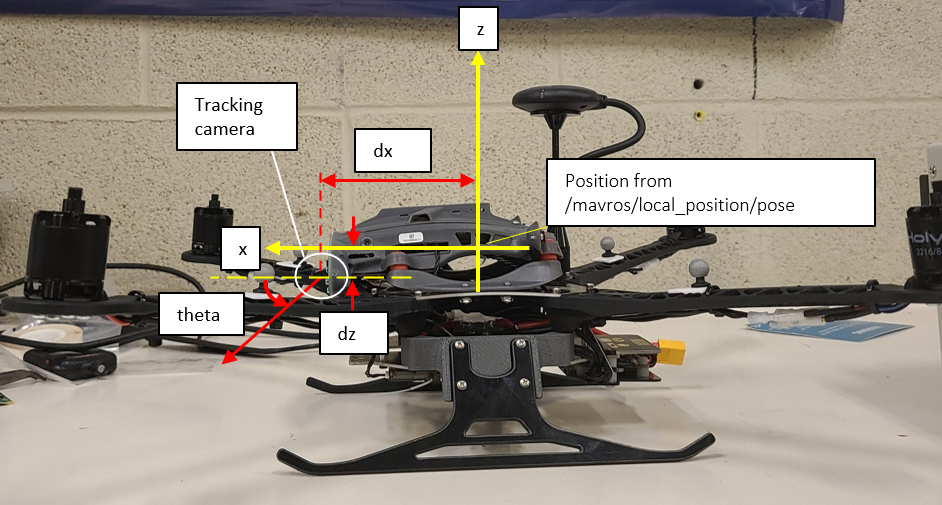
  • Tracking Camera's Pose Relative to Drone

    Unsolved rb5
    3
    1
    0 Votes
    3 Posts
    819 Views
    alfa budimanA
    Thanks, that's exactly what I'm looking for
  • Open CV and CV Bridge

    Unsolved rb5
    1
    1 Votes
    1 Posts
    739 Views
    No one has replied
  • RB5 Drone not detected by computer

    Unsolved rb5
    31
    0 Votes
    31 Posts
    8k Views
    alfa budimanA
    I encountered this problem a while ago and its just a matter of a usb device on your virtual machine [image: 1664634438999-7e018bc6-8636-428f-b624-327316eb00a7-image.png] You can also download adb for windows to verify that the drone is detected by the computer. If it's not detected by your computer at all (on host OS), then it won't be detected by your VM.
  • This topic is deleted!

    1
    0 Votes
    1 Posts
    10 Views
    No one has replied
  • Autonomous Charging Options - Any recommendations for using w/ Seeker?

    Unsolved seeker
    3
    0 Votes
    3 Posts
    804 Views
    M
    @Steve-Turner Great, thanks! As luck would have it skycharge is already on our short list; I'll look at the page and see what I learn
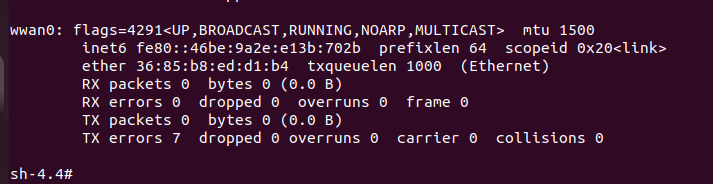
  • Connecting to a LTE/5G network

    Unsolved rb5
    1
    4
    0 Votes
    1 Posts
    419 Views
    No one has replied
  • RB5 drone streaming from different cameras

    Unsolved rb5
    4
    0 Votes
    4 Posts
    1k Views
    alfa budimanA
    I'm not sure if you still have this problem, but if you know ROS, you can stream the cameras on your computer by configuring the drone to have the ROS master on your computer. First follow the steps at this link to setup ROS on RB5. https://docs.modalai.com/setup-ros-on-voxl-2/ Then you can set the ROS master to be on your computer by opening ~/.bashrc on the RB5 drone, and entering these lines in the file: export ROS_MASTER_URI=http://{PC_IP_ADDRESS}:11311/ export ROS_HOSTNAME={RB5_DRONE_IP} PC_IP_ADDRESS can be obtained from ipconfig on your computer. RB5_DRONE_IP is the one you use to ssh into it. Then on the drone: source ~/.bashrc On your computer execute: roscore Rviz On the drone execute: roslaunch voxl_mpa_to_ros voxl_mpa_to_ros.launch You will then be able to view the camera display topics from voxl_mpa_to_ros on your computer. You can stream them on Rviz, and you can create ROS nodes to subscribe to these topics for whatever computer vision application you develop. Hope this helps.
  • How to fly RB5 with VIO ?

    Unsolved rb5
    4
    2
    0 Votes
    4 Posts
    866 Views
    tomT
    @Kevin We've recently released VOXL SDK support for RB5-Flight, I'd highly recommend upgrading your drone to this newer system image and VOXL SDK as you will have much more software support. Checkout the video we have here: https://docs.modalai.com/Qualcomm-Flight-RB5-system-image/#voxl-sdk-for-rb5-flight
  • How to start voxl-vision-px4 service

    Unsolved rb5
    3
    0 Votes
    3 Posts
    905 Views
    K
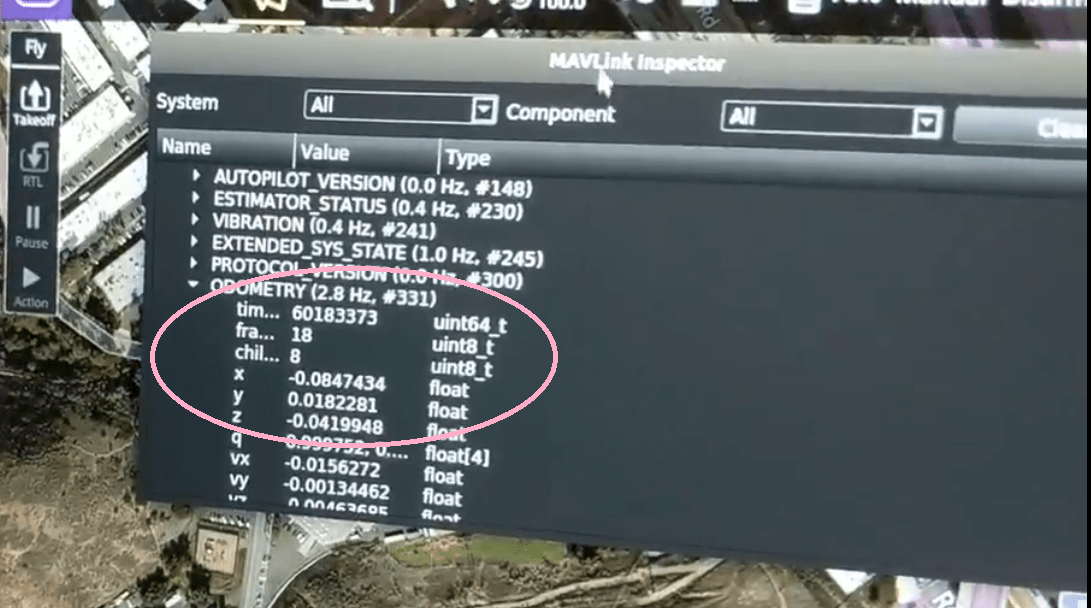
    @Steve-Turner Thanks. After run the voxl-vision-px4 -d 0, I doing the following: and the voxl-vision-px4 run normal, But I can't get the ODOMETRY mavlink telemetry in my QGroundControl, How can I fix this issue? rb5:/etc/modalai$ voxl-configure-extrinsics Starting Wizard which preset extrinsics file would you like to use? 1) leave_alone 5) starling_v1_voxl_flight 2) m500_flight_deck 6) starling_v2_voxl2 3) seeker_v1_voxlcam 7) sentinel_v1 4) rb5_flight_v1 8) custom #? 4 wiping old extrinsics config file copying /usr/share/modalai/extrinsic_configs/rb5_flight_v1.conf to /etc/modalai/extrinsics.conf loading and updating file with voxl-inspect-extrinsics -q done configuring extrinsics
  • This topic is deleted!

    1
    0 Votes
    1 Posts
    1 Views
    No one has replied
  • 3d cad files of both Sentinel and Seeker

    sentinel
    2
    1 Votes
    2 Posts
    932 Views
    ModeratorM
    Yes, the Sentinel 3D STEP files can be found here: https://docs.modalai.com/sentinel-functional-description/#3d-step We do not have the 3D STEP file for Seeker available, but the CAD model for VOXL-CAM can be found here: https://docs.modalai.com/voxl-cam-datasheet/
  • Request backup files for system image re-flashing

    Unsolved rb5
    3
    1 Votes
    3 Posts
    1k Views
    K
    Hi @modaltb , Excuse me how to use RB5 on VOXL Web Portal, are there any teaching materials? Thanks. https://www.youtube.com/watch?v=gqlSKRP8prc https://docs.modalai.com/voxl-portal/
  • Sentinel VOA software not available

    Unsolved sentinel
    6
    0 Votes
    6 Posts
    2k Views
    M
    @Alex-Gardner said in Sentinel VOA software not available: platform 1.3.1-0.8 Yes, it worked! I am able to see correct data via voxl-vision-px4 -s and use PX4's Collision Prevention feature. The drone was shipped with system-image: 1.2.1-M0054-14.1a-perf and voxl-suite: 0.7.0, but after flashing to Voxl2 Platform 1.3.1-0.8, VOA worked out of the box as described. (Note: during the flashing, I noticed the Sentinel documentation does not list this newest release.) To others reading this, some tips: Use your /data folder to backup any files you don't want wiped, such as changes to /home/root. In QGroundControl, save your factory params so you don't have to recalibrate your sensors. (Parameters -> Tools -> Save to file...) Run and save apt list --installed in case there's some apt packages you don't want to forget. Don't forget to redo the parameters in QGroundControl as mentioned in the VOA documentation. Thanks, @Alex-Gardner!
  • RB5 with VOXL SDK cannot calibrate Stereo cameras

    Unsolved rb5
    1
    0 Votes
    1 Posts
    438 Views
    No one has replied
  • Seeker's landing gear

    Unsolved seeker
    3
    0 Votes
    3 Posts
    801 Views
    張為超
    @Alex-Gardner Sorry for responding late. Yeah it looks like seeker have it's own landing gear. Since we lose and break M500's landing gear before... so, I wonder if there any spare landing gear that I can buy, just in case. Thanks!
  • POSITION_TARGET_LOCAL_NED

    Unsolved m500
    2
    4
    0 Votes
    2 Posts
    561 Views
    G
    I have enabled voxl-tag-detector on boot, it did not help. I used systemctl enable voxl-tag-detector and in the **.service I used Restart=always .
  • How to re-calibrate PID and sensors of QRB5 as the shipped condition?

    Unsolved rb5
    5
    0 Votes
    5 Posts
    1k Views
    K
    @Jeremy-Schmidt Could you please check the email I sent PX4 parameters? Thank you.
  • Seeker's QVIO

    Unsolved seeker
    2
    0 Votes
    2 Posts
    663 Views
    Chad SweetC
    Yes to both
  • Help to debug why QRB5 crashed

    Unsolved rb5
    1
    0 Votes
    1 Posts
    514 Views
    No one has replied
  • Occasional instability and crashes (possible positioning error)

    Unsolved m500
    7
    0 Votes
    7 Posts
    1k Views
    Umut JohnU
    Still need some troubleshooting on the logs I've posted if anyone in the team have some time. Cheers to all!