Skip to content

General Questions

2.2k Topics 11.3k Posts

Not sure where your question goes? Ask here. ModalAI engineers and the community answer questions about any VOXL product.

  • libvoxl-cutils camera_image_metadata.h

    Unsolved
    2
    0 Votes
    2 Posts
    536 Views
    Alex KushleyevA
    @KnightHawk , the definition is in libmodal-pipe library. https://gitlab.com/voxl-public/voxl-sdk/core-libs/libmodal-pipe/-/blob/master/library/include/modal_pipe_interfaces.h?ref_type=heads#L202 Alex
  • Connecting Motion Capture Data to VOXL (No Postion Estimate)

    Unsolved
    15
    2
    0 Votes
    15 Posts
    3k Views
    S
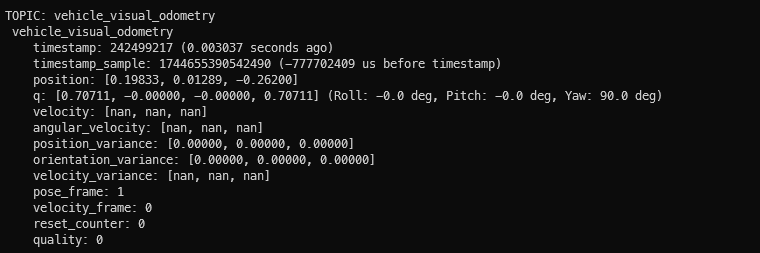
    @Andrew-Jue Hi! Could you share how you managed to get your VOXL2 working with motion capture? Did you also use Starling 2 or just a VOXL2 on another platform? It looks like I ran into the same problems as you while trying to get my Starling 2 (also using VOXL2) to position hold with an Optitrack setup I tried following your troubleshooting steps and replicating your params exactly, and while it seems like it can be toggled into position hold, it doesn't hold its position at all. It just kinda flies off away as soon as I switch it into position hold. I did a screen recording of the outputs of /mavros/vision_pose/pose and /mavros/local_position/pose during flight and noticed that the values for these topics diverges and converges seemingly randomly Before flight (Left: /mavros/vision_pose/pose, Right: /mavros/local_position/pose) [image: 1749637505344-24e5cb61-9e40-464e-8941-6c60f804f9b4-screenshot-from-2025-06-11-18-24-58.png] During pos hold (Left: /mavros/vision_pose/pose, Right: /mavros/local_position/pose) [image: 1749637677085-73806f5a-aef4-44f7-9cda-90fa7cd39789-image.png] I reviewed the flight logs and it does look like something is commanding it to move away from its position for some reason. [image: 1749637827946-9df2c832-cb27-4fee-af22-ed7b037e9351-image.png] My theory is that the usb wifi on the Starling2 might be introducing some latency that is causing it to fly erratically, although the visual odometry latency seems fine (I think) [image: 1749637999076-f8abeff3-8923-4ead-a9c6-b6a2134ad612-image.png] Do you have any hints as to what the problem might be? These are the changes I made to switch the Starling 2 to receive data from the Optitrack system: In /etc/modalai/voxl-vision-hub.conf, changed en_vio to false { "config_file_version": 1, "en_localhost_mavlink_udp": true, "localhost_udp_port_number": 14551, "en_vio": false, "vio_pipe": "qvio", "secondary_vio_pipe": "ov", "vfc_vio_pipe": "ov", "en_reset_vio_if_initialized_inverted": true, "vio_warmup_s": 3, "send_odom_while_failed": true, "horizon_cal_tolerance": 0.5, "en_hitl": false, "offboard_mode": "off", "follow_tag_id": 0, "figure_eight_move_home": true, "robot_radius": 0.300000011920929, "collision_sampling_dt": 0.1, "max_lookahead_distance": 1, "backtrack_seconds": 60, "backtrack_rc_chan": 8, "backtrack_rc_thresh": 1500, "wps_move_home": true, "wps_stride": 0, "wps_timeout": 0, "wps_damp": 1, "wps_vfc_mission": true, "en_tag_fixed_frame": false, "fixed_frame_filter_len": 5, "en_transform_mavlink_pos_setpoints_from_fixed_frame": false, "vfc_rate": 100, "vfc_rc_chan_min": 980, "vfc_rc_chan_max": 2020, "vfc_thrust_ch": 3, "vfc_roll_ch": 1, "vfc_pitch_ch": 2, "vfc_yaw_ch": 4, "vfc_submode_ch": 6, "vfc_alt_mode_rc_min": 0, "vfc_alt_mode_rc_max": 0, "vfc_flow_mode_rc_min": 0, "vfc_flow_mode_rc_max": 0, "vfc_hybrid_flow_mode_rc_min": 0, "vfc_hybrid_flow_mode_rc_max": 0, "vfc_position_mode_rc_min": 0, "vfc_position_mode_rc_max": 2100, "vfc_traj_mode_rc_min": 0, "vfc_traj_mode_rc_max": 0, "vfc_yaw_deadband": 30, "vfc_vxy_deadband": 50, "vfc_vz_deadband": 150, "vfc_min_thrust": 0, "vfc_max_thrust": 0.800000011920929, "vfc_tilt_max": 0.43599998950958252, "vfc_yaw_rate_max": 3, "vfc_thrust_hover": 0.5, "vfc_vz_max": 1, "vfc_kp_z": 5.2899999618530273, "vfc_kd_z": 5.9800000190734863, "vfc_vxy_max": 3, "vfc_kp_xy": 0.63999998569488525, "vfc_kd_xy": 2.559999942779541, "vfc_kp_z_vio": 5.2899999618530273, "vfc_kd_z_vio": 5.9800000190734863, "vfc_kp_xy_vio": 3.2400000095367432, "vfc_kd_xy_vio": 3.9600000381469727, "vfc_w_filt_xy_vio": 10, "vfc_vel_ff_factor_vio": 0.899999976158142, "vfc_xy_acc_limit_vio": 2.5, "vfc_max_z_delta": 3, "vfc_att_transition_time": 0.5, "vfc_stick_move_threshold": 30, "vfc_flow_transition_time": 1, "vfc_q_min": 10, "vfc_points_min": 7, "vfc_en_submode_announcement": 1, "vfc_disable_fallback": false, "vfc_traj_csv": "/data/voxl-vision-hub/traj.csv", "en_voa": true, "voa_upper_bound_m": -0.15000000596046448, "voa_lower_bound_m": 0.15000000596046448, "voa_voa_memory_s": 1, "voa_max_pc_per_fusion": 100, "voa_pie_max_dist_m": 20, "voa_pie_min_dist_m": 0.25, "voa_pie_under_trim_m": 1, "voa_pie_threshold": 3, "voa_send_rate_hz": 20, "voa_pie_slices": 36, "voa_pie_bin_depth_m": 0.15000000596046448, "voa_inputs": [{ "enabled": true, "type": "point_cloud", "input_pipe": "dfs_point_cloud", "frame": "stereo_l", "max_depth": 8, "min_depth": 0.300000011920929, "cell_size": 0.079999998211860657, "threshold": 4, "x_fov_deg": 68, "y_fov_deg": 56, "conf_cutoff": 0 }, { "enabled": true, "type": "point_cloud", "input_pipe": "stereo_front_pc", "frame": "stereo_front_l", "max_depth": 8, "min_depth": 0.300000011920929, "cell_size": 0.079999998211860657, "threshold": 4, "x_fov_deg": 68, "y_fov_deg": 56, "conf_cutoff": 0 }, { "enabled": true, "type": "point_cloud", "input_pipe": "stereo_rear_pc", "frame": "stereo_rear_l", "max_depth": 8, "min_depth": 0.300000011920929, "cell_size": 0.079999998211860657, "threshold": 4, "x_fov_deg": 68, "y_fov_deg": 56, "conf_cutoff": 0 }, { "enabled": true, "type": "tof", "input_pipe": "tof", "frame": "tof", "max_depth": 6, "min_depth": 0.15000000596046448, "cell_size": 0.079999998211860657, "threshold": 3, "x_fov_deg": 106.5, "y_fov_deg": 85.0999984741211, "conf_cutoff": 125 }, { "enabled": true, "type": "rangefinder", "input_pipe": "rangefinders", "frame": "body", "max_depth": 8, "min_depth": 0.300000011920929, "cell_size": 0.079999998211860657, "threshold": 4, "x_fov_deg": 68, "y_fov_deg": 56, "conf_cutoff": 0 }] } In /etc/modalai/voxl-mavlink-server.conf, changed en_external_ap_timesync to 0 { "primary_static_gcs_ip": "192.168.8.10", "secondary_static_gcs_ip": "192.168.8.11", "onboard_port_to_autopilot": 14556, "onboard_port_from_autopilot": 14557, "gcs_port_to_autopilot": 14558, "gcs_port_from_autopilot": 14559, "en_external_uart_ap": false, "autopilot_uart_bus": 1, "autopilot_uart_baudrate": 921600, "autopilot_mission_delay_start": -1, "autopilot_mission_delay_sound": false, "autopilot_mission_notif_dur": 0.1, "en_external_ap_timesync": 0, "en_external_ap_heartbeat": 1, "udp_mtu": 0, "gcs_timeout_s": 4.5 } In vrpn launch file, remapped vrpn_client_node to mavros/vision_pose/pose with 30Hz update frequency Disabled QVIO and ovins Changed PX4 params: EKF2_EV_CTRL to 11, EKF2_EV_QMIN to 0 voxl2:/$ px4-param show ekf2_ev* Symbols: x = used, + = saved, * = unsaved x EKF2_EVA_NOISE [292,568] : 0.1000 x EKF2_EVP_GATE [293,569] : 5.0000 x EKF2_EVP_NOISE [294,570] : 0.1000 x EKF2_EVV_GATE [295,571] : 3.0000 x EKF2_EVV_NOISE [296,572] : 0.1000 x + EKF2_EV_CTRL [297,573] : 11 x EKF2_EV_DELAY [298,574] : 0.0000 x EKF2_EV_HGT_TO [299,575] : 5000 x EKF2_EV_NOISE_MD [300,576] : 0 x EKF2_EV_POS_TO [301,577] : 1000 x EKF2_EV_POS_X [302,578] : 0.0000 x EKF2_EV_POS_Y [303,579] : 0.0000 x EKF2_EV_POS_Z [304,580] : 0.0000 x EKF2_EV_QMIN [305,581] : 0 829/2162 parameters used. Launched mavros with ModalAI's mavros launch script
  • MAVSDK with MPA

    Unsolved
    2
    0 Votes
    2 Posts
    455 Views
    Zachary Lowell 0Z
    @Jetson-Nano you could just use the CPP mavsdk instance to grab the TOF data from a MPA pipe and then leverage that to do your controls via mavsdk (I am assuming just offboard movement). You can connect over port 14551 just ensure you have localhost comms set to true in voxl-vision-hub.
  • VOXL2 with M0172 Add-On: M0166 & M0178 Cameras Not Detected (SDK 1.4.5)

    Unsolved
    4
    0 Votes
    4 Posts
    705 Views
    Alex KushleyevA
    @yardy In order to update the kernel variant without re-installing the whole SDK, please follow these instructions: cd <voxl-sdk-release>/system-image # reboot voxl2 into fastboot mode adb reboot bootloader # flash VOXL2 kernel variant 0 fastboot flash boot_a m0054-1-var00.0-kernel.img fastboot flash boot_b m0054-1-var00.0-kernel.img fastboot reboot # OR flash VOXL2 kernel variant 1 fastboot flash boot_a m0054-1-var00.1-kernel.img fastboot flash boot_b m0054-1-var00.1-kernel.img fastboot reboot You can also test the kernel without overwriting it (the original kernel will be retained after voxl2 reboot: adb reboot bootloader fastboot boot m0054-1-var00.0-kernel.img # OR fastboot boot m0054-1-var00.1-kernel.img The latter method is useful when you are not sure if the kernel you are about to try actually works (when you are experimenting with building your own kernel) - you can try the new kernel without the risk of temporarily bricking your board. Alex
  • Intermitant WiFi

    Unsolved
    1
    3
    0 Votes
    1 Posts
    375 Views
    No one has replied
  • Open-vins keeps diverging and re-initializing.

    Unsolved
    4
    0 Votes
    4 Posts
    961 Views
    Yufei JiangY
    @Yufei-Jiang And I used voxl-configure-cameras and voxl-configure-extrinsics D0006_Sentinel to generate the camera config.
  • LiDAR LightWare SF20/C integration on I2C3

    Unsolved
    7
    0 Votes
    7 Posts
    1k Views
    Alex KushleyevA
    @george-kollamkulam That port is internally connected to the 5V coming from the main VOXL2 power (which is technically 5V 6A). Obviously you would be limited by the connector pins, which are rated around 1A max continuous. Also, drawing too much from this pin, can bring down the whole VOXL2 (if that 5V output on J19 is shorted to GND, for example).
  • VOLX 1 Board Unbricking

    Unsolved
    5
    0 Votes
    5 Posts
    789 Views
    N
    @tom I managed to get ADB working and have reinstalled the VOXL. I went for 1.1.2 version as wanted to see if previous issues i had with both 1.2.0 and 0.9.5 would be present. As of now I am able to ADB to the drone, as well as ssh, with it using the AP mode however my QGroundControl does not see the drone. I have changed within the voxl-mavlink-server.conf the secondary ip address to the one that PC has when connected to the drone IP, and the following services are running. But QGroundControl does not seem to see the connection. These are the following commands and their outputs. The one VOXL version which worked the best on the VOXL 1 board was 0.9.5 but after updating and switching both between AP mode and connected to Wifi router, there is no responce to the connection. When checking messages send to QGC the terminal is stopped at the step of the screenshot. [image: 1749160480307-screenshot-from-2025-06-05-14-27-27.png] [image: 1749160492877-screenshot-from-2025-06-05-14-45-16.png] [image: 1749160499074-screenshot-from-2025-06-05-14-46-00.png] [image: 1749160504563-screenshot-from-2025-06-05-14-46-45.png] [image: 1749160509611-screenshot-from-2025-06-05-14-49-23.png] [image: 1749160514806-screenshot-from-2025-06-05-14-50-21.png] I went through the setup process few times and am unsure what could be the issue or what to try next. The QGC version is v4.4.5 In case I can create new thread for this but been trying to get two Seeker drones operational. Thank you for your time and assistance. Sincerely Adam Nekolny
  • This topic is deleted!

    1
    0 Votes
    1 Posts
    15 Views
    No one has replied
  • "Adopted" drone, help setting up

    Unsolved
    19
    0 Votes
    19 Posts
    2k Views
    tomT
    @jbhines929 No problem, thanks for the patience!
  • Spare landing leg for PX4 Autonomy Development kit

    Unsolved
    2
    0 Votes
    2 Posts
    417 Views
    Alex KushleyevA
    @goswamid , Yes we do sell those parts. Please contact us via online form. https://www.modalai.com/pages/contact-us The part number you will need is M10000524 Alex
  • Integration of Mini Micro-phone with VOXL 2

    Unsolved
    5
    0 Votes
    5 Posts
    864 Views
    tomT
    @ashwin I don't have the info either but it's similar to VOXL2's weight which is 16g
  • Camera-Server Crashes after Ark Flow Install/setup

    Unsolved
    2
    0 Votes
    2 Posts
    552 Views
    Alex KushleyevA
    Hello, @Stefan-Amundarain , Let's try to narrow this down. Can you reproduce the issue without flying? When the issue occurs, does the camera server restart completely, or you only lose hires camera feed. I suggest running the test on the bench with voxl-camera-server running in foreground so you can easily see what's happening in real time. Please try to reproduce on the bench all 3 cameras (hires, tracking, TOF) working with your Ark Flow board working as well, then you can just move the platform by hand, if needed, to cause the camera failure and investigate what: voxl-camera-server outputs output of dmesg We can go from there. Also, can you please provide details how the ARK Flow is actually connected to VOXL2 (electrically) and also confirm that the issue does not happen at all without ARK Flow plugged in? Also, using voxl-portal should not cause the camera server or the portal backend to get bogged down if your image is reasonable size (not full 4k image), but a small 720p is just fine. You could view the 3 camera streams thru voxl portal during the test or just have the voxl-inspect-cam tool running and inspecting just the streams that you want (you can provide the streams to inspect as arguments to the tool, such as voxl-inspect-cam hires tracking_down tof_depth, etc. Either voxl-portal or voxl-inspect-cam should properly use the camera pipeline with all camera streaming, so that you can catch the fault. Alex
  • query on wifi adapter

    Unsolved
    5
    0 Votes
    5 Posts
    792 Views
    Alex KushleyevA
    @shivam-rana , if you have a few wifi adapters which are currently not detected by VOXL2, if you plug into a standard Linux machine and if they are detected, you should check with chipset is used on those adapters and we can see if that's available (but not currently compiled) option for the VOXL2 kernel. We can add some documentation to help you build your own test kernel with enabled module and see if that works. The VOXL2 kernel build guide is here : https://docs.modalai.com/voxl2-kernel-build-guide/ but it does not explicitly state how to make modifications to enable additional components. For those folks who have built kernels before, this may be easy to do, but for the first time it could be very difficult to do the right thing, but the change could be very small (one line). So we can see if it's possible to enable the driver that you need, but there would be no guarantees about functionality, since it would be untested (by us). Alex
  • Recommended Autopilot for retrofit

    Unsolved
    1
    0 Votes
    1 Posts
    261 Views
    No one has replied
  • QDL device not connected

    Unsolved
    7
    2
    0 Votes
    7 Posts
    1k Views
    W
    Hello @Nathan-Raras and @Nathan-Raras , I don't see any Qualcomm device with running "lsusb". I also have confirmed that the USB-C cable is able to access another VOXL device. So I have submitted the RMA [image: 1748968811422-d45c5737-8bf3-4c8b-9e7d-851acbfe82a8-image.png] Please let me know if any questions or suggestions. Thank you very much for supporting.
  • VOXL2 object detection and tracking

    Unsolved
    1
    0 Votes
    1 Posts
    378 Views
    No one has replied
  • VOXL 2 Starling - No ELRS response/Transmitter error

    Unsolved
    1
    0 Votes
    1 Posts
    347 Views
    No one has replied
  • No ADB Devices showing up on VOXL 2

    Unsolved
    2
    0 Votes
    2 Posts
    433 Views
    tomT
    @Tyler-Scott We recommend users to run linux natively as it can be tough to get USB devices to pass to WSL correctly.
  • Request for access to Qualcomm-specific libgbm package for VOXL 2 cross-compile

    Unsolved
    3
    0 Votes
    3 Posts
    826 Views
    Alex KushleyevA
    You may also be able to resolve your issue by switching to voxl-cross:4.0 docker image, which was recently released.