
QDL device not connected
-
To whom it may concern,
following this instruction to https://docs.modalai.com/voxl2-unbricking/
slide the SW2 switch into the ON position,
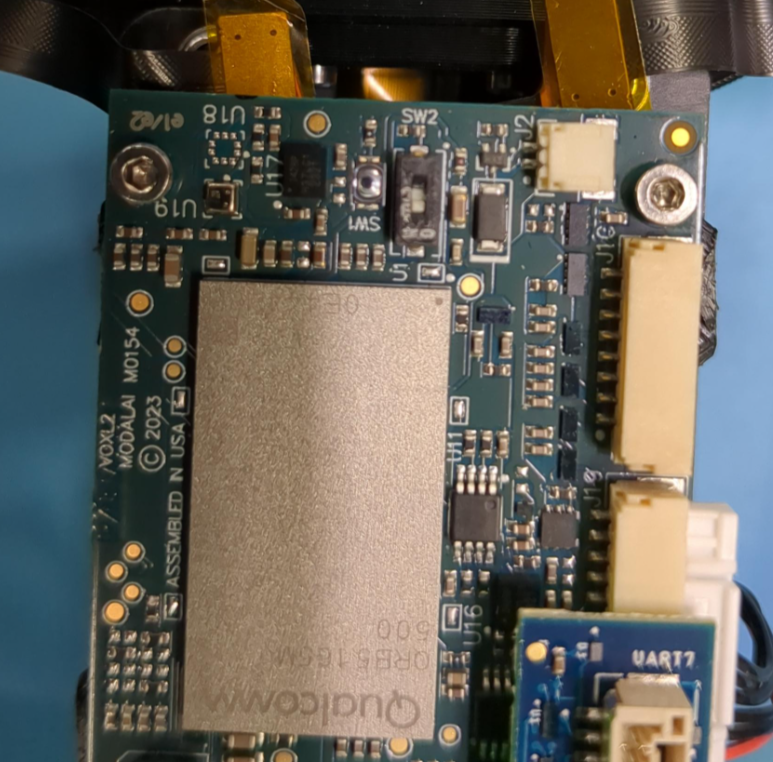
but in QDL Tool, it shows QDL device not connected.
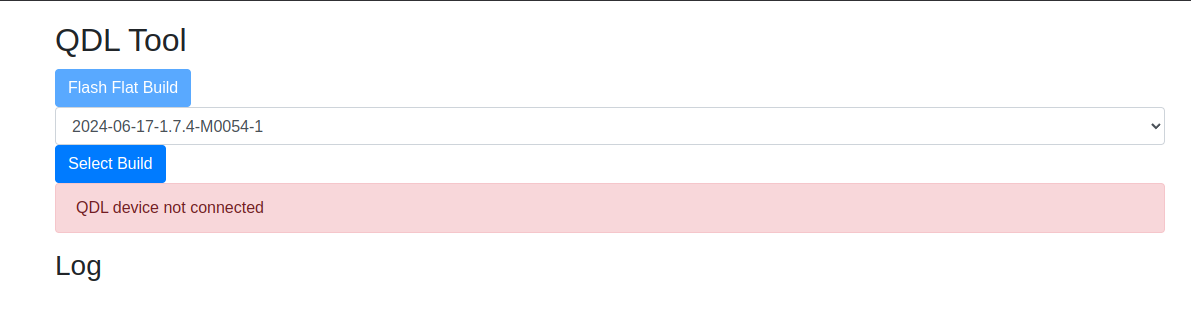
I have confirmed that the USB-C cable works with other VOXL devices.
Any suggestions or anything I missed?
Thank you for your precious time on this.
-
To whom it may concern,
following this instruction to https://docs.modalai.com/voxl2-unbricking/
slide the SW2 switch into the ON position,
but in QDL Tool, it shows QDL device not connected.
I have confirmed that the USB-C cable works with other VOXL devices.
Any suggestions or anything I missed?
Thank you for your precious time on this.
Hello,
if you need any other information for this question,
please don't hesitate to let me know.
Thank you for helping! -
Hello,
if you need any other information for this question,
please don't hesitate to let me know.
Thank you for helping!Hello ModalAI Team,
If you need any additional information regarding the issue I’m currently experiencing, please don’t hesitate to let me know.
I appreciate your time and support on this matter. -
Hello ModalAI Team,
If you need any additional information regarding the issue I’m currently experiencing, please don’t hesitate to let me know.
I appreciate your time and support on this matter.Hello ModalAI Team,
Here is the HW and SDK info- ModalAI Flight Deck M0054
- VOXL system image 1.8.02-M0054-14.1a-perf
- VOXL suite 1.4.1
Thank you.
-
Hello ModalAI Team,
Here is the HW and SDK info- ModalAI Flight Deck M0054
- VOXL system image 1.8.02-M0054-14.1a-perf
- VOXL suite 1.4.1
Thank you.
@will-huang-oksi
Hello, thank you for your patience.
Can you run the lsusb command and let us know the output? (As the voxl is plugged in)
-
Hello ModalAI Team,
Here is the HW and SDK info- ModalAI Flight Deck M0054
- VOXL system image 1.8.02-M0054-14.1a-perf
- VOXL suite 1.4.1
Thank you.
Hello @will-huang-oksi,
In response to @ZuraNeb as well, when running "lsusb" in your terminal with the device powered on and connected over USB, you should see the following device:

If not, I'd recommend filing an RMA and we can further debug the issue: https://www.modalai.com/pages/rma
-
Hello @will-huang-oksi,
In response to @ZuraNeb as well, when running "lsusb" in your terminal with the device powered on and connected over USB, you should see the following device:
If not, I'd recommend filing an RMA and we can further debug the issue: https://www.modalai.com/pages/rma
Hello @Nathan-Raras and @Nathan-Raras ,
I don't see any Qualcomm device with running "lsusb".
I also have confirmed that the USB-C cable is able to access another VOXL device.
So I have submitted the RMA
Please let me know if any questions or suggestions.
Thank you very much for supporting.
Reading along? Create a free ModalAI Forum account to join in.
With an account you can reply, ask your own question, get an email when a ModalAI engineer answers, and mark the reply that solved it. Your place in each thread is saved between visits.
Questions about VOXL, Flight Core, ESCs and ModalAI drones are answered here by the engineers who build them.
Register Login