Skip to content

ESCs, Sensors and Accessories

392 Topics 2.3k Posts

ESCs, image sensors, ToF and tracking cameras, Microhard and cellular modems, power modules, GPS and other add-on boards.

  • MSU-M0107 IMX412 I2C address selection

    Unsolved image-sensor
    4
    1
    0 Votes
    4 Posts
    998 Views
    Alex KushleyevA
    @linus777 , the instructions you referenced were made for VOXL1, which had all cameras connected to the same i2c bus and slave address conflicts were not allowed. On VOXL2, each camera port has its own i2c bus and there is no possibility of a conflict when using several cameras with the same i2c slave addresses. Is your question related to usage on VOXL1 or VOXL2? Alex
  • Doodle Add-on board for VOXL2

    Unsolved
    6
    0 Votes
    6 Posts
    2k Views
    dleeD
    @Vinny Thanks a lot.
  • Maximum rate of rpm, current and voltage measurements of VOXL ESCs

    Unsolved esc
    2
    0 Votes
    2 Posts
    544 Views
    Alex KushleyevA
    @MChehadeh , If you need the maximum throughput of the ESC feedback data, you should use the uart-to-serial connection to a linux PC, which you have already done. Additionally, the voxl-esc test scripts already provide an option to specify the command rate (--cmd-rate). Please see the checklist below for best performance: make sure the ESC baud rate is set to 2Mbit (first make sure your usb-to-serial adapter can support it). here is an example esc param file showing the baud rate set to 2Mbit. It may already be set to 2Mbit for your esc, you can verify using voxl-esc-scan.py some USB to serial adapters may add some delay, sometimes it helps to experiment with a few. Any particular adapter you have in mind for testing? maximum command rate that has been tested is 4000hz, but it has not been tested extensively, i suggest starting with 2000hz. keep in mind that in order to achieve the maximum rate of esc feedback, you should only test / request feedback from one ESC at a time. The voxl-esc-spin.py test script will request feedback from a single ESC if you only spin one motor (using --id 0, for example), and will automatically request feedback from all ESC at 1/4 of the rate if you spin all motors (using --id 255). So if your cmd-rate is set to 2000 and you spin 4 motors, each ESC will send feedback at 500hz, but if you only spin one motor, the ESC that is spinning will send feedback at the cmd-rate. here is an example of the most basic command that will set the cmd-rate to 2000, spin motor for for 5 seconds and plot the results (including rpm, power %, voltage, current). ./voxl-esc-spin.py --id 0 --cmd-rate 2000 --power 10 --timeout 5 --enable-plot 1 please note that M0129 only measures total battery current that is flowing thru it (not individual), and only ID3 has the current sensor, so you need to test ID3 if you want the total current reported (it will print as BOARD CURRENT in your test script). M0134 ESC has individual current sensing for each ESC channel. if you need the data logged to a file, you can use --enable-logging 1 flag, and the ASCII log will be saved to logs folder inside voxl-esc-tools directory, where you are running the test. The log format is a s follows: PACKET_TYPE LINUX_TIMESTAMP_MS ESC_ID ESC_POWER (RESERVED) ACTUAL_RPM VOLTAGE CURRENT ESC_TEMPERATURE ESC_RCVD_COMMAND_COUNTER RESERVED RESERVED RESERVED here is what a typical log entry looks like: 128 1722869479610 3 10 0 980 11.989 0.024 38.500 20 0 0 0 the standard feedback packet type is 128, in this case the ID 3 is sending feedback, it is spun at power 10%, 980RPM, voltage is 11.989, current is 0.024A (no load spin), ESC temperature is 38.5 deg C if you use M0129, there will be additional packets in the log, with just voltage and current please note that if you use the logging option, the timestamp is saved in milliseconds, so if the feedback is coming back at a higher rate than 1khz, you could not tell the timestamps apart. I will fix this.. one more tip, it helps to run the linux PC in performance mode in order to minimize the cpu delays / sleeps. The ESC feedback packets (currently) do not have the timestamp from the ESC itself, so the accuracy / jitter of the timestamp depends on how quickly the PC can wake up and send/receive the data. you can also modify the spin script to save the data in the format you need, but the log file is probably more reliable to make sure no data is missed. Regarding PX4, on VOXL2, the ESC driver runs at 800hz (which is the update rate of the flight loop), each ESC sends feedback at 200hz. ESC status is published at that rate, but it may not logged at full rate to px4 log file, i would need to double check. Here is the code reference : https://github.com/modalai/px4-firmware/blob/voxl-dev/src/drivers/actuators/voxl_esc/voxl_esc.cpp#L1342 I know this is quite a lot of information, please let me know if you need any other clarification. Alex
  • Overvoltage Damage

    Unsolved microhard
    3
    0 Votes
    3 Posts
    1k Views
    Chad ZuluC
    @Vinny Yep, that's what I figured. Thanks for the info!
  • This topic is deleted!

    1
    0 Votes
    1 Posts
    11 Views
    No one has replied
  • Can someone tell me which camera is used in this video?

    Unsolved image-sensor
    3
    0 Votes
    3 Posts
    503 Views
    H
    @tom said in Can someone tell me which camera is used in this video?: Flir Boson connected over USB Thank you!
  • Haze over ov7251 Tracking Camera.

    Unsolved image-sensor
    2
    1
    0 Votes
    2 Posts
    445 Views
    Alex KushleyevA
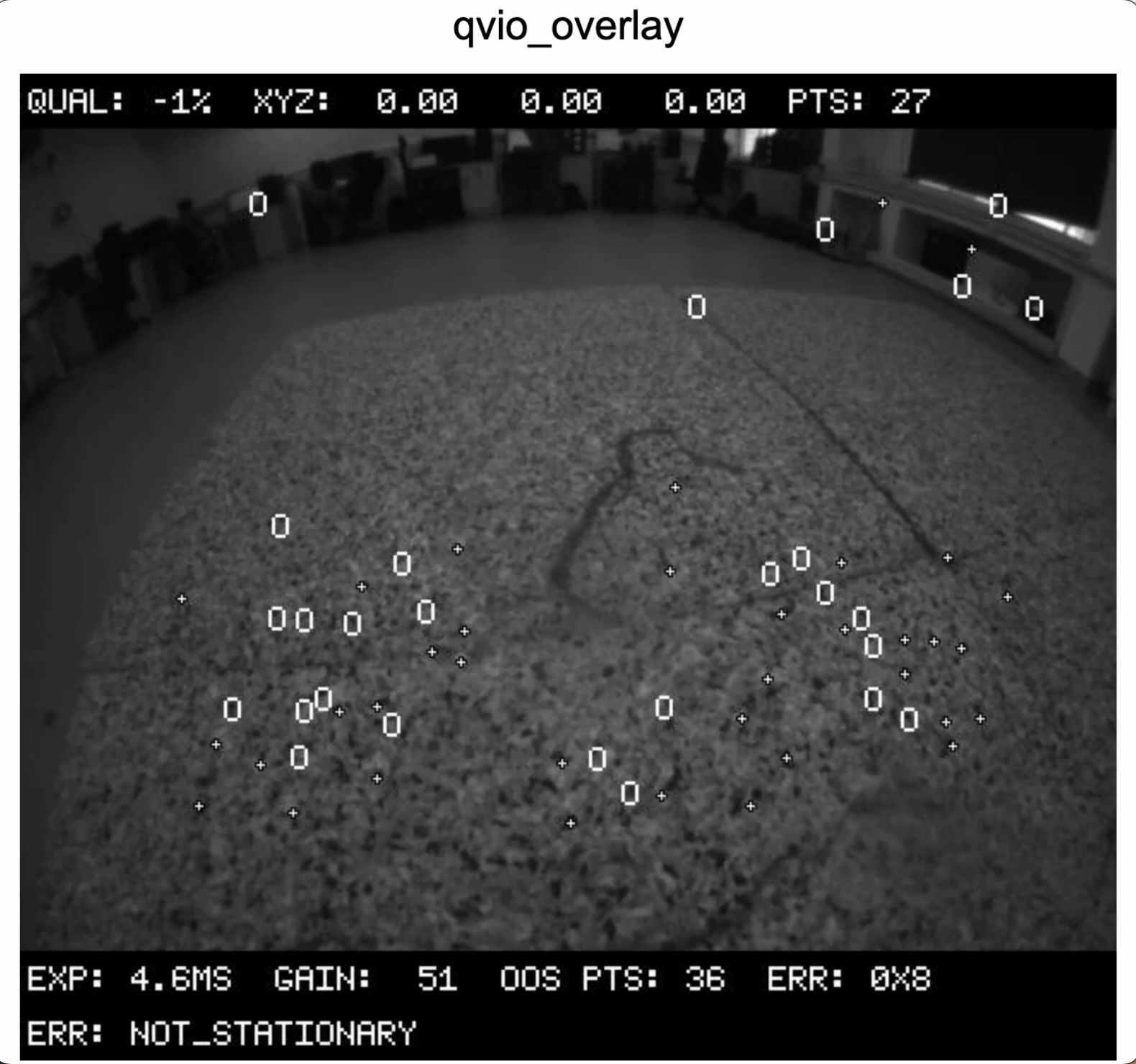
    @Jetson-Nano , Can you please double check your /etc/modalai/voxl-camera-server.conf to make sure that the tracking camera has "en_raw_preview" set to true? It is hard to tell whether there is haze in the image (the tracking camera has 640x480 resolution and if you zoom in, it may appear that the details are blurry). If you have another tracking camera to compare to, please try. Also please try looking at the image from voxl-portal (original tracking image and overlay image). Alex
  • Is pMDDL1621 compatible with Microhard pDDL Carrier USB Dongle MDK-M0048-2-01?

    Unsolved microhard
    4
    0 Votes
    4 Posts
    1k Views
    VinnyV
    Hi @Serhii I'm surprised anyone knows about that design. In any case, it is not in active production, and to the best of my knowledge, not supported nor do we have any plans to support it. M0048 is our primary focus for MH radios.
  • Thermal Camera to VOXL2

    Unsolved image-sensor
    3
    0 Votes
    3 Posts
    652 Views
    H
    @Moderator said in Thermal Camera to VOXL2: @H-AL first you need to determine if the sensor's electrical interface is compatible. What interface exists on the sensor? Can you find an appropriate electrical connection on VOXL 2? Then, you need to find if there is software compatibility, does the driver current exist in ModalAI's reference code? Or, is there an implementation you can leverage for your work? What thermal camera do you recommend using?
  • Purchase Power Module Identical to Starling 1

    Unsolved power-module
    2
    0 Votes
    2 Posts
    1k Views
    ModeratorM
    @Mihir-Bala The APM PCB is identical, you are likely referring to the PCBs If you want the lights solution possible, you should use the Mini 4-in-1 ESC which has a 5V regulator built in to power VOXL 2
  • Firmware Update 5G Sierra and AT Command Interface

    Unsolved cellular
    3
    0 Votes
    3 Posts
    2k Views
    T
    @tom That's really excellent news that you are working on the AT Command issue. I'm really looking forward to the update. The thermal pad seems to be self-adhesive. When you loosen the screw it is held in place by the thermal pad. I suspect that the thermal pad will need to be replaced if you force it off. Do you have a type designation for the thermal pad? Then I can buy a replacement somewhere. Quectel modems are updated by plugging them into a USB adapter, connecting it to a Windows PC and installing the firmware update using proprietary Quectel software. With Sierra it probably works in a similar way.
  • RAW10 output for ov9782

    Unsolved image-sensor
    11
    0 Votes
    11 Posts
    2k Views
    M
    @Alex-Kushleyev Alright, thanks for the info
  • Power module v3 got short-circuited

    Unsolved power-module
    2
    0 Votes
    2 Posts
    1k Views
    VinnyV
    Hi @xiangfuli Did you arm your drone with the wall power supply?
  • hi-res image quality difference VOXL and VOXL2

    Unsolved image-sensor
    14
    2
    0 Votes
    14 Posts
    3k Views
    B
    @Alex-Kushleyev Hi Alex, awesome! - and that's a good question. We don't know necessarily where the text will be in the image beforehand, so do we have to look for it. On the other hand, looking for text and reading it are two different stages - so we are planning to try a pipeline where we first find text at a lower resolution/lower quality and then process selected crops with more resolution and/or processing. So, in short, debayering only selected parts of the image is something that we are interested in, but we only know what regions to process at runtime, not before we look at the image. If debayering selected regions is possible that's something we are definitely interested in. Thanks!
  • Arduino ESC Compatibility

    Unsolved esc
    2
    0 Votes
    2 Posts
    414 Views
    Alex KushleyevA
    @kcmacauley , the voxl-esc driver is implemented in PX4, so you can see how the data packets are generated to send RPM commands and receive the feedback from each ESC. https://github.com/modalai/px4-firmware/blob/voxl-dev/src/drivers/actuators/voxl_esc/voxl_esc.cpp#L1230 https://github.com/modalai/px4-firmware/blob/voxl-dev/src/drivers/actuators/voxl_esc/voxl_esc.cpp#L1252 Also, an outdated implementation, which you can also refer to, can be found here : https://gitlab.com/voxl-public/support/esc-driver -- it can be compiled and tested standalone, but we do not maintain or support it. Our voxl-esc python tools provide a lot more functionality, but not entirely open source : https://gitlab.com/voxl-public/voxl-sdk/utilities/voxl-esc Finally, an even more outdated (but more formal) document can be found here : https://developer.qualcomm.com/qfile/34042/80-p4698-19_b_qualcomm_snapdragon_navigator_esc_protocol_spec.pdf. Also, not supported or complete, but can be used as a reference. If you have any specific questions about protocol, I can answer, but you should be able to get what you need for basic flight from the PX4 driver. For offline testing and tuning it is best to use the voxl-esc python tools. Alex
  • 5G Quectel modem device-initiated U1 failed.

    Unsolved cellular
    1
    0 Votes
    1 Posts
    976 Views
    No one has replied
  • This topic is deleted!

    1
    0 Votes
    1 Posts
    85 Views
    No one has replied
  • USB Fastboot board Bricking device?

    Unsolved
    1
    0 Votes
    1 Posts
    722 Views
    No one has replied
  • Quectel modem for Telecom operator outside of US - APN selection

    Unsolved cellular
    12
    0 Votes
    12 Posts
    3k Views
    tomT
    @tahawaru I like using Google Fi, super easy to setup
  • AT commands to a Sierra Wireless EM9291

    Unsolved cellular
    42
    0 Votes
    42 Posts
    27k Views
    groupoG
    hey not sure if this is an @tom or @modaltb inquiry, but when following the steps for the kernel build guide, stuff is off with the drone. It boots up and I can adb fine, but there are issues with the wifi, similar to another post Tom helped me with two weeks ago, but for definitely not the same hardware-related reason. The wifi adaptable does not turn on and when you run voxl-wifi the mac address is undefined. I remember stepping through those scripts while troubleshooting the hardware issues and recall that script queries to find its mac address, which must be returning something invalid. I have tested this with both of my drones. I can very easily flash them back with https://docs.modalai.com/sentinel-factory-reset/ and they operate as expected. While my desire is to edit part of the usb driver scripts, the kernel I am attempting to put on the drone is the unchanged version following the steps here https://docs.modalai.com/voxl2-kernel-build-guide/. The only deviation from the guide is that the guide is written for SDK 1.1.3. I have put 1.3.0 on both of my drones, and from my understanding the docker scripts pull the default branch of each repo which has the same commit tags as 1.7.8. I have included the output of dmesg for both the 1.3.0 image available from the downloads page, and the results when following the custom kernel build steps. https://drive.google.com/drive/folders/14L5gLbAOfF2OcSW2rHFTI4VIoREkTCFJ?usp=sharing